Make
Every
Moment
Count
2016ConnectThe Premier Social Business and Digital Experience Conference
#ibmconnect
Logging Wars: A Cross-Product Tech
Clash Between Experts
Ben Menesi
Chris Miller
2016ConnectThe Premier Social Business and Digital Experience Conference
MakeEveryMomentCount
Acknowledgements and Disclaimers
Copyright © 2016by International Business Machines Corporation (IBM). No part of this document may be reproduced ortransmittedin any form without written permission fromIBM.
U.S. Government Users Restricted Rights - Use, duplication or disclosure restricted by GSA ADP Schedule Contract with IBM.
Information in these presentations (including information relating to products that have not yet been announced by IBM) has beenreviewed for accuracy as of the date of initial publicationandcould include unintentional technical or
typographical errors. IBM shall haveno responsibility to update this information. THIS DOCUMENT IS DISTRIBUTED "AS IS" WITHOUT ANY WARRANTY, EITHER EXPRESS OR IMPLIED. IN NO EVENT SHALL IBM BE
LIABLE FOR ANY DAMAGE ARISING FROM THE USE OF THIS INFORMATION, INCLUDING BUT NOT LIMITED TO, LOSS OF DATA, BUSINESS INTERRUPTION, LOSS OF PROFIT OR LOSS OF OPPORTUNITY. IBM
products and services arewarranted accordingto the terms andconditions of the agreements under whichthey are provided.
Any statements regarding IBM's future direction, intent or product plans are subjectto changeor withdrawal without notice.
Performance data containedhereinwas generally obtained ina controlled, isolatedenvironments. Customer examples are presentedas illustrations of how those customers have usedIBM products and theresults they may have
achieved. Actual performance, cost, savings orother results in other operatingenvironments may vary.
References in this document to IBM products, programs, orservices does not imply that IBM intends to make such products, programs or services availablein all countries in which IBM operates or does business.
Workshops, sessions andassociatedmaterials may havebeen preparedby independent sessionspeakers, and do not necessarily reflect the views of IBM. All materials anddiscussions areprovided forinformational purposes only, and
are neither intendedto, nor shall constitute legal or other guidance oradviceto any individual participant ortheirspecific situation.
It is the customer’s responsibility to insure its owncompliance with legal requirements and to obtainadvice of competent legal counsel as to theidentificationand interpretation of any relevant laws and regulatory requirements that may
affect the customer’s business and any actions the customermay needto take to comply with such laws. IBM does not provide legaladviceor represent or warrant that its services orproducts will ensure that the customer is in
compliance with any law.
Information concerning non-IBM products was obtained from the suppliers of those products, their published announcements or otherpublicly availablesources. IBM has not tested those products in connection with this publication and
cannot confirm the accuracy of performance, compatibility or any otherclaims relatedto non-IBM products. Questions onthe capabilities of non-IBM products should be addressedto the suppliers of those products. IBM does not
warrant the quality of any third-party products, or the ability of any such third-party products to interoperate with IBM’s products. IBM EXPRESSLY DISCLAIMS ALL WARRANTIES, EXPRESSED OR IMPLIED, INCLUDING BUT
NOT LIMITED TO, THE IMPLIED WARRANTIES OF MERCHANTABILITY AND FITNESS FOR A PARTICULAR PURPOSE.
The provision of the informationcontained herein is not intended to, and does not, grant any right or license under any IBM patents, copyrights, trademarks or otherintellectual property right.
IBM, the IBM logo, ibm.com, BrassRing®, Connections™, Domino®, GlobalBusiness Services®, Global Technology Services®, SmartCloud®, SocialBusiness®, Kenexa®, Notes®, PartnerWorld®, Prove It!®, PureSystems®,
Sametime®, Verse™, Watson™, WebSphere®, Worklight®, are trademarks of International Business Machines Corporation, registeredin many jurisdictions worldwide. Other product and service names might betrademarks of IBM
or other companies. A current list of IBM trademarks is available on theWebat "Copyright andtrademark information" at: www.ibm.com/legal/copytrade.shtml.
2016ConnectThe Premier Social Business and Digital Experience Conference
MakeEveryMomentCount
Speaker
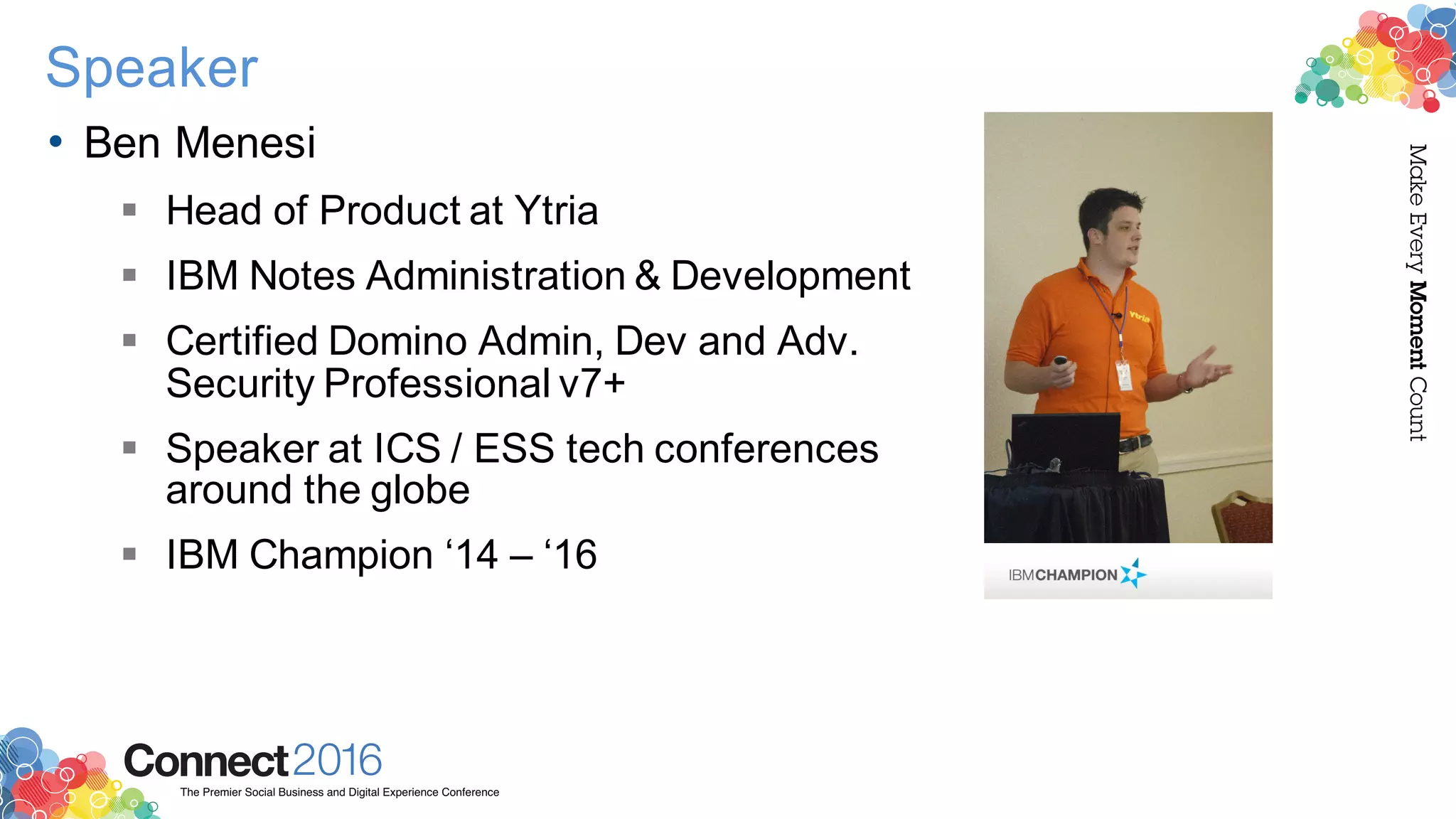
• Ben Menesi
§ Head of Product at Ytria
§ IBM Notes Administration & Development
§ Certified Domino Admin, Dev and Adv.
Security Professional v7+
§ Speaker at ICS / ESS tech conferences
around the globe
§ IBM Champion ‘14 – ‘16
2016ConnectThe Premier Social Business and Digital Experience Conference
MakeEveryMomentCount
Speaker
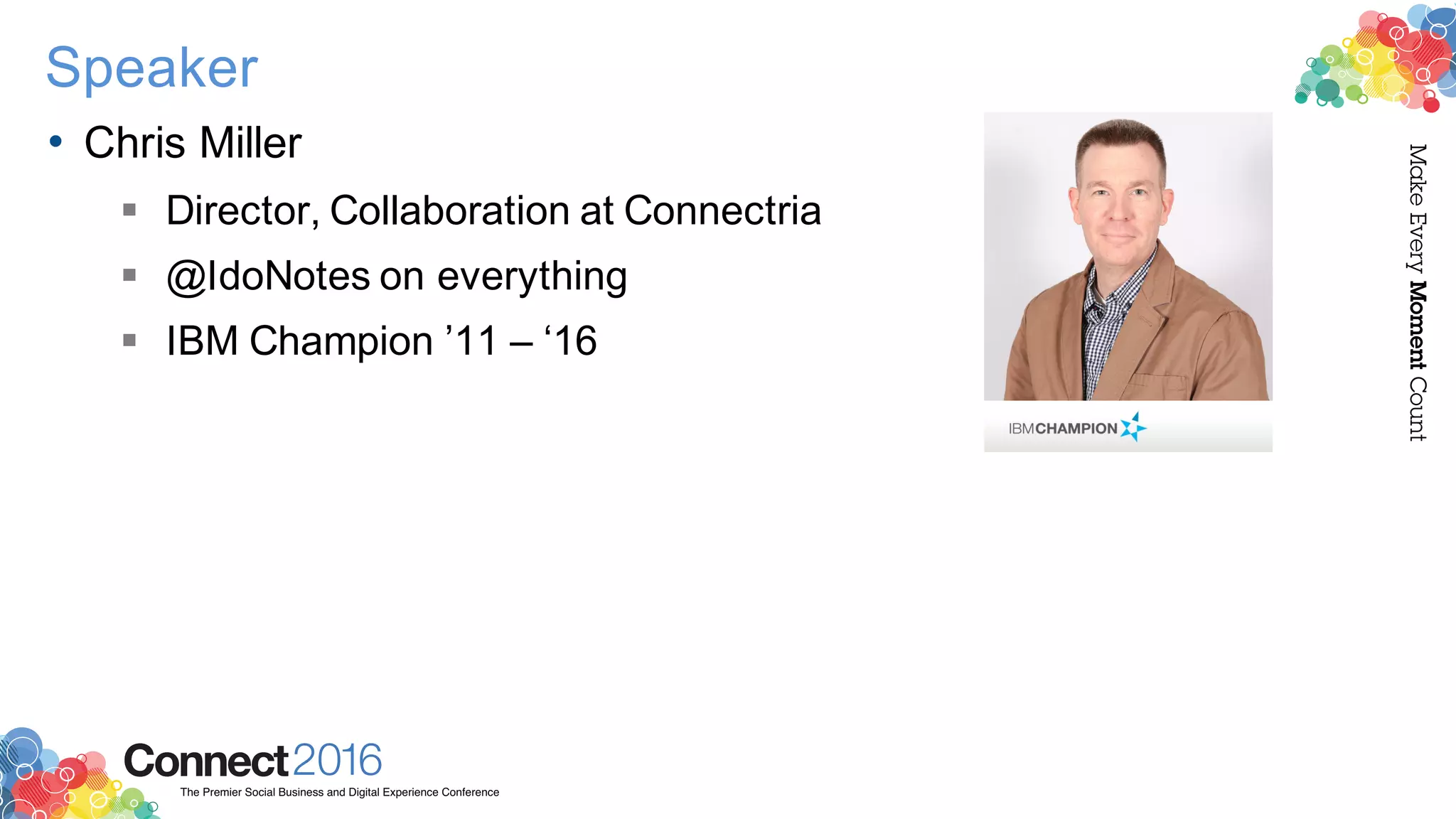
• Chris Miller
§ Director, Collaboration at Connectria
§ @IdoNotes on everything
§ IBM Champion ’11 – ‘16
2016ConnectThe Premier Social Business and Digital Experience Conference
MakeEveryMomentCount
Questions to ask ourselves
• Does Domino always display what is logged?
• Does Domino always log what it displays?
2016ConnectThe Premier Social Business and Digital Experience Conference
MakeEveryMomentCount
Agenda
• Mail Logging
• User Activity Logging
• Replication Logging
• Web Server Logging
• DDM vs. Other methods
• Logging Agents
2016ConnectThe Premier Social Business and Digital Experience Conference
MakeEveryMomentCount
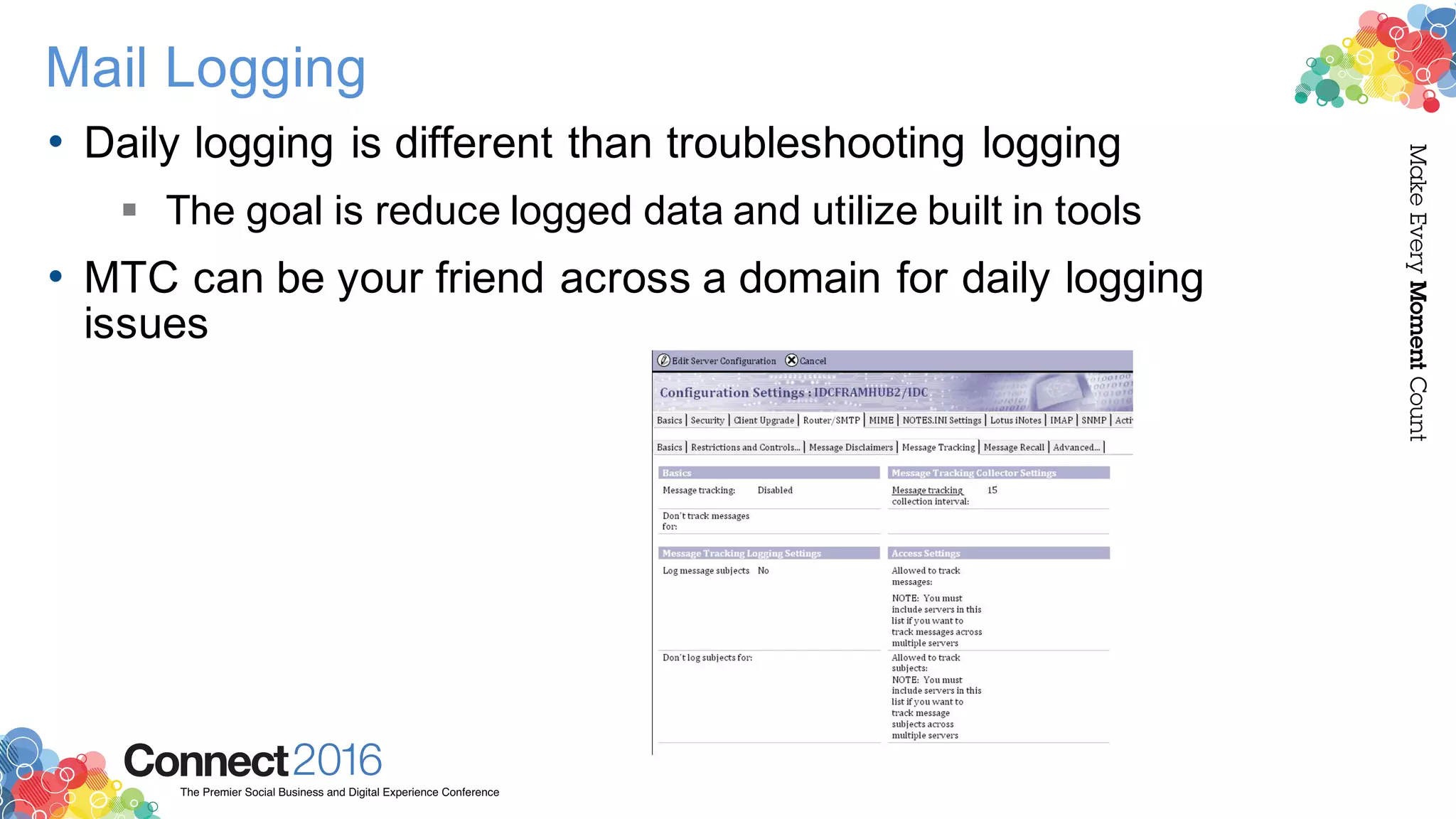
Mail Logging
• Daily logging is different than troubleshooting logging
§ The goal is reduce logged data and utilize built in tools
• MTC can be your friend across a domain for daily logging
issues
2016ConnectThe Premier Social Business and Digital Experience Conference
MakeEveryMomentCount
Mail Rule issues
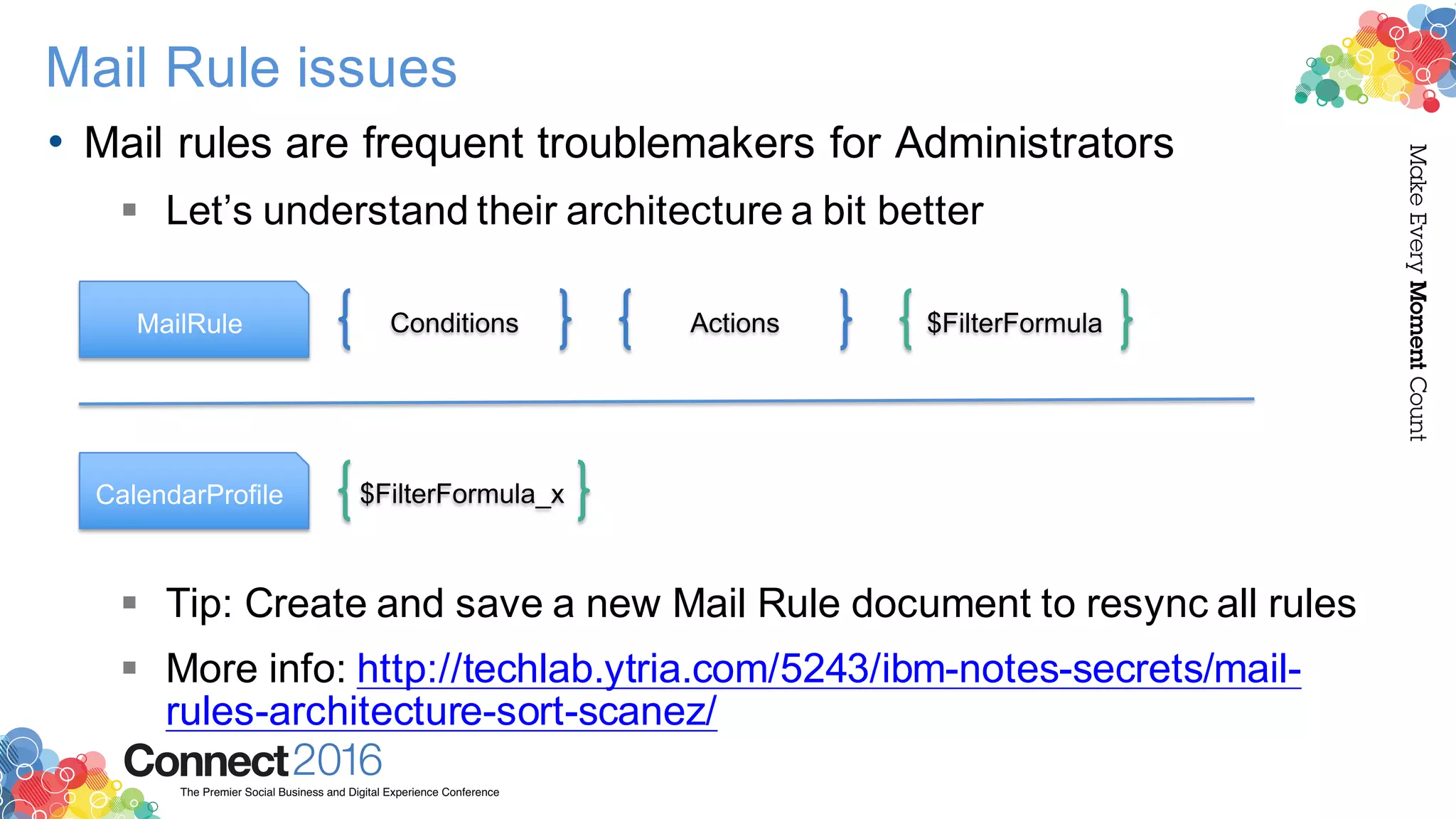
• Mail rules are frequent troublemakers for Administrators
§ Let’s understand their architecture a bit better
§ Tip: Create and save a new Mail Rule document to resync all rules
§ More info: http://techlab.ytria.com/5243/ibm-notes-secrets/mail-
rules-architecture-sort-scanez/
MailRule Conditions Actions $FilterFormula
CalendarProfile $FilterFormula_x
2016ConnectThe Premier Social Business and Digital Experience Conference
MakeEveryMomentCount
Mail Tools
• Mail File Digest - summary report for mailfiles and mail-in
databases from OpenNTF
§ http://idonot.es/mailfiledigesttool
• Downside: Server add-on, requires downtime to get done, plus only
supports 801, 852 and 9
2016ConnectThe Premier Social Business and Digital Experience Conference
MakeEveryMomentCount
User Activity
• Who’s accessing what?
§ Increasingly important question whether you’re:
• Upgrading / consolidating your environment
• Considering going to the cloud
• In the process of migrating
§ What data to use and HOW to use it
• Frequently used databases and apps that aren’t used at all?
2016ConnectThe Premier Social Business and Digital Experience Conference
MakeEveryMomentCount
User Activity
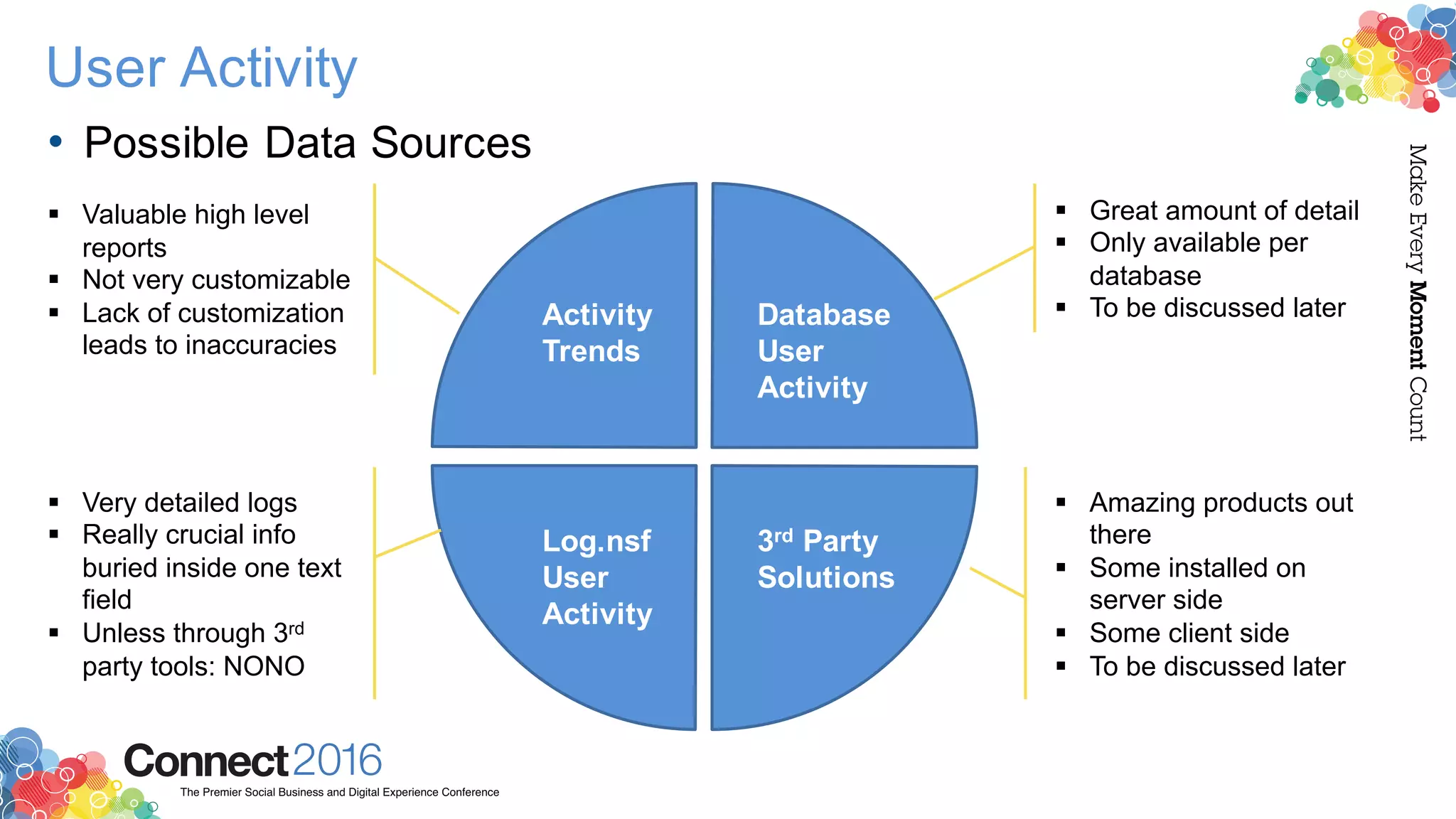
• Possible Data Sources
Activity
Trends
Database
User
Activity
Log.nsf
User
Activity
3rd Party
Solutions
§ Valuable high level
reports
§ Not very customizable
§ Lack of customization
leads to inaccuracies
§ Very detailed logs
§ Really crucial info
buried inside one text
field
§ Unless through 3rd
party tools: NONO
§ Great amount of detail
§ Only available per
database
§ To be discussed later
§ Amazing products out
there
§ Some installed on
server side
§ Some client side
§ To be discussed later
2016ConnectThe Premier Social Business and Digital Experience Conference
MakeEveryMomentCount
User Activity
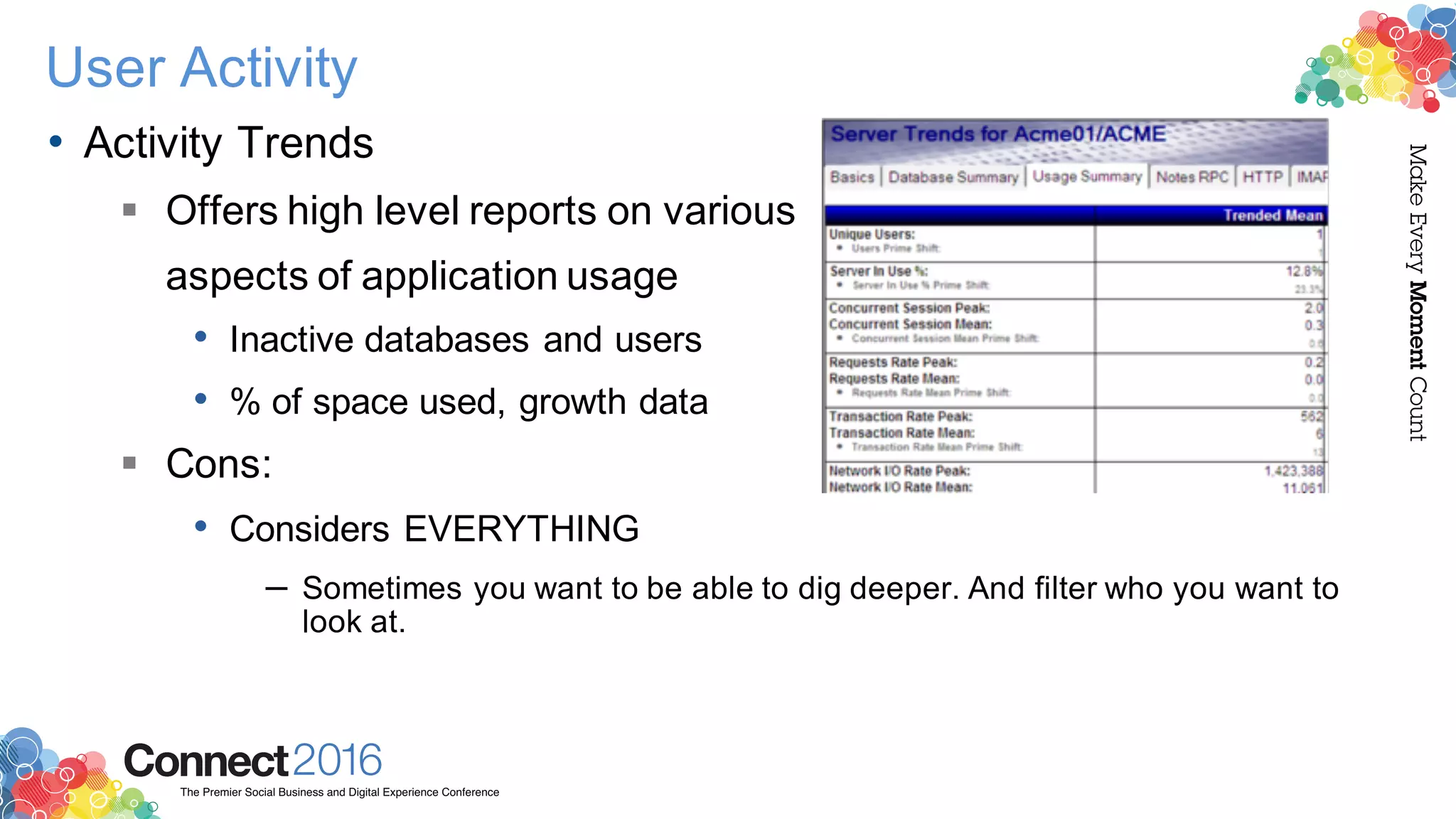
• Activity Trends
§ Offers high level reports on various
aspects of application usage
• Inactive databases and users
• % of space used, growth data
§ Cons:
• Considers EVERYTHING
– Sometimes you want to be able to dig deeper. And filter who you want to
look at.
2016ConnectThe Premier Social Business and Digital Experience Conference
MakeEveryMomentCount
User Activity
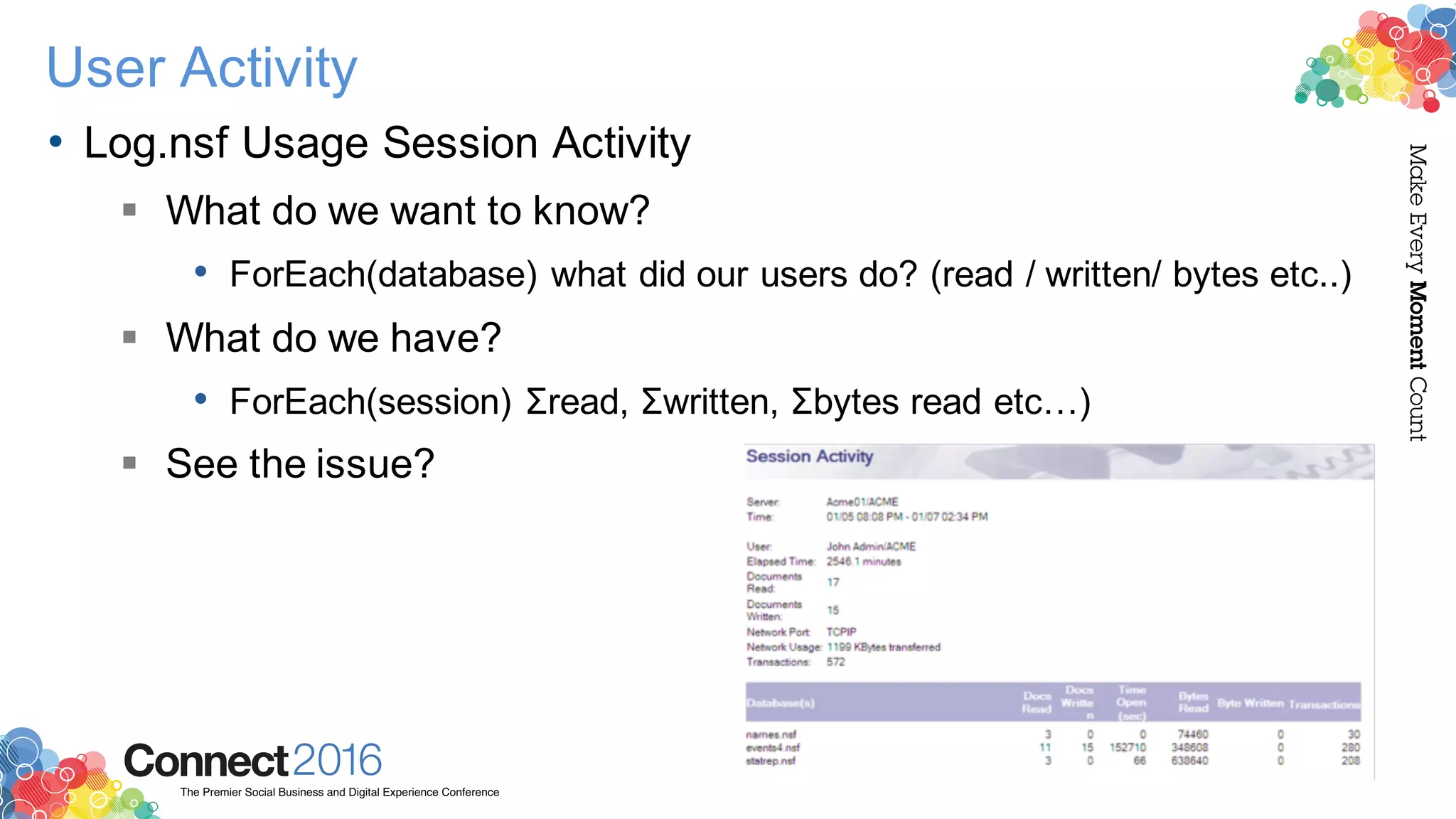
• Log.nsf Usage Session Activity
§ What do we want to know?
• ForEach(database) what did our users do? (read / written/ bytes etc..)
§ What do we have?
• ForEach(session) Σread, Σwritten, Σbytes read etc…)
§ See the issue?
2016ConnectThe Premier Social Business and Digital Experience Conference
MakeEveryMomentCount
User Activity
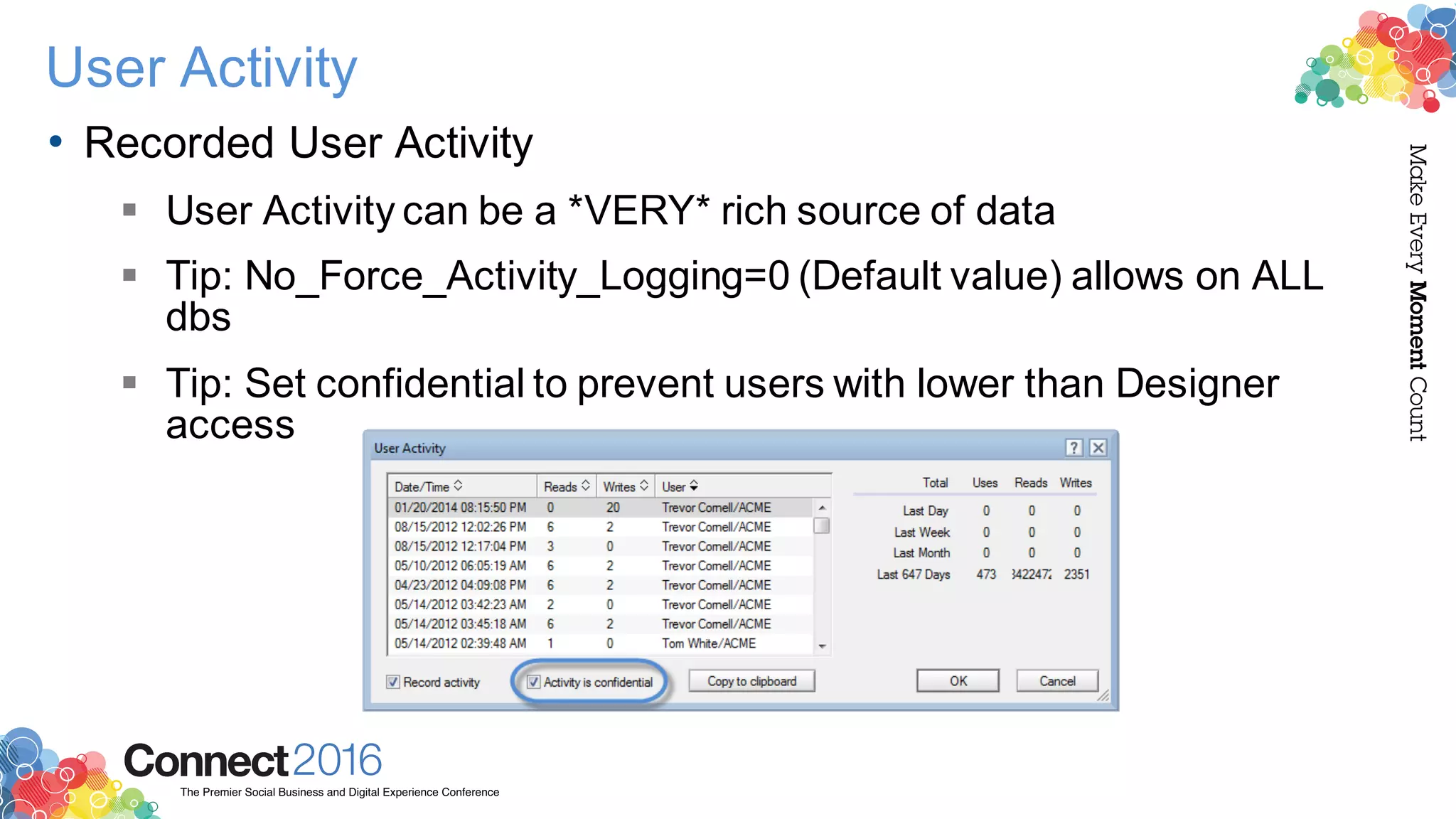
• Recorded User Activity
§ User Activity can be a *VERY* rich source of data
§ Tip: No_Force_Activity_Logging=0 (Default value) allows on ALL
dbs
§ Tip: Set confidential to prevent users with lower than Designer
access
2016ConnectThe Premier Social Business and Digital Experience Conference
MakeEveryMomentCount
User Activity
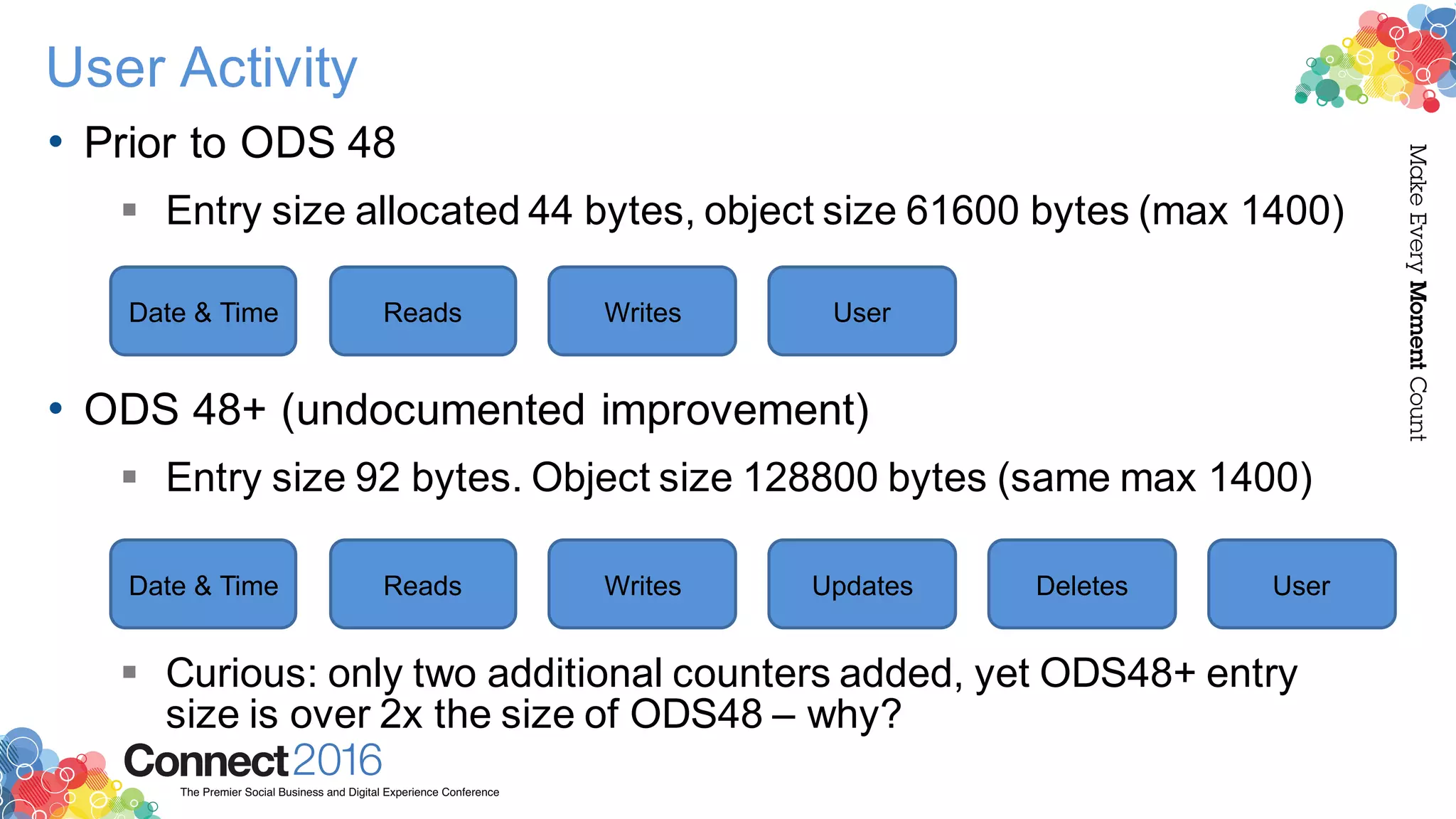
• Prior to ODS 48
§ Entry size allocated 44 bytes, object size 61600 bytes (max 1400)
• ODS 48+ (undocumented improvement)
§ Entry size 92 bytes. Object size 128800 bytes (same max 1400)
§ Curious: only two additional counters added, yet ODS48+ entry
size is over 2x the size of ODS48 – why?
Date & Time Reads Writes User
Date & Time Reads Writes Updates Deletes User
2016ConnectThe Premier Social Business and Digital Experience Conference
MakeEveryMomentCount
User Activity
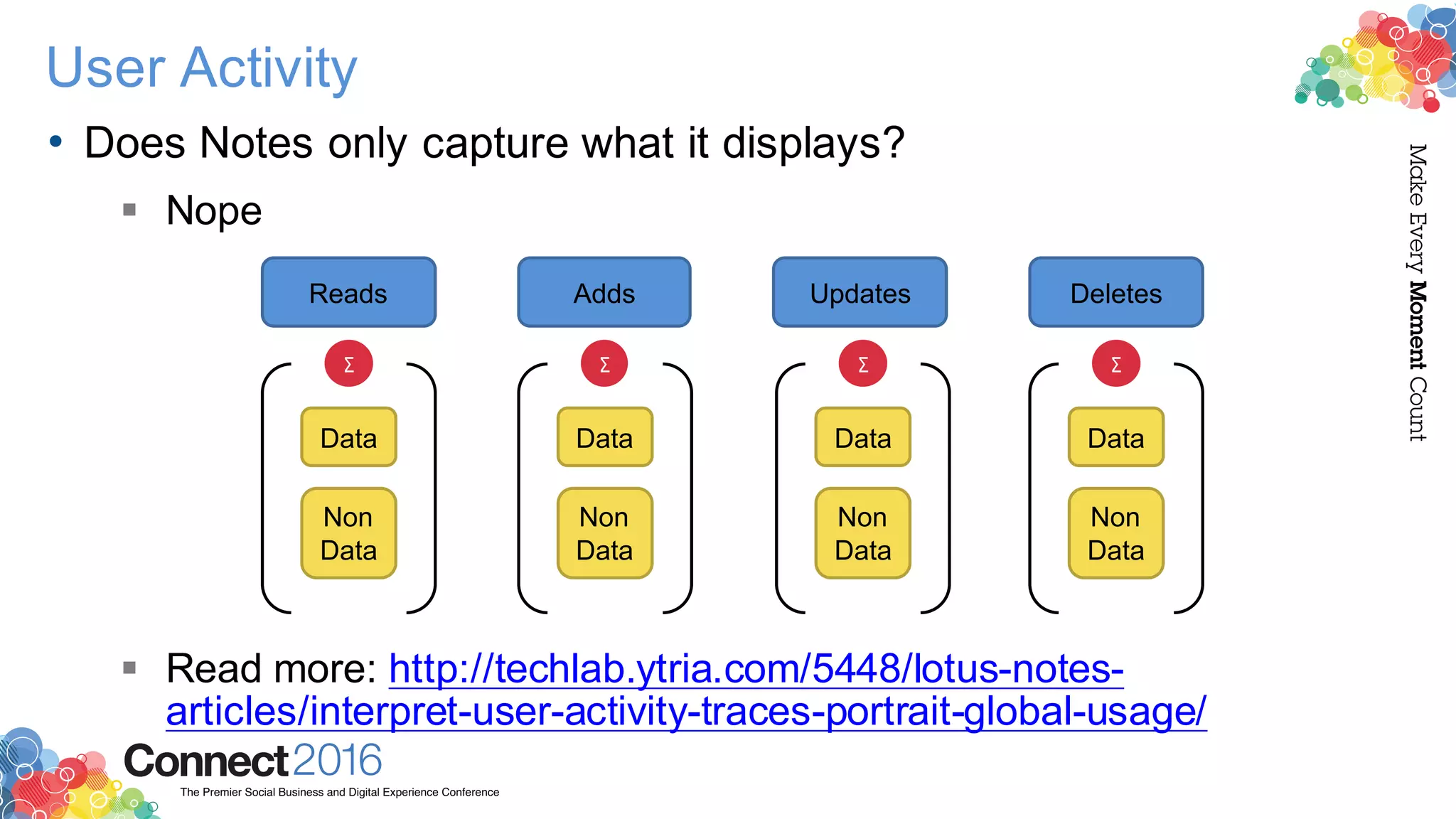
• Does Notes only capture what it displays?
§ Nope
§ Read more: http://techlab.ytria.com/5448/lotus-notes-
articles/interpret-user-activity-traces-portrait-global-usage/
Reads Adds Updates Deletes
Data
Non
Data
Σ
Data
Non
Data
Σ
Data
Non
Data
Σ
Data
Non
Data
Σ
2016ConnectThe Premier Social Business and Digital Experience Conference
MakeEveryMomentCount
User Activity
• Cons
§ Only available per database
• You have free tools available to facilitate working with this data
across multiple databases: http://www.agecom.com.au/useractivity
– Or implement via W32_NSFDbGetUserActivity
– Or get Ytria’s databaseEZ
§ Makes no difference between users and servers
• Filtering this info is easy in tools like databaseEZ
§ Only maintains 1400 entries
• Funny you should say that…
2016ConnectThe Premier Social Business and Digital Experience Conference
MakeEveryMomentCount
User Activity
• 3rd Party products for usage analysis
§ Domino Doublecheck
• http://goo.gl/maL0fo
§ Panagenda iDNA
• https://www.panagenda.com/products/idna
§ Ytria databaseEZ & consoleEZ
• http://ytria.com/databaseez
• http://ytria.com/consoleEZ
2016ConnectThe Premier Social Business and Digital Experience Conference
MakeEveryMomentCount
Replication Logging
• Replication is a subject that raises various questions such as
§ How do I make sure replication runs smoothly?
§ What do I do when problems occur (and problems do occur)
2016ConnectThe Premier Social Business and Digital Experience Conference
MakeEveryMomentCount
Replication Logging
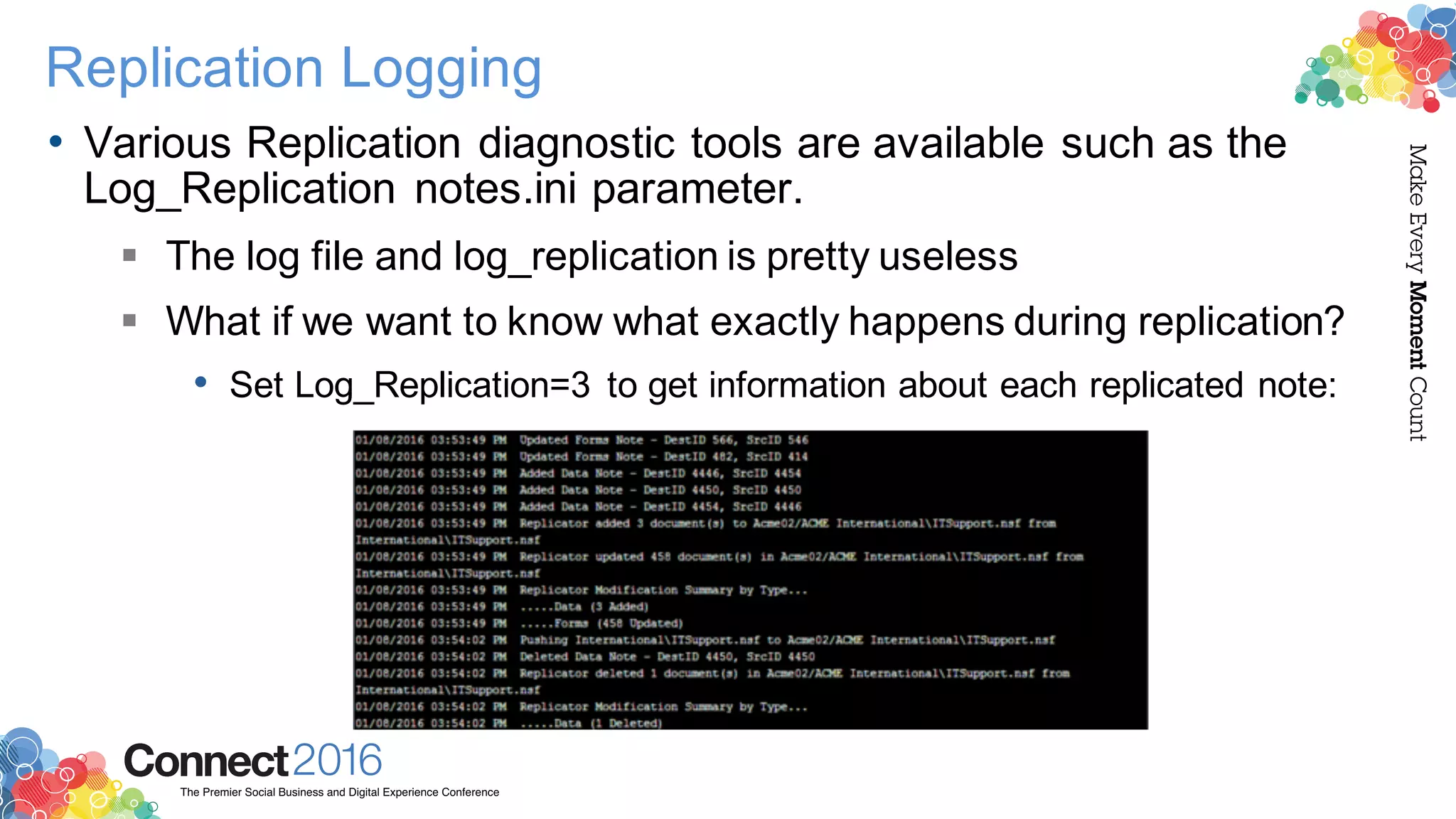
• Various Replication diagnostic tools are available such as the
Log_Replication notes.ini parameter.
§ The log file and log_replication is pretty useless
§ What if we want to know what exactly happens during replication?
• Set Log_Replication=3 to get information about each replicated note:
2016ConnectThe Premier Social Business and Digital Experience Conference
MakeEveryMomentCount
Web Server Logging
• Filtering and excluding
2016ConnectThe Premier Social Business and Digital Experience Conference
MakeEveryMomentCount
Web Server Logging
• Consolidating HTTP & Miscellaneous Logs
§ Use the HTTPLogUnauthorized=1 Notes.ini Parameter
• Logs 401 HTTP Errors in console AND Misc. log events
• HTTP Users attempting to access resources they aren’t entitled to
access + user authentication requests.
2016ConnectThe Premier Social Business and Digital Experience Conference
MakeEveryMomentCount
DDM vs. Other methods
• DDM is about building proper triggers for logged and non-
logged data
§ DDM takes effort to configure properly
§ Domino exposes all errors but does not technically log them
2016ConnectThe Premier Social Business and Digital Experience Conference
MakeEveryMomentCount
DDM vs. Other methods
• How to extract more from Log.nsf?
§ There is MUCH more data in your logs than you know
§ Extract more data from your log documents using formulas such
as:
• # of events, unique events
• Highest severity event encountered
• # of various severity events
• Total # of messages transferred per each Mail Routing document
§ More info: http://www.slideshare.net/BenedekMenesi/ibm-
connected-2015
2016ConnectThe Premier Social Business and Digital Experience Conference
MakeEveryMomentCount
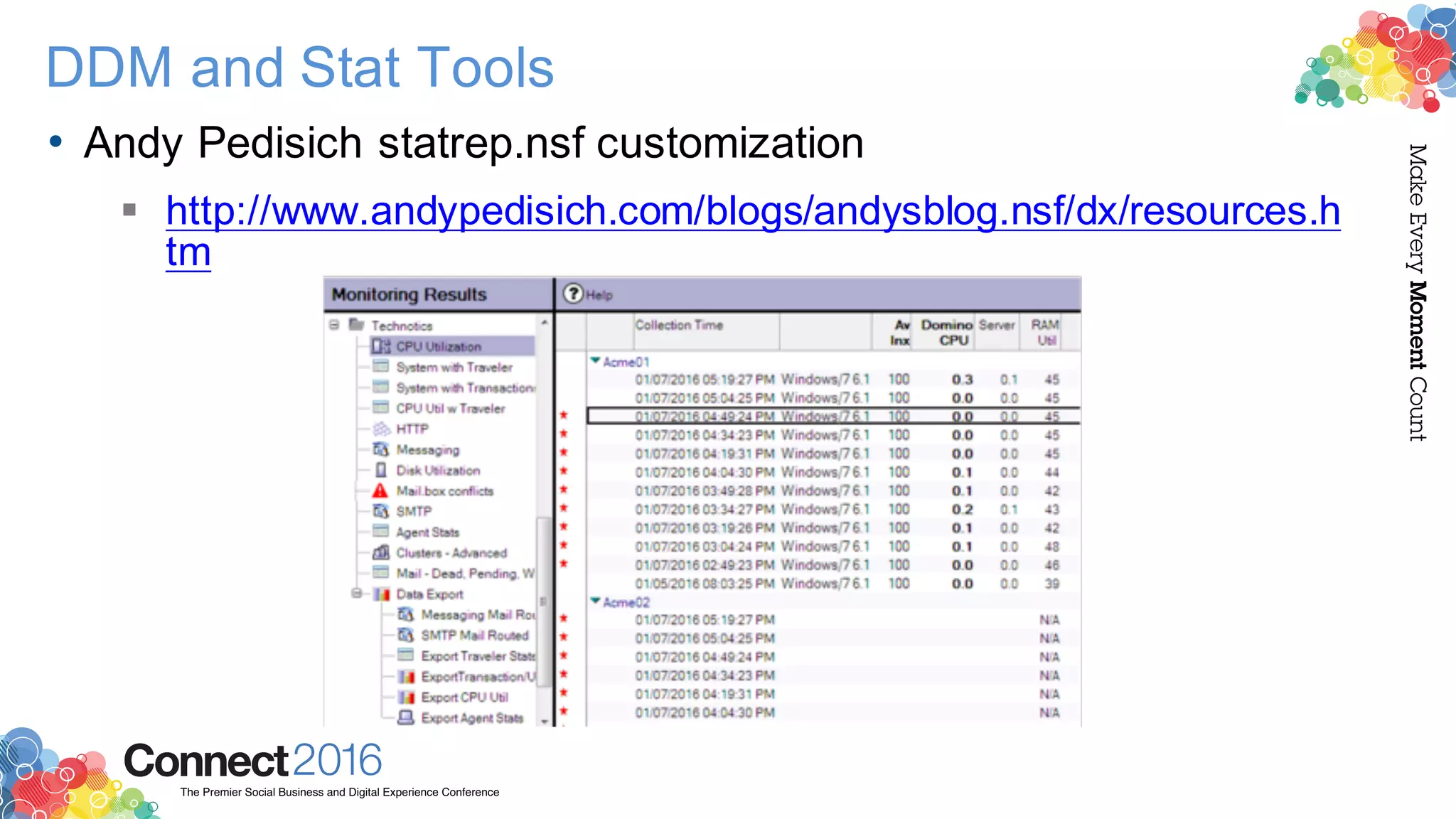
DDM and Stat Tools
• Andy Pedisich statrep.nsf customization
§ http://www.andypedisich.com/blogs/andysblog.nsf/dx/resources.h
tm
2016ConnectThe Premier Social Business and Digital Experience Conference
MakeEveryMomentCount
Agent Logging
• Debugging Agents through Print statements is BAD
§ How can we log and control our agents better?
• OpenLog on OpenNTF
§ https://www.openntf.org/main.nsf/project.xsp?r=project/OpenLog
• Thomas Lindberg Agent Controller (OpenNTF)
§ https://www.openntf.org/main.nsf/project.xsp?r=project/AgentCon
troller
• AgentEZ
§ http://www.ytria.com/agentEZ
2016ConnectThe Premier Social Business and Digital Experience Conference
MakeEveryMomentCount
Thank you
• Thank you for attending!
§ Feel free to get in touch:
• Ben Menesi (@BenMenesi): ben.menesi@ytria.com
• Chris Miller (@Idonotes): chris@idonotes.com

IBM Connect 2016 - Logging Wars: A Cross Product Tech Clash Between Experts - 1470A

  • 1.
    Make Every Moment Count 2016ConnectThe Premier SocialBusiness and Digital Experience Conference #ibmconnect Logging Wars: A Cross-Product Tech Clash Between Experts Ben Menesi Chris Miller
  • 2.
    2016ConnectThe Premier SocialBusiness and Digital Experience Conference MakeEveryMomentCount Acknowledgements and Disclaimers Copyright © 2016by International Business Machines Corporation (IBM). No part of this document may be reproduced ortransmittedin any form without written permission fromIBM. U.S. Government Users Restricted Rights - Use, duplication or disclosure restricted by GSA ADP Schedule Contract with IBM. Information in these presentations (including information relating to products that have not yet been announced by IBM) has beenreviewed for accuracy as of the date of initial publicationandcould include unintentional technical or typographical errors. IBM shall haveno responsibility to update this information. THIS DOCUMENT IS DISTRIBUTED "AS IS" WITHOUT ANY WARRANTY, EITHER EXPRESS OR IMPLIED. IN NO EVENT SHALL IBM BE LIABLE FOR ANY DAMAGE ARISING FROM THE USE OF THIS INFORMATION, INCLUDING BUT NOT LIMITED TO, LOSS OF DATA, BUSINESS INTERRUPTION, LOSS OF PROFIT OR LOSS OF OPPORTUNITY. IBM products and services arewarranted accordingto the terms andconditions of the agreements under whichthey are provided. Any statements regarding IBM's future direction, intent or product plans are subjectto changeor withdrawal without notice. Performance data containedhereinwas generally obtained ina controlled, isolatedenvironments. Customer examples are presentedas illustrations of how those customers have usedIBM products and theresults they may have achieved. Actual performance, cost, savings orother results in other operatingenvironments may vary. References in this document to IBM products, programs, orservices does not imply that IBM intends to make such products, programs or services availablein all countries in which IBM operates or does business. Workshops, sessions andassociatedmaterials may havebeen preparedby independent sessionspeakers, and do not necessarily reflect the views of IBM. All materials anddiscussions areprovided forinformational purposes only, and are neither intendedto, nor shall constitute legal or other guidance oradviceto any individual participant ortheirspecific situation. It is the customer’s responsibility to insure its owncompliance with legal requirements and to obtainadvice of competent legal counsel as to theidentificationand interpretation of any relevant laws and regulatory requirements that may affect the customer’s business and any actions the customermay needto take to comply with such laws. IBM does not provide legaladviceor represent or warrant that its services orproducts will ensure that the customer is in compliance with any law. Information concerning non-IBM products was obtained from the suppliers of those products, their published announcements or otherpublicly availablesources. IBM has not tested those products in connection with this publication and cannot confirm the accuracy of performance, compatibility or any otherclaims relatedto non-IBM products. Questions onthe capabilities of non-IBM products should be addressedto the suppliers of those products. IBM does not warrant the quality of any third-party products, or the ability of any such third-party products to interoperate with IBM’s products. IBM EXPRESSLY DISCLAIMS ALL WARRANTIES, EXPRESSED OR IMPLIED, INCLUDING BUT NOT LIMITED TO, THE IMPLIED WARRANTIES OF MERCHANTABILITY AND FITNESS FOR A PARTICULAR PURPOSE. The provision of the informationcontained herein is not intended to, and does not, grant any right or license under any IBM patents, copyrights, trademarks or otherintellectual property right. IBM, the IBM logo, ibm.com, BrassRing®, Connections™, Domino®, GlobalBusiness Services®, Global Technology Services®, SmartCloud®, SocialBusiness®, Kenexa®, Notes®, PartnerWorld®, Prove It!®, PureSystems®, Sametime®, Verse™, Watson™, WebSphere®, Worklight®, are trademarks of International Business Machines Corporation, registeredin many jurisdictions worldwide. Other product and service names might betrademarks of IBM or other companies. A current list of IBM trademarks is available on theWebat "Copyright andtrademark information" at: www.ibm.com/legal/copytrade.shtml.
  • 3.
    2016ConnectThe Premier SocialBusiness and Digital Experience Conference MakeEveryMomentCount Speaker • Ben Menesi § Head of Product at Ytria § IBM Notes Administration & Development § Certified Domino Admin, Dev and Adv. Security Professional v7+ § Speaker at ICS / ESS tech conferences around the globe § IBM Champion ‘14 – ‘16
  • 4.
    2016ConnectThe Premier SocialBusiness and Digital Experience Conference MakeEveryMomentCount Speaker • Chris Miller § Director, Collaboration at Connectria § @IdoNotes on everything § IBM Champion ’11 – ‘16
  • 5.
    2016ConnectThe Premier SocialBusiness and Digital Experience Conference MakeEveryMomentCount Questions to ask ourselves • Does Domino always display what is logged? • Does Domino always log what it displays?
  • 6.
    2016ConnectThe Premier SocialBusiness and Digital Experience Conference MakeEveryMomentCount Agenda • Mail Logging • User Activity Logging • Replication Logging • Web Server Logging • DDM vs. Other methods • Logging Agents
  • 7.
    2016ConnectThe Premier SocialBusiness and Digital Experience Conference MakeEveryMomentCount Mail Logging • Daily logging is different than troubleshooting logging § The goal is reduce logged data and utilize built in tools • MTC can be your friend across a domain for daily logging issues
  • 8.
    2016ConnectThe Premier SocialBusiness and Digital Experience Conference MakeEveryMomentCount Mail Rule issues • Mail rules are frequent troublemakers for Administrators § Let’s understand their architecture a bit better § Tip: Create and save a new Mail Rule document to resync all rules § More info: http://techlab.ytria.com/5243/ibm-notes-secrets/mail- rules-architecture-sort-scanez/ MailRule Conditions Actions $FilterFormula CalendarProfile $FilterFormula_x
  • 9.
    2016ConnectThe Premier SocialBusiness and Digital Experience Conference MakeEveryMomentCount Mail Tools • Mail File Digest - summary report for mailfiles and mail-in databases from OpenNTF § http://idonot.es/mailfiledigesttool • Downside: Server add-on, requires downtime to get done, plus only supports 801, 852 and 9
  • 10.
    2016ConnectThe Premier SocialBusiness and Digital Experience Conference MakeEveryMomentCount User Activity • Who’s accessing what? § Increasingly important question whether you’re: • Upgrading / consolidating your environment • Considering going to the cloud • In the process of migrating § What data to use and HOW to use it • Frequently used databases and apps that aren’t used at all?
  • 11.
    2016ConnectThe Premier SocialBusiness and Digital Experience Conference MakeEveryMomentCount User Activity • Possible Data Sources Activity Trends Database User Activity Log.nsf User Activity 3rd Party Solutions § Valuable high level reports § Not very customizable § Lack of customization leads to inaccuracies § Very detailed logs § Really crucial info buried inside one text field § Unless through 3rd party tools: NONO § Great amount of detail § Only available per database § To be discussed later § Amazing products out there § Some installed on server side § Some client side § To be discussed later
  • 12.
    2016ConnectThe Premier SocialBusiness and Digital Experience Conference MakeEveryMomentCount User Activity • Activity Trends § Offers high level reports on various aspects of application usage • Inactive databases and users • % of space used, growth data § Cons: • Considers EVERYTHING – Sometimes you want to be able to dig deeper. And filter who you want to look at.
  • 13.
    2016ConnectThe Premier SocialBusiness and Digital Experience Conference MakeEveryMomentCount User Activity • Log.nsf Usage Session Activity § What do we want to know? • ForEach(database) what did our users do? (read / written/ bytes etc..) § What do we have? • ForEach(session) Σread, Σwritten, Σbytes read etc…) § See the issue?
  • 14.
    2016ConnectThe Premier SocialBusiness and Digital Experience Conference MakeEveryMomentCount User Activity • Recorded User Activity § User Activity can be a *VERY* rich source of data § Tip: No_Force_Activity_Logging=0 (Default value) allows on ALL dbs § Tip: Set confidential to prevent users with lower than Designer access
  • 15.
    2016ConnectThe Premier SocialBusiness and Digital Experience Conference MakeEveryMomentCount User Activity • Prior to ODS 48 § Entry size allocated 44 bytes, object size 61600 bytes (max 1400) • ODS 48+ (undocumented improvement) § Entry size 92 bytes. Object size 128800 bytes (same max 1400) § Curious: only two additional counters added, yet ODS48+ entry size is over 2x the size of ODS48 – why? Date & Time Reads Writes User Date & Time Reads Writes Updates Deletes User
  • 16.
    2016ConnectThe Premier SocialBusiness and Digital Experience Conference MakeEveryMomentCount User Activity • Does Notes only capture what it displays? § Nope § Read more: http://techlab.ytria.com/5448/lotus-notes- articles/interpret-user-activity-traces-portrait-global-usage/ Reads Adds Updates Deletes Data Non Data Σ Data Non Data Σ Data Non Data Σ Data Non Data Σ
  • 17.
    2016ConnectThe Premier SocialBusiness and Digital Experience Conference MakeEveryMomentCount User Activity • Cons § Only available per database • You have free tools available to facilitate working with this data across multiple databases: http://www.agecom.com.au/useractivity – Or implement via W32_NSFDbGetUserActivity – Or get Ytria’s databaseEZ § Makes no difference between users and servers • Filtering this info is easy in tools like databaseEZ § Only maintains 1400 entries • Funny you should say that…
  • 18.
    2016ConnectThe Premier SocialBusiness and Digital Experience Conference MakeEveryMomentCount User Activity • 3rd Party products for usage analysis § Domino Doublecheck • http://goo.gl/maL0fo § Panagenda iDNA • https://www.panagenda.com/products/idna § Ytria databaseEZ & consoleEZ • http://ytria.com/databaseez • http://ytria.com/consoleEZ
  • 19.
    2016ConnectThe Premier SocialBusiness and Digital Experience Conference MakeEveryMomentCount Replication Logging • Replication is a subject that raises various questions such as § How do I make sure replication runs smoothly? § What do I do when problems occur (and problems do occur)
  • 20.
    2016ConnectThe Premier SocialBusiness and Digital Experience Conference MakeEveryMomentCount Replication Logging • Various Replication diagnostic tools are available such as the Log_Replication notes.ini parameter. § The log file and log_replication is pretty useless § What if we want to know what exactly happens during replication? • Set Log_Replication=3 to get information about each replicated note:
  • 21.
    2016ConnectThe Premier SocialBusiness and Digital Experience Conference MakeEveryMomentCount Web Server Logging • Filtering and excluding
  • 22.
    2016ConnectThe Premier SocialBusiness and Digital Experience Conference MakeEveryMomentCount Web Server Logging • Consolidating HTTP & Miscellaneous Logs § Use the HTTPLogUnauthorized=1 Notes.ini Parameter • Logs 401 HTTP Errors in console AND Misc. log events • HTTP Users attempting to access resources they aren’t entitled to access + user authentication requests.
  • 23.
    2016ConnectThe Premier SocialBusiness and Digital Experience Conference MakeEveryMomentCount DDM vs. Other methods • DDM is about building proper triggers for logged and non- logged data § DDM takes effort to configure properly § Domino exposes all errors but does not technically log them
  • 24.
    2016ConnectThe Premier SocialBusiness and Digital Experience Conference MakeEveryMomentCount DDM vs. Other methods • How to extract more from Log.nsf? § There is MUCH more data in your logs than you know § Extract more data from your log documents using formulas such as: • # of events, unique events • Highest severity event encountered • # of various severity events • Total # of messages transferred per each Mail Routing document § More info: http://www.slideshare.net/BenedekMenesi/ibm- connected-2015
  • 25.
    2016ConnectThe Premier SocialBusiness and Digital Experience Conference MakeEveryMomentCount DDM and Stat Tools • Andy Pedisich statrep.nsf customization § http://www.andypedisich.com/blogs/andysblog.nsf/dx/resources.h tm
  • 26.
    2016ConnectThe Premier SocialBusiness and Digital Experience Conference MakeEveryMomentCount Agent Logging • Debugging Agents through Print statements is BAD § How can we log and control our agents better? • OpenLog on OpenNTF § https://www.openntf.org/main.nsf/project.xsp?r=project/OpenLog • Thomas Lindberg Agent Controller (OpenNTF) § https://www.openntf.org/main.nsf/project.xsp?r=project/AgentCon troller • AgentEZ § http://www.ytria.com/agentEZ
  • 27.
    2016ConnectThe Premier SocialBusiness and Digital Experience Conference MakeEveryMomentCount Thank you • Thank you for attending! § Feel free to get in touch: • Ben Menesi (@BenMenesi): ben.menesi@ytria.com • Chris Miller (@Idonotes): chris@idonotes.com