Introduzione a HTML5 e CSS3
Gabriele Gigliotti
Dipartimento di Matematica – Università degli studi di Udine
April 20th 2011
[1] html5 logo web page
[2] link to Google Images search result page
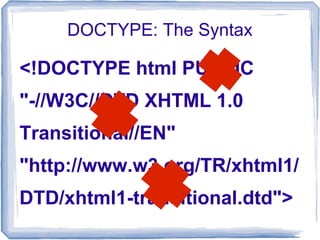
<!DOCTYPE html PUBLIC
"-//W3C//DTD XHTML 1.0
Transitional//EN"
"http://www.w3.org/TR/xhtml1/
DTD/xhtml1-transitional.dtd">
DOCTYPE: The Syntax
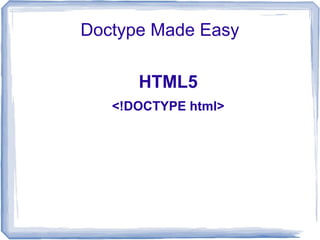
Doctype Made Easy
HTML5
<!DOCTYPE html>
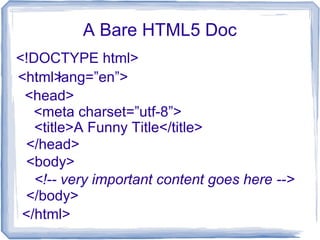
A Bare HTML5 Doc
<!DOCTYPE html>
<html>
</html>
<head>
</head>
<title>A Funny Title</title>
<html lang=”en”>
<meta charset=”utf-8”>
<body>
<!-- very important content goes here -->
</body>
Can We Use HTML5 Today?
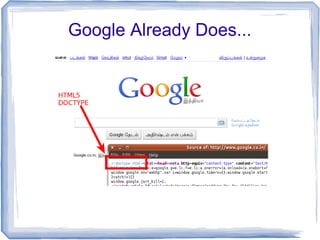
Google Already Does...
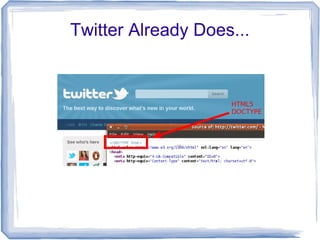
Twitter Already Does...
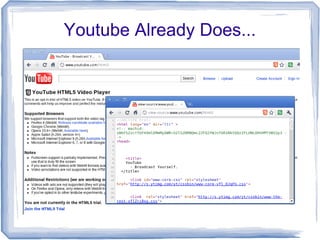
Youtube Already Does...
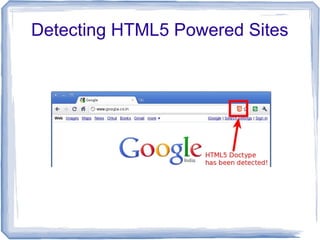
Detecting HTML5 Powered Sites
Chrome Add-on: HTML5 powered
[3]
Detecting HTML5 Powered Sites
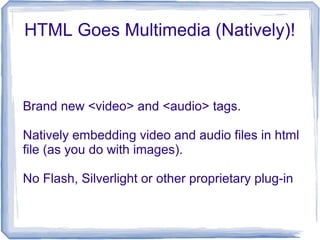
HTML Goes Multimedia (Natively)!
Brand new <video> and <audio> tags.
Natively embedding video and audio files in html
file (as you do with images).
No Flash, Silverlight or other proprietary plug-in
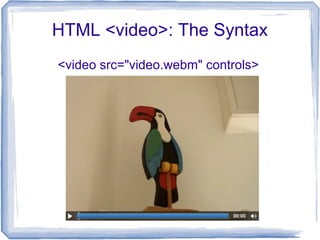
HTML <video>: The Syntax
<video src="video.webm" controls>
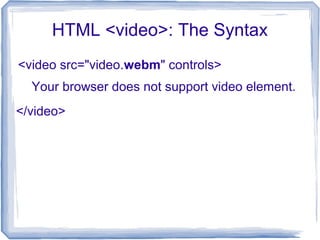
HTML <video>: The Syntax
<video src="video.webm" controls>
</video>
Your browser does not support video element.
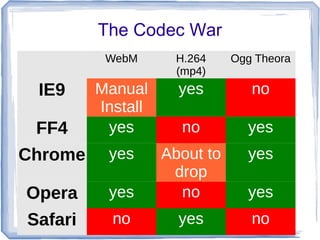
The Codec War
WebM H.264
(mp4)
Ogg Theora
IE9 Manual
Install
yes no
FF4 yes no yes
Chrome yes About to
drop
yes
Opera yes no yes
Safari no yes no
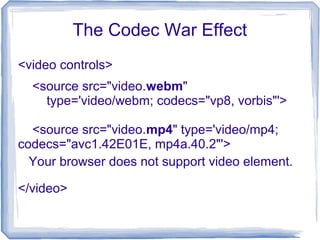
The Codec War Effect
<video controls>
</video>
<source src="video.webm"
type='video/webm; codecs="vp8, vorbis"'>
<source src="video.mp4" type='video/mp4;
codecs="avc1.42E01E, mp4a.40.2"'>
Your browser does not support video element.
Flash vs HTML5 <video>
● Easy integration with other
web tech.
● No security issues.
● It delivers better semantic.
● Content Protection.
● Easily Manageble.
● No affected by codec war
<video>
Flash
[4] Taken from Sonny Piers Photostream on Flikr
Web Forms: New Input Types
Before HTML5
<input type=”text”>
Generic use
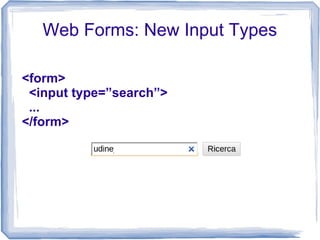
Web Forms: New Input Types
<form>
<input type=”search”>
...
</form>
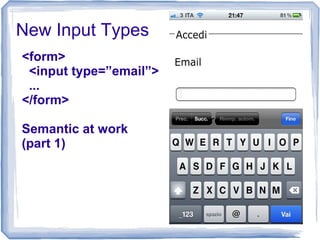
New Input Types
<form>
<input type=”email”>
...
</form>
Semantic at work
(part 1)
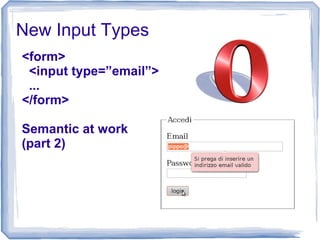
New Input Types
<form>
<input type=”email”>
...
</form>
Semantic at work
(part 2)
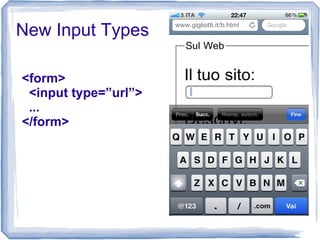
New Input Types
<form>
<input type=”url”>
...
</form>
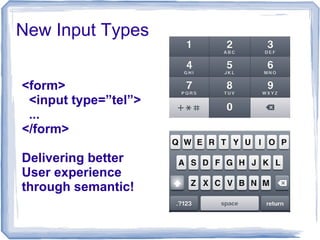
New Input Types
<form>
<input type=”tel”>
...
</form>
Delivering better
User experience
through semantic!
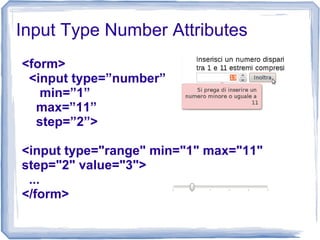
Input Type Number Attributes
<form>
<input type=”number”
min=”1”
max=”11”
step=”2”>
<input type="range" min="1" max="11"
step="2" value="3">
...
</form>
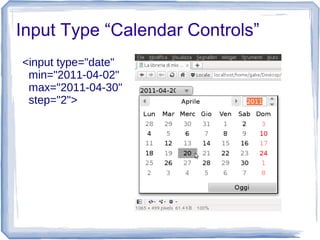
Input Type “Calendar Controls”
<input type="date"
min="2011-04-02"
max="2011-04-30"
step="2">
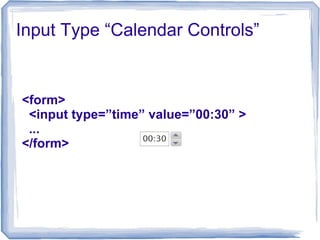
Input Type “Calendar Controls”
<form>
<input type=”time” value=”00:30” >
...
</form>
Web Forms 2.0: New Attributes
You can do in HTML what yo previously did
with JavaScript”
autofocus
<input type="text" id="hobby" autofocus>
autofocus through JavaScript (the old way)
<script>
// to be invoked on onload()
function giveFocus() {
document.getElementById("hobby").focus();
}
</script>
Web Forms 2.0: New Attributes
You can do in HTML what yo previously did
with JavaScript”
pattern
<input type="text" id="cap" name="cap"
pattern="[0-9]{5}">
The Canvas Element
A “place” where you can write: JavaScript
will be your pencil :)
<canvas></canvas>
Or
<canvas width=”300”
height=”300”></canvas>
The Canvas 2D API
See note [5]
The Canvas 2D API @ Work
[6] Developed by @hyperandroid
A Custom JavaScript Library
<!--[if IE]><script type="text/javascript" src="excanvas.js"></script><![endif]-->
[7]
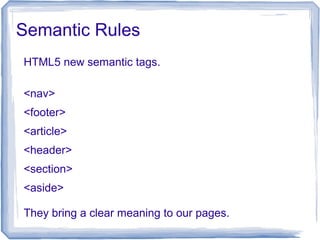
Semantic Rules
HTML5 new semantic tags.
<nav>
<footer>
<article>
<header>
<section>
<aside>
They bring a clear meaning to our pages.
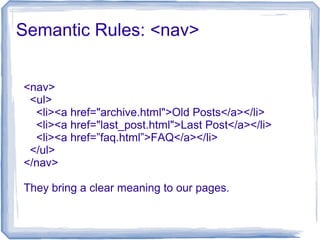
Semantic Rules: <nav>
<nav>
<ul>
<li><a href="archive.html">Old Posts</a></li>
<li><a href="last_post.html">Last Post</a></li>
<li><a href=”faq.html”>FAQ</a></li>
</ul>
</nav>
They bring a clear meaning to our pages.
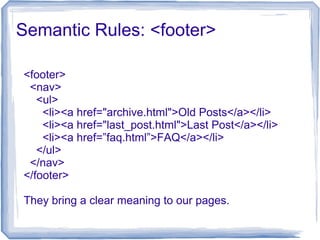
Semantic Rules: <footer>
<footer>
<nav>
<ul>
<li><a href="archive.html">Old Posts</a></li>
<li><a href="last_post.html">Last Post</a></li>
<li><a href=”faq.html”>FAQ</a></li>
</ul>
</nav>
</footer>
They bring a clear meaning to our pages.
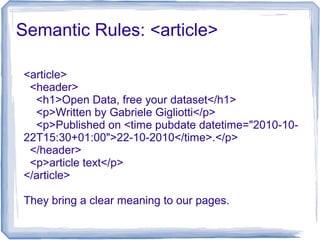
Semantic Rules: <article>
<article>
<header>
<h1>Open Data, free your dataset</h1>
<p>Written by Gabriele Gigliotti</p>
<p>Published on <time pubdate datetime="2010-10-
22T15:30+01:00">22-10-2010</time>.</p>
</header>
<p>article text</p>
</article>
They bring a clear meaning to our pages.
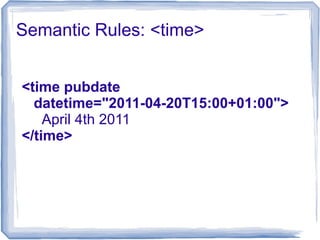
Semantic Rules: <time>
<time pubdate
datetime="2011-04-20T15:00+01:00">
April 4th 2011
</time>
HTML5 Feature Detection
Modernizr: the easiest way to check for any HTML5 related
feature (and much more).
<script src="modernizr-1.7.min.js"></script>
[8]
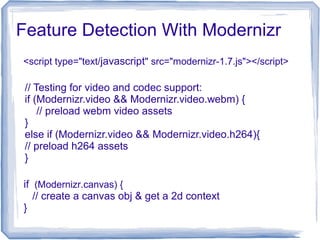
Feature Detection With Modernizr
if (Modernizr.canvas) {
// create a canvas obj & get a 2d context
}
<script type="text/javascript" src="modernizr-1.7.js"></script>
// Testing for video and codec support:
if (Modernizr.video && Modernizr.video.webm) {
// preload webm video assets
}
else if (Modernizr.video && Modernizr.video.h264){
// preload h264 assets
}
Browser Detection (Pay Attention!)
Firefox 4.01 User-Agent String on Linux
Mozilla/5.0 (X11; Linux i686; rv:2.0.1) Gecko/20100101 Firefox/4.0.1
And then spoofing came along!
[9]
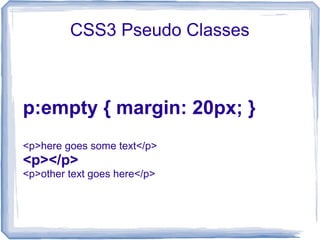
CSS3 Pseudo Classes
p:empty { margin: 20px; }
<p>here goes some text</p>
<p></p>
<p>other text goes here</p>
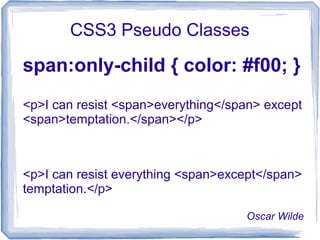
CSS3 Pseudo Classes
span:only-child { color: #f00; }
<p>I can resist <span>everything</span> except
<span>temptation.</span></p>
<p>I can resist everything <span>except</span>
temptation.</p>
Oscar Wilde
CSS3 Attribute Selectors
a[href^="mailto:"]
{text-decoration: none;}
<p>
Visit my website:
<a href="http://example.org">Acme</a> and
for any question feel free to drop me a line at
<a href="mailto:me@example.org">
me@example.org</a>
</p>
CSS3 Borders
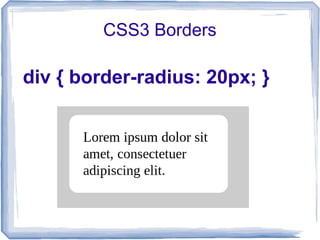
div { border-radius: 20px; }
CSS3 Borders
div {
border-radius: 170px/60px;
}
[10]
CSS3 Cols
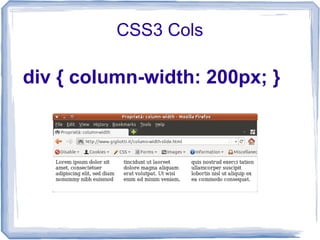
div { column-width: 200px; }
CSS3 Cols
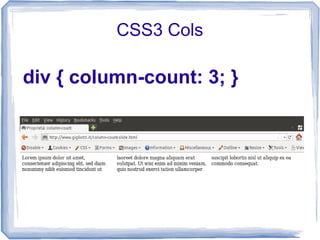
div { column-count: 3; }
CSS3 Cols
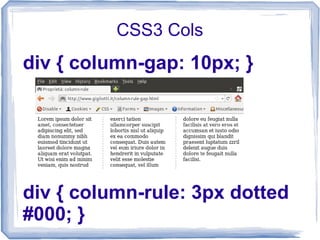
div { column-gap: 10px; }
div { column-rule: 3px dotted
#000; }
CSS3 Transformations
img {
transform:
rotate(15deg);
}
[11]
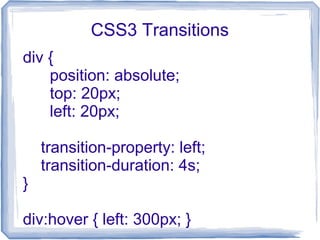
CSS3 Transitions
div {
position: absolute;
top: 20px;
left: 20px;
transition-property: left;
transition-duration: 4s;
}
div:hover { left: 300px; }
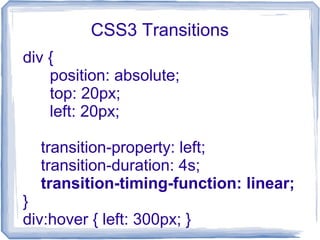
CSS3 Transitions
div {
position: absolute;
top: 20px;
left: 20px;
transition-property: left;
transition-duration: 4s;
transition-timing-function: linear;
}
div:hover { left: 300px; }
Title: HTML5 e CSS3
Author: Gabriele Gigliotti
Editor: Apogeo
Website: http://www.gigliotti.it/
@: gabriele.gigliotti@gmail.com
Twitter: @ridillo
Links & References
[1]: http://www.w3.org/html/logo/
[2]: http://goo.gl/N8K5x
[3]: https://chrome.google.com/webstore/detail/klleofbhhghgacodijohlacbfhfcefom
[4]: http://www.flickr.com/photos/sonnyp/5623796739/in/set-72157626384135737
[5]: Images taken from Chapter 6 “Canvas” “HTML5 e CSS3” Gigliotti G. - Apogeo Ed.
[6]: http://js1k.com/2010-first/demo/70
[7]: http://code.google.com/p/explorercanvas/
[8]: http://www.modernizr.com/
[9]: https://addons.mozilla.org/en-US/firefox/addon/user-agent-switcher/
[10]: Fig 13.6 page 227 “HTML5 e CSS3” Gigliotti G. - Apogeo Ed.
[11]: Fig 14.2 page 243 “HTML5 e CSS3” Gigliotti G. - Apogeo Ed.

HTML5 e CSS3 (slides della sessione tenuta al DIMI di Udine)

  • 1.
    Introduzione a HTML5e CSS3 Gabriele Gigliotti Dipartimento di Matematica – Università degli studi di Udine April 20th 2011
  • 2.
  • 3.
    [2] link toGoogle Images search result page
  • 4.
    <!DOCTYPE html PUBLIC "-//W3C//DTDXHTML 1.0 Transitional//EN" "http://www.w3.org/TR/xhtml1/ DTD/xhtml1-transitional.dtd"> DOCTYPE: The Syntax
  • 5.
  • 6.
    A Bare HTML5Doc <!DOCTYPE html> <html> </html> <head> </head> <title>A Funny Title</title> <html lang=”en”> <meta charset=”utf-8”> <body> <!-- very important content goes here --> </body>
  • 7.
    Can We UseHTML5 Today?
  • 8.
  • 9.
  • 10.
  • 11.
    Detecting HTML5 PoweredSites Chrome Add-on: HTML5 powered [3]
  • 12.
  • 13.
    HTML Goes Multimedia(Natively)! Brand new <video> and <audio> tags. Natively embedding video and audio files in html file (as you do with images). No Flash, Silverlight or other proprietary plug-in
  • 14.
    HTML <video>: TheSyntax <video src="video.webm" controls>
  • 15.
    HTML <video>: TheSyntax <video src="video.webm" controls> </video> Your browser does not support video element.
  • 16.
    The Codec War WebMH.264 (mp4) Ogg Theora IE9 Manual Install yes no FF4 yes no yes Chrome yes About to drop yes Opera yes no yes Safari no yes no
  • 17.
    The Codec WarEffect <video controls> </video> <source src="video.webm" type='video/webm; codecs="vp8, vorbis"'> <source src="video.mp4" type='video/mp4; codecs="avc1.42E01E, mp4a.40.2"'> Your browser does not support video element.
  • 18.
    Flash vs HTML5<video> ● Easy integration with other web tech. ● No security issues. ● It delivers better semantic. ● Content Protection. ● Easily Manageble. ● No affected by codec war <video> Flash [4] Taken from Sonny Piers Photostream on Flikr
  • 19.
    Web Forms: NewInput Types Before HTML5 <input type=”text”> Generic use
  • 20.
    Web Forms: NewInput Types <form> <input type=”search”> ... </form>
  • 21.
    New Input Types <form> <inputtype=”email”> ... </form> Semantic at work (part 1)
  • 22.
    New Input Types <form> <inputtype=”email”> ... </form> Semantic at work (part 2)
  • 23.
    New Input Types <form> <inputtype=”url”> ... </form>
  • 24.
    New Input Types <form> <inputtype=”tel”> ... </form> Delivering better User experience through semantic!
  • 25.
    Input Type NumberAttributes <form> <input type=”number” min=”1” max=”11” step=”2”> <input type="range" min="1" max="11" step="2" value="3"> ... </form>
  • 26.
    Input Type “CalendarControls” <input type="date" min="2011-04-02" max="2011-04-30" step="2">
  • 27.
    Input Type “CalendarControls” <form> <input type=”time” value=”00:30” > ... </form>
  • 28.
    Web Forms 2.0:New Attributes You can do in HTML what yo previously did with JavaScript” autofocus <input type="text" id="hobby" autofocus> autofocus through JavaScript (the old way) <script> // to be invoked on onload() function giveFocus() { document.getElementById("hobby").focus(); } </script>
  • 29.
    Web Forms 2.0:New Attributes You can do in HTML what yo previously did with JavaScript” pattern <input type="text" id="cap" name="cap" pattern="[0-9]{5}">
  • 30.
    The Canvas Element A“place” where you can write: JavaScript will be your pencil :) <canvas></canvas> Or <canvas width=”300” height=”300”></canvas>
  • 31.
    The Canvas 2DAPI See note [5]
  • 32.
    The Canvas 2DAPI @ Work [6] Developed by @hyperandroid
  • 33.
    A Custom JavaScriptLibrary <!--[if IE]><script type="text/javascript" src="excanvas.js"></script><![endif]--> [7]
  • 34.
    Semantic Rules HTML5 newsemantic tags. <nav> <footer> <article> <header> <section> <aside> They bring a clear meaning to our pages.
  • 35.
    Semantic Rules: <nav> <nav> <ul> <li><ahref="archive.html">Old Posts</a></li> <li><a href="last_post.html">Last Post</a></li> <li><a href=”faq.html”>FAQ</a></li> </ul> </nav> They bring a clear meaning to our pages.
  • 36.
    Semantic Rules: <footer> <footer> <nav> <ul> <li><ahref="archive.html">Old Posts</a></li> <li><a href="last_post.html">Last Post</a></li> <li><a href=”faq.html”>FAQ</a></li> </ul> </nav> </footer> They bring a clear meaning to our pages.
  • 37.
    Semantic Rules: <article> <article> <header> <h1>OpenData, free your dataset</h1> <p>Written by Gabriele Gigliotti</p> <p>Published on <time pubdate datetime="2010-10- 22T15:30+01:00">22-10-2010</time>.</p> </header> <p>article text</p> </article> They bring a clear meaning to our pages.
  • 38.
    Semantic Rules: <time> <timepubdate datetime="2011-04-20T15:00+01:00"> April 4th 2011 </time>
  • 39.
    HTML5 Feature Detection Modernizr:the easiest way to check for any HTML5 related feature (and much more). <script src="modernizr-1.7.min.js"></script> [8]
  • 40.
    Feature Detection WithModernizr if (Modernizr.canvas) { // create a canvas obj & get a 2d context } <script type="text/javascript" src="modernizr-1.7.js"></script> // Testing for video and codec support: if (Modernizr.video && Modernizr.video.webm) { // preload webm video assets } else if (Modernizr.video && Modernizr.video.h264){ // preload h264 assets }
  • 41.
    Browser Detection (PayAttention!) Firefox 4.01 User-Agent String on Linux Mozilla/5.0 (X11; Linux i686; rv:2.0.1) Gecko/20100101 Firefox/4.0.1 And then spoofing came along! [9]
  • 42.
    CSS3 Pseudo Classes p:empty{ margin: 20px; } <p>here goes some text</p> <p></p> <p>other text goes here</p>
  • 43.
    CSS3 Pseudo Classes span:only-child{ color: #f00; } <p>I can resist <span>everything</span> except <span>temptation.</span></p> <p>I can resist everything <span>except</span> temptation.</p> Oscar Wilde
  • 44.
    CSS3 Attribute Selectors a[href^="mailto:"] {text-decoration:none;} <p> Visit my website: <a href="http://example.org">Acme</a> and for any question feel free to drop me a line at <a href="mailto:me@example.org"> me@example.org</a> </p>
  • 45.
    CSS3 Borders div {border-radius: 20px; }
  • 46.
  • 47.
    CSS3 Cols div {column-width: 200px; }
  • 48.
    CSS3 Cols div {column-count: 3; }
  • 49.
    CSS3 Cols div {column-gap: 10px; } div { column-rule: 3px dotted #000; }
  • 50.
  • 51.
    CSS3 Transitions div { position:absolute; top: 20px; left: 20px; transition-property: left; transition-duration: 4s; } div:hover { left: 300px; }
  • 52.
    CSS3 Transitions div { position:absolute; top: 20px; left: 20px; transition-property: left; transition-duration: 4s; transition-timing-function: linear; } div:hover { left: 300px; }
  • 53.
    Title: HTML5 eCSS3 Author: Gabriele Gigliotti Editor: Apogeo Website: http://www.gigliotti.it/ @: gabriele.gigliotti@gmail.com Twitter: @ridillo
  • 54.
    Links & References [1]:http://www.w3.org/html/logo/ [2]: http://goo.gl/N8K5x [3]: https://chrome.google.com/webstore/detail/klleofbhhghgacodijohlacbfhfcefom [4]: http://www.flickr.com/photos/sonnyp/5623796739/in/set-72157626384135737 [5]: Images taken from Chapter 6 “Canvas” “HTML5 e CSS3” Gigliotti G. - Apogeo Ed. [6]: http://js1k.com/2010-first/demo/70 [7]: http://code.google.com/p/explorercanvas/ [8]: http://www.modernizr.com/ [9]: https://addons.mozilla.org/en-US/firefox/addon/user-agent-switcher/ [10]: Fig 13.6 page 227 “HTML5 e CSS3” Gigliotti G. - Apogeo Ed. [11]: Fig 14.2 page 243 “HTML5 e CSS3” Gigliotti G. - Apogeo Ed.