Recommended
PDF
Clean Front-End Development
PPTX
PDF
PDF
Secrets of the JavaScript Ninja - Chapter 12. DOM modification
PPTX
PDF
Resource Handling in Spring MVC
PDF
PPTX
[115] clean fe development_윤지수
PPTX
Spring boot-summary(part2-part3)
PDF
실전! 스프링과 함께하는 환경변수 관리 변천사 발표자료
PDF
PDF
PDF
WebKit at the Future Web Forum 2010
PDF
PDF
Django를 Django답게, Django로 뉴스 사이트 만들기
PDF
Facebook은 React를 왜 만들었을까?
KEY
PPTX
PDF
옛날 웹 개발자가 잠깐 맛본 Vue.js 소개
PPTX
PDF
2017 Pycon KR - Django/AWS 를 이용한 쇼핑몰 서비스 구축
PPTX
PDF
PDF
혁신적인 웹컴포넌트 라이브러리 - Polymer
PDF
Spring-Boot (springcamp2014)
PPTX
XECon2015 :: [2-2] 박상현 - React로 개발하는 SPA 실무 이야기
PDF
PDF
PDF
PDF
EcmaScript6(2015) Overview
More Related Content
PDF
Clean Front-End Development
PPTX
PDF
PDF
Secrets of the JavaScript Ninja - Chapter 12. DOM modification
PPTX
PDF
Resource Handling in Spring MVC
PDF
PPTX
[115] clean fe development_윤지수
What's hot
PPTX
Spring boot-summary(part2-part3)
PDF
실전! 스프링과 함께하는 환경변수 관리 변천사 발표자료
PDF
PDF
PDF
WebKit at the Future Web Forum 2010
PDF
PDF
Django를 Django답게, Django로 뉴스 사이트 만들기
PDF
Facebook은 React를 왜 만들었을까?
KEY
PPTX
PDF
옛날 웹 개발자가 잠깐 맛본 Vue.js 소개
PPTX
PDF
2017 Pycon KR - Django/AWS 를 이용한 쇼핑몰 서비스 구축
PPTX
PDF
PDF
혁신적인 웹컴포넌트 라이브러리 - Polymer
PDF
Spring-Boot (springcamp2014)
PPTX
XECon2015 :: [2-2] 박상현 - React로 개발하는 SPA 실무 이야기
PDF
PDF
Viewers also liked
PDF
PDF
EcmaScript6(2015) Overview
PDF
[NEXT] Flask 로 Restful API 서버 만들기
PPTX
PPTX
PDF
Flask, Redis, Retrofit을 이용한 Android 로그인 서비스 구현하기
Similar to Html5 앱과 웹사이트를 보다 빠르게 하는 50가지
PPTX
High performance websites v1.0
PDF
[2012널리세미나] 오빠~ 네이버 왜 이렇게 늦게 떠?
PDF
PDF
PDF
조은 - AMP PWA 101 [WSConf.Seoul.2017. Vol.2]
PDF
[D2 CAMPUS] 안드로이드 오픈소스 스터디자료 - HTML, Android Animation
PPTX
PPT
ecdevday3 효율적인 유지보수를 위한 개발 및 관리
PDF
PDF
PDF
2011웹표준[04] 실전예제(네비게이션,버튼,박스,포지션)
PPTX
PDF
PPTX
[PHPFest 2013] High performance Javascript
PDF
PPTX
XECon+PHPFest2014 발표자료 - 효율적인 css 개발방법 - 최대영
PDF
쉬운 예제 중심의 HTML5 / CSS / MediaQuery / JQuery 강의
PDF
JavaScript Profiling With The Chrome Developer Tools_SYS4U I&C
PDF
Top 10 Questions about HTML5
PPTX
처음부터 다시 배우는 HTML5 & CSS3 1일차
More from yongwoo Jeon
PDF
PDF
PPTX
Web Components 101 polymer & brick
PPTX
Html5 시대의 웹앱 프로그래밍 방식의 변화
PDF
PDF
PPTX
PDF
KEY
PPTX
Client side storage in html5
KEY
PDF
PPTX
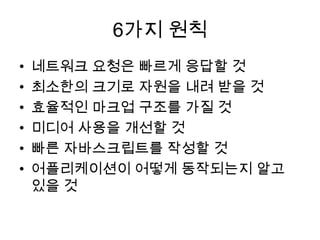
Html5 앱과 웹사이트를 보다 빠르게 하는 50가지 1. 2. 3. 6가지 원칙
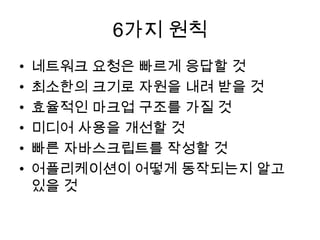
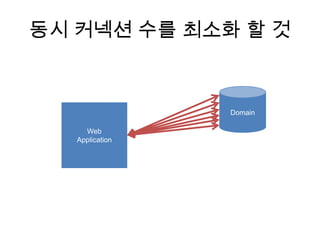
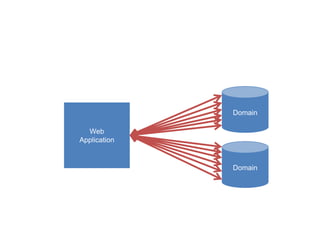
• 네트워크 요청은 빠르게 응답할 것
• 최소한의 크기로 자원을 내려 받을 것
• 효율적인 마크업 구조를 가질 것
• 미디어 사용을 개선할 것
• 빠른 자바스크립트를 작성할 것
• 어플리케이션이 어떻게 동작되는지 알고
있을 것
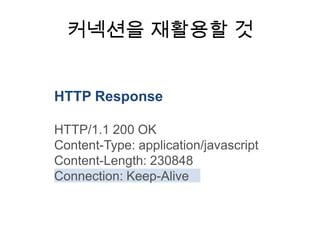
4. 5. 6. 7. 9. 11. 커넥션을 재활용할 것
HTTP Response
HTTP/1.1 200 OK
Content-Type: application/javascript
Content-Length: 230848
Connection: Keep-Alive
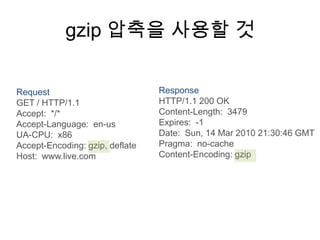
12. 13. 14. 15. gzip 압축을 사용할 것
Request Response
GET / HTTP/1.1 HTTP/1.1 200 OK
Accept: */* Content-Length: 3479
Accept-Language: en-us Expires: -1
UA-CPU: x86 Date: Sun, 14 Mar 2010 21:30:46 GMT
Accept-Encoding: gzip, deflate Pragma: no-cache
Host: www.live.com Content-Encoding: gzip
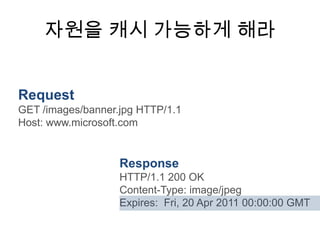
16. 19. 자원을 캐시 가능하게 해라
Request
GET /images/banner.jpg HTTP/1.1
Host: www.microsoft.com
Response
HTTP/1.1 200 OK
Content-Type: image/jpeg
Expires: Fri, 20 Apr 2011 00:00:00 GMT
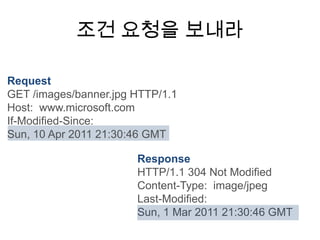
20. 조건 요청을 보내라
Request
GET /images/banner.jpg HTTP/1.1
Host: www.microsoft.com
If-Modified-Since:
Sun, 10 Apr 2011 21:30:46 GMT
Response
HTTP/1.1 304 Not Modified
Content-Type: image/jpeg
Last-Modified:
Sun, 1 Mar 2011 21:30:46 GMT
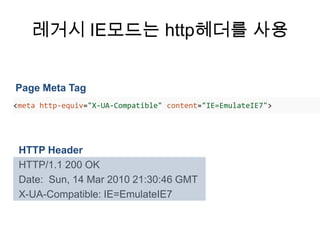
21. 22. 레거시 IE모드는 http헤더를 사용
Page Meta Tag
<meta http-equiv="X-UA-Compatible" content="IE=EmulateIE7">
HTTP Header
HTTP/1.1 200 OK
Date: Sun, 14 Mar 2010 21:30:46 GMT
X-UA-Compatible: IE=EmulateIE7
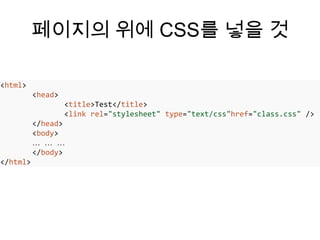
23. 페이지의 위에 CSS를 넣을 것
<html>
<head>
<title>Test</title>
<link rel="stylesheet" type="text/css"href="class.css" />
</head>
<body>
… … …
</body>
</html>
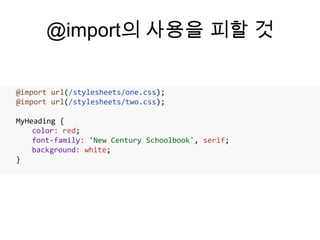
24. @import의 사용을 피할 것
@import url(/stylesheets/one.css);
@import url(/stylesheets/two.css);
MyHeading {
color: red;
font-family: 'New Century Schoolbook', serif;
background: white;
}
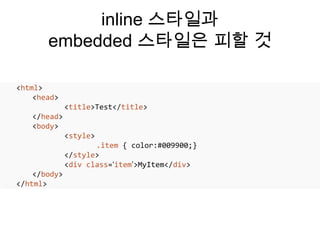
25. inline 스타일과
embedded 스타일은 피할 것
<html>
<head>
<title>Test</title>
</head>
<body>
<style>
.item { color:#009900;}
</style>
<div class=‘item’>MyItem</div>
</body>
</html>
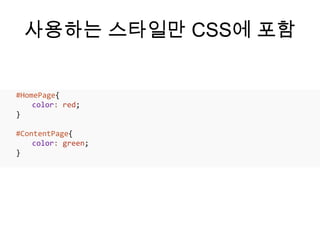
26. 사용하는 스타일만 CSS에 포함
#HomePage{
color: red;
}
#ContentPage{
color: green;
}
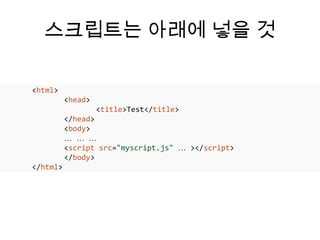
27. 스크립트는 아래에 넣을 것
<html>
<head>
<title>Test</title>
</head>
<body>
… … …
<script src="myscript.js" … ></script>
</body>
</html>
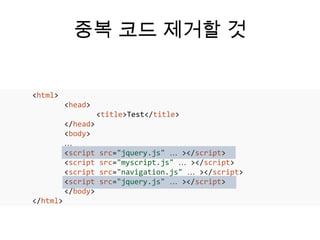
28. 중복 코드 제거할 것
<html>
<head>
<title>Test</title>
</head>
<body>
…
<script src="jquery.js" … ></script>
<script src="myscript.js" … ></script>
<script src="navigation.js" … ></script>
<script src="jquery.js" … ></script>
</body>
</html>
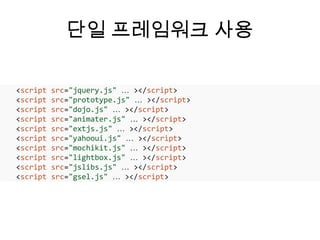
29. 30. 단일 프레임워크 사용
<script src="jquery.js" … ></script>
<script src="prototype.js" … ></script>
<script src="dojo.js" … ></script>
<script src="animater.js" … ></script>
<script src="extjs.js" … ></script>
<script src="yahooui.js" … ></script>
<script src="mochikit.js" … ></script>
<script src="lightbox.js" … ></script>
<script src="jslibs.js" … ></script>
<script src="gsel.js" … ></script>
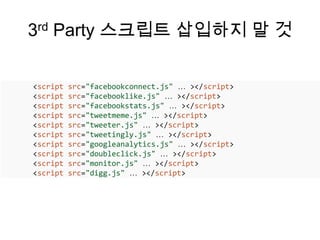
31. 3rd Party 스크립트 삽입하지 말 것
<script src="facebookconnect.js" … ></script>
<script src="facebooklike.js" … ></script>
<script src="facebookstats.js" … ></script>
<script src="tweetmeme.js" … ></script>
<script src="tweeter.js" … ></script>
<script src="tweetingly.js" … ></script>
<script src="googleanalytics.js" … ></script>
<script src="doubleclick.js" … ></script>
<script src="monitor.js" … ></script>
<script src="digg.js" … ></script>
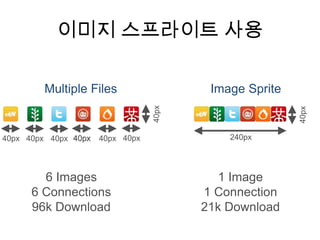
32. 33. 34. 35. 이미지 스프라이트 사용
Multiple Files Image Sprite
40px
40px
40px 40px 40px 40px 40px 40px 240px
6 Images 1 Image
6 Connections 1 Connection
96k Download 21k Download
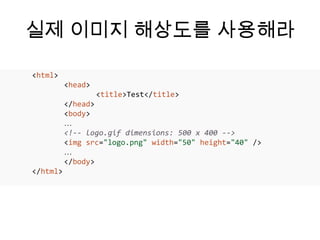
36. 실제 이미지 해상도를 사용해라
<html>
<head>
<title>Test</title>
</head>
<body>
…
<!-- logo.gif dimensions: 500 x 400 -->
<img src="logo.png" width="50" height="40" />
…
</body>
</html>
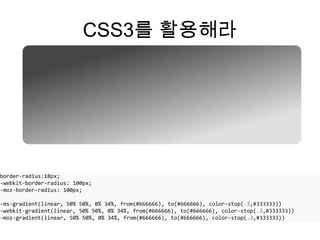
37. CSS3를 활용해라
border-radius:18px;
-webkit-border-radius: 100px;
-moz-border-radius: 100px;
-ms-gradient(linear, 50% 50%, 0% 34%, from(#666666), to(#666666), color-stop(.3,#333333))
-webkit-gradient(linear, 50% 50%, 0% 34%, from(#666666), to(#666666), color-stop(.3,#333333))
-moz-gradient(linear, 50% 50%, 0% 34%, from(#666666), to(#666666), color-stop(.3,#333333))
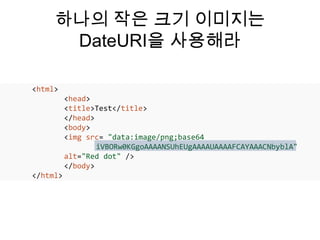
38. 하나의 작은 크기 이미지는
DateURI을 사용해라
<html>
<head>
<title>Test</title>
</head>
<body>
<img src= "data:image/png;base64
iVBORw0KGgoAAAANSUhEUgAAAAUAAAAFCAYAAACNbyblA"
alt="Red dot" />
</body>
</html>
39. 40. 41. 코드를 최소화 해라
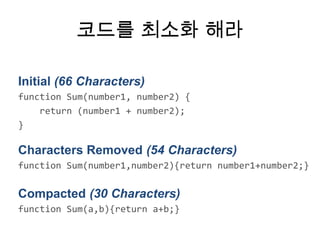
Initial (66 Characters)
function Sum(number1, number2) {
return (number1 + number2);
}
Characters Removed (54 Characters)
function Sum(number1,number2){return number1+number2;}
Compacted (30 Characters)
function Sum(a,b){return a+b;}
42. 필요할 때 스크립트를 가져와라
var userTileScriptsLoaded = false;
function CustomizeUserTile(){
if (userTileScriptsLoaded == false){
var head = document.getElementsByTagName("head")[0];
script = document.createElement('script');
script.type = 'text/javascript';
script.src = 'upload.js';
head.appendChild(script);
}
}
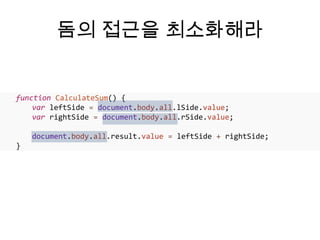
43. 돔의 접근을 최소화해라
function CalculateSum() {
var leftSide = document.body.all.lSide.value;
var rightSide = document.body.all.rSide.value;
document.body.all.result.value = leftSide + rightSide;
}
44. 다수의 엘리먼트를 찾을 때는
selector api를 사용해라
function doValidation() {
var reqs = document.querySelectorAll(".required");
var missingRequiredField = false;
for (var i = 0; i < reqs.length; i++) {
if (reqs[i].value == "") missingRequiredField = true;
}
}
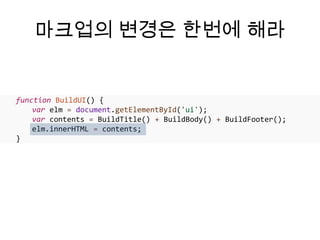
45. 마크업의 변경은 한번에 해라
function BuildUI() {
var elm = document.getElementById('ui');
var contents = BuildTitle() + BuildBody() + BuildFooter();
elm.innerHTML = contents;
}
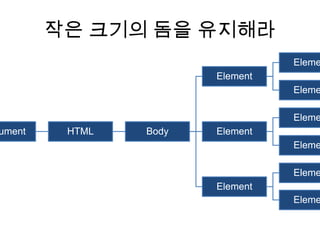
46. 작은 크기의 돔을 유지해라
Eleme
Element
Eleme
Eleme
ument HTML Body Element
Eleme
Eleme
Element
Eleme
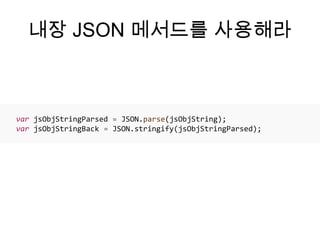
47. 내장 JSON 메서드를 사용해라
var jsObjStringParsed = JSON.parse(jsObjString);
var jsObjStringBack = JSON.stringify(jsObjStringParsed);
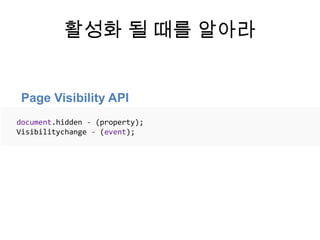
48. 49. 50. 51. 활성화 될 때를 알아라
Page Visibility API
document.hidden - (property);
Visibilitychange - (event);
52. 6가지 원칙
• 네트워크 요청은 빠르게 응답할 것
• 최소한의 크기로 자원을 내려 받을 것
• 효율적인 마크업 구조를 가질 것
• 미디어 사용을 개선할 것
• 빠른 자바스크립트를 작성할 것
• 어플리케이션이 어떻게 동작되는지 알고
있을 것
53.






![필요할 때 스크립트를 가져와라
var userTileScriptsLoaded = false;
function CustomizeUserTile(){
if (userTileScriptsLoaded == false){
var head = document.getElementsByTagName("head")[0];
script = document.createElement('script');
script.type = 'text/javascript';
script.src = 'upload.js';
head.appendChild(script);
}
}](https://image.slidesharecdn.com/html550-130123115733-phpapp02/85/Html5-50-42-320.jpg)
![다수의 엘리먼트를 찾을 때는
selector api를 사용해라
function doValidation() {
var reqs = document.querySelectorAll(".required");
var missingRequiredField = false;
for (var i = 0; i < reqs.length; i++) {
if (reqs[i].value == "") missingRequiredField = true;
}
}](https://image.slidesharecdn.com/html550-130123115733-phpapp02/85/Html5-50-44-320.jpg)



![[115] clean fe development_윤지수](https://cdn.slidesharecdn.com/ss_thumbnails/115cleanfedevelopment-161023163916-thumbnail.jpg?width=640&height=640&fit=bounds)


![XECon2015 :: [2-2] 박상현 - React로 개발하는 SPA 실무 이야기](https://cdn.slidesharecdn.com/ss_thumbnails/react1-160404022032-thumbnail.jpg?width=640&height=640&fit=bounds)


![[NEXT] Flask 로 Restful API 서버 만들기](https://cdn.slidesharecdn.com/ss_thumbnails/flask2-141209115126-conversion-gate02-thumbnail.jpg?width=640&height=640&fit=bounds)


![[2012널리세미나] 오빠~ 네이버 왜 이렇게 늦게 떠?](https://cdn.slidesharecdn.com/ss_thumbnails/05-140828035850-phpapp02-thumbnail.jpg?width=640&height=640&fit=bounds)

![[전파교육] css day 2014](https://cdn.slidesharecdn.com/ss_thumbnails/cssday2014-140806031358-phpapp01-thumbnail.jpg?width=640&height=640&fit=bounds)
![조은 - AMP PWA 101 [WSConf.Seoul.2017. Vol.2]](https://cdn.slidesharecdn.com/ss_thumbnails/amppwa101-170719064722-thumbnail.jpg?width=640&height=640&fit=bounds)
![[D2 CAMPUS] 안드로이드 오픈소스 스터디자료 - HTML, Android Animation](https://cdn.slidesharecdn.com/ss_thumbnails/nexters4-htmlandroidanimation-160927091904-thumbnail.jpg?width=640&height=640&fit=bounds)


![2011웹표준[04] 실전예제(네비게이션,버튼,박스,포지션)](https://cdn.slidesharecdn.com/ss_thumbnails/201104-111215014233-phpapp02-thumbnail.jpg?width=640&height=640&fit=bounds)


![[PHPFest 2013] High performance Javascript](https://cdn.slidesharecdn.com/ss_thumbnails/highperformancejavascript-131102063406-phpapp02-thumbnail.jpg?width=640&height=640&fit=bounds)


