2014.11.08 Session 1-1 XECon + PHPFest 2014 
효율적인 
CSS 개발 방법 이야기 
@ID 최대영 
In-Comms
TOC 
1. CSS개발의 어려움. 
2. OOCSS. 
3. SMACSS. 
4. 맺음말.
CSS 개발의 어려움과 해결 방법에 대한 이야기 
- 효율적인 CSS 개발 방법론
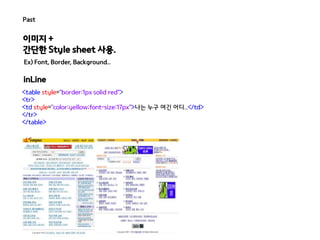
Past 
이미지 + 
간단한 Style sheet 사용. 
Ex) Font, Border, Background.. 
inLine 
<table style="border:1px solid red"> 
<tr> 
<td style="color:yellow;font-size:17px">나는 누구 여긴 어디..</td> 
</tr> 
</table>
Present 
이미지를 대체 하는.. 
Ex) @fant-face, border-radius, gradient, text-shadow... 
Javascript를 대체 하는.. 
Ex) media query, :nth-of-type(), a[href*=naver]… 
동적 요소를 대체 하는.. 
Ex) trasition, animation...
하지만 늘어만 가는 코드에...웃을 수 만은... 
도데체..뭐가..문제일까..
Issue 
CSS Selector ..
Issue 
CSS Selector .. 
CSS Specificity 
Selector n * 100 n * 10 n * 1 specificity 
* 0 0 0 0 
LI 0 0 1 1 
UL LI 0 0 2 2 
UL OL+LI 0 0 3 3 
H1 + *[REL=up] 0 1 1 11 
UL OL LI.red 0 1 3 13 
LI.red.level 0 2 1 21 
#x34y 1 0 0 100 
#s12:not(FOO) 1 0 1 101 
불필요한 CSS Selector 사용 
a.family , #a.family ... 
지나치게 복잡한 선택자 
#content .home .family a 
<div id="content"> 
<div> 
<div> 
<a href="#">집으로..</a> 
</div> 
</div> 
</div> 
 CSS 우선 순위 조정 or !important 사용
Issue 
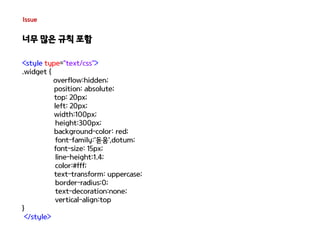
너무 많은 규칙 포함
Issue 
너무 많은 규칙 포함 
<style type="text/css"> 
.widget { 
overflow:hidden; 
position: absolute; 
top: 20px; 
left: 20px; 
width:100px; 
height:300px; 
background-color: red; 
font-family:'돋움',dotum; 
font-size: 15px; 
line-height:1.4; 
color:#fff; 
text-transform: uppercase; 
border-radius:0; 
text-decoration:none; 
vertical-align:top 
} 
</style>
Issue 
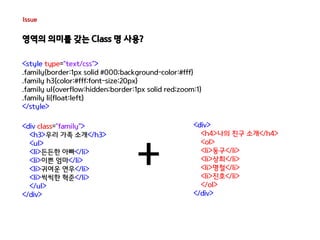
영역의 의미를 갖는 Class 명 사용?
Issue 
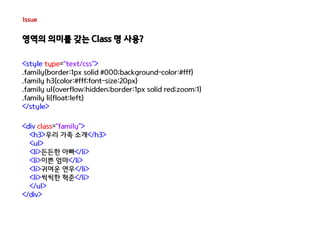
영역의 의미를 갖는 Class 명 사용? 
<style type="text/css"> 
.family{border:1px solid #000;background-color:#fff} 
.family h3{color:#fff;font-size:20px} 
.family ul{overflow:hidden;border:1px solid red;zoom:1} 
.family li{float:left} 
</style> 
<div class="family"> 
<h3>우리 가족 소개</h3> 
<ul> 
<li>든든한 아빠</li> 
<li>이쁜 엄마</li> 
<li>귀여운 연우</li> 
<li>씩씩한 혁준</li> 
</ul> 
</div>
Issue 
영역의 의미를 갖는 Class 명 사용? 
<style type="text/css"> 
.family{border:1px solid #000;background-color:#fff} 
.family h3{color:#fff;font-size:20px} 
.family ul{overflow:hidden;border:1px solid red;zoom:1} 
.family li{float:left} 
</style> 
<div class="family"> 
<h3>우리 가족 소개</h3> 
<ul> 
<li>든든한 아빠</li> 
<li>이쁜 엄마</li> 
<li>귀여운 연우</li> 
<li>씩씩한 혁준</li> 
</ul> 
</div> 
<div> 
<h4>나의 친구 소개</h4> 
<ol> 
<li>동구</li> 
<li>상희</li> 
<li>명철</li> 
<li>진호</li> 
</ol> 
</div> 
+
Issue 
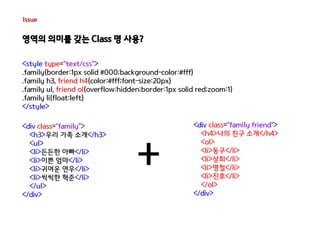
영역의 의미를 갖는 Class 명 사용? 
<style type="text/css"> 
.family{border:1px solid #000;background-color:#fff} 
.family h3, friend h4{color:#fff;font-size:20px} 
.family ul, friend ol{overflow:hidden;border:1px solid red;zoom:1} 
.family li{float:left} 
</style> 
<div class="family"> 
<h3>우리 가족 소개</h3> 
<ul> 
<li>든든한 아빠</li> 
<li>이쁜 엄마</li> 
<li>귀여운 연우</li> 
<li>씩씩한 혁준</li> 
</ul> 
</div> 
<div class="family friend"> 
<h4>나의 친구 소개</h4> 
<ol> 
<li>동구</li> 
<li>상희</li> 
<li>명철</li> 
<li>진호</li> 
</ol> 
</div> 
+
Issue 
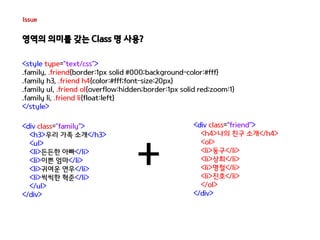
영역의 의미를 갖는 Class 명 사용? 
<style type="text/css"> 
.family, .friend{border:1px solid #000;background-color:#fff} 
.family h3, .friend h4{color:#fff;font-size:20px} 
.family ul, .friend ol{overflow:hidden;border:1px solid red;zoom:1} 
.family li, .friend li{float:left} 
</style> 
<div class="family"> 
<h3>우리 가족 소개</h3> 
<ul> 
<li>든든한 아빠</li> 
<li>이쁜 엄마</li> 
<li>귀여운 연우</li> 
<li>씩씩한 혁준</li> 
</ul> 
</div> 
<div class=“friend"> 
<h4>나의 친구 소개</h4> 
<ol> 
<li>동구</li> 
<li>상희</li> 
<li>명철</li> 
<li>진호</li> 
</ol> 
</div> 
+
Issue 
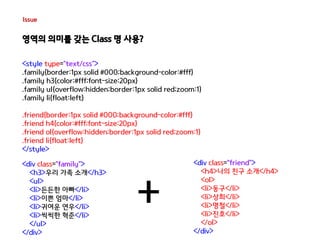
영역의 의미를 갖는 Class 명 사용? 
<style type="text/css"> 
.family{border:1px solid #000;background-color:#fff} 
.family h3{color:#fff;font-size:20px} 
.family ul{overflow:hidden;border:1px solid red;zoom:1} 
.family li{float:left} 
.friend{border:1px solid #000;background-color:#fff} 
.friend h4{color:#fff;font-size:20px} 
.friend ol{overflow:hidden;border:1px solid red;zoom:1} 
.friend li{float:left} 
</style> 
<div class="family"> 
<h3>우리 가족 소개</h3> 
<ul> 
<li>든든한 아빠</li> 
<li>이쁜 엄마</li> 
<li>귀여운 연우</li> 
<li>씩씩한 혁준</li> 
</ul> 
</div> 
<div class=“friend"> 
<h4>나의 친구 소개</h4> 
<ol> 
<li>동구</li> 
<li>상희</li> 
<li>명철</li> 
<li>진호</li> 
</ol> 
</div> 
+
Issue 
너무 이른 최적화는 오히려 독?!
Issue 
너무 이른 최적화는 오히려 독?! 
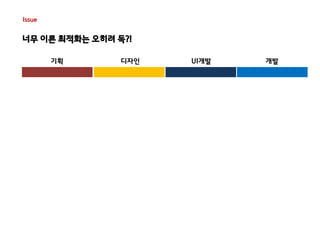
기획 디자인 UI개발 개발
Issue 
너무 이른 최적화는 오히려 독?! 
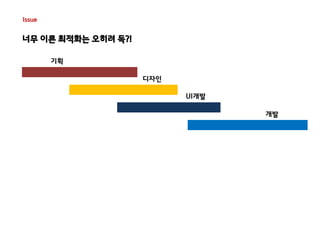
기획 
디자인 
UI개발 
개발
Issue 
너무 이른 최적화는 오히려 독?! 
기획 
디자인 
UI개발 
개발 
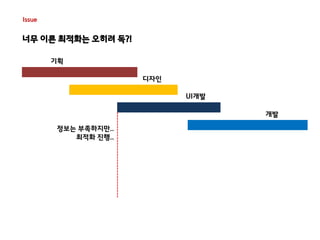
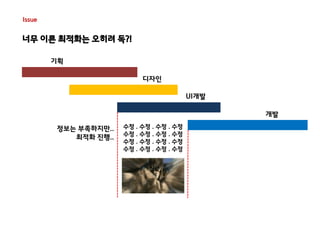
정보는 부족하지만.. 
최적화 진행..
Issue 
너무 이른 최적화는 오히려 독?! 
기획 
디자인 
UI개발 
개발 
정보는 부족하지만.. 
최적화 진행.. 
수정 . 수정 . 수정 . 수정 
수정 . 수정 . 수정 . 수정 
수정 . 수정 . 수정 . 수정 
수정 . 수정 . 수정 . 수정
Issue 
너무 이른 최적화는 오히려 독?! 
기획 
디자인 
UI개발 
개발 
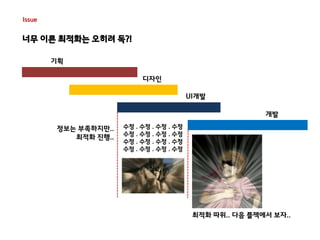
최적화 따위.. 다음 플젝에서 보자.. 
정보는 부족하지만.. 
최적화 진행.. 
수정 . 수정 . 수정 . 수정 
수정 . 수정 . 수정 . 수정 
수정 . 수정 . 수정 . 수정 
수정 . 수정 . 수정 . 수정
사이트의 규모가 커질수록.. CSS는 점점 더 비대해짐.. 
= 유지보수 비용 증가.. 
= 효율적 관리 & 개발 방법 고민 증가.. 
“CSS is simple... It’s simple to understand. 
But CSS is not simple to use or maintain. ” 
http://chriseppstein.github.io/blog/2009/09/20/why-stylesheet-abstraction-matters/ 
CSS는 단순하고 이해하기 쉽다. 
하지만 CSS를 사용하고 관리하기는 쉽지 않다..
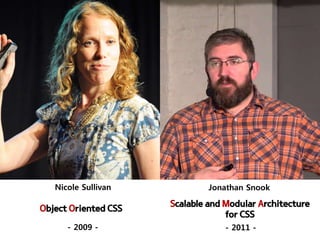
Nicole Sullivan Jonathan Snook 
Object Oriented CSS 
- 2009 - 
Scalable and Modular Architecture 
for CSS 
- 2011 -
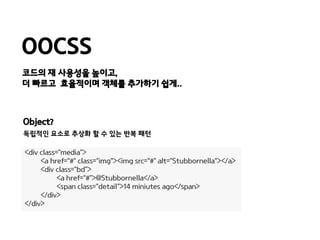
OOCSS 
코드의 재 사용성을 높이고, 
더 빠르고 효율적이며 객체를 추가하기 쉽게.. 
Object? 
독립적인 요소로 추상화 할 수 있는 반복 패턴 
<div class="media"> 
<a href=“#" class="img“><img src=“#" alt="Stubbornella”></a> 
<div class="bd"> 
<a href=“#">@Stubbornella</a> 
<span class="detail">14 miniutes ago</span> 
</div> 
</div>
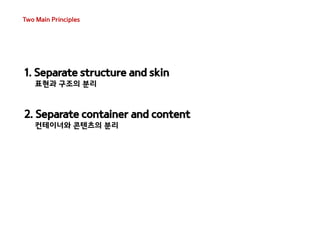
Two Main Principles 
1. Separate structure and skin 
표현과 구조의 분리 
2. Separate container and content 
컨테이너와 콘텐츠의 분리
Two Main Principles 
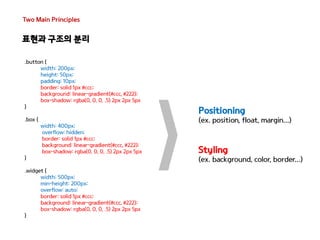
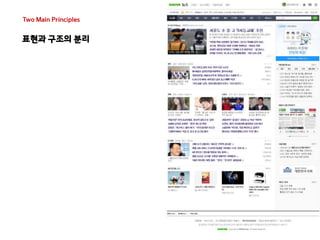
표현과 구조의 분리
Two Main Principles 
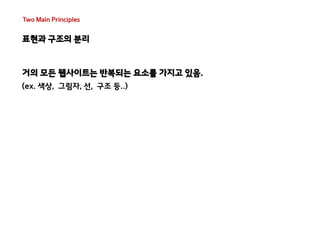
표현과 구조의 분리 
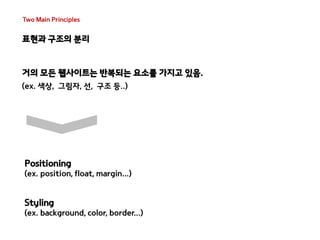
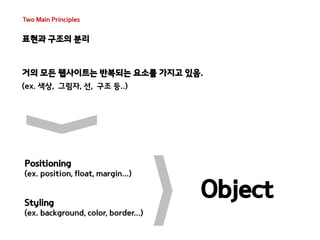
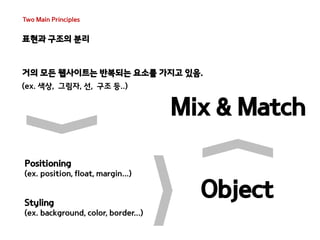
거의 모든 웹사이트는 반복되는 요소를 가지고 있음. 
(ex. 색상, 그림자, 선, 구조 등..)
Two Main Principles 
표현과 구조의 분리 
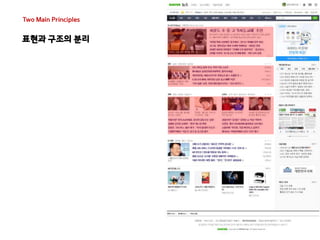
거의 모든 웹사이트는 반복되는 요소를 가지고 있음. 
(ex. 색상, 그림자, 선, 구조 등..) 
Positioning 
(ex. position, float, margin...) 
Styling 
(ex. background, color, border...)
Two Main Principles 
표현과 구조의 분리 
거의 모든 웹사이트는 반복되는 요소를 가지고 있음. 
(ex. 색상, 그림자, 선, 구조 등..) 
Object 
Positioning 
(ex. position, float, margin...) 
Styling 
(ex. background, color, border...)
Two Main Principles 
표현과 구조의 분리 
거의 모든 웹사이트는 반복되는 요소를 가지고 있음. 
(ex. 색상, 그림자, 선, 구조 등..) 
Mix & Match 
Positioning 
(ex. position, float, margin...) 
Styling 
(ex. background, color, border...) 
Object
Two Main Principles 
표현과 구조의 분리 
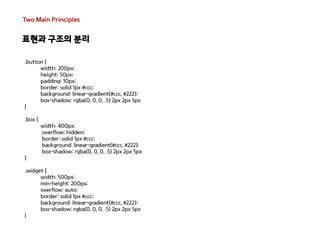
.button { 
width: 200px; 
height: 50px; 
padding: 10px; 
border: solid 1px #ccc; 
background: linear-gradient(#ccc, #222); 
box-shadow: rgba(0, 0, 0, .5) 2px 2px 5px 
} 
.box { 
width: 400px; 
overflow: hidden; 
border: solid 1px #ccc; 
background: linear-gradient(#ccc, #222); 
box-shadow: rgba(0, 0, 0, .5) 2px 2px 5px 
} 
.widget { 
width: 500px; 
min-height: 200px; 
overflow: auto; 
border: solid 1px #ccc; 
background: linear-gradient(#ccc, #222); 
box-shadow: rgba(0, 0, 0, .5) 2px 2px 5px 
}
Two Main Principles 
표현과 구조의 분리 
.button { 
width: 200px; 
height: 50px; 
padding: 10px; 
border: solid 1px #ccc; 
background: linear-gradient(#ccc, #222); 
box-shadow: rgba(0, 0, 0, .5) 2px 2px 5px 
} 
.box { 
width: 400px; 
overflow: hidden; 
border: solid 1px #ccc; 
background: linear-gradient(#ccc, #222); 
box-shadow: rgba(0, 0, 0, .5) 2px 2px 5px 
} 
.widget { 
width: 500px; 
min-height: 200px; 
overflow: auto; 
border: solid 1px #ccc; 
background: linear-gradient(#ccc, #222); 
box-shadow: rgba(0, 0, 0, .5) 2px 2px 5px 
} 
Positioning 
(ex. position, float, margin...) 
Styling 
(ex. background, color, border...)
Two Main Principles 
표현과 구조의 분리 
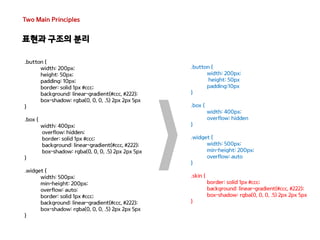
.button { 
width: 200px; 
height: 50px 
padding:10px 
} 
.box { 
width: 400px; 
overflow: hidden 
} 
.widget { 
width: 500px; 
min-height: 200px; 
overflow: auto 
} 
.skin { 
border: solid 1px #ccc; 
background: linear-gradient(#ccc, #222); 
box-shadow: rgba(0, 0, 0, .5) 2px 2px 5px 
} 
.button { 
width: 200px; 
height: 50px; 
padding: 10px; 
border: solid 1px #ccc; 
background: linear-gradient(#ccc, #222); 
box-shadow: rgba(0, 0, 0, .5) 2px 2px 5px 
} 
.box { 
width: 400px; 
overflow: hidden; 
border: solid 1px #ccc; 
background: linear-gradient(#ccc, #222); 
box-shadow: rgba(0, 0, 0, .5) 2px 2px 5px 
} 
.widget { 
width: 500px; 
min-height: 200px; 
overflow: auto; 
border: solid 1px #ccc; 
background: linear-gradient(#ccc, #222); 
box-shadow: rgba(0, 0, 0, .5) 2px 2px 5px 
}
Two Main Principles 
표현과 구조의 분리 
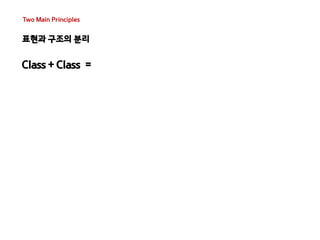
Class + Class =
Two Main Principles 
표현과 구조의 분리 
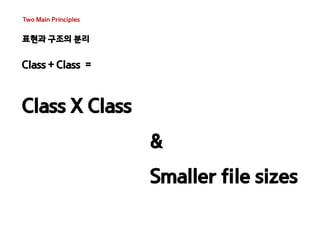
Class + Class = 
Class X Class 
& 
Smaller file sizes
Two Main Principles 
표현과 구조의 분리
Two Main Principles 
표현과 구조의 분리
Two Main Principles 
표현과 구조의 분리 
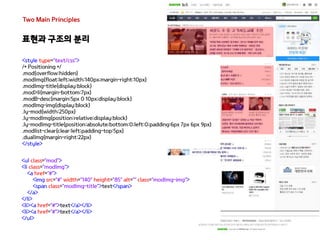
<style type="text/css"> 
/* Positioning */ 
.mod{overflow:hidden} 
.modImg{float:left;width:140px;margin-right:10px} 
.modImg-title{display:block} 
.mod>li{margin-bottom:7px} 
.modB-desc{margin:5px 0 10px;display:block} 
.modImg-img{display:block} 
.ly-mod{width:250px} 
.ly-modImg{position:relative;display:block} 
.ly-modImg-title{position:absolute;bottom:0;left:0;padding:6px 7px 6px 9px} 
.modlist-clear{clear:left;padding-top:5px} 
.dualImg{margin-right:22px} 
</style> 
<ul class="mod"> 
<li class="modImg"> 
<a href="#”> 
<img src="#" width="140" height="85" alt="" class="modImg-img"> 
<span class="modImg-title">text</span> 
</a> 
</li> 
<li><a href="#”>text</a></li> 
</ul>
Two Main Principles 
표현과 구조의 분리 
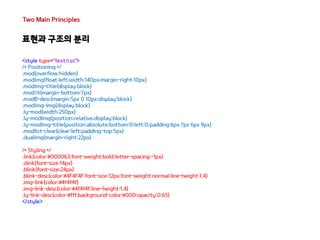
<style type="text/css"> 
/* Positioning */ 
.mod{overflow:hidden} 
.modImg{float:left;width:140px;margin-right:10px} 
.modImg-title{display:block} 
.mod>li{margin-bottom:7px} 
.modB-desc{margin:5px 0 10px;display:block} 
.modImg-img{display:block} 
.ly-mod{width:250px} 
.ly-modImg{position:relative;display:block} 
.ly-modImg-title{position:absolute;bottom:0;left:0;padding:6px 7px 6px 9px} 
.modlist-clear{clear:left;padding-top:5px} 
.dualImg{margin-right:22px} 
/* Styling */ 
.link{color:#000063;font-weight:bold;letter-spacing:-1px} 
.slink{font-size:14px} 
.blink{font-size:24px} 
.blink-desc{color:#4F4F4F;font-size:12px;font-weight:normal;line-height:1.4} 
.img-link{color:#4f4f4f} 
.img-link-desc{color:#4f4f4f;line-height:1.4} 
.ly-link-desc{color:#fff;background-color:#000;opacity:0.65} 
</style>
Two Main Principles 
표현과 구조의 분리 
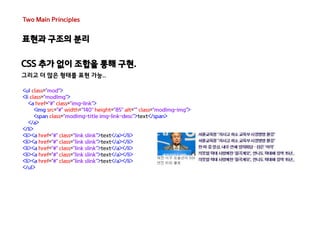
CSS 추가 없이 조합을 통해 구현. 
그리고 더 많은 형태를 표현 가능.. 
<ul class="mod"> 
<li class="modImg"> 
<a href="#" class="img-link"> 
<img src="#" width="140" height="85" alt="" class="modImg-img"> 
<span class="modImg-title img-link-desc">text</span> 
</a> 
</li> 
<li><a href="#" class="link slink">text</a></li> 
</ul>
Two Main Principles 
표현과 구조의 분리 
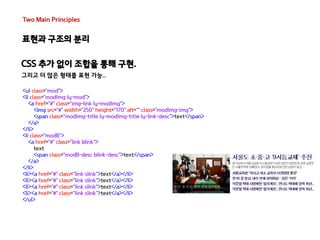
CSS 추가 없이 조합을 통해 구현. 
그리고 더 많은 형태를 표현 가능.. 
<ul class="mod"> 
<li class="modImg ly-mod"> 
<a href="#" class="img-link ly-modImg"> 
<img src="#" width="250" height="170" alt="" class="modImg-img"> 
<span class="modImg-title ly-modImg-title ly-link-desc">text</span> 
</a> 
</li> 
<li class="modB"> 
<a href="#" class="link blink"> 
text 
<span class="modB-desc blink-desc">text</span> 
</a> 
</li> 
<li><a href="#" class="link slink">text</a></li> 
</ul>
Two Main Principles 
표현과 구조의 분리 
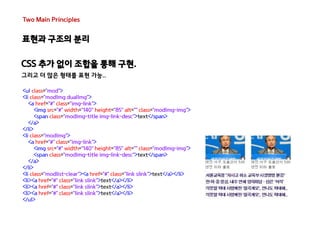
CSS 추가 없이 조합을 통해 구현. 
그리고 더 많은 형태를 표현 가능.. 
<ul class="mod"> 
<li class="modImg dualImg"> 
<a href="#" class="img-link"> 
<img src="#" width="140" height="85" alt="" class="modImg-img"> 
<span class="modImg-title img-link-desc">text</span> 
</a> 
</li> 
<li class="modImg"> 
<a href="#" class="img-link"> 
<img src="#" width="140" height="85" alt="" class="modImg-img"> 
<span class="modImg-title img-link-desc">text</span> 
</a> 
</li> 
<li class="modlist-clear"><a href="#" class="link slink">text</a></li> 
<li><a href="#" class="link slink">text</a></li> 
</ul>
Two Main Principles 
표현과 구조의 분리
Two Main Principles 
컨테이너와 콘텐츠의 분리
Two Main Principles 
컨테이너와 콘텐츠의 분리 
Dom의 위치에 상관 없이 
객체의 재사용을 허용하기 위한 규칙 
위치에 의존하지 않고 재사용이 가능한 클래스 기반 모듈 구축, 
어떤 컨테이너에도 종속되지 않는…
Two Main Principles 
컨테이너와 콘텐츠의 분리 
Class명이 영역의 의미를 가지게 되면 
재 활용성이 떨어지게 되고 불필요한 코드의 양이 늘어나게 됨. 
http://brettjankord.com/2013/02/09/thoughts-on-semantic-html-class-names-and-maintainability/ 
Class명은 마이크로 포맷을 제외하고 
검색 엔진 또는 스크린리더에서 의미있는 정보를 제공하지 않음. 
유연하고 재 사용이 가능한 형태로 사용하는 것이 좋음.
Two Main Principles 
컨테이너와 콘텐츠의 분리 
[As-is] 
<style type="text/css"> 
.family{border:1px solid #000;background-color:#fff} 
.family h3{color:#fff;font-size:20px} 
.family ul{overflow:hidden;border:1px solid red;zoom:1} 
.family li{float:left} 
.friend{border:1px solid #000;background-color:#fff} 
.friend h4{color:#fff;font-size:20px} 
.friend ol{overflow:hidden;border:1px solid red;zoom:1} 
.friend li{float:left} 
</style> 
<div class="family"> 
<h3>우리 가족 소개</h3> 
<ul> 
<li>든든한 아빠</li> 
<li>이쁜 엄마</li> 
<li>귀여운 연우</li> 
<li>씩씩한 혁준</li> 
</ul> 
</div> 
<div class="friend"> 
<h4>나의 친구 소개</h4> 
<ol> 
<li>동구</li> 
<li>상희</li> 
<li>명철</li> 
<li>진호</li> 
<li>희철</li> 
</ol> 
</div>
Two Main Principles 
컨테이너와 콘텐츠의 분리 
<div class=“mod"> 
<h3 class=“hd">우리 가족 소개</h3> 
<ul class=“ls"> 
<li>든든한 아빠</li> 
<li>이쁜 엄마</li> 
<li>귀여운 연우</li> 
<li>씩씩한 혁준</li> 
</ul> 
</div> 
<style type="text/css"> 
.mod{border:1px solid #000;background-color:#fff} 
.hd{color:#fff;font-size:20px} 
.ls{overflow:hidden;border:1px solid red;zoom:1} 
.ls>li{float:left} 
</style> 
<div class=“mod"> 
<h4 class=“hd">우리 가족 소개</h4> 
<ol class=“ls"> 
<li>동구</li> 
<li>상희</li> 
<li>명철</li> 
<li>진호</li> 
<li>희철</li> 
</ol> 
</div> 
[To-be]
Implementation 
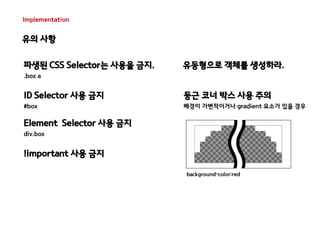
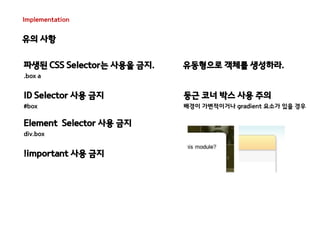
유의 사항 
파생된 CSS Selector는 사용을 금지. 
.box a 
ID Selector 사용 금지 
#box 
Element Selector 사용 금지 
div.box 
!important 사용 금지 
유동형으로 객체를 생성하라. 
둥근 코너 박스 사용 주의 
배경이 가변적이거나 gradient 요소가 있을 경우
Implementation 
유의 사항 
background-color:red 
파생된 CSS Selector는 사용을 금지. 
.box a 
ID Selector 사용 금지 
#box 
!important 사용 금지 
유동형으로 객체를 생성하라. 
둥근 코너 박스 사용 주의 
배경이 가변적이거나 gradient 요소가 있을 경우 
Element Selector 사용 금지 
div.box
Implementation 
유의 사항 
파생된 CSS Selector는 사용을 금지. 
.box a 
ID Selector 사용 금지 
#box 
!important 사용 금지 
유동형으로 객체를 생성하라. 
둥근 코너 박스 사용 주의 
배경이 가변적이거나 gradient 요소가 있을 경우 
Element Selector 사용 금지 
div.box
Implementation 
유의 사항 
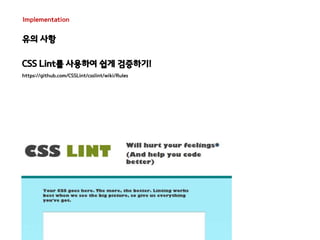
CSS Lint를 사용하여 쉽게 검증하기! 
https://github.com/CSSLint/csslint/wiki/Rules
Case 
Media Object
Case 
Media Object 
<style type="text/css"> 
.media{overflow:hidden;overflow:visible;zoom:1;margin:10px} 
.media .img{float:left;margin-right:10px} 
.media .img img{display:block} 
.media .imgExt{float:left;margin-left:10px} 
</style> 
<div class="media"> 
<a href="http://twitter.com/stubbornella" class="img"> 
<img src="http://a3.twimg.com/profile_images/72157651/tattoo_pink_bkg_square_mini.jpg" alt="Stubbornella" /> 
</a> 
<div class="bd"> 
<a href="http://twitter.com/stubbornella">@Stubbornella</a> <span class="detail">14 miniutes ago</span> 
</div> 
</div>
Case 
Media Object 
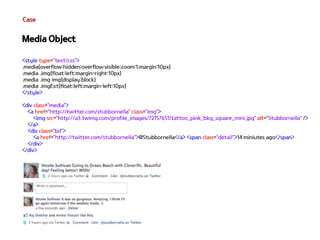
<style type="text/css"> 
.media{overflow:hidden;overflow:visible;zoom:1;margin:10px} 
.media .img{float:left;margin-right:10px} 
.media .img img{display:block} 
.media .imgExt{float:left;margin-left:10px} 
</style> 
<div class="media"> 
<a href="http://twitter.com/stubbornella" class="img"> 
<img src="http://a3.twimg.com/profile_images/72157651/tattoo_pink_bkg_square_mini.jpg" alt="Stubbornella" /> 
</a> 
<div class="bd"> 
<a href="http://twitter.com/stubbornella">@Stubbornella</a> <span class="detail">14 miniutes ago</span> 
</div> 
</div>
Case 
Media Object
SMACSS 
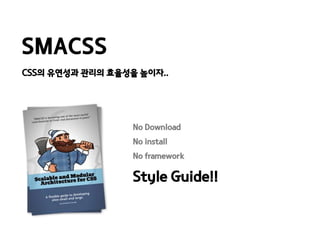
CSS의 유연성과 관리의 효율성을 높이자.. 
No Download 
No install 
No framework 
Style Guide!!
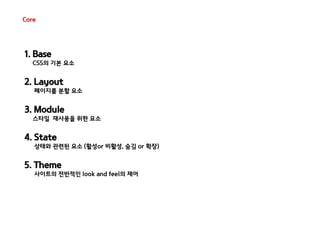
Core 
1. Base 
CSS의 기본 요소 
2. Layout 
페이지를 분할 요소 
3. Module 
스타일 재사용을 위한 요소 
4. State 
상태와 관련된 요소 (활성or 비활성, 숨김 or 확장) 
5. Theme 
사이트의 전반적인 look and feel의 제어
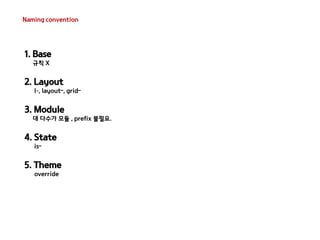
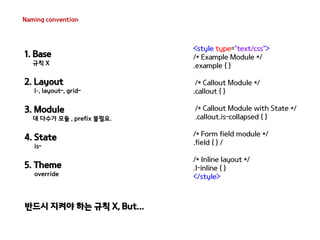
Naming convention 
1. Base 
규칙 X 
2. Layout 
l–, layout-, grid- 
3. Module 
대 다수가 모듈 , prefix 불필요. 
4. State 
is- 
5. Theme 
override
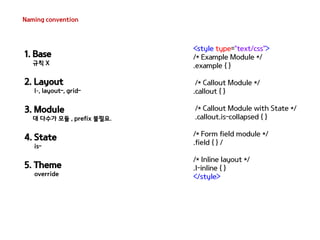
Naming convention 
<style type="text/css"> 
/* Example Module */ 
.example { } 
/* Callout Module */ 
.callout { } 
/* Callout Module with State */ 
.callout.is-collapsed { } 
/* Form field module */ 
.field { } / 
/* Inline layout */ 
.l-inline { } 
</style> 
1. Base 
규칙 X 
2. Layout 
l–, layout-, grid- 
3. Module 
대 다수가 모듈 , prefix 불필요. 
4. State 
is- 
5. Theme 
override
Naming convention 
<style type="text/css"> 
/* Example Module */ 
.example { } 
/* Callout Module */ 
.callout { } 
/* Callout Module with State */ 
.callout.is-collapsed { } 
/* Form field module */ 
.field { } / 
/* Inline layout */ 
.l-inline { } 
</style> 
1. Base 
규칙 X 
2. Layout 
l–, layout-, grid- 
3. Module 
대 다수가 모듈 , prefix 불필요. 
4. State 
is- 
5. Theme 
override 
반드시 지켜야 하는 규칙 X, But...
Core 
Base
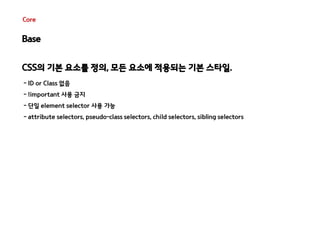
Core 
Base 
CSS의 기본 요소를 정의, 모든 요소에 적용되는 기본 스타일. 
- ID or Class 없음 
- !important 사용 금지 
- 단일 element selector 사용 가능 
- attribute selectors, pseudo-class selectors, child selectors, sibling selectors
Core 
Base 
CSS의 기본 요소를 정의, 모든 요소에 적용되는 기본 스타일. 
- ID or Class 없음 
- !important 사용 금지 
- 단일 element selector 사용 가능 
- attribute selectors, pseudo-class selectors, child selectors, sibling selectors 
<style type="text/css"> 
html, body, form { margin: 0; padding: 0 } 
input[type=text] { border: 1px solid #999} 
a { color: #039} 
a:hover { color: #03C } 
</style> 
Reset CSS ! 
크로스 브라우징을 위해 일관된 기준을 정의하는 목적으로 사용되는 CSS..
Core 
Layout
Core 
Layout 
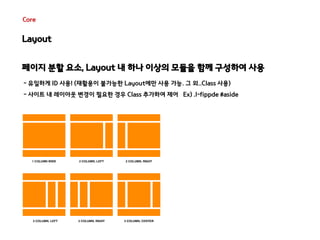
페이지 분할 요소, Layout 내 하나 이상의 모듈을 함께 구성하여 사용 
- 유일하게 ID 사용! (재활용이 불가능한 Layout에만 사용 가능. 그 외..Class 사용) 
- 사이트 내 레이아웃 변경이 필요한 경우 Class 추가하여 제어 Ex) .l-fippde #aside
Core 
Module
Core 
Module 
재사용을 위한 요소 , 독립형 Component로 설계 필요 
- ID Selector 사용 금지 
- Element Selector 사용 금지 
- 위치 기반의 Styling 금지 
<style type="text/css"> 
.pod { width: 100% } 
.pod input[type=text] {width: 50% } 
.pod-constrained input[type=text] {width: 100% } 
.pod-callout {width: 200px } 
.pod-callout input[type=text] {width: 180px } 
</style>
Core 
State
Core 
State 
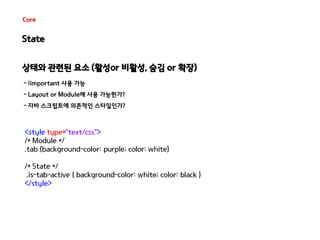
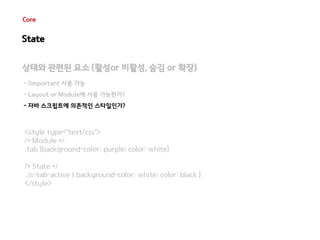
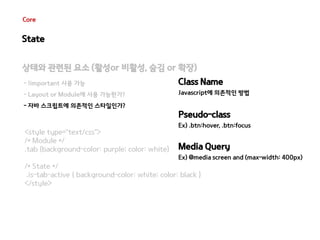
상태와 관련된 요소 (활성or 비활성, 숨김 or 확장) 
- !important 사용 가능 
- Layout or Module에 사용 가능한가? 
- 자바 스크립트에 의존적인 스타일인가? 
<style type="text/css"> 
/* Module */ 
.tab {background-color: purple; color: white} 
/* State */ 
.is-tab-active { background-color: white; color: black } 
</style>
Core 
State 
상태와 관련된 요소 (활성or 비활성, 숨김 or 확장) 
- !important 사용 가능 
- Layout or Module에 사용 가능한가? 
- 자바 스크립트에 의존적인 스타일인가? 
<style type="text/css"> 
/* Module */ 
.tab {background-color: purple; color: white} 
/* State */ 
.is-tab-active { background-color: white; color: black } 
</style>
Core 
State 
상태와 관련된 요소 (활성or 비활성, 숨김 or 확장) 
- !important 사용 가능 
- Layout or Module에 사용 가능한가? 
- 자바 스크립트에 의존적인 스타일인가? 
<style type="text/css"> 
/* Module */ 
.tab {background-color: purple; color: white} 
Class Name 
Javascript에 의존적인 방법 
Pseudo-class 
Ex) .btn:hover, .btn:focus 
Media Query 
Ex) @media screen and (max-width: 400px) 
/* State */ 
.is-tab-active { background-color: white; color: black } 
</style>
Core 
Theme
Core 
Theme 
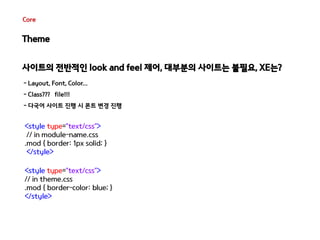
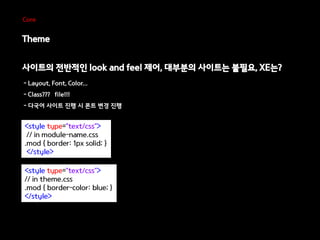
사이트의 전반적인 look and feel 제어, 대부분의 사이트는 불필요, XE는? 
- Layout, Font, Color... 
- Class??? file!!! 
- 다국어 사이트 진행 시 폰트 변경 진행 
<style type="text/css"> 
// in module-name.css 
.mod { border: 1px solid; } 
</style> 
<style type="text/css"> 
// in theme.css 
.mod { border-color: blue; } 
</style>
Core 
Theme 
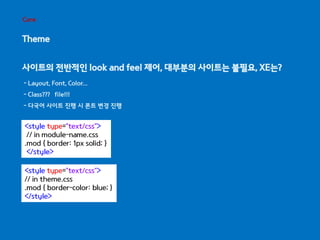
사이트의 전반적인 look and feel 제어, 대부분의 사이트는 불필요, XE는? 
- Layout, Font, Color... 
- Class??? file!!! 
- 다국어 사이트 진행 시 폰트 변경 진행 
<style type="text/css"> 
// in module-name.css 
.mod { border: 1px solid; } 
</style> 
<style type="text/css"> 
// in theme.css 
.mod { border-color: blue; } 
</style>
Core 
Theme 
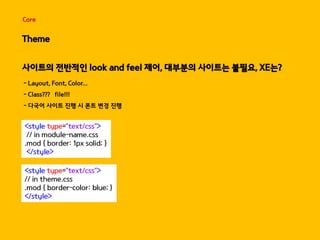
사이트의 전반적인 look and feel 제어, 대부분의 사이트는 불필요, XE는? 
- Layout, Font, Color... 
- Class??? file!!! 
- 다국어 사이트 진행 시 폰트 변경 진행 
<style type="text/css"> 
// in module-name.css 
.mod { border: 1px solid; } 
</style> 
<style type="text/css"> 
// in theme.css 
.mod { border-color: blue; } 
</style>
Core 
Theme 
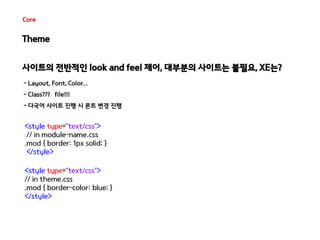
사이트의 전반적인 look and feel 제어, 대부분의 사이트는 불필요, XE는? 
- Layout, Font, Color... 
- Class??? file!!! 
- 다국어 사이트 진행 시 폰트 변경 진행 
<style type="text/css"> 
// in module-name.css 
.mod { border: 1px solid; } 
</style> 
<style type="text/css"> 
// in theme.css 
.mod { border-color: blue; } 
</style>
Core 
Theme 
사이트의 전반적인 look and feel 제어, 대부분의 사이트는 불필요, XE는? 
- Layout, Font, Color... 
- Class??? file!!! 
- 다국어 사이트 진행 시 폰트 변경 진행 
<style type="text/css"> 
// in module-name.css 
.mod { border: 1px solid; } 
</style> 
<style type="text/css"> 
// in theme.css 
.mod { border-color: blue; } 
</style>
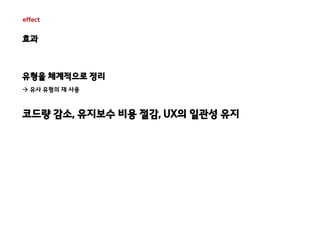
effect 
효과 
유형을 체계적으로 정리 
 유사 유형의 재 사용 
코드량 감소, 유지보수 비용 절감, UX의 일관성 유지
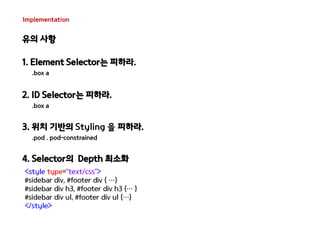
Implementation 
유의 사항 
1. Element Selector는 피하라. 
.box a 
2. ID Selector는 피하라. 
.box a 
3. 위치 기반의 Styling 을 피하라. 
.pod . pod-constrained 
4. Selector의 Depth 최소화 
<style type="text/css"> 
#sidebar div, #footer div { …} 
#sidebar div h3, #footer div h3 {… } 
#sidebar div ul, #footer div ul {…} 
</style>
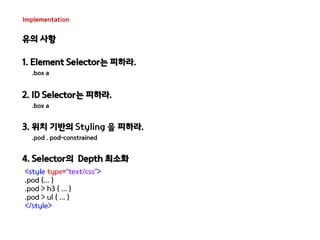
Implementation 
유의 사항 
1. Element Selector는 피하라. 
.box a 
2. ID Selector는 피하라. 
.box a 
3. 위치 기반의 Styling 을 피하라. 
.pod . pod-constrained 
4. Selector의 Depth 최소화 
<style type="text/css"> 
.pod {... } 
.pod > h3 { ... } 
.pod > ul { ... } 
</style>
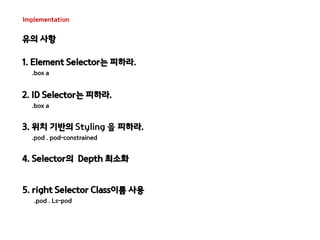
Implementation 
유의 사항 
1. Element Selector는 피하라. 
.box a 
2. ID Selector는 피하라. 
.box a 
3. 위치 기반의 Styling 을 피하라. 
.pod . pod-constrained 
4. Selector의 Depth 최소화 
5. right Selector Class이름 사용 
.pod . Ls-pod
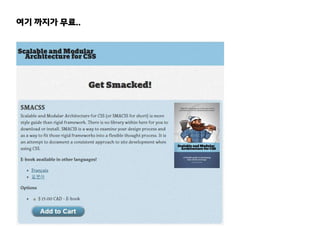
여기 까지가 무료..
여기 까지가 무료..
common 
방법론의 공통적인 이야기..
common 
방법론의 공통적인 이야기.. 
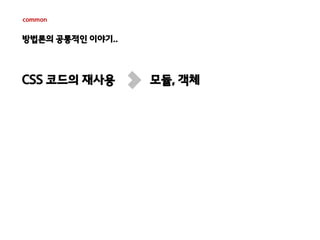
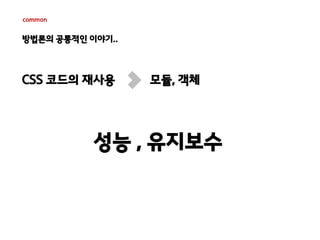
CSS 코드의 재사용 모듈, 객체
common 
방법론의 공통적인 이야기.. 
CSS 코드의 재사용 모듈, 객체 
성능 , 유지보수
common 
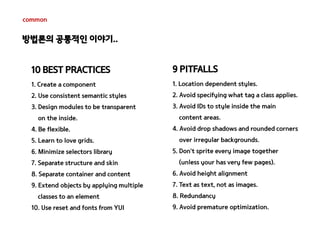
10 BEST PRACTICES 
1. Create a component 
2. Use consistent semantic styles 
3. Design modules to be transparent 
on the inside. 
4. Be flexible. 
5. Learn to love grids. 
6. Minimize selectors library 
7. Separate structure and skin 
8. Separate container and content 
9. Extend objects by applying multiple 
classes to an element 
10. Use reset and fonts from YUI 
9 PITFALLS 
1. Location dependent styles. 
2. Avoid specifying what tag a class applies. 
3. Avoid IDs to style inside the main 
content areas. 
4. Avoid drop shadows and rounded corners 
over irregular backgrounds. 
5. Don’t sprite every image together 
(unless your has very few pages). 
6. Avoid height alignment 
7. Text as text, not as images. 
8. Redundancy 
9. Avoid premature optimization. 
방법론의 공통적인 이야기..
common 
10 BEST PRACTICES 
1. Create a component 
2. Use consistent semantic styles 
3. Design modules to be transparent 
on the inside. 
4. Be flexible. 
5. Learn to love grids. 
6. Minimize selectors library 
7. Separate structure and skin 
8. Separate container and content 
9. Extend objects by applying multiple 
classes to an element 
10. Use reset and fonts from YUI 
9 PITFALLS 
1. Location dependent styles. 
2. Avoid specifying what tag a class applies. 
3. Avoid IDs to style inside the main 
content areas. 
4. Avoid drop shadows and rounded corners 
over irregular backgrounds. 
5. Don’t sprite every image together 
(unless your has very few pages). 
6. Avoid height alignment 
7. Text as text, not as images. 
8. Redundancy 
9. Avoid premature optimization. 
방법론의 공통적인 이야기.. 
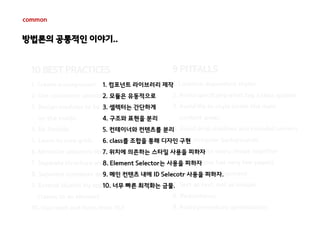
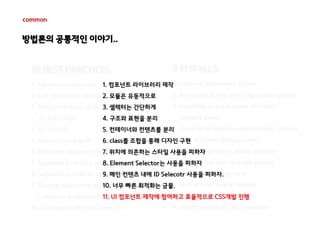
1. 컴포넌트 라이브러리 제작 
2. 모듈은 유동적으로 
3. 셀렉터는 간단하게 
4. 구조와 표현을 분리 
5. 컨테이너와 컨텐츠를 분리 
6. class를 조합을 통해 디자인 구현 
7. 위치에 의존하는 스타일 사용을 피하자 
8. Element Selector는 사용을 피하자 
9. 메인 컨텐츠 내에 ID Selecotr 사용을 피하자. 
10. 너무 빠른 최적화는 금물.
common 
방법론의 공통적인 이야기.. 
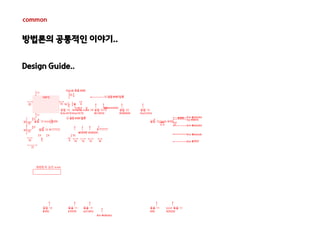
Design Guide..
common 
방법론의 공통적인 이야기.. 
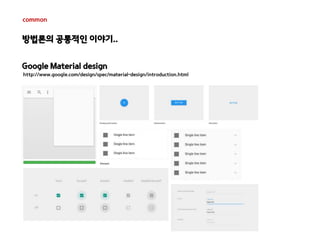
Google Material design 
http://www.google.com/design/spec/material-design/introduction.html
common 
방법론의 공통적인 이야기.. 
기획 디자인 UI개발 개발
common 
방법론의 공통적인 이야기.. 
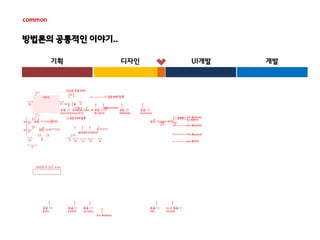
기획 디자인 UI개발 개발
common 
방법론의 공통적인 이야기.. 
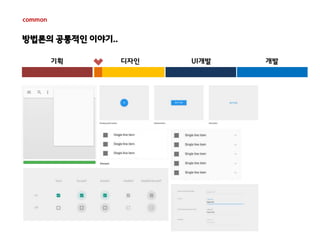
기획 디자인 UI개발 개발
방법론의 공통적인 이야기.. 
기획 디자인 UI개발 개발 
common 
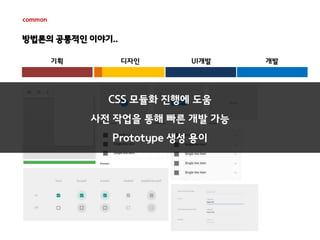
CSS 모듈화 진행에 도움 
사전 작업을 통해 빠른 개발 가능 
Prototype 생성 용이
common 
10 BEST PRACTICES 
1. Create a component 
2. Use consistent semantic styles 
3. Design modules to be transparent 
on the inside. 
1. 컴포넌트 라이브러리 제작 
2. 모듈은 유동적으로 
3. 셀렉터는 간단하게 
4. 구조와 표현을 분리 
5. 컨테이너와 컨텐츠를 분리 
6. class를 조합을 통해 디자인 구현 
7. 위치에 의존하는 스타일 사용을 피하자 
8. Element Selector는 사용을 피하자 
9. 메인 컨텐츠 내에 ID Selecotr 사용을 피하자. 
10. 너무 빠른 최적화는 금물. 
11. UI 컴포넌트 제작에 참여하고 효율적으로 CSS개발 진행 
4. Be flexible. 
5. Learn to love grids. 
6. Minimize selectors library 
7. Separate structure and skin 
8. Separate container and content 
9. Extend objects by applying multiple 
classes to an element 
10. Use reset and fonts from YUI 
9 PITFALLS 
1. Location dependent styles. 
2. Avoid specifying what tag a class applies. 
3. Avoid IDs to style inside the main 
content areas. 
4. Avoid drop shadows and rounded corners 
over irregular backgrounds. 
5. Don’t sprite every image together 
(unless your has very few pages). 
6. Avoid height alignment 
7. Text as text, not as images. 
8. Redundancy 
9. Avoid premature optimization. 
방법론의 공통적인 이야기..
감사합니다. 
http://me2.do/x2w3evR7 
alkaba222@naver.com

XECon+PHPFest2014 발표자료 - 효율적인 css 개발방법 - 최대영

  • 1.
    2014.11.08 Session 1-1XECon + PHPFest 2014 효율적인 CSS 개발 방법 이야기 @ID 최대영 In-Comms
  • 2.
    TOC 1. CSS개발의어려움. 2. OOCSS. 3. SMACSS. 4. 맺음말.
  • 4.
    CSS 개발의 어려움과해결 방법에 대한 이야기 - 효율적인 CSS 개발 방법론
  • 5.
    Past 이미지 + 간단한 Style sheet 사용. Ex) Font, Border, Background.. inLine <table style="border:1px solid red"> <tr> <td style="color:yellow;font-size:17px">나는 누구 여긴 어디..</td> </tr> </table>
  • 6.
    Present 이미지를 대체하는.. Ex) @fant-face, border-radius, gradient, text-shadow... Javascript를 대체 하는.. Ex) media query, :nth-of-type(), a[href*=naver]… 동적 요소를 대체 하는.. Ex) trasition, animation...
  • 7.
    하지만 늘어만 가는코드에...웃을 수 만은... 도데체..뭐가..문제일까..
  • 8.
  • 9.
    Issue CSS Selector.. CSS Specificity Selector n * 100 n * 10 n * 1 specificity * 0 0 0 0 LI 0 0 1 1 UL LI 0 0 2 2 UL OL+LI 0 0 3 3 H1 + *[REL=up] 0 1 1 11 UL OL LI.red 0 1 3 13 LI.red.level 0 2 1 21 #x34y 1 0 0 100 #s12:not(FOO) 1 0 1 101 불필요한 CSS Selector 사용 a.family , #a.family ... 지나치게 복잡한 선택자 #content .home .family a <div id="content"> <div> <div> <a href="#">집으로..</a> </div> </div> </div>  CSS 우선 순위 조정 or !important 사용
  • 10.
    Issue 너무 많은규칙 포함
  • 11.
    Issue 너무 많은규칙 포함 <style type="text/css"> .widget { overflow:hidden; position: absolute; top: 20px; left: 20px; width:100px; height:300px; background-color: red; font-family:'돋움',dotum; font-size: 15px; line-height:1.4; color:#fff; text-transform: uppercase; border-radius:0; text-decoration:none; vertical-align:top } </style>
  • 12.
    Issue 영역의 의미를갖는 Class 명 사용?
  • 13.
    Issue 영역의 의미를갖는 Class 명 사용? <style type="text/css"> .family{border:1px solid #000;background-color:#fff} .family h3{color:#fff;font-size:20px} .family ul{overflow:hidden;border:1px solid red;zoom:1} .family li{float:left} </style> <div class="family"> <h3>우리 가족 소개</h3> <ul> <li>든든한 아빠</li> <li>이쁜 엄마</li> <li>귀여운 연우</li> <li>씩씩한 혁준</li> </ul> </div>
  • 14.
    Issue 영역의 의미를갖는 Class 명 사용? <style type="text/css"> .family{border:1px solid #000;background-color:#fff} .family h3{color:#fff;font-size:20px} .family ul{overflow:hidden;border:1px solid red;zoom:1} .family li{float:left} </style> <div class="family"> <h3>우리 가족 소개</h3> <ul> <li>든든한 아빠</li> <li>이쁜 엄마</li> <li>귀여운 연우</li> <li>씩씩한 혁준</li> </ul> </div> <div> <h4>나의 친구 소개</h4> <ol> <li>동구</li> <li>상희</li> <li>명철</li> <li>진호</li> </ol> </div> +
  • 15.
    Issue 영역의 의미를갖는 Class 명 사용? <style type="text/css"> .family{border:1px solid #000;background-color:#fff} .family h3, friend h4{color:#fff;font-size:20px} .family ul, friend ol{overflow:hidden;border:1px solid red;zoom:1} .family li{float:left} </style> <div class="family"> <h3>우리 가족 소개</h3> <ul> <li>든든한 아빠</li> <li>이쁜 엄마</li> <li>귀여운 연우</li> <li>씩씩한 혁준</li> </ul> </div> <div class="family friend"> <h4>나의 친구 소개</h4> <ol> <li>동구</li> <li>상희</li> <li>명철</li> <li>진호</li> </ol> </div> +
  • 16.
    Issue 영역의 의미를갖는 Class 명 사용? <style type="text/css"> .family, .friend{border:1px solid #000;background-color:#fff} .family h3, .friend h4{color:#fff;font-size:20px} .family ul, .friend ol{overflow:hidden;border:1px solid red;zoom:1} .family li, .friend li{float:left} </style> <div class="family"> <h3>우리 가족 소개</h3> <ul> <li>든든한 아빠</li> <li>이쁜 엄마</li> <li>귀여운 연우</li> <li>씩씩한 혁준</li> </ul> </div> <div class=“friend"> <h4>나의 친구 소개</h4> <ol> <li>동구</li> <li>상희</li> <li>명철</li> <li>진호</li> </ol> </div> +
  • 17.
    Issue 영역의 의미를갖는 Class 명 사용? <style type="text/css"> .family{border:1px solid #000;background-color:#fff} .family h3{color:#fff;font-size:20px} .family ul{overflow:hidden;border:1px solid red;zoom:1} .family li{float:left} .friend{border:1px solid #000;background-color:#fff} .friend h4{color:#fff;font-size:20px} .friend ol{overflow:hidden;border:1px solid red;zoom:1} .friend li{float:left} </style> <div class="family"> <h3>우리 가족 소개</h3> <ul> <li>든든한 아빠</li> <li>이쁜 엄마</li> <li>귀여운 연우</li> <li>씩씩한 혁준</li> </ul> </div> <div class=“friend"> <h4>나의 친구 소개</h4> <ol> <li>동구</li> <li>상희</li> <li>명철</li> <li>진호</li> </ol> </div> +
  • 18.
    Issue 너무 이른최적화는 오히려 독?!
  • 19.
    Issue 너무 이른최적화는 오히려 독?! 기획 디자인 UI개발 개발
  • 20.
    Issue 너무 이른최적화는 오히려 독?! 기획 디자인 UI개발 개발
  • 21.
    Issue 너무 이른최적화는 오히려 독?! 기획 디자인 UI개발 개발 정보는 부족하지만.. 최적화 진행..
  • 22.
    Issue 너무 이른최적화는 오히려 독?! 기획 디자인 UI개발 개발 정보는 부족하지만.. 최적화 진행.. 수정 . 수정 . 수정 . 수정 수정 . 수정 . 수정 . 수정 수정 . 수정 . 수정 . 수정 수정 . 수정 . 수정 . 수정
  • 23.
    Issue 너무 이른최적화는 오히려 독?! 기획 디자인 UI개발 개발 최적화 따위.. 다음 플젝에서 보자.. 정보는 부족하지만.. 최적화 진행.. 수정 . 수정 . 수정 . 수정 수정 . 수정 . 수정 . 수정 수정 . 수정 . 수정 . 수정 수정 . 수정 . 수정 . 수정
  • 24.
    사이트의 규모가 커질수록..CSS는 점점 더 비대해짐.. = 유지보수 비용 증가.. = 효율적 관리 & 개발 방법 고민 증가.. “CSS is simple... It’s simple to understand. But CSS is not simple to use or maintain. ” http://chriseppstein.github.io/blog/2009/09/20/why-stylesheet-abstraction-matters/ CSS는 단순하고 이해하기 쉽다. 하지만 CSS를 사용하고 관리하기는 쉽지 않다..
  • 25.
    Nicole Sullivan JonathanSnook Object Oriented CSS - 2009 - Scalable and Modular Architecture for CSS - 2011 -
  • 26.
    OOCSS 코드의 재사용성을 높이고, 더 빠르고 효율적이며 객체를 추가하기 쉽게.. Object? 독립적인 요소로 추상화 할 수 있는 반복 패턴 <div class="media"> <a href=“#" class="img“><img src=“#" alt="Stubbornella”></a> <div class="bd"> <a href=“#">@Stubbornella</a> <span class="detail">14 miniutes ago</span> </div> </div>
  • 27.
    Two Main Principles 1. Separate structure and skin 표현과 구조의 분리 2. Separate container and content 컨테이너와 콘텐츠의 분리
  • 28.
    Two Main Principles 표현과 구조의 분리
  • 29.
    Two Main Principles 표현과 구조의 분리 거의 모든 웹사이트는 반복되는 요소를 가지고 있음. (ex. 색상, 그림자, 선, 구조 등..)
  • 30.
    Two Main Principles 표현과 구조의 분리 거의 모든 웹사이트는 반복되는 요소를 가지고 있음. (ex. 색상, 그림자, 선, 구조 등..) Positioning (ex. position, float, margin...) Styling (ex. background, color, border...)
  • 31.
    Two Main Principles 표현과 구조의 분리 거의 모든 웹사이트는 반복되는 요소를 가지고 있음. (ex. 색상, 그림자, 선, 구조 등..) Object Positioning (ex. position, float, margin...) Styling (ex. background, color, border...)
  • 32.
    Two Main Principles 표현과 구조의 분리 거의 모든 웹사이트는 반복되는 요소를 가지고 있음. (ex. 색상, 그림자, 선, 구조 등..) Mix & Match Positioning (ex. position, float, margin...) Styling (ex. background, color, border...) Object
  • 33.
    Two Main Principles 표현과 구조의 분리 .button { width: 200px; height: 50px; padding: 10px; border: solid 1px #ccc; background: linear-gradient(#ccc, #222); box-shadow: rgba(0, 0, 0, .5) 2px 2px 5px } .box { width: 400px; overflow: hidden; border: solid 1px #ccc; background: linear-gradient(#ccc, #222); box-shadow: rgba(0, 0, 0, .5) 2px 2px 5px } .widget { width: 500px; min-height: 200px; overflow: auto; border: solid 1px #ccc; background: linear-gradient(#ccc, #222); box-shadow: rgba(0, 0, 0, .5) 2px 2px 5px }
  • 34.
    Two Main Principles 표현과 구조의 분리 .button { width: 200px; height: 50px; padding: 10px; border: solid 1px #ccc; background: linear-gradient(#ccc, #222); box-shadow: rgba(0, 0, 0, .5) 2px 2px 5px } .box { width: 400px; overflow: hidden; border: solid 1px #ccc; background: linear-gradient(#ccc, #222); box-shadow: rgba(0, 0, 0, .5) 2px 2px 5px } .widget { width: 500px; min-height: 200px; overflow: auto; border: solid 1px #ccc; background: linear-gradient(#ccc, #222); box-shadow: rgba(0, 0, 0, .5) 2px 2px 5px } Positioning (ex. position, float, margin...) Styling (ex. background, color, border...)
  • 35.
    Two Main Principles 표현과 구조의 분리 .button { width: 200px; height: 50px padding:10px } .box { width: 400px; overflow: hidden } .widget { width: 500px; min-height: 200px; overflow: auto } .skin { border: solid 1px #ccc; background: linear-gradient(#ccc, #222); box-shadow: rgba(0, 0, 0, .5) 2px 2px 5px } .button { width: 200px; height: 50px; padding: 10px; border: solid 1px #ccc; background: linear-gradient(#ccc, #222); box-shadow: rgba(0, 0, 0, .5) 2px 2px 5px } .box { width: 400px; overflow: hidden; border: solid 1px #ccc; background: linear-gradient(#ccc, #222); box-shadow: rgba(0, 0, 0, .5) 2px 2px 5px } .widget { width: 500px; min-height: 200px; overflow: auto; border: solid 1px #ccc; background: linear-gradient(#ccc, #222); box-shadow: rgba(0, 0, 0, .5) 2px 2px 5px }
  • 36.
    Two Main Principles 표현과 구조의 분리 Class + Class =
  • 37.
    Two Main Principles 표현과 구조의 분리 Class + Class = Class X Class & Smaller file sizes
  • 38.
    Two Main Principles 표현과 구조의 분리
  • 39.
    Two Main Principles 표현과 구조의 분리
  • 40.
    Two Main Principles 표현과 구조의 분리 <style type="text/css"> /* Positioning */ .mod{overflow:hidden} .modImg{float:left;width:140px;margin-right:10px} .modImg-title{display:block} .mod>li{margin-bottom:7px} .modB-desc{margin:5px 0 10px;display:block} .modImg-img{display:block} .ly-mod{width:250px} .ly-modImg{position:relative;display:block} .ly-modImg-title{position:absolute;bottom:0;left:0;padding:6px 7px 6px 9px} .modlist-clear{clear:left;padding-top:5px} .dualImg{margin-right:22px} </style> <ul class="mod"> <li class="modImg"> <a href="#”> <img src="#" width="140" height="85" alt="" class="modImg-img"> <span class="modImg-title">text</span> </a> </li> <li><a href="#”>text</a></li> <li><a href="#”>text</a></li> </ul>
  • 41.
    Two Main Principles 표현과 구조의 분리 <style type="text/css"> /* Positioning */ .mod{overflow:hidden} .modImg{float:left;width:140px;margin-right:10px} .modImg-title{display:block} .mod>li{margin-bottom:7px} .modB-desc{margin:5px 0 10px;display:block} .modImg-img{display:block} .ly-mod{width:250px} .ly-modImg{position:relative;display:block} .ly-modImg-title{position:absolute;bottom:0;left:0;padding:6px 7px 6px 9px} .modlist-clear{clear:left;padding-top:5px} .dualImg{margin-right:22px} /* Styling */ .link{color:#000063;font-weight:bold;letter-spacing:-1px} .slink{font-size:14px} .blink{font-size:24px} .blink-desc{color:#4F4F4F;font-size:12px;font-weight:normal;line-height:1.4} .img-link{color:#4f4f4f} .img-link-desc{color:#4f4f4f;line-height:1.4} .ly-link-desc{color:#fff;background-color:#000;opacity:0.65} </style>
  • 42.
    Two Main Principles 표현과 구조의 분리 CSS 추가 없이 조합을 통해 구현. 그리고 더 많은 형태를 표현 가능.. <ul class="mod"> <li class="modImg"> <a href="#" class="img-link"> <img src="#" width="140" height="85" alt="" class="modImg-img"> <span class="modImg-title img-link-desc">text</span> </a> </li> <li><a href="#" class="link slink">text</a></li> <li><a href="#" class="link slink">text</a></li> <li><a href="#" class="link slink">text</a></li> <li><a href="#" class="link slink">text</a></li> <li><a href="#" class="link slink">text</a></li> </ul>
  • 43.
    Two Main Principles 표현과 구조의 분리 CSS 추가 없이 조합을 통해 구현. 그리고 더 많은 형태를 표현 가능.. <ul class="mod"> <li class="modImg ly-mod"> <a href="#" class="img-link ly-modImg"> <img src="#" width="250" height="170" alt="" class="modImg-img"> <span class="modImg-title ly-modImg-title ly-link-desc">text</span> </a> </li> <li class="modB"> <a href="#" class="link blink"> text <span class="modB-desc blink-desc">text</span> </a> </li> <li><a href="#" class="link slink">text</a></li> <li><a href="#" class="link slink">text</a></li> <li><a href="#" class="link slink">text</a></li> <li><a href="#" class="link slink">text</a></li> </ul>
  • 44.
    Two Main Principles 표현과 구조의 분리 CSS 추가 없이 조합을 통해 구현. 그리고 더 많은 형태를 표현 가능.. <ul class="mod"> <li class="modImg dualImg"> <a href="#" class="img-link"> <img src="#" width="140" height="85" alt="" class="modImg-img"> <span class="modImg-title img-link-desc">text</span> </a> </li> <li class="modImg"> <a href="#" class="img-link"> <img src="#" width="140" height="85" alt="" class="modImg-img"> <span class="modImg-title img-link-desc">text</span> </a> </li> <li class="modlist-clear"><a href="#" class="link slink">text</a></li> <li><a href="#" class="link slink">text</a></li> <li><a href="#" class="link slink">text</a></li> <li><a href="#" class="link slink">text</a></li> </ul>
  • 45.
    Two Main Principles 표현과 구조의 분리
  • 46.
    Two Main Principles 컨테이너와 콘텐츠의 분리
  • 47.
    Two Main Principles 컨테이너와 콘텐츠의 분리 Dom의 위치에 상관 없이 객체의 재사용을 허용하기 위한 규칙 위치에 의존하지 않고 재사용이 가능한 클래스 기반 모듈 구축, 어떤 컨테이너에도 종속되지 않는…
  • 48.
    Two Main Principles 컨테이너와 콘텐츠의 분리 Class명이 영역의 의미를 가지게 되면 재 활용성이 떨어지게 되고 불필요한 코드의 양이 늘어나게 됨. http://brettjankord.com/2013/02/09/thoughts-on-semantic-html-class-names-and-maintainability/ Class명은 마이크로 포맷을 제외하고 검색 엔진 또는 스크린리더에서 의미있는 정보를 제공하지 않음. 유연하고 재 사용이 가능한 형태로 사용하는 것이 좋음.
  • 49.
    Two Main Principles 컨테이너와 콘텐츠의 분리 [As-is] <style type="text/css"> .family{border:1px solid #000;background-color:#fff} .family h3{color:#fff;font-size:20px} .family ul{overflow:hidden;border:1px solid red;zoom:1} .family li{float:left} .friend{border:1px solid #000;background-color:#fff} .friend h4{color:#fff;font-size:20px} .friend ol{overflow:hidden;border:1px solid red;zoom:1} .friend li{float:left} </style> <div class="family"> <h3>우리 가족 소개</h3> <ul> <li>든든한 아빠</li> <li>이쁜 엄마</li> <li>귀여운 연우</li> <li>씩씩한 혁준</li> </ul> </div> <div class="friend"> <h4>나의 친구 소개</h4> <ol> <li>동구</li> <li>상희</li> <li>명철</li> <li>진호</li> <li>희철</li> </ol> </div>
  • 50.
    Two Main Principles 컨테이너와 콘텐츠의 분리 <div class=“mod"> <h3 class=“hd">우리 가족 소개</h3> <ul class=“ls"> <li>든든한 아빠</li> <li>이쁜 엄마</li> <li>귀여운 연우</li> <li>씩씩한 혁준</li> </ul> </div> <style type="text/css"> .mod{border:1px solid #000;background-color:#fff} .hd{color:#fff;font-size:20px} .ls{overflow:hidden;border:1px solid red;zoom:1} .ls>li{float:left} </style> <div class=“mod"> <h4 class=“hd">우리 가족 소개</h4> <ol class=“ls"> <li>동구</li> <li>상희</li> <li>명철</li> <li>진호</li> <li>희철</li> </ol> </div> [To-be]
  • 51.
    Implementation 유의 사항 파생된 CSS Selector는 사용을 금지. .box a ID Selector 사용 금지 #box Element Selector 사용 금지 div.box !important 사용 금지 유동형으로 객체를 생성하라. 둥근 코너 박스 사용 주의 배경이 가변적이거나 gradient 요소가 있을 경우
  • 52.
    Implementation 유의 사항 background-color:red 파생된 CSS Selector는 사용을 금지. .box a ID Selector 사용 금지 #box !important 사용 금지 유동형으로 객체를 생성하라. 둥근 코너 박스 사용 주의 배경이 가변적이거나 gradient 요소가 있을 경우 Element Selector 사용 금지 div.box
  • 53.
    Implementation 유의 사항 파생된 CSS Selector는 사용을 금지. .box a ID Selector 사용 금지 #box !important 사용 금지 유동형으로 객체를 생성하라. 둥근 코너 박스 사용 주의 배경이 가변적이거나 gradient 요소가 있을 경우 Element Selector 사용 금지 div.box
  • 54.
    Implementation 유의 사항 CSS Lint를 사용하여 쉽게 검증하기! https://github.com/CSSLint/csslint/wiki/Rules
  • 55.
  • 56.
    Case Media Object <style type="text/css"> .media{overflow:hidden;overflow:visible;zoom:1;margin:10px} .media .img{float:left;margin-right:10px} .media .img img{display:block} .media .imgExt{float:left;margin-left:10px} </style> <div class="media"> <a href="http://twitter.com/stubbornella" class="img"> <img src="http://a3.twimg.com/profile_images/72157651/tattoo_pink_bkg_square_mini.jpg" alt="Stubbornella" /> </a> <div class="bd"> <a href="http://twitter.com/stubbornella">@Stubbornella</a> <span class="detail">14 miniutes ago</span> </div> </div>
  • 57.
    Case Media Object <style type="text/css"> .media{overflow:hidden;overflow:visible;zoom:1;margin:10px} .media .img{float:left;margin-right:10px} .media .img img{display:block} .media .imgExt{float:left;margin-left:10px} </style> <div class="media"> <a href="http://twitter.com/stubbornella" class="img"> <img src="http://a3.twimg.com/profile_images/72157651/tattoo_pink_bkg_square_mini.jpg" alt="Stubbornella" /> </a> <div class="bd"> <a href="http://twitter.com/stubbornella">@Stubbornella</a> <span class="detail">14 miniutes ago</span> </div> </div>
  • 58.
  • 59.
    SMACSS CSS의 유연성과관리의 효율성을 높이자.. No Download No install No framework Style Guide!!
  • 61.
    Core 1. Base CSS의 기본 요소 2. Layout 페이지를 분할 요소 3. Module 스타일 재사용을 위한 요소 4. State 상태와 관련된 요소 (활성or 비활성, 숨김 or 확장) 5. Theme 사이트의 전반적인 look and feel의 제어
  • 62.
    Naming convention 1.Base 규칙 X 2. Layout l–, layout-, grid- 3. Module 대 다수가 모듈 , prefix 불필요. 4. State is- 5. Theme override
  • 63.
    Naming convention <styletype="text/css"> /* Example Module */ .example { } /* Callout Module */ .callout { } /* Callout Module with State */ .callout.is-collapsed { } /* Form field module */ .field { } / /* Inline layout */ .l-inline { } </style> 1. Base 규칙 X 2. Layout l–, layout-, grid- 3. Module 대 다수가 모듈 , prefix 불필요. 4. State is- 5. Theme override
  • 64.
    Naming convention <styletype="text/css"> /* Example Module */ .example { } /* Callout Module */ .callout { } /* Callout Module with State */ .callout.is-collapsed { } /* Form field module */ .field { } / /* Inline layout */ .l-inline { } </style> 1. Base 규칙 X 2. Layout l–, layout-, grid- 3. Module 대 다수가 모듈 , prefix 불필요. 4. State is- 5. Theme override 반드시 지켜야 하는 규칙 X, But...
  • 65.
  • 66.
    Core Base CSS의기본 요소를 정의, 모든 요소에 적용되는 기본 스타일. - ID or Class 없음 - !important 사용 금지 - 단일 element selector 사용 가능 - attribute selectors, pseudo-class selectors, child selectors, sibling selectors
  • 67.
    Core Base CSS의기본 요소를 정의, 모든 요소에 적용되는 기본 스타일. - ID or Class 없음 - !important 사용 금지 - 단일 element selector 사용 가능 - attribute selectors, pseudo-class selectors, child selectors, sibling selectors <style type="text/css"> html, body, form { margin: 0; padding: 0 } input[type=text] { border: 1px solid #999} a { color: #039} a:hover { color: #03C } </style> Reset CSS ! 크로스 브라우징을 위해 일관된 기준을 정의하는 목적으로 사용되는 CSS..
  • 68.
  • 69.
    Core Layout 페이지분할 요소, Layout 내 하나 이상의 모듈을 함께 구성하여 사용 - 유일하게 ID 사용! (재활용이 불가능한 Layout에만 사용 가능. 그 외..Class 사용) - 사이트 내 레이아웃 변경이 필요한 경우 Class 추가하여 제어 Ex) .l-fippde #aside
  • 70.
  • 71.
    Core Module 재사용을위한 요소 , 독립형 Component로 설계 필요 - ID Selector 사용 금지 - Element Selector 사용 금지 - 위치 기반의 Styling 금지 <style type="text/css"> .pod { width: 100% } .pod input[type=text] {width: 50% } .pod-constrained input[type=text] {width: 100% } .pod-callout {width: 200px } .pod-callout input[type=text] {width: 180px } </style>
  • 72.
  • 73.
    Core State 상태와관련된 요소 (활성or 비활성, 숨김 or 확장) - !important 사용 가능 - Layout or Module에 사용 가능한가? - 자바 스크립트에 의존적인 스타일인가? <style type="text/css"> /* Module */ .tab {background-color: purple; color: white} /* State */ .is-tab-active { background-color: white; color: black } </style>
  • 74.
    Core State 상태와관련된 요소 (활성or 비활성, 숨김 or 확장) - !important 사용 가능 - Layout or Module에 사용 가능한가? - 자바 스크립트에 의존적인 스타일인가? <style type="text/css"> /* Module */ .tab {background-color: purple; color: white} /* State */ .is-tab-active { background-color: white; color: black } </style>
  • 75.
    Core State 상태와관련된 요소 (활성or 비활성, 숨김 or 확장) - !important 사용 가능 - Layout or Module에 사용 가능한가? - 자바 스크립트에 의존적인 스타일인가? <style type="text/css"> /* Module */ .tab {background-color: purple; color: white} Class Name Javascript에 의존적인 방법 Pseudo-class Ex) .btn:hover, .btn:focus Media Query Ex) @media screen and (max-width: 400px) /* State */ .is-tab-active { background-color: white; color: black } </style>
  • 76.
  • 77.
    Core Theme 사이트의전반적인 look and feel 제어, 대부분의 사이트는 불필요, XE는? - Layout, Font, Color... - Class??? file!!! - 다국어 사이트 진행 시 폰트 변경 진행 <style type="text/css"> // in module-name.css .mod { border: 1px solid; } </style> <style type="text/css"> // in theme.css .mod { border-color: blue; } </style>
  • 78.
    Core Theme 사이트의전반적인 look and feel 제어, 대부분의 사이트는 불필요, XE는? - Layout, Font, Color... - Class??? file!!! - 다국어 사이트 진행 시 폰트 변경 진행 <style type="text/css"> // in module-name.css .mod { border: 1px solid; } </style> <style type="text/css"> // in theme.css .mod { border-color: blue; } </style>
  • 79.
    Core Theme 사이트의전반적인 look and feel 제어, 대부분의 사이트는 불필요, XE는? - Layout, Font, Color... - Class??? file!!! - 다국어 사이트 진행 시 폰트 변경 진행 <style type="text/css"> // in module-name.css .mod { border: 1px solid; } </style> <style type="text/css"> // in theme.css .mod { border-color: blue; } </style>
  • 80.
    Core Theme 사이트의전반적인 look and feel 제어, 대부분의 사이트는 불필요, XE는? - Layout, Font, Color... - Class??? file!!! - 다국어 사이트 진행 시 폰트 변경 진행 <style type="text/css"> // in module-name.css .mod { border: 1px solid; } </style> <style type="text/css"> // in theme.css .mod { border-color: blue; } </style>
  • 81.
    Core Theme 사이트의전반적인 look and feel 제어, 대부분의 사이트는 불필요, XE는? - Layout, Font, Color... - Class??? file!!! - 다국어 사이트 진행 시 폰트 변경 진행 <style type="text/css"> // in module-name.css .mod { border: 1px solid; } </style> <style type="text/css"> // in theme.css .mod { border-color: blue; } </style>
  • 82.
    effect 효과 유형을체계적으로 정리  유사 유형의 재 사용 코드량 감소, 유지보수 비용 절감, UX의 일관성 유지
  • 83.
    Implementation 유의 사항 1. Element Selector는 피하라. .box a 2. ID Selector는 피하라. .box a 3. 위치 기반의 Styling 을 피하라. .pod . pod-constrained 4. Selector의 Depth 최소화 <style type="text/css"> #sidebar div, #footer div { …} #sidebar div h3, #footer div h3 {… } #sidebar div ul, #footer div ul {…} </style>
  • 84.
    Implementation 유의 사항 1. Element Selector는 피하라. .box a 2. ID Selector는 피하라. .box a 3. 위치 기반의 Styling 을 피하라. .pod . pod-constrained 4. Selector의 Depth 최소화 <style type="text/css"> .pod {... } .pod > h3 { ... } .pod > ul { ... } </style>
  • 85.
    Implementation 유의 사항 1. Element Selector는 피하라. .box a 2. ID Selector는 피하라. .box a 3. 위치 기반의 Styling 을 피하라. .pod . pod-constrained 4. Selector의 Depth 최소화 5. right Selector Class이름 사용 .pod . Ls-pod
  • 86.
  • 87.
  • 88.
  • 89.
    common 방법론의 공통적인이야기.. CSS 코드의 재사용 모듈, 객체
  • 90.
    common 방법론의 공통적인이야기.. CSS 코드의 재사용 모듈, 객체 성능 , 유지보수
  • 91.
    common 10 BESTPRACTICES 1. Create a component 2. Use consistent semantic styles 3. Design modules to be transparent on the inside. 4. Be flexible. 5. Learn to love grids. 6. Minimize selectors library 7. Separate structure and skin 8. Separate container and content 9. Extend objects by applying multiple classes to an element 10. Use reset and fonts from YUI 9 PITFALLS 1. Location dependent styles. 2. Avoid specifying what tag a class applies. 3. Avoid IDs to style inside the main content areas. 4. Avoid drop shadows and rounded corners over irregular backgrounds. 5. Don’t sprite every image together (unless your has very few pages). 6. Avoid height alignment 7. Text as text, not as images. 8. Redundancy 9. Avoid premature optimization. 방법론의 공통적인 이야기..
  • 92.
    common 10 BESTPRACTICES 1. Create a component 2. Use consistent semantic styles 3. Design modules to be transparent on the inside. 4. Be flexible. 5. Learn to love grids. 6. Minimize selectors library 7. Separate structure and skin 8. Separate container and content 9. Extend objects by applying multiple classes to an element 10. Use reset and fonts from YUI 9 PITFALLS 1. Location dependent styles. 2. Avoid specifying what tag a class applies. 3. Avoid IDs to style inside the main content areas. 4. Avoid drop shadows and rounded corners over irregular backgrounds. 5. Don’t sprite every image together (unless your has very few pages). 6. Avoid height alignment 7. Text as text, not as images. 8. Redundancy 9. Avoid premature optimization. 방법론의 공통적인 이야기.. 1. 컴포넌트 라이브러리 제작 2. 모듈은 유동적으로 3. 셀렉터는 간단하게 4. 구조와 표현을 분리 5. 컨테이너와 컨텐츠를 분리 6. class를 조합을 통해 디자인 구현 7. 위치에 의존하는 스타일 사용을 피하자 8. Element Selector는 사용을 피하자 9. 메인 컨텐츠 내에 ID Selecotr 사용을 피하자. 10. 너무 빠른 최적화는 금물.
  • 93.
    common 방법론의 공통적인이야기.. Design Guide..
  • 94.
    common 방법론의 공통적인이야기.. Google Material design http://www.google.com/design/spec/material-design/introduction.html
  • 95.
    common 방법론의 공통적인이야기.. 기획 디자인 UI개발 개발
  • 96.
    common 방법론의 공통적인이야기.. 기획 디자인 UI개발 개발
  • 97.
    common 방법론의 공통적인이야기.. 기획 디자인 UI개발 개발
  • 98.
    방법론의 공통적인 이야기.. 기획 디자인 UI개발 개발 common CSS 모듈화 진행에 도움 사전 작업을 통해 빠른 개발 가능 Prototype 생성 용이
  • 99.
    common 10 BESTPRACTICES 1. Create a component 2. Use consistent semantic styles 3. Design modules to be transparent on the inside. 1. 컴포넌트 라이브러리 제작 2. 모듈은 유동적으로 3. 셀렉터는 간단하게 4. 구조와 표현을 분리 5. 컨테이너와 컨텐츠를 분리 6. class를 조합을 통해 디자인 구현 7. 위치에 의존하는 스타일 사용을 피하자 8. Element Selector는 사용을 피하자 9. 메인 컨텐츠 내에 ID Selecotr 사용을 피하자. 10. 너무 빠른 최적화는 금물. 11. UI 컴포넌트 제작에 참여하고 효율적으로 CSS개발 진행 4. Be flexible. 5. Learn to love grids. 6. Minimize selectors library 7. Separate structure and skin 8. Separate container and content 9. Extend objects by applying multiple classes to an element 10. Use reset and fonts from YUI 9 PITFALLS 1. Location dependent styles. 2. Avoid specifying what tag a class applies. 3. Avoid IDs to style inside the main content areas. 4. Avoid drop shadows and rounded corners over irregular backgrounds. 5. Don’t sprite every image together (unless your has very few pages). 6. Avoid height alignment 7. Text as text, not as images. 8. Redundancy 9. Avoid premature optimization. 방법론의 공통적인 이야기..
  • 100.

Editor's Notes

  • #10 재사용을 할 때 CSS 우선순위를 조정 해야하거나 또는 important를 사용하여 CSS의 우선순위 계산을 어렵게 만드는 사례가 발생할 수 있음
  • #15 한 개의 리스트를 표현하는데는 문제가 없으나 구조가 변경된 새로운 리스트가 동일한 디자인으로 구현되기를 원한다면
  • #22 작업을 시작하면서 부족한 정보 내에서 CSS를 재사용이 가능하도록 동일한 형태로 정리해가며 최적화를 진행합니다.
  • #23 새로운 디자인형태 기획 변경 요소의 유입으로 인해 수정 콤보진행
  • #24 수정을 하다보니 작업속도가 더뎌지고 새로운 디자인 물량은 넘쳐나고 개발에서는 산출물을 독촉하고….최적화 따위…바이바이..나부터 살자..
  • #25 이런 고민은 이미 많은 사람들이 앞서서 하고 있었고 고민에 대한 솔루션을 이야기 해보자
  • #28 두가지의 큰 원칙
  • #33 이런 작업을 설리반을 레고를 조립하는 것과 비슷하다고 표현함.
  • #38 Class를 객체화 하여 객체의 조합으로 디자인을 구현하게 되면 스타일 시트 추가 없이 더 다양한 화면의 구축이 가능하고 . cSS의 파일 용량도 감소하게 됩니다.
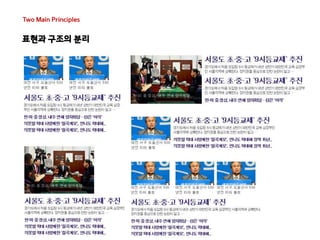
  • #41 세가지의 리스트를 표현할 수 있는 모듈을 만들었다, 해당 모듈을 활용하여
  • #46 이렇듯 표현과 구조의 분리로 인해 CSS의 용량은 감소 시키고 더 다양한 디자인을 조합을 통해 표현할 수 있었습니다.
  • #48 앞서 이야기한 CSS의 규칙을 추가해야하는 나쁜 습관 중 하나로 의미있는 class명을 사용하는 방식을 이야기 햇는데요 그와 동일하게 의미있는 class명을 사용하거나 element selector를 사용한경우 모듈의 의미가 변경되거나 Tag가 변경 되었을때 재사용이 어렵게 됩니다. 컨테이너 종속이란? 상위 CSS Selector에 국한되어 Style을 지정하지 않고 독립적인 요소를 사용해야한다는 이야기 입니다. 상위 CSS Selector에 국한되게 되면 컨테이너간 재사용은 어렵게 되기 때문입니다.
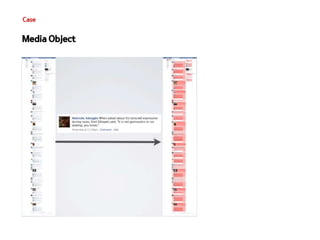
  • #59 미디어 오브젝트 사용 시 페이스 북의 수백줄의 코드를 감소 시킬 수 있고 이 내용을 페이스 북 UI메니저에게 메일로안내를 햇고 긍정적인 피드백을 받았음. 그로인해 약 CSS는 19% 정도 감소 HTML은 45% 정도 감소 OOCSS를 사용하면 전체적인 코드 감소와 함께 중복 코드 사용으로 인해 개발을 더욱 효율적으로 할 수 있을것으로 생각됩.
  • #61 우리는 보통 한 개의 CSS 파일의 생성, 그리고 하단에 새로운 CSS계속 쌓게 되면 향후 유지보수도 어렵고 담당자 변경시에도 문제가 발생 그래서 SMACSS는 CSS를 규칙에 맞게 분류함. CSS를 규칙에 맞게 분류하면서 새로운 패턴이 생기고 그 패턴들을 활용하여 도 나은 방법으로 개발이 가능하다.
  • #88 SMACSS는 여전히 바전중 15불 결제를 통해 효율적인 개발을 할수 있다면 투자가 아깝지 않을듯 합니다.^^
  • #94 이 디자인 가이드는 UI개발자라면 누구든지 한번쯤은 본 화면일듯.. 이 디자인 가이드는 디자이너는 UI개발자의 편의성을 위하여 UI개발자는 정확한 디자인을 요하는 디자이너를 위한 가이드라고 생각하는듯.. 실제 앞서 이야기 한것들을 토데로 본다면 보다 좋은 CSS개발을 위해 우리에게 필요로 하는 것은 이런 디자인 가이드가 아님..
  • #95 사이트의 전반적인 내용을 이해할 수 있고 모듈화 하기 좋은 구성요소들을 정리해 둔 가이드가 CSS개발에는 훨씬 도움이 됨.
  • #96 사이트의 전반적인 내용을 이해할 수 있고 모듈화 하기 좋은 구성요소들을 정리해 둔 가이드가 CSS개발에는 훨씬 도움이 됨.
  • #98 사이트의 전반적인 내용을 이해할 수 있고 모듈화 하기 좋은 구성요소들을 정리해 둔 가이드가 CSS개발에는 훨씬 도움이 됨.
  • #99 사이트의 전반적인 내용을 이해할 수 있고 모듈화 하기 좋은 구성요소들을 정리해 둔 가이드가 CSS개발에는 훨씬 도움이 됨.