Developing Your Resume: The Contact Information Section A workshop brought to you by the Purdue University Writing Lab © Copyright Purdue University, 2000
What is a contact information section? Easy answer… A section that provides information to help prospective employers contact you presents a first impression Is usually located at the top of the page
What may you include? Name, of course! Address and phone Campus Permanent Email Web address Fax number Any other means of contact
Q: Is this a good sample? Your Name Here 1234 Streetname, #1 West Lafayette, IN 47907 765-555-5555
Moving beyond the typewriter Utilizing design strategies Selecting fonts Size Type Highlighting Using layout Alignment Columns Adding a graphic element Coordinating with rest of resume
Using fonts Size: how big is big enough? Two major kinds:  Serif Sans serif Text highlighting: bold, italics, caps, underline, special effects
Putting it on the page Aligning text Flush left Center Flush right Using columns Both left and right  Left, right and center
Q: Is this sample better? Campus Address 1234 Streetname, #1 West Lafayette, IN 47907 765-555-5555 [email_address] Permanent Address 4321 Streetname Anytown, IN 12345 555-555-1234 http://univ.edu/~login Your Name Here
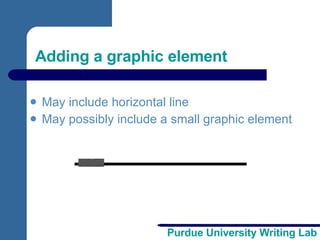
Adding a graphic element May include horizontal line May possibly include a small graphic element
Creating a mock-up Sketch out how you would like your contact information to look Indicate Possible fonts Page layout decisions Any graphic elements Give it the eye test
Coordinate design strategies Match design with rest of resume Use same font types Use consistent layout Match with cover letter Make stationary template based on contact info Use same paper for all application documents Aim for a professional package
Proofread with a magnifying glass Triple-check for accuracy One typo could cost you an interview!
For More Help Developing Your Resume… Contact the Purdue University Writing Lab Heavilon 226 Grammar Hotline: (765) 494-3723 Check our web site: http://owl.english.purdue.edu Email brief questions:  [email_address]

htht

  • 1.
    Developing Your Resume:The Contact Information Section A workshop brought to you by the Purdue University Writing Lab © Copyright Purdue University, 2000
  • 2.
    What is acontact information section? Easy answer… A section that provides information to help prospective employers contact you presents a first impression Is usually located at the top of the page
  • 3.
    What may youinclude? Name, of course! Address and phone Campus Permanent Email Web address Fax number Any other means of contact
  • 4.
    Q: Is thisa good sample? Your Name Here 1234 Streetname, #1 West Lafayette, IN 47907 765-555-5555
  • 5.
    Moving beyond thetypewriter Utilizing design strategies Selecting fonts Size Type Highlighting Using layout Alignment Columns Adding a graphic element Coordinating with rest of resume
  • 6.
    Using fonts Size:how big is big enough? Two major kinds: Serif Sans serif Text highlighting: bold, italics, caps, underline, special effects
  • 7.
    Putting it onthe page Aligning text Flush left Center Flush right Using columns Both left and right Left, right and center
  • 8.
    Q: Is thissample better? Campus Address 1234 Streetname, #1 West Lafayette, IN 47907 765-555-5555 [email_address] Permanent Address 4321 Streetname Anytown, IN 12345 555-555-1234 http://univ.edu/~login Your Name Here
  • 9.
    Adding a graphicelement May include horizontal line May possibly include a small graphic element
  • 10.
    Creating a mock-upSketch out how you would like your contact information to look Indicate Possible fonts Page layout decisions Any graphic elements Give it the eye test
  • 11.
    Coordinate design strategiesMatch design with rest of resume Use same font types Use consistent layout Match with cover letter Make stationary template based on contact info Use same paper for all application documents Aim for a professional package
  • 12.
    Proofread with amagnifying glass Triple-check for accuracy One typo could cost you an interview!
  • 13.
    For More HelpDeveloping Your Resume… Contact the Purdue University Writing Lab Heavilon 226 Grammar Hotline: (765) 494-3723 Check our web site: http://owl.english.purdue.edu Email brief questions: [email_address]

Editor's Notes

  • #2 Rationale: Welcome to “Developing Your Resume: The Contact Information Section.” This workshop is designed to help students draft and design the contact information section of their resumes. Since developing the content of this section is relatively easy, this workshop focuses on layout and design options that carry over to other resume sections. After thinking about what may be included in the contact information section, students are encouraged to explore how basic word-processing and desktop publishing decisions may improve the usability and appearance of their resume. The visual design strategies discussed include fonts (size, style, highlighting), page layout (alignment, centering and columns), and graphic elements (horizontal lines). Students are then invited to create a mock-up plan for this section. The workshop concludes with advice on coordinating this section with other application materials and proofreading. Directions: Each slide is activated by a single mouse click, unless otherwise noted in bold at the bottom of each notes page. Writer and Designer: Bryan Kopp Editor: Jennifer Liethen Kunka Contributor: Muriel Harris Developed with resources courtesy of the Purdue University Writing Lab Grant funding courtesy of the Multimedia Instructional Development Center at Purdue University © Copyright Purdue University, 2000.