How to make keynote like
presentation with Markdown
@koduki

Oct 27, 2013
Introduction

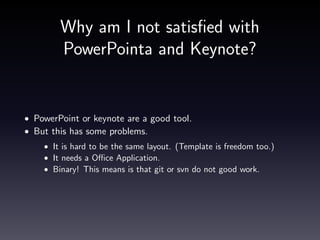
Why am I not satisfied with PowerPointa and Keynote?
• PowerPoint or keynote are a good tool.
• But this has some problems.
• It is hard to be the same layout. (Template is freedom too.)
• It needs a Office Application.
• Binary! This means is that git or svn do not good work.
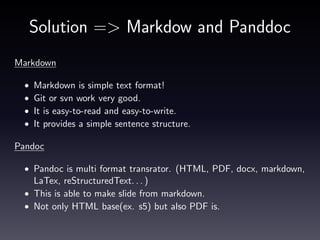
Solution => Markdow and Panddoc
Markdown
•
•
•
•

Markdown is simple text format!
Git or svn work very good.
It is easy-to-read and easy-to-write.
It provides a simple sentence structure.

Pandoc
• Pandoc is multi format transrator. (HTML, PDF, docx, markdown,

LaTex, reStructuredText. . . )
• This is able to make slide from markdown.
• Not only HTML base(ex. s5) but also PDF is.
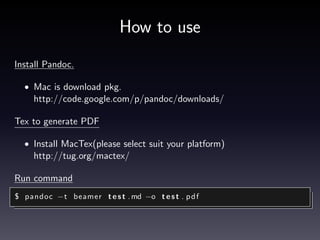
How to use
Install Pandoc.
• Mac is download pkg.

http://code.google.com/p/pandoc/downloads/
Tex to generate PDF
• Install MacTex(please select suit your platform)

http://tug.org/mactex/
Run command
$ pandoc −t beamer t e s t . md −o t e s t . p d f
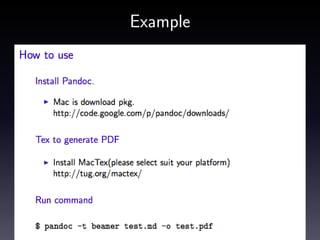
Example
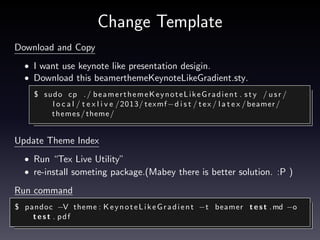
Change Template
Download and Copy
• I want use keynote like presentation desigin.
• Download this beamerthemeKeynoteLikeGradient.sty.
$ s ud o cp . / b e a m e r t h e m e K e y n o t e L i k e G r a d i e n t . s t y / u s r /
l o c a l / t e x l i v e /2013/ texmf−d i s t / t e x / l a t e x / beamer /
themes / theme /

Update Theme Index
• Run “Tex Live Utility”
• re-install someting package.(Mabey there is better solution. :P )

Run command
$ pandoc −V theme : K e y n o t e L i k e G r a d i e n t −t beamer t e s t . md −o
test . pdf
Modify code block desigin.
Using listing option.
• Default code block is very simple.
• Listing is code format module.
$ pandoc −− l i s t i n g s −t beamer t e s t . md −o t e s t . p d f

• Make header.tex. This is some settings(font, background, line. . . )
• Add “-H” option, for header.
$ pandoc −H h e a d e r . t e x −− l i s t i n g s −t beamer t e s t . md −o
test . pdf
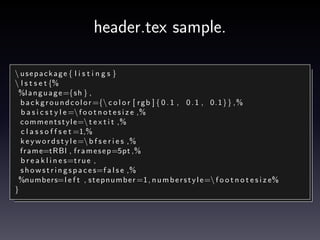
header.tex sample.
 usepackage { l i s t i n g s }
 l s t s e t {%
%l a n g u a g e ={s h } ,
b a c k g r o u n d c o l o r ={ c o l o r [ r g b ] { 0 . 1 , 0 . 1 , 0.1}} ,%
b a s i c s t y l e = f o o t n o t e s i z e ,%
c o m m e n t s t y l e= t e x t i t ,%
c l a s s o f f s e t =1,%
k e y w o r d s t y l e = b f s e r i e s ,%
f r a m e=tRBl , f r a m e s e p=5pt ,%
b r e a k l i n e s=t r u e ,
s h o w s t r i n g s p a c e s=f a l s e ,%
%numbers=l e f t , s t e p n u m b e r =1 , n u m b e r s t y l e = f o o t n o t e s i z e%
}
Conclusions
• Markdown and Pandoc are good tool for typical presentation

document.
• If you want to make graphical presentaion, You should use

PowerPoint or Keynote.
• But if you want to make typical presentation document quickly and

lightweight, You try run this command.
$ pandoc −− l i s t i n g s −H h e a d e r . t e x −V theme :
K e y n o t e L i k e G r a d i e n t −t beamer t e s t . md −o t e s t . p d f

• This code is following url. https://gist.github.com/koduki/7183121
• Happy Hacking!

How to make keynote like presentation with markdown

  • 1.
    How to makekeynote like presentation with Markdown @koduki Oct 27, 2013
  • 2.
    Introduction Why am Inot satisfied with PowerPointa and Keynote? • PowerPoint or keynote are a good tool. • But this has some problems. • It is hard to be the same layout. (Template is freedom too.) • It needs a Office Application. • Binary! This means is that git or svn do not good work.
  • 3.
    Solution => Markdowand Panddoc Markdown • • • • Markdown is simple text format! Git or svn work very good. It is easy-to-read and easy-to-write. It provides a simple sentence structure. Pandoc • Pandoc is multi format transrator. (HTML, PDF, docx, markdown, LaTex, reStructuredText. . . ) • This is able to make slide from markdown. • Not only HTML base(ex. s5) but also PDF is.
  • 4.
    How to use InstallPandoc. • Mac is download pkg. http://code.google.com/p/pandoc/downloads/ Tex to generate PDF • Install MacTex(please select suit your platform) http://tug.org/mactex/ Run command $ pandoc −t beamer t e s t . md −o t e s t . p d f
  • 5.
  • 6.
    Change Template Download andCopy • I want use keynote like presentation desigin. • Download this beamerthemeKeynoteLikeGradient.sty. $ s ud o cp . / b e a m e r t h e m e K e y n o t e L i k e G r a d i e n t . s t y / u s r / l o c a l / t e x l i v e /2013/ texmf−d i s t / t e x / l a t e x / beamer / themes / theme / Update Theme Index • Run “Tex Live Utility” • re-install someting package.(Mabey there is better solution. :P ) Run command $ pandoc −V theme : K e y n o t e L i k e G r a d i e n t −t beamer t e s t . md −o test . pdf
  • 7.
    Modify code blockdesigin. Using listing option. • Default code block is very simple. • Listing is code format module. $ pandoc −− l i s t i n g s −t beamer t e s t . md −o t e s t . p d f • Make header.tex. This is some settings(font, background, line. . . ) • Add “-H” option, for header. $ pandoc −H h e a d e r . t e x −− l i s t i n g s −t beamer t e s t . md −o test . pdf
  • 8.
    header.tex sample. usepackage{ l i s t i n g s } l s t s e t {% %l a n g u a g e ={s h } , b a c k g r o u n d c o l o r ={ c o l o r [ r g b ] { 0 . 1 , 0 . 1 , 0.1}} ,% b a s i c s t y l e = f o o t n o t e s i z e ,% c o m m e n t s t y l e= t e x t i t ,% c l a s s o f f s e t =1,% k e y w o r d s t y l e = b f s e r i e s ,% f r a m e=tRBl , f r a m e s e p=5pt ,% b r e a k l i n e s=t r u e , s h o w s t r i n g s p a c e s=f a l s e ,% %numbers=l e f t , s t e p n u m b e r =1 , n u m b e r s t y l e = f o o t n o t e s i z e% }
  • 9.
    Conclusions • Markdown andPandoc are good tool for typical presentation document. • If you want to make graphical presentaion, You should use PowerPoint or Keynote. • But if you want to make typical presentation document quickly and lightweight, You try run this command. $ pandoc −− l i s t i n g s −H h e a d e r . t e x −V theme : K e y n o t e L i k e G r a d i e n t −t beamer t e s t . md −o t e s t . p d f • This code is following url. https://gist.github.com/koduki/7183121 • Happy Hacking!