How to Inline Style in ReactJS?
The style means how your page looks at the front end. We can style our
webpage with CSS (Cascading Style Sheets). With the help of CSS, we can
design our documents, can set the rules of design for a speci c element. We can
format the elements of the webpage. So, in this article, we will learn how to
design a webpage and inline style in reactjs.
If you are beginners and don’t know how to install ReactJS then check here.
Methods of styling webpage in ReactJS
There are many ways to style the webpage in ReactJs but in this tutorial, we will
learn about inline style in reactjs.
Common useful methods for styling:
In this tutorial, we will cover only Inline Style and for the other two methods you
can de ne CSS in the JS component and create a different CSS le in the public
directory, and link in the index le (main le).
Inline Style in ReactJS
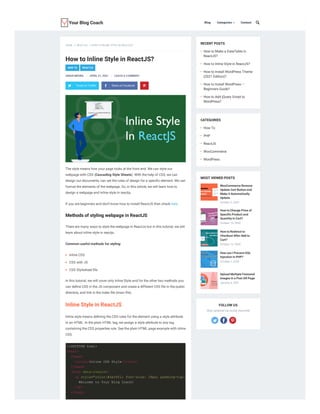
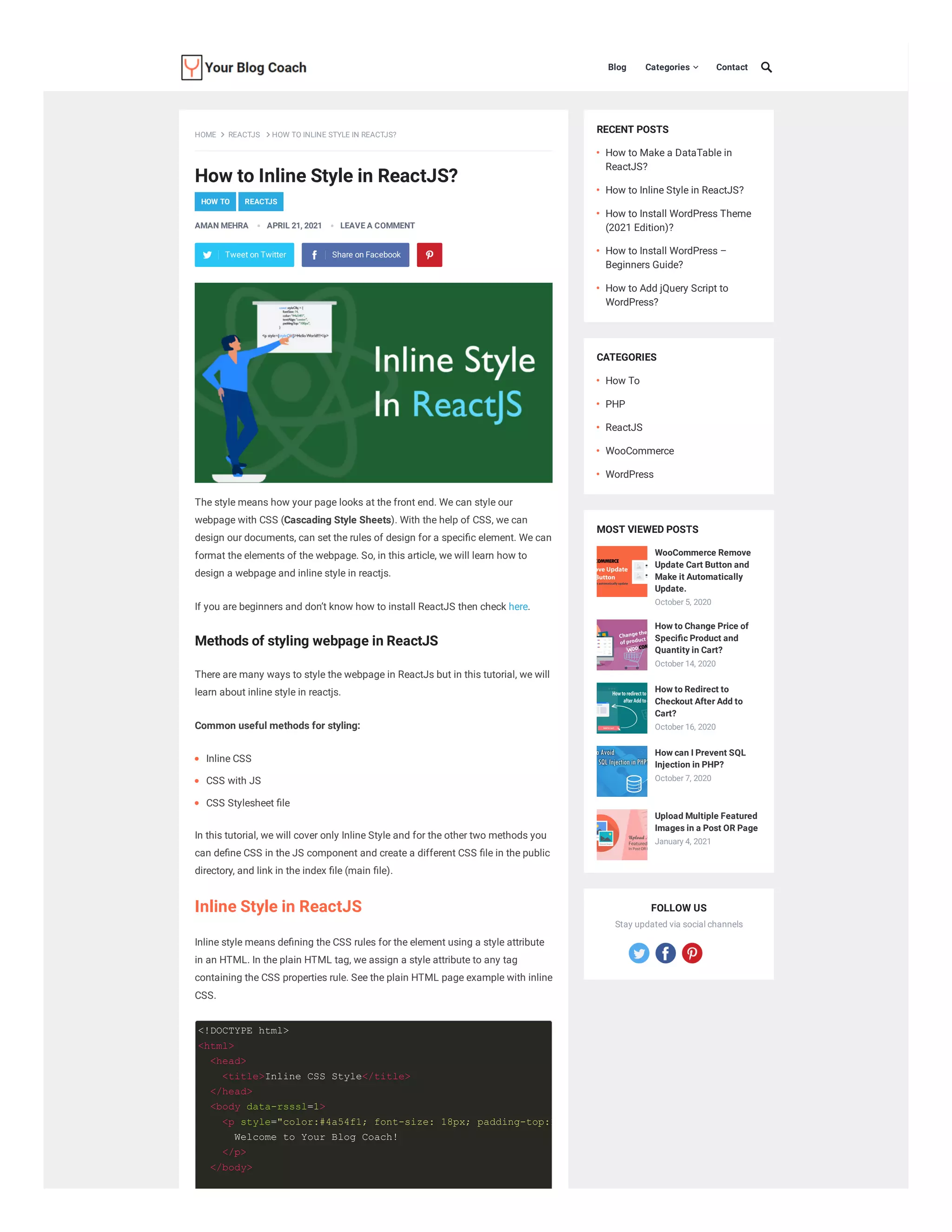
Inline style means de ning the CSS rules for the element using a style attribute
in an HTML. In the plain HTML tag, we assign a style attribute to any tag
containing the CSS properties rule. See the plain HTML page example with inline
CSS.
RECENT POSTS
CATEGORIES
MOST VIEWED POSTS
FOLLOW US
Stay updated via social channels
HOW TO REACTJS
Blog Categories  Contact

HOME REACTJS HOW TO INLINE STYLE IN REACTJS?
AMAN MEHRA APRIL 21, 2021 LEAVE A COMMENT
Tweet on Twitter Share on Facebook
Inline CSS
CSS with JS
CSS Stylesheet le
How to Make a DataTable in
ReactJS?
How to Inline Style in ReactJS?
How to Install WordPress Theme
(2021 Edition)?
How to Install WordPress –
Beginners Guide?
How to Add jQuery Script to
WordPress?
How To
PHP
ReactJS
WooCommerce
WordPress
WooCommerce Remove
Update Cart Button and
Make it Automatically
Update.
October 5, 2020
How to Change Price of
Speci c Product and
Quantity in Cart?
October 14, 2020
How to Redirect to
Checkout After Add to
Cart?
October 16, 2020
How can I Prevent SQL
Injection in PHP?
October 7, 2020
Upload Multiple Featured
Images in a Post OR Page
January 4, 2021
<!DOCTYPE html>
<html>
<head>
<title>Inline CSS Style</title>
</head>
<body data-rsssl=1>
<p style="color:#4a54f1; font-size: 18px; padding-top:1
Welcome to Your Blog Coach!
</p>
</body>
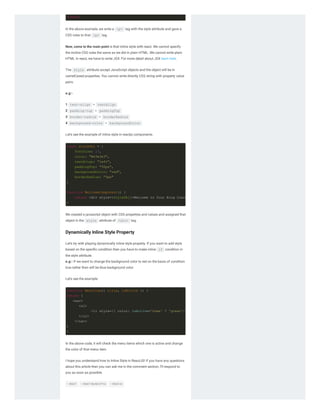
In the above example, we write a <p> tag with the style attribute and gave a
CSS rules to that <p> tag.
Now, come to the main point is that inline style with react. We cannot specify
the incline CSS rules the same as we did in plain HTML. We cannot write plain
HTML in react, we have to write JSX. For more detail about JSX learn here.
The style attribute accept JavaScript objects and the object will be in
camelCased properties. You cannot write directly CSS string with property value
pairs.
e.g:-
1 text-align = textAlign
2 padding-top = paddingTop
3 border-radius = borderRadius
4 background-color = backgroundColor
Let’s see the example of inline style in reactjs components.
We created a javascript object with CSS properties and values and assigned that
object in the style attribute of <div> tag.
Dynamically Inline Style Property
Let’s try with playing dynamically inline style property. If you want to add style
based on the speci c condition then you have to make inline if condition in
the style attribute.
e.g:- If we want to change the background color to red on the basis of condition
true rather than will be blue background color.
Let’s see the example:
In the above code, it will check the menu items which one is active and change
the color of that menu item.
I hope you understand how to Inline Style in ReactJS! if you have any questions
about this article then you can ask me in the comment section, I’ll respond to
you as soon as possible.
REACT
 REACT INLINE STYLE
 REACTJS

</html>
const styleObj = {
fontSize: 17,
color: "#e3e3e3",
textAlign: "left",
paddingTop: "50px",
backgroundColor: "red",
borderRadius: "5px"
}
function WelcomeComponent() {
return <div style={styleObj}>Welcome to Your Blog Coach
}
function MenuItem({ title, isActive }) {
return (
<nav>
<ul>
<li style={{ color: isActive='home' ? 'green':
</ul>
</nav>
)
}
How to Make a DataTable in
ReactJS?
How to Install WordPress Theme
(2021 Edition)?
How to Install WordPress –
Beginners Guide?
How to Add jQuery Script to
WordPress?
How to Add Text after OR before Cart
Button in WooCommerce?
How to Check String Contains a
Speci c Word in PHP?
Name * Email * Website
YOU MAY ALSO LIKE
ABOUT THE AUTHOR: AMAN MEHRA
Hey! I'm Aman Mehra and I'm a full-stack developer and have 5+
years of experience. I love coding and nd solutions to bugs.
LEAVE A REPLY
Your email address will not be published. Required elds are marked *
Comment
Save my name, email, and website in this browser for the next time I comment.
POST COMMENT
Tweet on Twitter Share on Facebook
ABOUT
Your Blog Coach is the best site
for nding the solution to any
issue related to coding and learn
more cool stuff and tricks.
QUICK LINKS
Blog
WordPress
WooCommerce
Contact
RECENT POSTS
How to Make a DataTable in
ReactJS?
How to Inline Style in ReactJS?
How to Install WordPress Theme
(2021 Edition)?
JOIN OUR NEWSLETTER
Name
Email
SUBSCRIBE
© 2020 Your Blog Coach Privacy Policy Terms and Conditions Sitemap

How to-inline-style-in-reactjs-

  • 1.
    How to InlineStyle in ReactJS? The style means how your page looks at the front end. We can style our webpage with CSS (Cascading Style Sheets). With the help of CSS, we can design our documents, can set the rules of design for a speci c element. We can format the elements of the webpage. So, in this article, we will learn how to design a webpage and inline style in reactjs. If you are beginners and don’t know how to install ReactJS then check here. Methods of styling webpage in ReactJS There are many ways to style the webpage in ReactJs but in this tutorial, we will learn about inline style in reactjs. Common useful methods for styling: In this tutorial, we will cover only Inline Style and for the other two methods you can de ne CSS in the JS component and create a different CSS le in the public directory, and link in the index le (main le). Inline Style in ReactJS Inline style means de ning the CSS rules for the element using a style attribute in an HTML. In the plain HTML tag, we assign a style attribute to any tag containing the CSS properties rule. See the plain HTML page example with inline CSS. RECENT POSTS CATEGORIES MOST VIEWED POSTS FOLLOW US Stay updated via social channels HOW TO REACTJS Blog Categories  Contact  HOME REACTJS HOW TO INLINE STYLE IN REACTJS? AMAN MEHRA APRIL 21, 2021 LEAVE A COMMENT Tweet on Twitter Share on Facebook Inline CSS CSS with JS CSS Stylesheet le How to Make a DataTable in ReactJS? How to Inline Style in ReactJS? How to Install WordPress Theme (2021 Edition)? How to Install WordPress – Beginners Guide? How to Add jQuery Script to WordPress? How To PHP ReactJS WooCommerce WordPress WooCommerce Remove Update Cart Button and Make it Automatically Update. October 5, 2020 How to Change Price of Speci c Product and Quantity in Cart? October 14, 2020 How to Redirect to Checkout After Add to Cart? October 16, 2020 How can I Prevent SQL Injection in PHP? October 7, 2020 Upload Multiple Featured Images in a Post OR Page January 4, 2021 <!DOCTYPE html> <html> <head> <title>Inline CSS Style</title> </head> <body data-rsssl=1> <p style="color:#4a54f1; font-size: 18px; padding-top:1 Welcome to Your Blog Coach! </p> </body>
  • 2.
    In the aboveexample, we write a <p> tag with the style attribute and gave a CSS rules to that <p> tag. Now, come to the main point is that inline style with react. We cannot specify the incline CSS rules the same as we did in plain HTML. We cannot write plain HTML in react, we have to write JSX. For more detail about JSX learn here. The style attribute accept JavaScript objects and the object will be in camelCased properties. You cannot write directly CSS string with property value pairs. e.g:- 1 text-align = textAlign 2 padding-top = paddingTop 3 border-radius = borderRadius 4 background-color = backgroundColor Let’s see the example of inline style in reactjs components. We created a javascript object with CSS properties and values and assigned that object in the style attribute of <div> tag. Dynamically Inline Style Property Let’s try with playing dynamically inline style property. If you want to add style based on the speci c condition then you have to make inline if condition in the style attribute. e.g:- If we want to change the background color to red on the basis of condition true rather than will be blue background color. Let’s see the example: In the above code, it will check the menu items which one is active and change the color of that menu item. I hope you understand how to Inline Style in ReactJS! if you have any questions about this article then you can ask me in the comment section, I’ll respond to you as soon as possible. REACT  REACT INLINE STYLE  REACTJS  </html> const styleObj = { fontSize: 17, color: "#e3e3e3", textAlign: "left", paddingTop: "50px", backgroundColor: "red", borderRadius: "5px" } function WelcomeComponent() { return <div style={styleObj}>Welcome to Your Blog Coach } function MenuItem({ title, isActive }) { return ( <nav> <ul> <li style={{ color: isActive='home' ? 'green': </ul> </nav> ) }
  • 3.
    How to Makea DataTable in ReactJS? How to Install WordPress Theme (2021 Edition)? How to Install WordPress – Beginners Guide? How to Add jQuery Script to WordPress? How to Add Text after OR before Cart Button in WooCommerce? How to Check String Contains a Speci c Word in PHP? Name * Email * Website YOU MAY ALSO LIKE ABOUT THE AUTHOR: AMAN MEHRA Hey! I'm Aman Mehra and I'm a full-stack developer and have 5+ years of experience. I love coding and nd solutions to bugs. LEAVE A REPLY Your email address will not be published. Required elds are marked * Comment Save my name, email, and website in this browser for the next time I comment. POST COMMENT Tweet on Twitter Share on Facebook ABOUT Your Blog Coach is the best site for nding the solution to any issue related to coding and learn more cool stuff and tricks. QUICK LINKS Blog WordPress WooCommerce Contact RECENT POSTS How to Make a DataTable in ReactJS? How to Inline Style in ReactJS? How to Install WordPress Theme (2021 Edition)? JOIN OUR NEWSLETTER Name Email SUBSCRIBE
  • 4.
    © 2020 YourBlog Coach Privacy Policy Terms and Conditions Sitemap