How	
  to	
  	
  
Print	
  Records	
  From	
  ReferenceUSA	


1.	
  From	
  the	
  results	
  page	
  scroll	
  to	
  the	
  bo3om	
  and	
  look	
  at	
  the	
  number	
  
of	
  records	
  you	
  can	
  export	
  at	
  one	
  :me.	


2.	
  	
  Scroll	
  back	
  to	
  the	
  top	
  of	
  the	
  results	
  page.	
  	
  Select	
  the	
  square	
  on	
  the	
  right	
  
of	
  the	
  company	
  name.	
  	
  This	
  selects	
  the	
  en:re	
  page	
  of	
  results;	
  25	
  records.	
  
Select	
  the	
  arrow	
  to	
  move	
  to	
  the	
  next	
  page	
  and	
  select	
  these	
  records.	
  	
  Repeat	
  
this	
  process	
  un:l	
  you	
  reach	
  your	
  export	
  limit.	
  	
  
4.	
  Select	
  the	
  Print	
  bu3on	
  from	
  the	
  top	
  or	
  bo3om	
  of	
  the	
  page.	
  
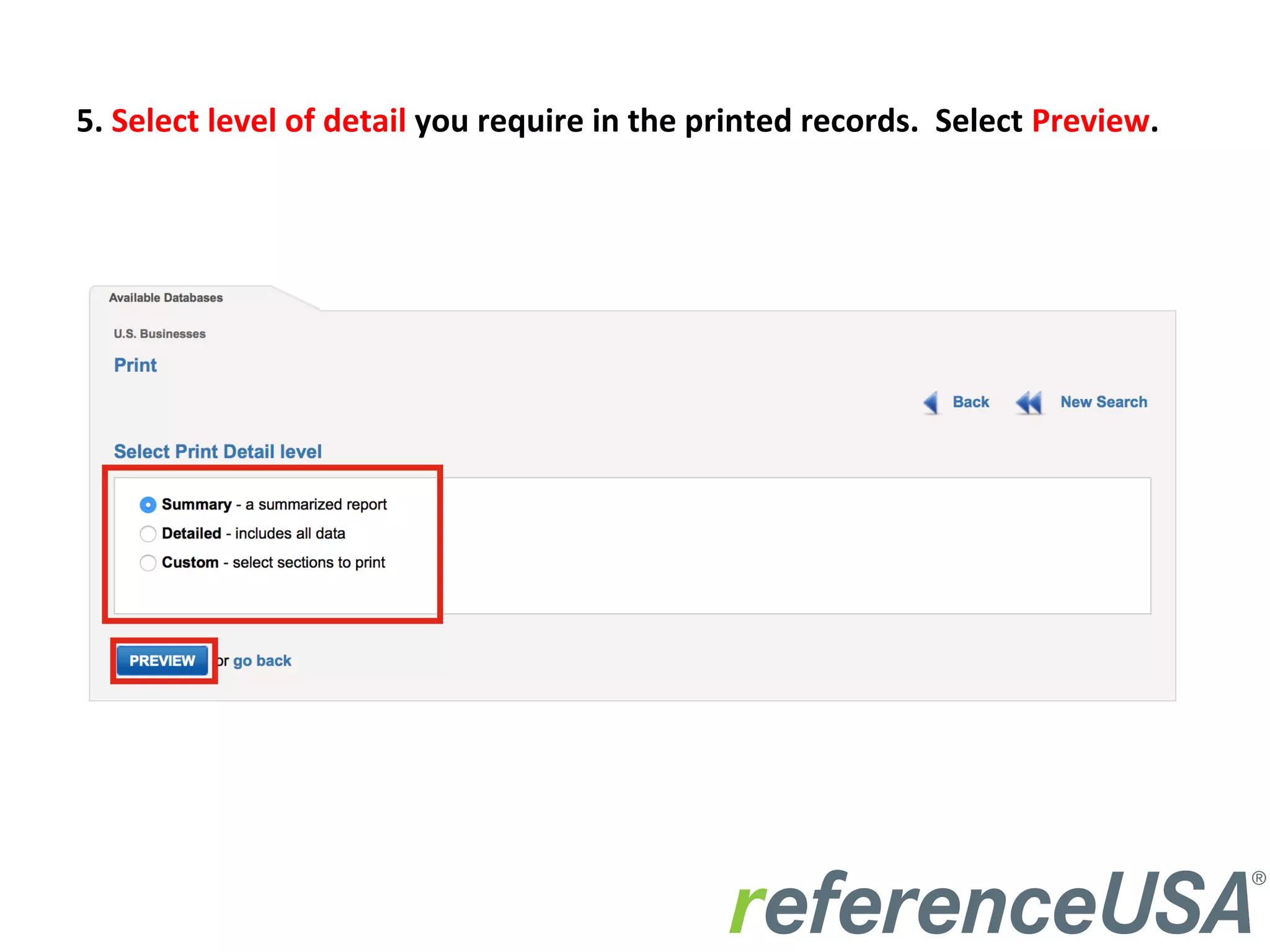
5.	
  Select	
  level	
  of	
  detail	
  you	
  require	
  in	
  the	
  printed	
  records.	
  	
  Select	
  Preview.	
  
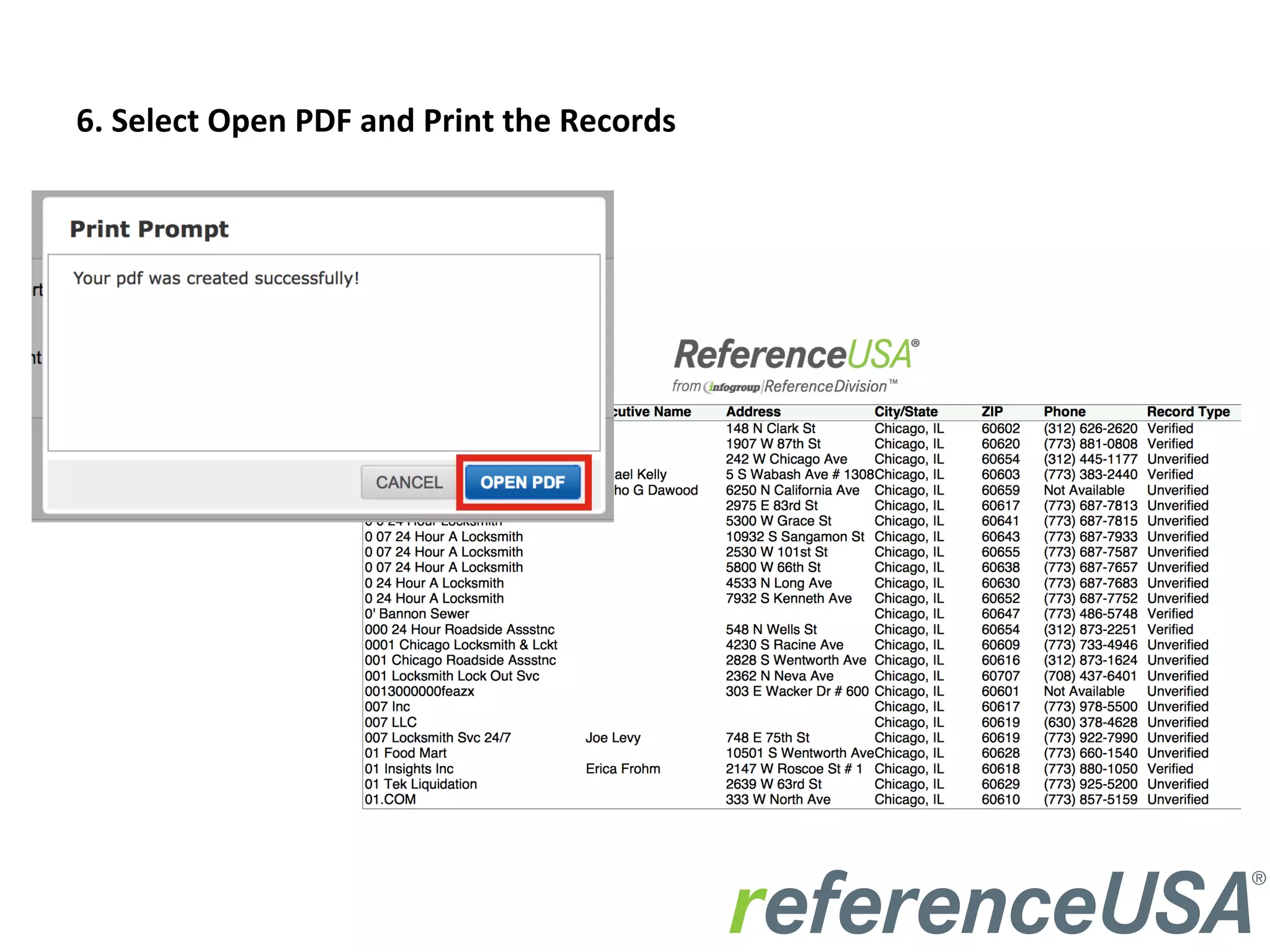
6.	
  Select	
  Open	
  PDF	
  and	
  Print	
  the	
  Records	
  
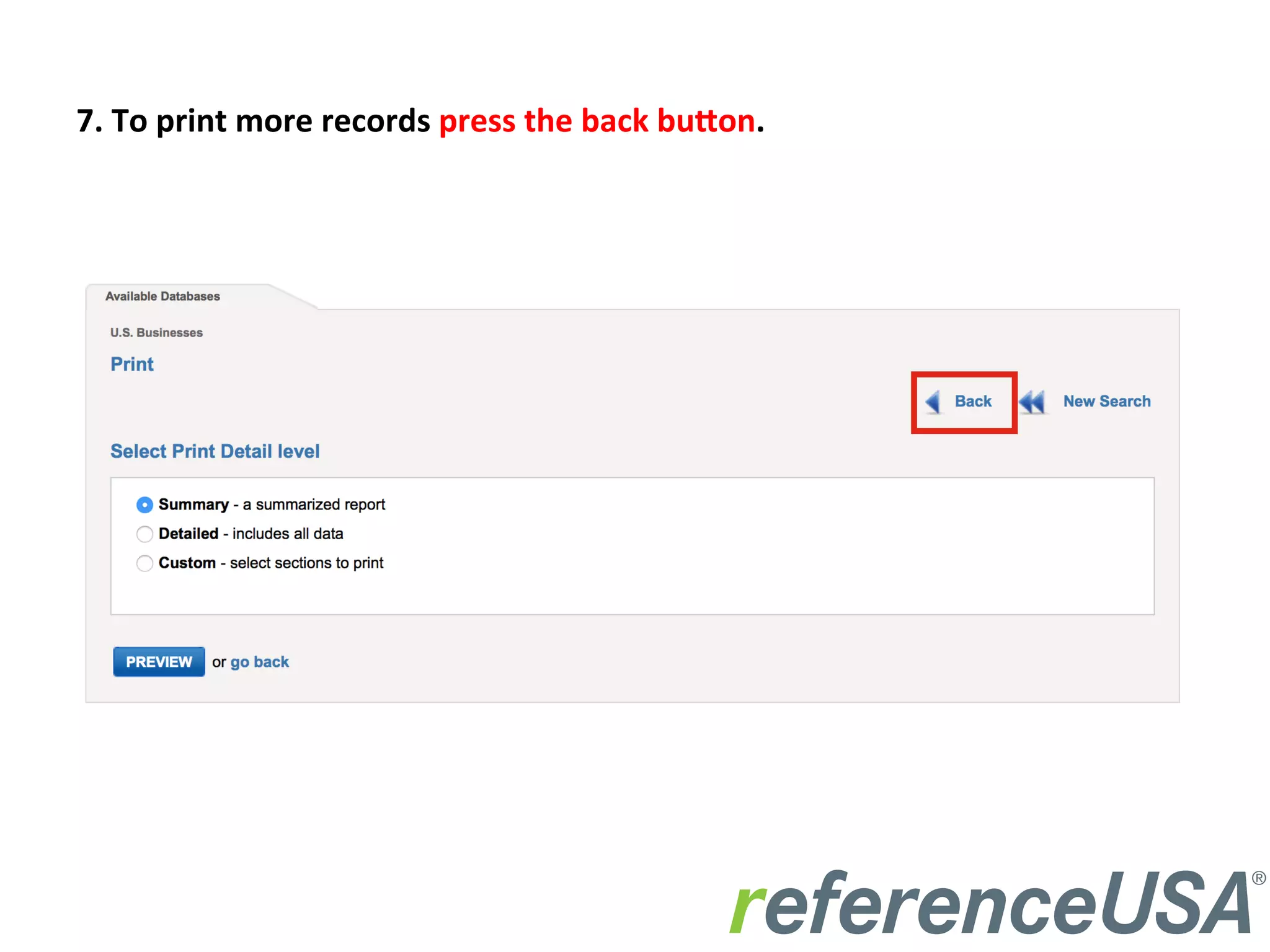
7.	
  To	
  print	
  more	
  records	
  press	
  the	
  back	
  bu3on.	
  
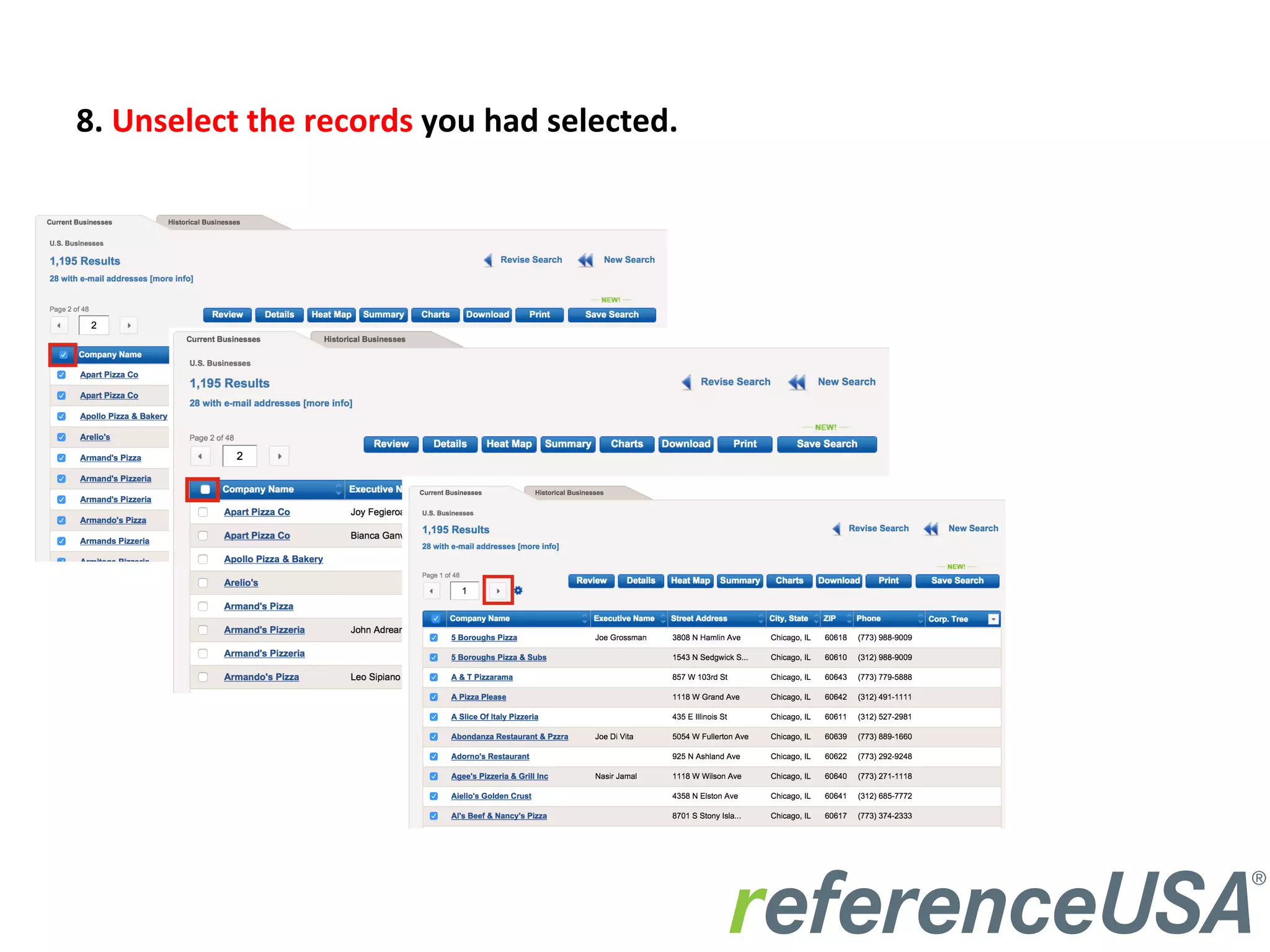
8.	
  Unselect	
  the	
  records	
  you	
  had	
  selected.	


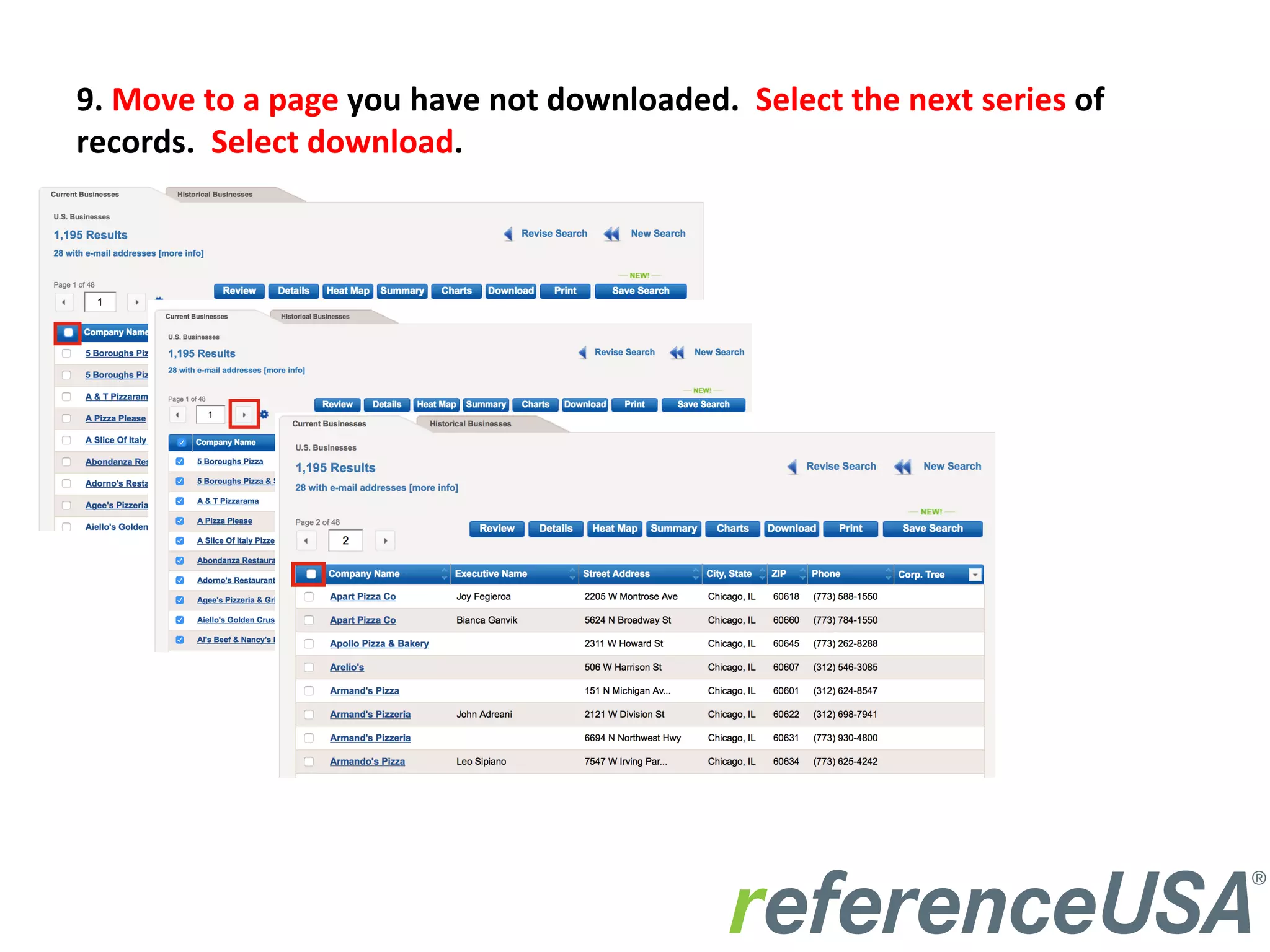
9.	
  Move	
  to	
  a	
  page	
  you	
  have	
  not	
  downloaded.	
  	
  Select	
  the	
  next	
  series	
  of	
  
records.	
  	
  Select	
  download.	
  
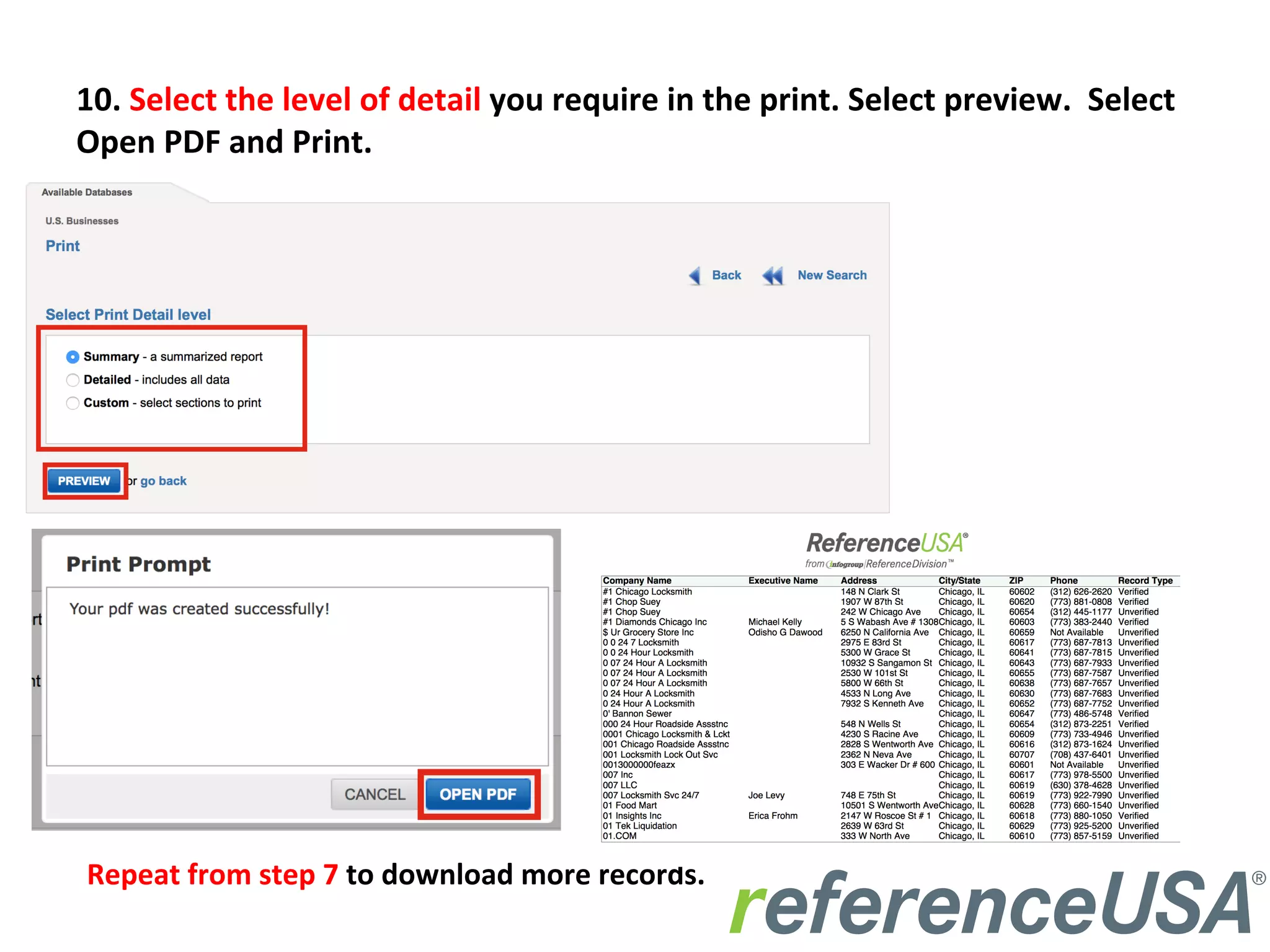
10.	
  Select	
  the	
  level	
  of	
  detail	
  you	
  require	
  in	
  the	
  print.	
  Select	
  preview.	
  	
  Select	
  
Open	
  PDF	
  and	
  Print.	
  
Repeat	
  from	
  step	
  7	
  to	
  download	
  more	
  records.	
  

How to Print Records

  • 1.
    How  to     Print  Records  From  ReferenceUSA    
  • 2.
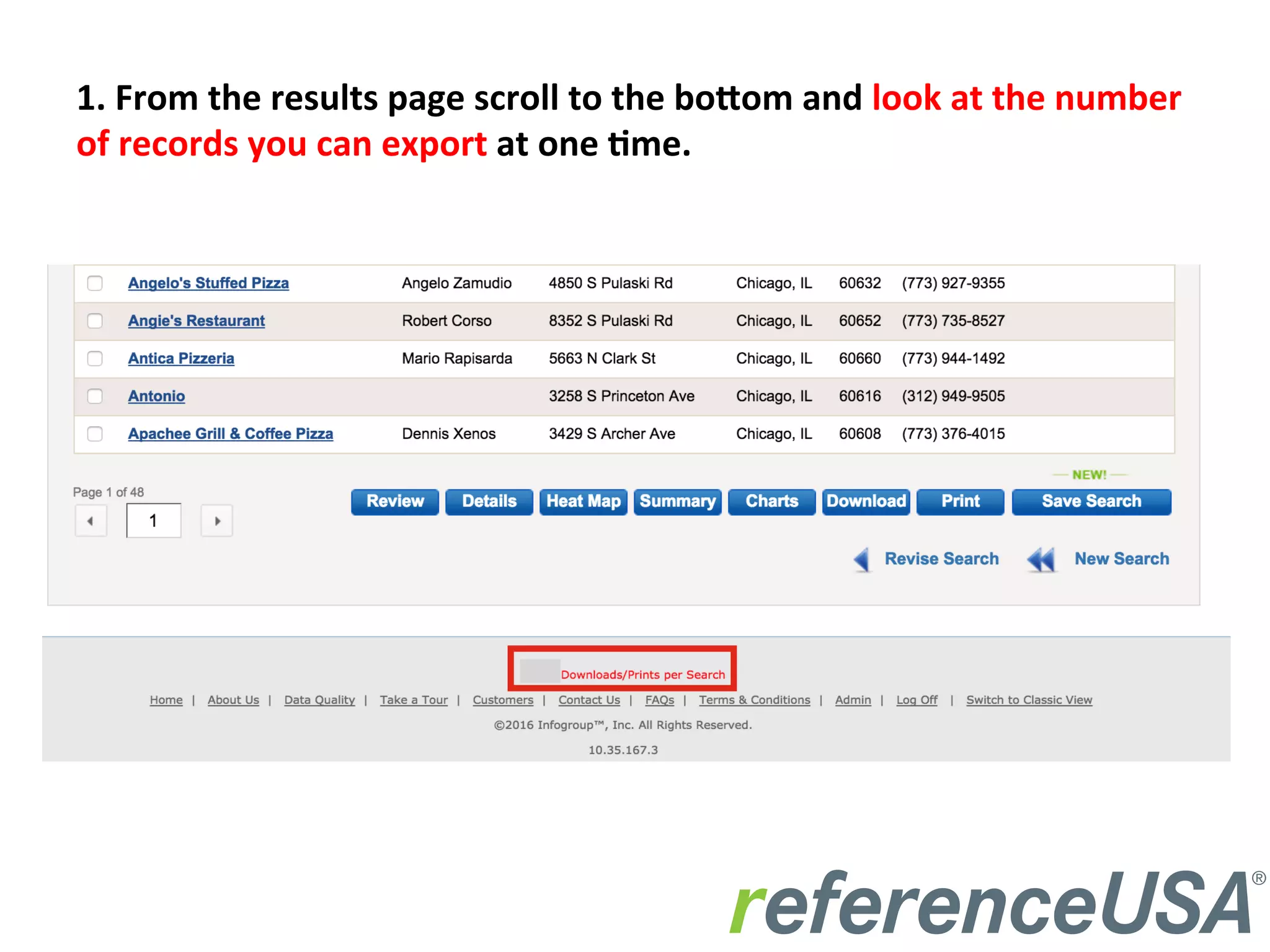
    1.  From  the  results  page  scroll  to  the  bo3om  and  look  at  the  number   of  records  you  can  export  at  one  :me.      
  • 3.
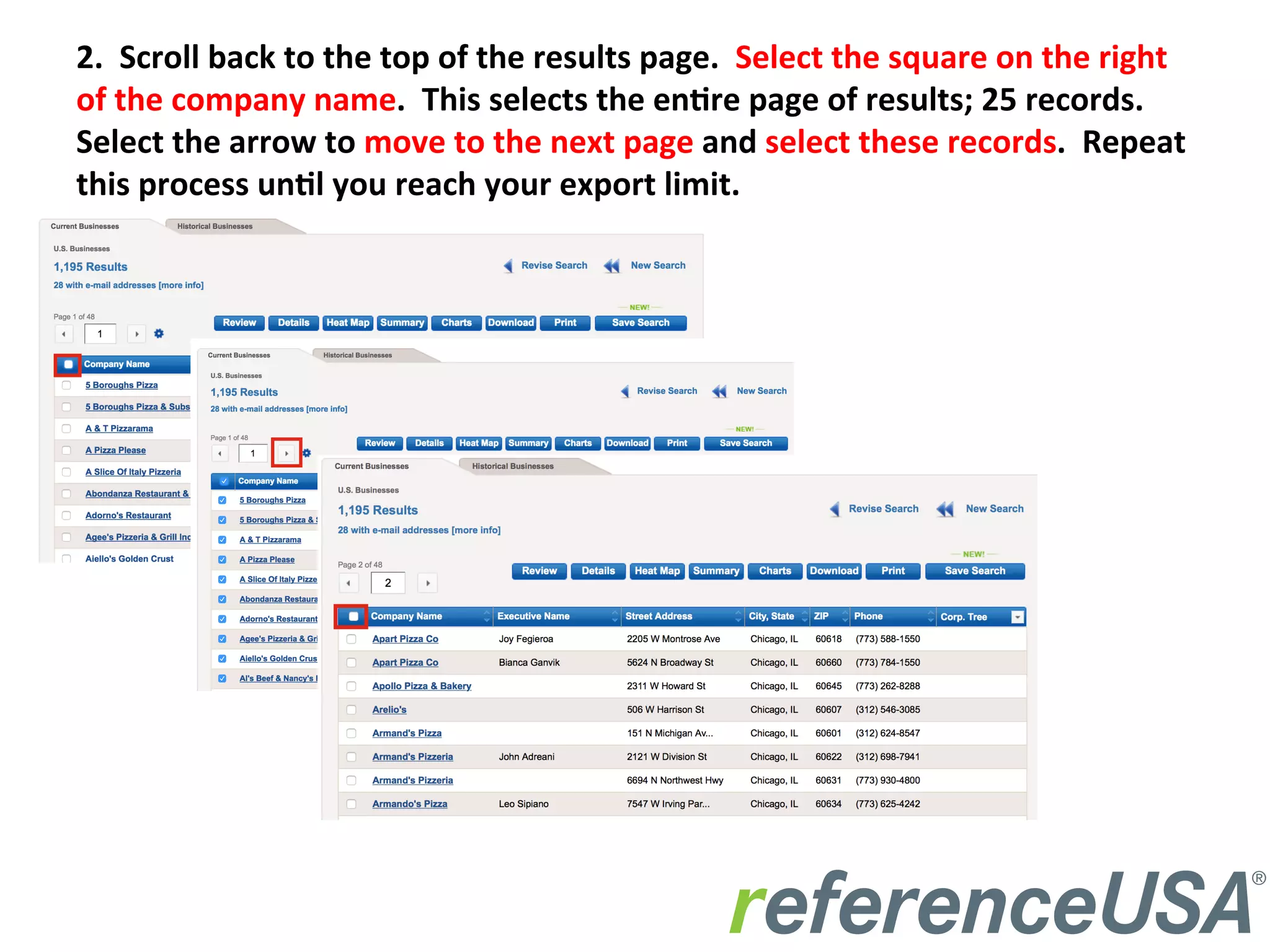
    2.    Scroll  back  to  the  top  of  the  results  page.    Select  the  square  on  the  right   of  the  company  name.    This  selects  the  en:re  page  of  results;  25  records.   Select  the  arrow  to  move  to  the  next  page  and  select  these  records.    Repeat   this  process  un:l  you  reach  your  export  limit.    
  • 4.
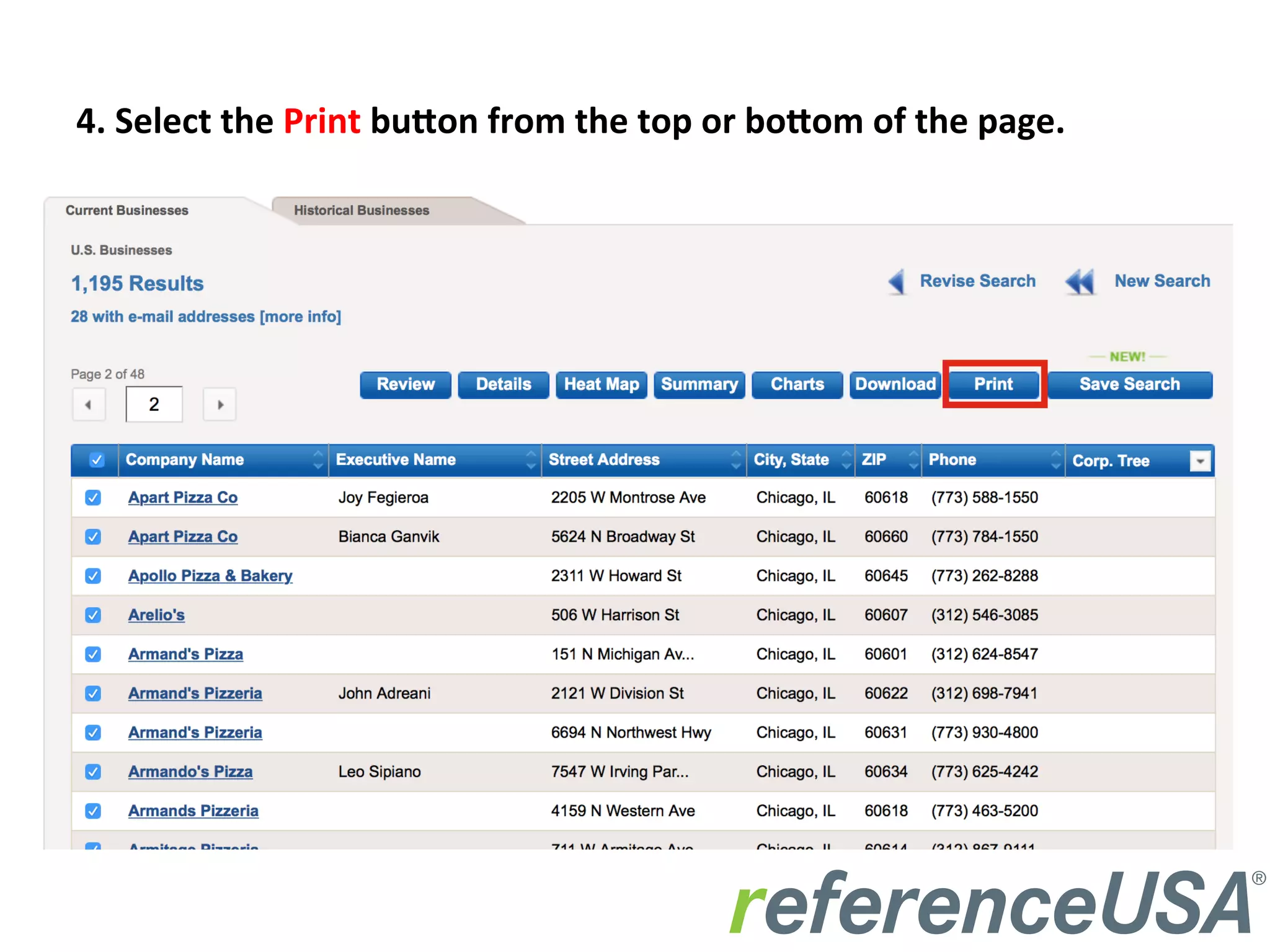
    4.  Select  the  Print  bu3on  from  the  top  or  bo3om  of  the  page.  
  • 5.
    5.  Select  level  of  detail  you  require  in  the  printed  records.    Select  Preview.  
  • 6.
    6.  Select  Open  PDF  and  Print  the  Records  
  • 7.
    7.  To  print  more  records  press  the  back  bu3on.  
  • 8.
    8.  Unselect  the  records  you  had  selected.      
  • 9.
    9.  Move  to  a  page  you  have  not  downloaded.    Select  the  next  series  of   records.    Select  download.  
  • 10.
    10.  Select  the  level  of  detail  you  require  in  the  print.  Select  preview.    Select   Open  PDF  and  Print.   Repeat  from  step  7  to  download  more  records.