How to Link TWITTER and
Facebook with PS4

Follow the steps to link FACEBOOK
and TWITTER with your PS4/PSN
account
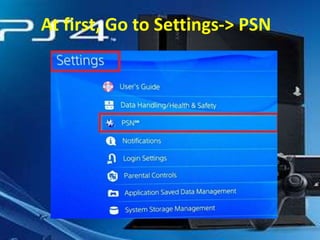
At first, Go to Settings-> PSN
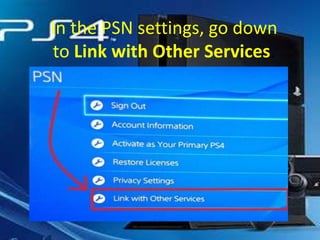
In the PSN settings, go down
to Link with Other Services.
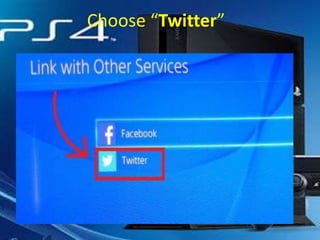
Choose “Twitter”
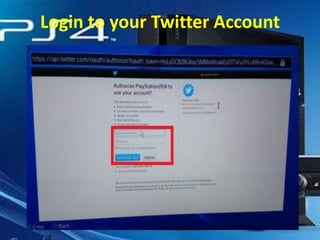
Login to your Twitter Account
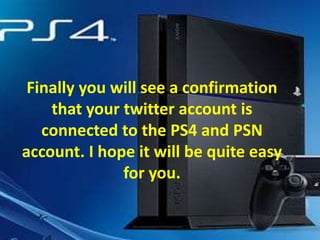
Finally you will see a confirmation
that your twitter account is
connected to the PS4 and PSN
account. I hope it will be quite easy
for you.
Connect your PS4 to your
Facebook Profile
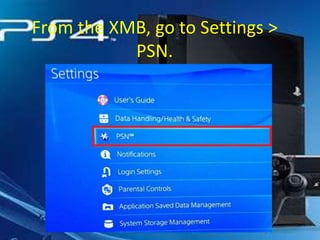
From the XMB, go to Settings >
PSN.
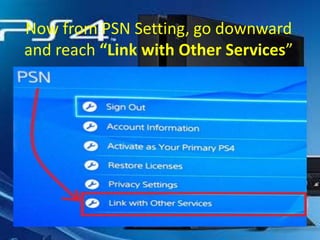
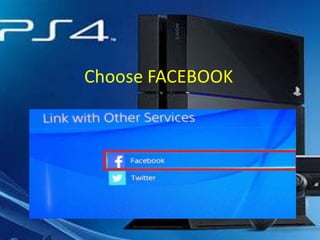
Now from PSN Setting, go downward
and reach “Link with Other Services”
Choose FACEBOOK
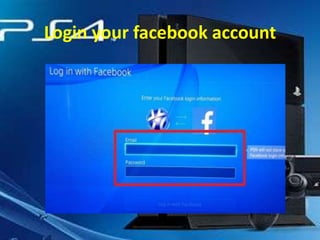
Login your facebook account
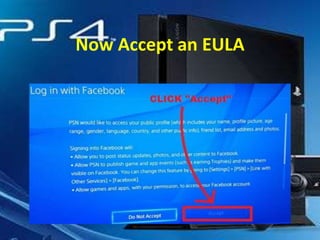
Now Accept an EULA
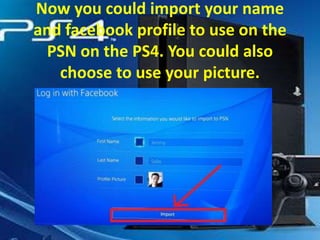
Now you could import your name
and facebook profile to use on the
PSN on the PS4. You could also
choose to use your picture.
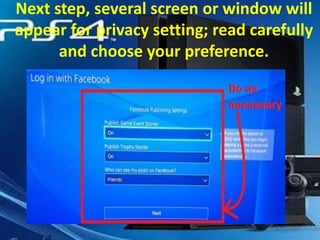
Next step, several screen or window will
appear for privacy setting; read carefully
and choose your preference.
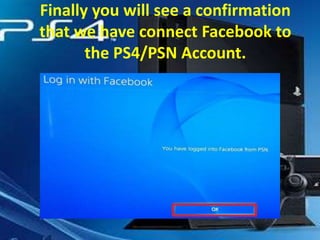
Finally you will see a confirmation
that we have connect Facebook to
the PS4/PSN Account.
Thank you for watching Please share if
you liked it
https://www.quantumpcsupport.com
Found us in Social Network
http://www.facebook.com/QuantumPCSupport
https://twitter.com/quantumsupport
http://www.linkedin.com/company/quantum-pc-support

Sony PS4: How to link Twitter and Facebook

  • 1.
    How to LinkTWITTER and Facebook with PS4 Follow the steps to link FACEBOOK and TWITTER with your PS4/PSN account
  • 2.
    At first, Goto Settings-> PSN
  • 3.
    In the PSNsettings, go down to Link with Other Services.
  • 4.
  • 5.
    Login to yourTwitter Account
  • 6.
    Finally you willsee a confirmation that your twitter account is connected to the PS4 and PSN account. I hope it will be quite easy for you.
  • 7.
    Connect your PS4to your Facebook Profile
  • 8.
    From the XMB,go to Settings > PSN.
  • 9.
    Now from PSNSetting, go downward and reach “Link with Other Services”
  • 10.
  • 11.
  • 12.
  • 13.
    Now you couldimport your name and facebook profile to use on the PSN on the PS4. You could also choose to use your picture.
  • 14.
    Next step, severalscreen or window will appear for privacy setting; read carefully and choose your preference.
  • 15.
    Finally you willsee a confirmation that we have connect Facebook to the PS4/PSN Account.
  • 16.
    Thank you forwatching Please share if you liked it https://www.quantumpcsupport.com Found us in Social Network http://www.facebook.com/QuantumPCSupport https://twitter.com/quantumsupport http://www.linkedin.com/company/quantum-pc-support