How to join the webinar
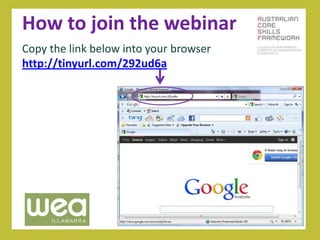
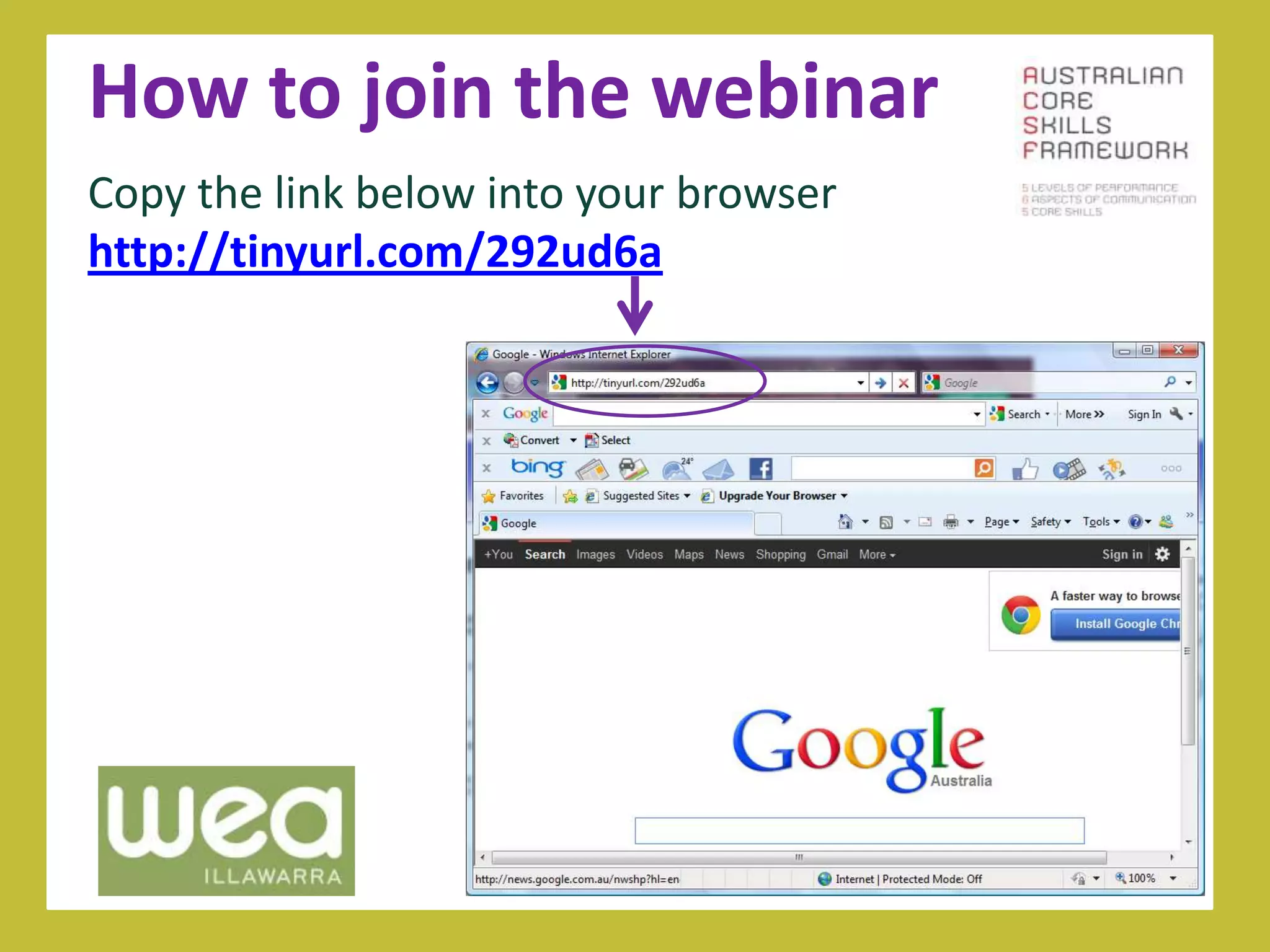
Copy the link below into your browser
http://tinyurl.com/292ud6a
How to join the webinar
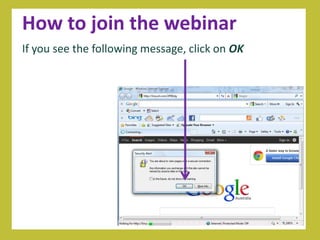
If you see the following message, click on OK
How to join the webinar
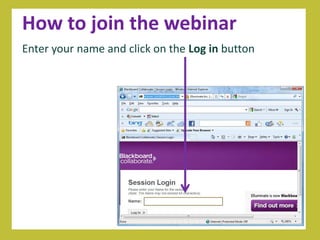
Enter your name and click on the Log in button
How to join the webinar
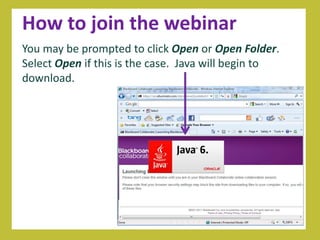
You may be prompted to click Open or Open Folder.
Select Open if this is the case. Java will begin to
download.
How to join the webinar
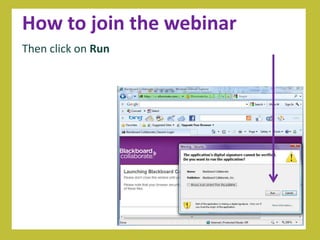
Then click on Run
How to join the webinar
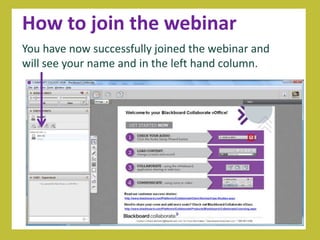
You have now successfully joined the webinar and
will see your name and in the left hand column.

How to join the webinar

  • 1.
    How to jointhe webinar Copy the link below into your browser http://tinyurl.com/292ud6a
  • 2.
    How to jointhe webinar If you see the following message, click on OK
  • 3.
    How to jointhe webinar Enter your name and click on the Log in button
  • 4.
    How to jointhe webinar You may be prompted to click Open or Open Folder. Select Open if this is the case. Java will begin to download.
  • 5.
    How to jointhe webinar Then click on Run
  • 6.
    How to jointhe webinar You have now successfully joined the webinar and will see your name and in the left hand column.

Editor's Notes

  • #2 Today we’re going to look at ......Introduce yourselves Thanks for your hard work to date... Before we get started we just want to spend 5 minutes making sure that everyone is comfortable with the technology. – change slides and check that they are with you – ask them to write in the text area (as they are already familiar with this).
  • #3 Today we’re going to look at ......Introduce yourselves Thanks for your hard work to date... Before we get started we just want to spend 5 minutes making sure that everyone is comfortable with the technology. – change slides and check that they are with you – ask them to write in the text area (as they are already familiar with this).
  • #4 Today we’re going to look at ......Introduce yourselves Thanks for your hard work to date... Before we get started we just want to spend 5 minutes making sure that everyone is comfortable with the technology. – change slides and check that they are with you – ask them to write in the text area (as they are already familiar with this).
  • #5 Today we’re going to look at ......Introduce yourselves Thanks for your hard work to date... Before we get started we just want to spend 5 minutes making sure that everyone is comfortable with the technology. – change slides and check that they are with you – ask them to write in the text area (as they are already familiar with this).
  • #6 Today we’re going to look at ......Introduce yourselves Thanks for your hard work to date... Before we get started we just want to spend 5 minutes making sure that everyone is comfortable with the technology. – change slides and check that they are with you – ask them to write in the text area (as they are already familiar with this).
  • #7 Today we’re going to look at ......Introduce yourselves Thanks for your hard work to date... Before we get started we just want to spend 5 minutes making sure that everyone is comfortable with the technology. – change slides and check that they are with you – ask them to write in the text area (as they are already familiar with this).