Download to read offline

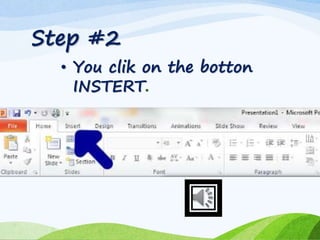
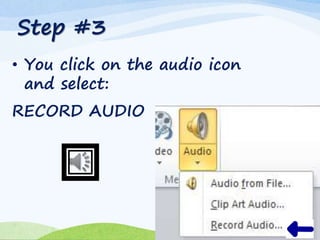
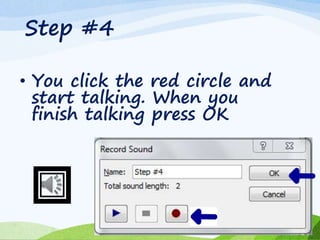

To include audio in a PowerPoint presentation, insert an audio file by clicking insert, selecting the audio icon, and choosing record audio. You can then click the red circle to record your narration, speaking into the presentation and pressing OK when finished.


