Download to read offline


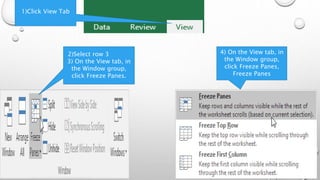
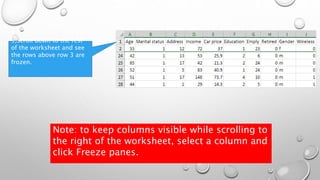
This document provides instructions for freezing panes in Excel. It outlines the steps to freeze the first 3 rows so they remain visible while scrolling down the worksheet. The steps are to click the View tab, select row 3, then click Freeze Panes in the Window group. This will freeze the rows above row 3 so they stay in place while scrolling through the rest of the worksheet below. Freezing panes keeps certain rows or columns visible when scrolling around a large worksheet.


