How To Create a SmartArt Graphic in Word 2016
EVITA NIKI BINTI ALBERT
BG17110309
1.Open up your Microsoft Word
2016 Software
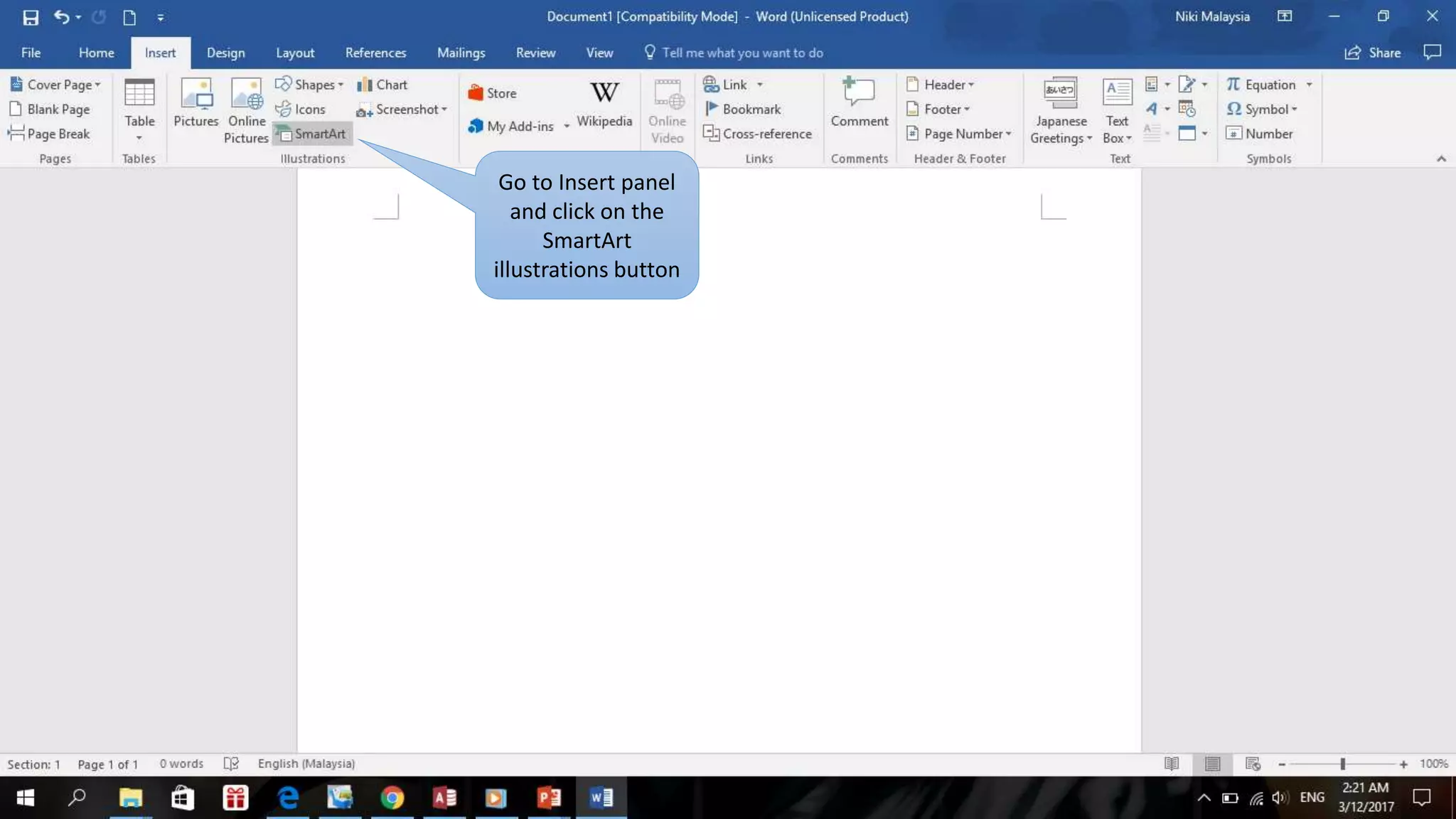
Go to Insert panel
and click on the
SmartArt
illustrations button
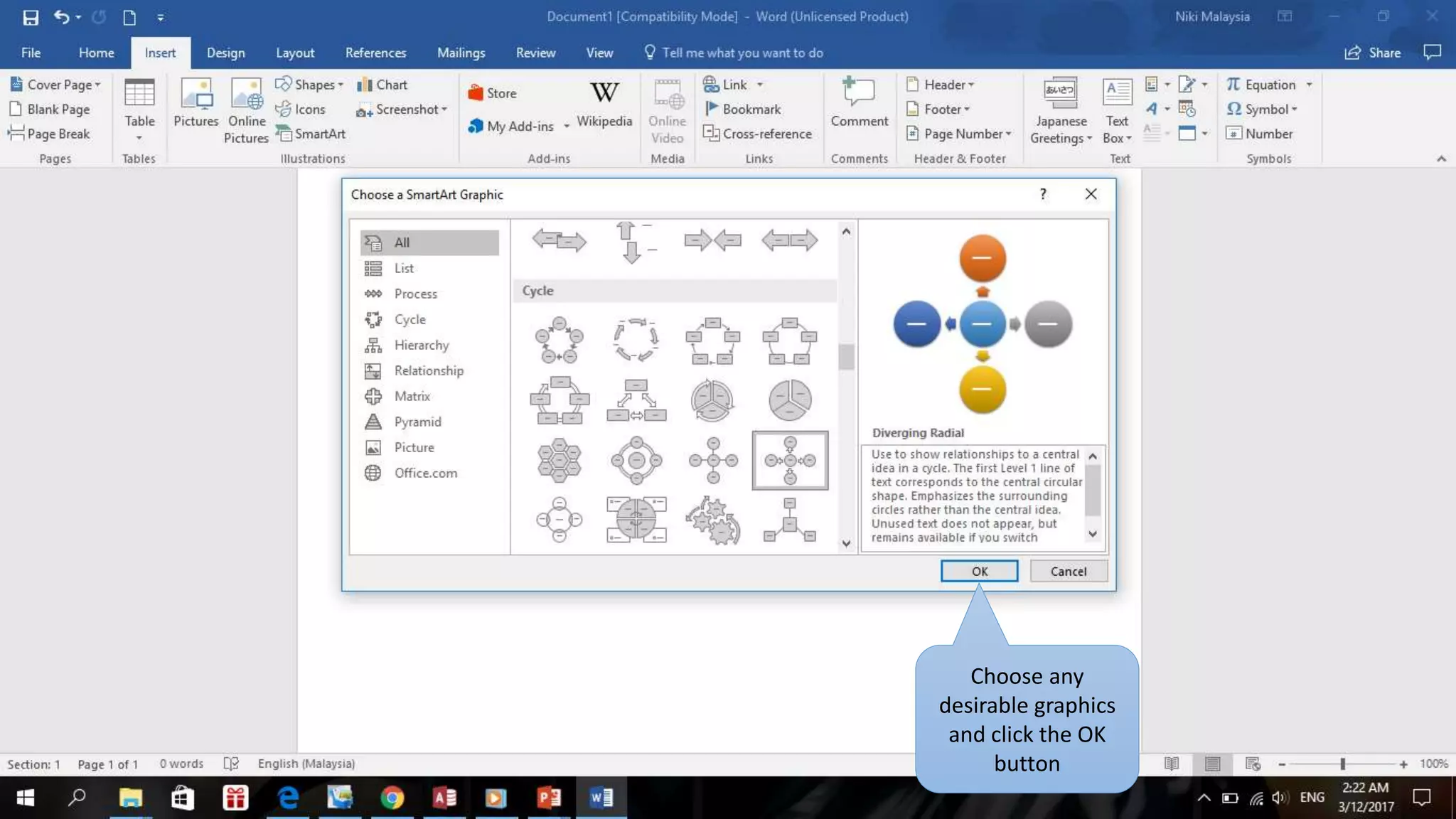
Choose any
desirable graphics
and click the OK
button
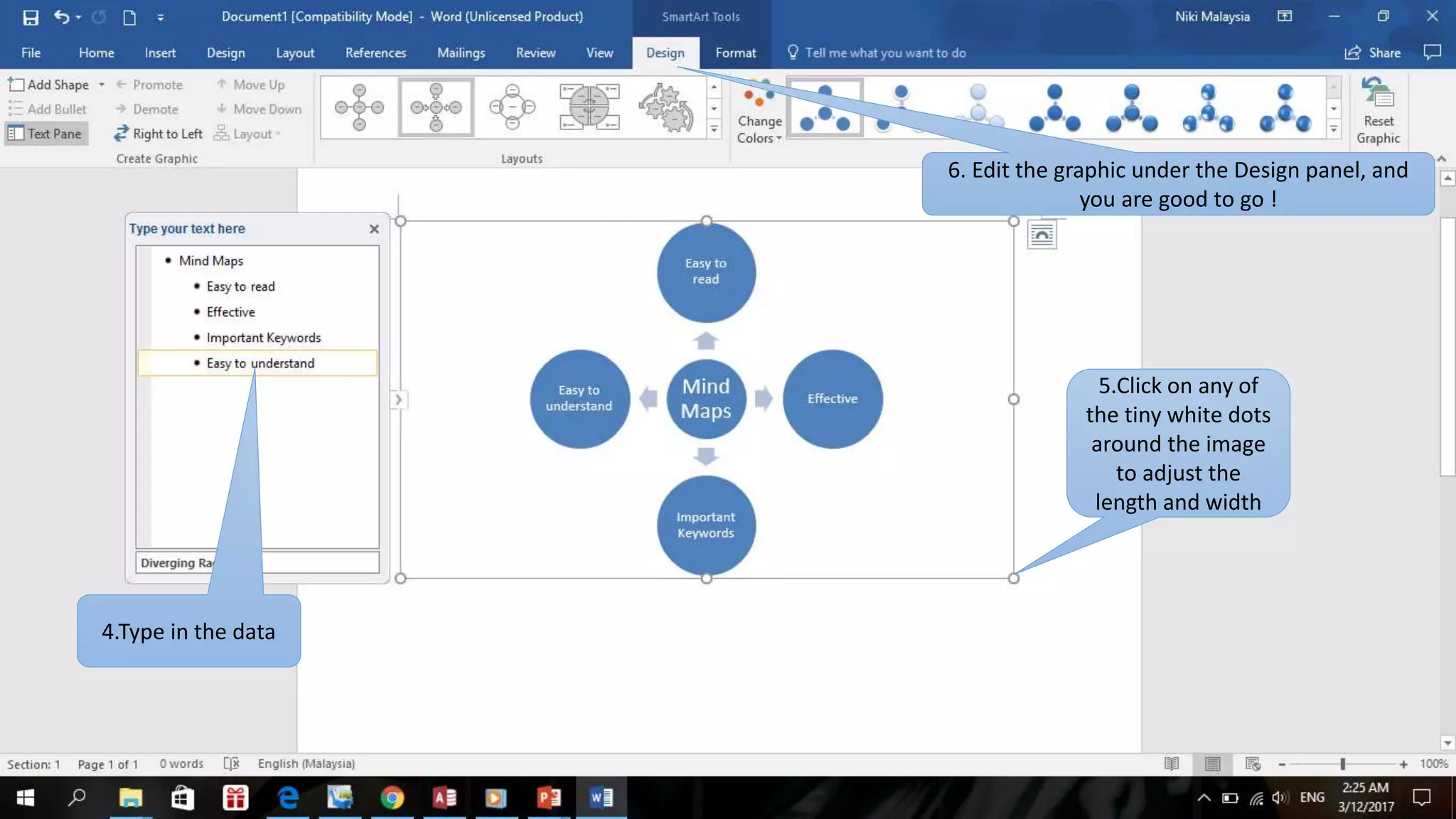
4.Type in the data
6. Edit the graphic under the Design panel, and
you are good to go !
5.Click on any of
the tiny white dots
around the image
to adjust the
length and width

How to create a smart art graphic in Microsoft Word 2016

  • 1.
    How To Createa SmartArt Graphic in Word 2016 EVITA NIKI BINTI ALBERT BG17110309
  • 2.
    1.Open up yourMicrosoft Word 2016 Software
  • 3.
    Go to Insertpanel and click on the SmartArt illustrations button
  • 4.
  • 5.
    4.Type in thedata 6. Edit the graphic under the Design panel, and you are good to go ! 5.Click on any of the tiny white dots around the image to adjust the length and width