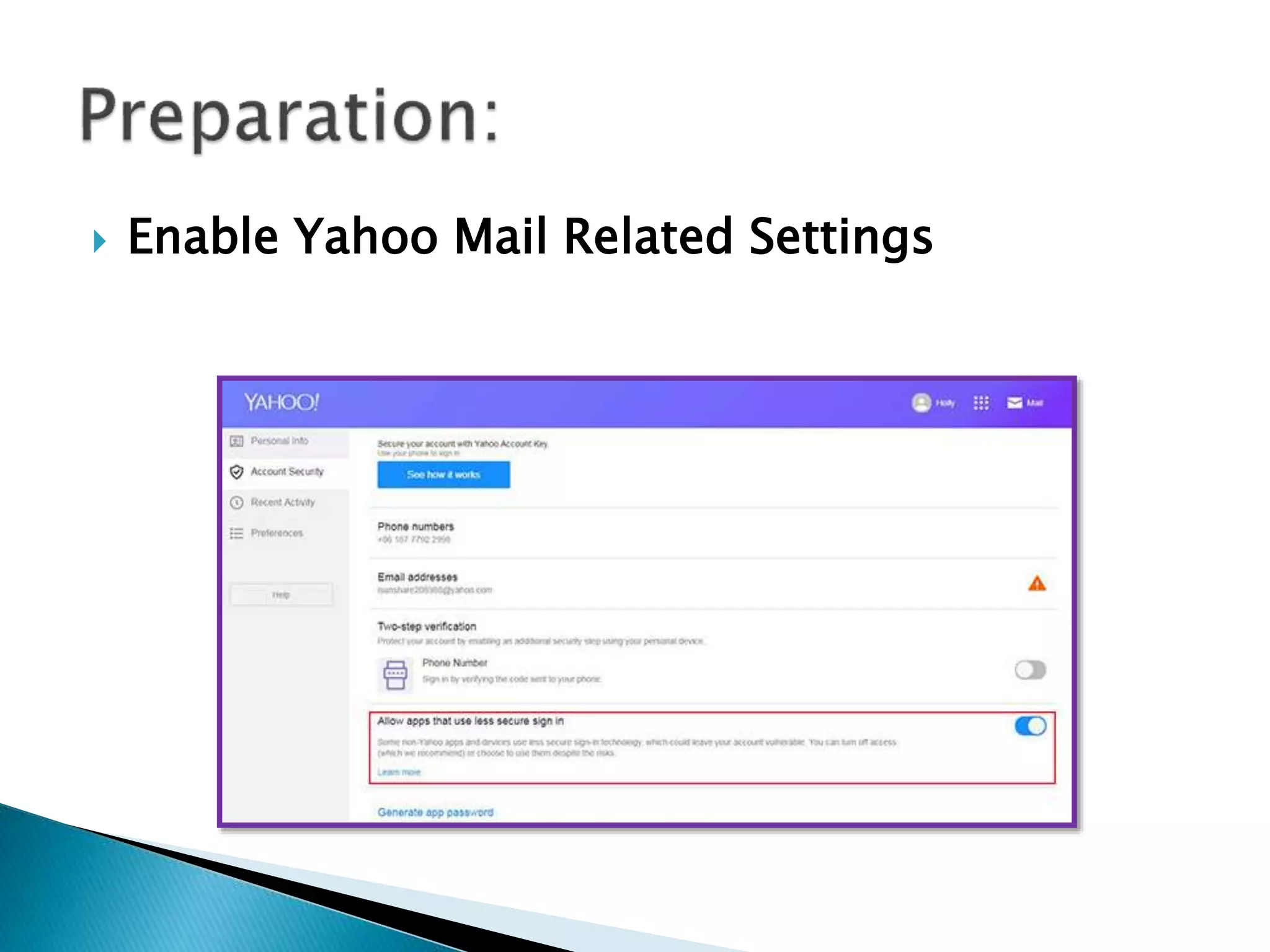
 Enable Yahoo Mail Related Settings
 1. Navigate to https://mail.yahoo.com/ and login in your
Yahoo mail account.
 2. On Yahoo email webpage, click your profile name and
choose Account Info.
 3. On the account info interface, choose Account Security.
 4. Turn off the Allow apps that use less secure sign in option.
 Enable Yahoo Mail Related Settings
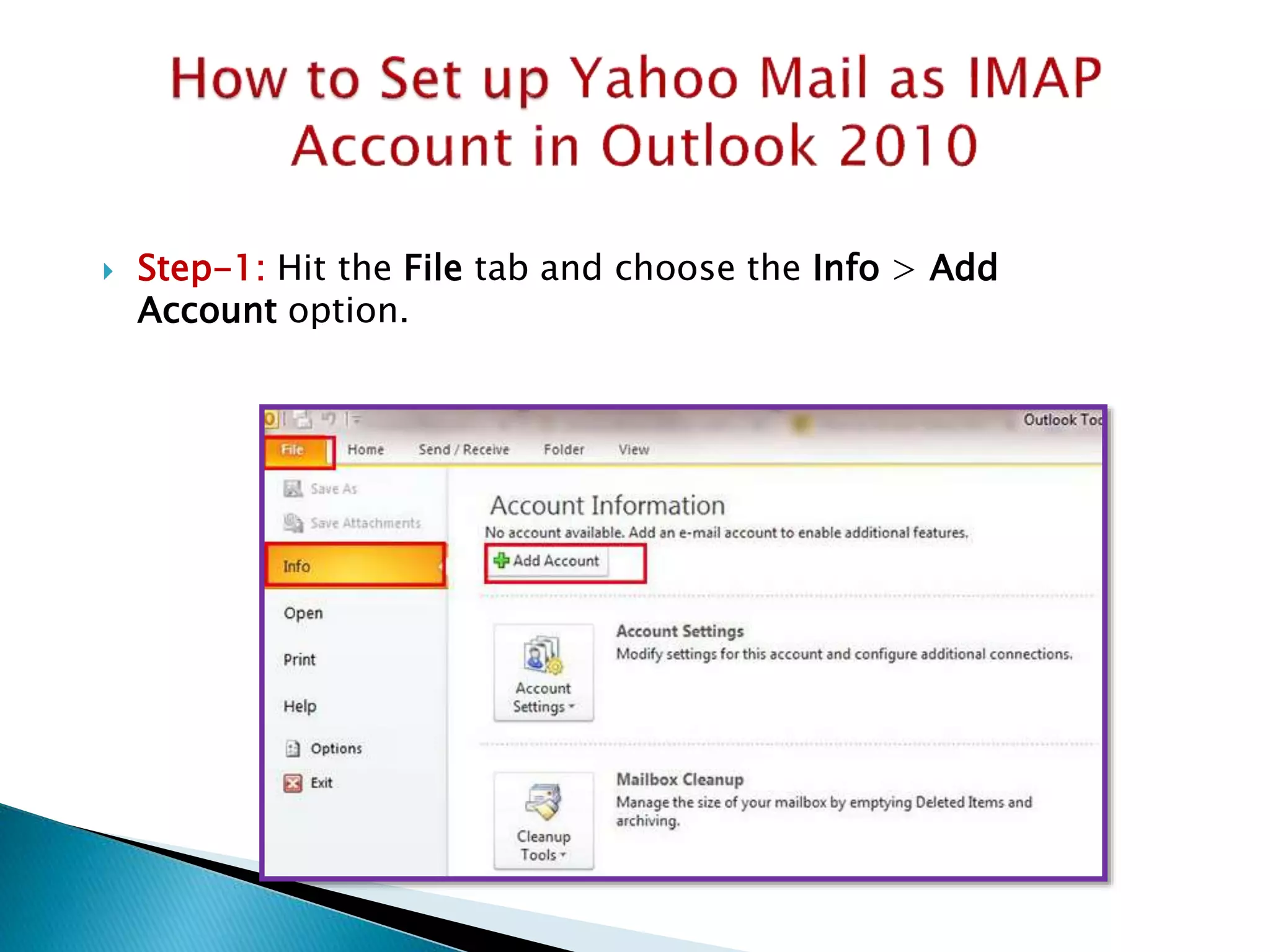
 Step-1: Hit the File tab and choose the Info > Add
Account option.
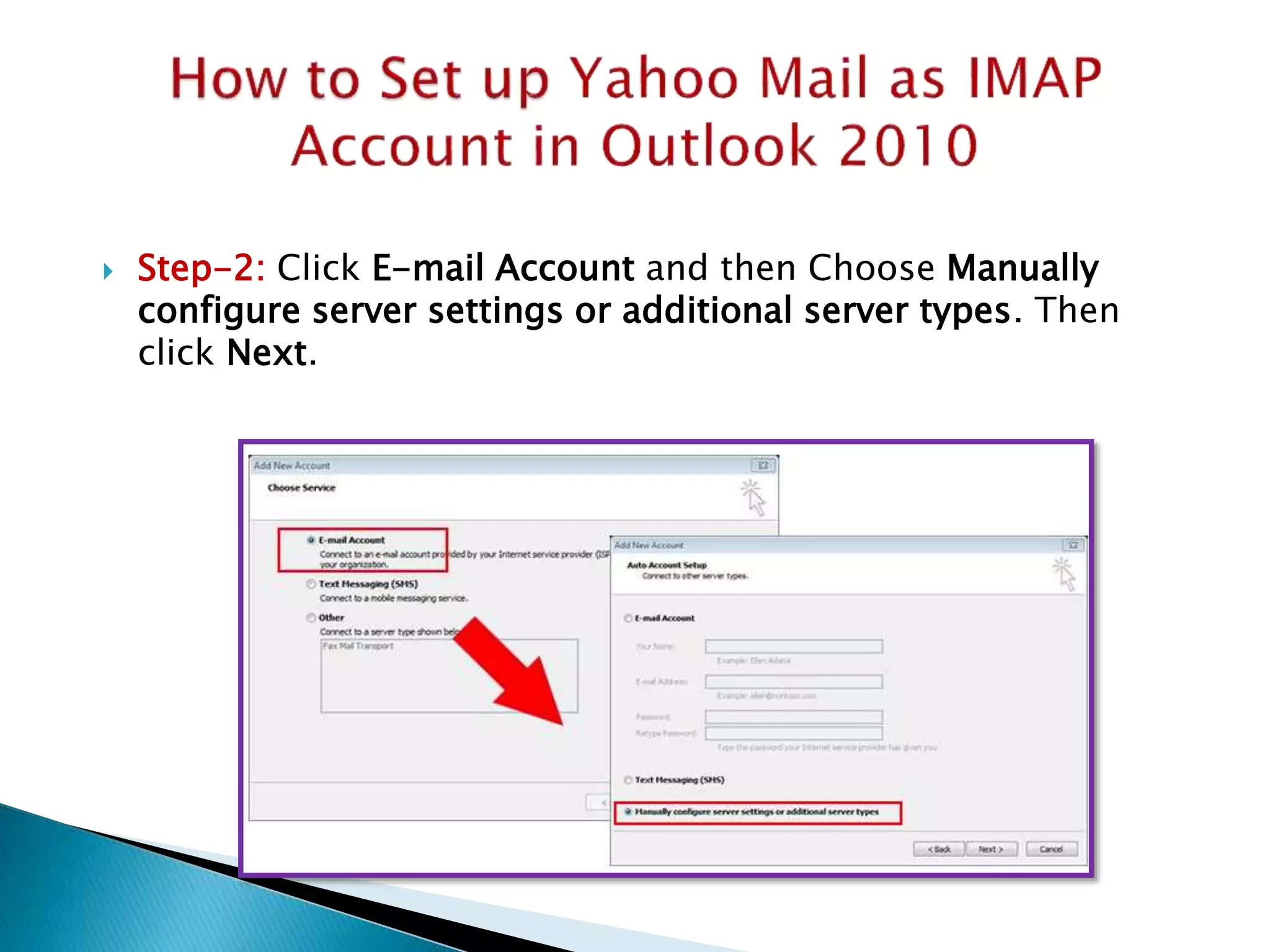
 Step-2: Click E-mail Account and then Choose Manually
configure server settings or additional server types. Then
click Next.
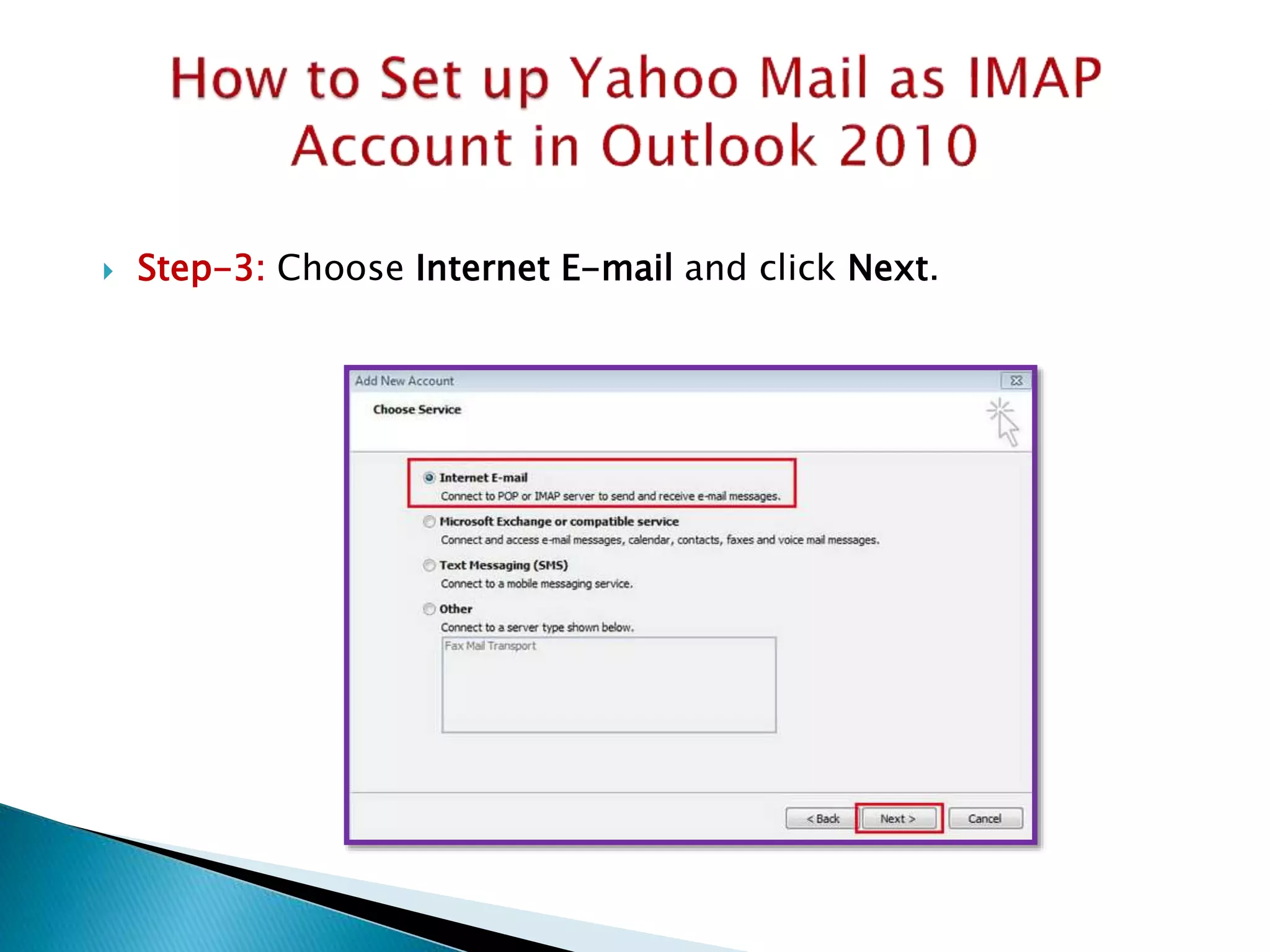
 Step-3: Choose Internet E-mail and click Next.
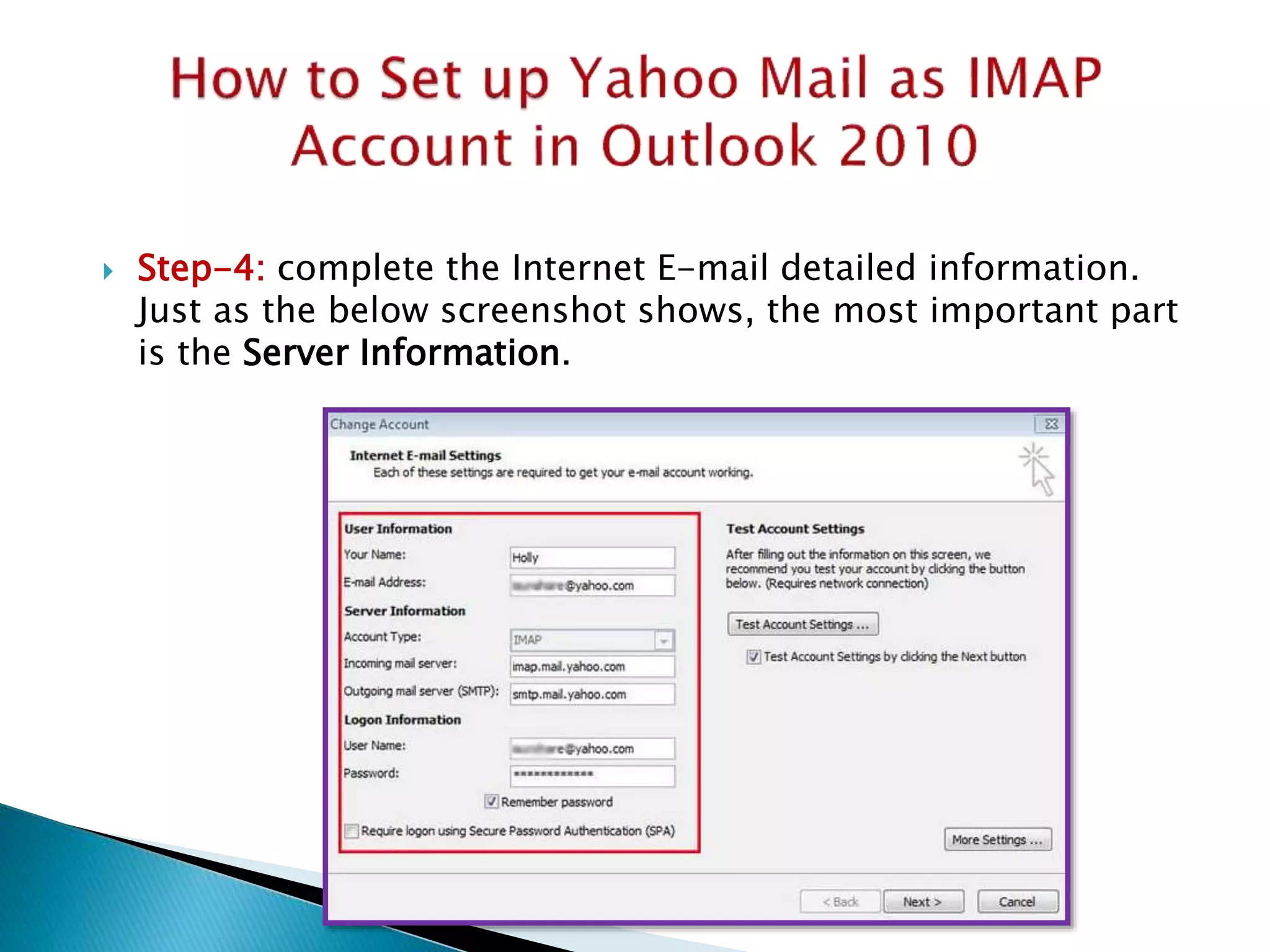
 Step-4: complete the Internet E-mail detailed information.
Just as the below screenshot shows, the most important part
is the Server Information.
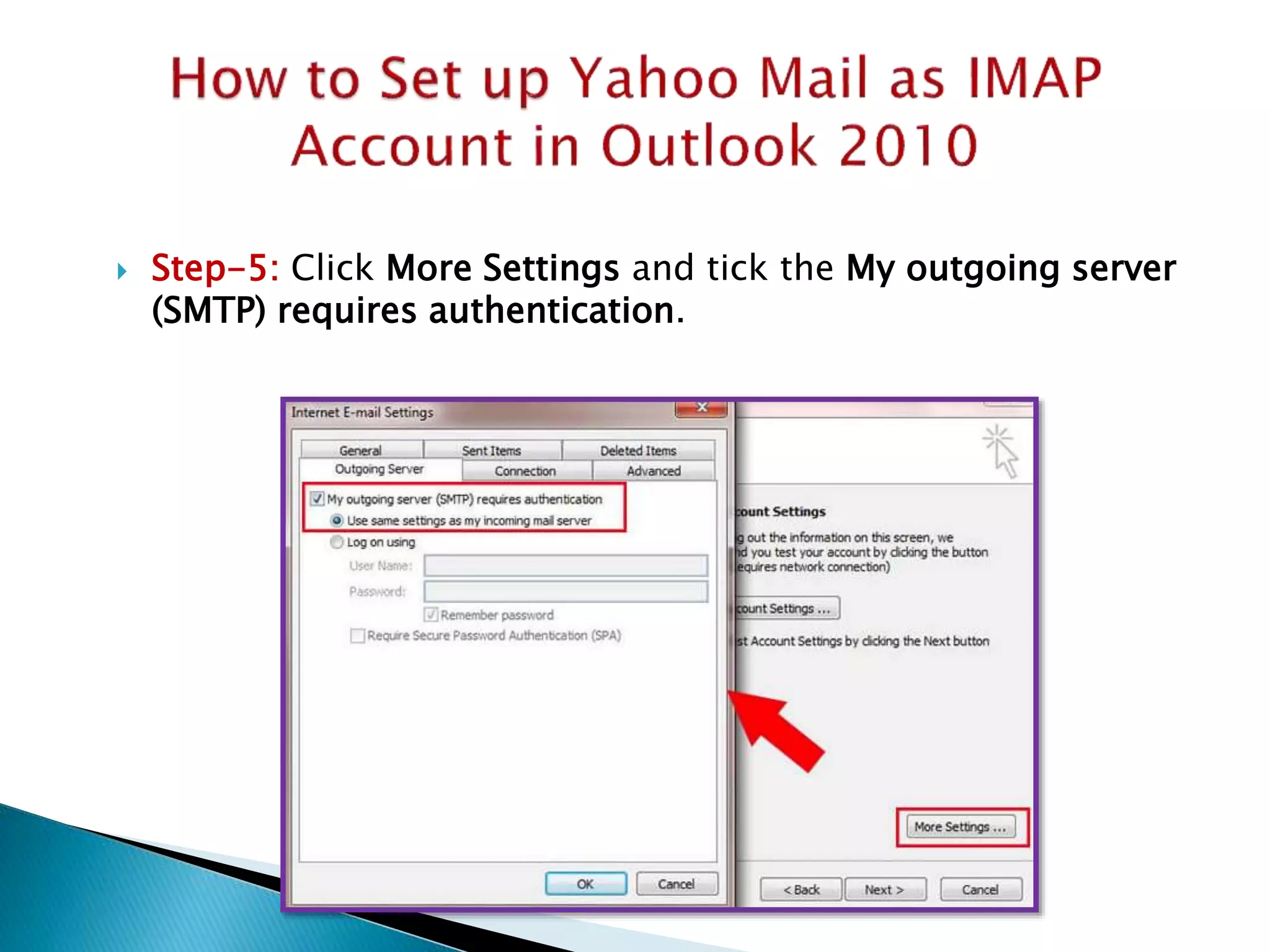
 Step-5: Click More Settings and tick the My outgoing server
(SMTP) requires authentication.
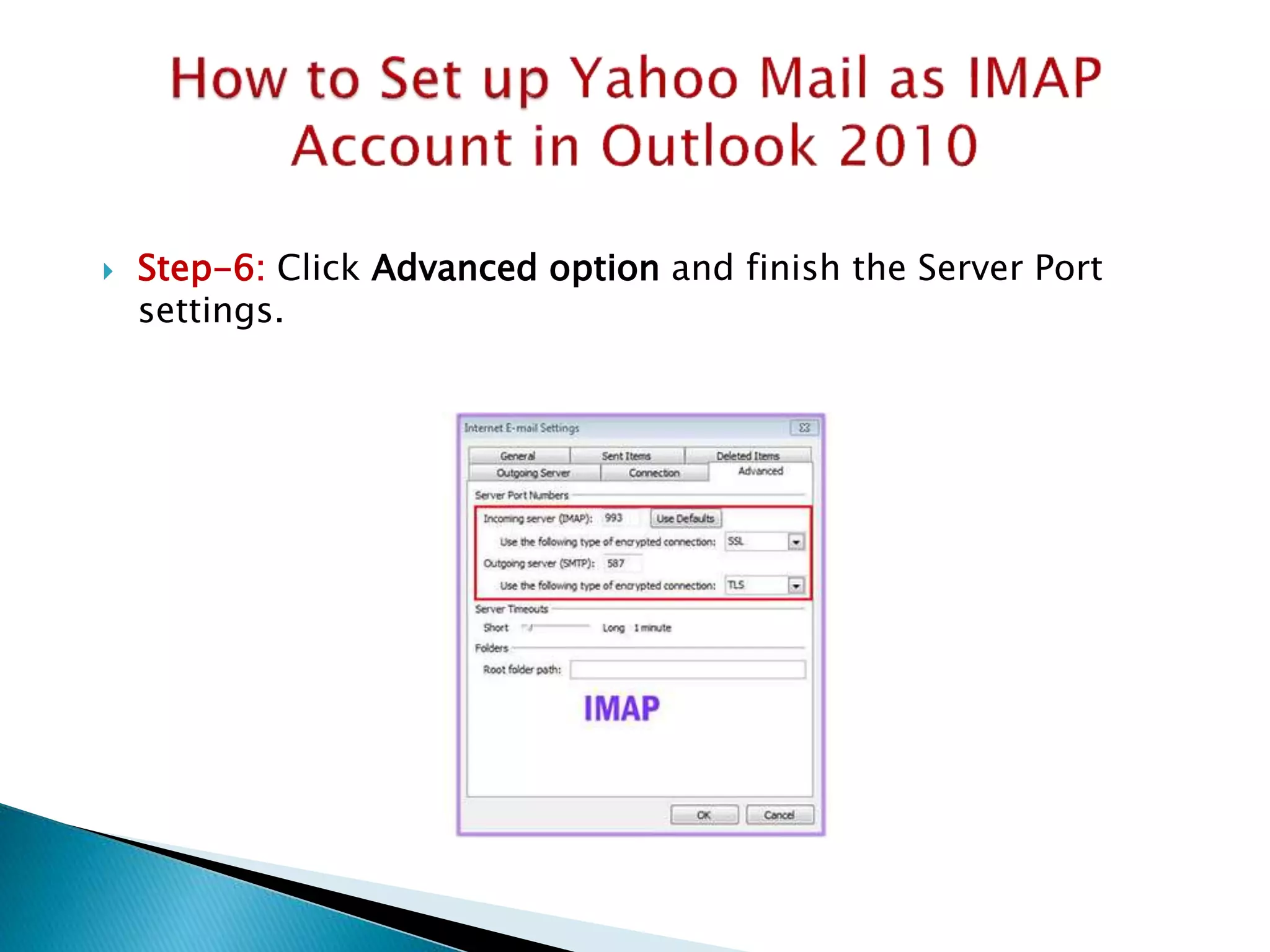
 Step-6: Click Advanced option and finish the Server Port
settings.
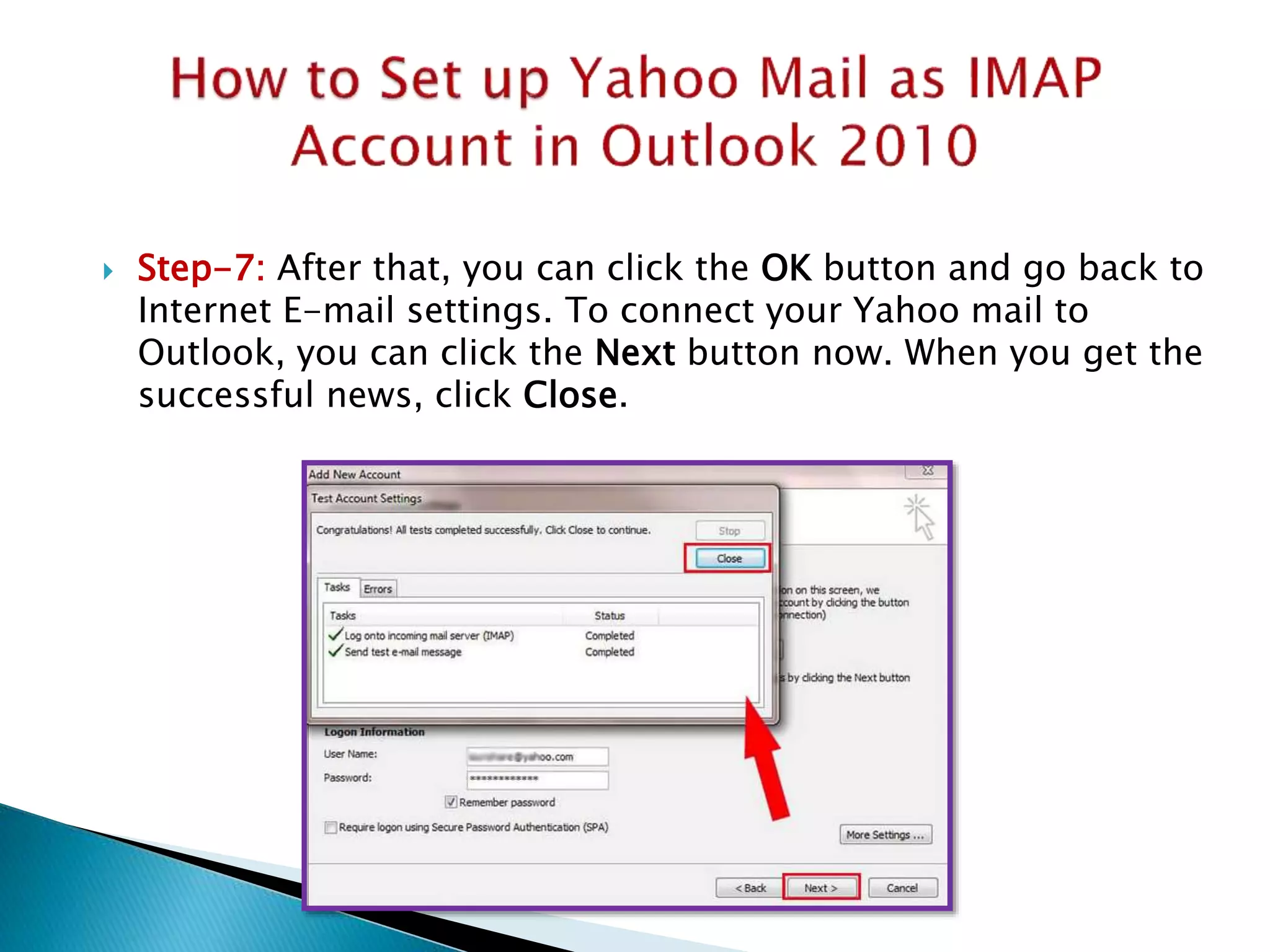
 Step-7: After that, you can click the OK button and go back to
Internet E-mail settings. To connect your Yahoo mail to
Outlook, you can click the Next button now. When you get the
successful news, click Close.
 https://www.isunshare.com/office/how-to-
setup-yahoo-mail-in-outlook-2010-using-
imap-or-pop.html

How to Configure Yahoo Mail as Imap Account in Outlook 2010

  • 2.
     Enable YahooMail Related Settings  1. Navigate to https://mail.yahoo.com/ and login in your Yahoo mail account.  2. On Yahoo email webpage, click your profile name and choose Account Info.  3. On the account info interface, choose Account Security.  4. Turn off the Allow apps that use less secure sign in option.
  • 3.
     Enable YahooMail Related Settings
  • 4.
     Step-1: Hitthe File tab and choose the Info > Add Account option.
  • 5.
     Step-2: ClickE-mail Account and then Choose Manually configure server settings or additional server types. Then click Next.
  • 6.
     Step-3: ChooseInternet E-mail and click Next.
  • 7.
     Step-4: completethe Internet E-mail detailed information. Just as the below screenshot shows, the most important part is the Server Information.
  • 8.
     Step-5: ClickMore Settings and tick the My outgoing server (SMTP) requires authentication.
  • 9.
     Step-6: ClickAdvanced option and finish the Server Port settings.
  • 10.
     Step-7: Afterthat, you can click the OK button and go back to Internet E-mail settings. To connect your Yahoo mail to Outlook, you can click the Next button now. When you get the successful news, click Close.
  • 11.