The Hour ofCode
Celebration 2019
Maya Donnelly
mdonnelly@psd1.org
Kim Van Eaton
kvaneaton@psd1.org
January 7, 2020
Goals and
Objectives for
this class...
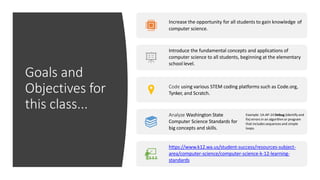
Increase the opportunity for all students to gain knowledge of
computer science.
Introduce the fundamental concepts and applications of
computer science to all students, beginning at the elementary
school level.
Code using various STEM coding platforms such as Code.org,
Tynker, and Scratch.
Analyze Washington State
Computer Science Standards for
big concepts and skills.
Example: 1A-AP-14 Debug (identify and
fix) errors in an algorithm or program
that includes sequences and simple
loops.
https://www.k12.wa.us/student-success/resources-subject-
area/computer-science/computer-science-k-12-learning-
standards
What is Programming?
• Programming is the process of creating a set of instructions that tell a
computer how to perform a task. Programming can be done using a
variety of computer "languages," such as SQL, Java, Python, and C++.
• https://www.khanacademy.org/computing/computer-
programming/programming/intro-to-programming/v/programming-
intro
Coding for Kids: The Why & How
• Coding is the method of giving instructions to a computer to perform
a specific task. You may have also heard it referred to as “software
programming” or “computer programming.” These instructions are
communicated using a “computer language” that computers can
understand. These languages include visual blocks, Java, Python, and
C. Learning to code expands problem solving and critical thinking
skills, making it a great opportunity for kids to build those skills while
young.
• https://www.tynker.com/content/coding-for-kids-the-why-and-how
https://www.k12.wa.us/student-
success/resources-subject-
area/computer-science/computer-
science-k-12-learning-standards
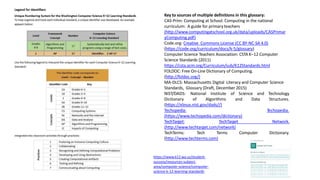
Key to sources of multiple definitions in this glossary:
CAS-Prim: Computing at School. Computing in the national
curriculum: A guide for primaryteachers
(http://www.computingatschool.org.uk/data/uploads/CASPrimar
yComputing.pdf)
Code.org: Creative Commons License (CC BY-NC-SA 4.0)
(https://code.org/curriculum/docs/k-5/glossary)
Computer Science Teachers Association: CSTA K–12 Computer
Science Standards (2011)
https://csta.acm.org/Curriculum/sub/K12Standards.html
FOLDOC: Free On-Line Dictionary of Computing.
(http://foldoc.org/)
MA-DLCS: Massachusetts Digital Literacy and Computer Science
Standards, Glossary (Draft, December2015)
NIST/DADS: National Institute of Science
Dictionary of Algorithms and Data
and Technology
Structures.
Techopedia.
(https://xlinux.nist.gov/dads//)
Techopedia:
(https://www.techopedia.com/dictionary)
TechTarget: TechTarget Network.
Computer Dictionary.
(http://www.techtarget.com/network)
TechTerms: Tech Terms
(http://www.techterms.com)
https://www.k12.wa.us/student-success/resources-subject-area/computer-science/computer-science-k-12-
learning-standards
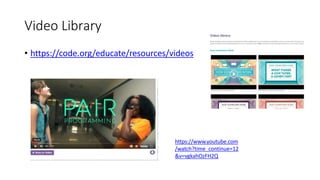
Video Library
• https://code.org/educate/resources/videos
https://www.youtube.com
/watch?time_continue=12
&v=vgkahOzFH2Q
When is the Hour of Code?
December 9-15
The Hour of Code takes place each year during Computer Science
Education Week.
The 2019 Computer Science Education Week will be December 9-15, but
you can host an Hour of Code all year-round.
Computer Science Education Week is held annually in recognition of the
birthday of computing pioneer Admiral Grace Murray Hopper (December
9, 1906).
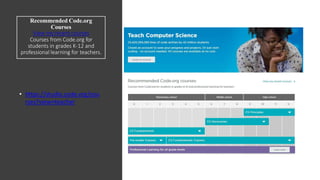
Recommended Code.org
Courses
View my recent courses
Courses from Code.org for
students in grades K-12 and
professional learning for teachers.
• https://studio.code.org/cou
rses?view=teacher
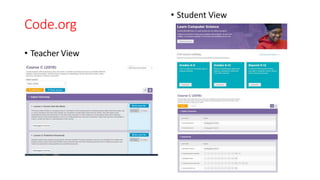
Code.org
• Teacher View
• Student View
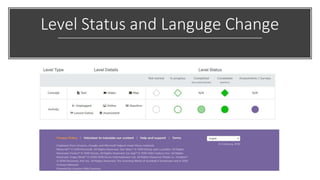
Level Status and Languge Change
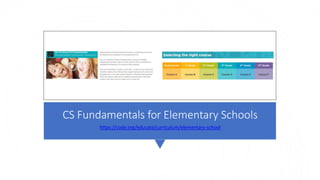
CS Fundamentals for Elementary Schools
https://code.org/educate/curriculum/elementary-school
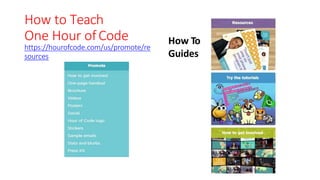
How to Teach
One Hour ofCode
https://hourofcode.com/us/promote/re
sources
How To
Guides
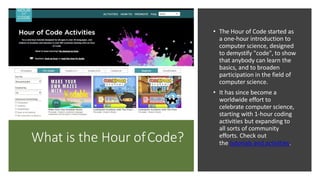
What is the Hour ofCode?
• The Hour of Code started as
a one-hour introduction to
computer science, designed
to demystify "code", to show
that anybody can learn the
basics, and to broaden
participation in the field of
computer science.
• It has since become a
worldwide effort to
celebrate computer science,
starting with 1-hour coding
activities but expanding to
all sorts of community
efforts. Check out
the tutorials and activities.
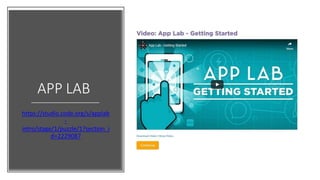
APP LAB
https://studio.code.org/s/applab
-
intro/stage/1/puzzle/1?section_i
d=2229087
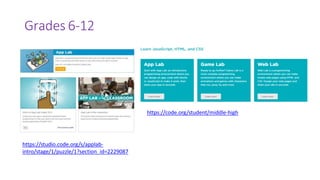
Grades 6-12
https://studio.code.org/s/applab-
intro/stage/1/puzzle/1?section_id=2229087
https://code.org/student/middle-high
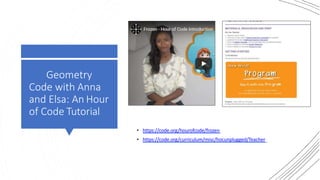
Geometry
Code with Anna
and Elsa: An Hour
of Code Tutorial
• https://code.org/hourofcode/frozen
• https://code.org/curriculum/misc/hocunplugged/Teacher
Create a
Teacher
Account
Create a new teacher account for Code.org
https://studio.code.org/users/sign_up
Create a new teacher account for Scratch.mit.edu
(takes a few days to confirm)
https://scratch.mit.edu/educators/faq
Create a new teacher account for Tynker
https://www.tynker.com/#/join/teacher
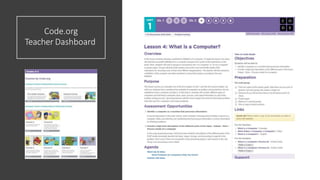
Code.org
Teacher Dashboard
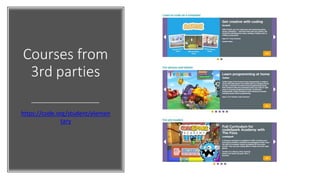
Courses from
3rd parties
https://code.org/student/elemen
tary
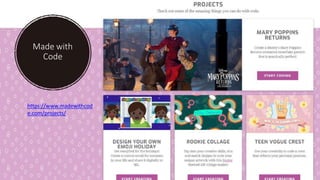
Made with
Code
https://www.madewithcod
e.com/projects/
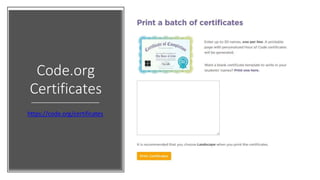
Code.org
Certificates
https://code.org/certificates
Thank you for
Learning
and Celebrate
Computer
Science with
Us Today!
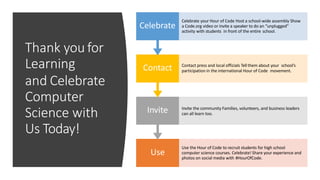
Use
Use the Hour of Code to recruit students for high school
computer science courses. Celebrate! Share your experience and
photos on social media with #HourOfCode.
Invite Invite the community Families, volunteers, and business leaders
can all learn too.
Contact Contact press and local officials Tell them about your school’s
participation in the international Hour of Code movement.
Celebrate
Celebrate your Hour of Code Host a school-wide assembly Show
a Code.org video or invite a speaker to do an “unplugged”
activity with students in front of the entire school.

hour of code Jan 7.pptx

  • 1.
    The Hour ofCode Celebration2019 Maya Donnelly mdonnelly@psd1.org Kim Van Eaton kvaneaton@psd1.org January 7, 2020
  • 2.
    Goals and Objectives for thisclass... Increase the opportunity for all students to gain knowledge of computer science. Introduce the fundamental concepts and applications of computer science to all students, beginning at the elementary school level. Code using various STEM coding platforms such as Code.org, Tynker, and Scratch. Analyze Washington State Computer Science Standards for big concepts and skills. Example: 1A-AP-14 Debug (identify and fix) errors in an algorithm or program that includes sequences and simple loops. https://www.k12.wa.us/student-success/resources-subject- area/computer-science/computer-science-k-12-learning- standards
  • 3.
    What is Programming? •Programming is the process of creating a set of instructions that tell a computer how to perform a task. Programming can be done using a variety of computer "languages," such as SQL, Java, Python, and C++. • https://www.khanacademy.org/computing/computer- programming/programming/intro-to-programming/v/programming- intro
  • 4.
    Coding for Kids:The Why & How • Coding is the method of giving instructions to a computer to perform a specific task. You may have also heard it referred to as “software programming” or “computer programming.” These instructions are communicated using a “computer language” that computers can understand. These languages include visual blocks, Java, Python, and C. Learning to code expands problem solving and critical thinking skills, making it a great opportunity for kids to build those skills while young. • https://www.tynker.com/content/coding-for-kids-the-why-and-how
  • 5.
    https://www.k12.wa.us/student- success/resources-subject- area/computer-science/computer- science-k-12-learning-standards Key to sourcesof multiple definitions in this glossary: CAS-Prim: Computing at School. Computing in the national curriculum: A guide for primaryteachers (http://www.computingatschool.org.uk/data/uploads/CASPrimar yComputing.pdf) Code.org: Creative Commons License (CC BY-NC-SA 4.0) (https://code.org/curriculum/docs/k-5/glossary) Computer Science Teachers Association: CSTA K–12 Computer Science Standards (2011) https://csta.acm.org/Curriculum/sub/K12Standards.html FOLDOC: Free On-Line Dictionary of Computing. (http://foldoc.org/) MA-DLCS: Massachusetts Digital Literacy and Computer Science Standards, Glossary (Draft, December2015) NIST/DADS: National Institute of Science Dictionary of Algorithms and Data and Technology Structures. Techopedia. (https://xlinux.nist.gov/dads//) Techopedia: (https://www.techopedia.com/dictionary) TechTarget: TechTarget Network. Computer Dictionary. (http://www.techtarget.com/network) TechTerms: Tech Terms (http://www.techterms.com)
  • 6.
  • 7.
  • 8.
    When is theHour of Code? December 9-15 The Hour of Code takes place each year during Computer Science Education Week. The 2019 Computer Science Education Week will be December 9-15, but you can host an Hour of Code all year-round. Computer Science Education Week is held annually in recognition of the birthday of computing pioneer Admiral Grace Murray Hopper (December 9, 1906).
  • 9.
    Recommended Code.org Courses View myrecent courses Courses from Code.org for students in grades K-12 and professional learning for teachers. • https://studio.code.org/cou rses?view=teacher
  • 10.
  • 11.
    Level Status andLanguge Change
  • 12.
    CS Fundamentals forElementary Schools https://code.org/educate/curriculum/elementary-school
  • 13.
    How to Teach OneHour ofCode https://hourofcode.com/us/promote/re sources How To Guides
  • 14.
    What is theHour ofCode? • The Hour of Code started as a one-hour introduction to computer science, designed to demystify "code", to show that anybody can learn the basics, and to broaden participation in the field of computer science. • It has since become a worldwide effort to celebrate computer science, starting with 1-hour coding activities but expanding to all sorts of community efforts. Check out the tutorials and activities.
  • 15.
  • 16.
  • 17.
    Geometry Code with Anna andElsa: An Hour of Code Tutorial • https://code.org/hourofcode/frozen • https://code.org/curriculum/misc/hocunplugged/Teacher
  • 18.
    Create a Teacher Account Create anew teacher account for Code.org https://studio.code.org/users/sign_up Create a new teacher account for Scratch.mit.edu (takes a few days to confirm) https://scratch.mit.edu/educators/faq Create a new teacher account for Tynker https://www.tynker.com/#/join/teacher
  • 19.
  • 20.
  • 21.
  • 22.
  • 23.
    Thank you for Learning andCelebrate Computer Science with Us Today! Use Use the Hour of Code to recruit students for high school computer science courses. Celebrate! Share your experience and photos on social media with #HourOfCode. Invite Invite the community Families, volunteers, and business leaders can all learn too. Contact Contact press and local officials Tell them about your school’s participation in the international Hour of Code movement. Celebrate Celebrate your Hour of Code Host a school-wide assembly Show a Code.org video or invite a speaker to do an “unplugged” activity with students in front of the entire school.