How I Learned to Stop Worrying
and Love the Update Button
Chris Koerner
@ckoerner
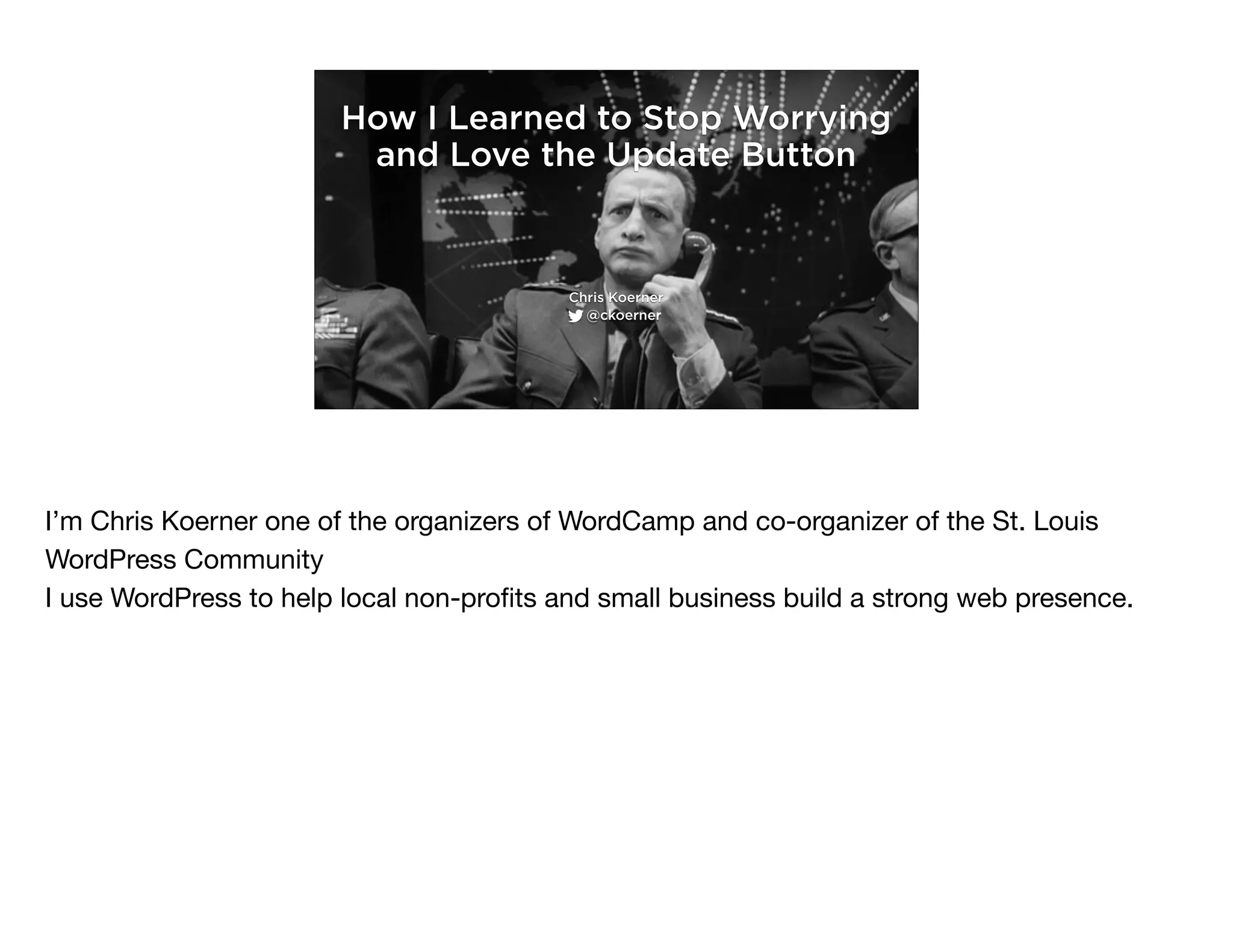
I’m Chris Koerner one of the organizers of WordCamp and co-organizer of the St. Louis
WordPress Community

I use WordPress to help local non-profits and small business build a strong web presence.
How I Learned to Stop Worrying
and Love the Update Button
Chris Koerner
@ckoerner
I’m Chris Koerner one of the organizers of WordCamp and co-organizer of the St. Louis
WordPress Community

I use WordPress to help local non-profits and small business build a strong web presence.
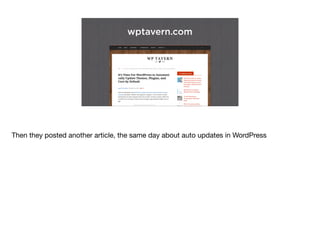
wptavern.com
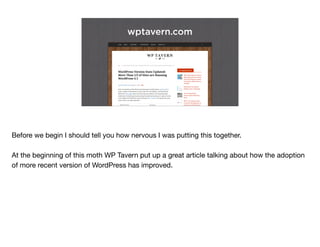
Before we begin I should tell you how nervous I was putting this together. 

At the beginning of this moth WP Tavern put up a great article talking about how the adoption
of more recent version of WordPress has improved.
Welp, there goes my WordCamp
presentation! ;) wptavern.com/wordpress-
vers…
Chris Koerner
8:23 PM - 2 Mar 2015
@ckoerner
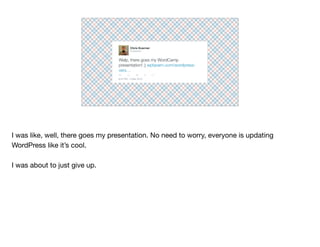
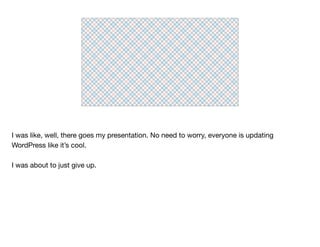
I was like, well, there goes my presentation. No need to worry, everyone is updating
WordPress like it’s cool.

I was about to just give up.
I was like, well, there goes my presentation. No need to worry, everyone is updating
WordPress like it’s cool.

I was about to just give up.
wptavern.com
Then they posted another article, the same day about auto updates in WordPress
So then I was like, Ok. well. There was a lot of contention in that comment thread.
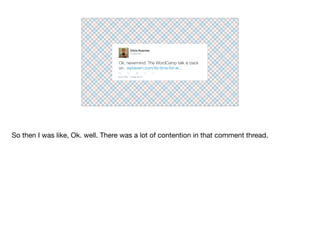
Ok, nevermind. The WordCamp talk is back
on.
Chris Koerner
wptavern.com/its-time-for-w...
8:23 PM - 2 Mar 2015
@ckoerner
So then I was like, Ok. well. There was a lot of contention in that comment thread.
(╯°□°)╯︵ ┻━┻
So, in the span of a day I went from (click)

to this (click)
┬─┬ ノ( ゜-゜ノ)
So, in the span of a day I went from (click)

to this (click)
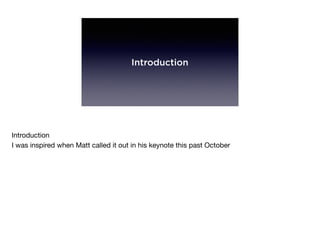
Introduction
Introduction

I was inspired when Matt called it out in his keynote this past October
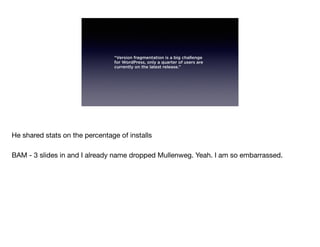
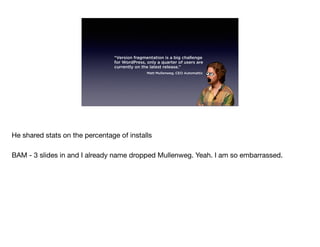
“Version fragmentation is a big challenge
for WordPress, only a quarter of users are
currently on the latest release.”
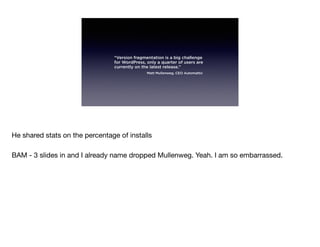
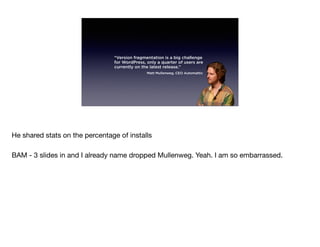
He shared stats on the percentage of installs

BAM - 3 slides in and I already name dropped Mullenweg. Yeah. I am so embarrassed.
“Version fragmentation is a big challenge
for WordPress, only a quarter of users are
currently on the latest release.”
Matt Mullenweg, CEO Automattic
He shared stats on the percentage of installs

BAM - 3 slides in and I already name dropped Mullenweg. Yeah. I am so embarrassed.
“Version fragmentation is a big challenge
for WordPress, only a quarter of users are
currently on the latest release.”
Matt Mullenweg, CEO Automattic
He shared stats on the percentage of installs

BAM - 3 slides in and I already name dropped Mullenweg. Yeah. I am so embarrassed.
“Version fragmentation is a big challenge
for WordPress, only a quarter of users are
currently on the latest release.”
Matt Mullenweg, CEO Automattic
He shared stats on the percentage of installs

BAM - 3 slides in and I already name dropped Mullenweg. Yeah. I am so embarrassed.
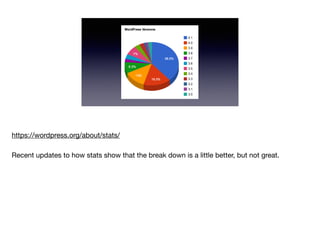
https://wordpress.org/about/stats/

Recent updates to how stats show that the break down is a little better, but not great.
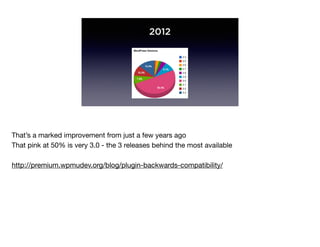
2012
That’s a marked improvement from just a few years ago

That pink at 50% is very 3.0 - the 3 releases behind the most available

http://premium.wpmudev.org/blog/plugin-backwards-compatibility/
Why?
Ok, I’ll cut to the chase. Why should you update your (and your clients) WordPress sites?
Get Paid
This is something you can charge clients for. It’s called maintenance! Build in a retainer. Make
it a monthly or yearly thing.

I’ll keep your site updated to help protect it from vulnerabilities and to keep it up-to-date with
the latest version of the software. Here’s what goes into doing all that. It’s X extra and I highly
encourage it.

Ff they say no and come to you 6 months later asking for a change or update - add in the cost
to update the site before you work on it!
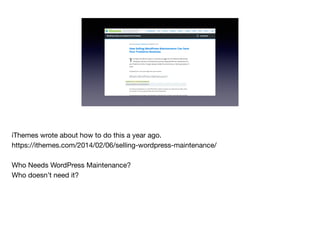
iThemes wrote about how to do this a year ago. 

https://ithemes.com/2014/02/06/selling-wordpress-maintenance/

Who Needs WordPress Maintenance?

Who doesn’t need it?
Avoid Future Headaches
With a show of hands, how many times have you revisited code for a client? Revisited a site
you built, that was functioning fine, but now you want/need to do something to it. Guess
what? Keeping on top of updates and slowing updating will cause less headaches.

adding a new plugin to an old install of WP?

updating a plugin?

updating WP?

AGH, if I had only keep on top of updates!?

sour milk?
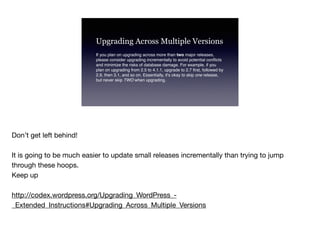
Upgrading Across Multiple Versions
If you plan on upgrading across more than two major releases,
please consider upgrading incrementally to avoid potential conflicts
and minimize the risks of database damage. For example, if you
plan on upgrading from 2.5 to 4.1.1, upgrade to 2.7 first, followed by
2.9, then 3.1, and so on. Essentially, it's okay to skip one release,
but never skip TWO when upgrading.
Don’t get left behind!

It is going to be much easier to update small releases incrementally than trying to jump
through these hoops.

Keep up

http://codex.wordpress.org/Upgrading_WordPress_-
_Extended_Instructions#Upgrading_Across_Multiple_Versions
Peace of Mind
Sleep better when you hear there’s a new update out for WordPress

is my site secure?

update more, troubleshoot less

happier clients, no scrambling to fix things.

One bad practice I see a lot of people make - make clients admins - however I know people
do it. Guess what. The can see those ‘update’ buttons all over the admin UI. 

Guess what people love to do? Push buttons!

Who get’s blamed!? Who’s going to get the phone calls?
Be a Good Citizen
Be part of the solution. We should spend as much time talking about supporting and
maintenance of the sites we create as we do about ‘security’ and ‘seo’ and the best SASS
mix-ins.

You ever hear those reports that some new vulnerably has been discovered? I hate those.
They make WordPress look ‘scary’.

https://wordpress.org/news/category/security/
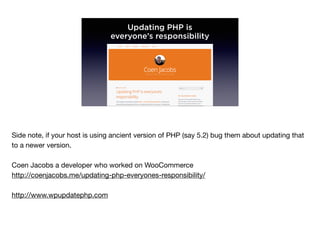
Updating PHP is
everyone’s responsibility
Side note, if your host is using ancient version of PHP (say 5.2) bug them about updating that
to a newer version.

Coen Jacobs a developer who worked on WooCommerce

http://coenjacobs.me/updating-php-everyones-responsibility/

http://www.wpupdatephp.com
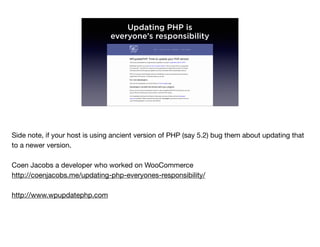
Updating PHP is
everyone’s responsibility
Side note, if your host is using ancient version of PHP (say 5.2) bug them about updating that
to a newer version.

Coen Jacobs a developer who worked on WooCommerce

http://coenjacobs.me/updating-php-everyones-responsibility/

http://www.wpupdatephp.com
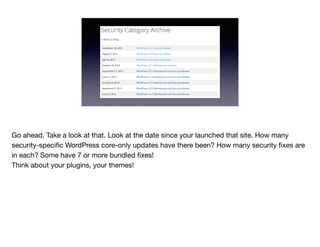
Go ahead. Take a look at that. Look at the date since your launched that site. How many
security-specific WordPress core-only updates have there been? How many security fixes are
in each? Some have 7 or more bundled fixes!

Think about your plugins, your themes!
How?
How do you keep WordPress up to date without going insane?
No More Cowboys
Dev environment

this ain’t the wild west

MAMP, https://bitnami.com

Get a development environment - local or remote

tools to migrate - https://wordpress.org/plugins/all-in-one-wp-migration/
Children are the Future
For FSMS, use a child theme! This is anecdotal, but I can’t count the number of times people
have told me they’ve been turned off from updating because they’re afraid to loose any
customizations.

This applies to themes
Back That Site Up
Make a solid backup.

both the database (your content and configuration) but your files as well!

test it.

lots of tools here - Backup Buddy is one - InfiniteWP
WordPress. Then Plugins
update wordpress first, then plugins

Check the codex article on updating WordPress
RTFM
Read the update notes - especially breaking changes!

changes to database schema - WooCommerce 2.0 kertuffle

I mentioned Coen Jacobs earlier, he also talked about 2.0 on his blog.

ACF - with the update to 5.0 Pro it really freaked out a lot of people. Why? Cause they didn’t
RTFM!

themes - especially if you're not using a child theme - but you wouldn’t do that would you!?

header.php might change - class or ids might have new names (your custom header.php or
style.css might need a tweak
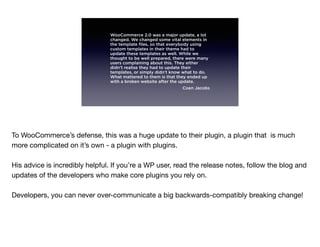
WooCommerce 2.0 was a major update, a lot
changed. We changed some vital elements in
the template files, so that everybody using
custom templates in their theme had to
update these templates as well. While we
thought to be well prepared, there were many
users complaining about this. They either
didn’t realise they had to update their
templates, or simply didn’t know what to do.
What mattered to them is that they ended up
with a broken website after the update.
Coen Jacobs
To WooCommerce’s defense, this was a huge update to their plugin, a plugin that is much
more complicated on it’s own - a plugin with plugins.

His advice is incredibly helpful. If you’re a WP user, read the release notes, follow the blog and
updates of the developers who make core plugins you rely on.

Developers, you can never over-communicate a big backwards-compatibly breaking change!
Test
How do you test?

Great solution at wptest.io for test content and structure - all the fixings are there from
individual posts to archive pages and everything in between.

phpunit - https://make.wordpress.org/core/handbook/automated-testing/

selenium - firefox extension. You can record and playback interactions with your site

checklist - heck, go low tech. Create a list of all the features you have on your site. Update
your dev environment and run through them. What breaks?
Debug
Test
How do you test?

Great solution at wptest.io for test content and structure - all the fixings are there from
individual posts to archive pages and everything in between.

phpunit - https://make.wordpress.org/core/handbook/automated-testing/

selenium - firefox extension. You can record and playback interactions with your site

checklist - heck, go low tech. Create a list of all the features you have on your site. Update
your dev environment and run through them. What breaks?
Debug
Test
How do you test?

Great solution at wptest.io for test content and structure - all the fixings are there from
individual posts to archive pages and everything in between.
phpunit - https://make.wordpress.org/core/handbook/automated-testing/

selenium - firefox extension. You can record and playback interactions with your site

checklist - heck, go low tech. Create a list of all the features you have on your site. Update
your dev environment and run through them. What breaks?

Debug
Test
How do you test?

Great solution at wptest.io for test content and structure - all the fixings are there from
individual posts to archive pages and everything in between.

phpunit - https://make.wordpress.org/core/handbook/automated-testing/

selenium - firefox extension. You can record and playback interactions with your site

checklist - heck, go low tech. Create a list of all the features you have on your site. Update
your dev environment and run through them. What breaks?

Debug
Test
How do you test?

Great solution at wptest.io for test content and structure - all the fixings are there from
individual posts to archive pages and everything in between.

phpunit - https://make.wordpress.org/core/handbook/automated-testing/

selenium - firefox extension. You can record and playback interactions with your site

checklist - heck, go low tech. Create a list of all the features you have on your site. Update
your dev environment and run through them. What breaks?

Debug
Sell It
Most importantly set things up at the get go with new clients.

Make keeping your WordPress sites part of just what you do.

Contact old clients and let them know of your new service.

Tell them you heard at a conference from this handsome and charming guy that you should
keep your site up to date.

Email them when you update the site successfully.

	 Brag about new features that you didn’t make - updates to visual editor - drag and drop
images, etc.

Remind them that you’re still there, that you’re going the extra mile

(which, really isn’t an actual mile)
Developers!
Developers, you can help! Encourage folks to update. Test your stuff on more than just the
latest WP release

Test your stuff - http://wptest.io

http://www.slideshare.net/ptahdunbar/automated-testing-in-wordpress-really
Give Feedback
Help wordpress plugin and theme authors

	 Using their plugins? - hit wp.org and let them know it works - it helps other folks looking
for plugs and wanting to know compatibility
When?
Now! Right now. I hope this has given you a few ideas on how to approach updates

Don’t get left behind. Only easier to start today.

April 22nd is the scheduled release for 4.2

http://wptavern.com/its-time-for-wordpress-to-automatically-update-themes-plugins-and-
core-by-default

apps auto update, Laptops, OSes, Browsers, why not your plugins and themes?
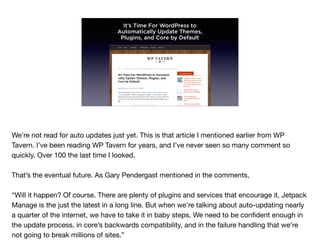
It’s Time For WordPress to
Automatically Update Themes,
Plugins, and Core by Default
We’re not read for auto updates just yet. This is that article I mentioned earlier from WP
Tavern. I’ve been reading WP Tavern for years, and I’ve never seen so many comment so
quickly. Over 100 the last time I looked.

That’s the eventual future. As Gary Pendergast mentioned in the comments, 

“Will it happen? Of course. There are plenty of plugins and services that encourage it, Jetpack
Manage is the just the latest in a long line. But when we’re talking about auto-updating nearly
a quarter of the internet, we have to take it in baby steps. We need to be confident enough in
the update process, in core’s backwards compatibility, and in the failure handling that we’re
not going to break millions of sites.”
Where?
Find out more, check out these resources..

wordpress stats - plugins

adoption rates

Codex!

Meetups!

	 Start your own
• http://codex.wordpress.org/Configuring_Automatic_Background_Updates
• http://www.mayecreate.com/2013/04/why-you-should-update-wordpress/
• http://codex.wordpress.org/Updating_WordPress
• http://optimwise.com/why-update-wordpress-and-plugins/
• https://yoast.com/upgrade-wordpress/
• http://websynthesis.com/updating-wordpress/
• https://ithemes.com/2009/06/15/wp-qa-when-should-i-update-wordpress/
• http://www.wpbeginner.com/beginners-guide/ultimate-guide-to-upgrade-
wordpress-for-beginners-infograph/
• http://wptavern.com/wpupdatephp-project-aims-to-help-wordpress-users-
get-on-newer-versions-of-php
• http://premium.wpmudev.org/blog/think-twice-before-you-upgrade-that-
wordpress-plugin/
• http://torquemag.io/lessons-can-learn-jetpack-helped-wordpress-succeed/
http://codex.wordpress.org/Configuring_Automatic_Background_Updates

http://www.mayecreate.com/2013/04/why-you-should-update-wordpress/

http://codex.wordpress.org/Updating_WordPress

http://optimwise.com/why-update-wordpress-and-plugins/

https://yoast.com/upgrade-wordpress/

http://websynthesis.com/updating-wordpress/

https://ithemes.com/2009/06/15/wp-qa-when-should-i-update-wordpress/

http://www.wpbeginner.com/beginners-guide/ultimate-guide-to-upgrade-wordpress-for-
beginners-infograph/

http://wptavern.com/wpupdatephp-project-aims-to-help-wordpress-users-get-on-newer-
versions-of-php
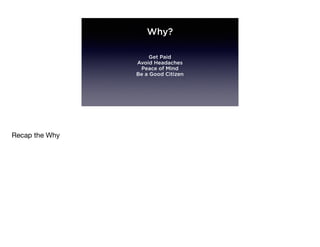
Why?
Get Paid
Avoid Headaches
Peace of Mind
Be a Good Citizen
Recap the Why
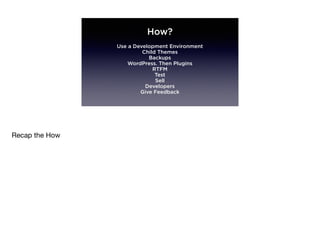
How?
Use a Development Environment
Child Themes
Backups
WordPress. Then Plugins
RTFM
Test
Sell
Developers
Give Feedback
Recap the How
Thank You
Chris Koerner
@ckoerner
Thank you all for your time. Look for a copy of my presentation on the WordCamp site

If we have time I’d love to chat for a few minutes or you can find me at the Speaker follow-up
tomorrow afternoon.

How I Learned to Stop Worrying and Love the Update Button

  • 1.
    How I Learnedto Stop Worrying and Love the Update Button Chris Koerner @ckoerner I’m Chris Koerner one of the organizers of WordCamp and co-organizer of the St. Louis WordPress Community I use WordPress to help local non-profits and small business build a strong web presence.
  • 2.
    How I Learnedto Stop Worrying and Love the Update Button Chris Koerner @ckoerner I’m Chris Koerner one of the organizers of WordCamp and co-organizer of the St. Louis WordPress Community I use WordPress to help local non-profits and small business build a strong web presence.
  • 3.
    wptavern.com Before we beginI should tell you how nervous I was putting this together. At the beginning of this moth WP Tavern put up a great article talking about how the adoption of more recent version of WordPress has improved.
  • 4.
    Welp, there goesmy WordCamp presentation! ;) wptavern.com/wordpress- vers… Chris Koerner 8:23 PM - 2 Mar 2015 @ckoerner I was like, well, there goes my presentation. No need to worry, everyone is updating WordPress like it’s cool. I was about to just give up.
  • 5.
    I was like,well, there goes my presentation. No need to worry, everyone is updating WordPress like it’s cool. I was about to just give up.
  • 6.
    wptavern.com Then they postedanother article, the same day about auto updates in WordPress
  • 7.
    So then Iwas like, Ok. well. There was a lot of contention in that comment thread.
  • 8.
    Ok, nevermind. TheWordCamp talk is back on. Chris Koerner wptavern.com/its-time-for-w... 8:23 PM - 2 Mar 2015 @ckoerner So then I was like, Ok. well. There was a lot of contention in that comment thread.
  • 9.
    (╯°□°)╯︵ ┻━┻ So, inthe span of a day I went from (click) to this (click)
  • 10.
    ┬─┬ ノ( ゜-゜ノ) So,in the span of a day I went from (click) to this (click)
  • 11.
    Introduction Introduction I was inspiredwhen Matt called it out in his keynote this past October
  • 12.
    “Version fragmentation isa big challenge for WordPress, only a quarter of users are currently on the latest release.” He shared stats on the percentage of installs BAM - 3 slides in and I already name dropped Mullenweg. Yeah. I am so embarrassed.
  • 13.
    “Version fragmentation isa big challenge for WordPress, only a quarter of users are currently on the latest release.” Matt Mullenweg, CEO Automattic He shared stats on the percentage of installs BAM - 3 slides in and I already name dropped Mullenweg. Yeah. I am so embarrassed.
  • 14.
    “Version fragmentation isa big challenge for WordPress, only a quarter of users are currently on the latest release.” Matt Mullenweg, CEO Automattic He shared stats on the percentage of installs BAM - 3 slides in and I already name dropped Mullenweg. Yeah. I am so embarrassed.
  • 15.
    “Version fragmentation isa big challenge for WordPress, only a quarter of users are currently on the latest release.” Matt Mullenweg, CEO Automattic He shared stats on the percentage of installs BAM - 3 slides in and I already name dropped Mullenweg. Yeah. I am so embarrassed.
  • 16.
    https://wordpress.org/about/stats/ Recent updates tohow stats show that the break down is a little better, but not great.
  • 17.
    2012 That’s a markedimprovement from just a few years ago That pink at 50% is very 3.0 - the 3 releases behind the most available http://premium.wpmudev.org/blog/plugin-backwards-compatibility/
  • 18.
    Why? Ok, I’ll cutto the chase. Why should you update your (and your clients) WordPress sites?
  • 19.
    Get Paid This issomething you can charge clients for. It’s called maintenance! Build in a retainer. Make it a monthly or yearly thing. I’ll keep your site updated to help protect it from vulnerabilities and to keep it up-to-date with the latest version of the software. Here’s what goes into doing all that. It’s X extra and I highly encourage it. Ff they say no and come to you 6 months later asking for a change or update - add in the cost to update the site before you work on it!
  • 20.
    iThemes wrote abouthow to do this a year ago. https://ithemes.com/2014/02/06/selling-wordpress-maintenance/ Who Needs WordPress Maintenance? Who doesn’t need it?
  • 21.
    Avoid Future Headaches Witha show of hands, how many times have you revisited code for a client? Revisited a site you built, that was functioning fine, but now you want/need to do something to it. Guess what? Keeping on top of updates and slowing updating will cause less headaches. adding a new plugin to an old install of WP? updating a plugin? updating WP?
 AGH, if I had only keep on top of updates!? sour milk?
  • 22.
    Upgrading Across MultipleVersions If you plan on upgrading across more than two major releases, please consider upgrading incrementally to avoid potential conflicts and minimize the risks of database damage. For example, if you plan on upgrading from 2.5 to 4.1.1, upgrade to 2.7 first, followed by 2.9, then 3.1, and so on. Essentially, it's okay to skip one release, but never skip TWO when upgrading. Don’t get left behind! It is going to be much easier to update small releases incrementally than trying to jump through these hoops. Keep up http://codex.wordpress.org/Upgrading_WordPress_- _Extended_Instructions#Upgrading_Across_Multiple_Versions
  • 23.
    Peace of Mind Sleepbetter when you hear there’s a new update out for WordPress is my site secure? update more, troubleshoot less happier clients, no scrambling to fix things. One bad practice I see a lot of people make - make clients admins - however I know people do it. Guess what. The can see those ‘update’ buttons all over the admin UI. Guess what people love to do? Push buttons! Who get’s blamed!? Who’s going to get the phone calls?
  • 24.
    Be a GoodCitizen Be part of the solution. We should spend as much time talking about supporting and maintenance of the sites we create as we do about ‘security’ and ‘seo’ and the best SASS mix-ins. You ever hear those reports that some new vulnerably has been discovered? I hate those. They make WordPress look ‘scary’. https://wordpress.org/news/category/security/
  • 25.
    Updating PHP is everyone’sresponsibility Side note, if your host is using ancient version of PHP (say 5.2) bug them about updating that to a newer version. Coen Jacobs a developer who worked on WooCommerce http://coenjacobs.me/updating-php-everyones-responsibility/ http://www.wpupdatephp.com
  • 26.
    Updating PHP is everyone’sresponsibility Side note, if your host is using ancient version of PHP (say 5.2) bug them about updating that to a newer version. Coen Jacobs a developer who worked on WooCommerce http://coenjacobs.me/updating-php-everyones-responsibility/ http://www.wpupdatephp.com
  • 27.
    Go ahead. Takea look at that. Look at the date since your launched that site. How many security-specific WordPress core-only updates have there been? How many security fixes are in each? Some have 7 or more bundled fixes! Think about your plugins, your themes!
  • 28.
    How? How do youkeep WordPress up to date without going insane?
  • 29.
    No More Cowboys Devenvironment this ain’t the wild west MAMP, https://bitnami.com Get a development environment - local or remote tools to migrate - https://wordpress.org/plugins/all-in-one-wp-migration/
  • 30.
    Children are theFuture For FSMS, use a child theme! This is anecdotal, but I can’t count the number of times people have told me they’ve been turned off from updating because they’re afraid to loose any customizations. This applies to themes
  • 31.
    Back That SiteUp Make a solid backup. both the database (your content and configuration) but your files as well! test it. lots of tools here - Backup Buddy is one - InfiniteWP
  • 32.
    WordPress. Then Plugins updatewordpress first, then plugins Check the codex article on updating WordPress
  • 33.
    RTFM Read the updatenotes - especially breaking changes! changes to database schema - WooCommerce 2.0 kertuffle I mentioned Coen Jacobs earlier, he also talked about 2.0 on his blog. ACF - with the update to 5.0 Pro it really freaked out a lot of people. Why? Cause they didn’t RTFM! themes - especially if you're not using a child theme - but you wouldn’t do that would you!? header.php might change - class or ids might have new names (your custom header.php or style.css might need a tweak
  • 34.
    WooCommerce 2.0 wasa major update, a lot changed. We changed some vital elements in the template files, so that everybody using custom templates in their theme had to update these templates as well. While we thought to be well prepared, there were many users complaining about this. They either didn’t realise they had to update their templates, or simply didn’t know what to do. What mattered to them is that they ended up with a broken website after the update. Coen Jacobs To WooCommerce’s defense, this was a huge update to their plugin, a plugin that is much more complicated on it’s own - a plugin with plugins. His advice is incredibly helpful. If you’re a WP user, read the release notes, follow the blog and updates of the developers who make core plugins you rely on. Developers, you can never over-communicate a big backwards-compatibly breaking change!
  • 35.
    Test How do youtest? Great solution at wptest.io for test content and structure - all the fixings are there from individual posts to archive pages and everything in between. phpunit - https://make.wordpress.org/core/handbook/automated-testing/ selenium - firefox extension. You can record and playback interactions with your site checklist - heck, go low tech. Create a list of all the features you have on your site. Update your dev environment and run through them. What breaks? Debug
  • 36.
    Test How do youtest? Great solution at wptest.io for test content and structure - all the fixings are there from individual posts to archive pages and everything in between. phpunit - https://make.wordpress.org/core/handbook/automated-testing/ selenium - firefox extension. You can record and playback interactions with your site checklist - heck, go low tech. Create a list of all the features you have on your site. Update your dev environment and run through them. What breaks? Debug
  • 37.
    Test How do youtest? Great solution at wptest.io for test content and structure - all the fixings are there from individual posts to archive pages and everything in between. phpunit - https://make.wordpress.org/core/handbook/automated-testing/ selenium - firefox extension. You can record and playback interactions with your site checklist - heck, go low tech. Create a list of all the features you have on your site. Update your dev environment and run through them. What breaks? Debug
  • 38.
    Test How do youtest? Great solution at wptest.io for test content and structure - all the fixings are there from individual posts to archive pages and everything in between. phpunit - https://make.wordpress.org/core/handbook/automated-testing/ selenium - firefox extension. You can record and playback interactions with your site checklist - heck, go low tech. Create a list of all the features you have on your site. Update your dev environment and run through them. What breaks? Debug
  • 39.
    Test How do youtest? Great solution at wptest.io for test content and structure - all the fixings are there from individual posts to archive pages and everything in between. phpunit - https://make.wordpress.org/core/handbook/automated-testing/ selenium - firefox extension. You can record and playback interactions with your site checklist - heck, go low tech. Create a list of all the features you have on your site. Update your dev environment and run through them. What breaks? Debug
  • 40.
    Sell It Most importantlyset things up at the get go with new clients. Make keeping your WordPress sites part of just what you do. Contact old clients and let them know of your new service. Tell them you heard at a conference from this handsome and charming guy that you should keep your site up to date. Email them when you update the site successfully. Brag about new features that you didn’t make - updates to visual editor - drag and drop images, etc. Remind them that you’re still there, that you’re going the extra mile (which, really isn’t an actual mile)
  • 41.
    Developers! Developers, you canhelp! Encourage folks to update. Test your stuff on more than just the latest WP release Test your stuff - http://wptest.io http://www.slideshare.net/ptahdunbar/automated-testing-in-wordpress-really
  • 42.
    Give Feedback Help wordpressplugin and theme authors Using their plugins? - hit wp.org and let them know it works - it helps other folks looking for plugs and wanting to know compatibility
  • 43.
    When? Now! Right now.I hope this has given you a few ideas on how to approach updates Don’t get left behind. Only easier to start today. April 22nd is the scheduled release for 4.2 http://wptavern.com/its-time-for-wordpress-to-automatically-update-themes-plugins-and- core-by-default apps auto update, Laptops, OSes, Browsers, why not your plugins and themes?
  • 44.
    It’s Time ForWordPress to Automatically Update Themes, Plugins, and Core by Default We’re not read for auto updates just yet. This is that article I mentioned earlier from WP Tavern. I’ve been reading WP Tavern for years, and I’ve never seen so many comment so quickly. Over 100 the last time I looked. That’s the eventual future. As Gary Pendergast mentioned in the comments, “Will it happen? Of course. There are plenty of plugins and services that encourage it, Jetpack Manage is the just the latest in a long line. But when we’re talking about auto-updating nearly a quarter of the internet, we have to take it in baby steps. We need to be confident enough in the update process, in core’s backwards compatibility, and in the failure handling that we’re not going to break millions of sites.”
  • 45.
    Where? Find out more,check out these resources.. wordpress stats - plugins adoption rates Codex! Meetups! Start your own
  • 46.
    • http://codex.wordpress.org/Configuring_Automatic_Background_Updates • http://www.mayecreate.com/2013/04/why-you-should-update-wordpress/ •http://codex.wordpress.org/Updating_WordPress • http://optimwise.com/why-update-wordpress-and-plugins/ • https://yoast.com/upgrade-wordpress/ • http://websynthesis.com/updating-wordpress/ • https://ithemes.com/2009/06/15/wp-qa-when-should-i-update-wordpress/ • http://www.wpbeginner.com/beginners-guide/ultimate-guide-to-upgrade- wordpress-for-beginners-infograph/ • http://wptavern.com/wpupdatephp-project-aims-to-help-wordpress-users- get-on-newer-versions-of-php • http://premium.wpmudev.org/blog/think-twice-before-you-upgrade-that- wordpress-plugin/ • http://torquemag.io/lessons-can-learn-jetpack-helped-wordpress-succeed/ http://codex.wordpress.org/Configuring_Automatic_Background_Updates http://www.mayecreate.com/2013/04/why-you-should-update-wordpress/ http://codex.wordpress.org/Updating_WordPress http://optimwise.com/why-update-wordpress-and-plugins/ https://yoast.com/upgrade-wordpress/ http://websynthesis.com/updating-wordpress/ https://ithemes.com/2009/06/15/wp-qa-when-should-i-update-wordpress/ http://www.wpbeginner.com/beginners-guide/ultimate-guide-to-upgrade-wordpress-for- beginners-infograph/ http://wptavern.com/wpupdatephp-project-aims-to-help-wordpress-users-get-on-newer- versions-of-php
  • 47.
    Why? Get Paid Avoid Headaches Peaceof Mind Be a Good Citizen Recap the Why
  • 48.
    How? Use a DevelopmentEnvironment Child Themes Backups WordPress. Then Plugins RTFM Test Sell Developers Give Feedback Recap the How
  • 49.
    Thank You Chris Koerner @ckoerner Thankyou all for your time. Look for a copy of my presentation on the WordCamp site If we have time I’d love to chat for a few minutes or you can find me at the Speaker follow-up tomorrow afternoon.

Editor's Notes

  • #2 I’m Chris Koerner one of the organizers of WordCamp and co-organizer of the St. Louis WordPress Community I use WordPress to help local non-profits and small business build a strong web presence.
  • #3 Before we begin I should tell you how nervous I was putting this together. At the beginning of this moth WP Tavern put up a great article talking about how the adoption of more recent version of WordPress has improved.
  • #4 I was like, well, there goes my presentation. No need to worry, everyone is updating WordPress like it’s cool. I was about to just give up.
  • #5 Then they posted another article, the same day about auto updates in WordPress
  • #6 So then I was like, Ok. well. There was a lot of contention in that comment thread.
  • #7 So, in the span of a day I went from (click) to this (click)
  • #8 Introduction I was inspired when Matt called it out in his keynote this past October
  • #9 He shared stats on the percentage of installs BAM - 3 slides in and I already name dropped Mullenweg. Yeah. I am so embarrassed.
  • #10 https://wordpress.org/about/stats/ Recent updates to how stats show that the break down is a little better, but not great.
  • #11 That’s a marked improvement from just a few years ago That pink at 50% is very 3.0 - the 3 releases behind the most available http://premium.wpmudev.org/blog/plugin-backwards-compatibility/
  • #12 Ok, I’ll cut to the chase. Why should you update your (and your clients) WordPress sites?
  • #13 This is something you can charge clients for. It’s called maintenance! Build in a retainer. Make it a monthly or yearly thing. I’ll keep your site updated to help protect it from vulnerabilities and to keep it up-to-date with the latest version of the software. Here’s what goes into doing all that. It’s X extra and I highly encourage it. Ff they say no and come to you 6 months later asking for a change or update - add in the cost to update the site before you work on it!
  • #14 iThemes wrote about how to do this a year ago. https://ithemes.com/2014/02/06/selling-wordpress-maintenance/ Who Needs WordPress Maintenance? Who doesn’t need it?
  • #15 With a show of hands, how many times have you revisited code for a client? Revisited a site you built, that was functioning fine, but now you want/need to do something to it. Guess what? Keeping on top of updates and slowing updating will cause less headaches. adding a new plugin to an old install of WP? updating a plugin? updating WP? AGH, if I had only keep on top of updates!? sour milk?
  • #16 Don’t get left behind! It is going to be much easier to update small releases incrementally than trying to jump through these hoops. Keep up http://codex.wordpress.org/Upgrading_WordPress_-_Extended_Instructions#Upgrading_Across_Multiple_Versions
  • #17 Sleep better when you hear there’s a new update out for WordPress is my site secure? update more, troubleshoot less happier clients, no scrambling to fix things. One bad practice I see a lot of people make - make clients admins - however I know people do it. Guess what. The can see those ‘update’ buttons all over the admin UI. Guess what people love to do? Push buttons! Who get’s blamed!? Who’s going to get the phone calls? Aside: Yeah you can be hacky and remove those icons with an functions.php edit, but you know what would be better? UPDATING WORDPRESS
  • #18 Be part of the solution. We should spend as much time talking about supporting and maintenance of the sites we create as we do about ‘security’ and ‘seo’ and the best SASS mix-ins. You ever hear those reports that some new vulnerably has been discovered? I hate those. They make WordPress look ‘scary’. https://wordpress.org/news/category/security/
  • #19 Side note, if your host is using ancient version of PHP (say 5.2) bug them about updating that to a newer version. Coen Jacobs a developer who worked on WooCommerce http://coenjacobs.me/updating-php-everyones-responsibility/ http://www.wpupdatephp.com
  • #20 Go ahead. Take a look at that. Look at the date since your launched that site. How many security-specific WordPress core-only updates have there been? How many security fixes are in each? Some have 7 or more bundled fixes! Think about your plugins, your themes!
  • #21 How do you keep WordPress up to date without going insane?
  • #22 Dev environment this ain’t the wild west MAMP, https://bitnami.com Get a development environment - local or remote tools to migrate - https://wordpress.org/plugins/all-in-one-wp-migration/
  • #23 For FSMS, use a child theme! This is anecdotal, but I can’t count the number of times people have told me they’ve been turned off from updating because they’re afraid to loose any customizations. This applies to themes
  • #24 Make a solid backup. both the database (your content and configuration) but your files as well! test it. lots of tools here - Backup Buddy is one - InfiniteWP
  • #25 update wordpress first, then plugins Check the codex article on updating WordPress
  • #26 Read the update notes - especially breaking changes! changes to database schema - WooCommerce 2.0 kertuffle I mentioned Coen Jacobs earlier, he also talked about 2.0 on his blog. ACF - with the update to 5.0 Pro it really freaked out a lot of people. Why? Cause they didn’t RTFM! themes - especially if you're not using a child theme - but you wouldn’t do that would you!? header.php might change - class or ids might have new names (your custom header.php or style.css might need a tweak
  • #27 To WooCommerce’s defense, this was a huge update to their plugin, a plugin that is much more complicated on it’s own - a plugin with plugins. His advice is incredibly helpful. If you’re a WP user, read the release notes, follow the blog and updates of the developers who make core plugins you rely on. Developers, you can never over-communicate a big backwards-compatibly breaking change!
  • #28 How do you test? Great solution at wptest.io for test content and structure - all the fixings are there from individual posts to archive pages and everything in between. phpunit - https://make.wordpress.org/core/handbook/automated-testing/ selenium - firefox extension. You can record and playback interactions with your site checklist - heck, go low tech. Create a list of all the features you have on your site. Update your dev environment and run through them. What breaks? Debug
  • #29 Most importantly set things up at the get go with new clients. Make keeping your WordPress sites part of just what you do. Contact old clients and let them know of your new service. Tell them you heard at a conference from this handsome and charming guy that you should keep your site up to date. Email them when you update the site successfully. Brag about new features that you didn’t make - updates to visual editor - drag and drop images, etc. Remind them that you’re still there, that you’re going the extra mile (which, really isn’t an actual mile)
  • #30 Developers, you can help! Encourage folks to update. Test your stuff on more than just the latest WP release Test your stuff - http://wptest.io http://www.slideshare.net/ptahdunbar/automated-testing-in-wordpress-really
  • #31 Help wordpress plugin and theme authors Using their plugins? - hit wp.org and let them know it works - it helps other folks looking for plugs and wanting to know compatibility
  • #32 Now! Right now. I hope this has given you a few ideas on how to approach updates Don’t get left behind. Only easier to start today. April 22nd is the scheduled release for 4.2 http://wptavern.com/its-time-for-wordpress-to-automatically-update-themes-plugins-and-core-by-default apps auto update, Laptops, OSes, Browsers, why not your plugins and themes?
  • #33 We’re not read for auto updates just yet. This is that article I mentioned earlier from WP Tavern. I’ve been reading WP Tavern for years, and I’ve never seen so many comment so quickly. Over 100 the last time I looked. That’s the eventual future. As Gary Pendergast mentioned in the comments, “Will it happen? Of course. There are plenty of plugins and services that encourage it, Jetpack Manage is the just the latest in a long line. But when we’re talking about auto-updating nearly a quarter of the internet, we have to take it in baby steps. We need to be confident enough in the update process, in core’s backwards compatibility, and in the failure handling that we’re not going to break millions of sites.”
  • #34 Find out more, check out these resources.. wordpress stats - plugins adoption rates Codex! Meetups! Start your own
  • #35 http://codex.wordpress.org/Configuring_Automatic_Background_Updates http://www.mayecreate.com/2013/04/why-you-should-update-wordpress/ http://codex.wordpress.org/Updating_WordPress http://optimwise.com/why-update-wordpress-and-plugins/ https://yoast.com/upgrade-wordpress/ http://websynthesis.com/updating-wordpress/ https://ithemes.com/2009/06/15/wp-qa-when-should-i-update-wordpress/ http://www.wpbeginner.com/beginners-guide/ultimate-guide-to-upgrade-wordpress-for-beginners-infograph/ http://wptavern.com/wpupdatephp-project-aims-to-help-wordpress-users-get-on-newer-versions-of-php http://premium.wpmudev.org/blog/think-twice-before-you-upgrade-that-wordpress-plugin/ http://wptavern.com/how-to-stay-in-the-loop-if-you-turn-off-wordpress-automatic-updates http://torquemag.io/lessons-can-learn-jetpack-helped-wordpress-succeed/
  • #36 Recap the Why
  • #37 Recap the How
  • #38 Thank you all for your time. Look for a copy of my presentation on the WordCamp site If we have time I’d love to chat for a few minutes or you can find me at the Speaker follow-up tomorrow afternoon.