Hibernate
http://www.java2all.com
Java Hibernate
introduction
http://www.java2all.com
Hibernate is an open source object relational mapping tool used
in Java programming.
Hibernate allows data to be inserted, removed or changed in a
database without paying a lot of attention to how it gets there.
Hibernate was founded by Mr. Gavin King, an Australian
developer who needed to solve a problem and ended up creating
Hibernate, an open source tool that is amazingly useful with JAVA.
The central idea of Hibernate is this: “JAVA programmers are
used to creating POJOs [Plain Old Java Objects] in Java.
http://www.java2all.com
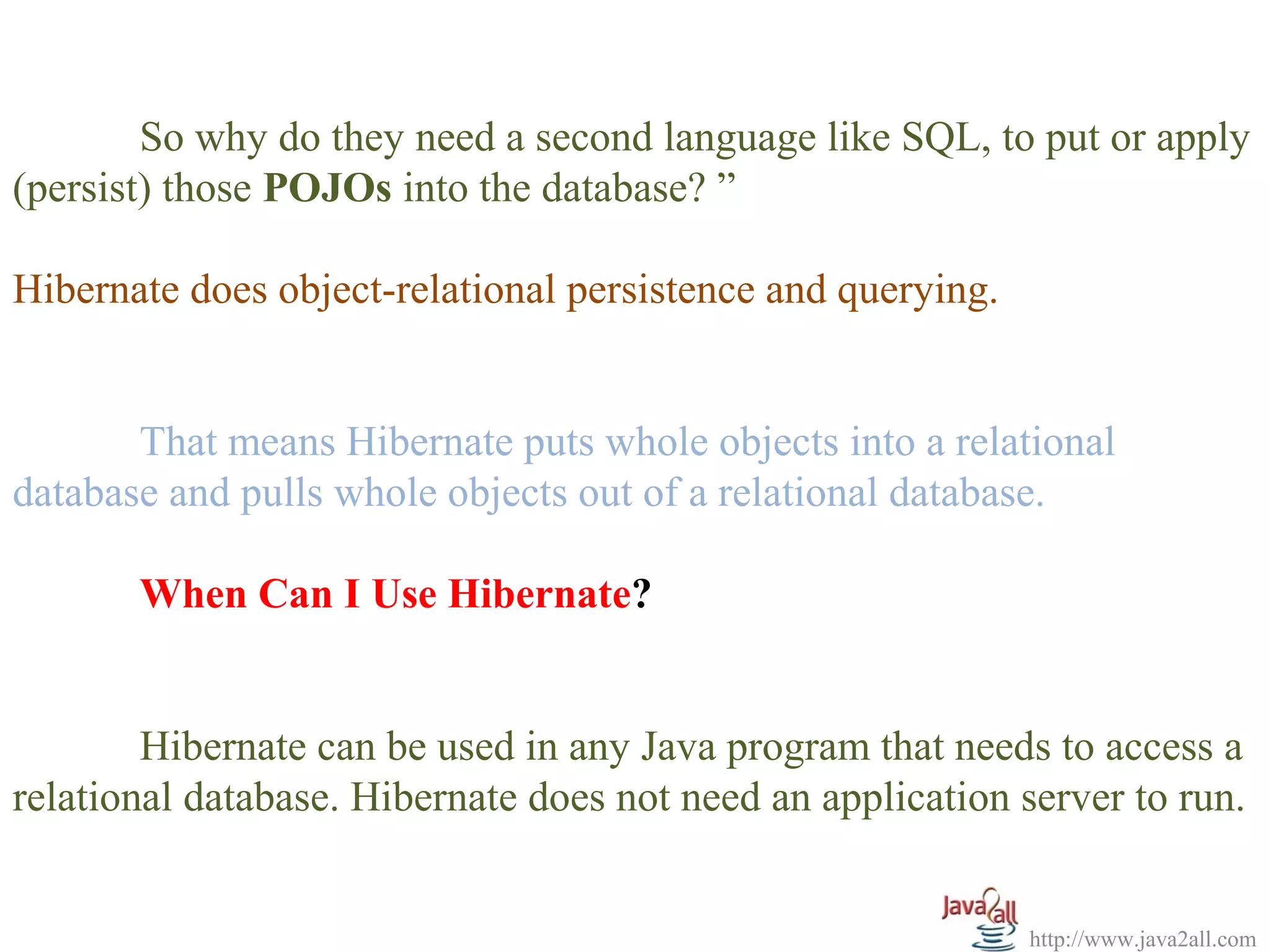
So why do they need a second language like SQL, to put or apply
(persist) those POJOs into the database? ”
Hibernate does object-relational persistence and querying.
That means Hibernate puts whole objects into a relational
database and pulls whole objects out of a relational database.
When Can I Use Hibernate?
Hibernate can be used in any Java program that needs to access a
relational database. Hibernate does not need an application server to run.
http://www.java2all.com
When Should I Use Hibernate?
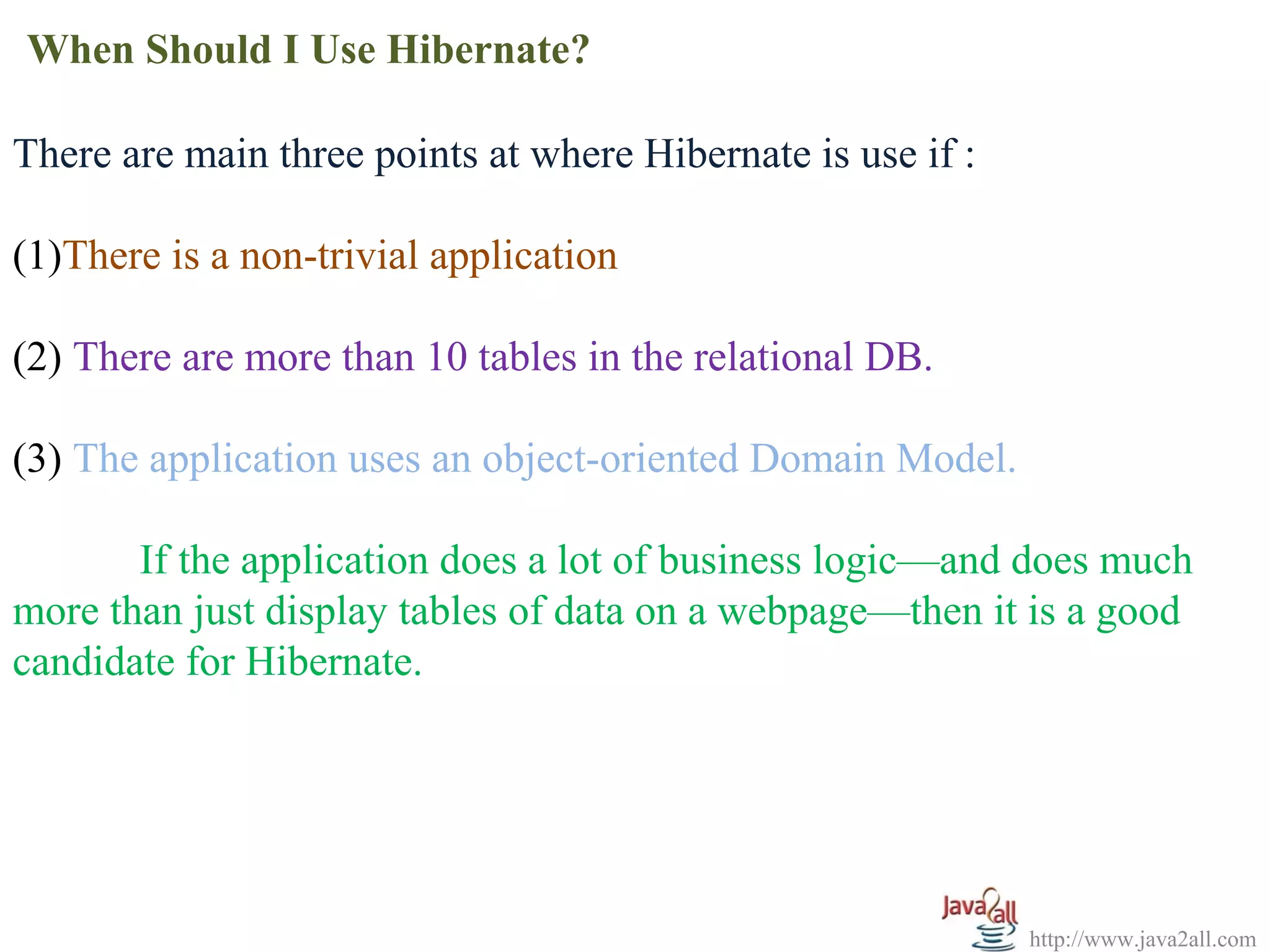
There are main three points at where Hibernate is use if :
(1)There is a non-trivial application
(2) There are more than 10 tables in the relational DB.
(3) The application uses an object-oriented Domain Model.
If the application does a lot of business logic—and does much
more than just display tables of data on a webpage—then it is a good
candidate for Hibernate.
http://www.java2all.com
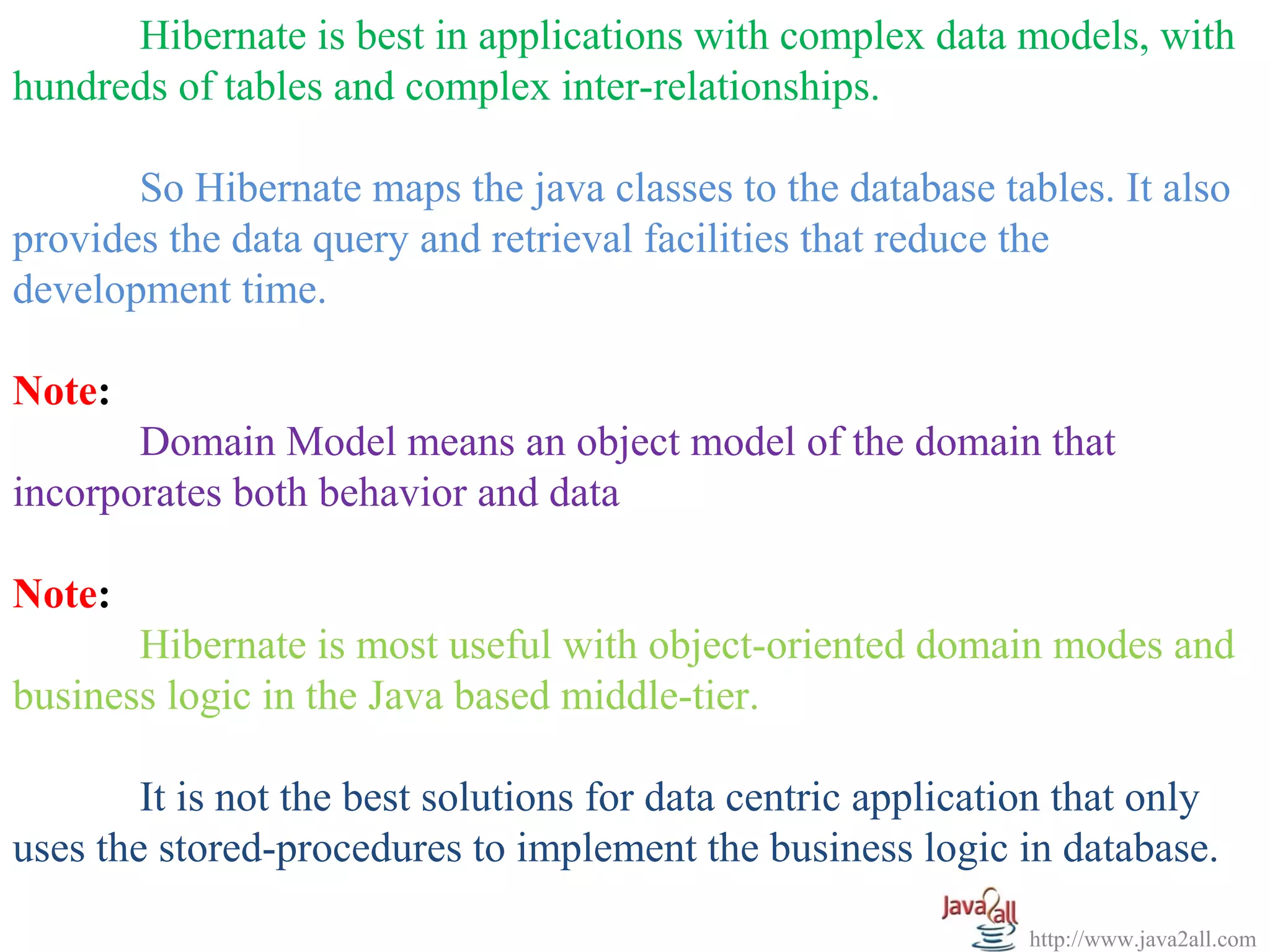
Hibernate is best in applications with complex data models, with
hundreds of tables and complex inter-relationships.
So Hibernate maps the java classes to the database tables. It also
provides the data query and retrieval facilities that reduce the
development time.
Note:
Domain Model means an object model of the domain that
incorporates both behavior and data
Note:
Hibernate is most useful with object-oriented domain modes and
business logic in the Java based middle-tier.
It is not the best solutions for data centric application that only
uses the stored-procedures to implement the business logic in database.
Java Hibernate
Architecture
http://www.java2all.com
To use Hibernate, it is required to create Java classes that
represents a table in the database and then map the instance variable in
the class with the columns in the database.
Then Hibernate can be used to perform operations on the
database like select, insert, update and delete the records in the table.
Hibernate automatically creates the query to perform these
operations.
For that Hibernate architecture has three main components:
(1) Connection Management
(2) Transaction management
(3) Object relational mapping
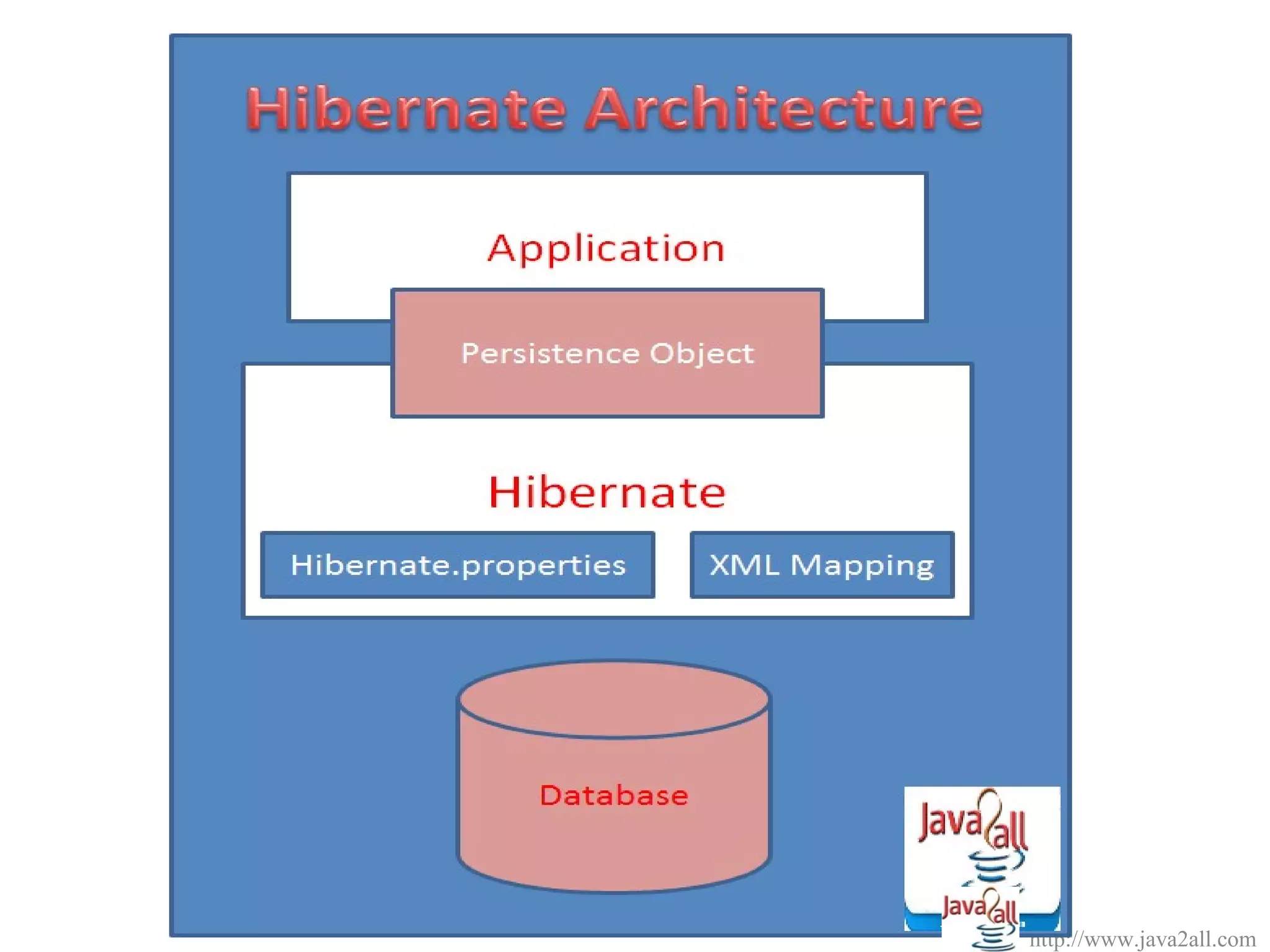
The following diagram describes the high level architecture of hibernate:
http://www.java2all.com
The above diagram shows that Hibernate is using the
database and configuration Data(Hibernate.prpperties and XML
Mappping) to provide persistence services (and persistent
objects) to the application.
(1) Connection Management:
Hibernate Connection management service provide efficient
management of the database connections. Database connection is
the most expensive part of interacting with the database as it
requires a lot of resources of open and close the database
connection.
http://www.java2all.com
(2) Transaction management:
Transaction management service provides the ability to the user
to execute more than one database statements at a time.
(3) Object relational mapping:
Object relational mapping is technique of mapping the data
representation from an object model to a relational data model.
This part of hibernate is used to select, insert, update and delete
the records form the underlying table.
http://www.java2all.com
When we pass an object to a Session.save() method, Hibernate
reads the state of the variables of that object and executes the necessary
query.
Hibernate provides a lot of flexibility in use. It is called "Lite"
architecture when we only use the object relational mapping component.
While in "Full Cream" architecture all the three components
object Relational mapping, Connection Management and transaction
Management) are used.
http://www.java2all.com
NOTE:
Hibernate is very good tool as far as object relational mapping is
concern, but in terms of connection management and transaction
management, it is lacking in performance and capabilities.
So usually hibernate is being used with other connection management
and transaction management tools.
For example apache DBCP is used for connection pooling with
the Hibernate.
Java Hibernate Example
http://www.java2all.com
Write a java hibernate example or program to insert a record in
database.
NOTE:
The all theoretical steps, source code and program to insert a
record in database is described below and the steps you should perform
in MyEclipse to do java hibernate example is available in above video.
Step 1: Right Click on project and select My Eclipse and then select the
Add Hibernate Capabilities.
Step 2: Now Click on Next Button.
Step 3: Again Click on Next Button.
Step 4: Select the appropriate database at DB Driver combo box and
then click on Next button.
http://www.java2all.com
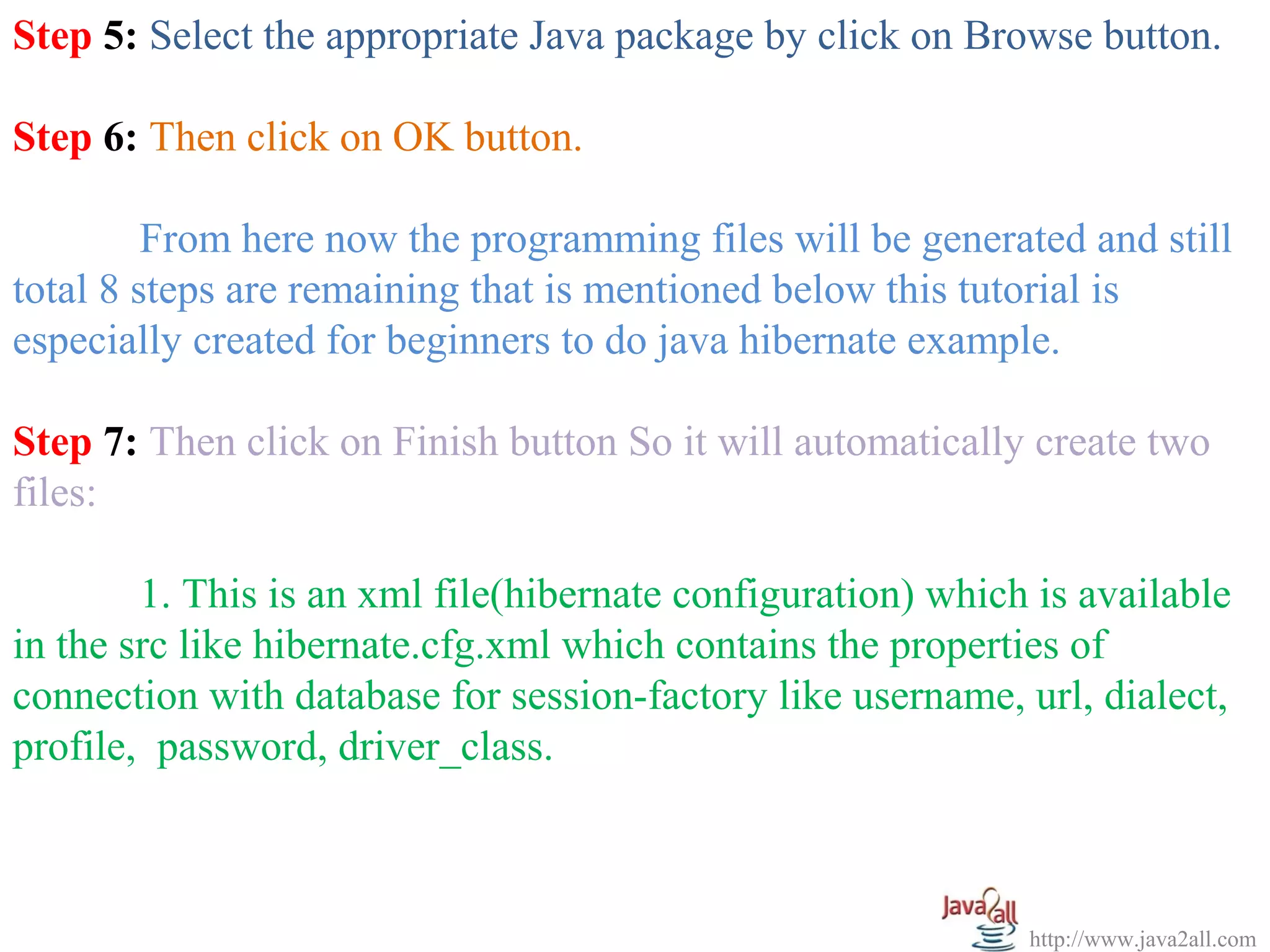
Step 5: Select the appropriate Java package by click on Browse button.
Step 6: Then click on OK button.
From here now the programming files will be generated and still
total 8 steps are remaining that is mentioned below this tutorial is
especially created for beginners to do java hibernate example.
Step 7: Then click on Finish button So it will automatically create two
files:
1. This is an xml file(hibernate configuration) which is available
in the src like hibernate.cfg.xml which contains the properties of
connection with database for session-factory like username, url, dialect,
profile, password, driver_class.
http://www.java2all.com
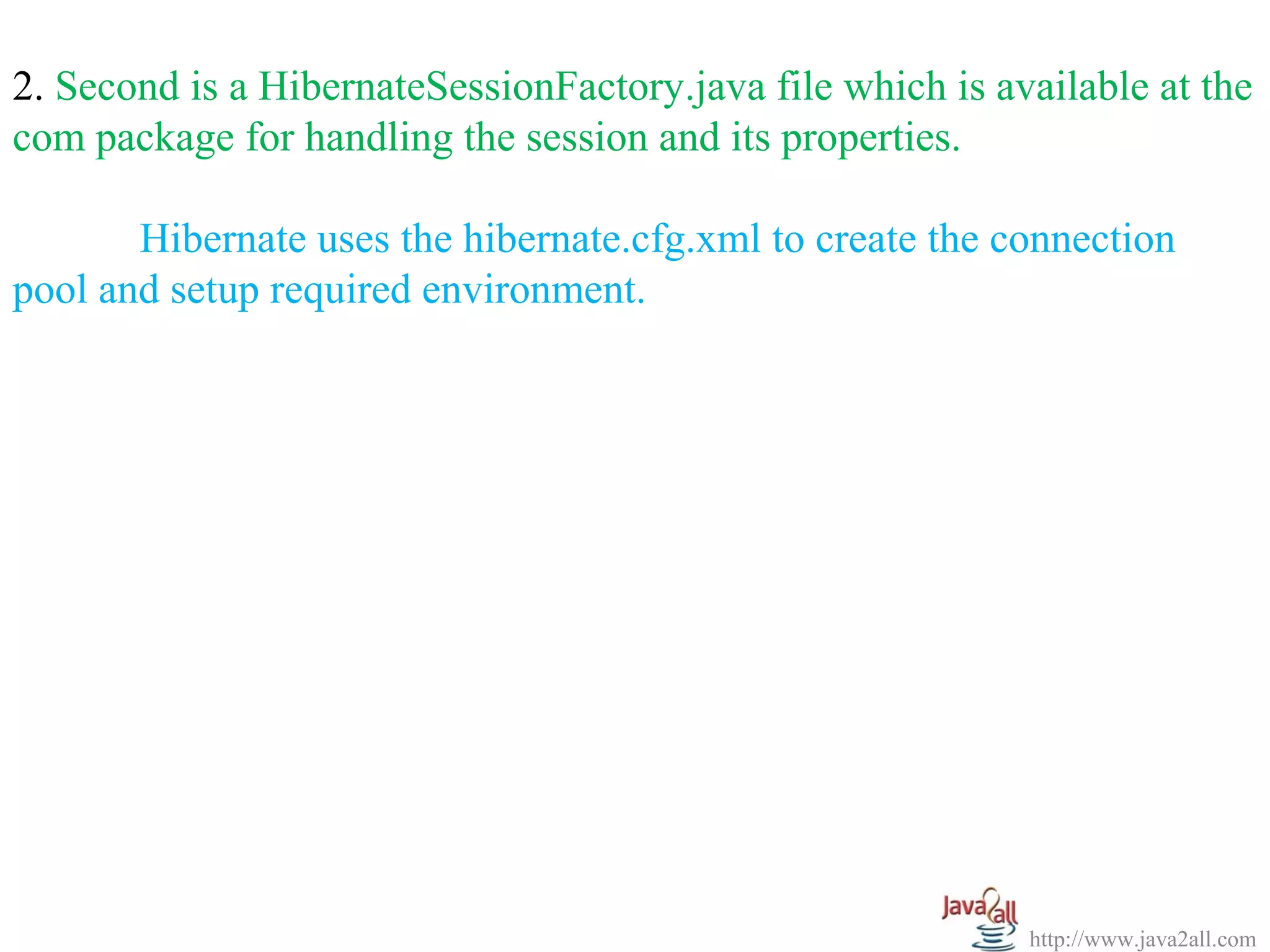
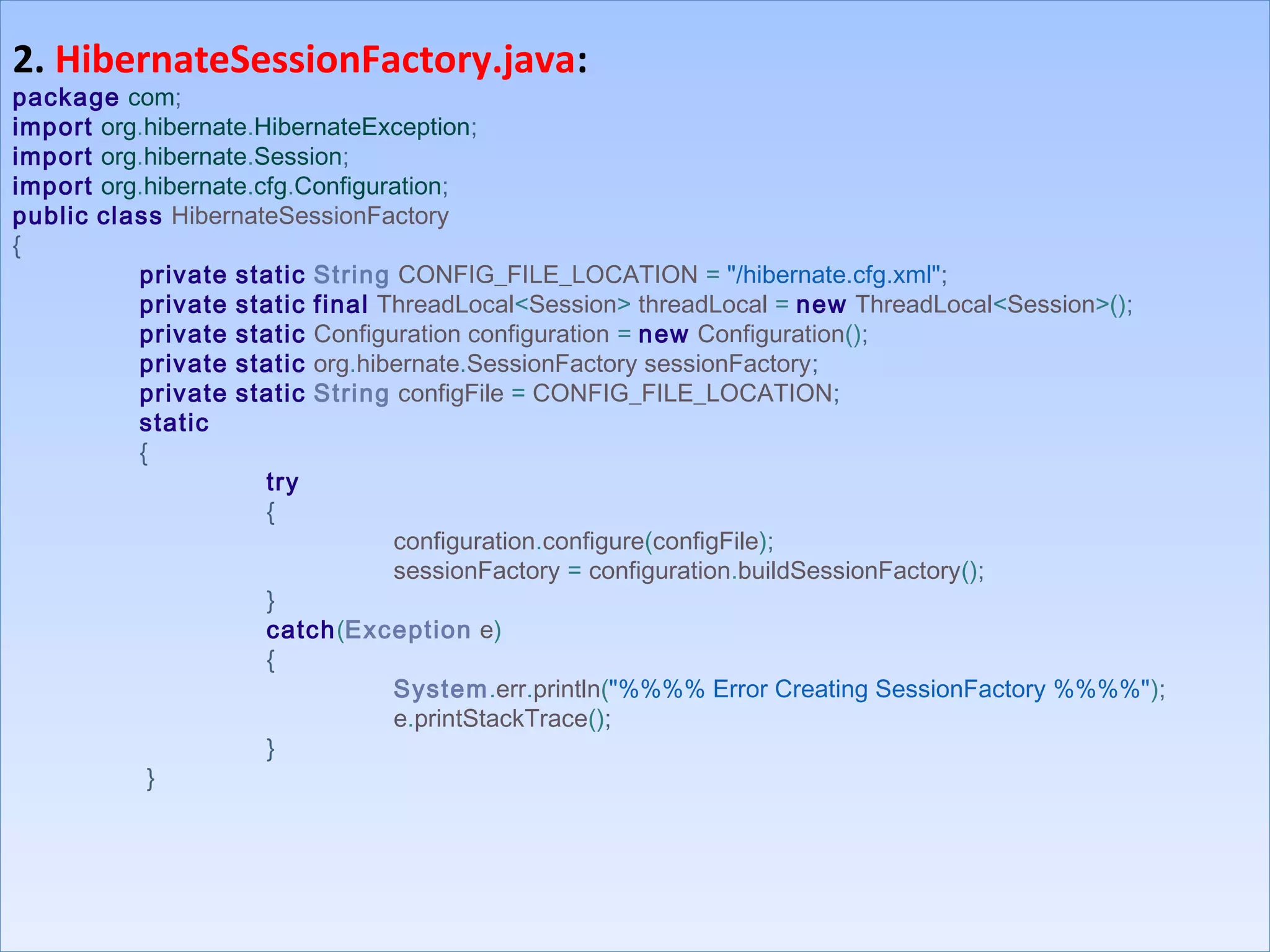
2. Second is a HibernateSessionFactory.java file which is available at the
com package for handling the session and its properties.
Hibernate uses the hibernate.cfg.xml to create the connection
pool and setup required environment.
http://www.java2all.com
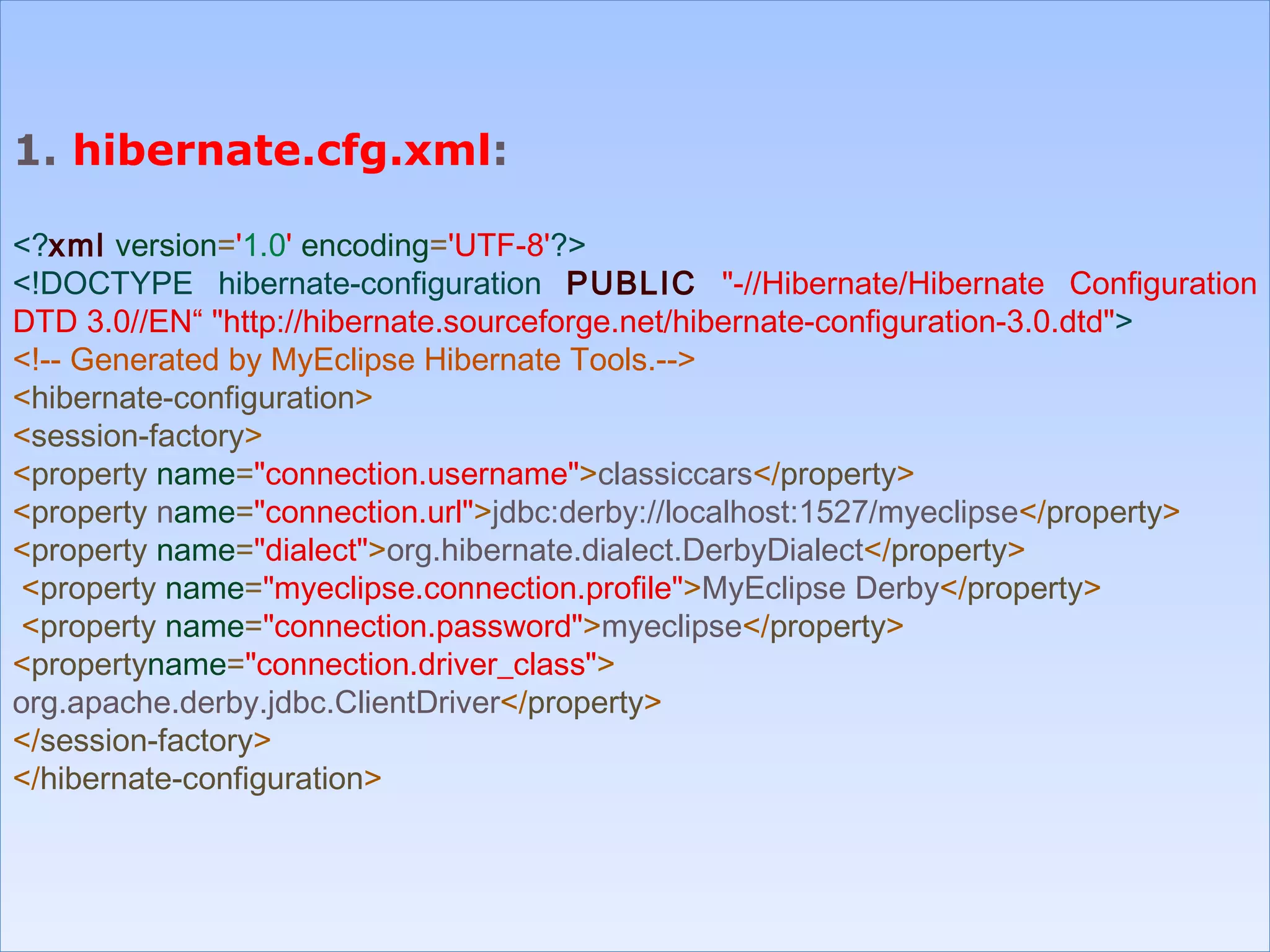
1. hibernate.cfg.xml:
<?xml version='1.0' encoding='UTF-8'?>
<!DOCTYPE hibernate-configuration PUBLIC "-//Hibernate/Hibernate Configuration
DTD 3.0//EN“ "http://hibernate.sourceforge.net/hibernate-configuration-3.0.dtd">
<!-- Generated by MyEclipse Hibernate Tools.-->
<hibernate-configuration>
<session-factory>
<property name="connection.username">classiccars</property>
<property name="connection.url">jdbc:derby://localhost:1527/myeclipse</property>
<property name="dialect">org.hibernate.dialect.DerbyDialect</property>
<property name="myeclipse.connection.profile">MyEclipse Derby</property>
<property name="connection.password">myeclipse</property>
<propertyname="connection.driver_class">
org.apache.derby.jdbc.ClientDriver</property>
</session-factory>
</hibernate-configuration>
1. hibernate.cfg.xml:
<?xml version='1.0' encoding='UTF-8'?>
<!DOCTYPE hibernate-configuration PUBLIC "-//Hibernate/Hibernate Configuration
DTD 3.0//EN“ "http://hibernate.sourceforge.net/hibernate-configuration-3.0.dtd">
<!-- Generated by MyEclipse Hibernate Tools.-->
<hibernate-configuration>
<session-factory>
<property name="connection.username">classiccars</property>
<property name="connection.url">jdbc:derby://localhost:1527/myeclipse</property>
<property name="dialect">org.hibernate.dialect.DerbyDialect</property>
<property name="myeclipse.connection.profile">MyEclipse Derby</property>
<property name="connection.password">myeclipse</property>
<propertyname="connection.driver_class">
org.apache.derby.jdbc.ClientDriver</property>
</session-factory>
</hibernate-configuration>
http://www.java2all.com
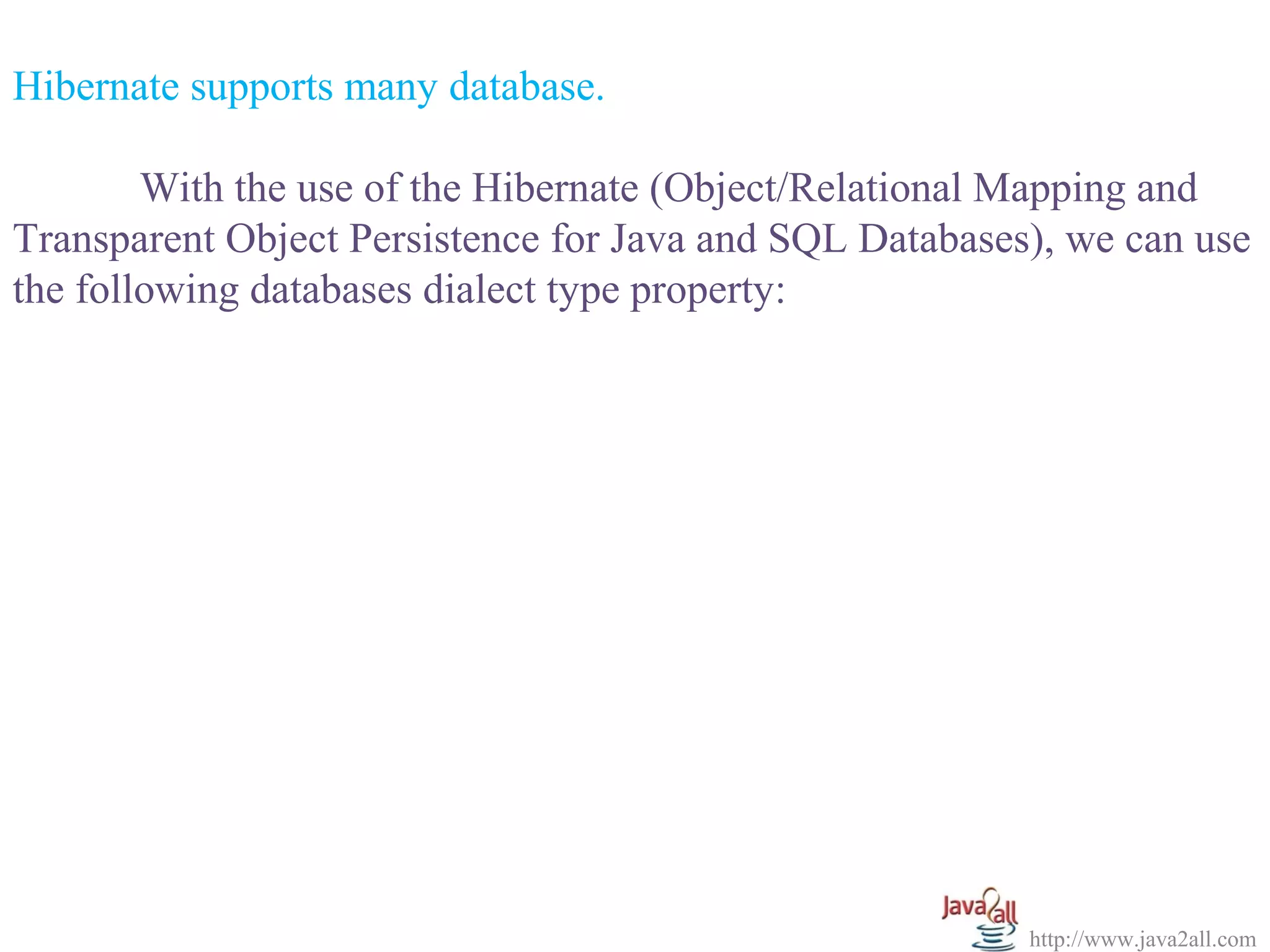
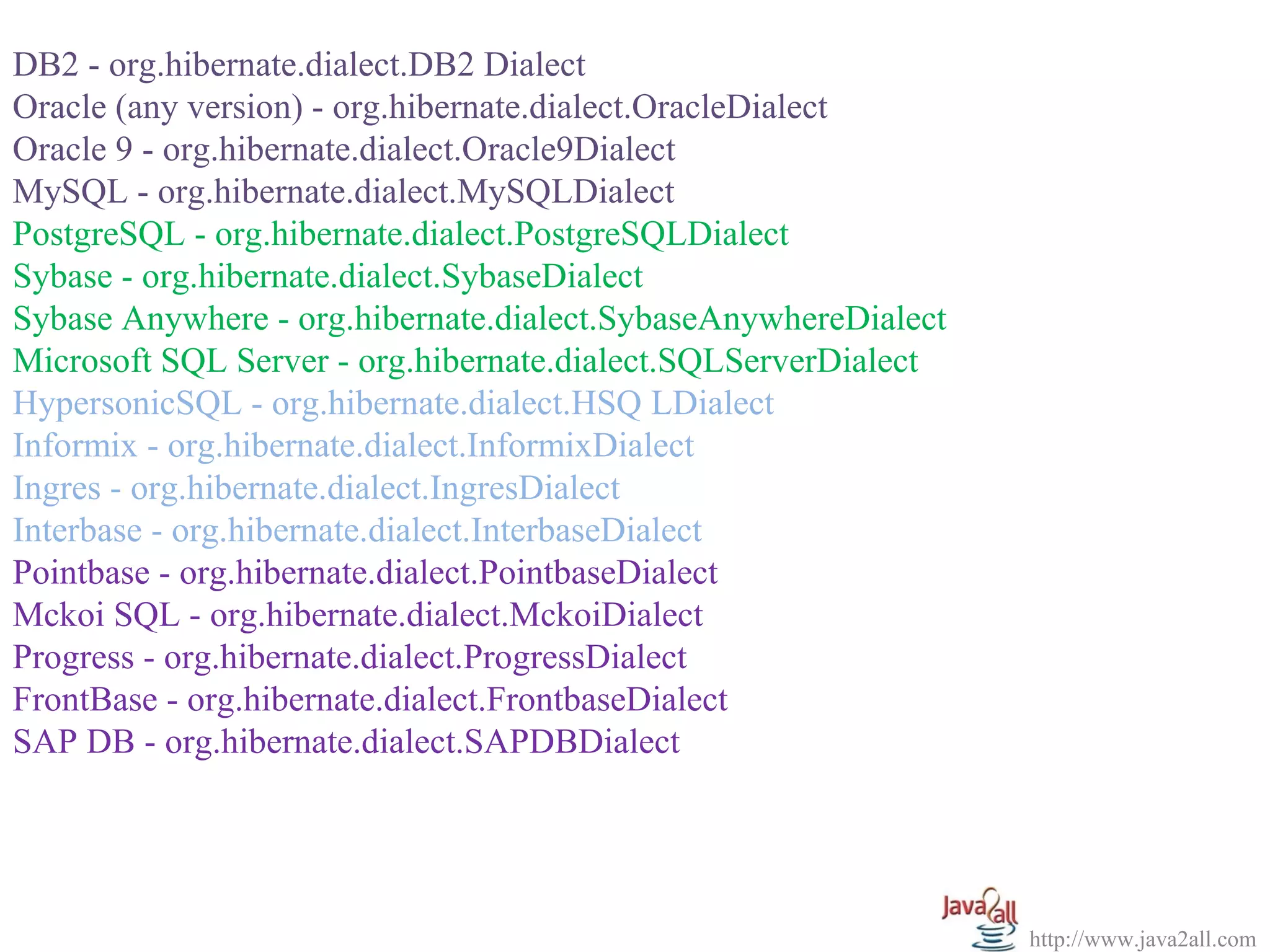
Hibernate supports many database.
With the use of the Hibernate (Object/Relational Mapping and
Transparent Object Persistence for Java and SQL Databases), we can use
the following databases dialect type property:
http://www.java2all.com
DB2 - org.hibernate.dialect.DB2 Dialect
Oracle (any version) - org.hibernate.dialect.OracleDialect
Oracle 9 - org.hibernate.dialect.Oracle9Dialect
MySQL - org.hibernate.dialect.MySQLDialect
PostgreSQL - org.hibernate.dialect.PostgreSQLDialect
Sybase - org.hibernate.dialect.SybaseDialect
Sybase Anywhere - org.hibernate.dialect.SybaseAnywhereDialect
Microsoft SQL Server - org.hibernate.dialect.SQLServerDialect
HypersonicSQL - org.hibernate.dialect.HSQ LDialect
Informix - org.hibernate.dialect.InformixDialect
Ingres - org.hibernate.dialect.IngresDialect
Interbase - org.hibernate.dialect.InterbaseDialect
Pointbase - org.hibernate.dialect.PointbaseDialect
Mckoi SQL - org.hibernate.dialect.MckoiDialect
Progress - org.hibernate.dialect.ProgressDialect
FrontBase - org.hibernate.dialect.FrontbaseDialect
SAP DB - org.hibernate.dialect.SAPDBDialect
http://www.java2all.com
2. HibernateSessionFactory.java:
package com;
import org.hibernate.HibernateException;
import org.hibernate.Session;
import org.hibernate.cfg.Configuration;
public class HibernateSessionFactory
{
private static String CONFIG_FILE_LOCATION = "/hibernate.cfg.xml";
private static final ThreadLocal<Session> threadLocal = new ThreadLocal<Session>();
private static Configuration configuration = new Configuration();
private static org.hibernate.SessionFactory sessionFactory;
private static String configFile = CONFIG_FILE_LOCATION;
static
{
try
{
configuration.configure(configFile);
sessionFactory = configuration.buildSessionFactory();
}
catch(Exception e)
{
System.err.println("%%%% Error Creating SessionFactory %%%%");
e.printStackTrace();
}
}
2. HibernateSessionFactory.java:
package com;
import org.hibernate.HibernateException;
import org.hibernate.Session;
import org.hibernate.cfg.Configuration;
public class HibernateSessionFactory
{
private static String CONFIG_FILE_LOCATION = "/hibernate.cfg.xml";
private static final ThreadLocal<Session> threadLocal = new ThreadLocal<Session>();
private static Configuration configuration = new Configuration();
private static org.hibernate.SessionFactory sessionFactory;
private static String configFile = CONFIG_FILE_LOCATION;
static
{
try
{
configuration.configure(configFile);
sessionFactory = configuration.buildSessionFactory();
}
catch(Exception e)
{
System.err.println("%%%% Error Creating SessionFactory %%%%");
e.printStackTrace();
}
}
http://www.java2all.com
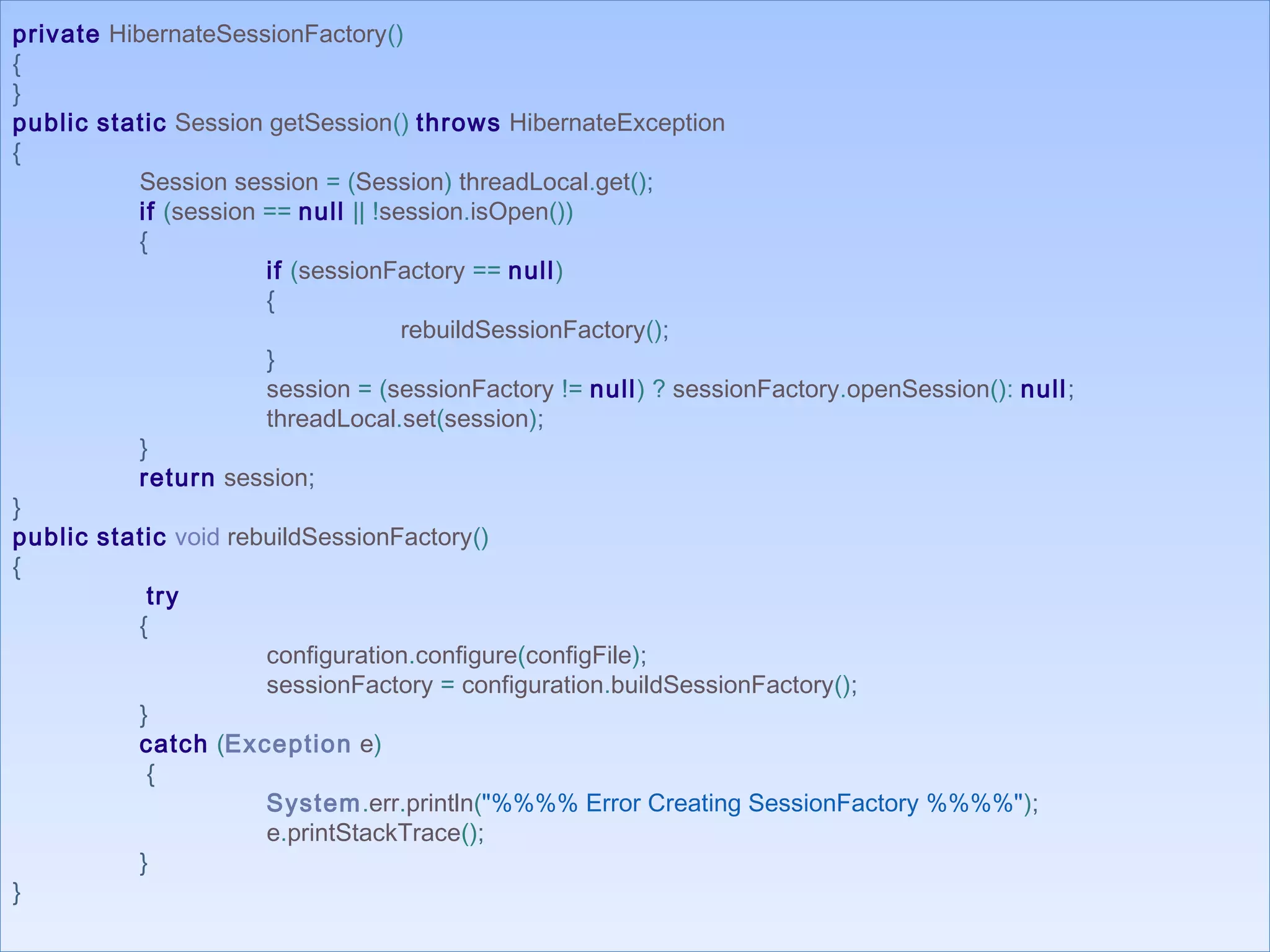
private HibernateSessionFactory()
{
}
public static Session getSession() throws HibernateException
{
Session session = (Session) threadLocal.get();
if (session == null || !session.isOpen())
{
if (sessionFactory == null)
{
rebuildSessionFactory();
}
session = (sessionFactory != null) ? sessionFactory.openSession(): null;
threadLocal.set(session);
}
return session;
}
public static void rebuildSessionFactory()
{
try
{
configuration.configure(configFile);
sessionFactory = configuration.buildSessionFactory();
}
catch (Exception e)
{
System.err.println("%%%% Error Creating SessionFactory %%%%");
e.printStackTrace();
}
}
private HibernateSessionFactory()
{
}
public static Session getSession() throws HibernateException
{
Session session = (Session) threadLocal.get();
if (session == null || !session.isOpen())
{
if (sessionFactory == null)
{
rebuildSessionFactory();
}
session = (sessionFactory != null) ? sessionFactory.openSession(): null;
threadLocal.set(session);
}
return session;
}
public static void rebuildSessionFactory()
{
try
{
configuration.configure(configFile);
sessionFactory = configuration.buildSessionFactory();
}
catch (Exception e)
{
System.err.println("%%%% Error Creating SessionFactory %%%%");
e.printStackTrace();
}
}
http://www.java2all.com
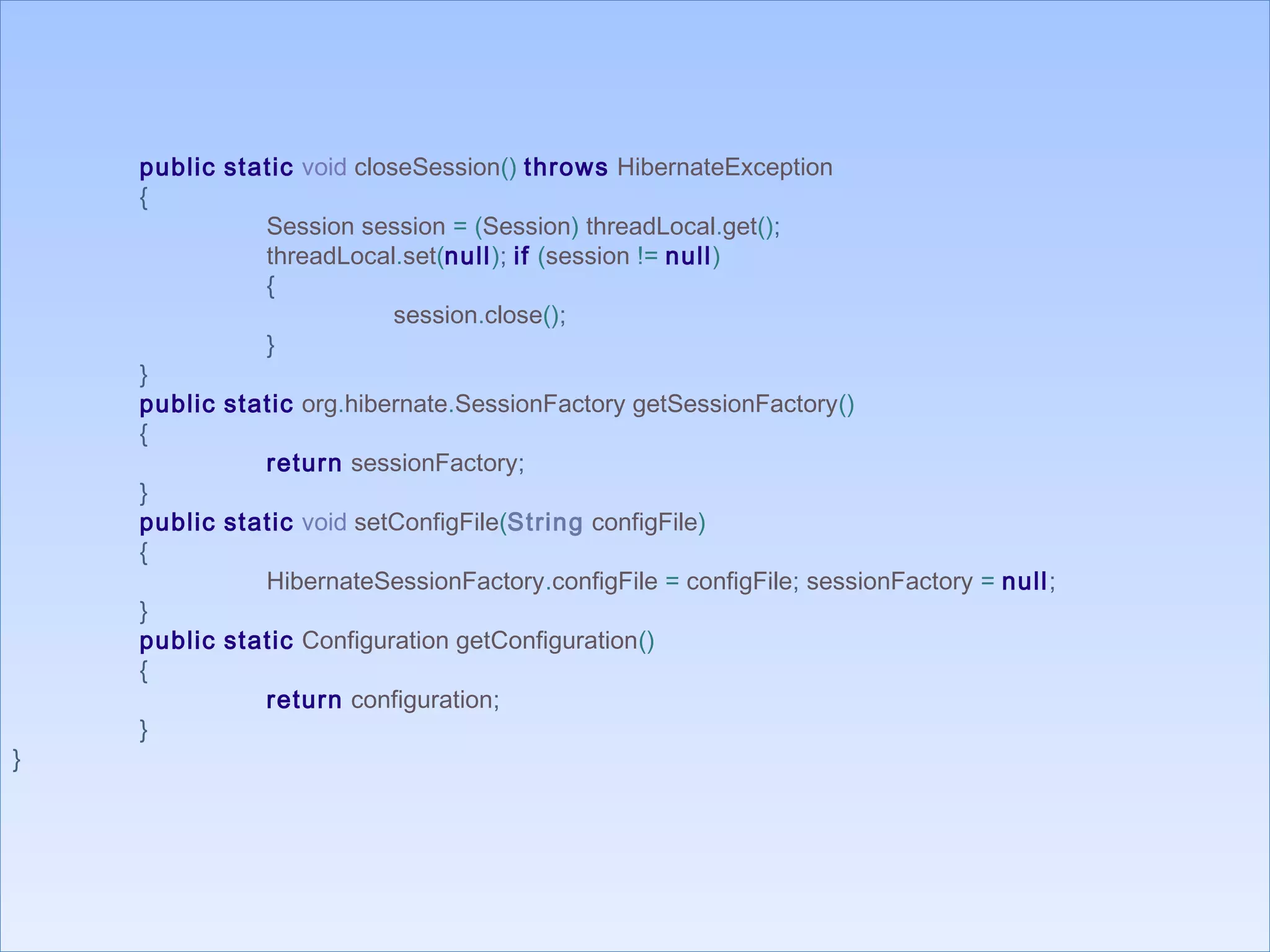
public static void closeSession() throws HibernateException
{
Session session = (Session) threadLocal.get();
threadLocal.set(null); if (session != null)
{
session.close();
}
}
public static org.hibernate.SessionFactory getSessionFactory()
{
return sessionFactory;
}
public static void setConfigFile(String configFile)
{
HibernateSessionFactory.configFile = configFile; sessionFactory = null;
}
public static Configuration getConfiguration()
{
return configuration;
}
}
public static void closeSession() throws HibernateException
{
Session session = (Session) threadLocal.get();
threadLocal.set(null); if (session != null)
{
session.close();
}
}
public static org.hibernate.SessionFactory getSessionFactory()
{
return sessionFactory;
}
public static void setConfigFile(String configFile)
{
HibernateSessionFactory.configFile = configFile; sessionFactory = null;
}
public static Configuration getConfiguration()
{
return configuration;
}
}
http://www.java2all.com
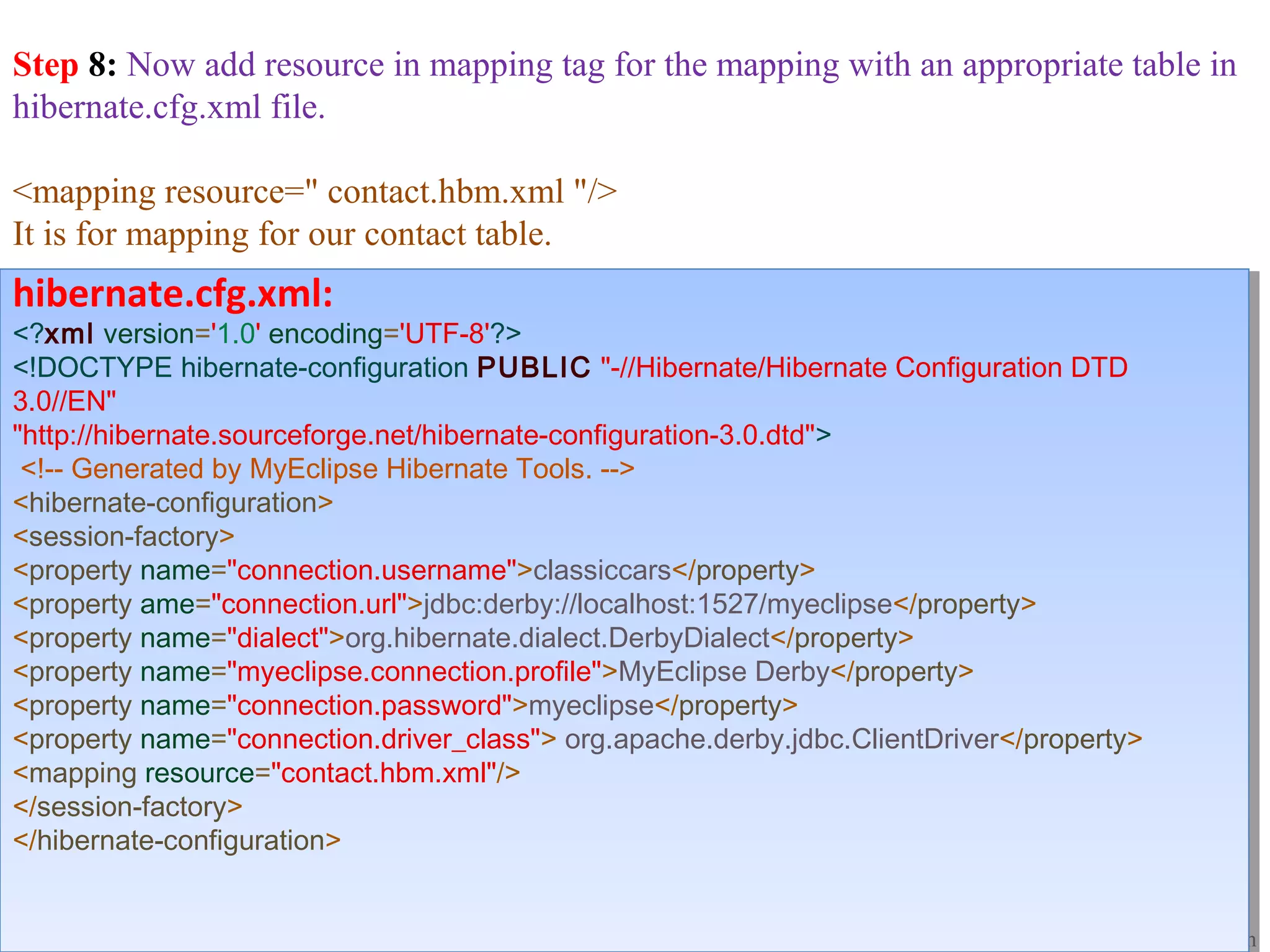
Step 8: Now add resource in mapping tag for the mapping with an appropriate table in
hibernate.cfg.xml file.
<mapping resource=" contact.hbm.xml "/>
It is for mapping for our contact table.
hibernate.cfg.xml:
<?xml version='1.0' encoding='UTF-8'?>
<!DOCTYPE hibernate-configuration PUBLIC "-//Hibernate/Hibernate Configuration DTD
3.0//EN"
"http://hibernate.sourceforge.net/hibernate-configuration-3.0.dtd">
<!-- Generated by MyEclipse Hibernate Tools. -->
<hibernate-configuration>
<session-factory>
<property name="connection.username">classiccars</property>
<property ame="connection.url">jdbc:derby://localhost:1527/myeclipse</property>
<property name="dialect">org.hibernate.dialect.DerbyDialect</property>
<property name="myeclipse.connection.profile">MyEclipse Derby</property>
<property name="connection.password">myeclipse</property>
<property name="connection.driver_class"> org.apache.derby.jdbc.ClientDriver</property>
<mapping resource="contact.hbm.xml"/>
</session-factory>
</hibernate-configuration>
hibernate.cfg.xml:
<?xml version='1.0' encoding='UTF-8'?>
<!DOCTYPE hibernate-configuration PUBLIC "-//Hibernate/Hibernate Configuration DTD
3.0//EN"
"http://hibernate.sourceforge.net/hibernate-configuration-3.0.dtd">
<!-- Generated by MyEclipse Hibernate Tools. -->
<hibernate-configuration>
<session-factory>
<property name="connection.username">classiccars</property>
<property ame="connection.url">jdbc:derby://localhost:1527/myeclipse</property>
<property name="dialect">org.hibernate.dialect.DerbyDialect</property>
<property name="myeclipse.connection.profile">MyEclipse Derby</property>
<property name="connection.password">myeclipse</property>
<property name="connection.driver_class"> org.apache.derby.jdbc.ClientDriver</property>
<mapping resource="contact.hbm.xml"/>
</session-factory>
</hibernate-configuration>
http://www.java2all.com
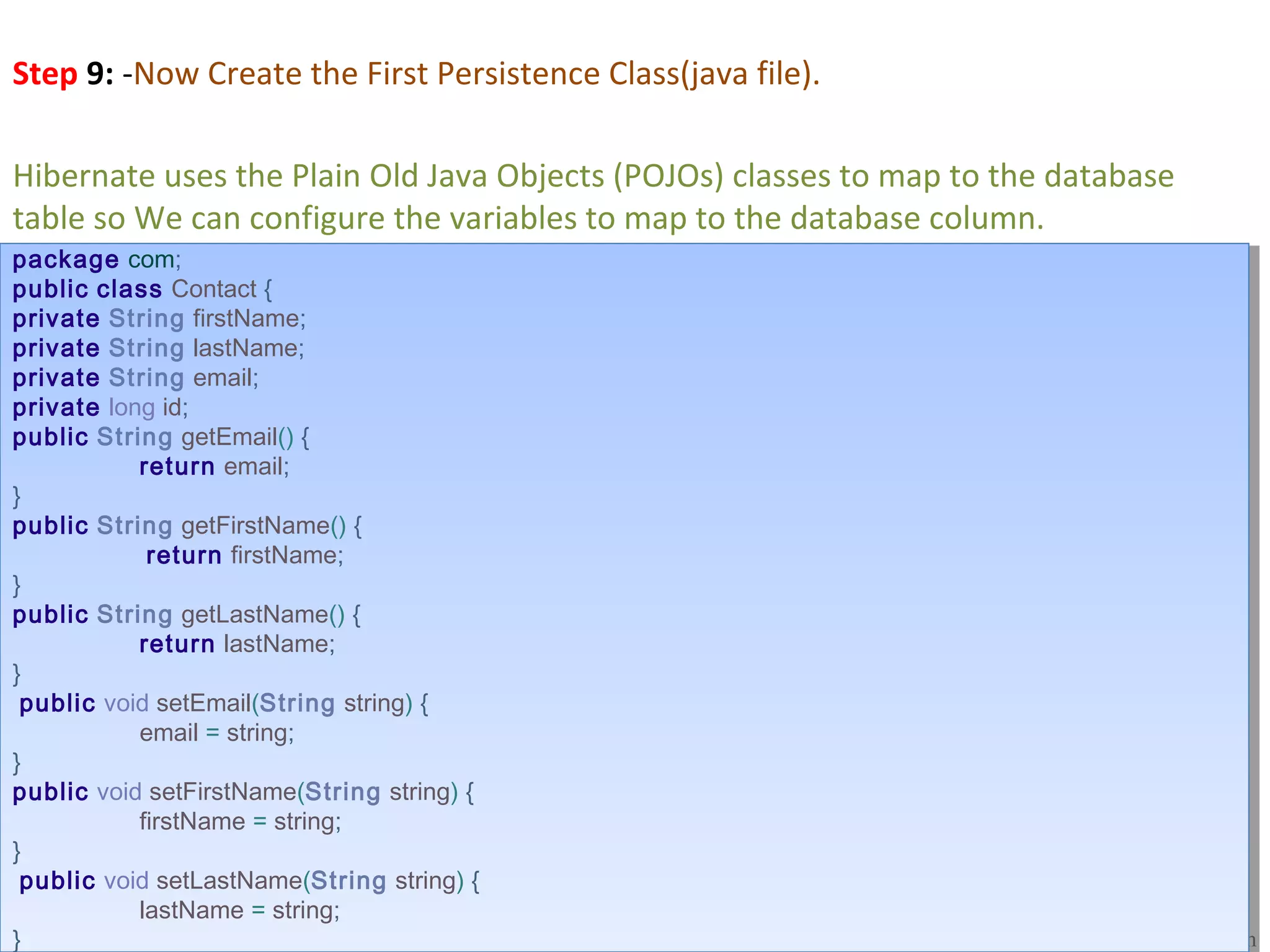
Step 9: -Now Create the First Persistence Class(java file).
Hibernate uses the Plain Old Java Objects (POJOs) classes to map to the database 
table so We can configure the variables to map to the database column.
package com;
public class Contact {
private String firstName;
private String lastName;
private String email;
private long id;
public String getEmail() {
return email;
}
public String getFirstName() {
return firstName;
}
public String getLastName() {
return lastName;
}
public void setEmail(String string) {
email = string;
}
public void setFirstName(String string) {
firstName = string;
}
public void setLastName(String string) {
lastName = string;
}
package com;
public class Contact {
private String firstName;
private String lastName;
private String email;
private long id;
public String getEmail() {
return email;
}
public String getFirstName() {
return firstName;
}
public String getLastName() {
return lastName;
}
public void setEmail(String string) {
email = string;
}
public void setFirstName(String string) {
firstName = string;
}
public void setLastName(String string) {
lastName = string;
}
http://www.java2all.com
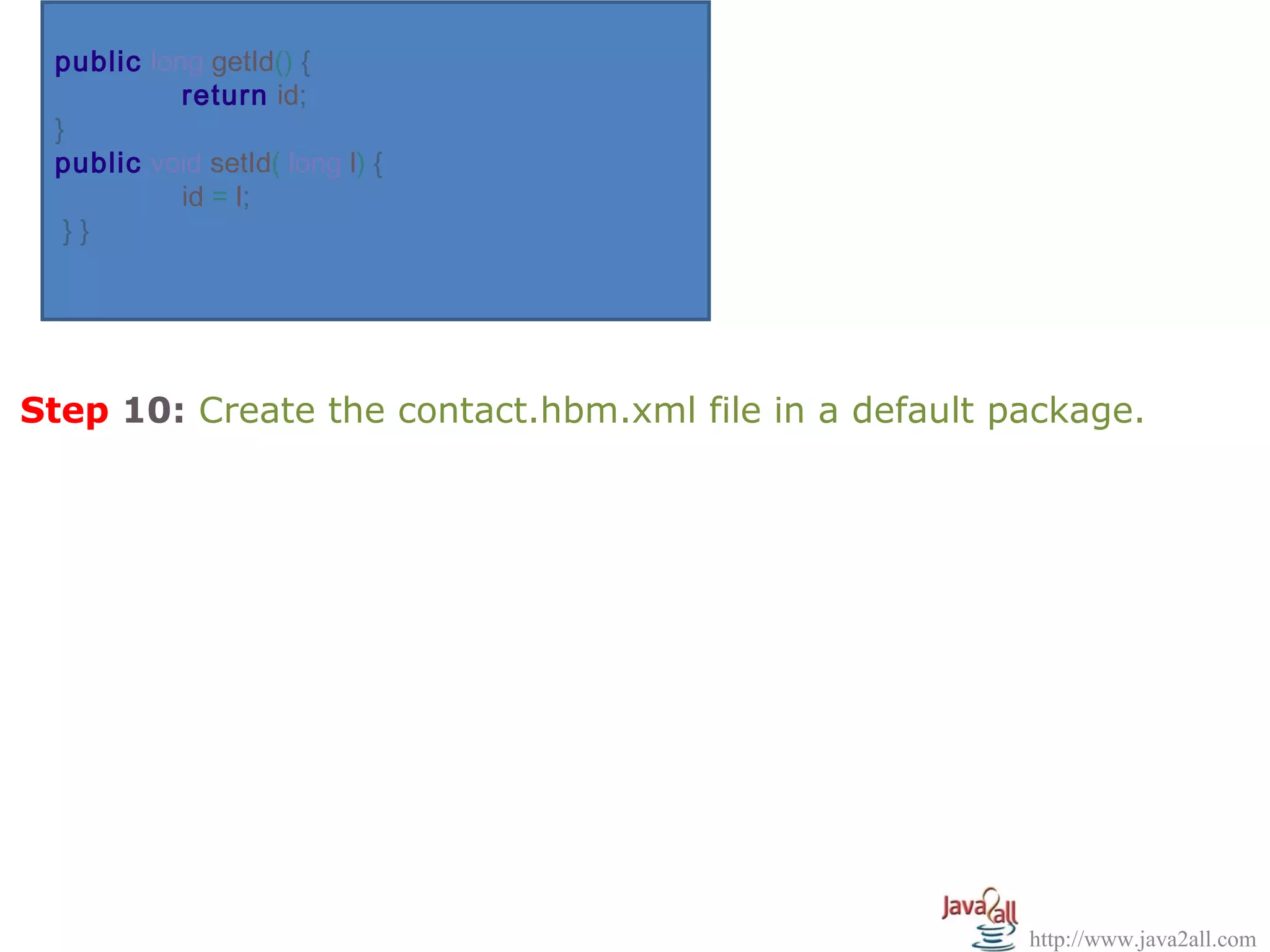
public long getId() {
return id;
}
public void setId( long l) {
id = l;
} }
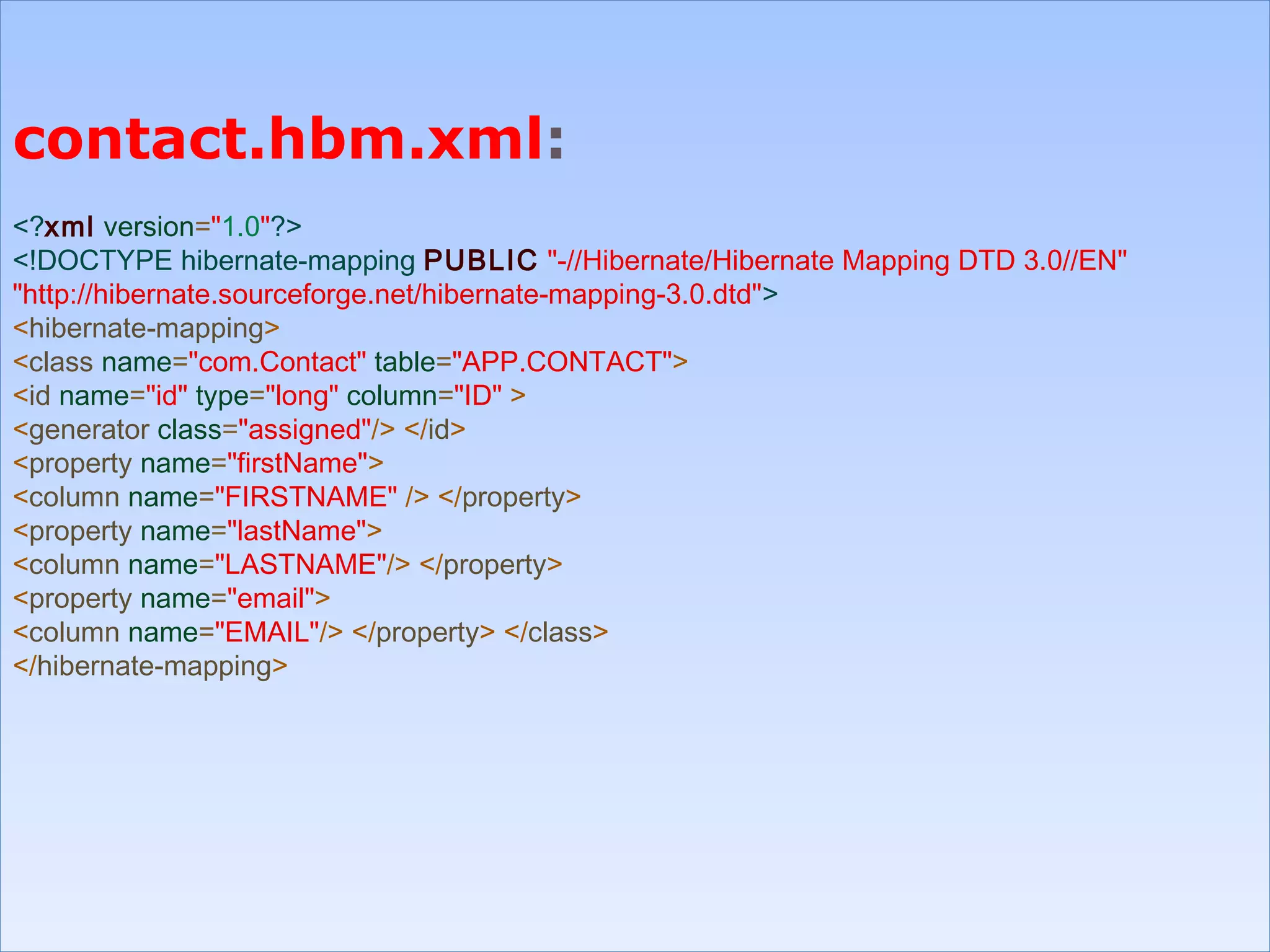
Step 10: Create the contact.hbm.xml file in a default package.
http://www.java2all.com
contact.hbm.xml:
<?xml version="1.0"?>
<!DOCTYPE hibernate-mapping PUBLIC "-//Hibernate/Hibernate Mapping DTD 3.0//EN"
"http://hibernate.sourceforge.net/hibernate-mapping-3.0.dtd">
<hibernate-mapping>
<class name="com.Contact" table="APP.CONTACT">
<id name="id" type="long" column="ID" >
<generator class="assigned"/> </id>
<property name="firstName">
<column name="FIRSTNAME" /> </property>
<property name="lastName">
<column name="LASTNAME"/> </property>
<property name="email">
<column name="EMAIL"/> </property> </class>
</hibernate-mapping>
contact.hbm.xml:
<?xml version="1.0"?>
<!DOCTYPE hibernate-mapping PUBLIC "-//Hibernate/Hibernate Mapping DTD 3.0//EN"
"http://hibernate.sourceforge.net/hibernate-mapping-3.0.dtd">
<hibernate-mapping>
<class name="com.Contact" table="APP.CONTACT">
<id name="id" type="long" column="ID" >
<generator class="assigned"/> </id>
<property name="firstName">
<column name="FIRSTNAME" /> </property>
<property name="lastName">
<column name="LASTNAME"/> </property>
<property name="email">
<column name="EMAIL"/> </property> </class>
</hibernate-mapping>
http://www.java2all.com
package hibernate_demo;
import java.util.Scanner;
import org.hibernate.Session;
import org.hibernate.SessionFactory;
import org.hibernate.cfg.Configuration;
import com.Contact;
public class FirstExample {
public static void main(String [] args)
{
Session session = null;
try {
SessionFactory sessionFactory = new
Configuration().configure().buildSessionFactory();
session =sessionFactory.openSession();
System.out.println( "Inserting Record…………");
Contact contact = new Contact();
Scanner s = new Scanner(System.in);
System.out.println("Enter Id : ");
int id = s.nextInt(); contact.setId(id);
package hibernate_demo;
import java.util.Scanner;
import org.hibernate.Session;
import org.hibernate.SessionFactory;
import org.hibernate.cfg.Configuration;
import com.Contact;
public class FirstExample {
public static void main(String [] args)
{
Session session = null;
try {
SessionFactory sessionFactory = new
Configuration().configure().buildSessionFactory();
session =sessionFactory.openSession();
System.out.println( "Inserting Record…………");
Contact contact = new Contact();
Scanner s = new Scanner(System.in);
System.out.println("Enter Id : ");
int id = s.nextInt(); contact.setId(id);
Step 11: Now create the java file by which the data is inserting in 
the table (CONTACT) at database.
http://www.java2all.com
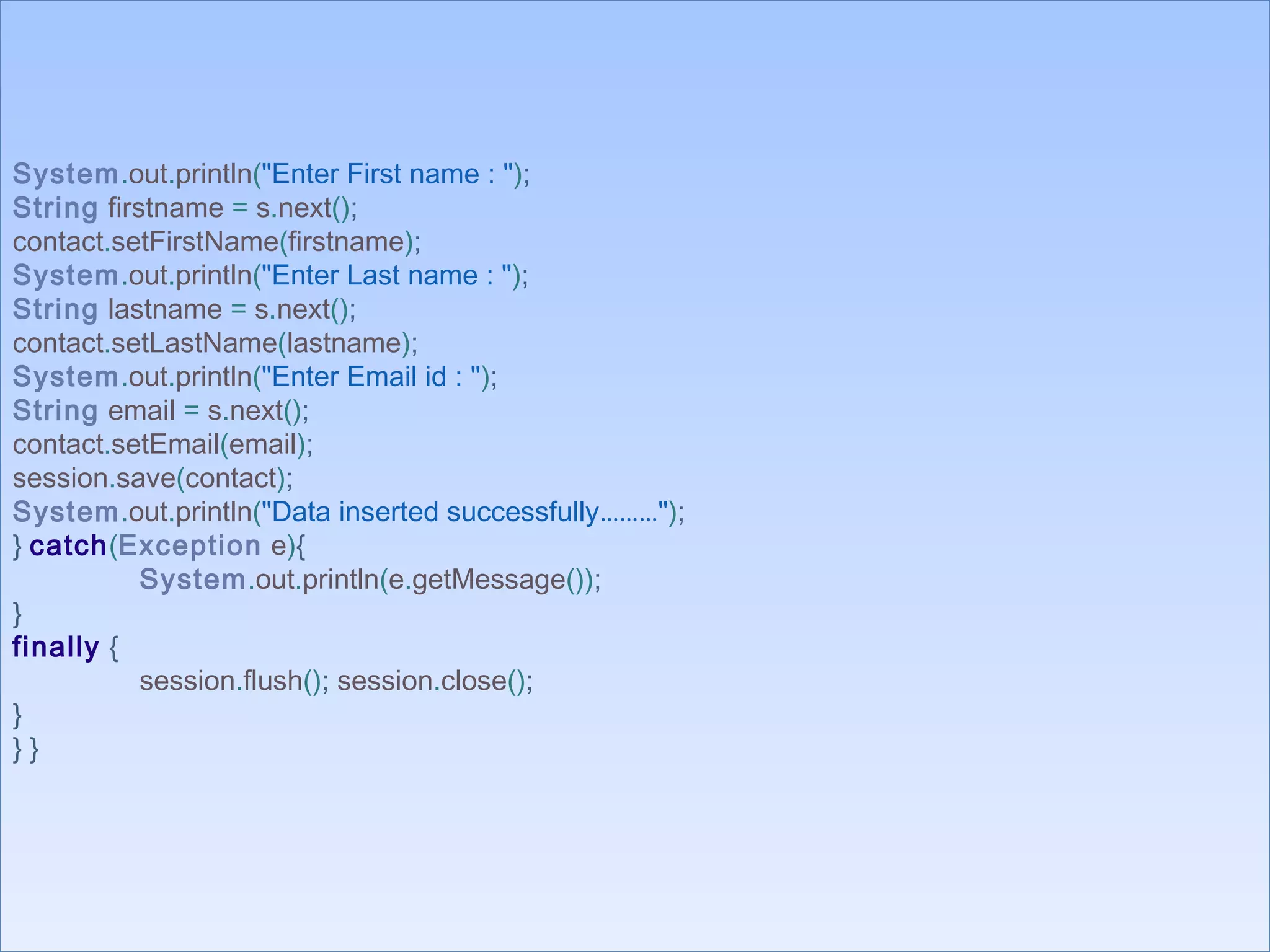
System.out.println("Enter First name : ");
String firstname = s.next();
contact.setFirstName(firstname);
System.out.println("Enter Last name : ");
String lastname = s.next();
contact.setLastName(lastname);
System.out.println("Enter Email id : ");
String email = s.next();
contact.setEmail(email);
session.save(contact);
System.out.println("Data inserted successfully………");
} catch(Exception e){
System.out.println(e.getMessage());
}
finally {
session.flush(); session.close();
}
} } 
System.out.println("Enter First name : ");
String firstname = s.next();
contact.setFirstName(firstname);
System.out.println("Enter Last name : ");
String lastname = s.next();
contact.setLastName(lastname);
System.out.println("Enter Email id : ");
String email = s.next();
contact.setEmail(email);
session.save(contact);
System.out.println("Data inserted successfully………");
} catch(Exception e){
System.out.println(e.getMessage());
}
finally {
session.flush(); session.close();
}
} } 
http://www.java2all.com
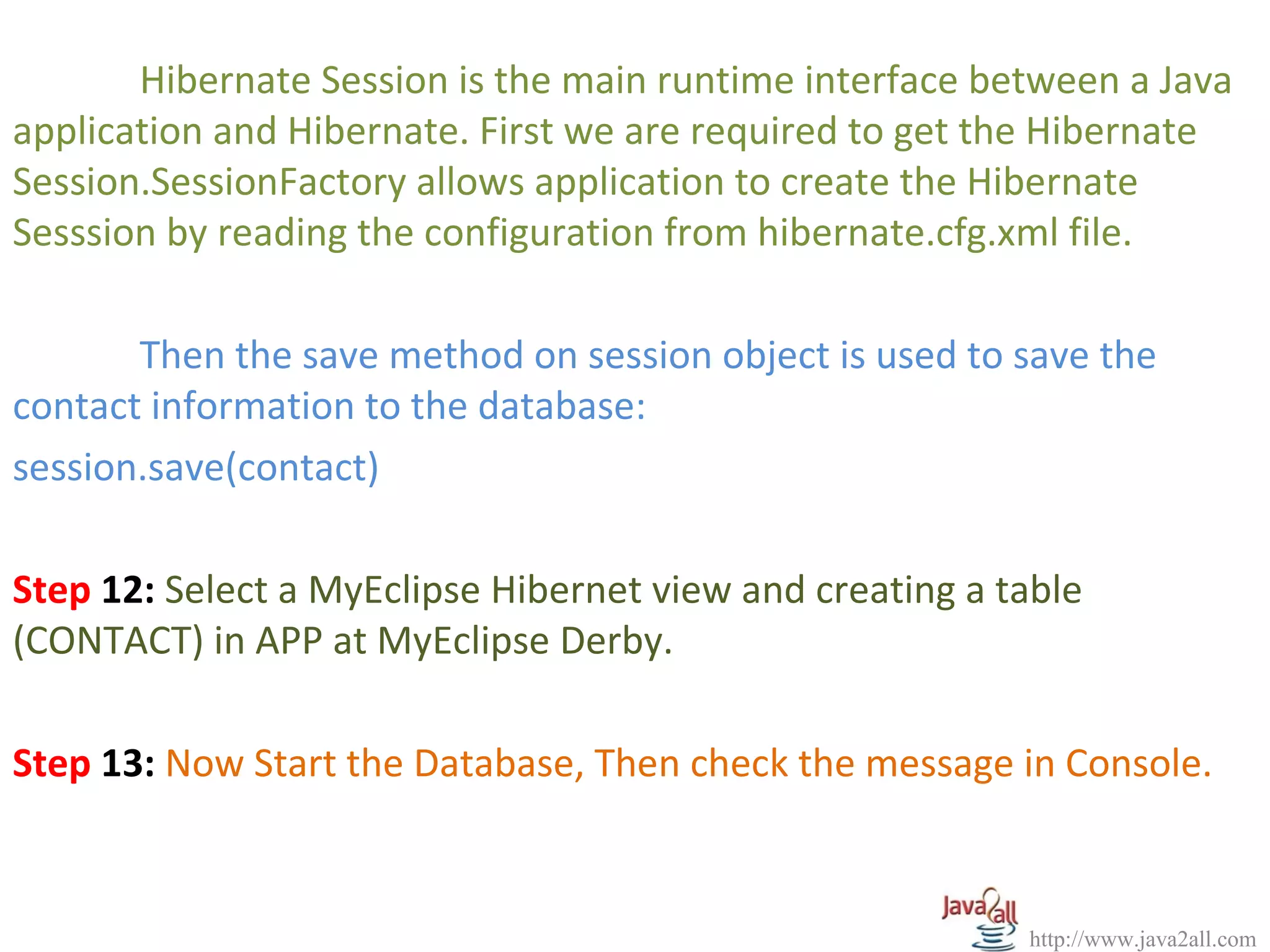
Hibernate Session is the main runtime interface between a Java 
application and Hibernate. First we are required to get the Hibernate 
Session.SessionFactory allows application to create the Hibernate 
Sesssion by reading the configuration from hibernate.cfg.xml file.
 
Then the save method on session object is used to save the 
contact information to the database:
session.save(contact)
 
Step 12: Select a MyEclipse Hibernet view and creating a table 
(CONTACT) in APP at MyEclipse Derby.
 
Step 13: Now Start the Database, Then check the message in Console.
http://www.java2all.com
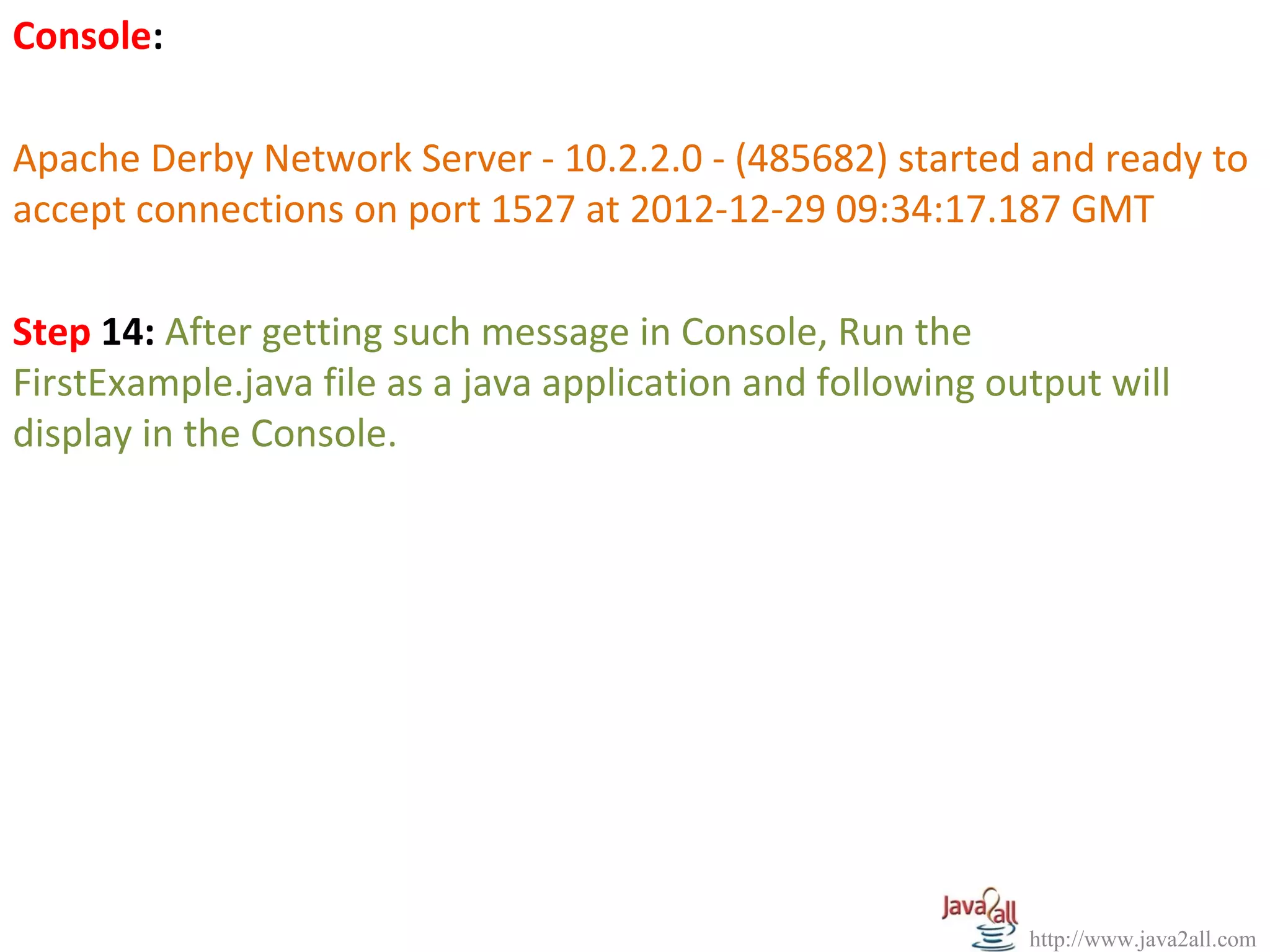
Console:
 
Apache Derby Network Server - 10.2.2.0 - (485682) started and ready to 
accept connections on port 1527 at 2012-12-29 09:34:17.187 GMT
 
Step 14: After getting such message in Console, Run the 
FirstExample.java file as a java application and following output will 
display in the Console.
http://www.java2all.com
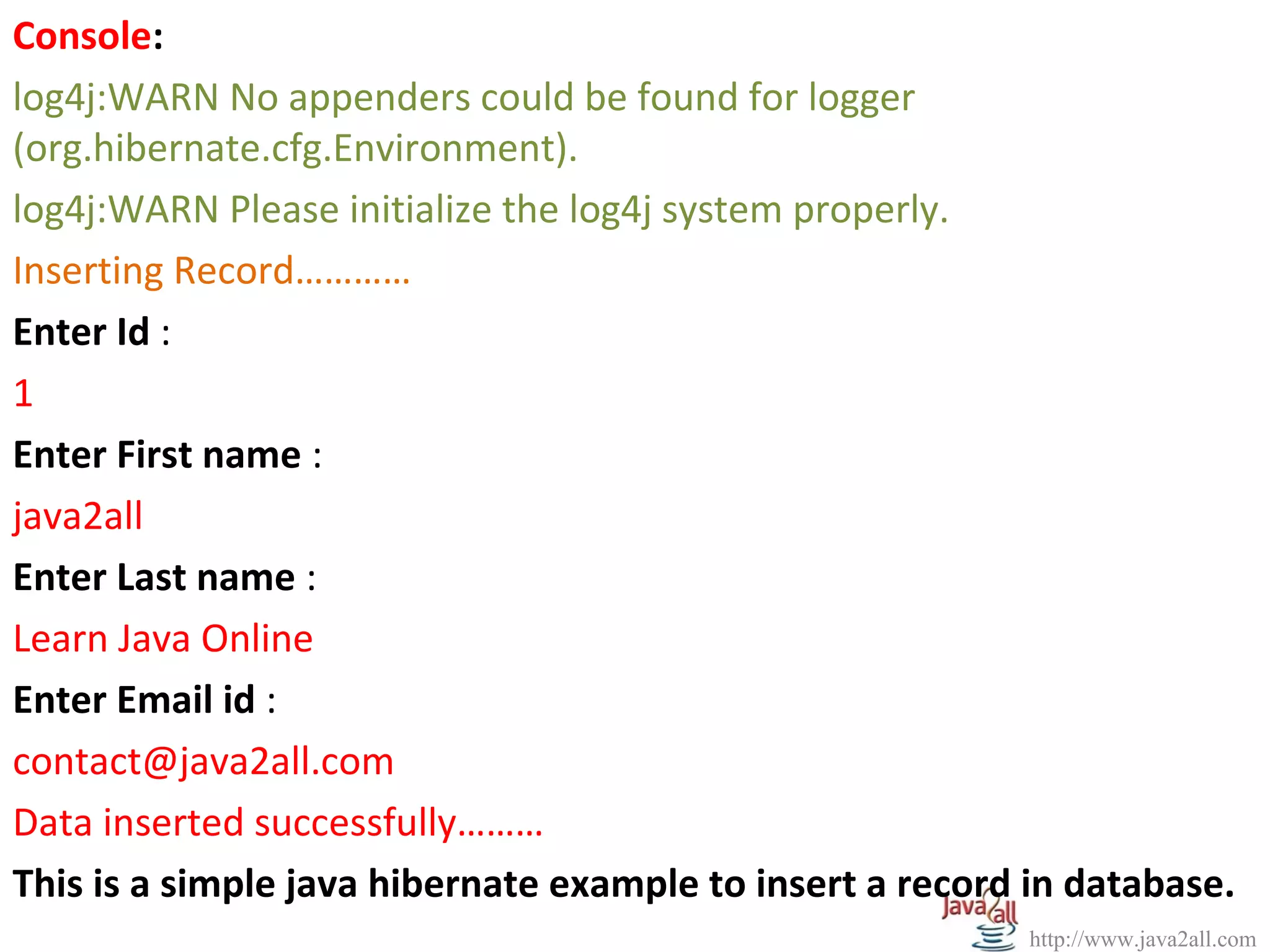
Console:
log4j:WARN No appenders could be found for logger 
(org.hibernate.cfg.Environment).
log4j:WARN Please initialize the log4j system properly.
Inserting Record…………
Enter Id : 
1
Enter First name : 
java2all
Enter Last name : 
Learn Java Online
Enter Email id : 
contact@java2all.com
Data inserted successfully………
This is a simple java hibernate example to insert a record in database.

Java Hibernate Programming with Architecture Diagram and Example

  • 1.
  • 2.
  • 3.
    Hibernate is anopen source object relational mapping tool used in Java programming. Hibernate allows data to be inserted, removed or changed in a database without paying a lot of attention to how it gets there. Hibernate was founded by Mr. Gavin King, an Australian developer who needed to solve a problem and ended up creating Hibernate, an open source tool that is amazingly useful with JAVA. The central idea of Hibernate is this: “JAVA programmers are used to creating POJOs [Plain Old Java Objects] in Java. http://www.java2all.com
  • 4.
    http://www.java2all.com So why dothey need a second language like SQL, to put or apply (persist) those POJOs into the database? ” Hibernate does object-relational persistence and querying. That means Hibernate puts whole objects into a relational database and pulls whole objects out of a relational database. When Can I Use Hibernate? Hibernate can be used in any Java program that needs to access a relational database. Hibernate does not need an application server to run.
  • 5.
    http://www.java2all.com When Should IUse Hibernate? There are main three points at where Hibernate is use if : (1)There is a non-trivial application (2) There are more than 10 tables in the relational DB. (3) The application uses an object-oriented Domain Model. If the application does a lot of business logic—and does much more than just display tables of data on a webpage—then it is a good candidate for Hibernate.
  • 6.
    http://www.java2all.com Hibernate is bestin applications with complex data models, with hundreds of tables and complex inter-relationships. So Hibernate maps the java classes to the database tables. It also provides the data query and retrieval facilities that reduce the development time. Note: Domain Model means an object model of the domain that incorporates both behavior and data Note: Hibernate is most useful with object-oriented domain modes and business logic in the Java based middle-tier. It is not the best solutions for data centric application that only uses the stored-procedures to implement the business logic in database.
  • 7.
  • 8.
    To use Hibernate,it is required to create Java classes that represents a table in the database and then map the instance variable in the class with the columns in the database. Then Hibernate can be used to perform operations on the database like select, insert, update and delete the records in the table. Hibernate automatically creates the query to perform these operations. For that Hibernate architecture has three main components: (1) Connection Management (2) Transaction management (3) Object relational mapping The following diagram describes the high level architecture of hibernate: http://www.java2all.com
  • 9.
  • 10.
    The above diagramshows that Hibernate is using the database and configuration Data(Hibernate.prpperties and XML Mappping) to provide persistence services (and persistent objects) to the application. (1) Connection Management: Hibernate Connection management service provide efficient management of the database connections. Database connection is the most expensive part of interacting with the database as it requires a lot of resources of open and close the database connection. http://www.java2all.com
  • 11.
    (2) Transaction management: Transactionmanagement service provides the ability to the user to execute more than one database statements at a time. (3) Object relational mapping: Object relational mapping is technique of mapping the data representation from an object model to a relational data model. This part of hibernate is used to select, insert, update and delete the records form the underlying table. http://www.java2all.com
  • 12.
    When we passan object to a Session.save() method, Hibernate reads the state of the variables of that object and executes the necessary query. Hibernate provides a lot of flexibility in use. It is called "Lite" architecture when we only use the object relational mapping component. While in "Full Cream" architecture all the three components object Relational mapping, Connection Management and transaction Management) are used. http://www.java2all.com
  • 13.
    http://www.java2all.com NOTE: Hibernate is verygood tool as far as object relational mapping is concern, but in terms of connection management and transaction management, it is lacking in performance and capabilities. So usually hibernate is being used with other connection management and transaction management tools. For example apache DBCP is used for connection pooling with the Hibernate.
  • 14.
  • 15.
    Write a javahibernate example or program to insert a record in database. NOTE: The all theoretical steps, source code and program to insert a record in database is described below and the steps you should perform in MyEclipse to do java hibernate example is available in above video. Step 1: Right Click on project and select My Eclipse and then select the Add Hibernate Capabilities. Step 2: Now Click on Next Button. Step 3: Again Click on Next Button. Step 4: Select the appropriate database at DB Driver combo box and then click on Next button. http://www.java2all.com
  • 16.
    Step 5: Selectthe appropriate Java package by click on Browse button. Step 6: Then click on OK button. From here now the programming files will be generated and still total 8 steps are remaining that is mentioned below this tutorial is especially created for beginners to do java hibernate example. Step 7: Then click on Finish button So it will automatically create two files: 1. This is an xml file(hibernate configuration) which is available in the src like hibernate.cfg.xml which contains the properties of connection with database for session-factory like username, url, dialect, profile, password, driver_class. http://www.java2all.com
  • 17.
    http://www.java2all.com 2. Second isa HibernateSessionFactory.java file which is available at the com package for handling the session and its properties. Hibernate uses the hibernate.cfg.xml to create the connection pool and setup required environment.
  • 18.
    http://www.java2all.com 1. hibernate.cfg.xml: <?xml version='1.0'encoding='UTF-8'?> <!DOCTYPE hibernate-configuration PUBLIC "-//Hibernate/Hibernate Configuration DTD 3.0//EN“ "http://hibernate.sourceforge.net/hibernate-configuration-3.0.dtd"> <!-- Generated by MyEclipse Hibernate Tools.--> <hibernate-configuration> <session-factory> <property name="connection.username">classiccars</property> <property name="connection.url">jdbc:derby://localhost:1527/myeclipse</property> <property name="dialect">org.hibernate.dialect.DerbyDialect</property> <property name="myeclipse.connection.profile">MyEclipse Derby</property> <property name="connection.password">myeclipse</property> <propertyname="connection.driver_class"> org.apache.derby.jdbc.ClientDriver</property> </session-factory> </hibernate-configuration> 1. hibernate.cfg.xml: <?xml version='1.0' encoding='UTF-8'?> <!DOCTYPE hibernate-configuration PUBLIC "-//Hibernate/Hibernate Configuration DTD 3.0//EN“ "http://hibernate.sourceforge.net/hibernate-configuration-3.0.dtd"> <!-- Generated by MyEclipse Hibernate Tools.--> <hibernate-configuration> <session-factory> <property name="connection.username">classiccars</property> <property name="connection.url">jdbc:derby://localhost:1527/myeclipse</property> <property name="dialect">org.hibernate.dialect.DerbyDialect</property> <property name="myeclipse.connection.profile">MyEclipse Derby</property> <property name="connection.password">myeclipse</property> <propertyname="connection.driver_class"> org.apache.derby.jdbc.ClientDriver</property> </session-factory> </hibernate-configuration>
  • 19.
    http://www.java2all.com Hibernate supports manydatabase. With the use of the Hibernate (Object/Relational Mapping and Transparent Object Persistence for Java and SQL Databases), we can use the following databases dialect type property:
  • 20.
    http://www.java2all.com DB2 - org.hibernate.dialect.DB2Dialect Oracle (any version) - org.hibernate.dialect.OracleDialect Oracle 9 - org.hibernate.dialect.Oracle9Dialect MySQL - org.hibernate.dialect.MySQLDialect PostgreSQL - org.hibernate.dialect.PostgreSQLDialect Sybase - org.hibernate.dialect.SybaseDialect Sybase Anywhere - org.hibernate.dialect.SybaseAnywhereDialect Microsoft SQL Server - org.hibernate.dialect.SQLServerDialect HypersonicSQL - org.hibernate.dialect.HSQ LDialect Informix - org.hibernate.dialect.InformixDialect Ingres - org.hibernate.dialect.IngresDialect Interbase - org.hibernate.dialect.InterbaseDialect Pointbase - org.hibernate.dialect.PointbaseDialect Mckoi SQL - org.hibernate.dialect.MckoiDialect Progress - org.hibernate.dialect.ProgressDialect FrontBase - org.hibernate.dialect.FrontbaseDialect SAP DB - org.hibernate.dialect.SAPDBDialect
  • 21.
    http://www.java2all.com 2. HibernateSessionFactory.java: package com; importorg.hibernate.HibernateException; import org.hibernate.Session; import org.hibernate.cfg.Configuration; public class HibernateSessionFactory { private static String CONFIG_FILE_LOCATION = "/hibernate.cfg.xml"; private static final ThreadLocal<Session> threadLocal = new ThreadLocal<Session>(); private static Configuration configuration = new Configuration(); private static org.hibernate.SessionFactory sessionFactory; private static String configFile = CONFIG_FILE_LOCATION; static { try { configuration.configure(configFile); sessionFactory = configuration.buildSessionFactory(); } catch(Exception e) { System.err.println("%%%% Error Creating SessionFactory %%%%"); e.printStackTrace(); } } 2. HibernateSessionFactory.java: package com; import org.hibernate.HibernateException; import org.hibernate.Session; import org.hibernate.cfg.Configuration; public class HibernateSessionFactory { private static String CONFIG_FILE_LOCATION = "/hibernate.cfg.xml"; private static final ThreadLocal<Session> threadLocal = new ThreadLocal<Session>(); private static Configuration configuration = new Configuration(); private static org.hibernate.SessionFactory sessionFactory; private static String configFile = CONFIG_FILE_LOCATION; static { try { configuration.configure(configFile); sessionFactory = configuration.buildSessionFactory(); } catch(Exception e) { System.err.println("%%%% Error Creating SessionFactory %%%%"); e.printStackTrace(); } }
  • 22.
    http://www.java2all.com private HibernateSessionFactory() { } public staticSession getSession() throws HibernateException { Session session = (Session) threadLocal.get(); if (session == null || !session.isOpen()) { if (sessionFactory == null) { rebuildSessionFactory(); } session = (sessionFactory != null) ? sessionFactory.openSession(): null; threadLocal.set(session); } return session; } public static void rebuildSessionFactory() { try { configuration.configure(configFile); sessionFactory = configuration.buildSessionFactory(); } catch (Exception e) { System.err.println("%%%% Error Creating SessionFactory %%%%"); e.printStackTrace(); } } private HibernateSessionFactory() { } public static Session getSession() throws HibernateException { Session session = (Session) threadLocal.get(); if (session == null || !session.isOpen()) { if (sessionFactory == null) { rebuildSessionFactory(); } session = (sessionFactory != null) ? sessionFactory.openSession(): null; threadLocal.set(session); } return session; } public static void rebuildSessionFactory() { try { configuration.configure(configFile); sessionFactory = configuration.buildSessionFactory(); } catch (Exception e) { System.err.println("%%%% Error Creating SessionFactory %%%%"); e.printStackTrace(); } }
  • 23.
    http://www.java2all.com public static voidcloseSession() throws HibernateException { Session session = (Session) threadLocal.get(); threadLocal.set(null); if (session != null) { session.close(); } } public static org.hibernate.SessionFactory getSessionFactory() { return sessionFactory; } public static void setConfigFile(String configFile) { HibernateSessionFactory.configFile = configFile; sessionFactory = null; } public static Configuration getConfiguration() { return configuration; } } public static void closeSession() throws HibernateException { Session session = (Session) threadLocal.get(); threadLocal.set(null); if (session != null) { session.close(); } } public static org.hibernate.SessionFactory getSessionFactory() { return sessionFactory; } public static void setConfigFile(String configFile) { HibernateSessionFactory.configFile = configFile; sessionFactory = null; } public static Configuration getConfiguration() { return configuration; } }
  • 24.
    http://www.java2all.com Step 8: Nowadd resource in mapping tag for the mapping with an appropriate table in hibernate.cfg.xml file. <mapping resource=" contact.hbm.xml "/> It is for mapping for our contact table. hibernate.cfg.xml: <?xml version='1.0' encoding='UTF-8'?> <!DOCTYPE hibernate-configuration PUBLIC "-//Hibernate/Hibernate Configuration DTD 3.0//EN" "http://hibernate.sourceforge.net/hibernate-configuration-3.0.dtd"> <!-- Generated by MyEclipse Hibernate Tools. --> <hibernate-configuration> <session-factory> <property name="connection.username">classiccars</property> <property ame="connection.url">jdbc:derby://localhost:1527/myeclipse</property> <property name="dialect">org.hibernate.dialect.DerbyDialect</property> <property name="myeclipse.connection.profile">MyEclipse Derby</property> <property name="connection.password">myeclipse</property> <property name="connection.driver_class"> org.apache.derby.jdbc.ClientDriver</property> <mapping resource="contact.hbm.xml"/> </session-factory> </hibernate-configuration> hibernate.cfg.xml: <?xml version='1.0' encoding='UTF-8'?> <!DOCTYPE hibernate-configuration PUBLIC "-//Hibernate/Hibernate Configuration DTD 3.0//EN" "http://hibernate.sourceforge.net/hibernate-configuration-3.0.dtd"> <!-- Generated by MyEclipse Hibernate Tools. --> <hibernate-configuration> <session-factory> <property name="connection.username">classiccars</property> <property ame="connection.url">jdbc:derby://localhost:1527/myeclipse</property> <property name="dialect">org.hibernate.dialect.DerbyDialect</property> <property name="myeclipse.connection.profile">MyEclipse Derby</property> <property name="connection.password">myeclipse</property> <property name="connection.driver_class"> org.apache.derby.jdbc.ClientDriver</property> <mapping resource="contact.hbm.xml"/> </session-factory> </hibernate-configuration>
  • 25.
    http://www.java2all.com Step 9: -Now Create the First Persistence Class(java file). Hibernate uses the Plain Old Java Objects (POJOs) classes to map to the database  table so We can configure the variables to map to the database column. package com; publicclass Contact { private String firstName; private String lastName; private String email; private long id; public String getEmail() { return email; } public String getFirstName() { return firstName; } public String getLastName() { return lastName; } public void setEmail(String string) { email = string; } public void setFirstName(String string) { firstName = string; } public void setLastName(String string) { lastName = string; } package com; public class Contact { private String firstName; private String lastName; private String email; private long id; public String getEmail() { return email; } public String getFirstName() { return firstName; } public String getLastName() { return lastName; } public void setEmail(String string) { email = string; } public void setFirstName(String string) { firstName = string; } public void setLastName(String string) { lastName = string; }
  • 26.
    http://www.java2all.com public long getId(){ return id; } public void setId( long l) { id = l; } } Step 10: Create the contact.hbm.xml file in a default package.
  • 27.
    http://www.java2all.com contact.hbm.xml: <?xml version="1.0"?> <!DOCTYPE hibernate-mappingPUBLIC "-//Hibernate/Hibernate Mapping DTD 3.0//EN" "http://hibernate.sourceforge.net/hibernate-mapping-3.0.dtd"> <hibernate-mapping> <class name="com.Contact" table="APP.CONTACT"> <id name="id" type="long" column="ID" > <generator class="assigned"/> </id> <property name="firstName"> <column name="FIRSTNAME" /> </property> <property name="lastName"> <column name="LASTNAME"/> </property> <property name="email"> <column name="EMAIL"/> </property> </class> </hibernate-mapping> contact.hbm.xml: <?xml version="1.0"?> <!DOCTYPE hibernate-mapping PUBLIC "-//Hibernate/Hibernate Mapping DTD 3.0//EN" "http://hibernate.sourceforge.net/hibernate-mapping-3.0.dtd"> <hibernate-mapping> <class name="com.Contact" table="APP.CONTACT"> <id name="id" type="long" column="ID" > <generator class="assigned"/> </id> <property name="firstName"> <column name="FIRSTNAME" /> </property> <property name="lastName"> <column name="LASTNAME"/> </property> <property name="email"> <column name="EMAIL"/> </property> </class> </hibernate-mapping>
  • 28.
    http://www.java2all.com package hibernate_demo; import java.util.Scanner; importorg.hibernate.Session; import org.hibernate.SessionFactory; import org.hibernate.cfg.Configuration; import com.Contact; public class FirstExample { public static void main(String [] args) { Session session = null; try { SessionFactory sessionFactory = new Configuration().configure().buildSessionFactory(); session =sessionFactory.openSession(); System.out.println( "Inserting Record…………"); Contact contact = new Contact(); Scanner s = new Scanner(System.in); System.out.println("Enter Id : "); int id = s.nextInt(); contact.setId(id); package hibernate_demo; import java.util.Scanner; import org.hibernate.Session; import org.hibernate.SessionFactory; import org.hibernate.cfg.Configuration; import com.Contact; public class FirstExample { public static void main(String [] args) { Session session = null; try { SessionFactory sessionFactory = new Configuration().configure().buildSessionFactory(); session =sessionFactory.openSession(); System.out.println( "Inserting Record…………"); Contact contact = new Contact(); Scanner s = new Scanner(System.in); System.out.println("Enter Id : "); int id = s.nextInt(); contact.setId(id); Step 11: Now create the java file by which the data is inserting in  the table (CONTACT) at database.
  • 29.
    http://www.java2all.com System.out.println("Enter First name: "); String firstname = s.next(); contact.setFirstName(firstname); System.out.println("Enter Last name : "); String lastname = s.next(); contact.setLastName(lastname); System.out.println("Enter Email id : "); String email = s.next(); contact.setEmail(email); session.save(contact); System.out.println("Data inserted successfully………"); } catch(Exception e){ System.out.println(e.getMessage()); } finally { session.flush(); session.close(); } } }  System.out.println("Enter First name : "); String firstname = s.next(); contact.setFirstName(firstname); System.out.println("Enter Last name : "); String lastname = s.next(); contact.setLastName(lastname); System.out.println("Enter Email id : "); String email = s.next(); contact.setEmail(email); session.save(contact); System.out.println("Data inserted successfully………"); } catch(Exception e){ System.out.println(e.getMessage()); } finally { session.flush(); session.close(); } } } 
  • 30.
  • 31.
  • 32.
    http://www.java2all.com Console: log4j:WARN No appenders could be found for logger  (org.hibernate.cfg.Environment). log4j:WARN Please initialize the log4j system properly. Inserting Record………… Enter Id :  1 EnterFirst name :  java2all Enter Last name :  Learn Java Online Enter Email id :  contact@java2all.com Data inserted successfully……… This is a simple java hibernate example to insert a record in database.

Editor's Notes

  • #17 White Space Characters
  • #18 White Space Characters
  • #27 public long getId() { return id; } public void setId( long l) { id = l; } }
  • #28 public long getId() { return id; } public void setId( long l) { id = l; } }
  • #29 public long getId() { return id; } public void setId( long l) { id = l; } }
  • #30 public long getId() { return id; } public void setId( long l) { id = l; } }