Onboarding Analysis
Harvest: Time Tracking
nathanallotey.com
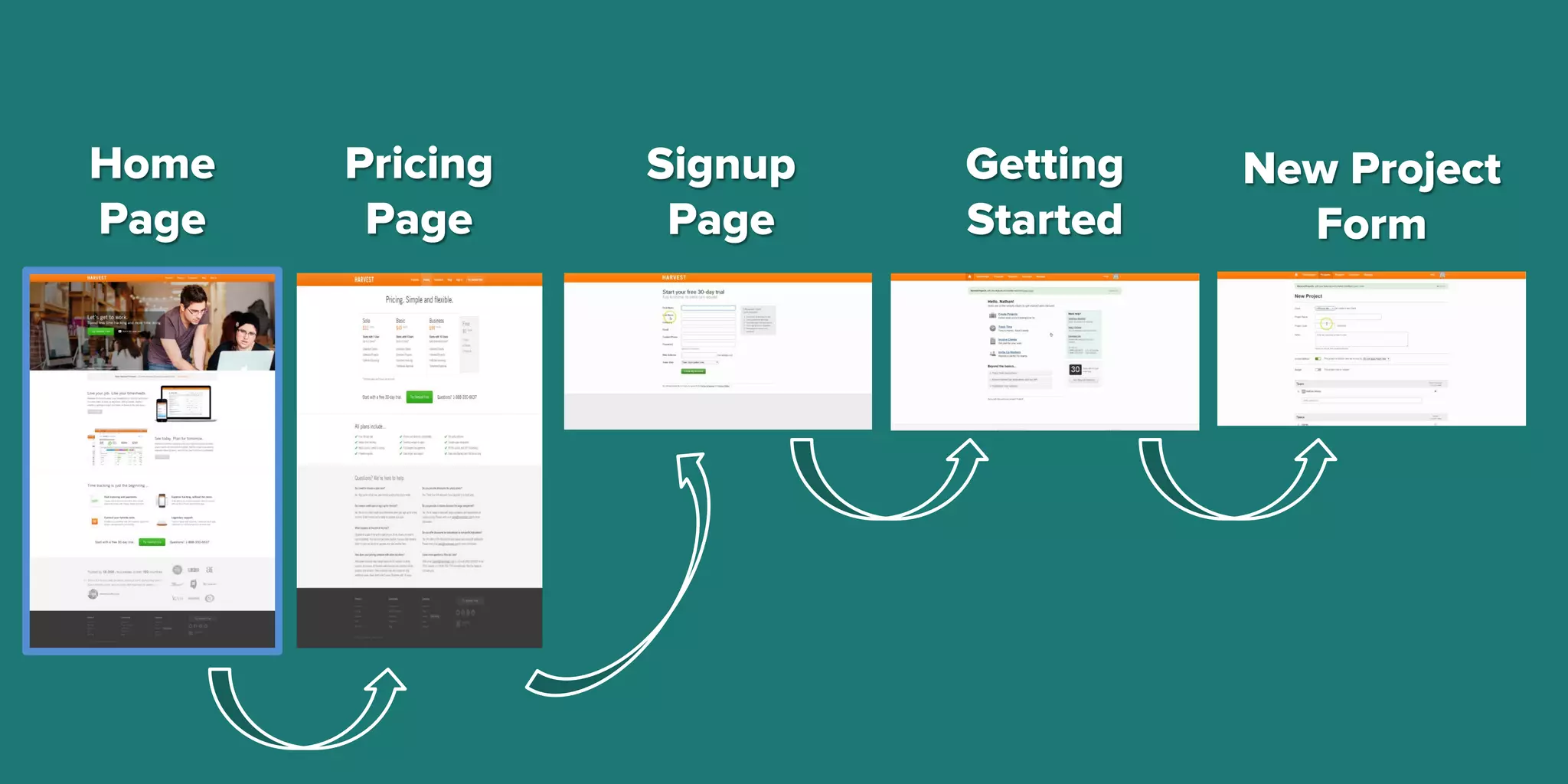
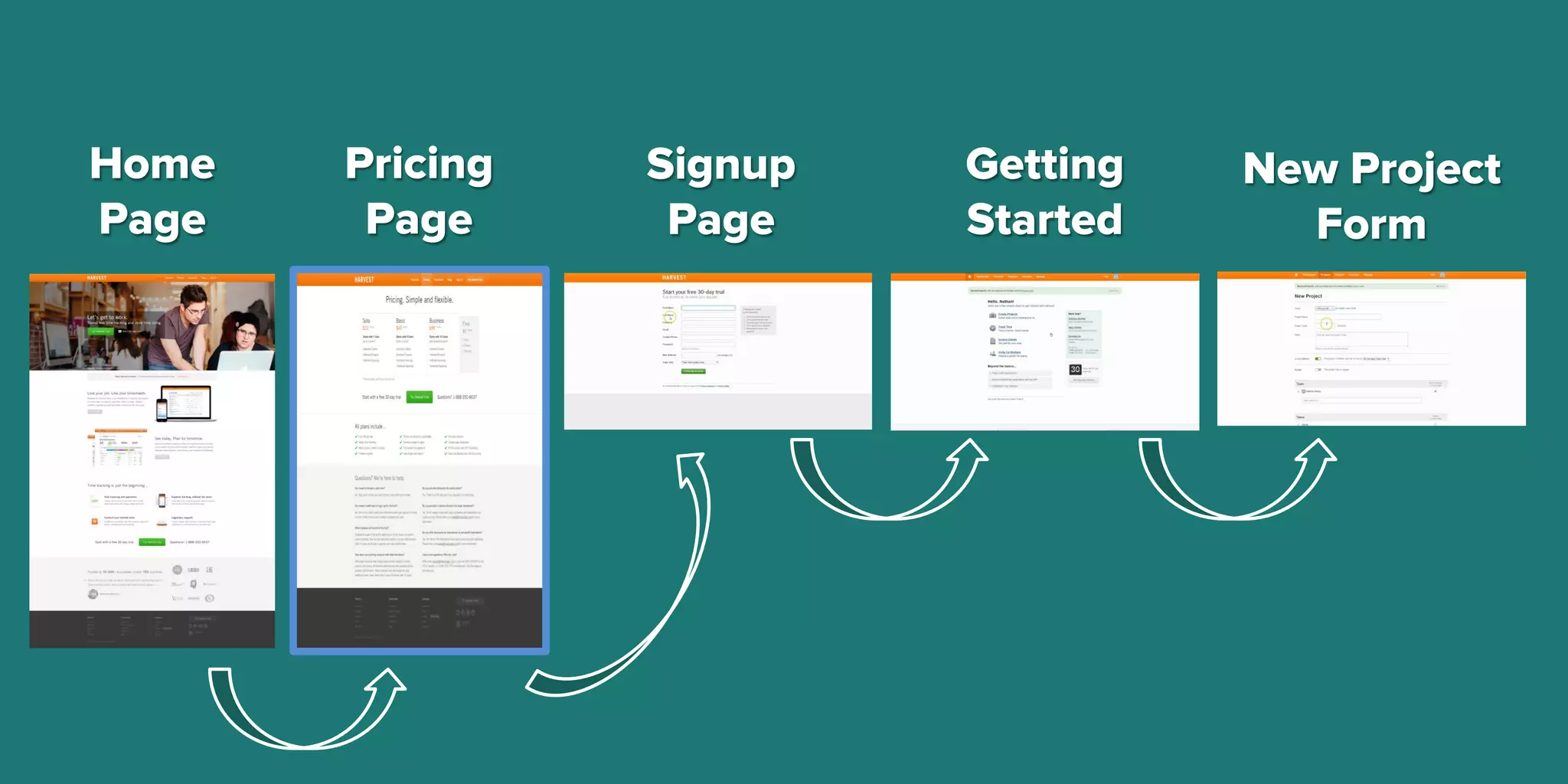
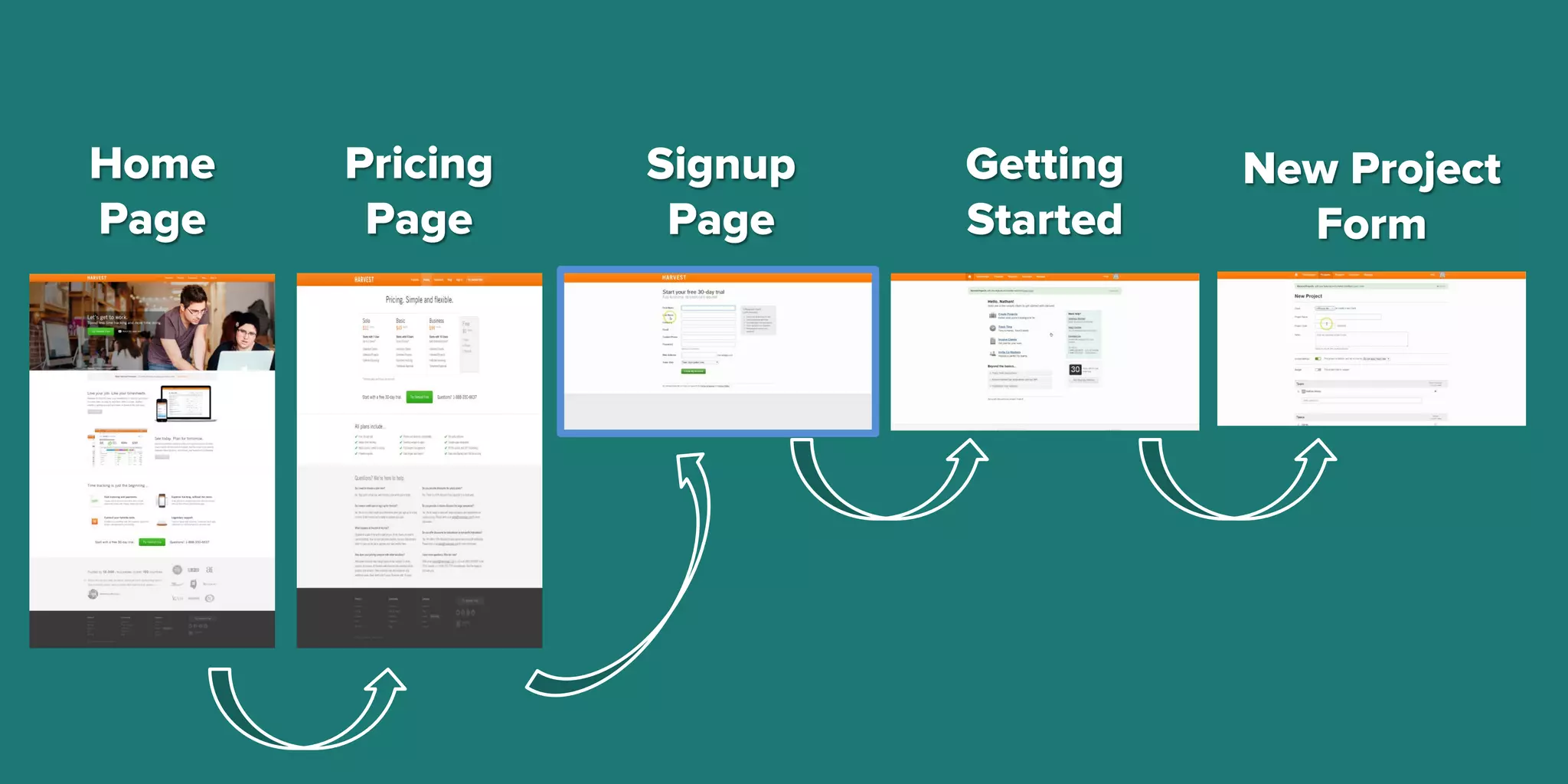
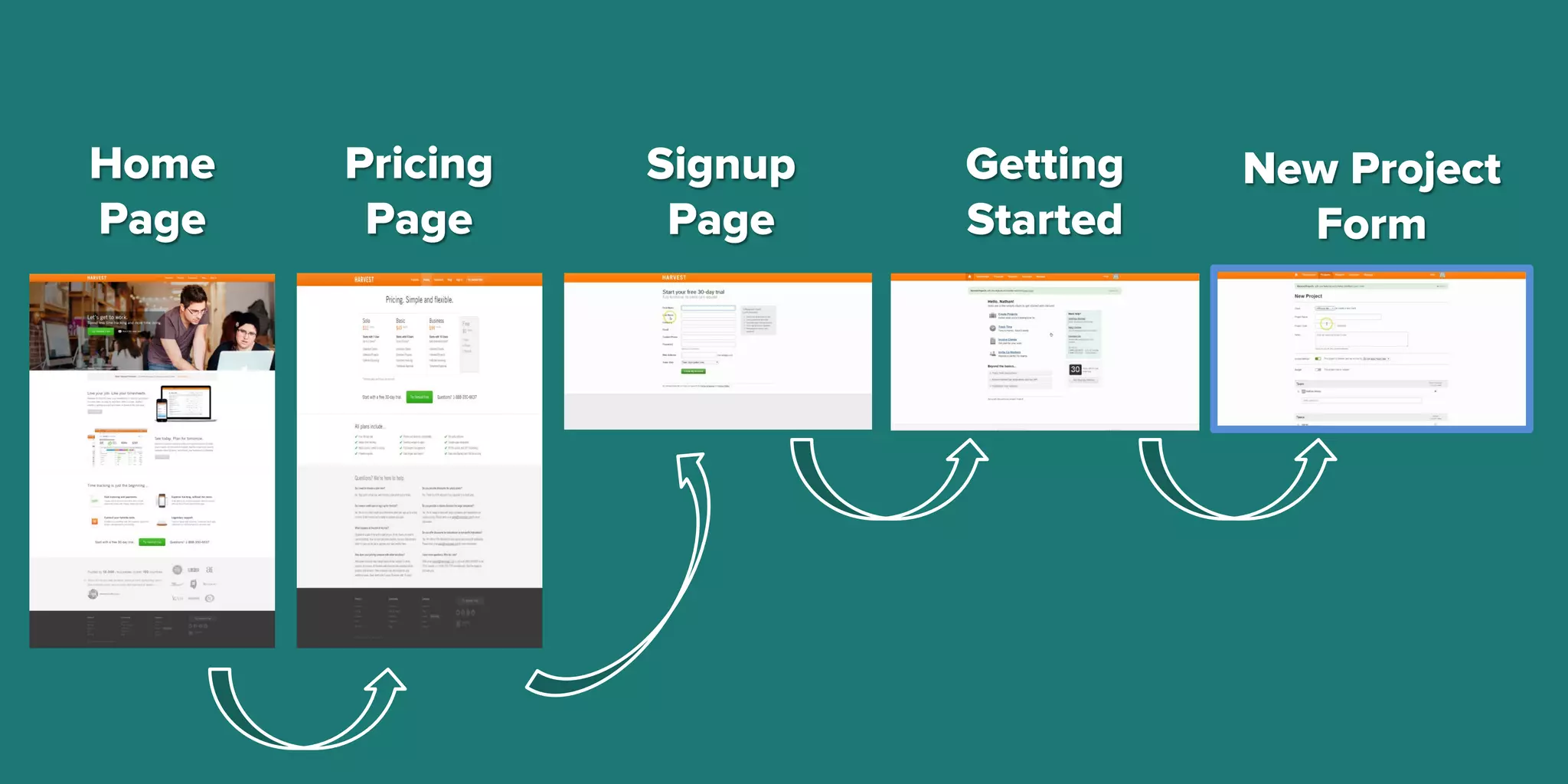
Home
Page
Pricing
Page
Signup
Page
Getting
Started
New Project
Form
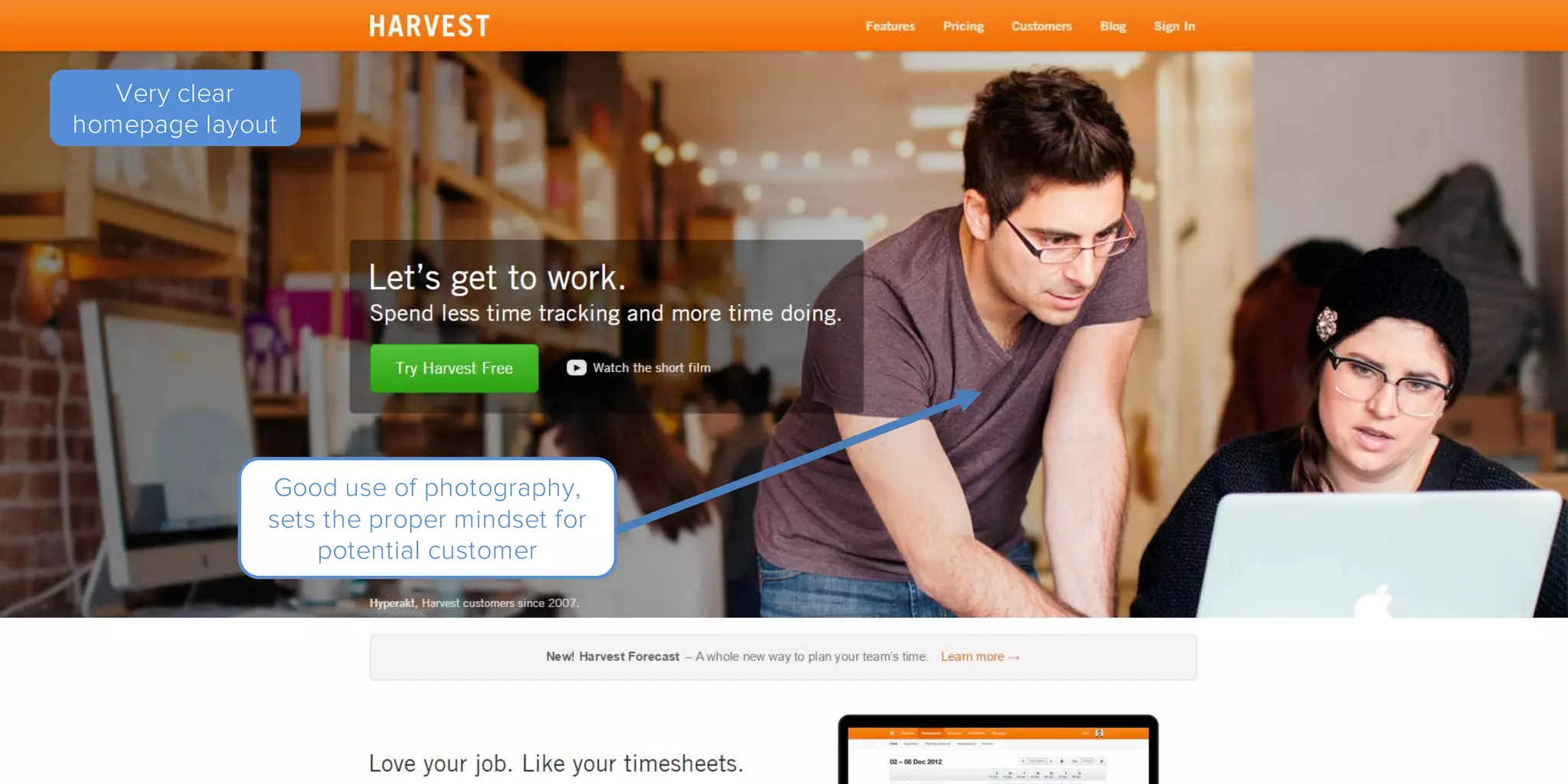
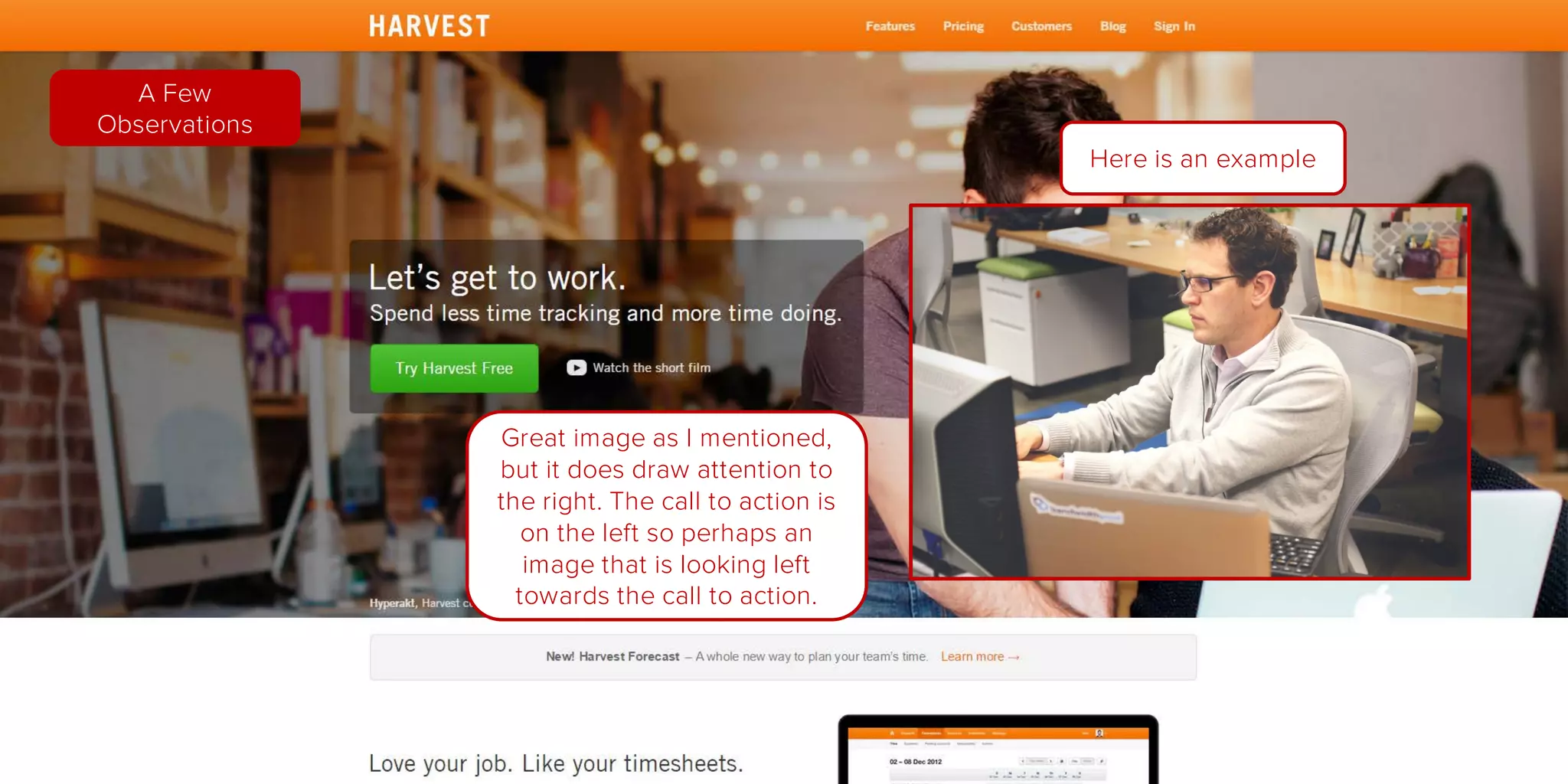
Good use of photography,
sets the proper mindset for
potential customer
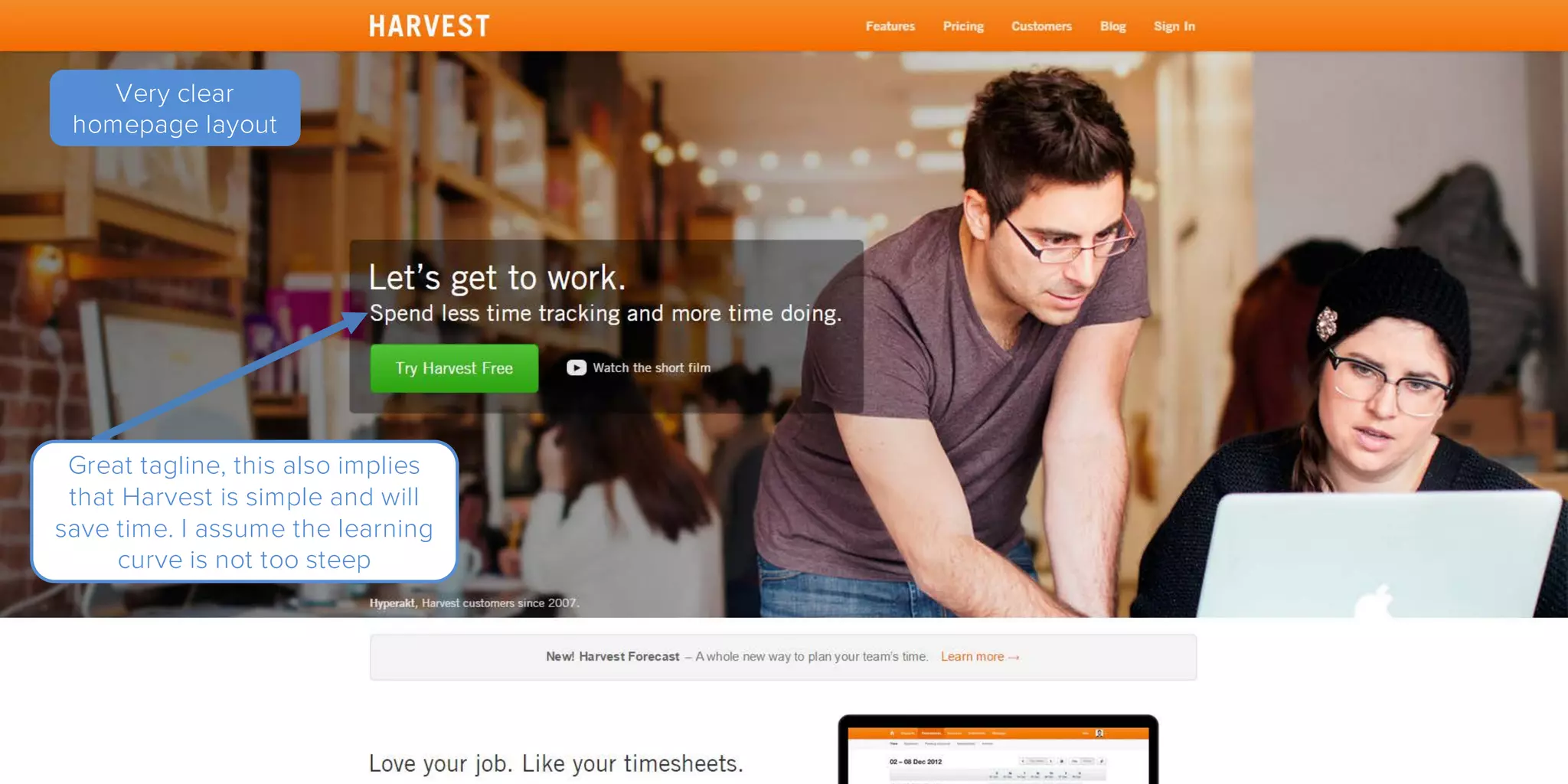
Very clear
homepage layout
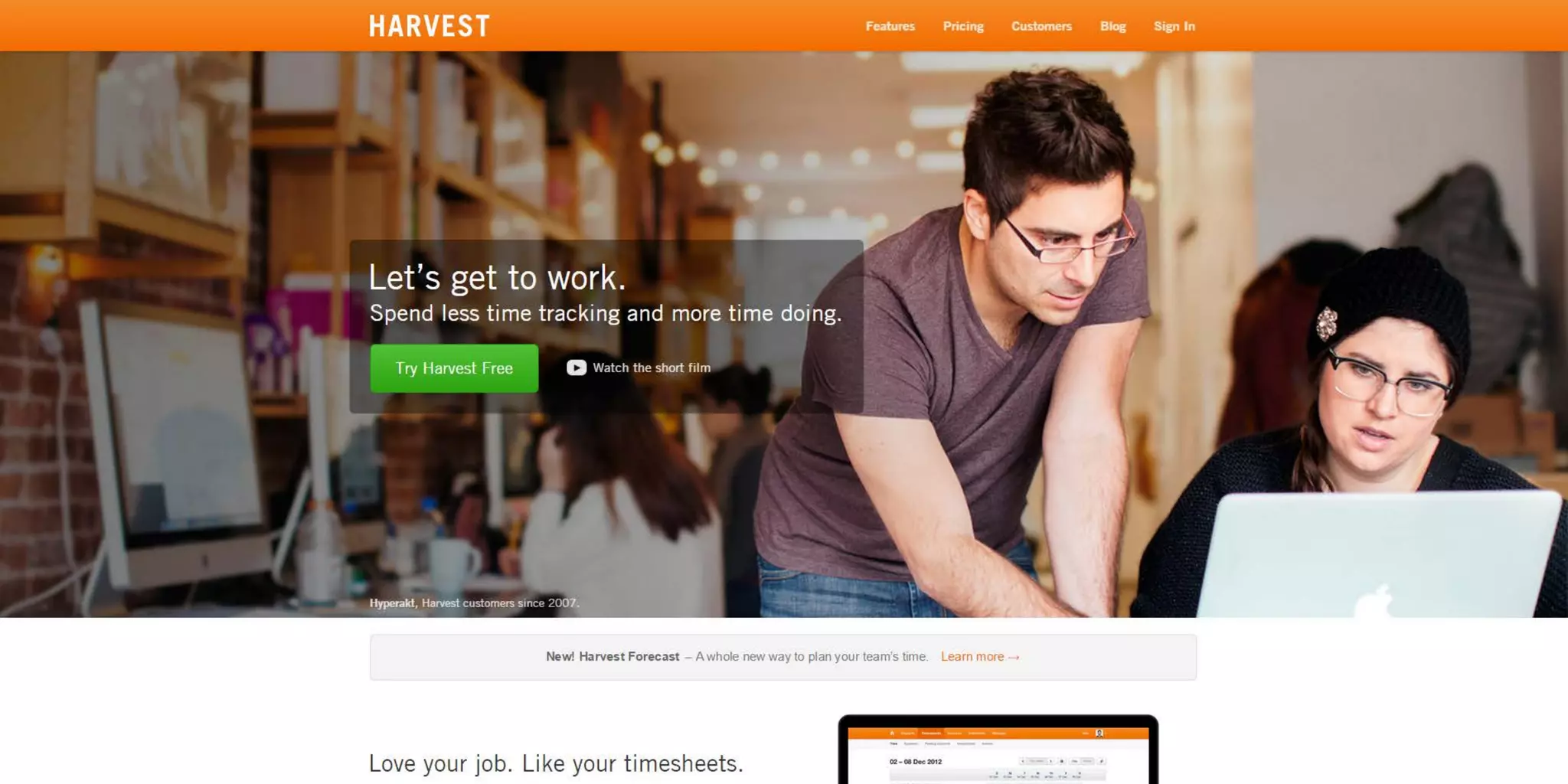
Great tagline, this also implies
that Harvest is simple and will
save time. I assume the learning
curve is not too steep
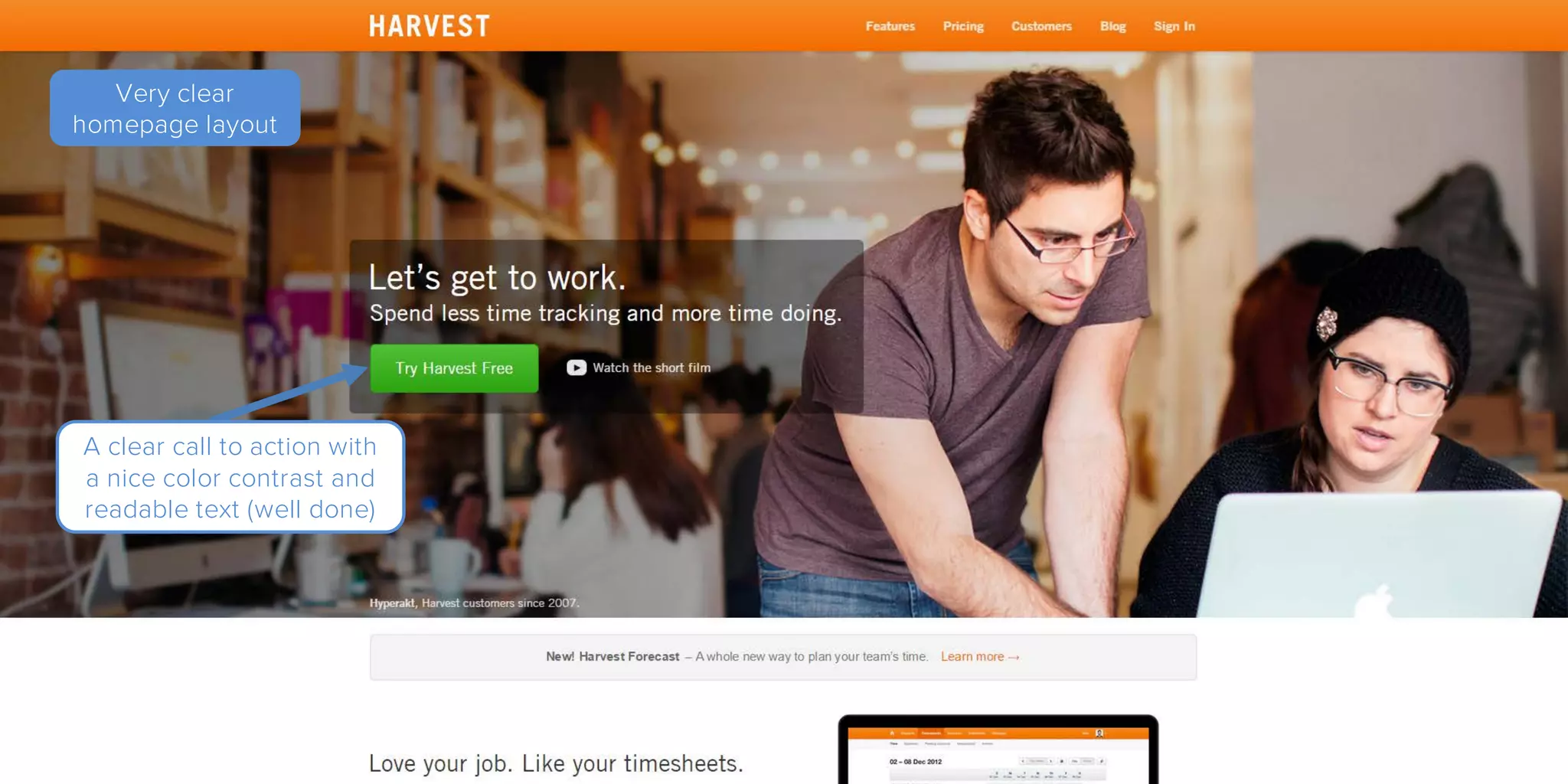
Very clear
homepage layout
A clear call to action with
a nice color contrast and
readable text (well done)
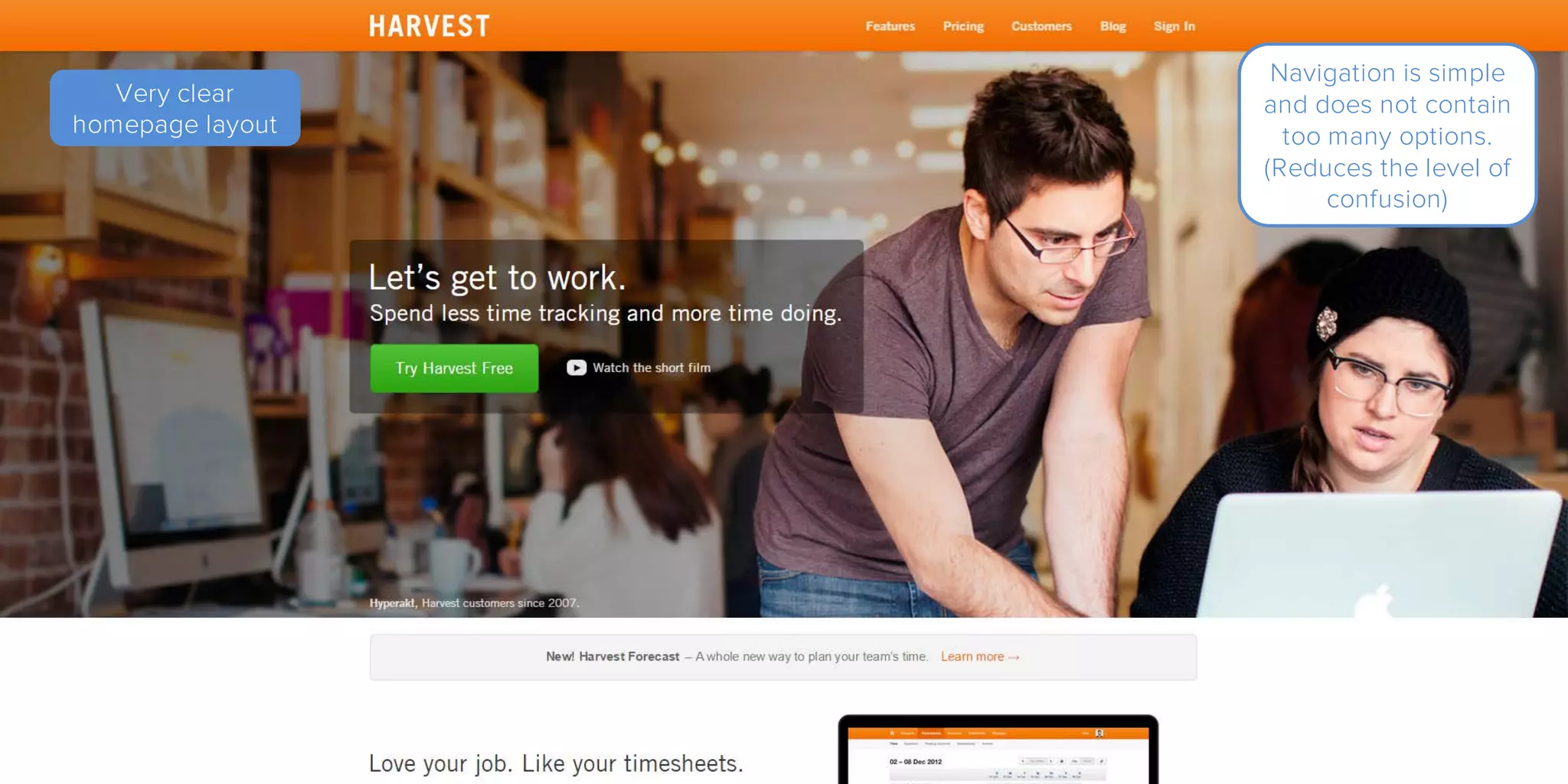
Very clear
homepage layout
Navigation is simple
and does not contain
too many options.
(Reduces the level of
confusion)
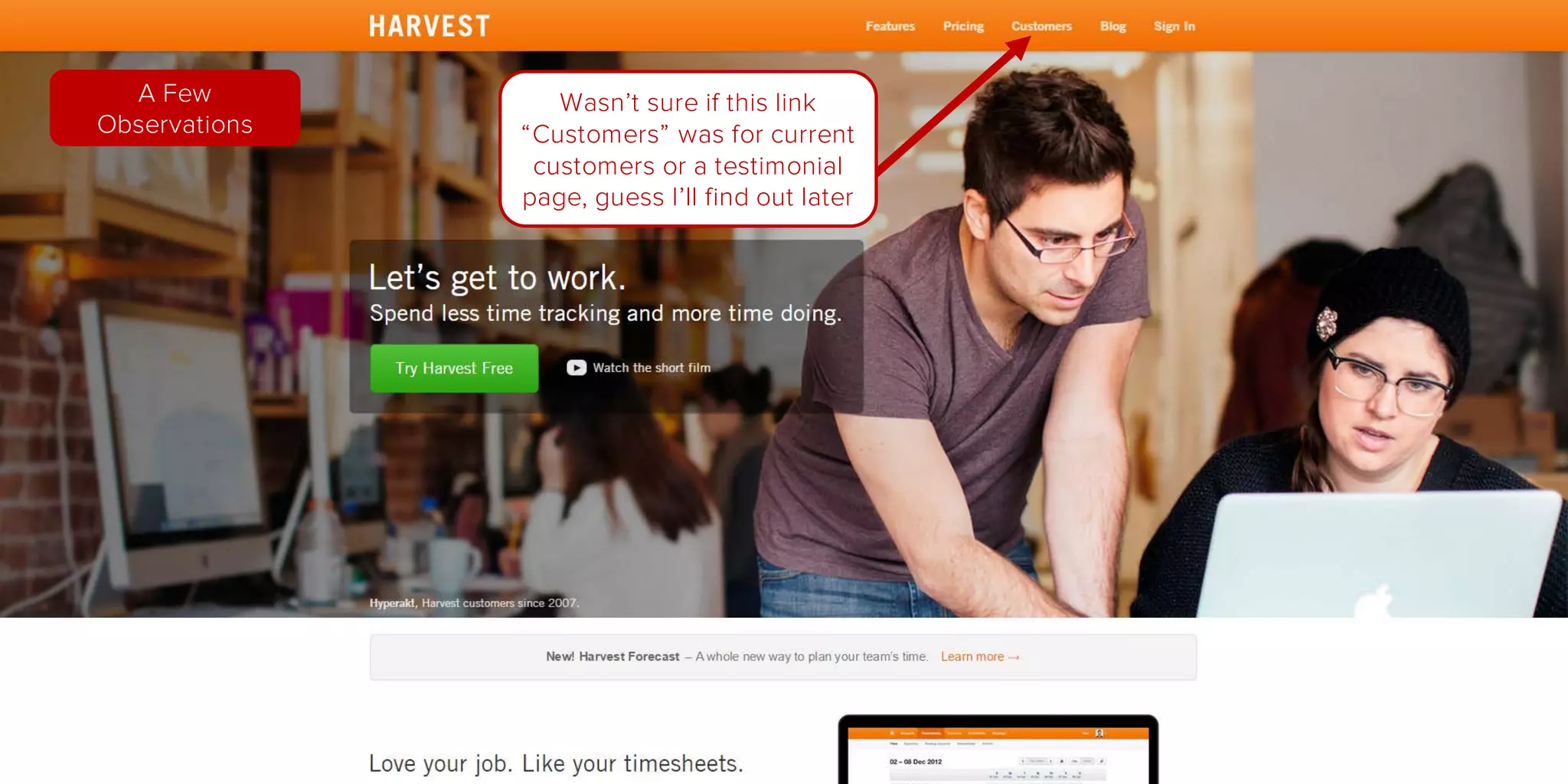
Very clear
homepage layout
Wasn’t sure if this link
“Customers” was for current
customers or a testimonial
page, guess I’ll find out later
A Few
Observations
Great image as I mentioned,
but it does draw attention to
the right. The call to action is
on the left so perhaps an
image that is looking left
towards the call to action.
A Few
Observations
Here is an example
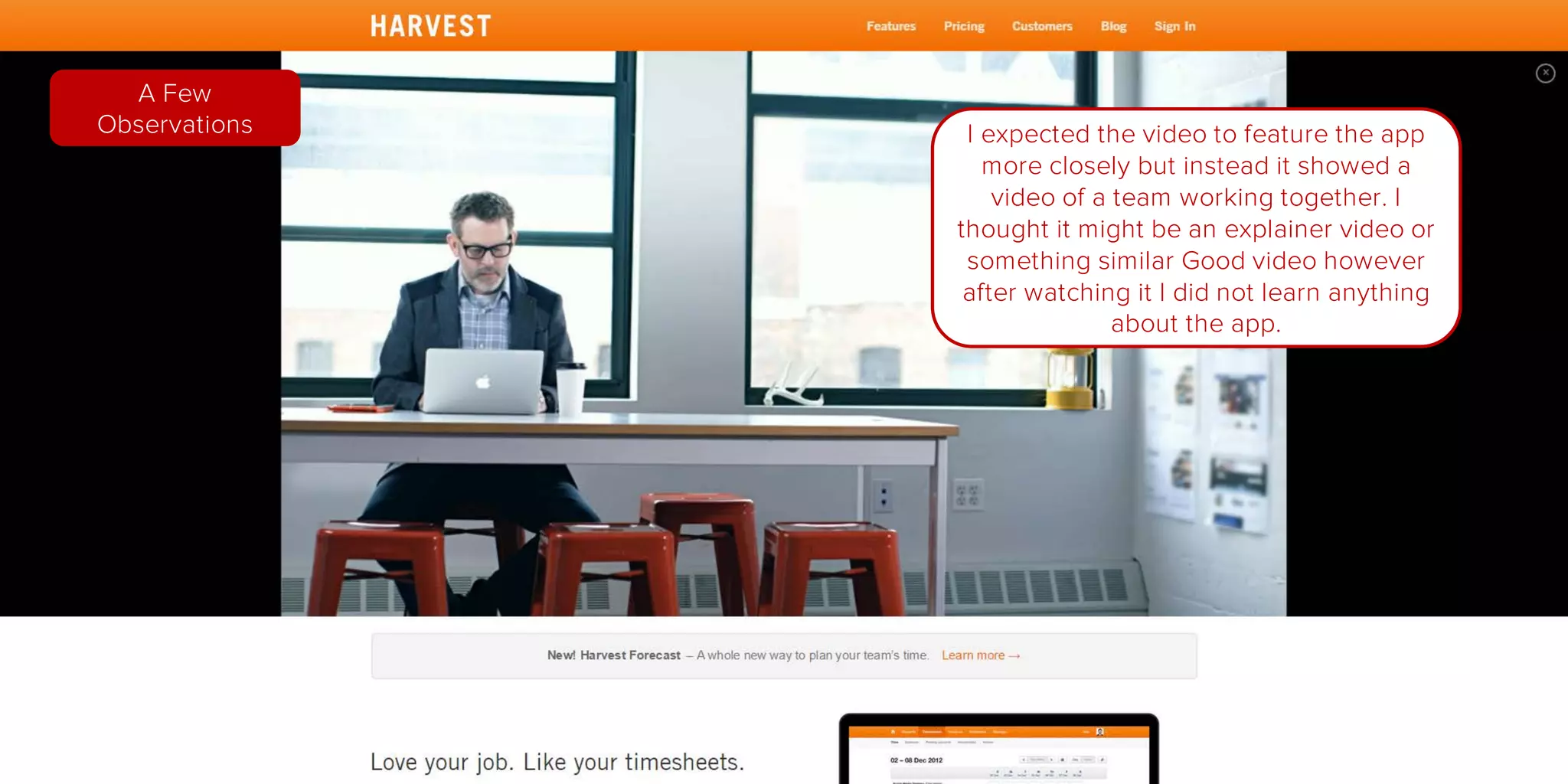
I expected the video to feature the app
more closely but instead it showed a
video of a team working together. I
thought it might be an explainer video or
something similar Good video however
after watching it I did not learn anything
about the app.
A Few
Observations
Very clear
homepage layout
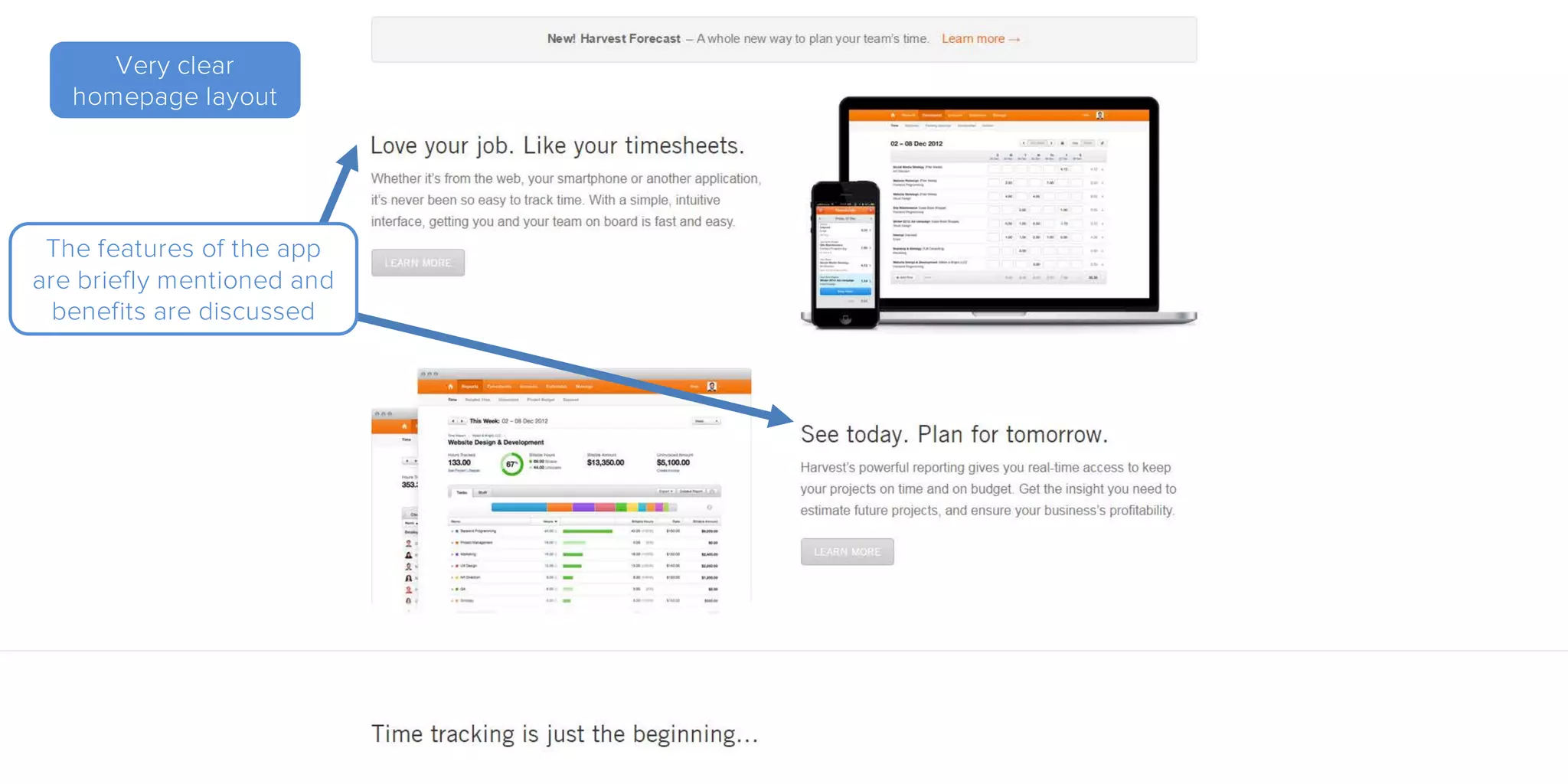
The features of the app
are briefly mentioned and
benefits are discussed
Very clear
homepage layout
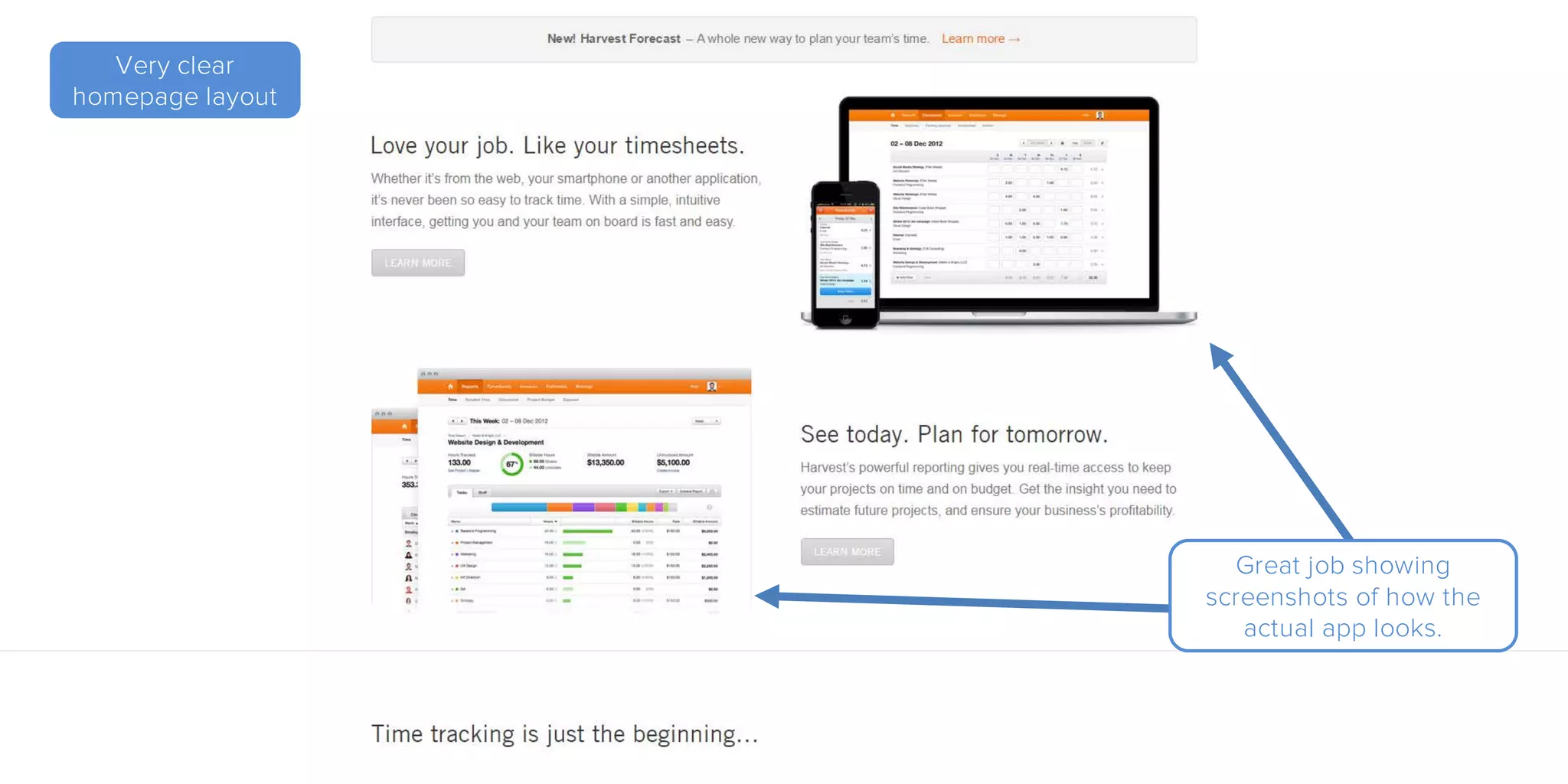
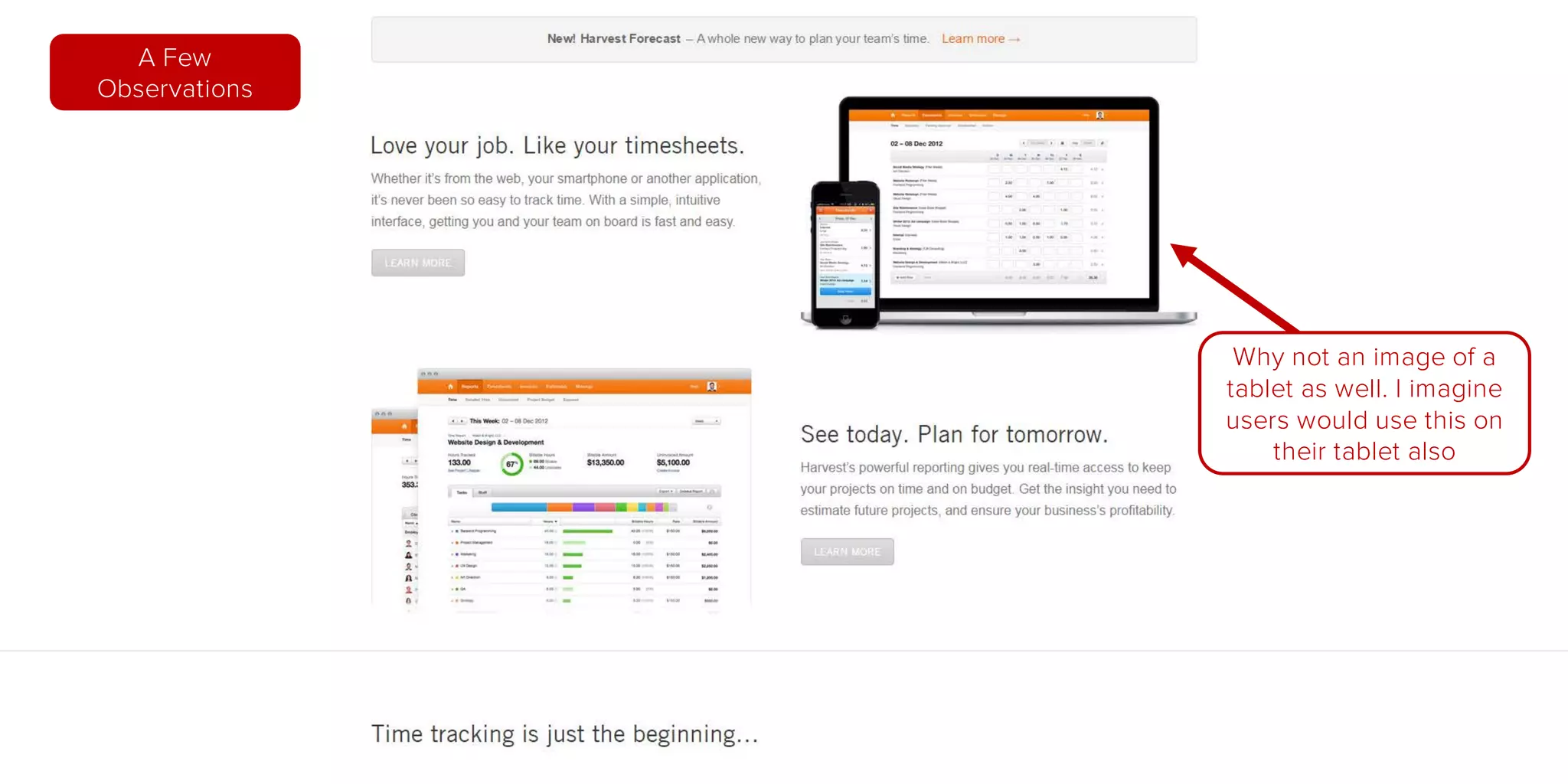
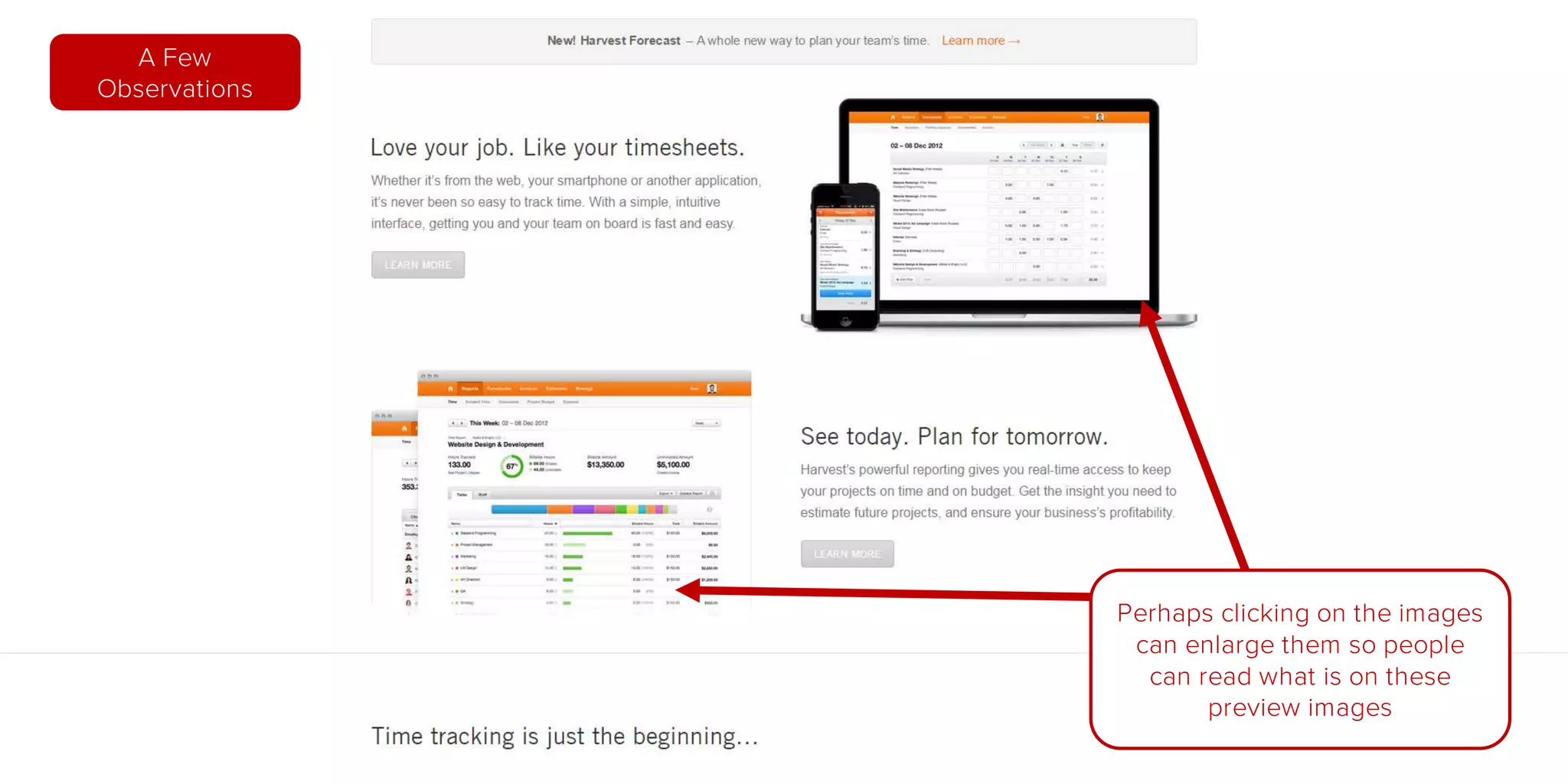
Great job showing
screenshots of how the
actual app looks.
A Few
Observations
Why not an image of a
tablet as well. I imagine
users would use this on
their tablet also
A Few
Observations
Perhaps clicking on the images
can enlarge them so people
can read what is on these
preview images
Very clear
homepage layout
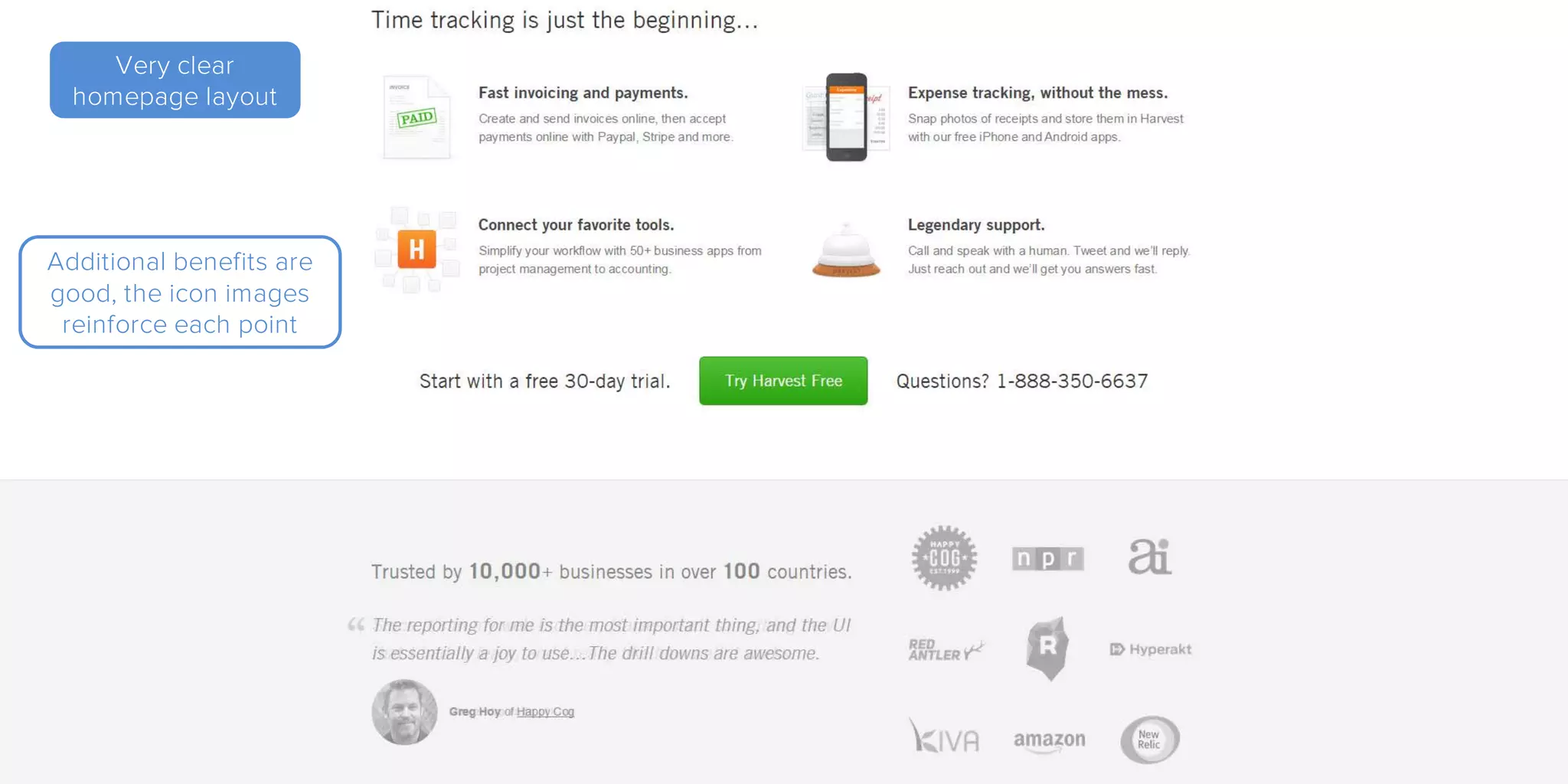
Additional benefits are
good, the icon images
reinforce each point
Very clear
homepage layout
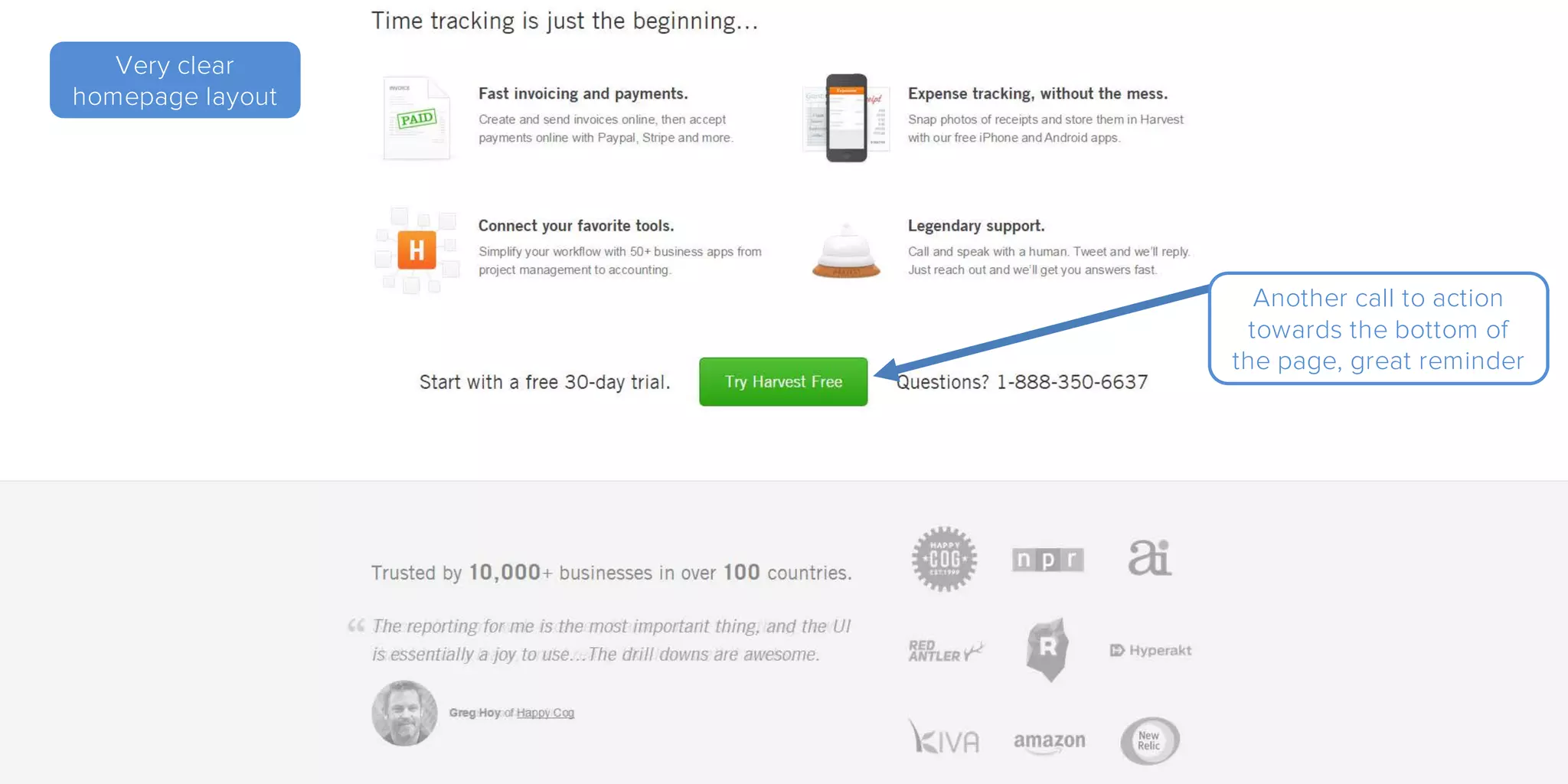
Another call to action
towards the bottom of
the page, great reminder
Very clear
homepage layout
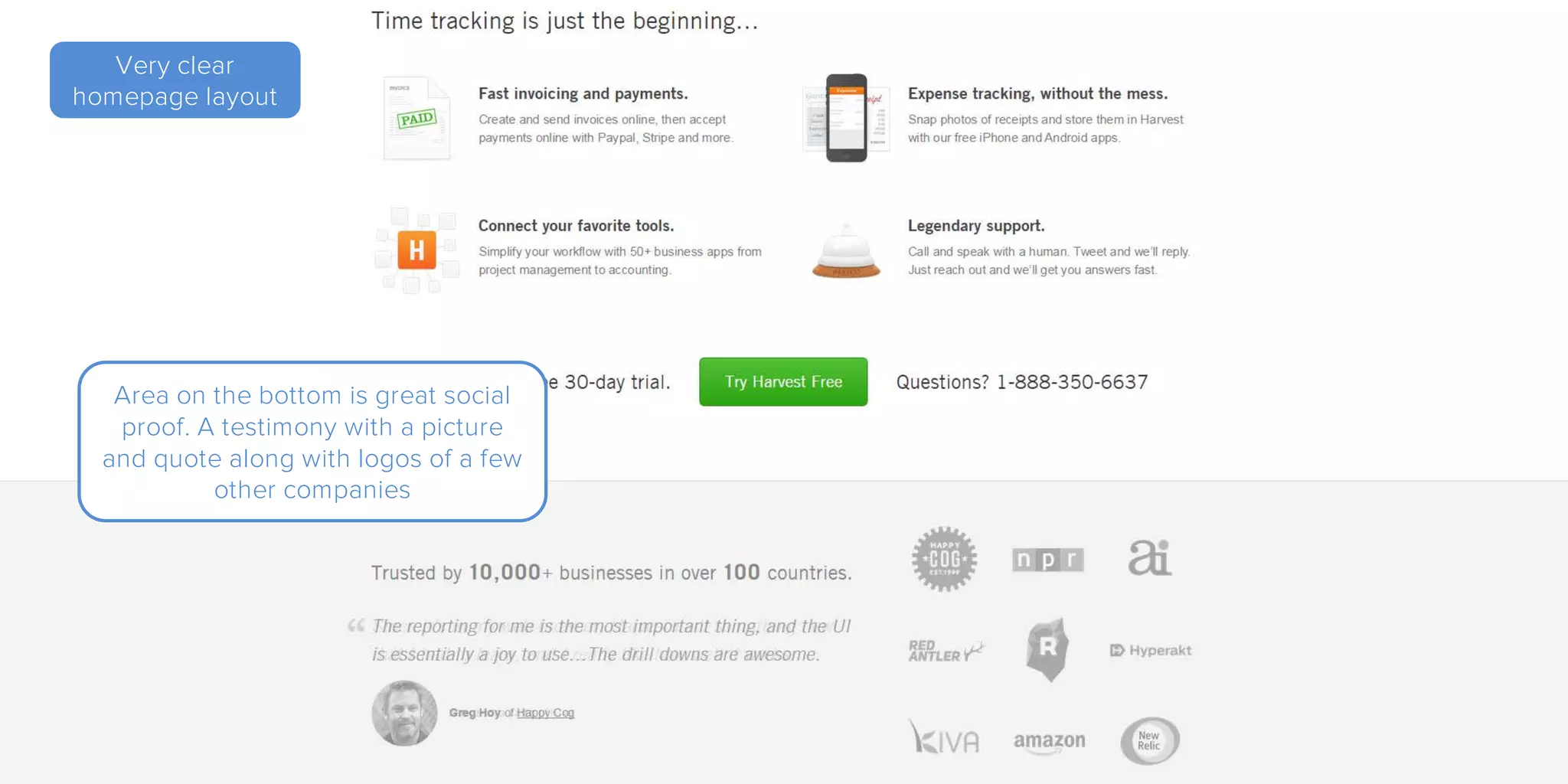
Area on the bottom is great social
proof. A testimony with a picture
and quote along with logos of a few
other companies
Very clear
homepage layout
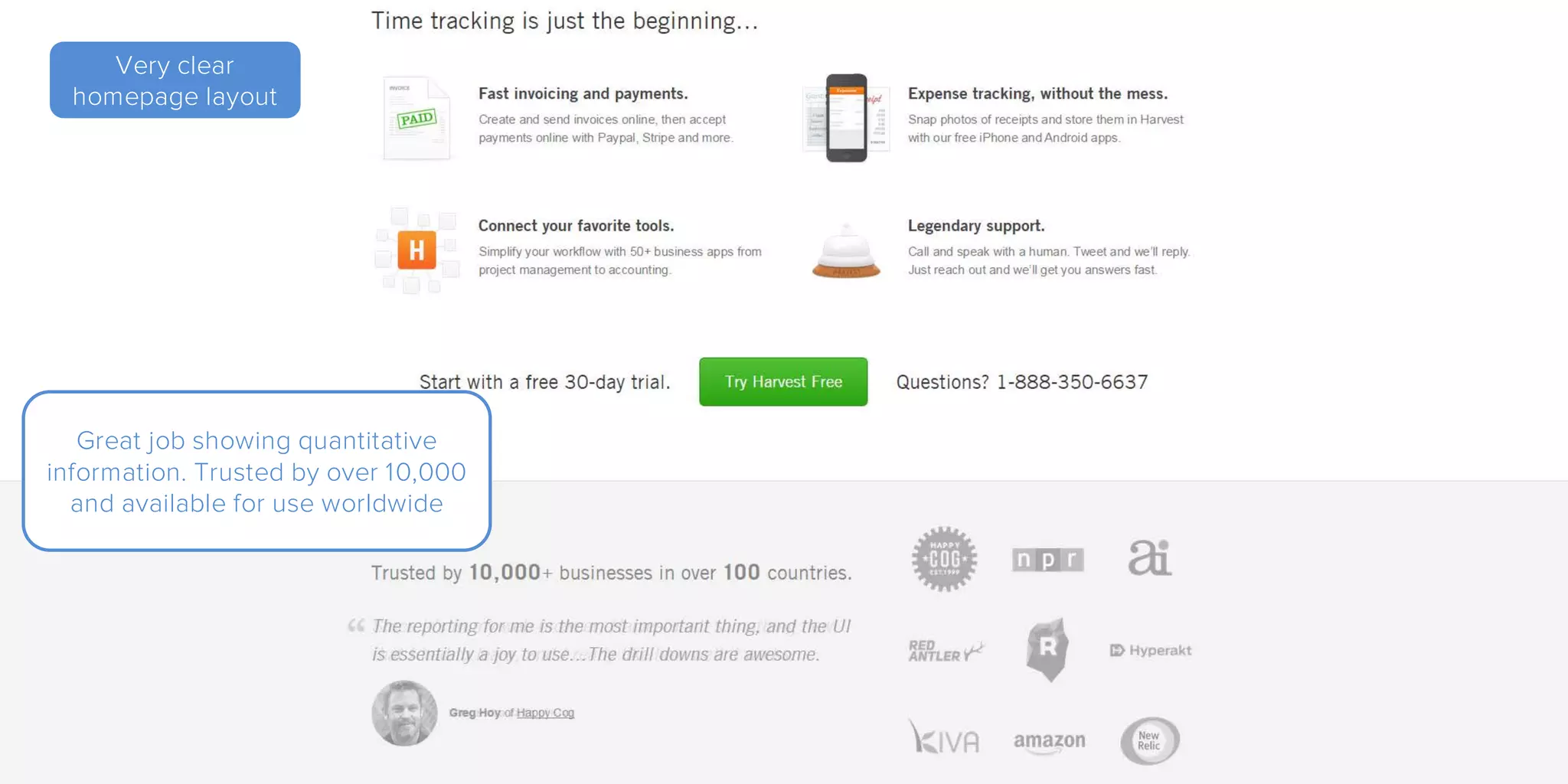
Great job showing quantitative
information. Trusted by over 10,000
and available for use worldwide
A Few
Observations
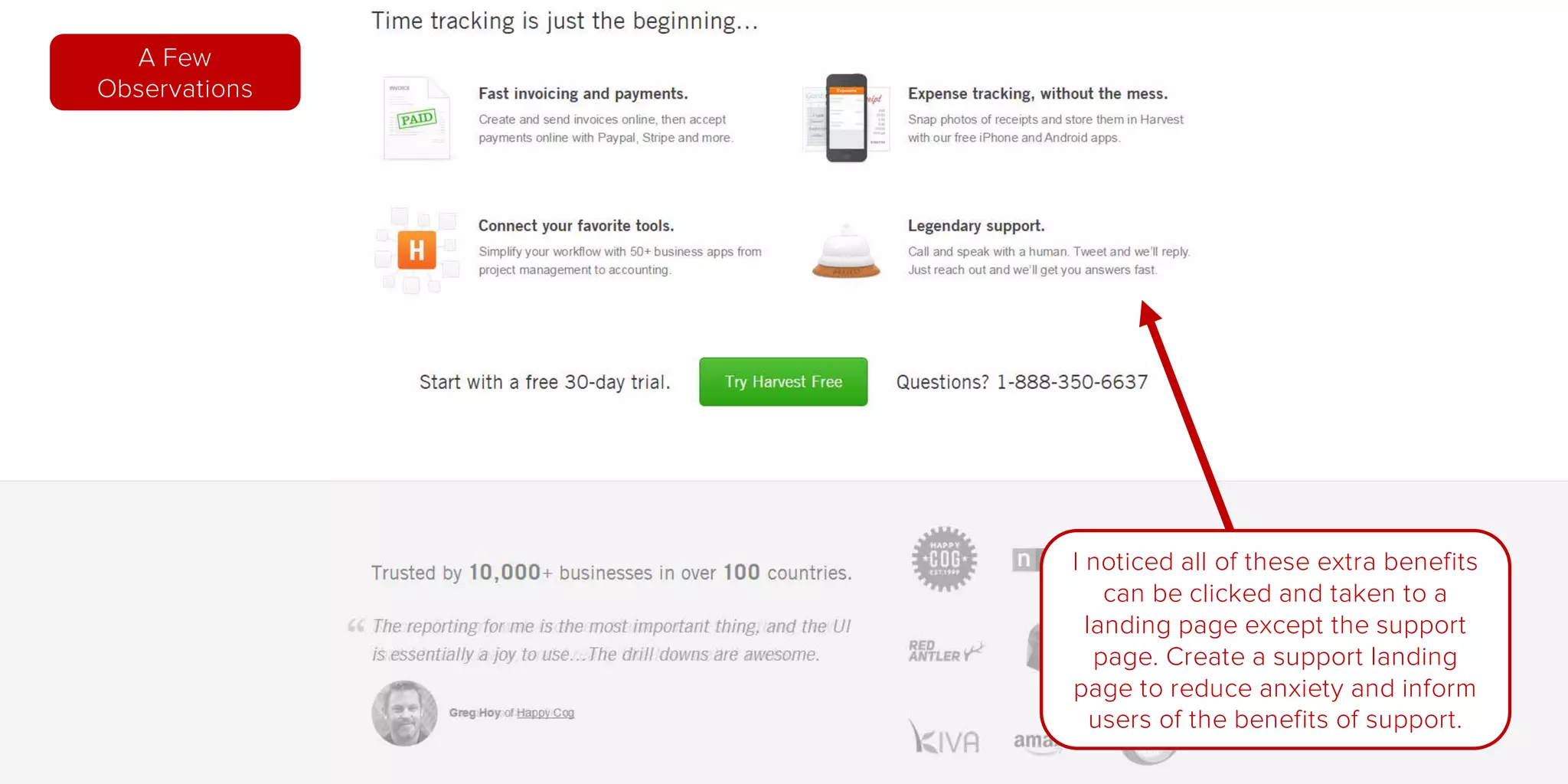
I noticed all of these extra benefits
can be clicked and taken to a
landing page except the support
page. Create a support landing
page to reduce anxiety and inform
users of the benefits of support.
A Few
Observations
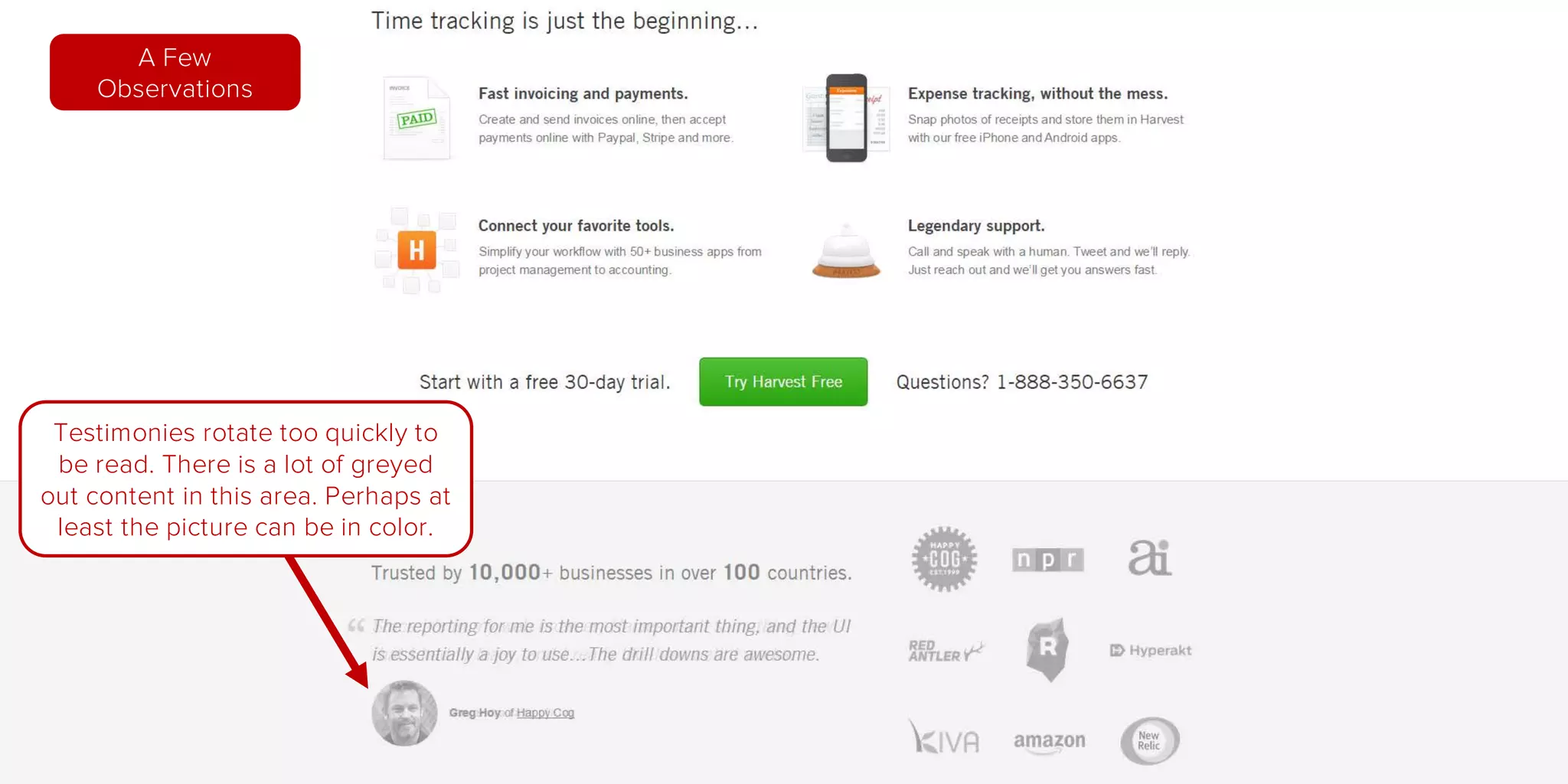
Testimonies rotate too quickly to
be read. There is a lot of greyed
out content in this area. Perhaps at
least the picture can be in color.
Home
Page
Pricing
Page
Signup
Page
Getting
Started
New Project
Form
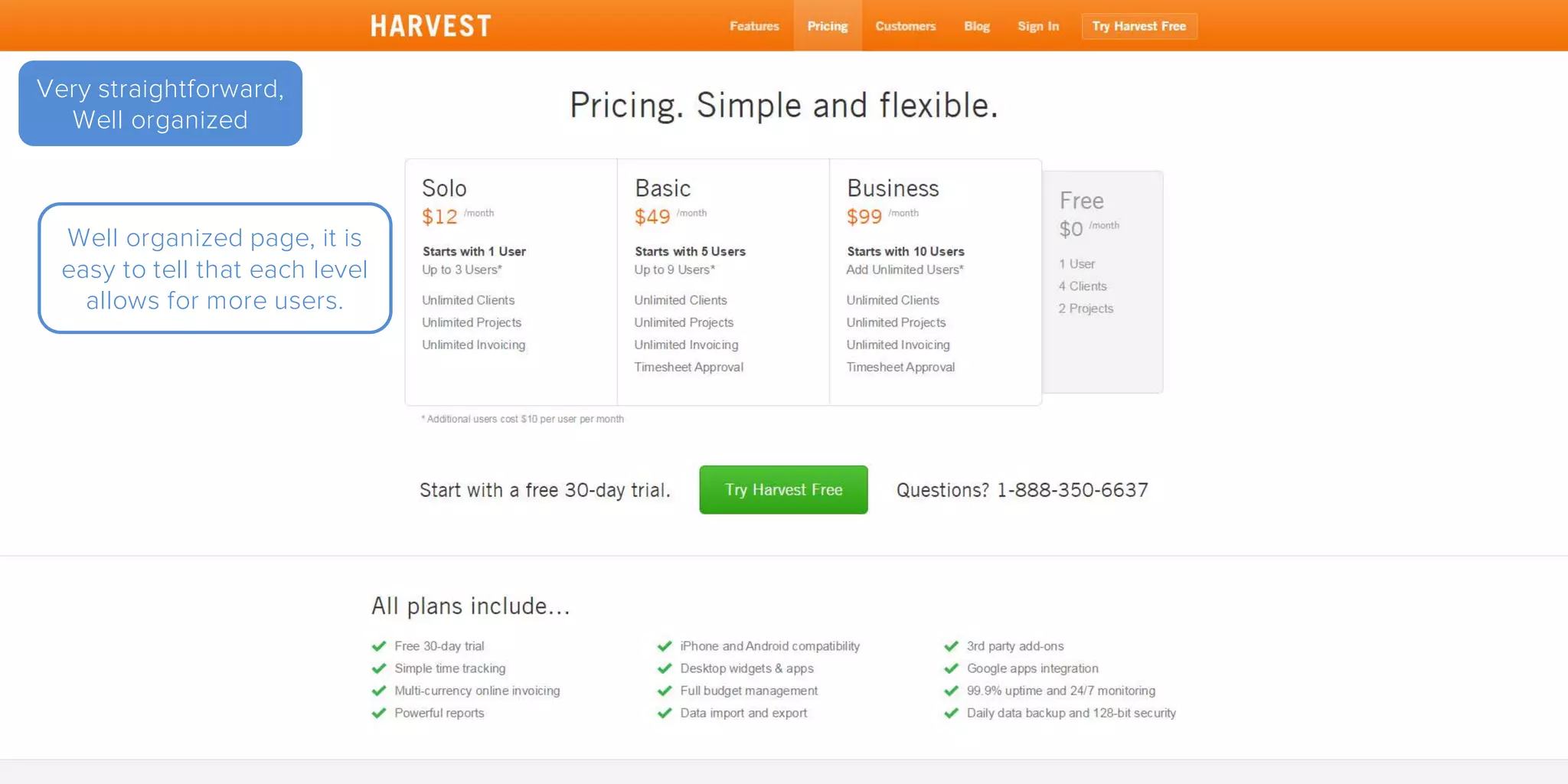
Very straightforward,
Well organized
Well organized page, it is
easy to tell that each level
allows for more users.
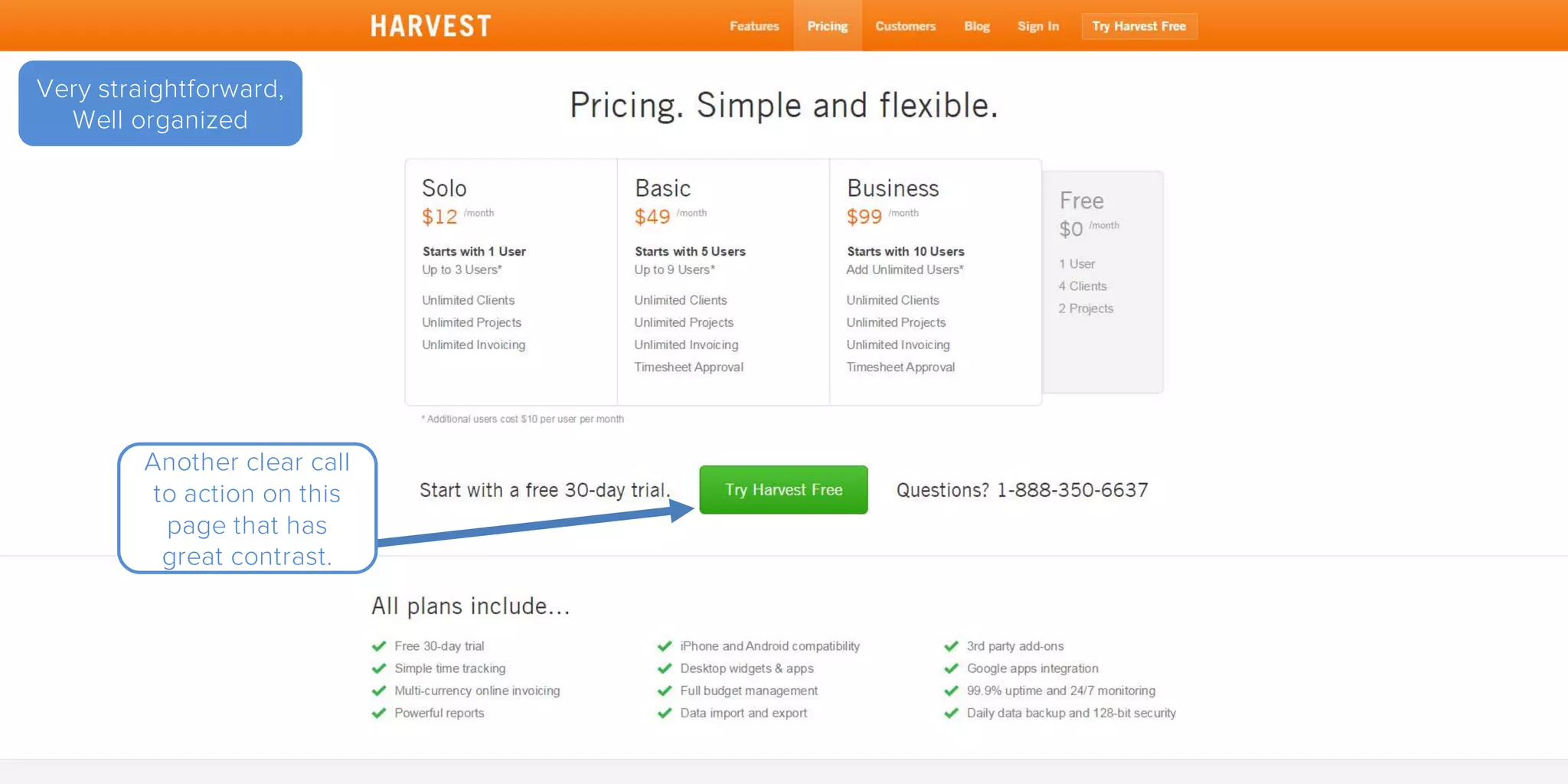
Very straightforward,
Well organized
Another clear call
to action on this
page that has
great contrast.
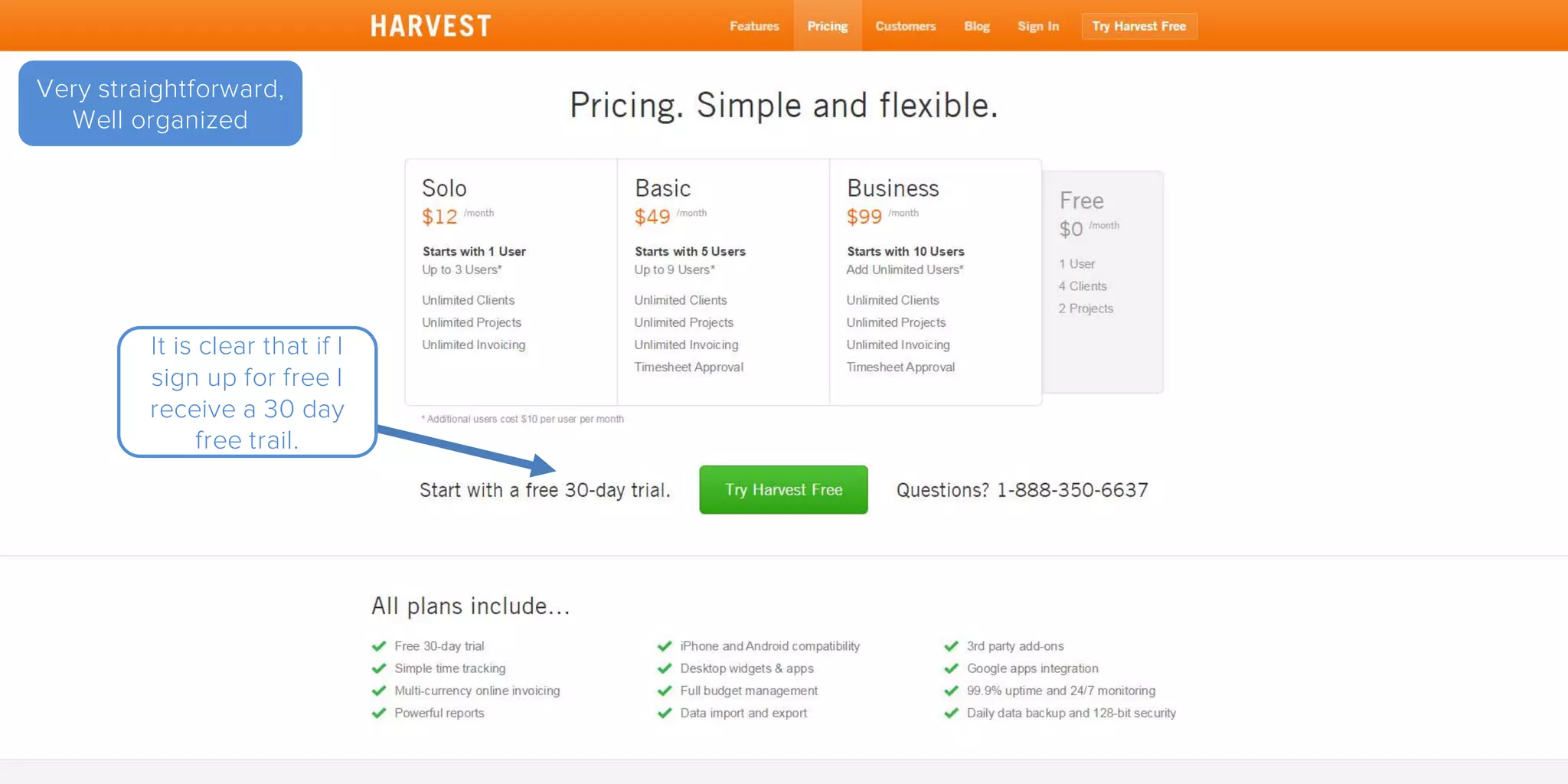
Very straightforward,
Well organized
It is clear that if I
sign up for free I
receive a 30 day
free trail.
Very straightforward,
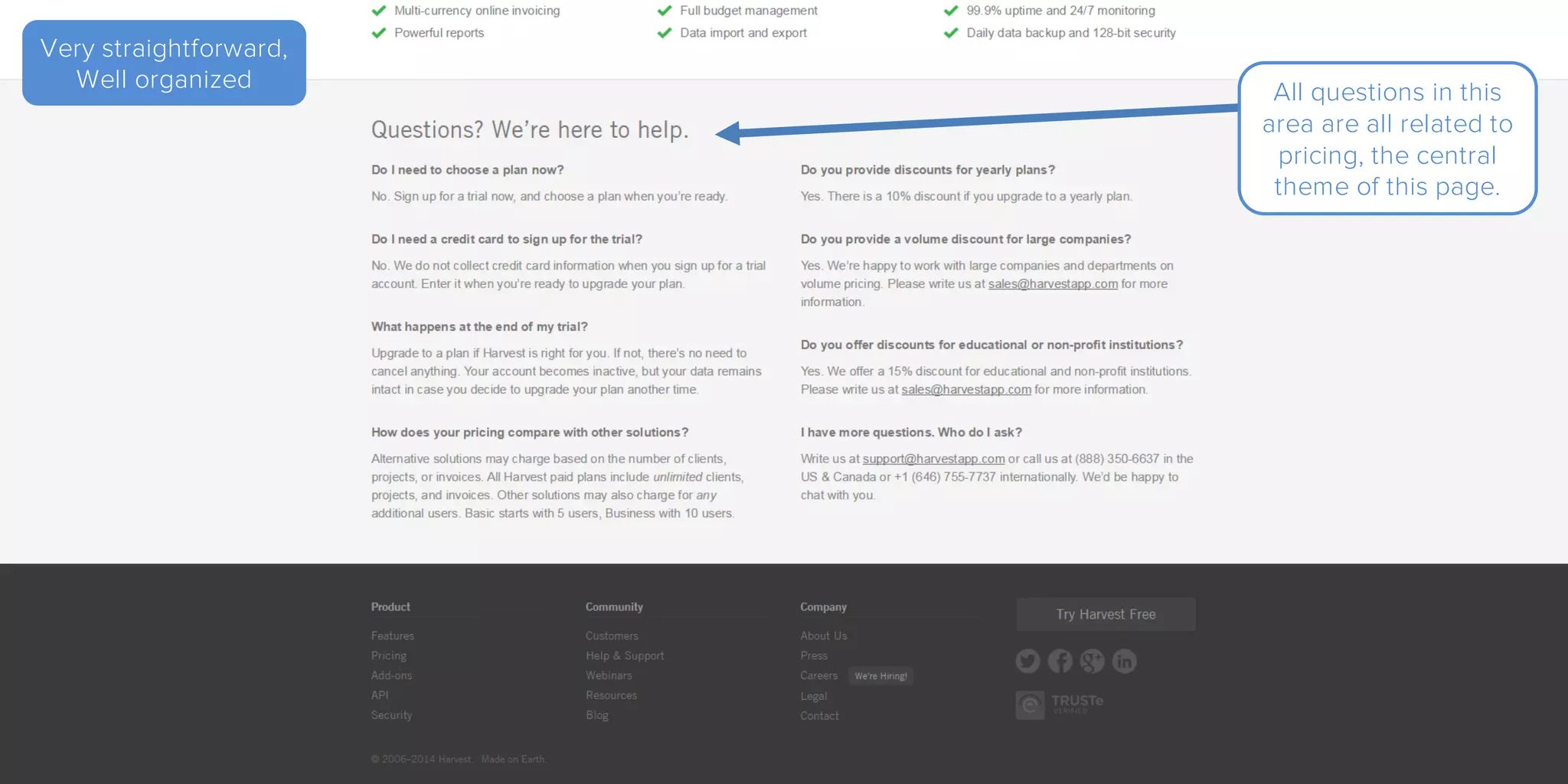
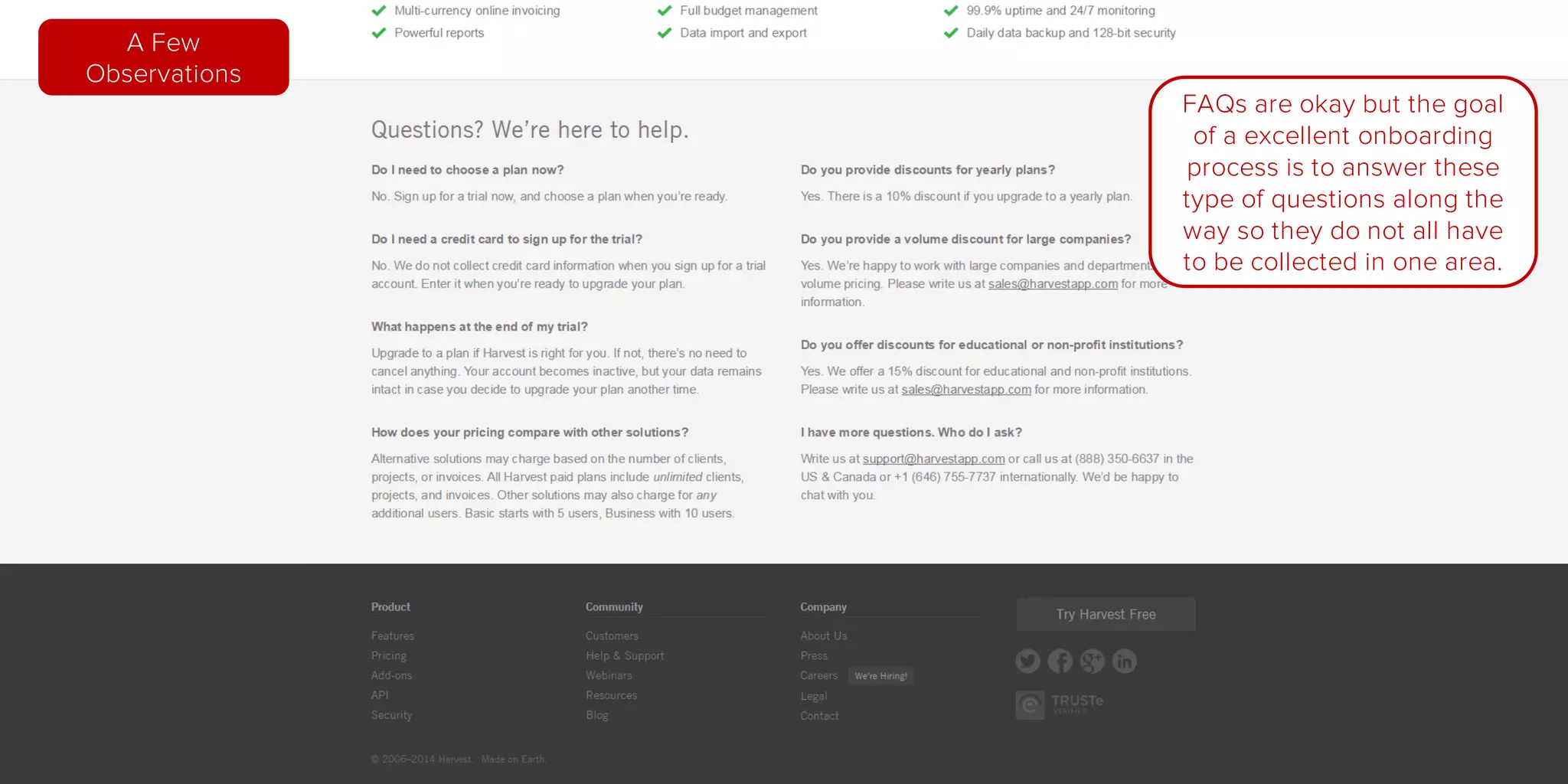
Well organized All questions in this
area are all related to
pricing, the central
theme of this page.
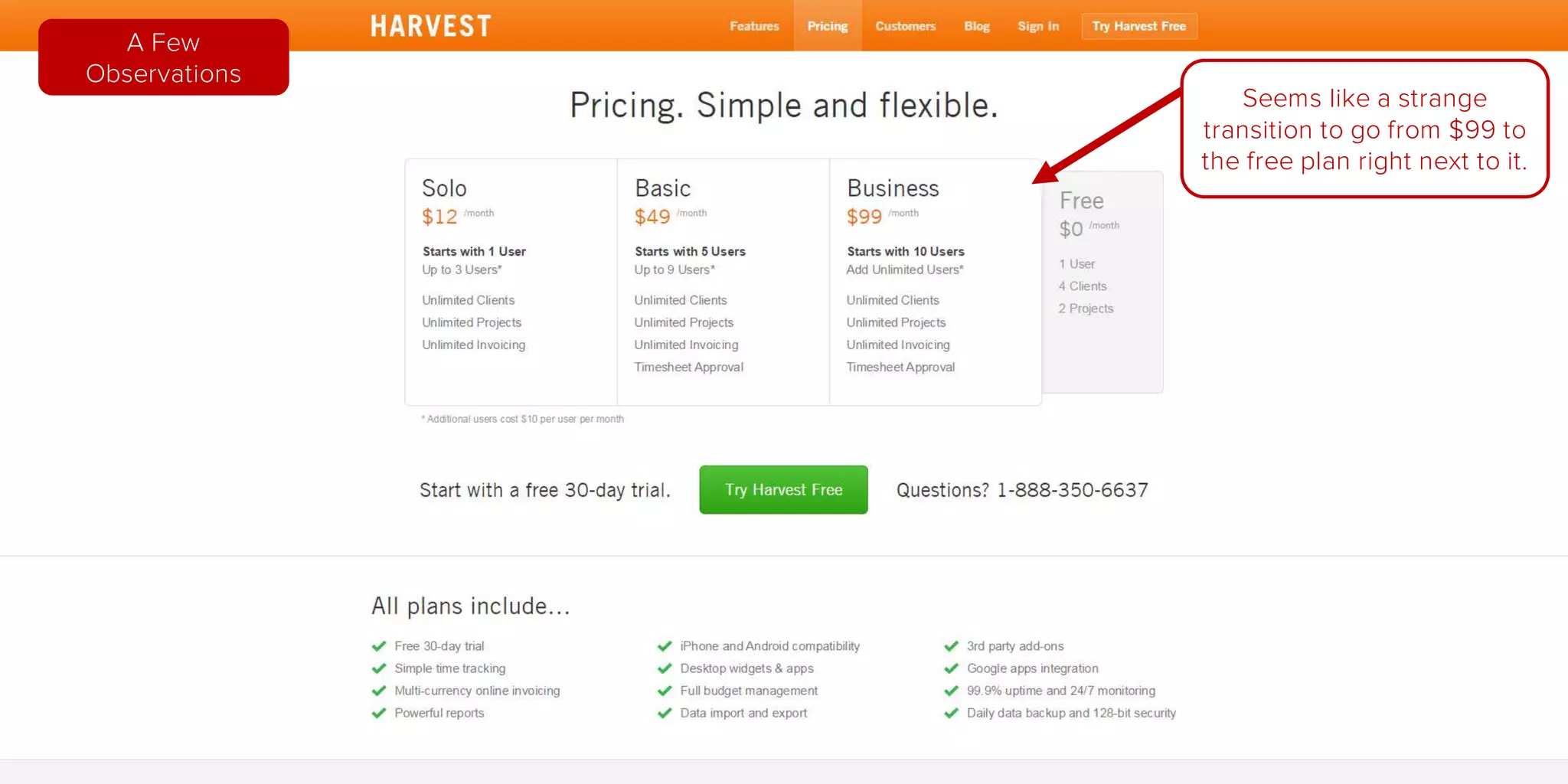
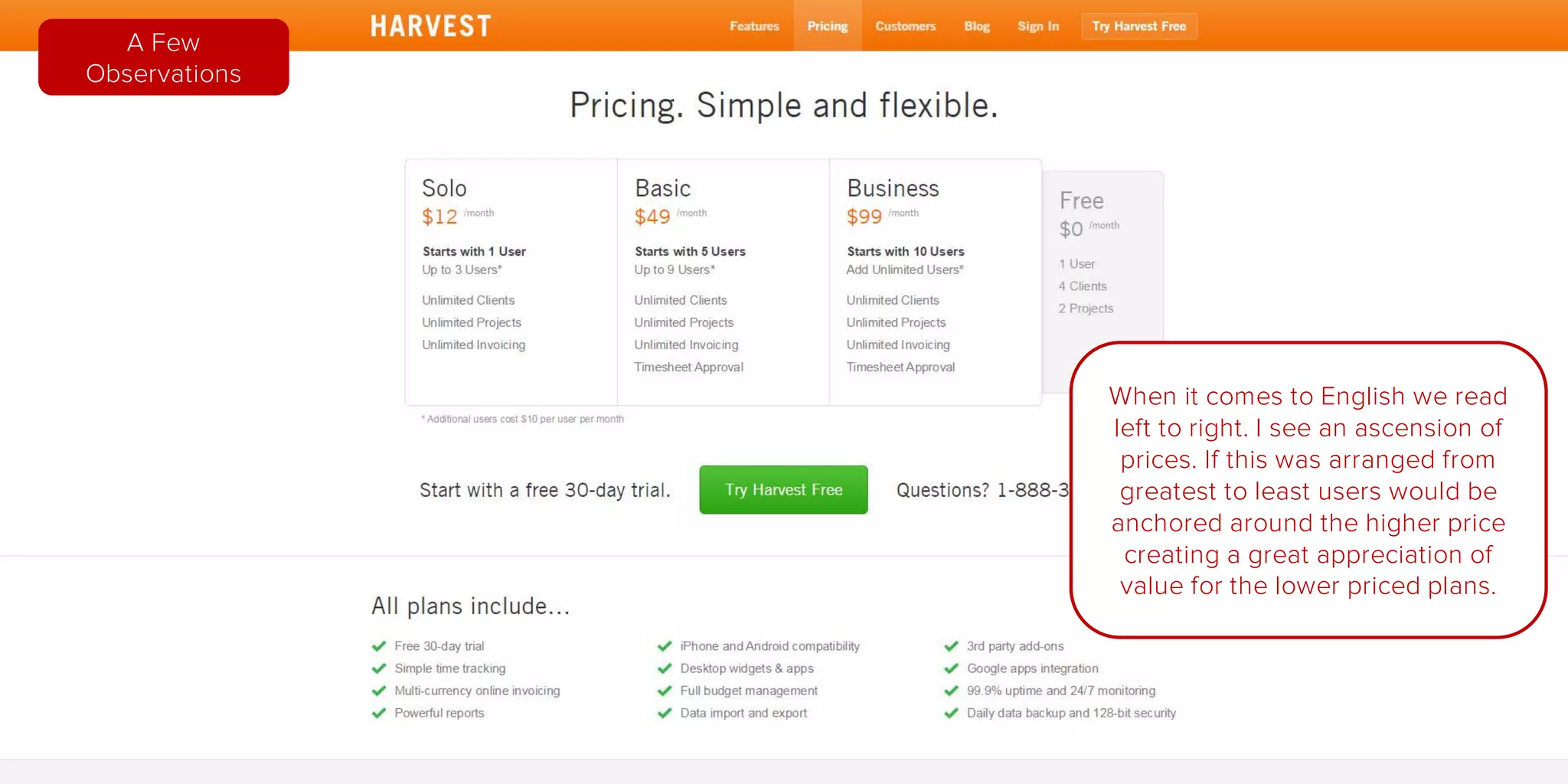
Seems like a strange
transition to go from $99 to
the free plan right next to it.
A Few
Observations
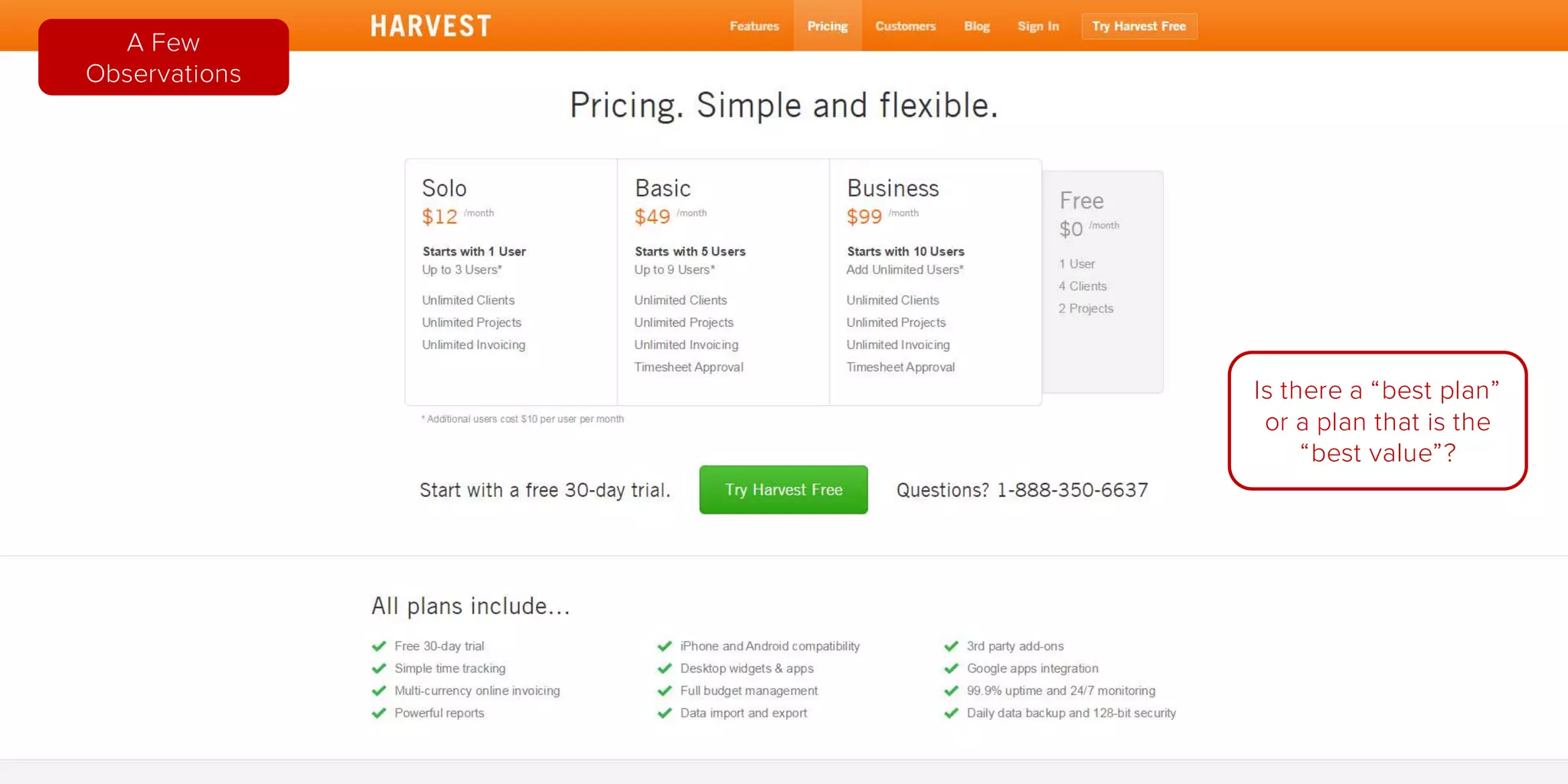
Is there a “best plan” or a
plan that is the “best
value”?
What plan is the most
popular? Users will
default to groupthink
when they cannot decide.
A Few
Observations
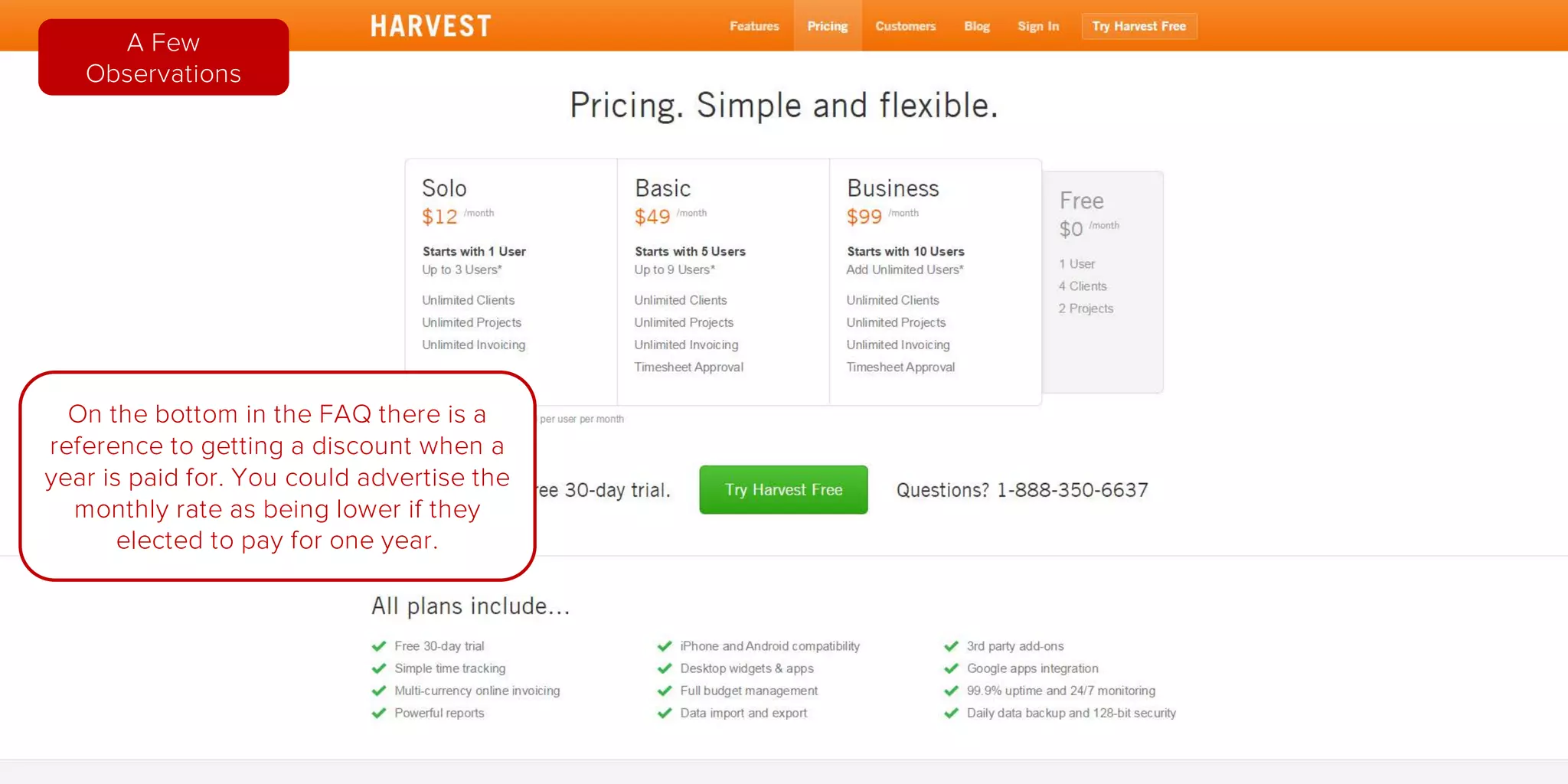
On the bottom in the FAQ there is a
reference to getting a discount when a
year is paid for. You could advertise the
monthly rate as being lower if they
elected to pay for one year.
A Few
Observations
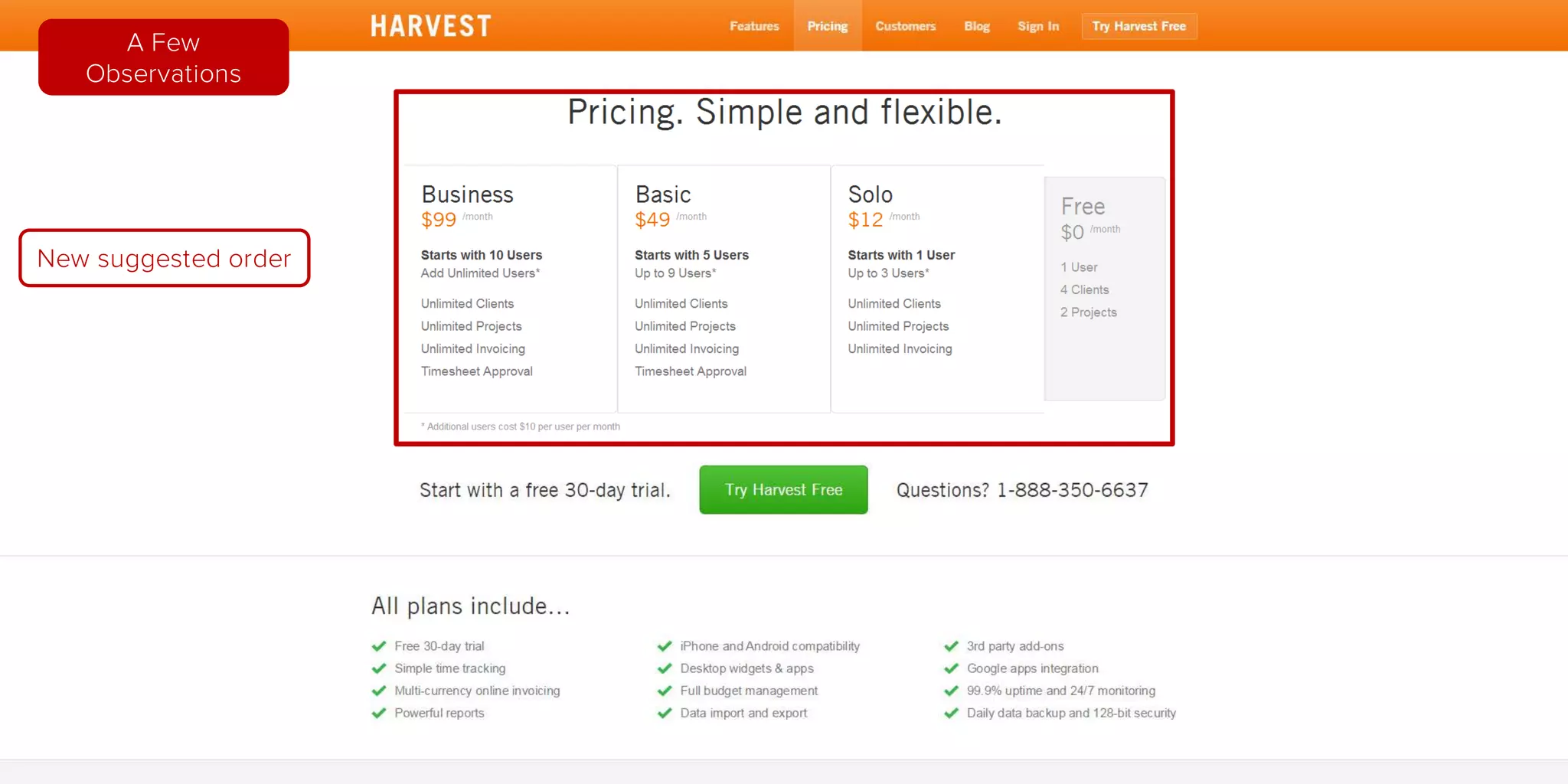
When it comes to English we read
left to right. I see an ascension of
prices. If this was arranged from
greatest to least users would be
anchored around the higher price
creating a great appreciation of
value for the lower priced plans.
A Few
Observations
New suggested order
A Few
Observations
FAQs are okay but the goal
of a excellent onboarding
process is to answer these
type of questions along the
way so they do not all have
to be collected in one area.
A Few
Observations
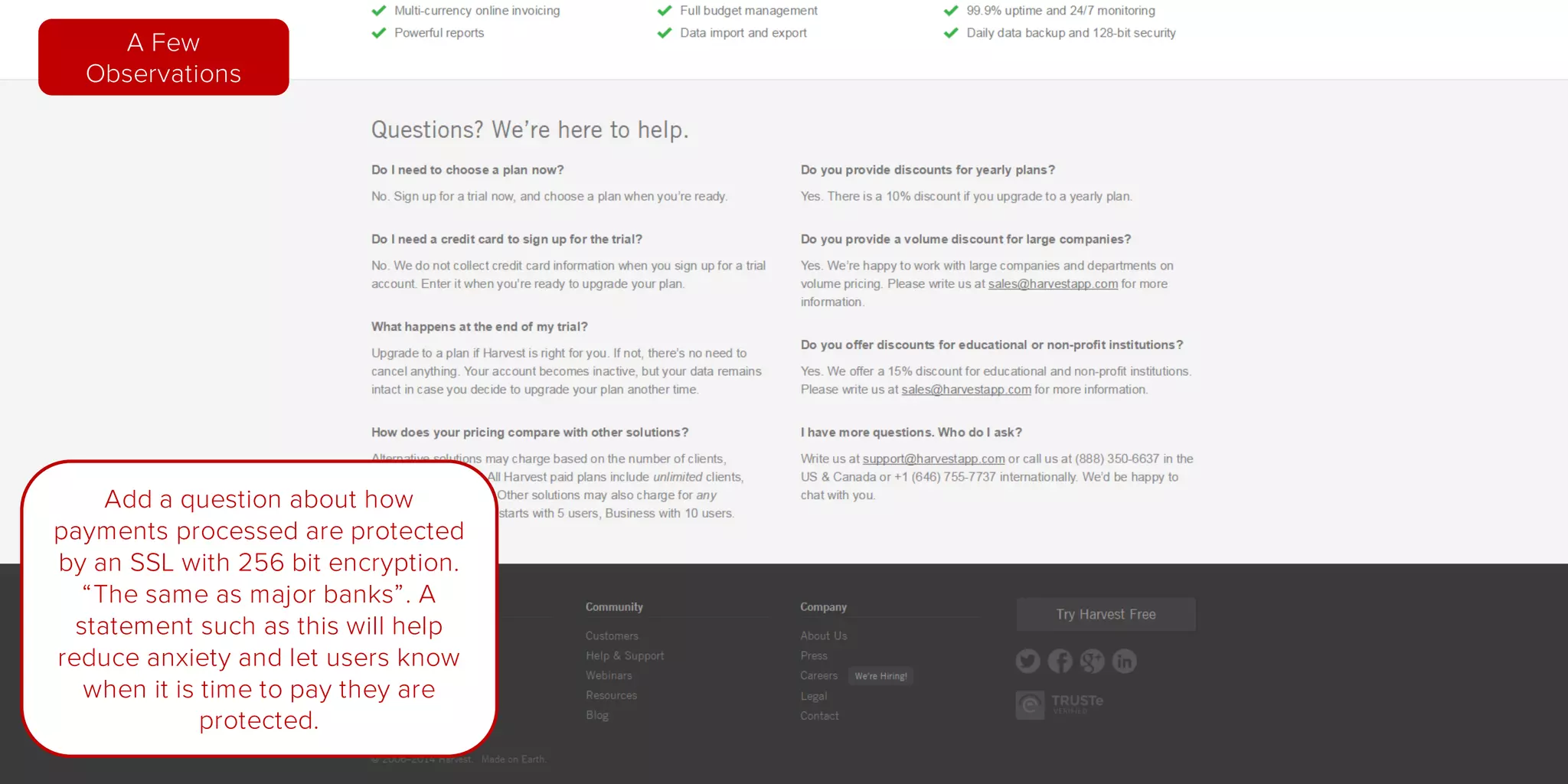
Add a question about how
payments processed are protected
by an SSL with 256 bit encryption,
“The same as major banks”.
A statement such as this will help
reduce anxiety and let users know
when it is time to pay they are
protected.
A Few
Observations
Home
Page
Pricing
Page
Signup
Page
Getting
Started
New Project
Form
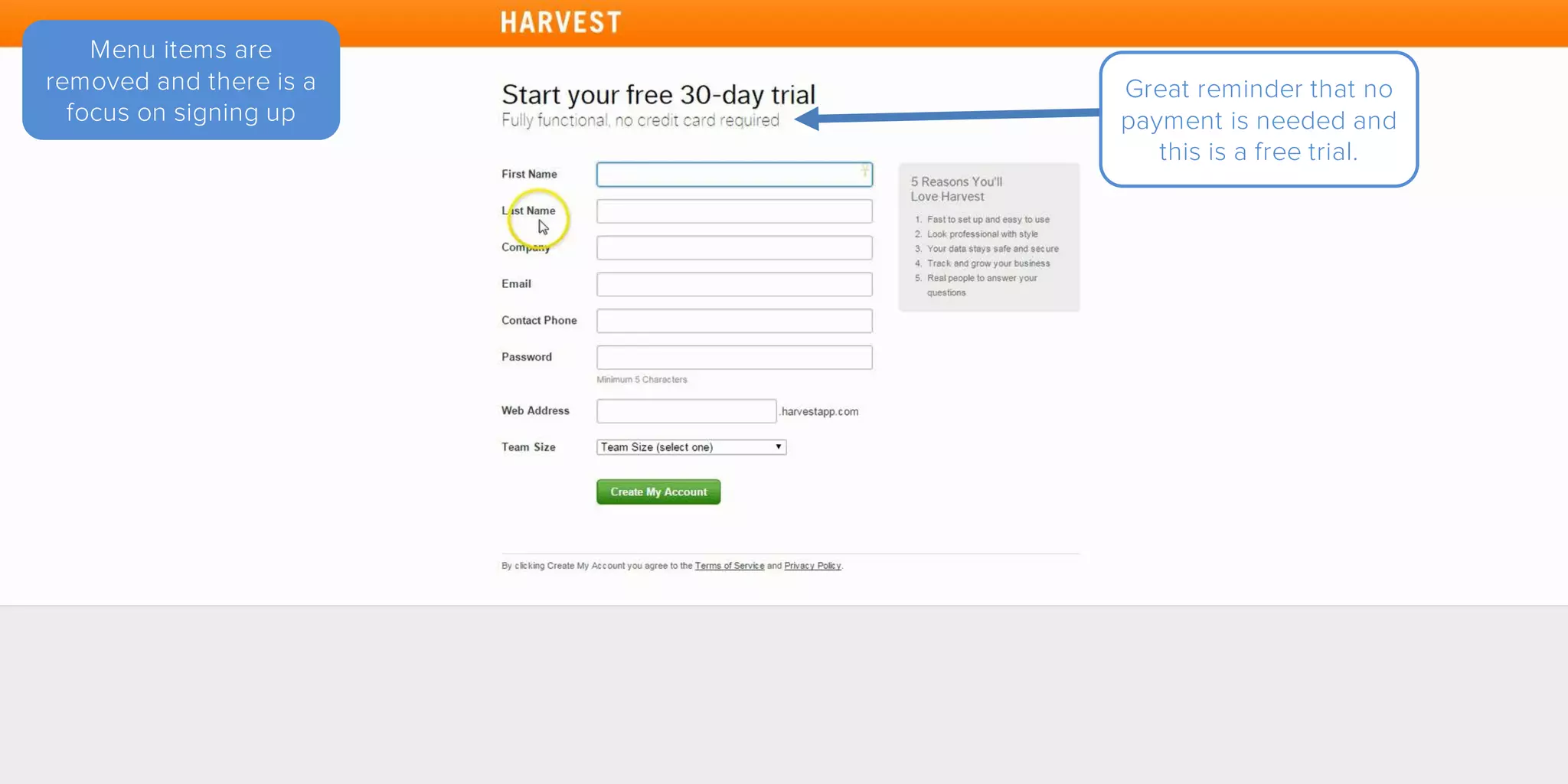
Menu items are
removed and there is a
focus on signing up
Great reminder that no
payment is needed and
this is a free trial.
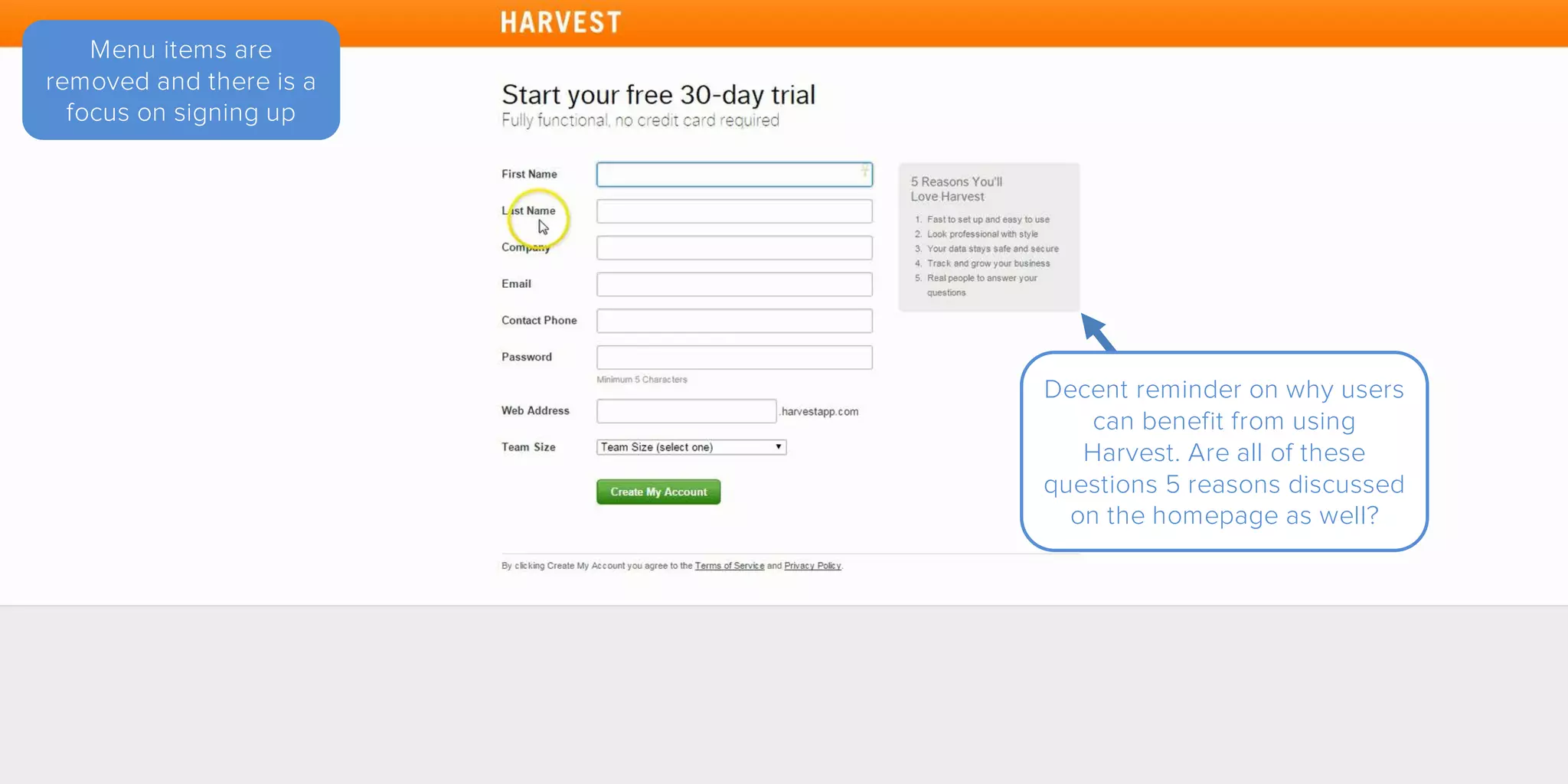
Menu items are
removed and there is a
focus on signing up
Decent reminder on why users
can benefit from using
Harvest. Are all of these
questions 5 reasons discussed
on the homepage as well?
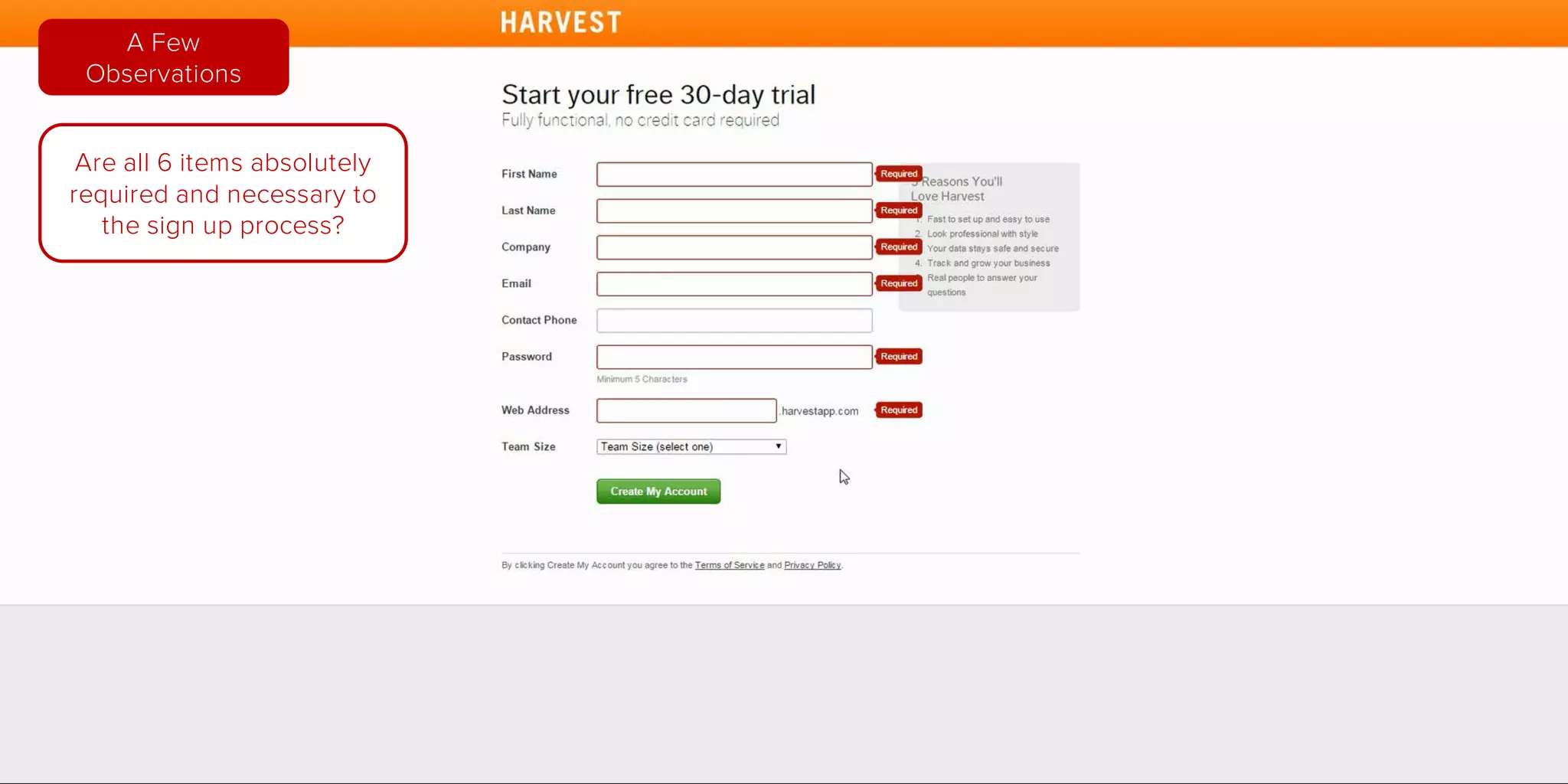
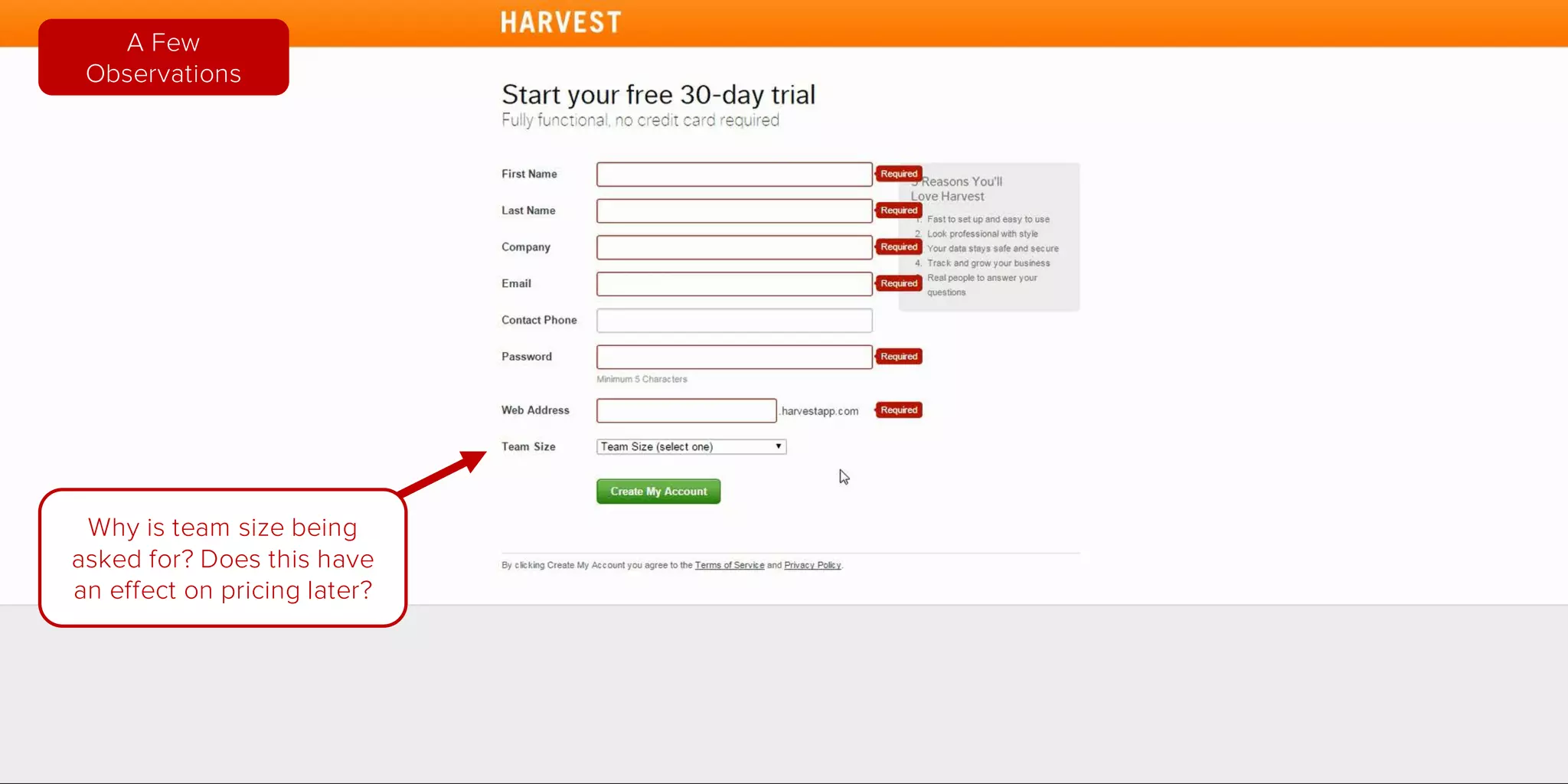
Are all 6 items absolutely
required and necessary to
the sign up process?
A Few
Observations
Why is team size being
asked for?
Does this have an effect
on pricing later?
A Few
Observations
Central Focus on
signing up
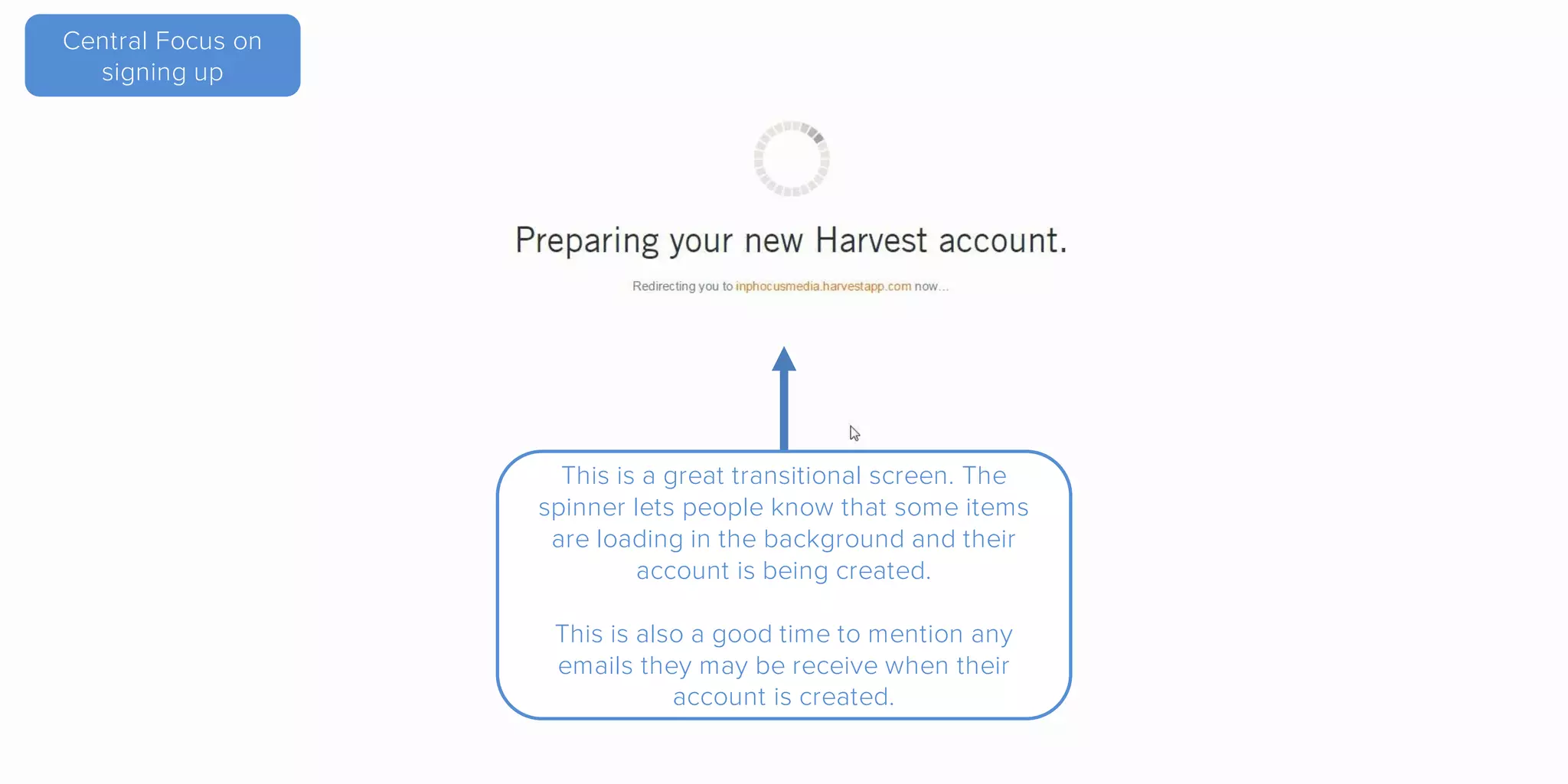
This is a great transitional screen. The
spinner lets people know that some items
are loading in the background and their
account is being created.
This is also a good time to mention any
emails they may be receive when their
account is created.
Central Focus on
signing up
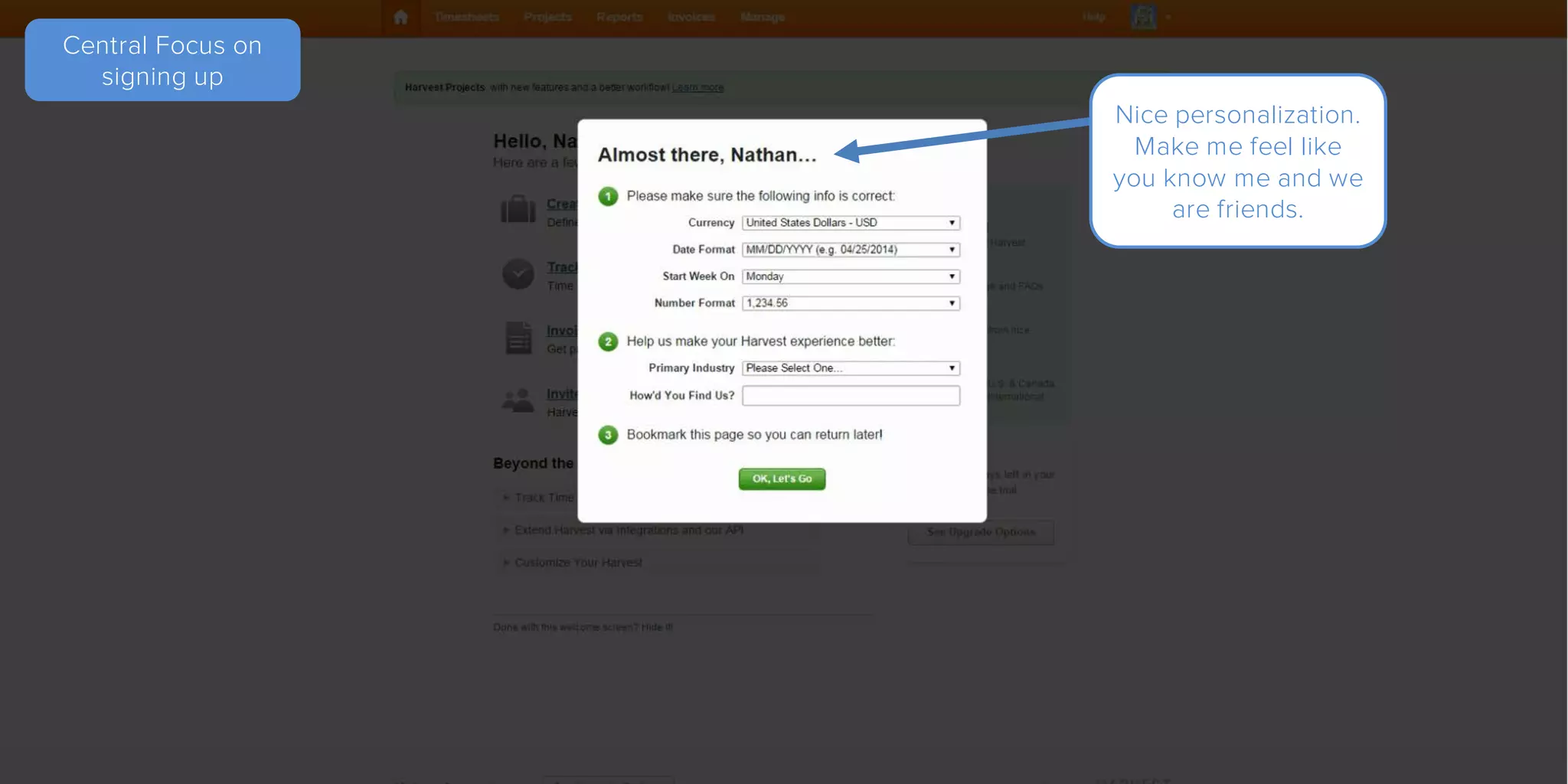
Nice personalization. Makes me
feel like you know me and we
are friends.
Central Focus on
signing up
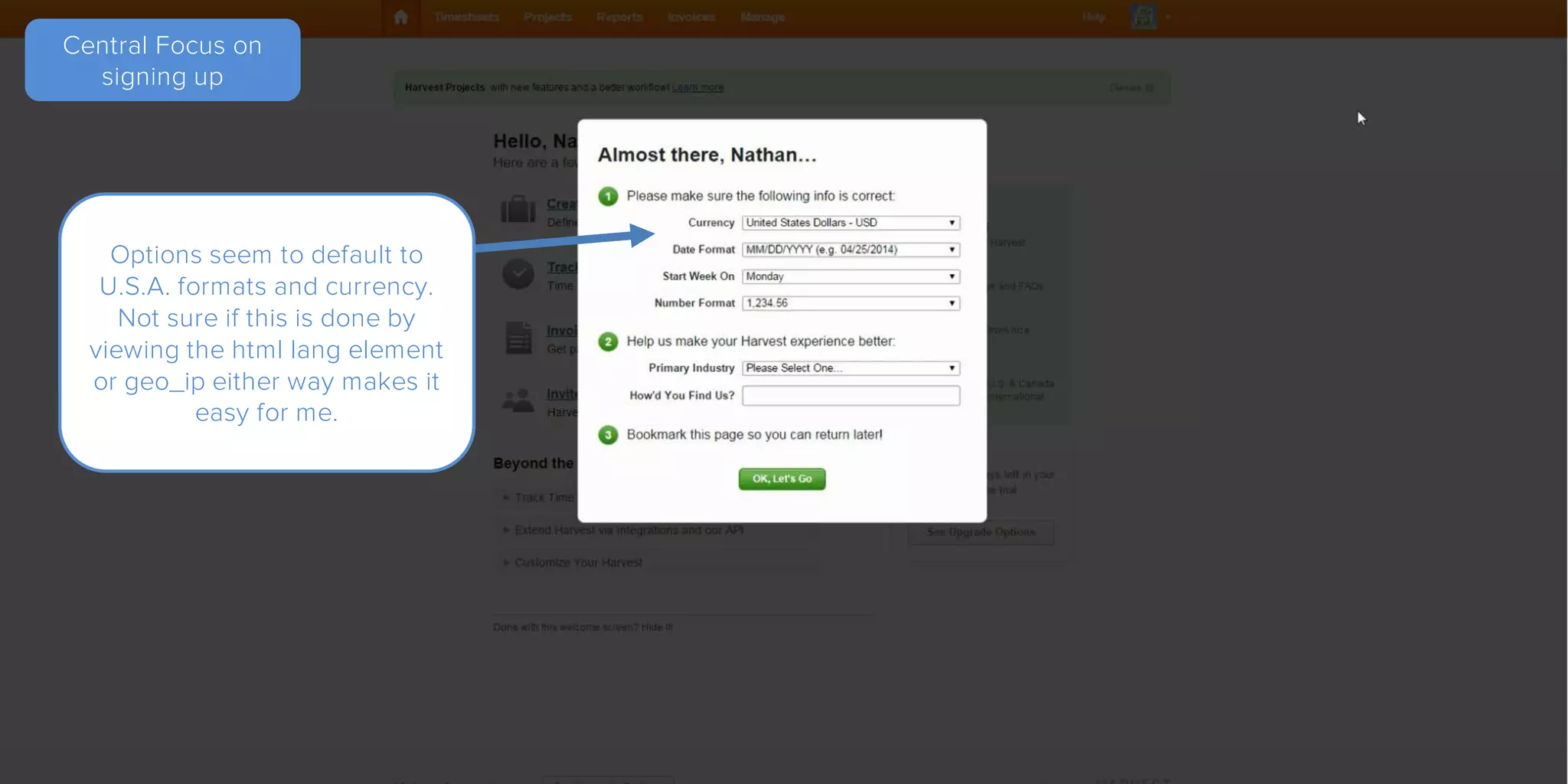
Options seem to default to
U.S.A. formats and currency.
Not sure if this is done by
viewing the html lang element
or geo_ip either way makes it
easy for me.
Central Focus on
signing up
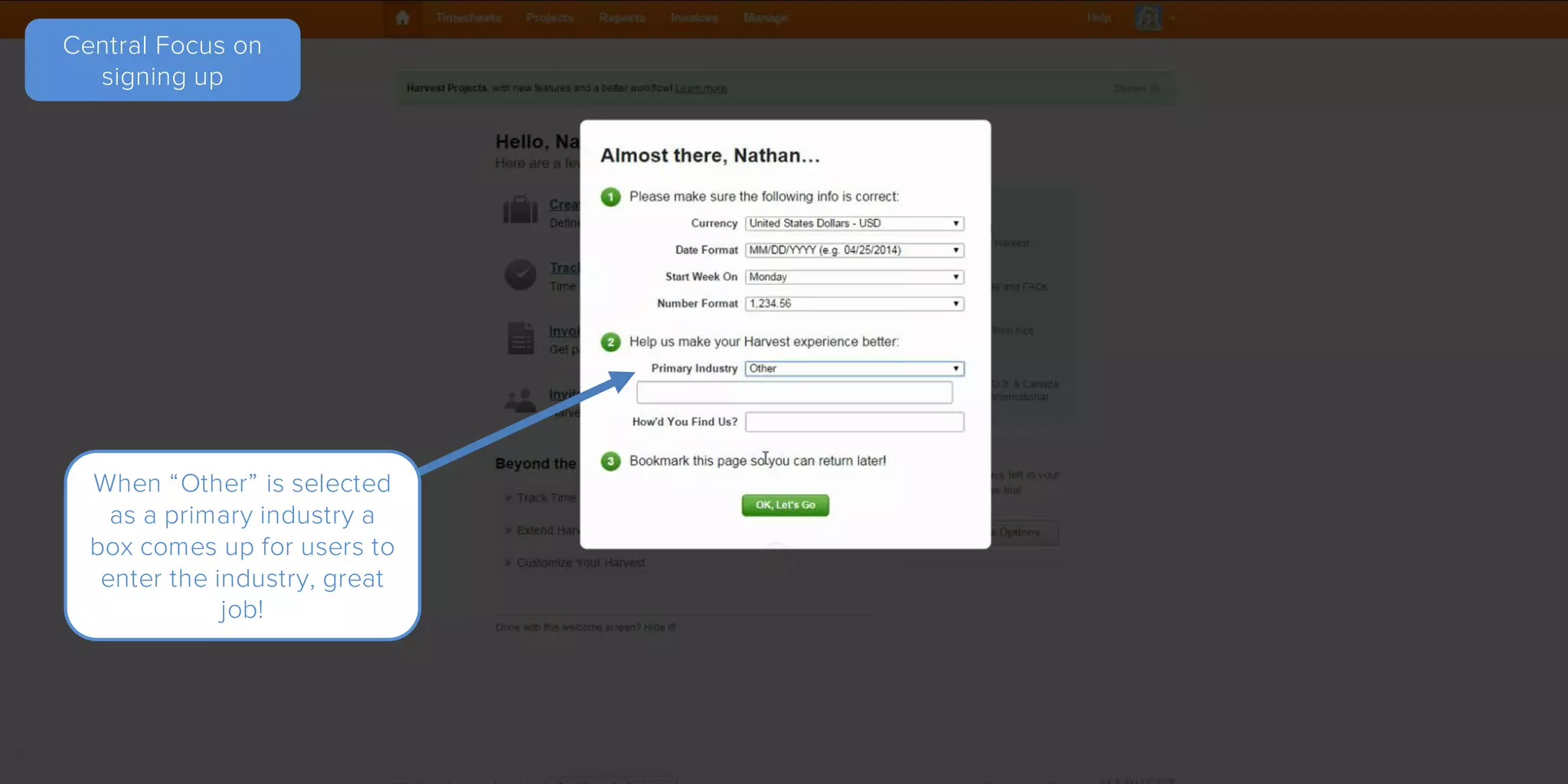
When “Other” is selected as
a primary industry a box
comes up for users to enter
the industry, great job!
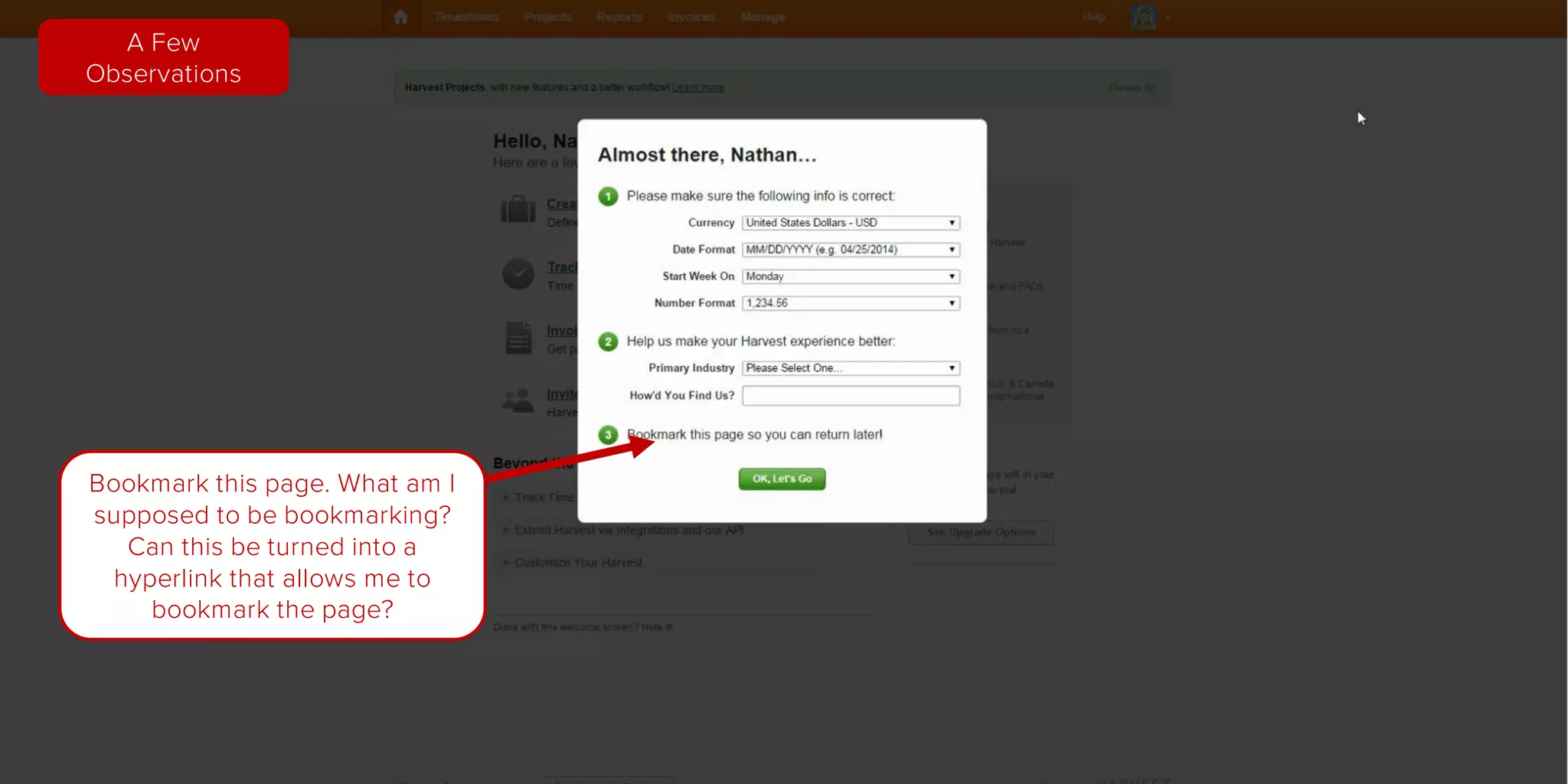
Bookmark this page. What am I
supposed to be bookmarking?
Can this be turned into a
hyperlink that allows me to
bookmark the page?
A Few
Observations
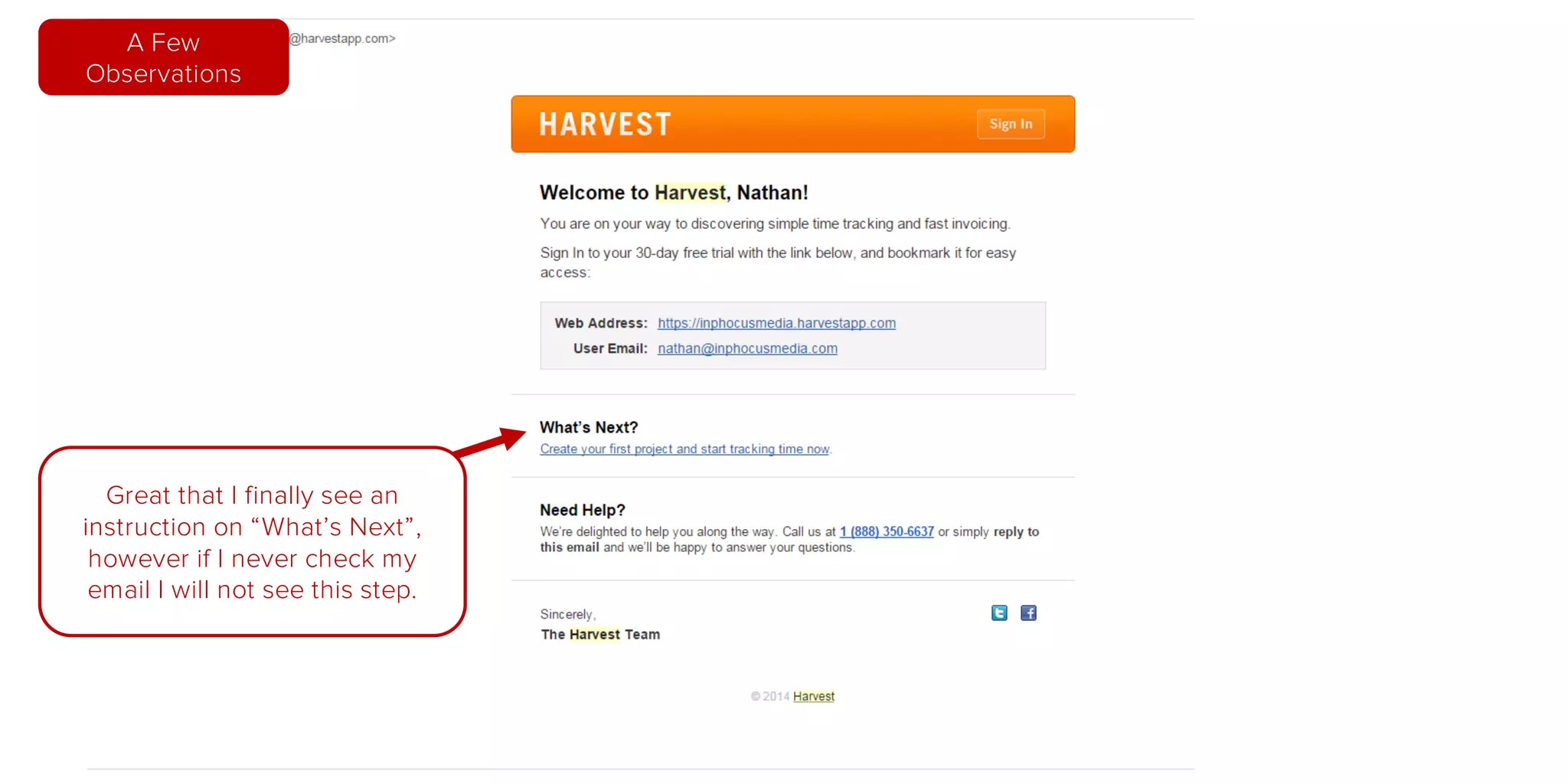
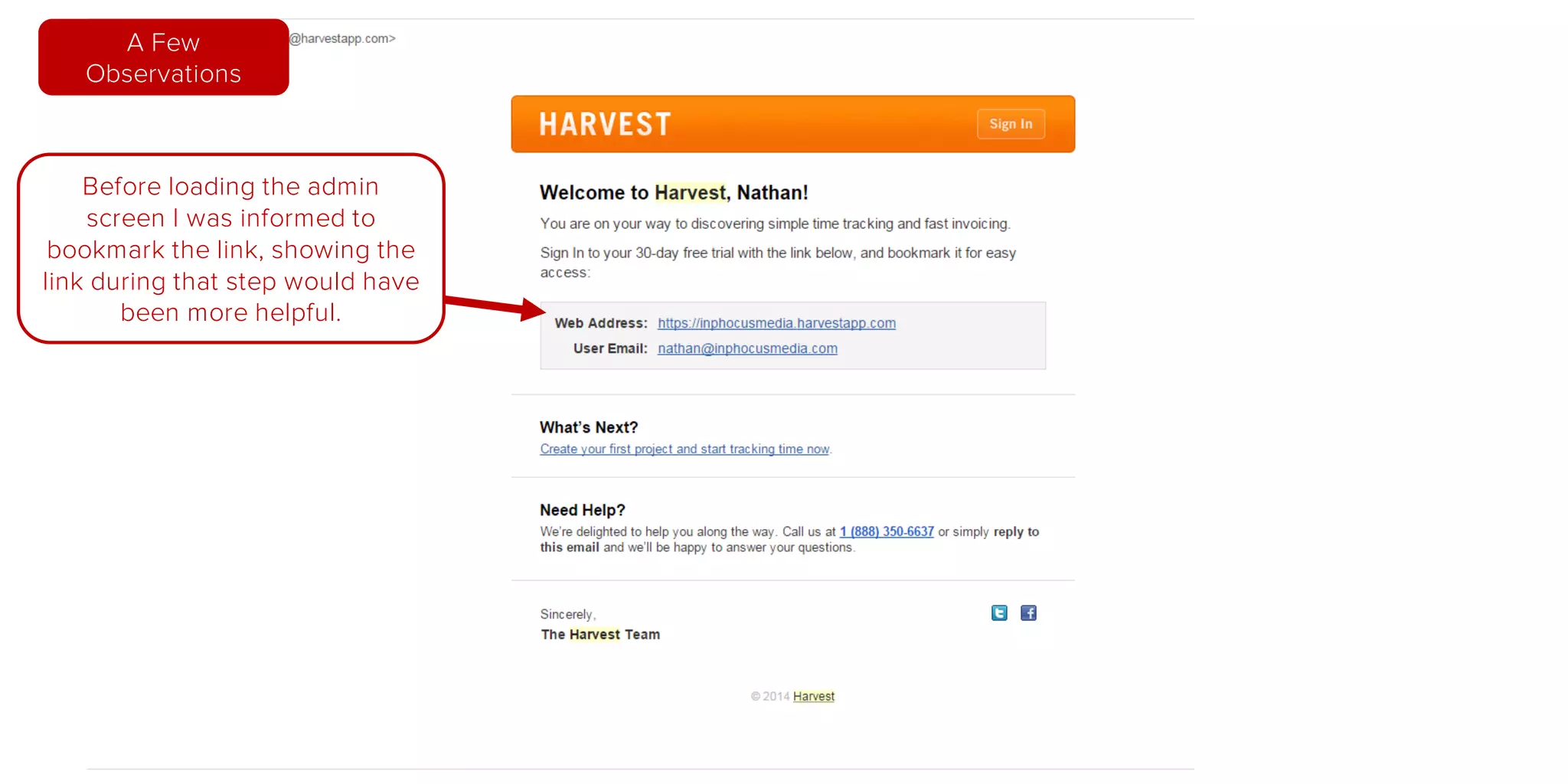
First Email I received
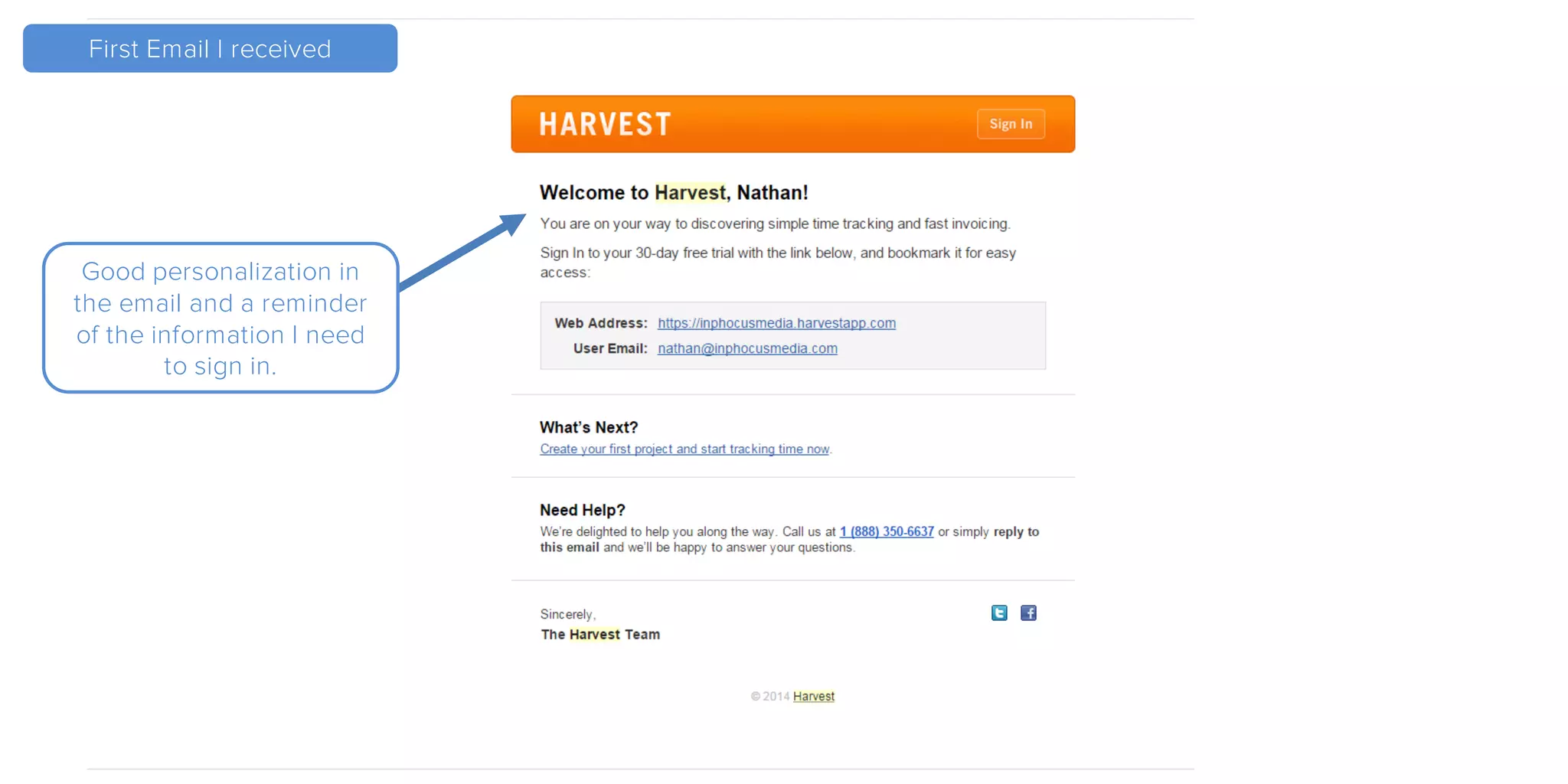
Good personalization in
the email and a reminder
of the information I need
to sign in.
First Email I received
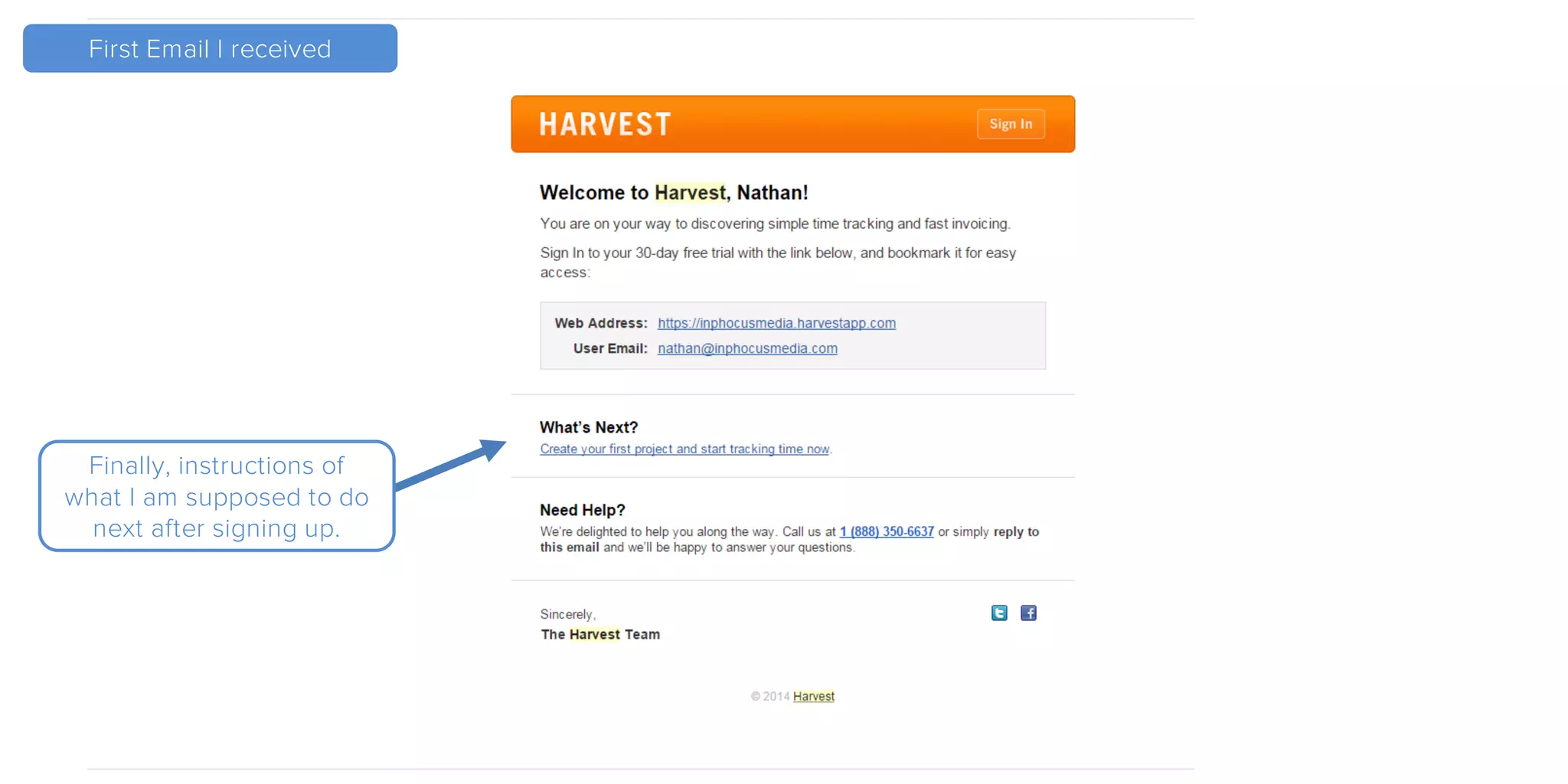
Finally, instructions of
what I am supposed to do
next after signing up.
Great that I finally see an
instruction on “What’s Next”,
however if I never check my
email I will not see this step.
A Few
Observations
Before loading the admin
screen I was informed to
bookmark the link, showing the
link during that step would have
been more helpful.
A Few
Observations
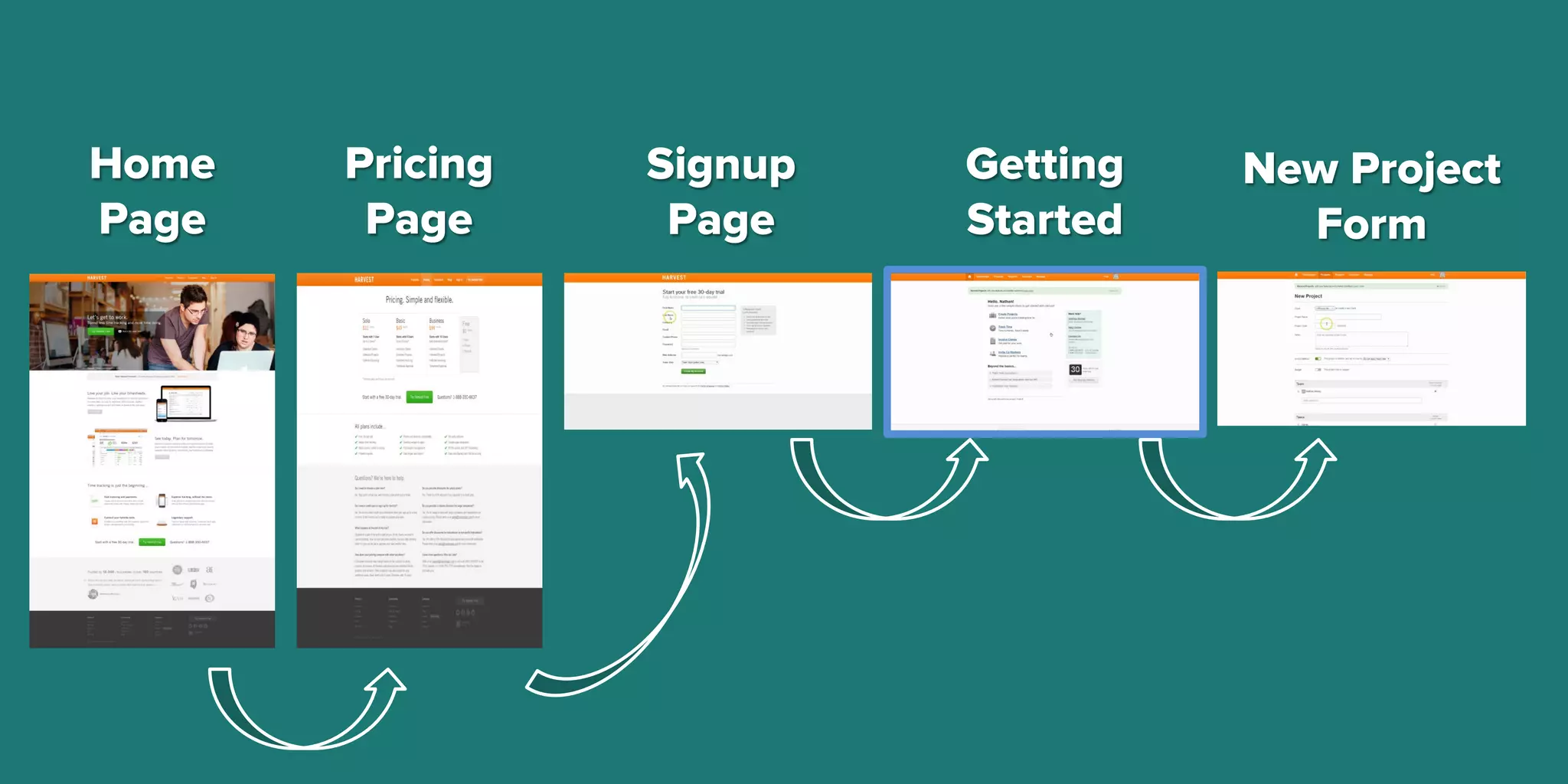
Home
Page
Pricing
Page
Signup
Page
Getting
Started
New Project
Form
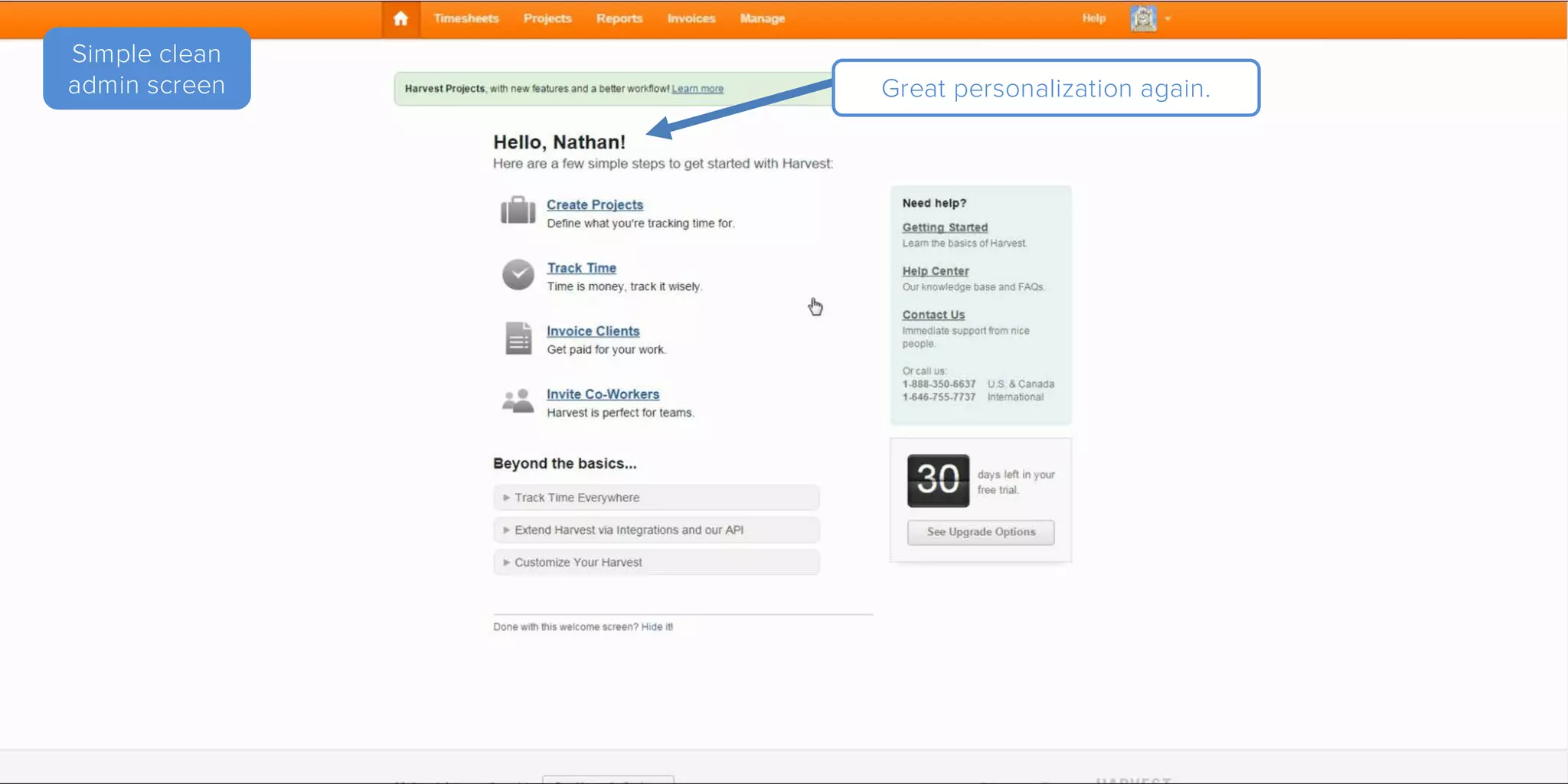
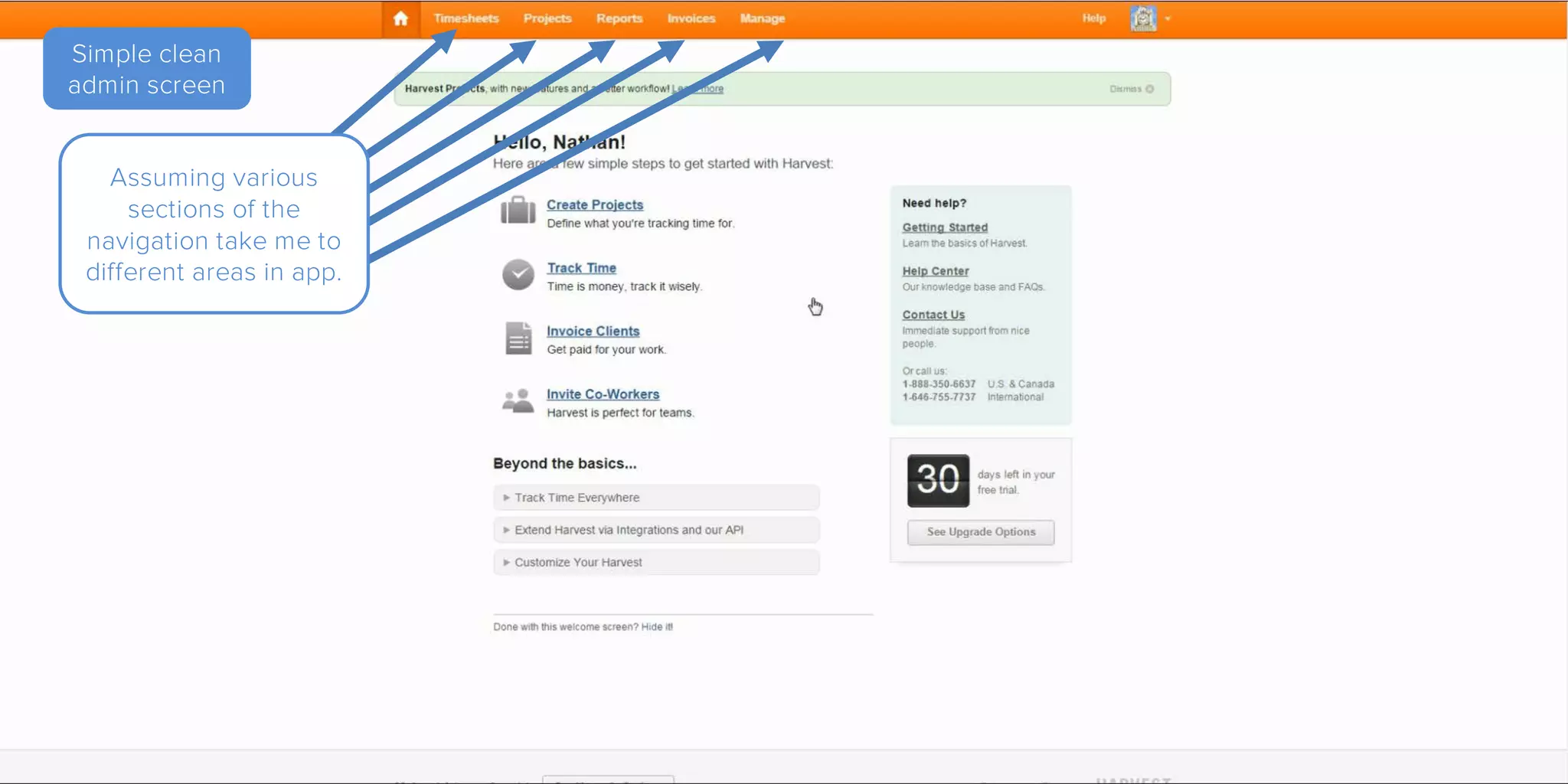
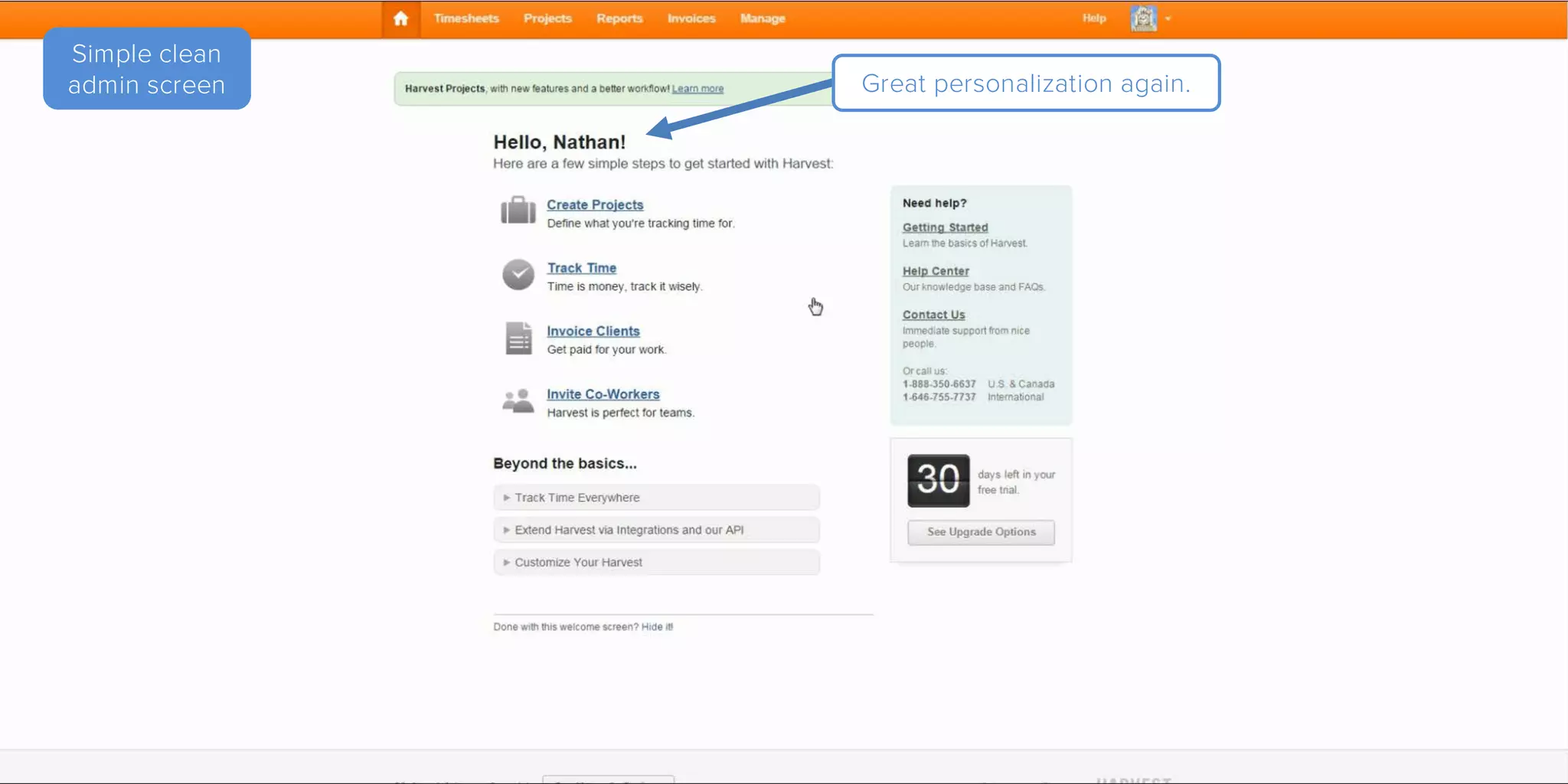
Simple clean
admin screen Great personalization again.
Simple clean
admin screen
Assuming various
sections of the
navigation take me to
different areas in app.
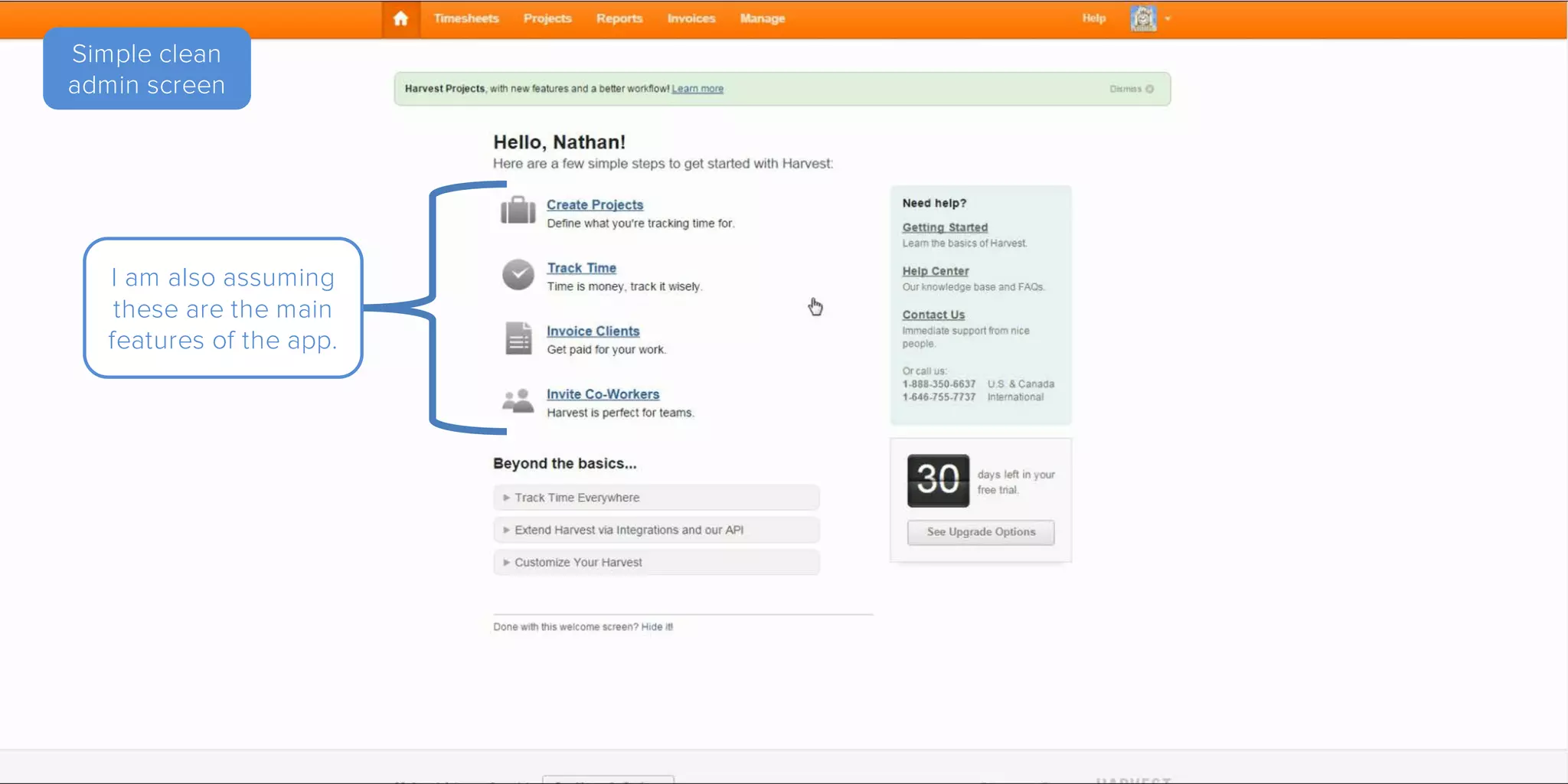
Simple clean
admin screen
I am also assuming
these are the main
features of the app.
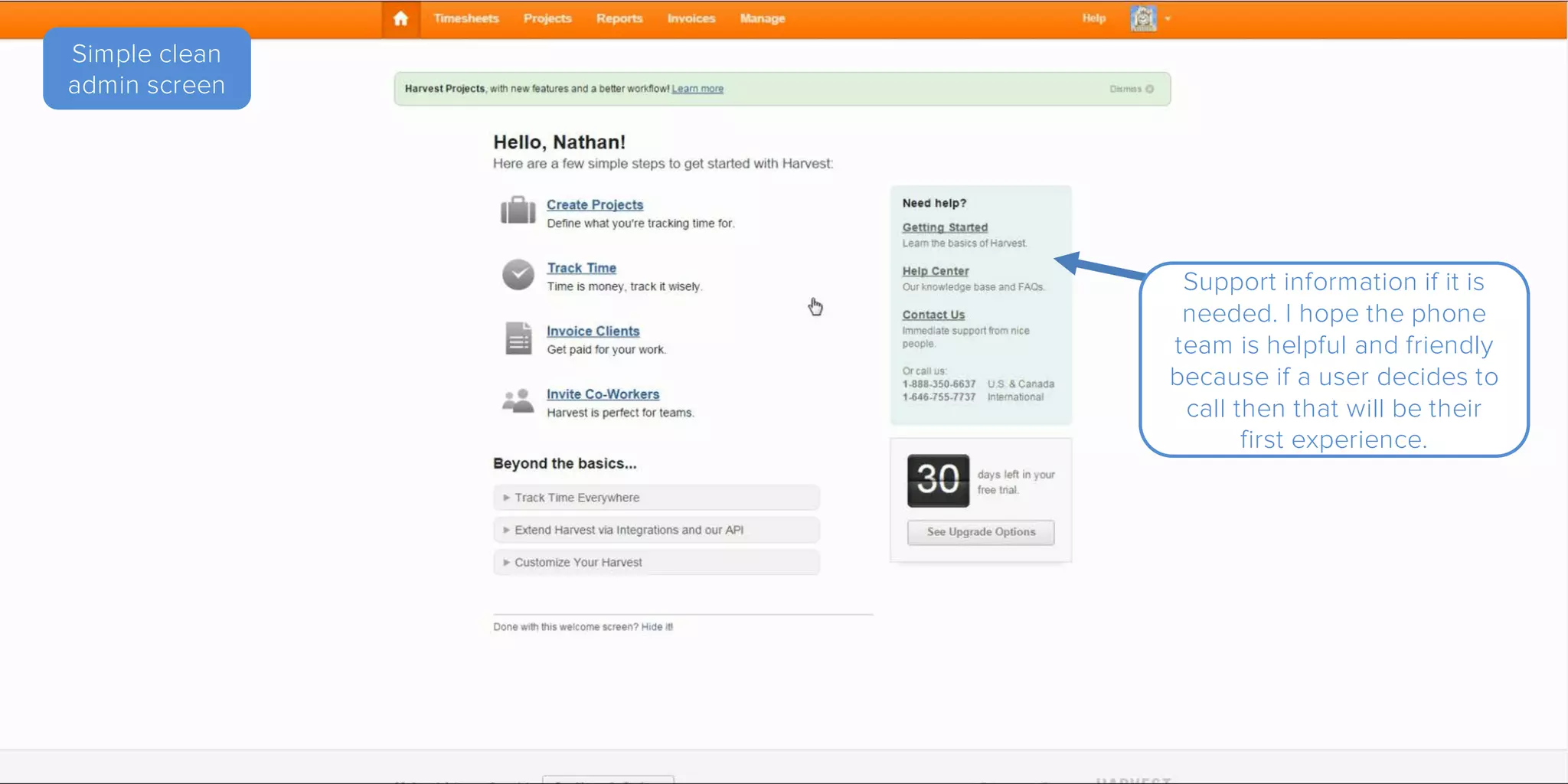
Simple clean
admin screen
Support information if it is
needed. I hope the phone
team is helpful and friendly
because if a user decides to
call then that will be their
first experience.
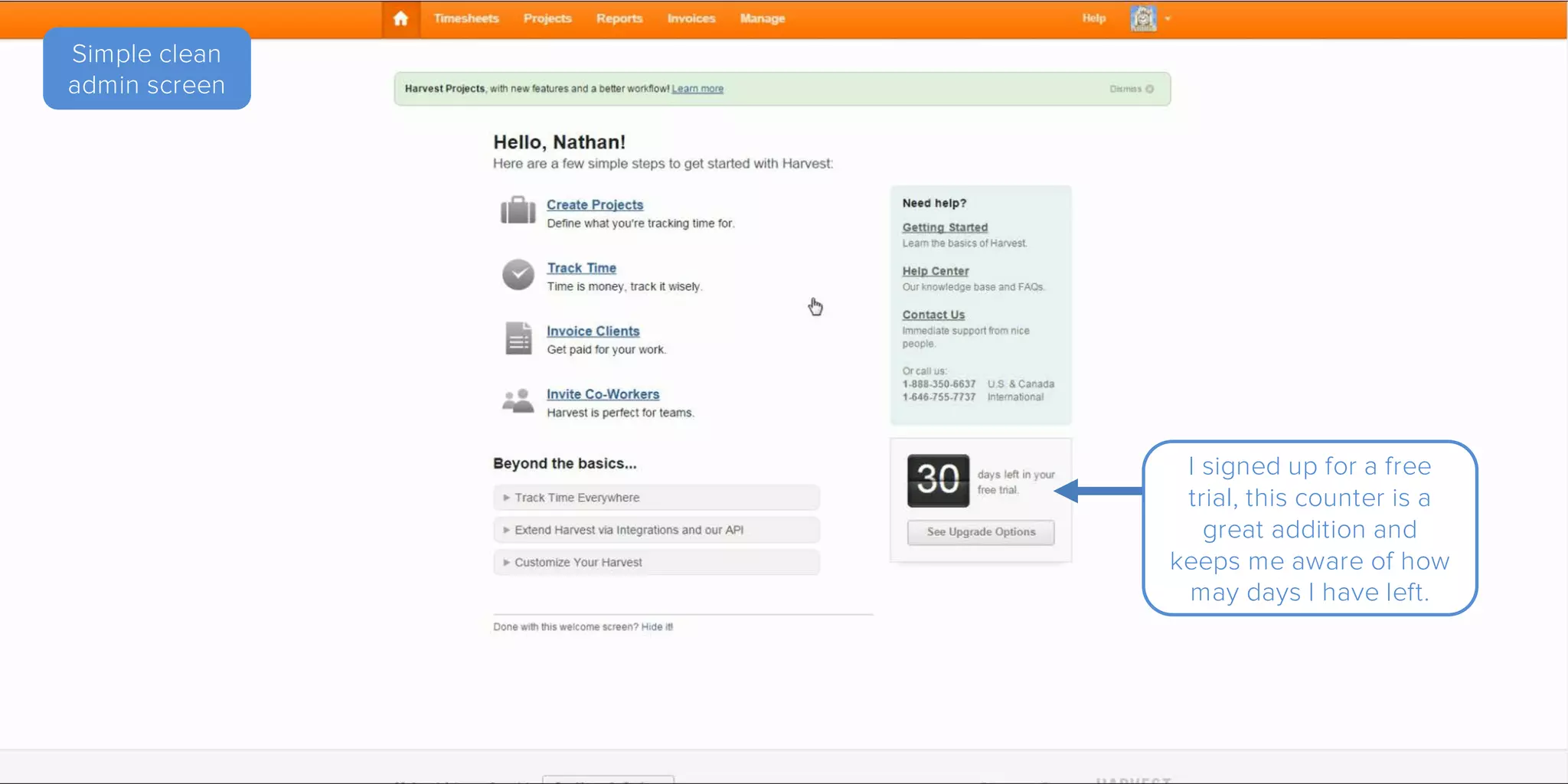
Simple clean
admin screen
I signed up for a free
trial, this counter is a
great addition and
keeps me aware of how
may days I have left.
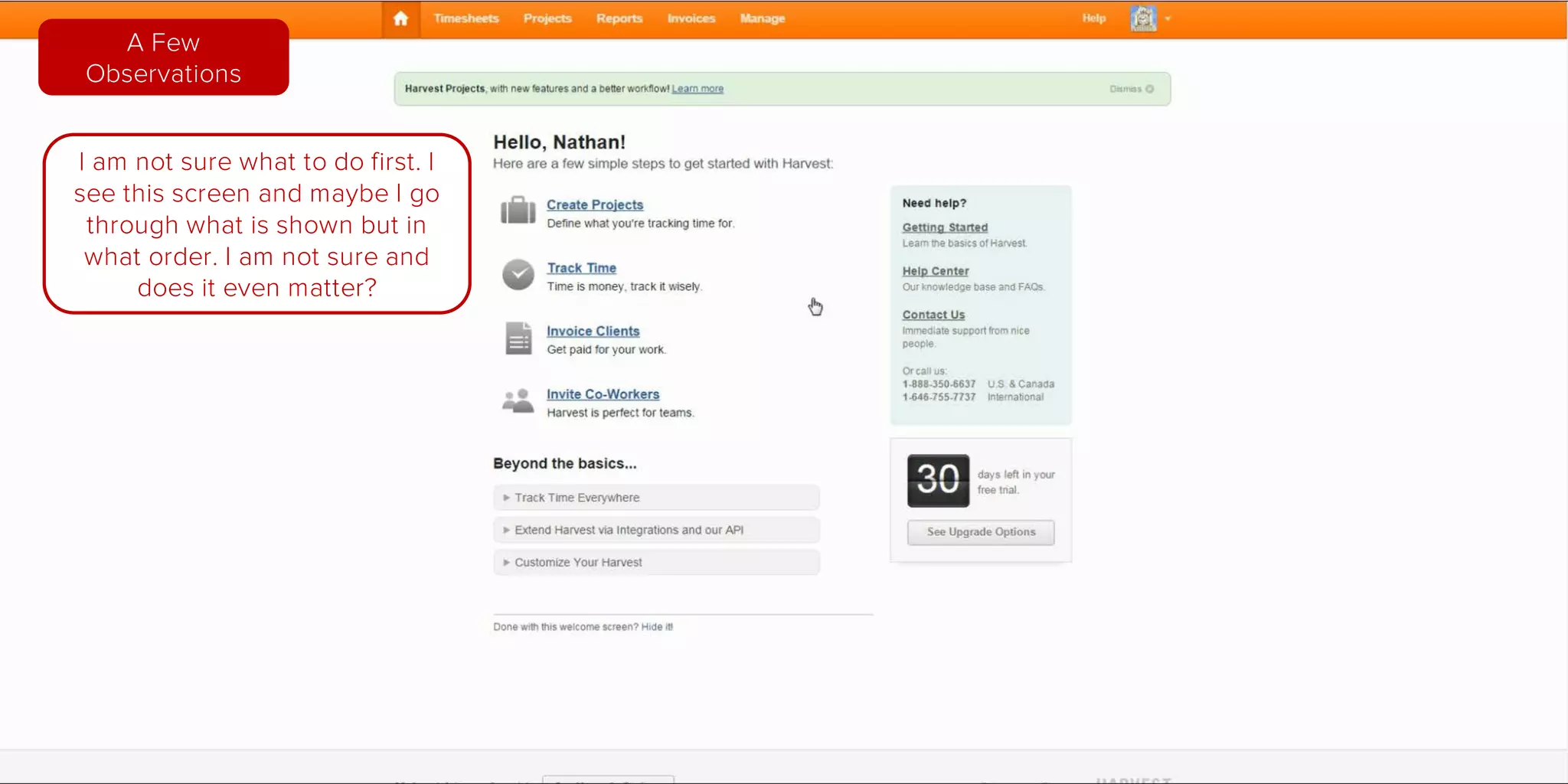
I am not sure what to do
first. I see this screen and I
guess I should go through
it but I’m unsure
I ask myself, “does the
order in which I click on
the steps even matter?”
A Few
Observations
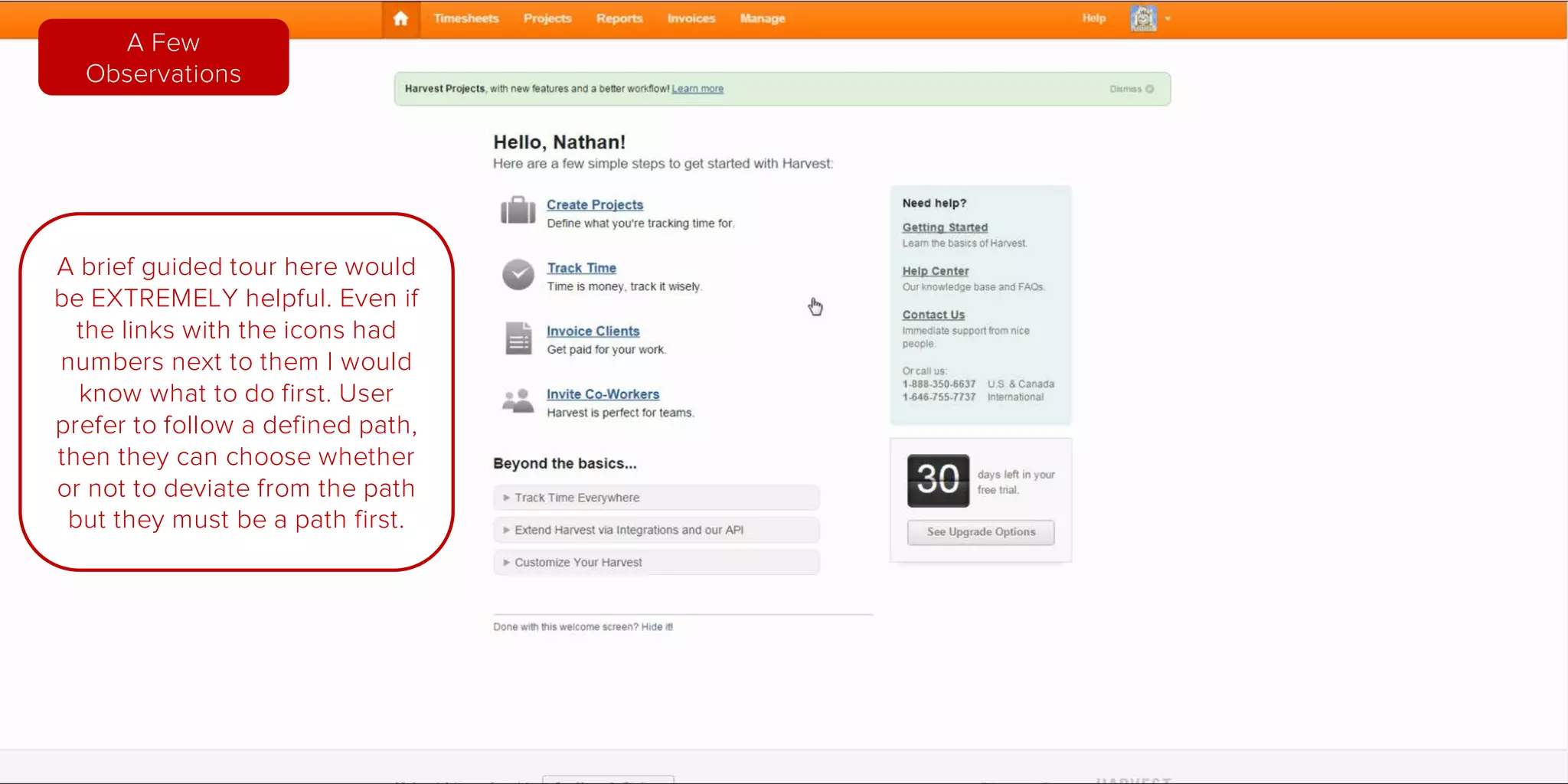
A brief guided tour here
would be EXTREMELY
helpful. Even if the links next
to the icons had numbers I
would know what to do first.
Users prefer to follow a
predefined path. If there is a
path then users can choose
whether or not to deviate
from the path.
A Few
Observations
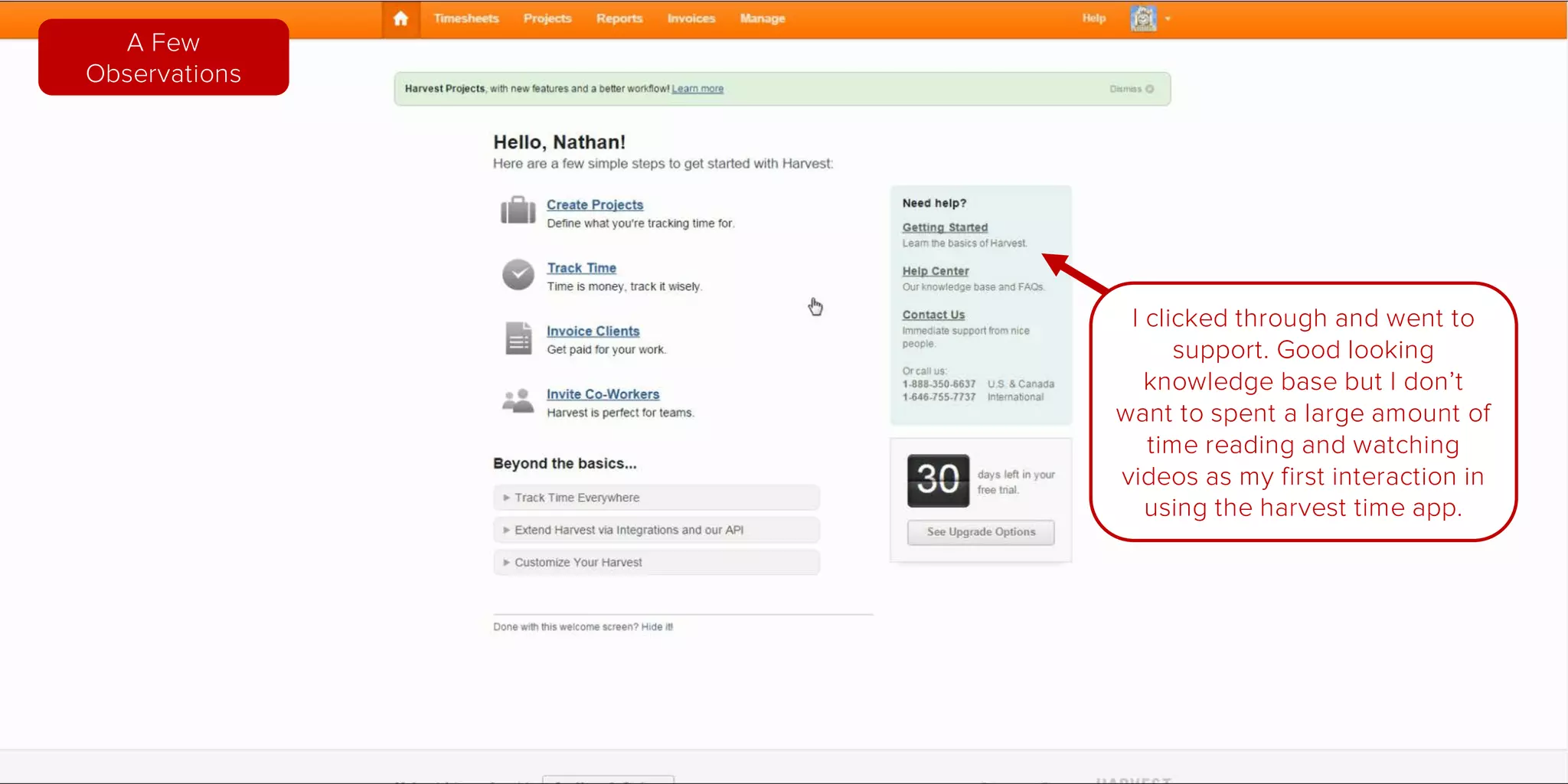
I clicked through and went to
support.
Good looking knowledge base but I
don’t want to spent a large amount
of time reading and watching videos
as my first interaction in using the
harvest time app.
A Few
Observations
Home
Page
Pricing
Page
Signup
Page
Getting
Started
New Project
Form
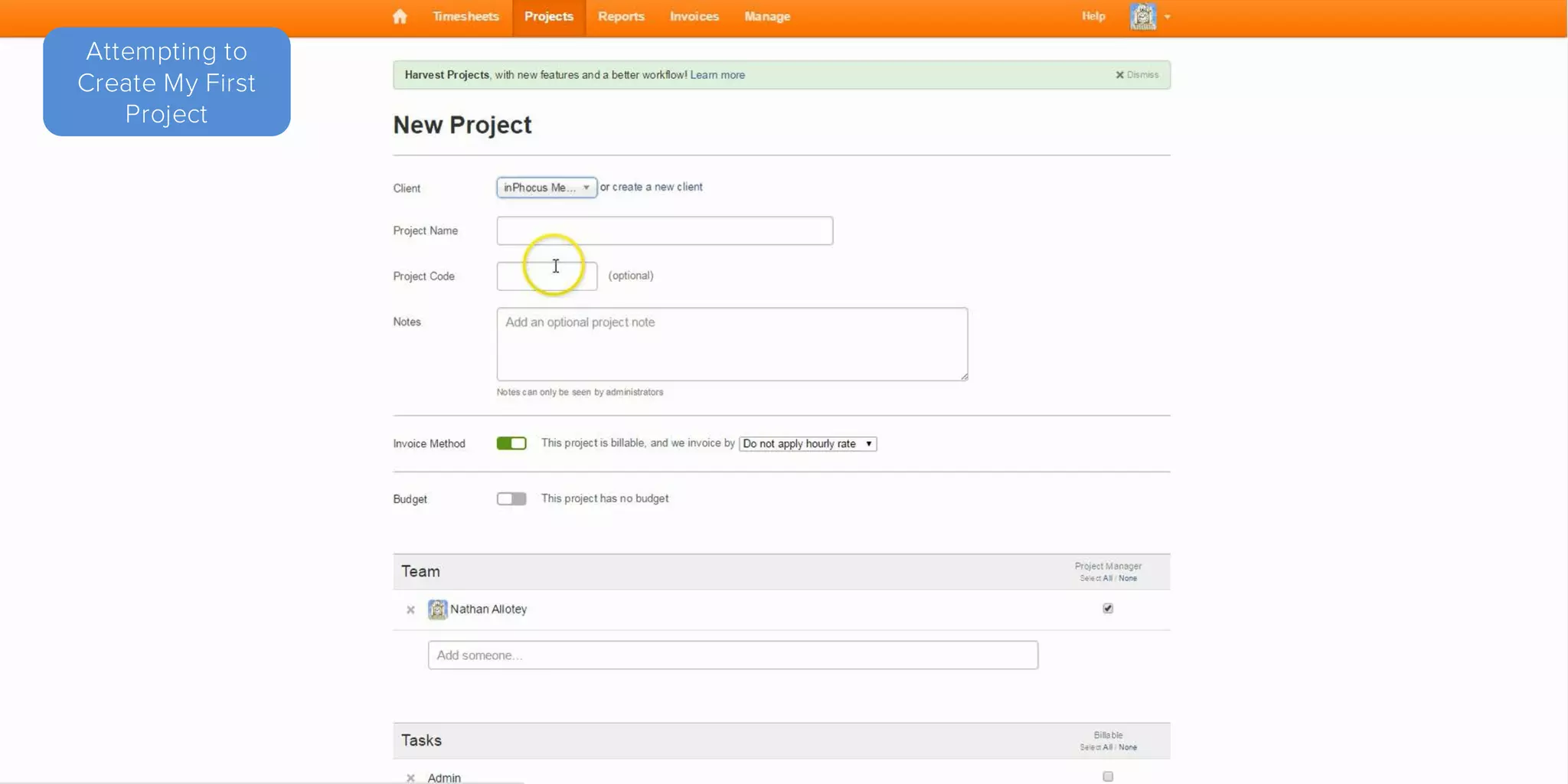
Attempting to
Create My First
Project
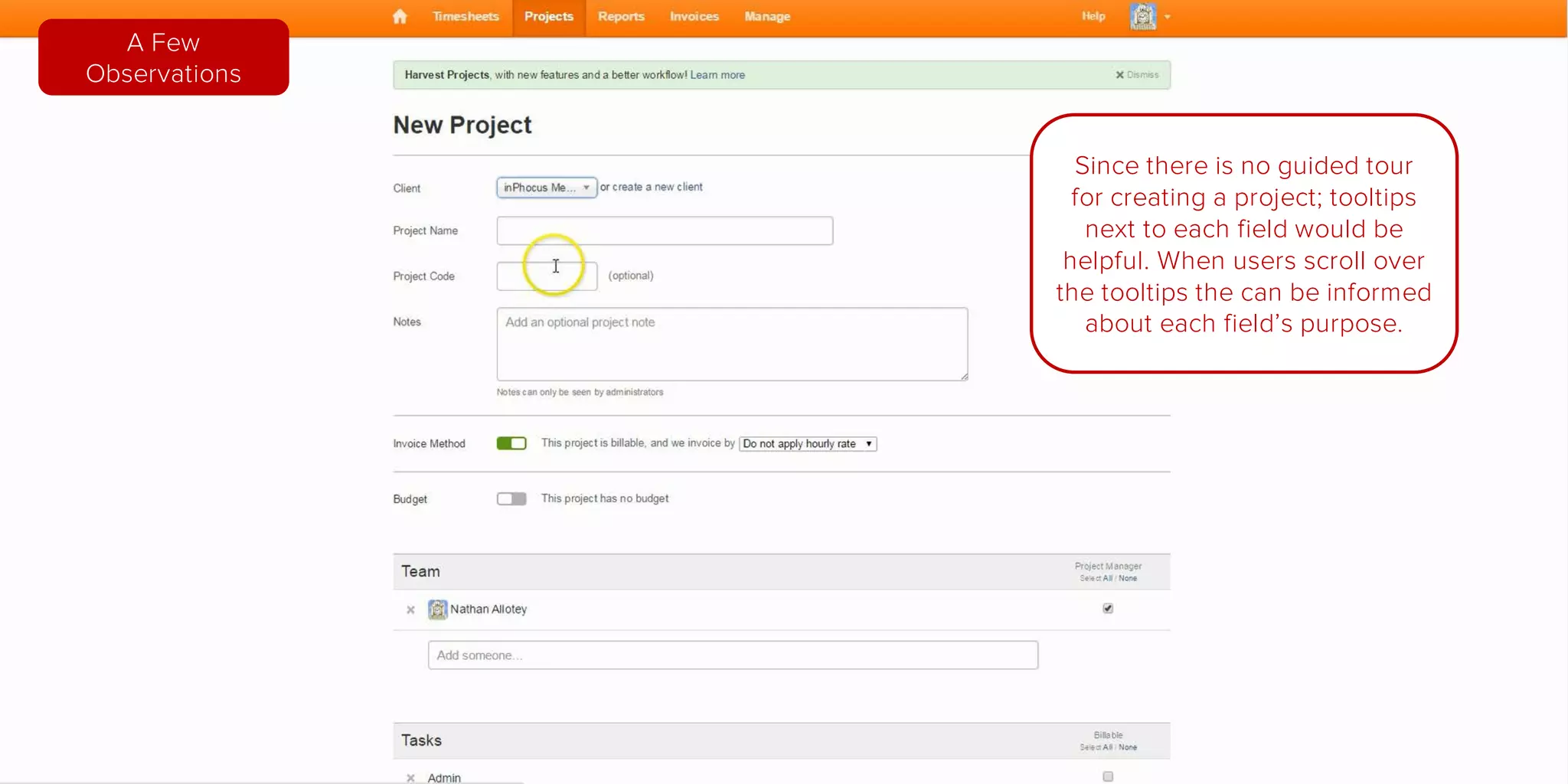
Since there is no guided tour for
creating a project; tooltips next to
each field would be helpful.
When users scroll over the
tooltips they can be informed
about each field’s purpose.
A Few
Observations
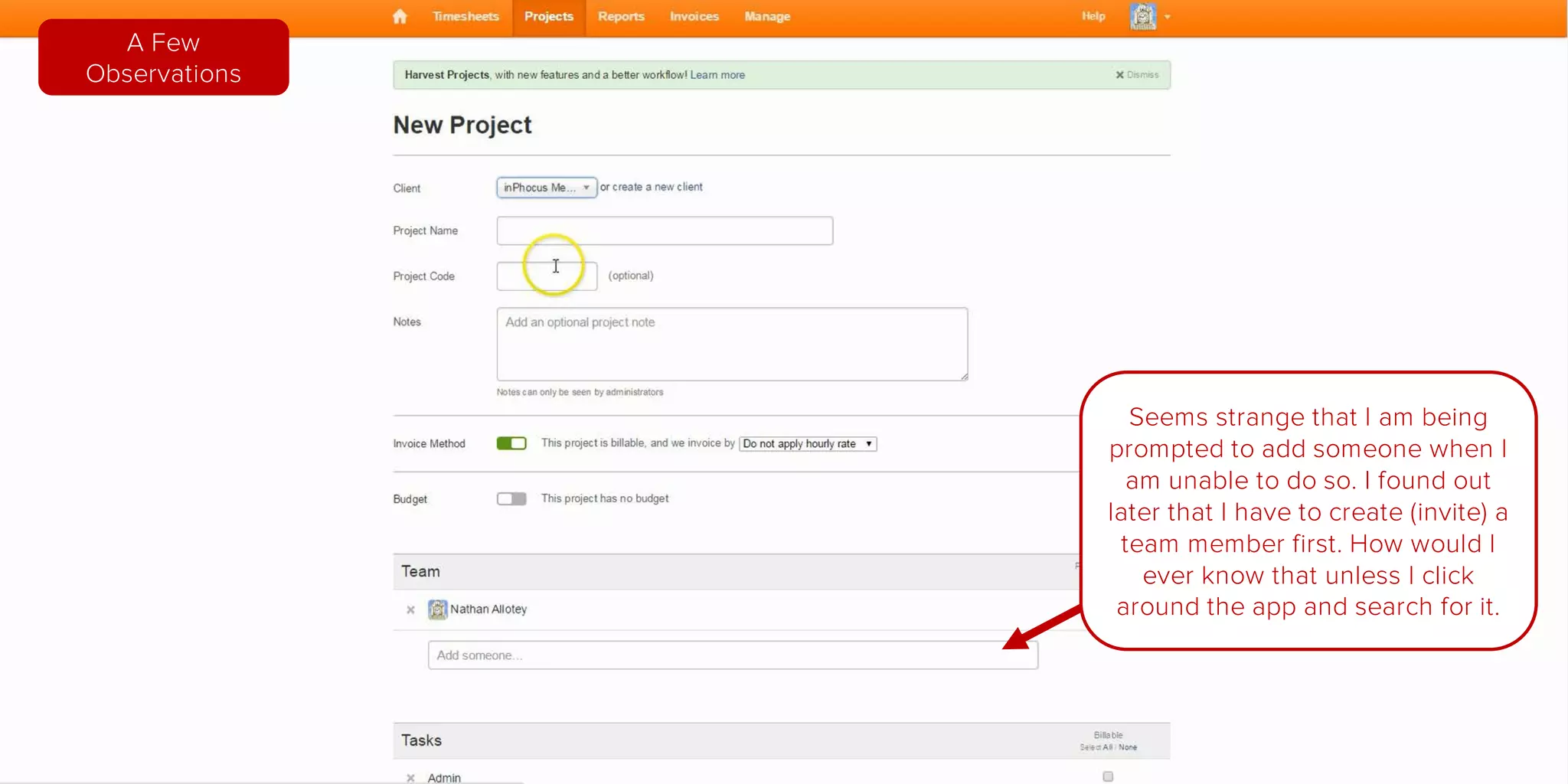
Seems strange that I am being
prompted to add someone when I am
unable to do so. I found out later that
I have to create (invite) a team
member first.
How would I ever know that unless I
click around the app and search for it.
A Few
Observations
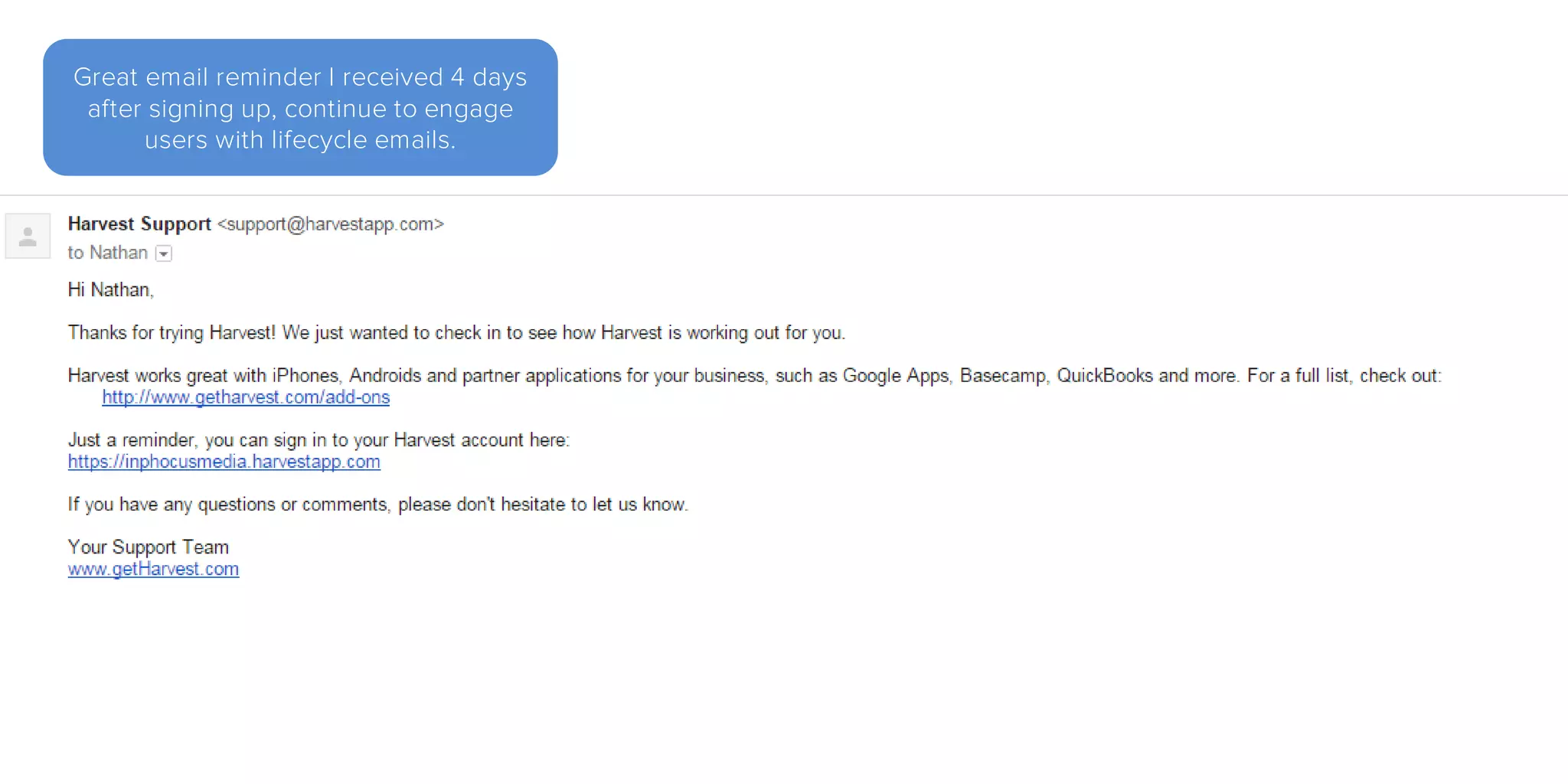
Great email reminder I received 4 days
after signing up, continue to engage
users with lifecycle emails.
Onboarding Analysis
Harvest: Time Tracking
nathanallotey.com

Harvest User Onboarding Analysis

  • 1.
    Onboarding Analysis Harvest: TimeTracking nathanallotey.com
  • 2.
  • 4.
    Good use ofphotography, sets the proper mindset for potential customer Very clear homepage layout
  • 5.
    Great tagline, thisalso implies that Harvest is simple and will save time. I assume the learning curve is not too steep Very clear homepage layout
  • 6.
    A clear callto action with a nice color contrast and readable text (well done) Very clear homepage layout
  • 7.
    Navigation is simple anddoes not contain too many options. (Reduces the level of confusion) Very clear homepage layout
  • 8.
    Wasn’t sure ifthis link “Customers” was for current customers or a testimonial page, guess I’ll find out later A Few Observations
  • 9.
    Great image asI mentioned, but it does draw attention to the right. The call to action is on the left so perhaps an image that is looking left towards the call to action. A Few Observations Here is an example
  • 10.
    I expected thevideo to feature the app more closely but instead it showed a video of a team working together. I thought it might be an explainer video or something similar Good video however after watching it I did not learn anything about the app. A Few Observations
  • 11.
    Very clear homepage layout Thefeatures of the app are briefly mentioned and benefits are discussed
  • 12.
    Very clear homepage layout Greatjob showing screenshots of how the actual app looks.
  • 13.
    A Few Observations Why notan image of a tablet as well. I imagine users would use this on their tablet also
  • 14.
    A Few Observations Perhaps clickingon the images can enlarge them so people can read what is on these preview images
  • 15.
    Very clear homepage layout Additionalbenefits are good, the icon images reinforce each point
  • 16.
    Very clear homepage layout Anothercall to action towards the bottom of the page, great reminder
  • 17.
    Very clear homepage layout Areaon the bottom is great social proof. A testimony with a picture and quote along with logos of a few other companies
  • 18.
    Very clear homepage layout Greatjob showing quantitative information. Trusted by over 10,000 and available for use worldwide
  • 19.
    A Few Observations I noticedall of these extra benefits can be clicked and taken to a landing page except the support page. Create a support landing page to reduce anxiety and inform users of the benefits of support.
  • 20.
    A Few Observations Testimonies rotatetoo quickly to be read. There is a lot of greyed out content in this area. Perhaps at least the picture can be in color.
  • 21.
  • 22.
    Very straightforward, Well organized Wellorganized page, it is easy to tell that each level allows for more users.
  • 23.
    Very straightforward, Well organized Anotherclear call to action on this page that has great contrast.
  • 24.
    Very straightforward, Well organized Itis clear that if I sign up for free I receive a 30 day free trail.
  • 25.
    Very straightforward, Well organizedAll questions in this area are all related to pricing, the central theme of this page.
  • 26.
    Seems like astrange transition to go from $99 to the free plan right next to it. A Few Observations
  • 27.
    Is there a“best plan” or a plan that is the “best value”? What plan is the most popular? Users will default to groupthink when they cannot decide. A Few Observations
  • 28.
    On the bottomin the FAQ there is a reference to getting a discount when a year is paid for. You could advertise the monthly rate as being lower if they elected to pay for one year. A Few Observations
  • 29.
    When it comesto English we read left to right. I see an ascension of prices. If this was arranged from greatest to least users would be anchored around the higher price creating a great appreciation of value for the lower priced plans. A Few Observations
  • 30.
    New suggested order AFew Observations
  • 31.
    FAQs are okaybut the goal of a excellent onboarding process is to answer these type of questions along the way so they do not all have to be collected in one area. A Few Observations
  • 32.
    Add a questionabout how payments processed are protected by an SSL with 256 bit encryption, “The same as major banks”. A statement such as this will help reduce anxiety and let users know when it is time to pay they are protected. A Few Observations
  • 33.
  • 34.
    Menu items are removedand there is a focus on signing up Great reminder that no payment is needed and this is a free trial.
  • 35.
    Menu items are removedand there is a focus on signing up Decent reminder on why users can benefit from using Harvest. Are all of these questions 5 reasons discussed on the homepage as well?
  • 36.
    Are all 6items absolutely required and necessary to the sign up process? A Few Observations
  • 37.
    Why is teamsize being asked for? Does this have an effect on pricing later? A Few Observations
  • 38.
    Central Focus on signingup This is a great transitional screen. The spinner lets people know that some items are loading in the background and their account is being created. This is also a good time to mention any emails they may be receive when their account is created.
  • 39.
    Central Focus on signingup Nice personalization. Makes me feel like you know me and we are friends.
  • 40.
    Central Focus on signingup Options seem to default to U.S.A. formats and currency. Not sure if this is done by viewing the html lang element or geo_ip either way makes it easy for me.
  • 41.
    Central Focus on signingup When “Other” is selected as a primary industry a box comes up for users to enter the industry, great job!
  • 42.
    Bookmark this page.What am I supposed to be bookmarking? Can this be turned into a hyperlink that allows me to bookmark the page? A Few Observations
  • 43.
    First Email Ireceived Good personalization in the email and a reminder of the information I need to sign in.
  • 44.
    First Email Ireceived Finally, instructions of what I am supposed to do next after signing up.
  • 45.
    Great that Ifinally see an instruction on “What’s Next”, however if I never check my email I will not see this step. A Few Observations
  • 46.
    Before loading theadmin screen I was informed to bookmark the link, showing the link during that step would have been more helpful. A Few Observations
  • 47.
  • 48.
    Simple clean admin screenGreat personalization again.
  • 49.
    Simple clean admin screen Assumingvarious sections of the navigation take me to different areas in app.
  • 50.
    Simple clean admin screen Iam also assuming these are the main features of the app.
  • 51.
    Simple clean admin screen Supportinformation if it is needed. I hope the phone team is helpful and friendly because if a user decides to call then that will be their first experience.
  • 52.
    Simple clean admin screen Isigned up for a free trial, this counter is a great addition and keeps me aware of how may days I have left.
  • 53.
    I am notsure what to do first. I see this screen and I guess I should go through it but I’m unsure I ask myself, “does the order in which I click on the steps even matter?” A Few Observations
  • 54.
    A brief guidedtour here would be EXTREMELY helpful. Even if the links next to the icons had numbers I would know what to do first. Users prefer to follow a predefined path. If there is a path then users can choose whether or not to deviate from the path. A Few Observations
  • 55.
    I clicked throughand went to support. Good looking knowledge base but I don’t want to spent a large amount of time reading and watching videos as my first interaction in using the harvest time app. A Few Observations
  • 56.
  • 57.
  • 58.
    Since there isno guided tour for creating a project; tooltips next to each field would be helpful. When users scroll over the tooltips they can be informed about each field’s purpose. A Few Observations
  • 59.
    Seems strange thatI am being prompted to add someone when I am unable to do so. I found out later that I have to create (invite) a team member first. How would I ever know that unless I click around the app and search for it. A Few Observations
  • 60.
    Great email reminderI received 4 days after signing up, continue to engage users with lifecycle emails.
  • 61.
    Onboarding Analysis Harvest: TimeTracking nathanallotey.com