Thumbtack Mobile Onboarding Flow 
iOS
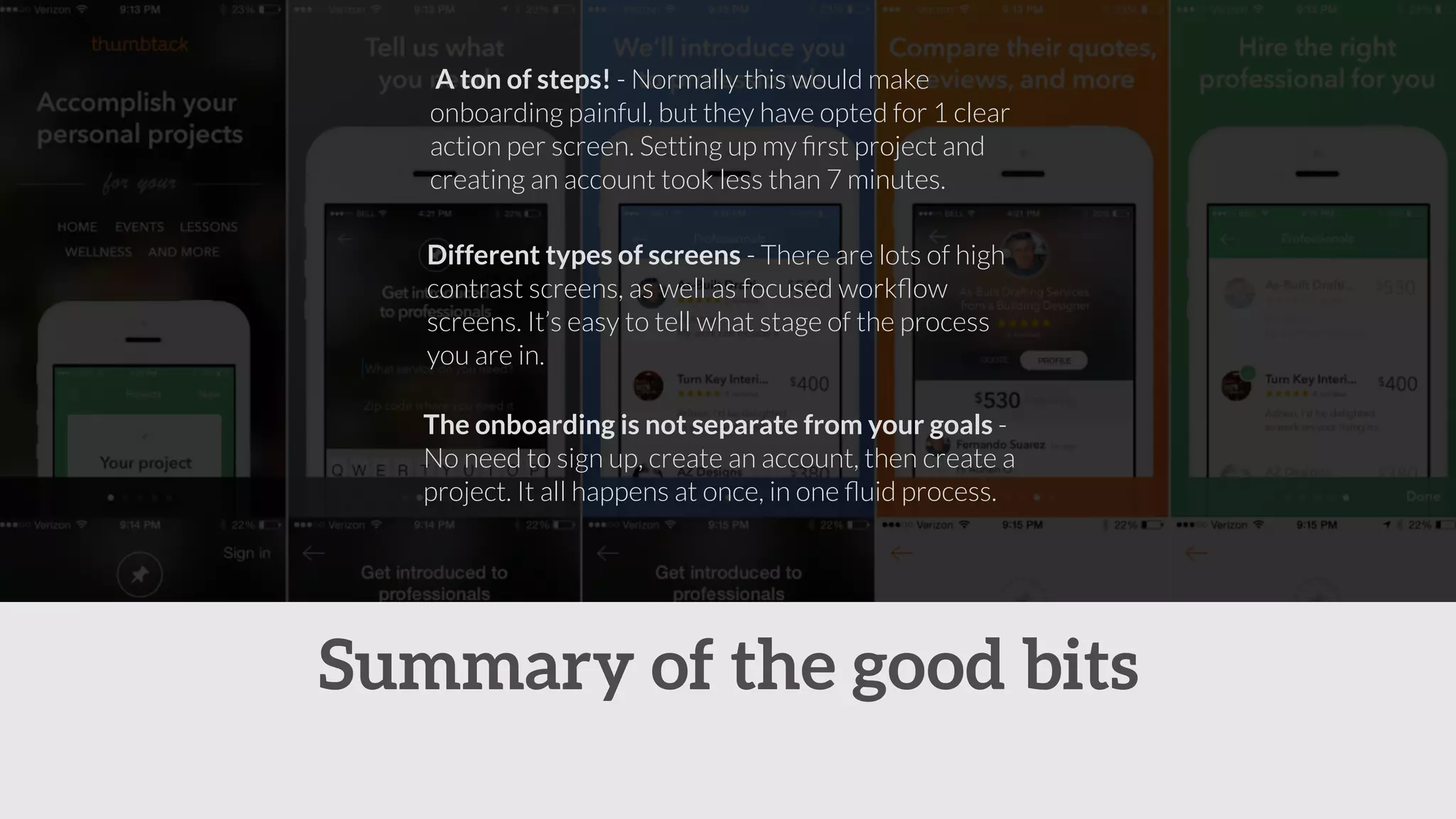
A ton of steps! - Normally this would make 
onboarding painful, but they have opted for 1 clear 
action per screen. Setting up my first project and 
creating an account took less than 7 minutes. 
Different types of screens - There are lots of high 
contrast screens, as well as focused workflow 
screens. It’s easy to tell what stage of the process 
you are in. 
The onboarding is not separate from your goals - 
No need to sign up, create an account, then create a 
project. It all happens at once, in one fluid process. 
Summary of the good bits
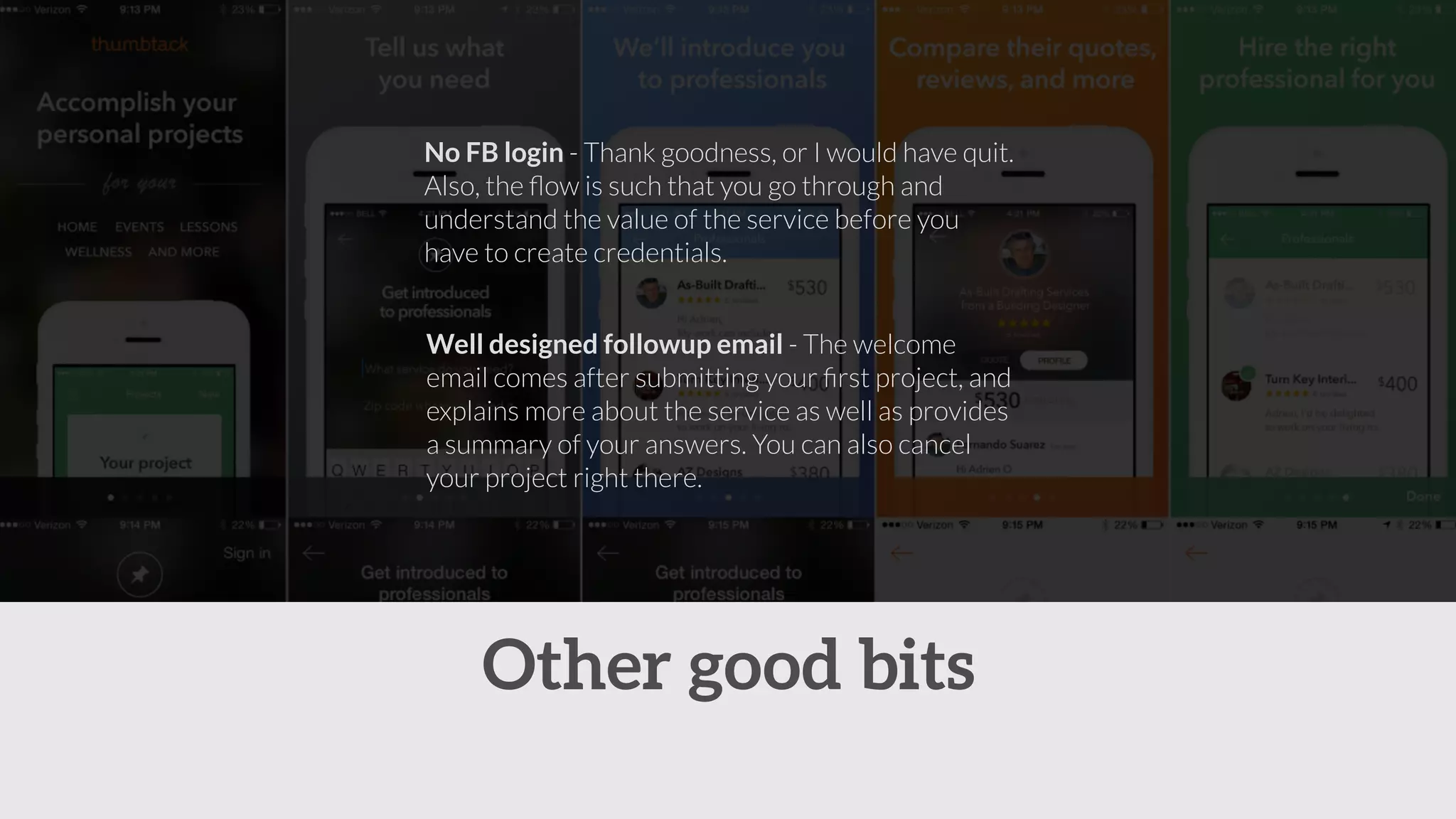
No FB login - Thank goodness, or I would have quit. 
Also, the flow is such that you go through and 
understand the value of the service before you 
have to create credentials. 
Well designed followup email - The welcome 
email comes after submitting your first project, and 
explains more about the service as well as provides 
a summary of your answers. You can also cancel 
your project right there. 
Other good bits
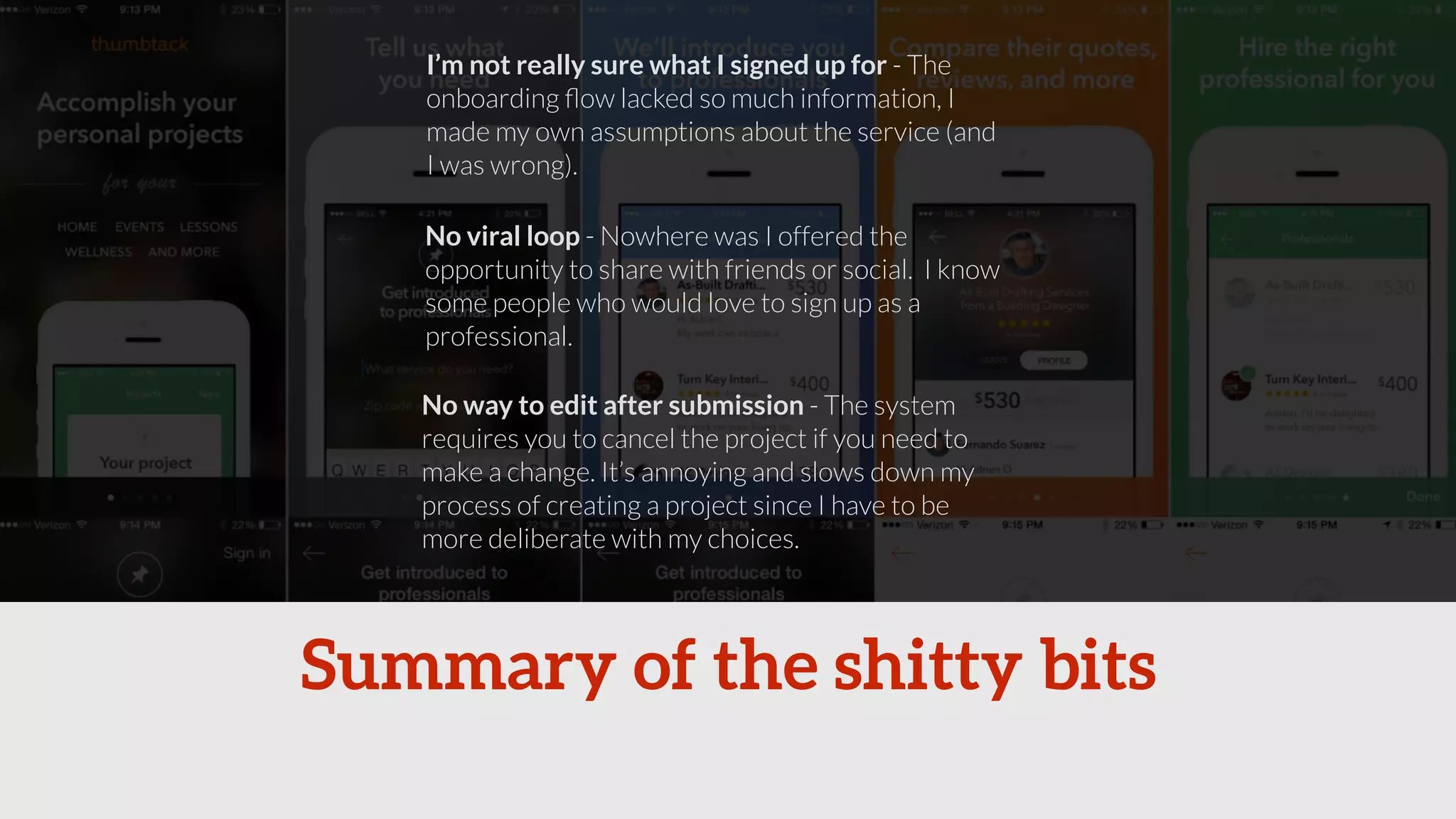
I’m not really sure what I signed up for - The 
onboarding flow lacked so much information, I 
made my own assumptions about the service (and 
I was wrong). 
No viral loop - Nowhere was I offered the 
opportunity to share with friends or social. I know 
some people who would love to sign up as a 
professional. 
No way to edit after submission - The system 
requires you to cancel the project if you need to 
make a change. It’s annoying and slows down my 
process of creating a project since I have to be 
more deliberate with my choices. 
Summary of the shitty bits
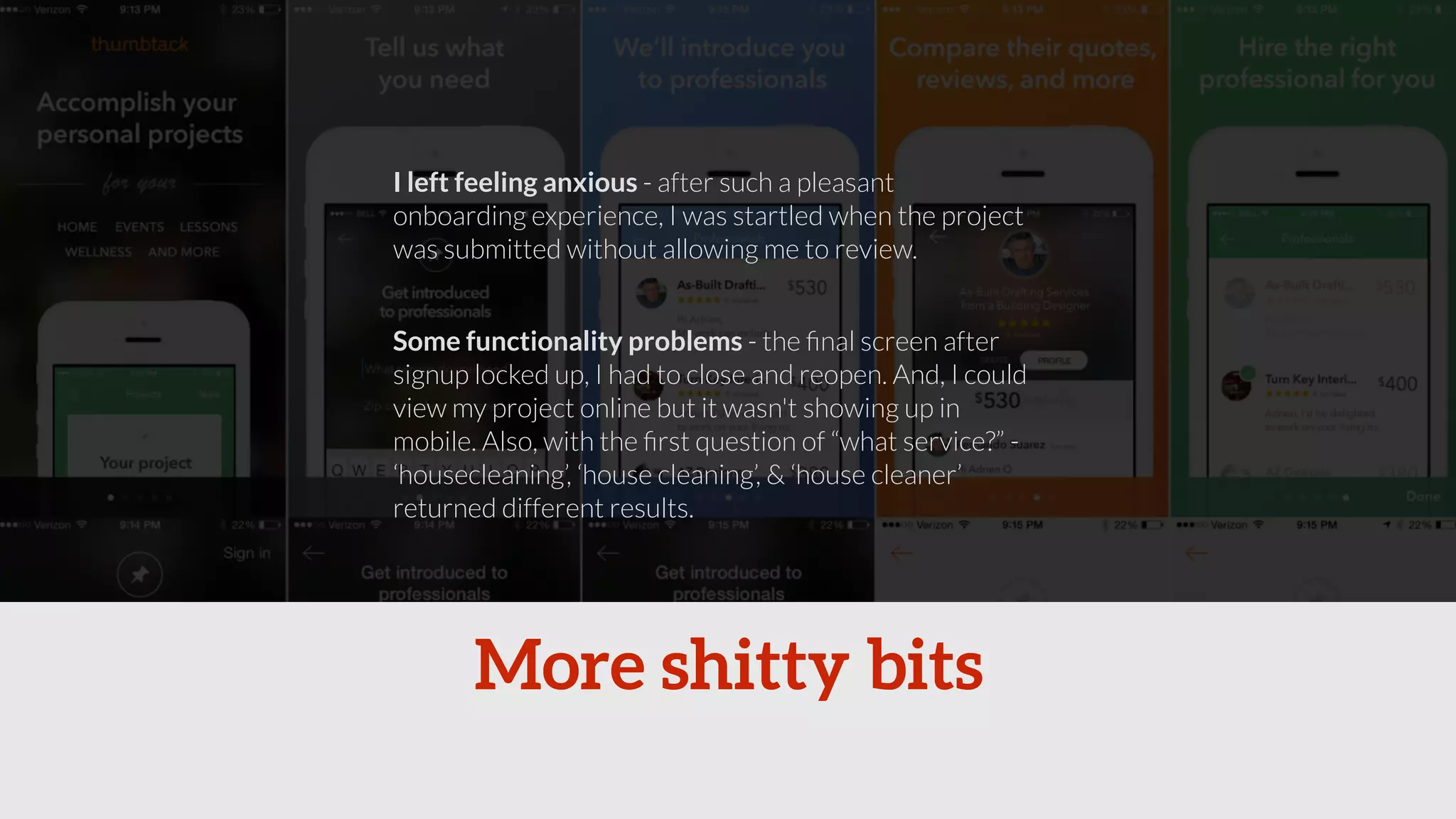
I left feeling anxious - after such a pleasant 
onboarding experience, I was startled when the project 
was submitted without allowing me to review. 
Some functionality problems - the final screen after 
signup locked up, I had to close and reopen. And, I could 
view my project online but it wasn't showing up in 
mobile. Also, with the first question of “what service?” - 
‘housecleaning’, ‘house cleaning’, & ‘house cleaner’ 
returned different results. 
More shitty bits
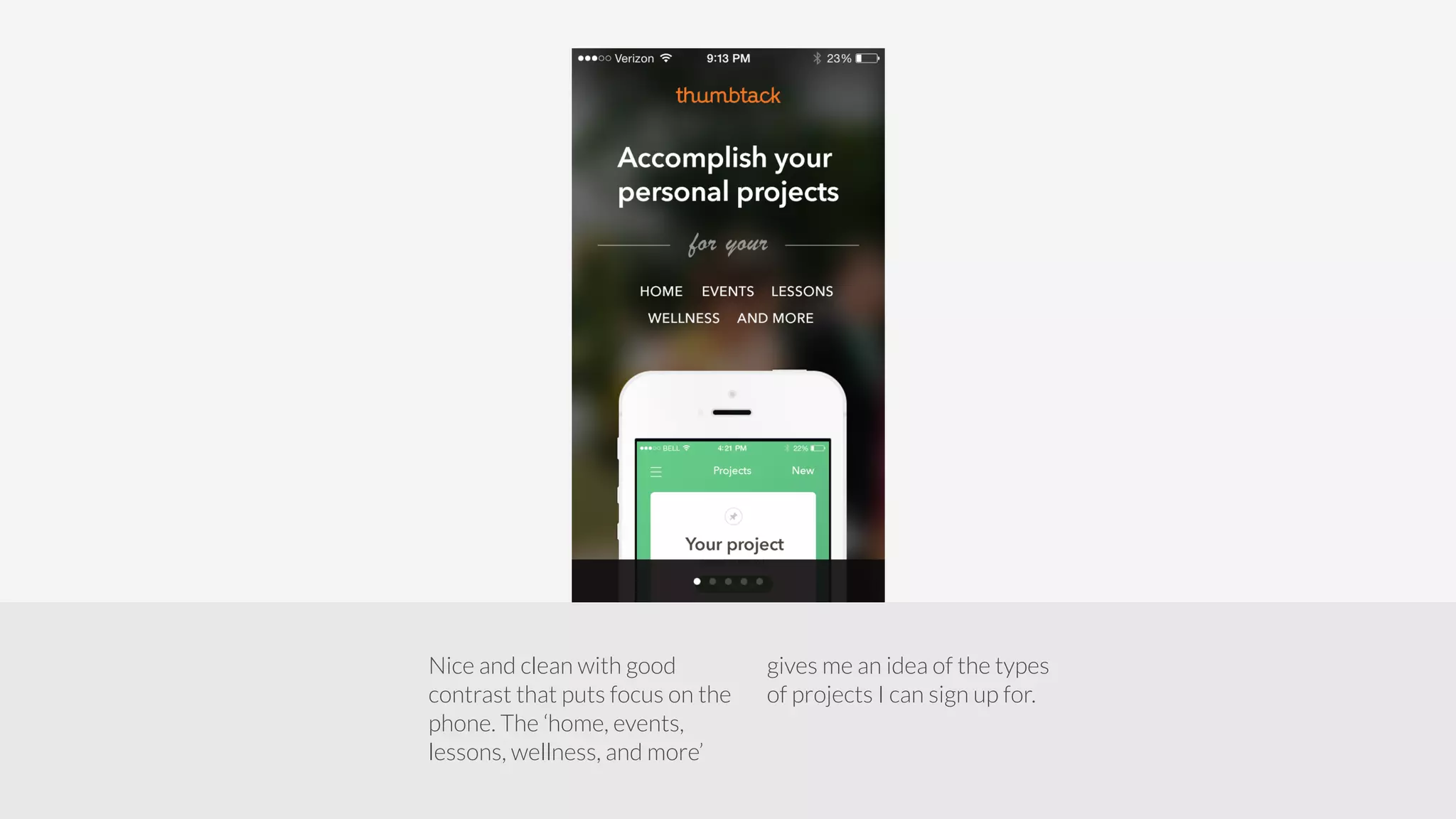
Nice and clean with good 
contrast that puts focus on the 
phone. The ‘home, events, 
lessons, wellness, and more’ 
gives me an idea of the types 
of projects I can sign up for.
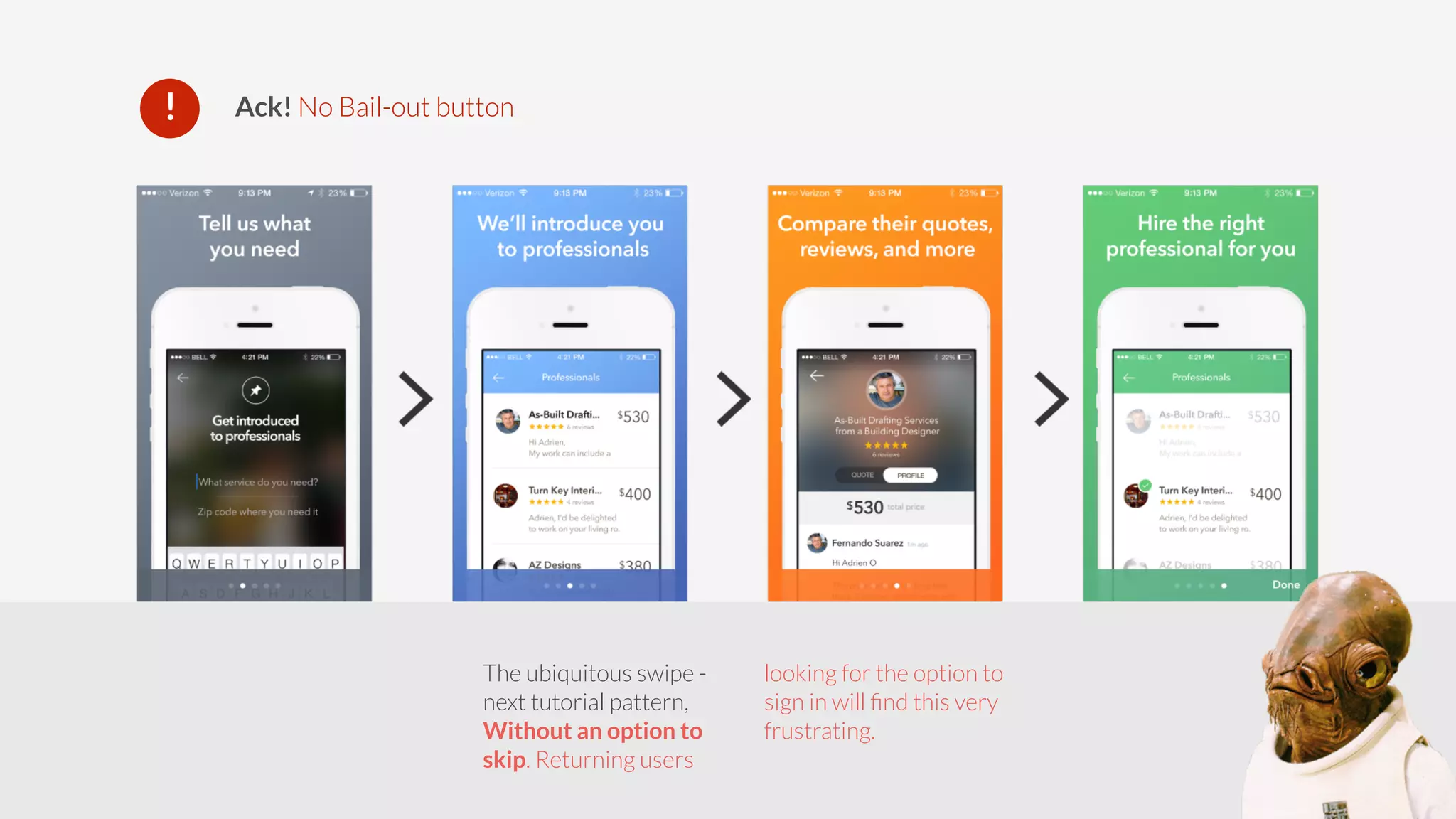
! Ack! No Bail-out button 
The ubiquitous swipe - 
next tutorial pattern, 
Without an option to 
skip. Returning users 
looking for the option to 
sign in will find this very 
frustrating.
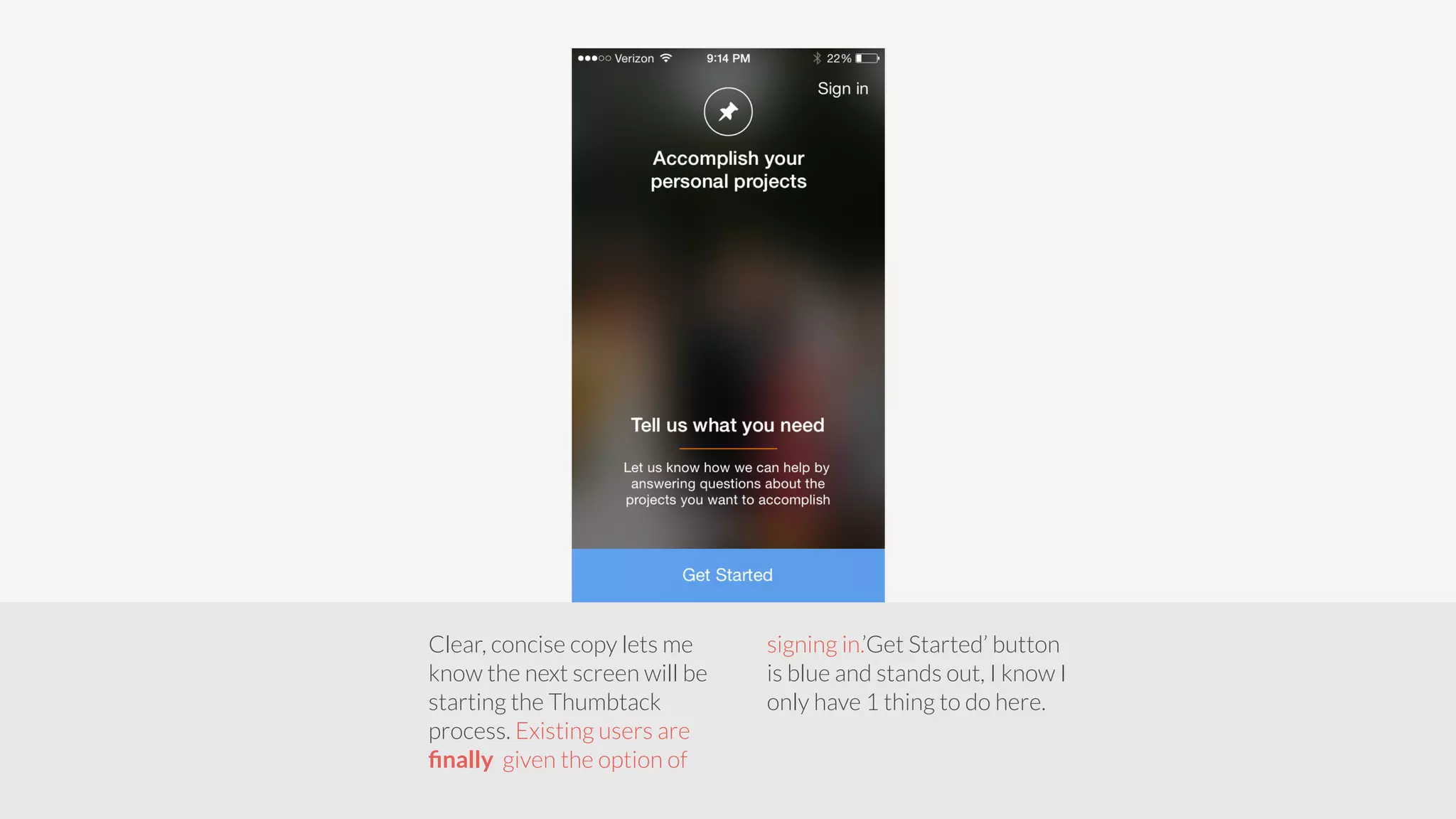
Clear, concise copy lets me 
know the next screen will be 
starting the Thumbtack 
process. Existing users are 
finally given the option of 
signing in.’Get Started’ button 
is blue and stands out, I know I 
only have 1 thing to do here.
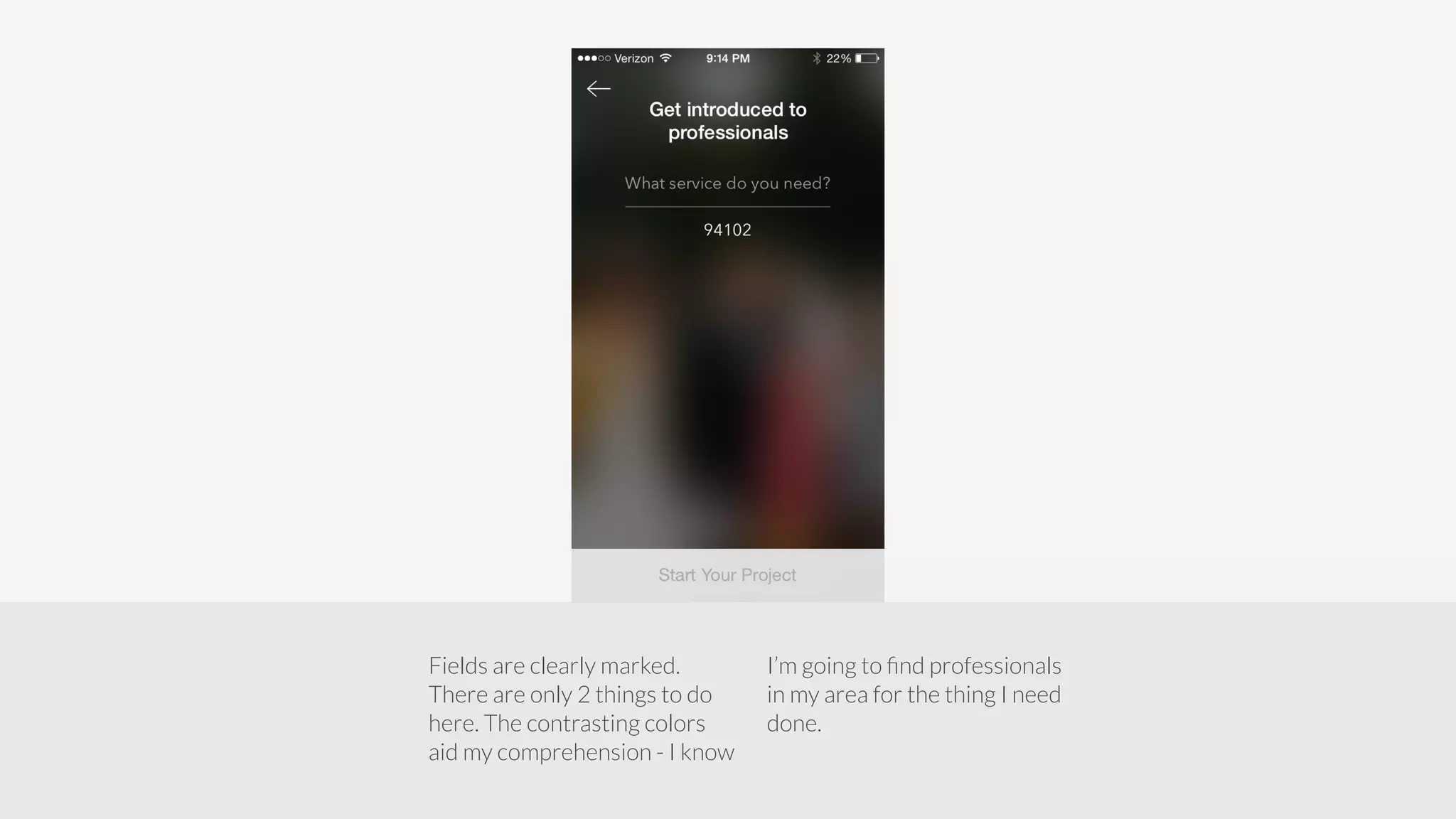
Fields are clearly marked. 
There are only 2 things to do 
here. The contrasting colors 
aid my comprehension - I know 
I’m going to find professionals 
in my area for the thing I need 
done.
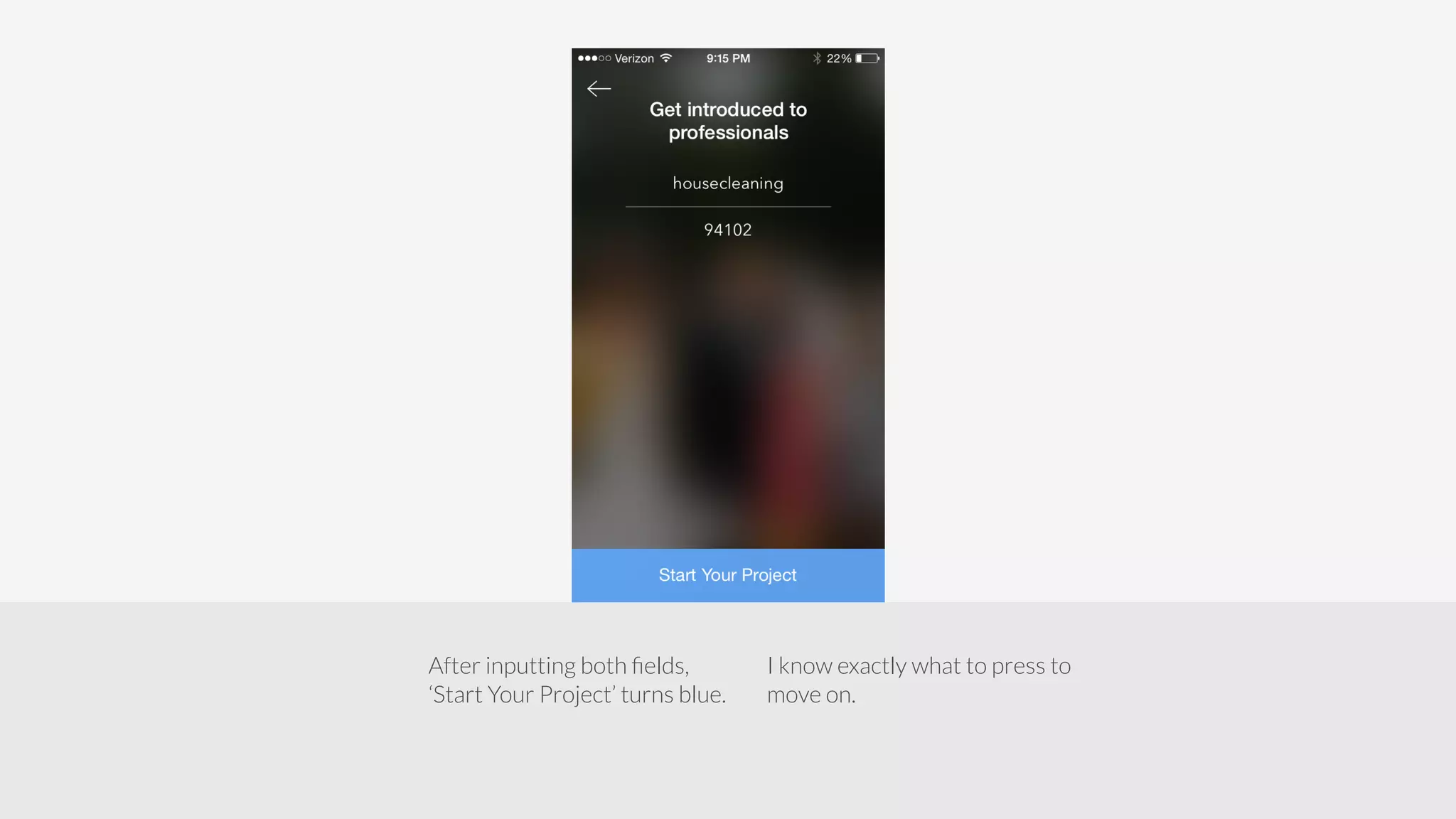
After inputting both fields, 
‘Start Your Project’ turns blue. 
I know exactly what to press to 
move on.
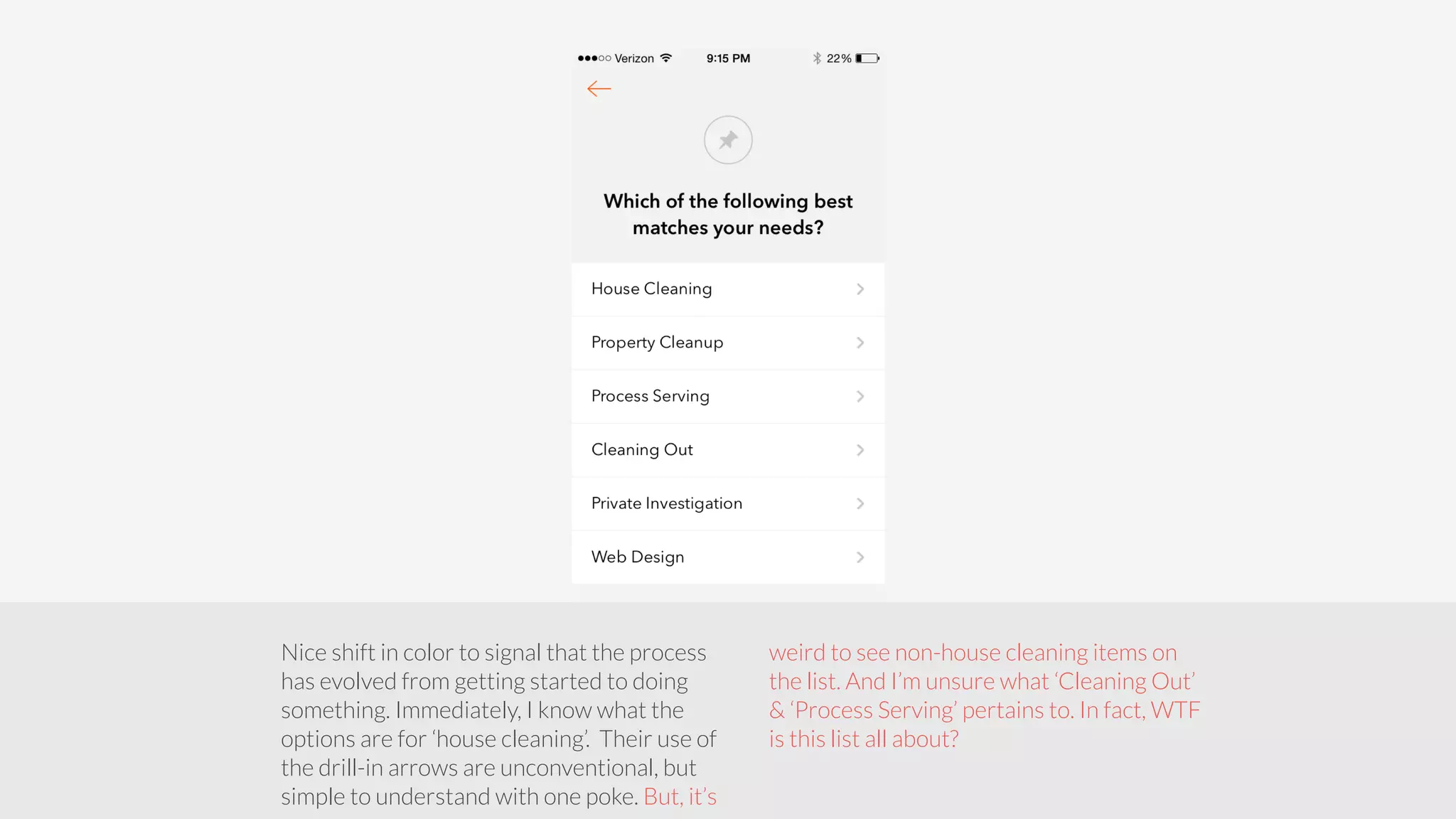
Nice shift in color to signal that the process 
has evolved from getting started to doing 
something. Immediately, I know what the 
options are for ‘house cleaning’. Their use of 
the drill-in arrows are unconventional, but 
simple to understand with one poke. But, it’s 
weird to see non-house cleaning items on 
the list. And I’m unsure what ‘Cleaning Out’ 
& ‘Process Serving’ pertains to. In fact, WTF 
is this list all about?
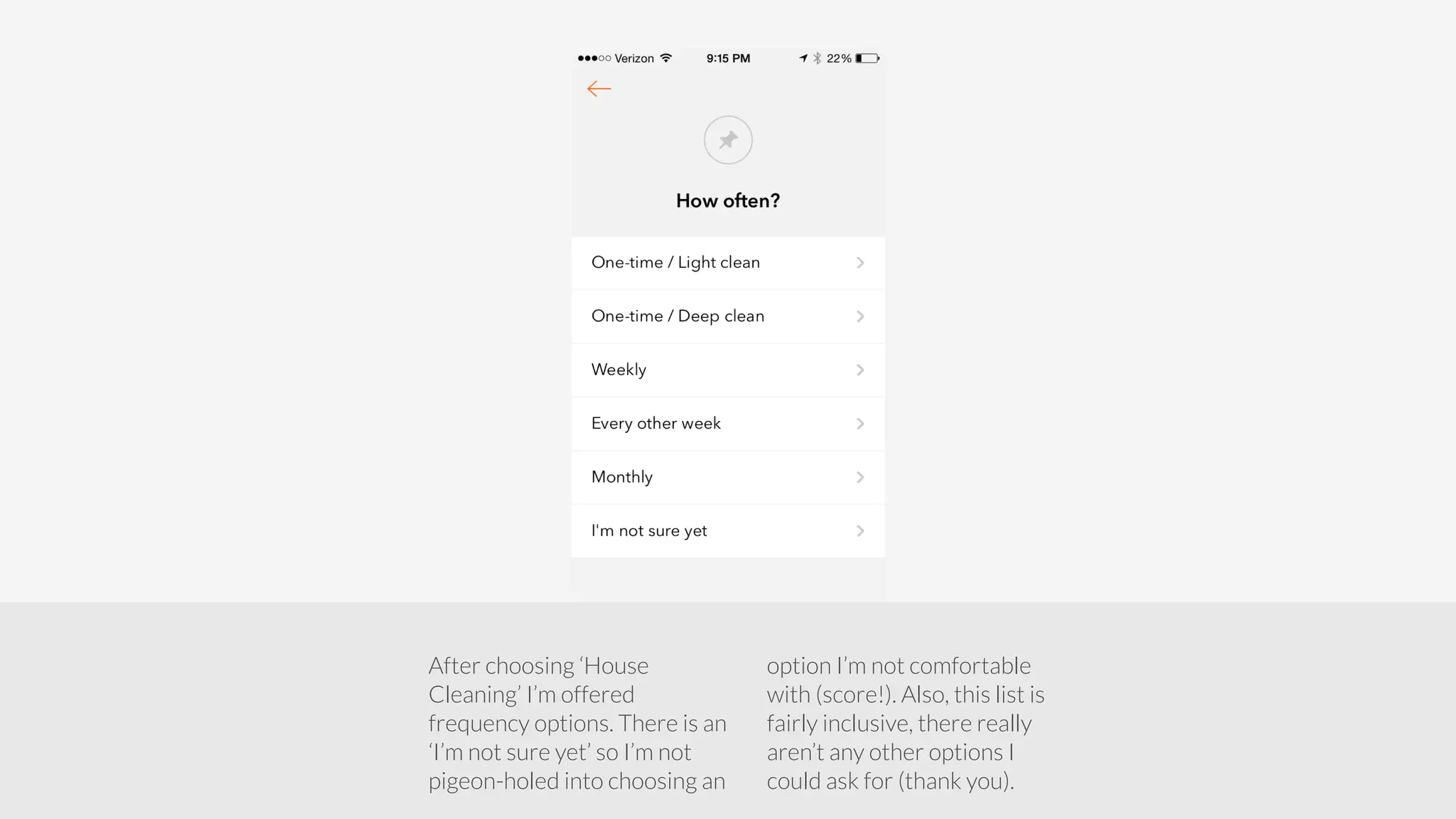
After choosing ‘House 
Cleaning’ I’m offered 
frequency options. There is an 
‘I’m not sure yet’ so I’m not 
pigeon-holed into choosing an 
option I’m not comfortable 
with (score!). Also, this list is 
fairly inclusive, there really 
aren’t any other options I 
could ask for (thank you).
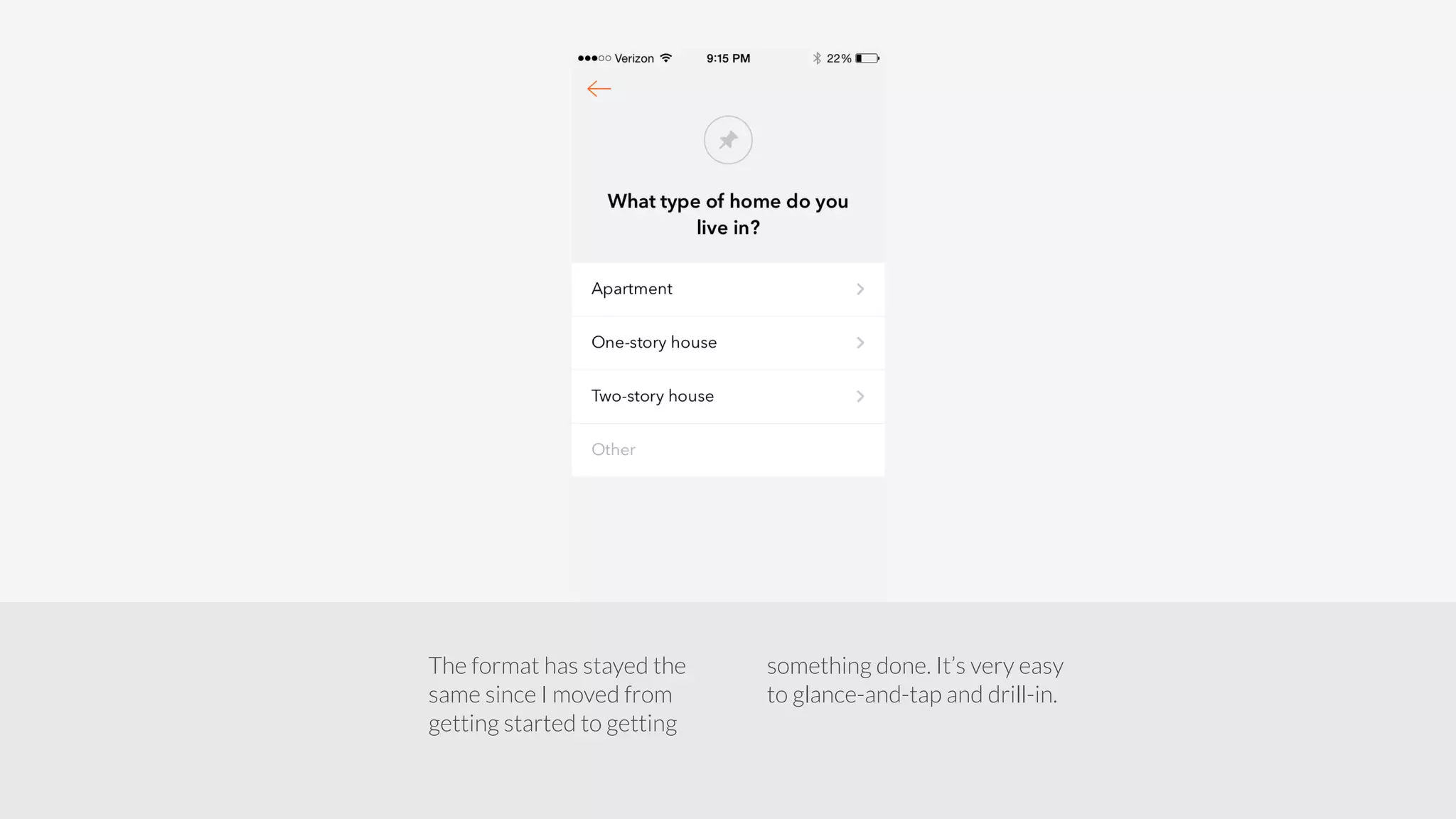
The format has stayed the 
same since I moved from 
getting started to getting 
something done. It’s very easy 
to glance-and-tap and drill-in.
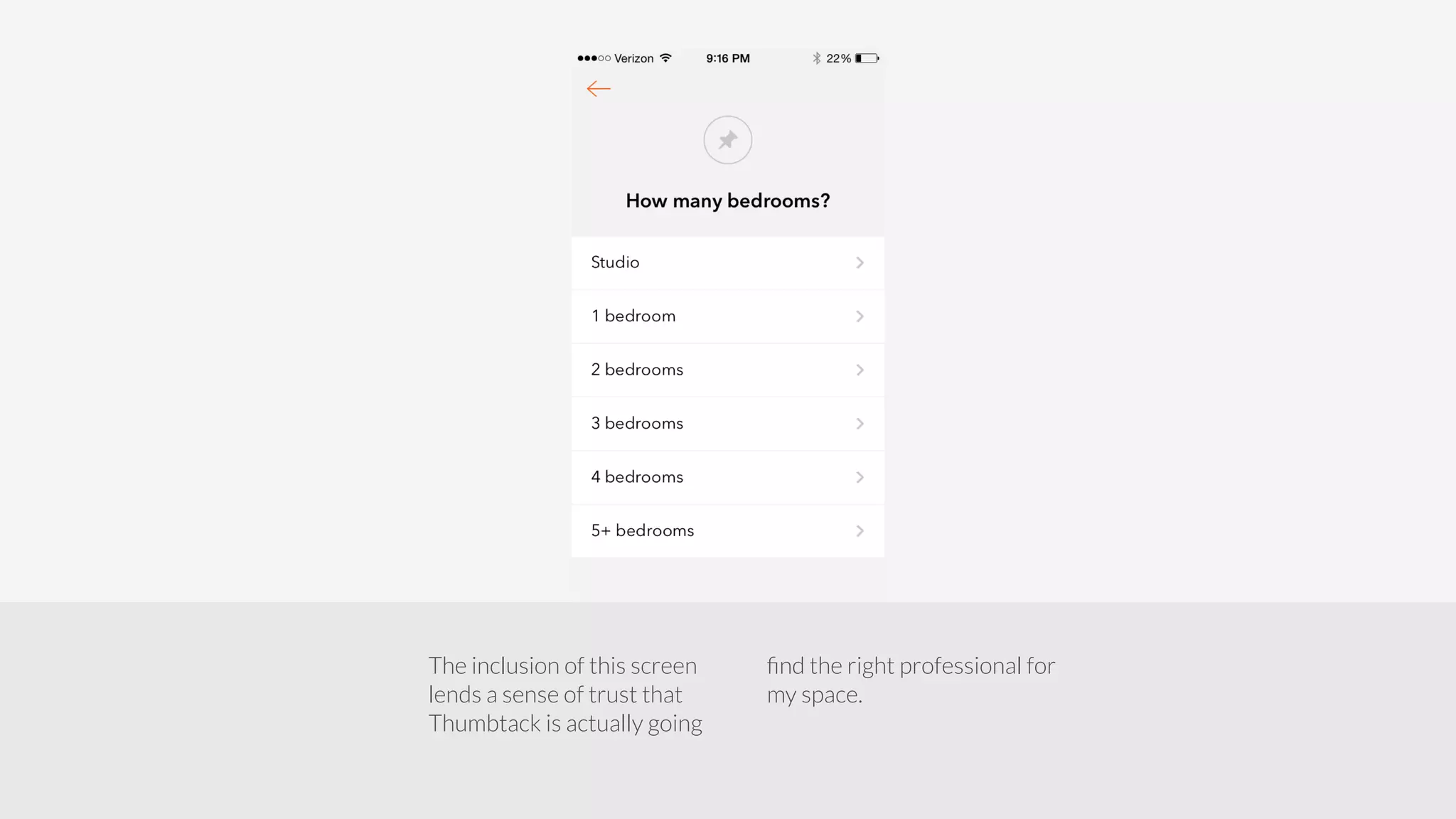
The inclusion of this screen 
lends a sense of trust that 
Thumbtack is actually going 
find the right professional for 
my space.
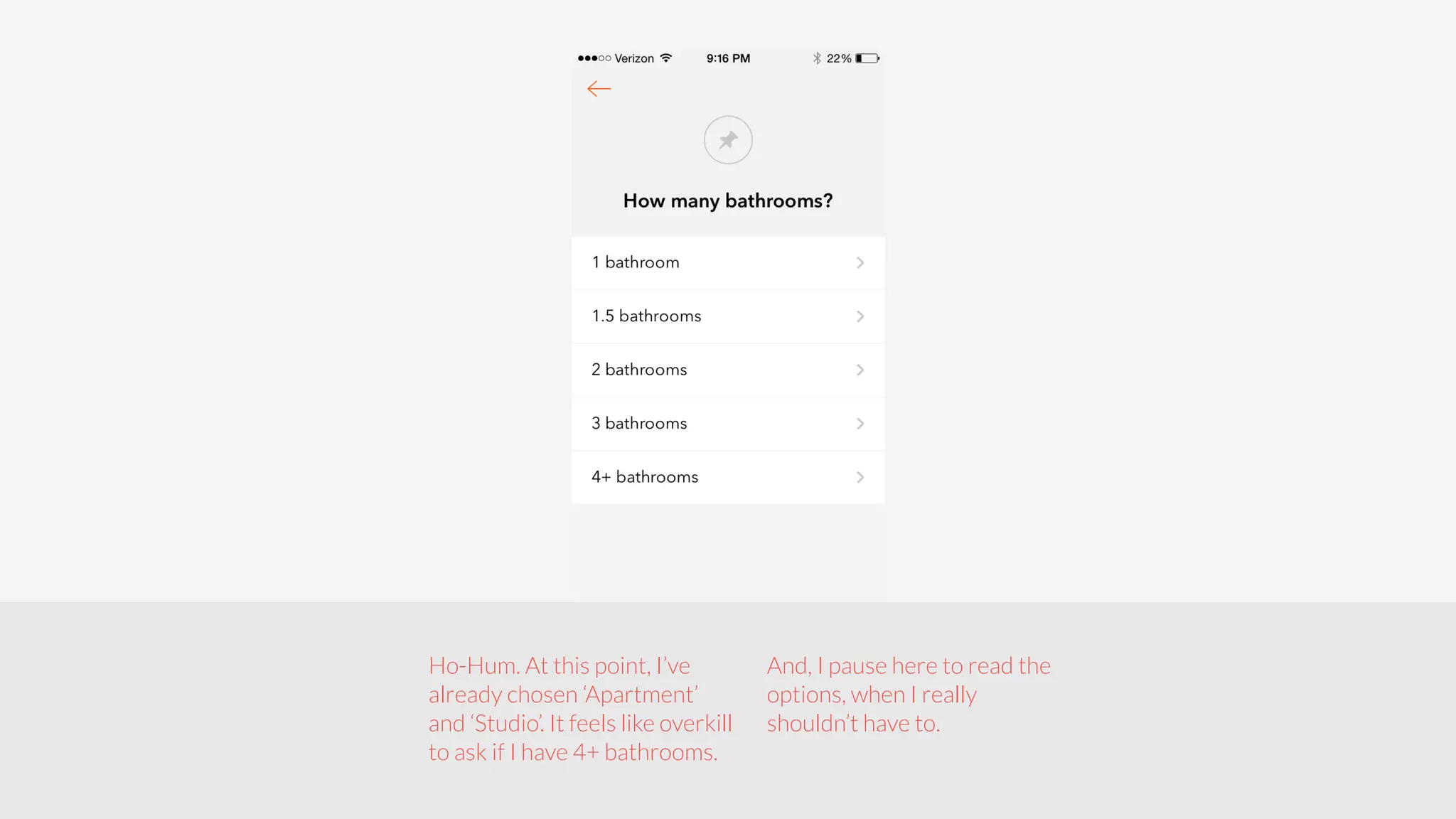
Ho-Hum. At this point, I’ve 
already chosen ‘Apartment’ 
and ‘Studio’. It feels like overkill 
to ask if I have 4+ bathrooms. 
And, I pause here to read the 
options, when I really 
shouldn’t have to.
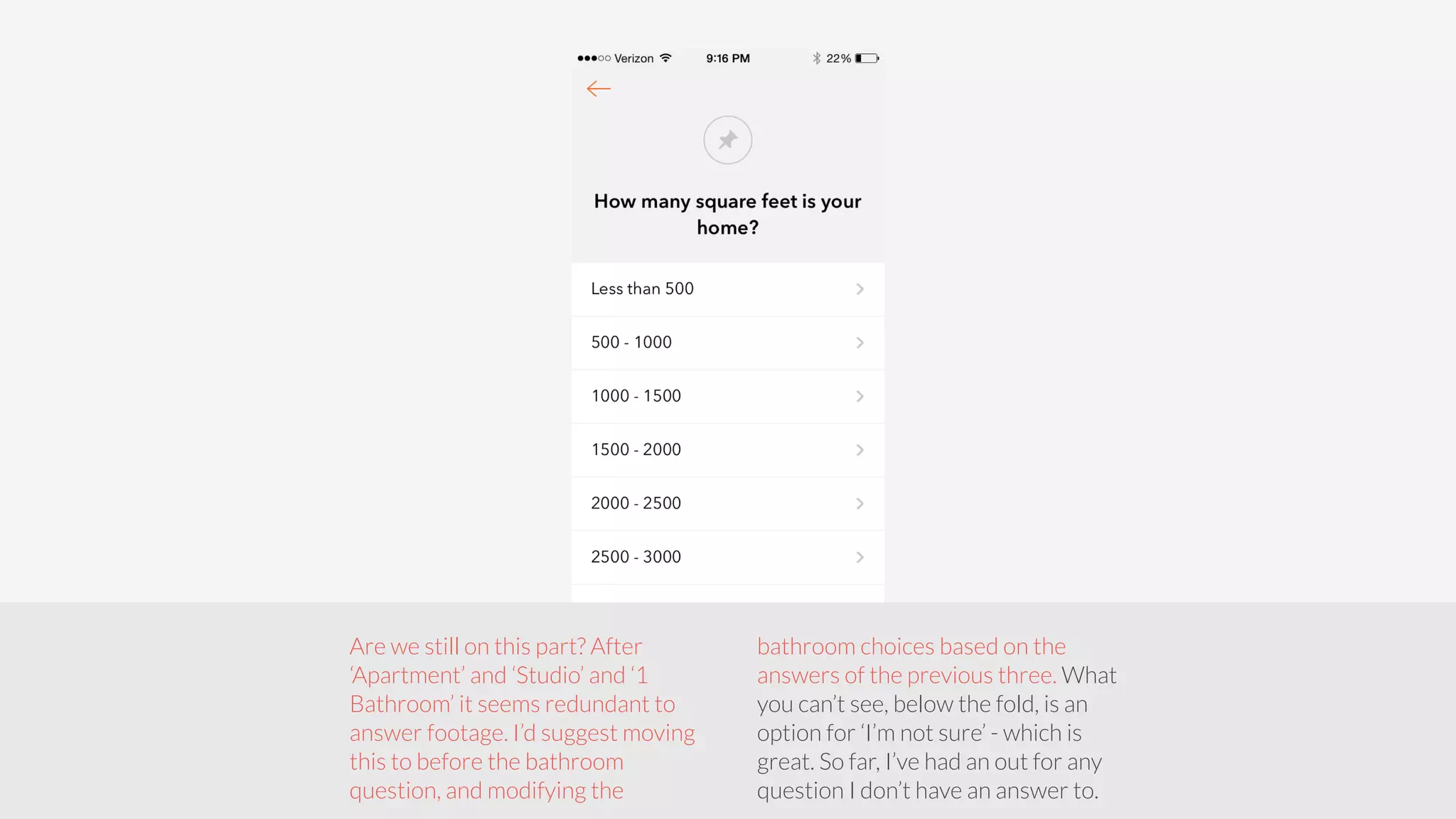
Are we still on this part? After 
‘Apartment’ and ‘Studio’ and ‘1 
Bathroom’ it seems redundant to 
answer footage. I’d suggest moving 
this to before the bathroom 
question, and modifying the 
bathroom choices based on the 
answers of the previous three. What 
you can’t see, below the fold, is an 
option for ‘I’m not sure’ - which is 
great. So far, I’ve had an out for any 
question I don’t have an answer to.
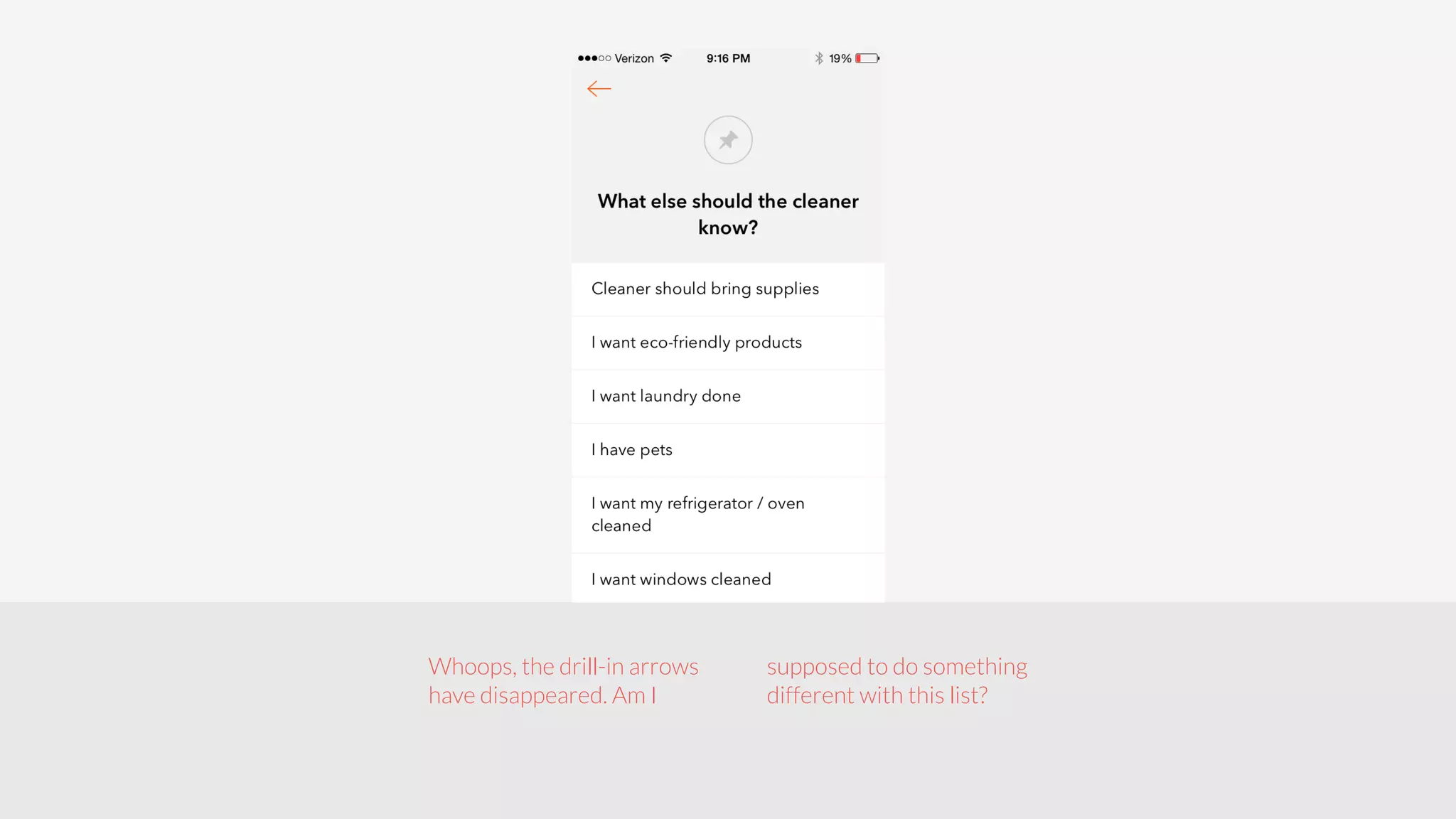
Whoops, the drill-in arrows 
have disappeared. Am I 
supposed to do something 
different with this list?
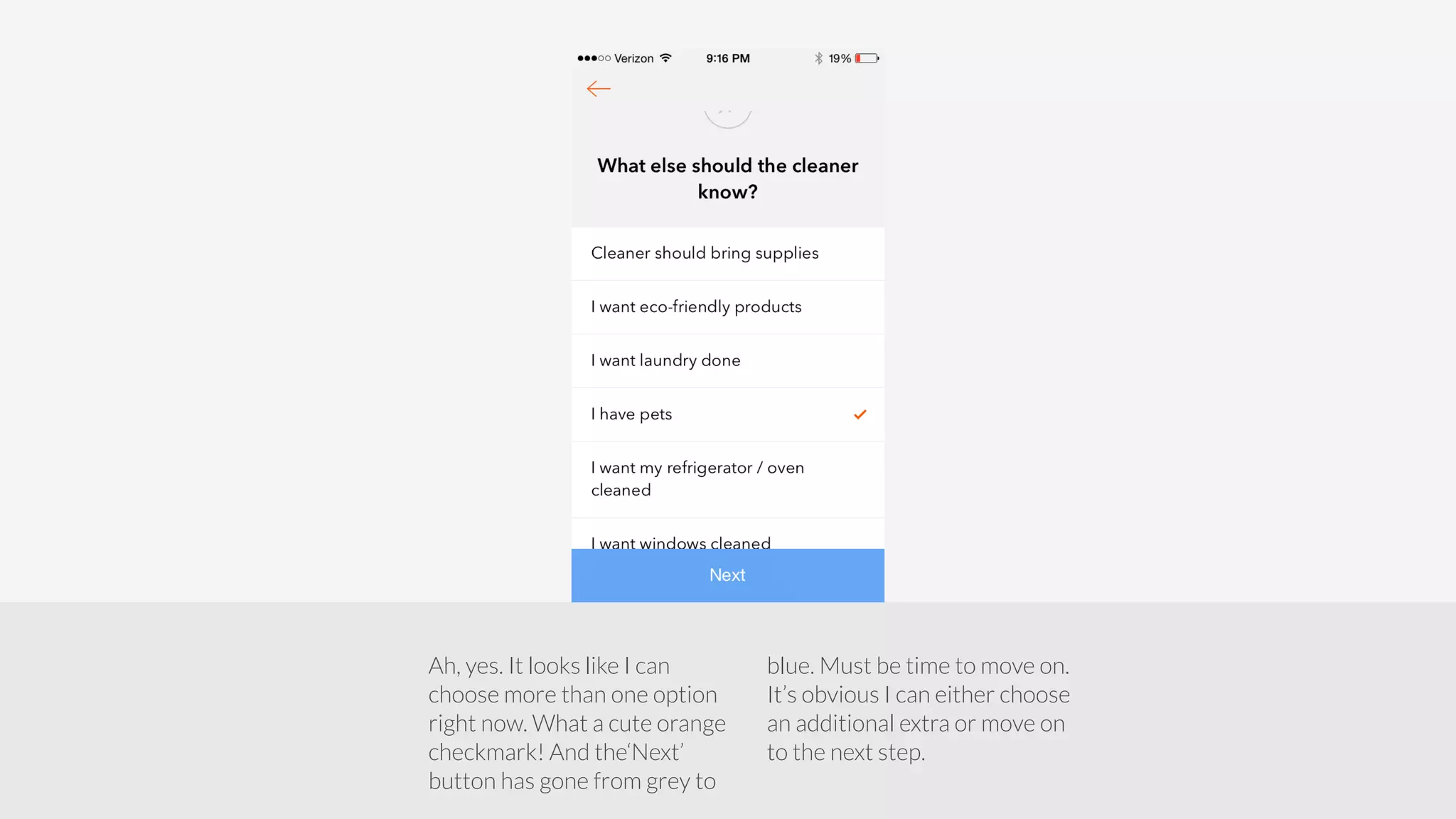
Ah, yes. It looks like I can 
choose more than one option 
right now. What a cute orange 
checkmark! And the‘Next’ 
button has gone from grey to 
blue. Must be time to move on. 
It’s obvious I can either choose 
an additional extra or move on 
to the next step.
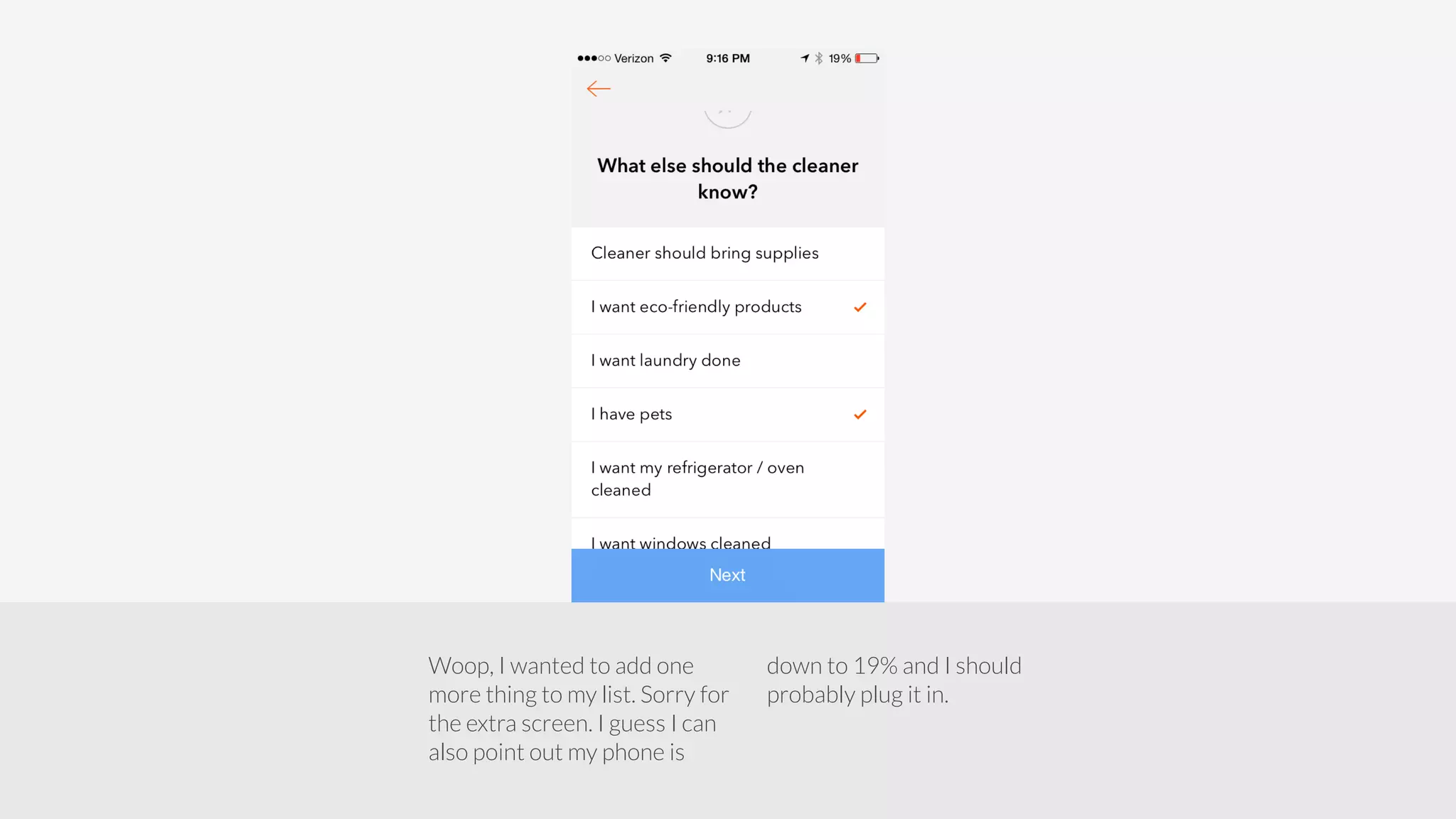
Woop, I wanted to add one 
more thing to my list. Sorry for 
the extra screen. I guess I can 
also point out my phone is 
down to 19% and I should 
probably plug it in.
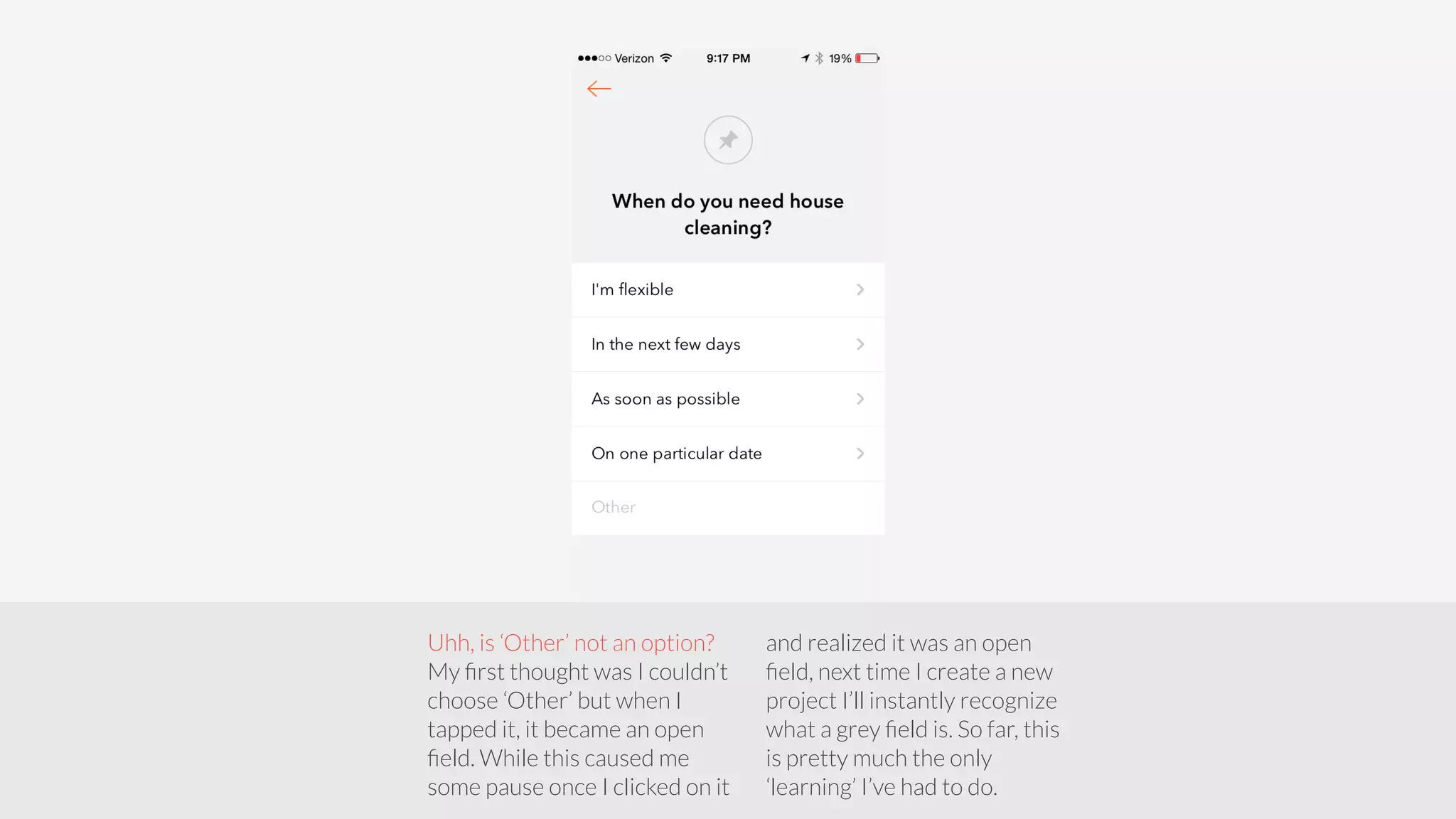
Uhh, is ‘Other’ not an option? 
My first thought was I couldn’t 
choose ‘Other’ but when I 
tapped it, it became an open 
field. While this caused me 
some pause once I clicked on it 
and realized it was an open 
field, next time I create a new 
project I’ll instantly recognize 
what a grey field is. So far, this 
is pretty much the only 
‘learning’ I’ve had to do.
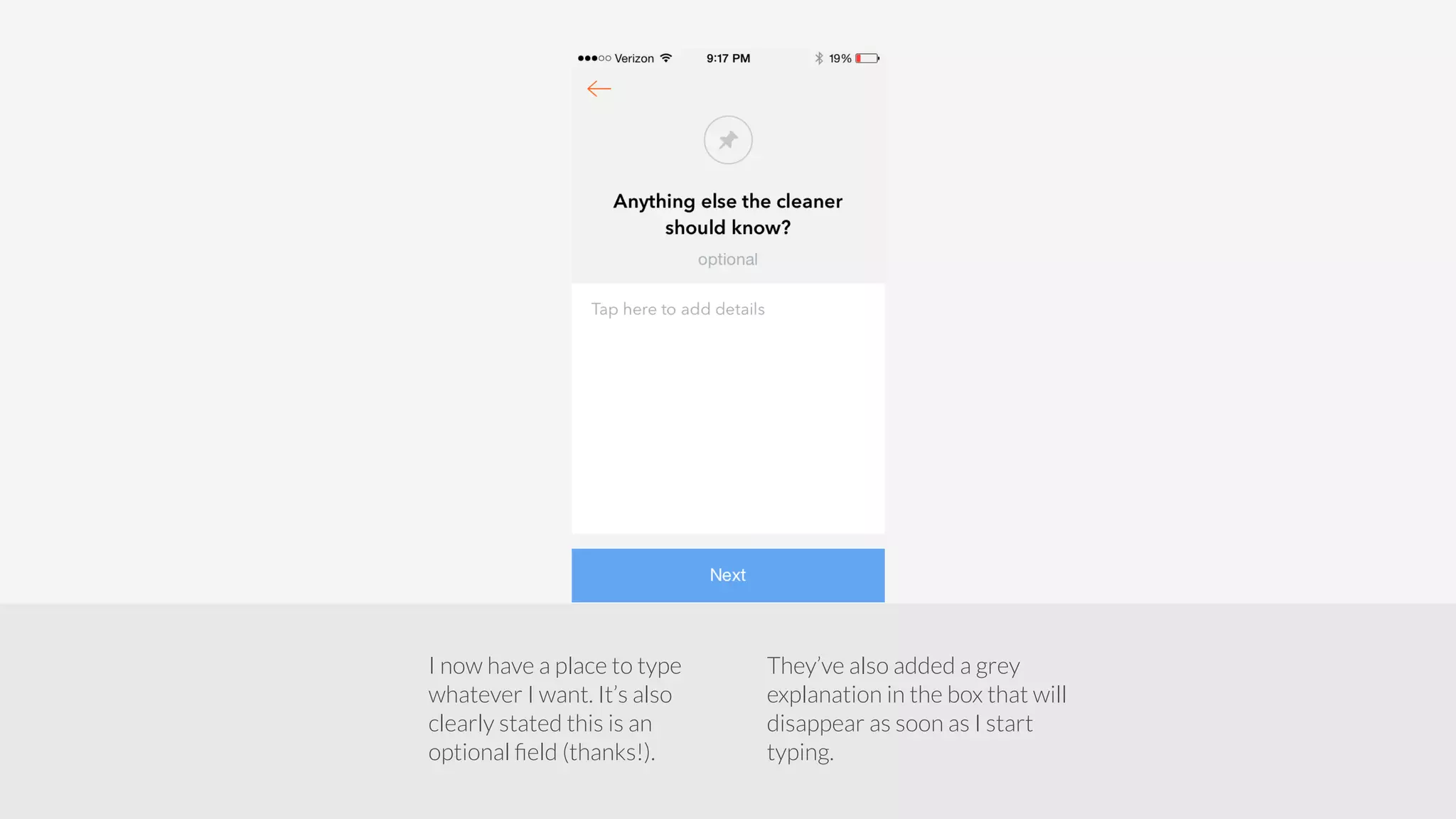
I now have a place to type 
whatever I want. It’s also 
clearly stated this is an 
optional field (thanks!). 
They’ve also added a grey 
explanation in the box that will 
disappear as soon as I start 
typing.
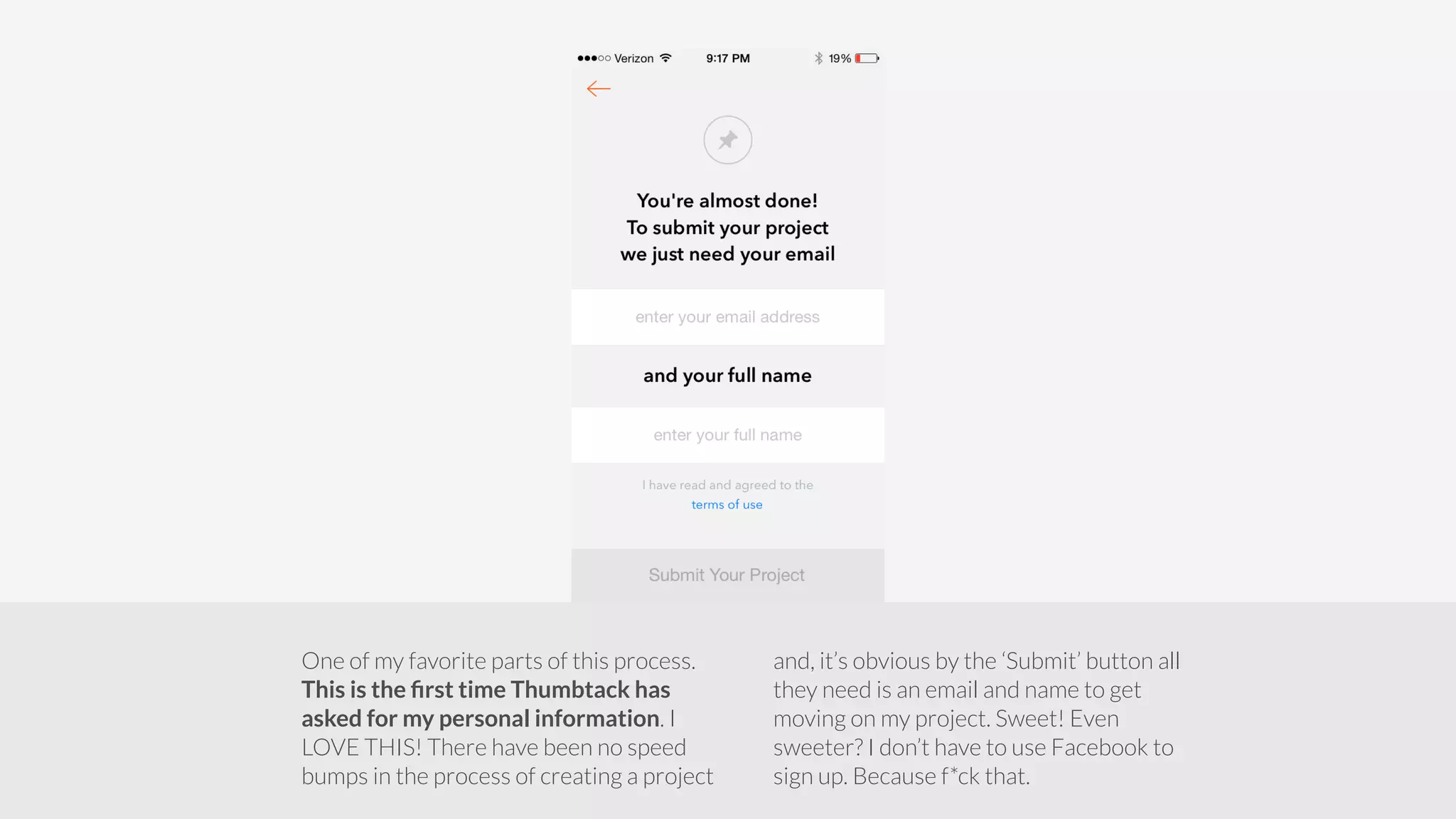
One of my favorite parts of this process. 
This is the first time Thumbtack has 
asked for my personal information. I 
LOVE THIS! There have been no speed 
bumps in the process of creating a project 
and, it’s obvious by the ‘Submit’ button all 
they need is an email and name to get 
moving on my project. Sweet! Even 
sweeter? I don’t have to use Facebook to 
sign up. Because f*ck that.
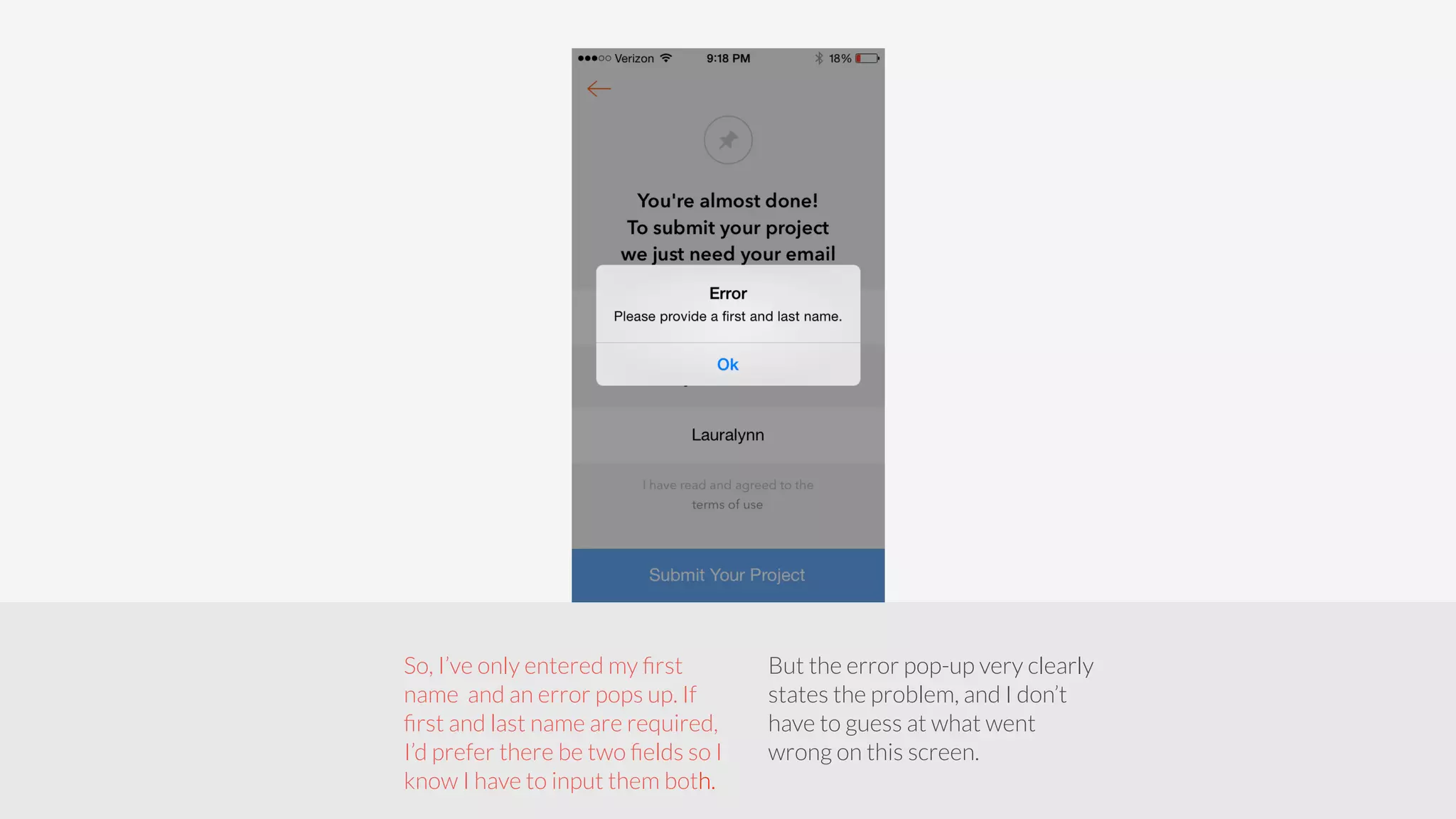
So, I’ve only entered my first 
name and an error pops up. If 
first and last name are required, 
I’d prefer there be two fields so I 
know I have to input them both. 
But the error pop-up very clearly 
states the problem, and I don’t 
have to guess at what went 
wrong on this screen.
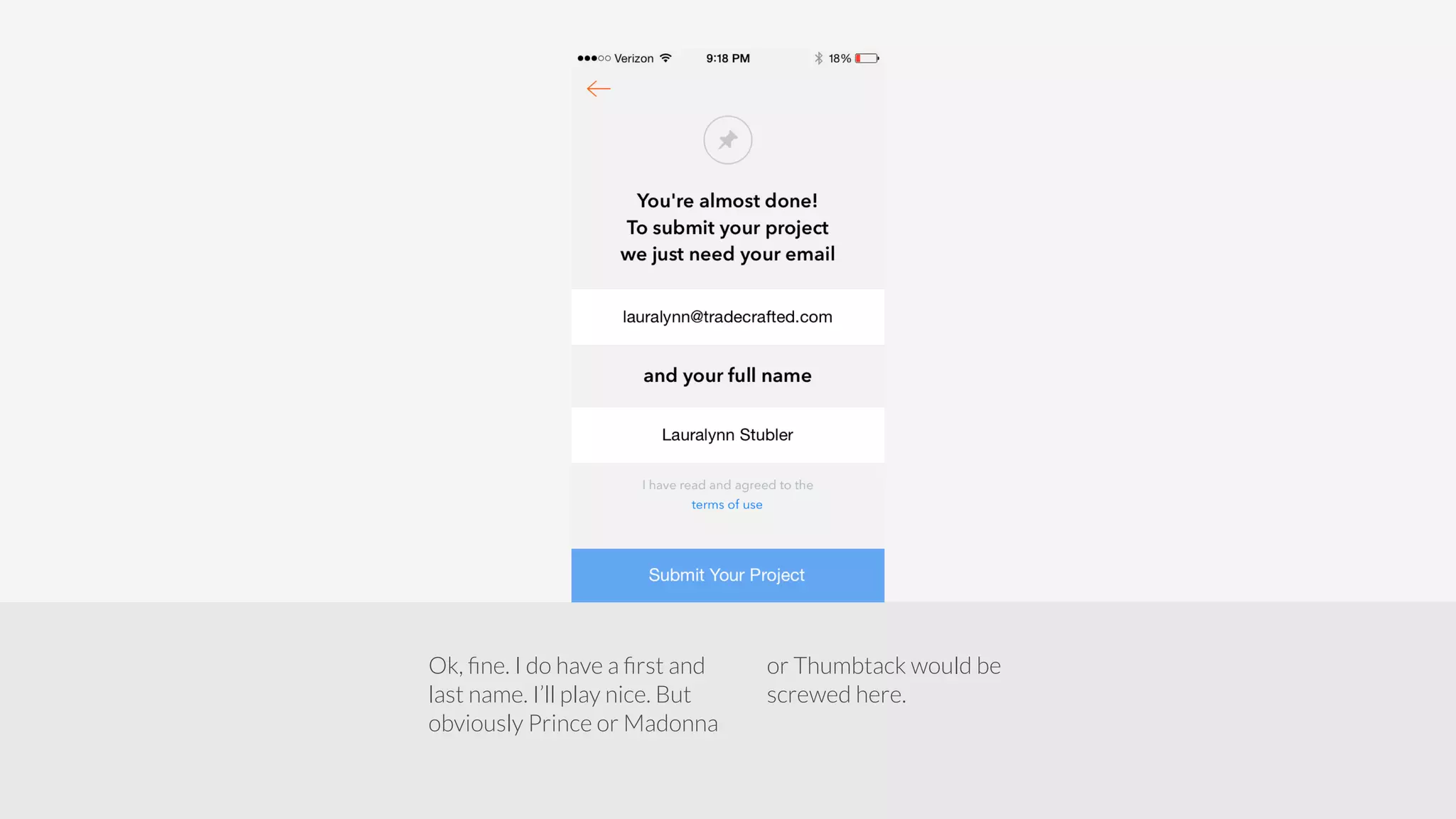
Ok, fine. I do have a first and 
last name. I’ll play nice. But 
obviously Prince or Madonna 
or Thumbtack would be 
screwed here.
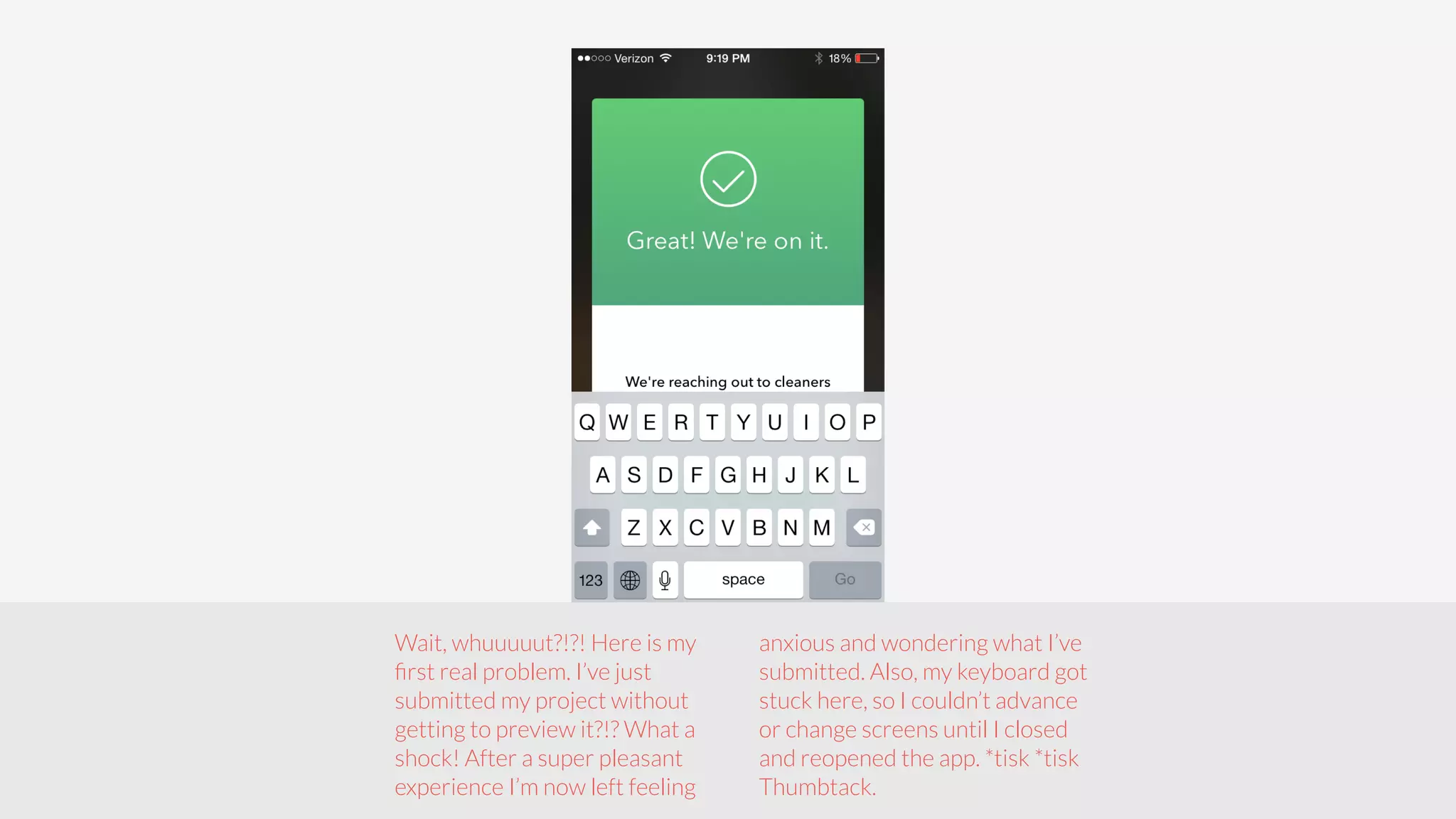
Wait, whuuuuut?!?! Here is my 
first real problem. I’ve just 
submitted my project without 
getting to preview it?!? What a 
shock! After a super pleasant 
experience I’m now left feeling 
anxious and wondering what I’ve 
submitted. Also, my keyboard got 
stuck here, so I couldn’t advance 
or change screens until I closed 
and reopened the app. *tisk *tisk 
Thumbtack.
Extremely pleasant onboarding overall - I love the intuitive design and 
use of color contrast. The simplicity seems inherent, but very few 
companies do this well. 
The CTAs on every screen help users meet a goal - Traversing through 
screens was easy since the primary action was clear. 
Thumbtack clearly shows me the value of the product without having 
to sign up - Only after investing in getting something done, I have the 
option to sign up. 
Thumbtack can avoid onboarding-anxiety - Allow users to preview a new 
project before going live, and to edit an existing project. Otherwise, they 
nailed a clean, albeit long, onboarding experience. 
Conclusion - Thumbtack Mobile Onboarding 
iOS

Onboarding Teardown for Thumbtack iOS

  • 1.
  • 2.
    A ton ofsteps! - Normally this would make onboarding painful, but they have opted for 1 clear action per screen. Setting up my first project and creating an account took less than 7 minutes. Different types of screens - There are lots of high contrast screens, as well as focused workflow screens. It’s easy to tell what stage of the process you are in. The onboarding is not separate from your goals - No need to sign up, create an account, then create a project. It all happens at once, in one fluid process. Summary of the good bits
  • 3.
    No FB login- Thank goodness, or I would have quit. Also, the flow is such that you go through and understand the value of the service before you have to create credentials. Well designed followup email - The welcome email comes after submitting your first project, and explains more about the service as well as provides a summary of your answers. You can also cancel your project right there. Other good bits
  • 4.
    I’m not reallysure what I signed up for - The onboarding flow lacked so much information, I made my own assumptions about the service (and I was wrong). No viral loop - Nowhere was I offered the opportunity to share with friends or social. I know some people who would love to sign up as a professional. No way to edit after submission - The system requires you to cancel the project if you need to make a change. It’s annoying and slows down my process of creating a project since I have to be more deliberate with my choices. Summary of the shitty bits
  • 5.
    I left feelinganxious - after such a pleasant onboarding experience, I was startled when the project was submitted without allowing me to review. Some functionality problems - the final screen after signup locked up, I had to close and reopen. And, I could view my project online but it wasn't showing up in mobile. Also, with the first question of “what service?” - ‘housecleaning’, ‘house cleaning’, & ‘house cleaner’ returned different results. More shitty bits
  • 6.
    Nice and cleanwith good contrast that puts focus on the phone. The ‘home, events, lessons, wellness, and more’ gives me an idea of the types of projects I can sign up for.
  • 7.
    ! Ack! NoBail-out button The ubiquitous swipe - next tutorial pattern, Without an option to skip. Returning users looking for the option to sign in will find this very frustrating.
  • 8.
    Clear, concise copylets me know the next screen will be starting the Thumbtack process. Existing users are finally given the option of signing in.’Get Started’ button is blue and stands out, I know I only have 1 thing to do here.
  • 9.
    Fields are clearlymarked. There are only 2 things to do here. The contrasting colors aid my comprehension - I know I’m going to find professionals in my area for the thing I need done.
  • 10.
    After inputting bothfields, ‘Start Your Project’ turns blue. I know exactly what to press to move on.
  • 11.
    Nice shift incolor to signal that the process has evolved from getting started to doing something. Immediately, I know what the options are for ‘house cleaning’. Their use of the drill-in arrows are unconventional, but simple to understand with one poke. But, it’s weird to see non-house cleaning items on the list. And I’m unsure what ‘Cleaning Out’ & ‘Process Serving’ pertains to. In fact, WTF is this list all about?
  • 12.
    After choosing ‘House Cleaning’ I’m offered frequency options. There is an ‘I’m not sure yet’ so I’m not pigeon-holed into choosing an option I’m not comfortable with (score!). Also, this list is fairly inclusive, there really aren’t any other options I could ask for (thank you).
  • 13.
    The format hasstayed the same since I moved from getting started to getting something done. It’s very easy to glance-and-tap and drill-in.
  • 14.
    The inclusion ofthis screen lends a sense of trust that Thumbtack is actually going find the right professional for my space.
  • 15.
    Ho-Hum. At thispoint, I’ve already chosen ‘Apartment’ and ‘Studio’. It feels like overkill to ask if I have 4+ bathrooms. And, I pause here to read the options, when I really shouldn’t have to.
  • 16.
    Are we stillon this part? After ‘Apartment’ and ‘Studio’ and ‘1 Bathroom’ it seems redundant to answer footage. I’d suggest moving this to before the bathroom question, and modifying the bathroom choices based on the answers of the previous three. What you can’t see, below the fold, is an option for ‘I’m not sure’ - which is great. So far, I’ve had an out for any question I don’t have an answer to.
  • 17.
    Whoops, the drill-inarrows have disappeared. Am I supposed to do something different with this list?
  • 18.
    Ah, yes. Itlooks like I can choose more than one option right now. What a cute orange checkmark! And the‘Next’ button has gone from grey to blue. Must be time to move on. It’s obvious I can either choose an additional extra or move on to the next step.
  • 19.
    Woop, I wantedto add one more thing to my list. Sorry for the extra screen. I guess I can also point out my phone is down to 19% and I should probably plug it in.
  • 20.
    Uhh, is ‘Other’not an option? My first thought was I couldn’t choose ‘Other’ but when I tapped it, it became an open field. While this caused me some pause once I clicked on it and realized it was an open field, next time I create a new project I’ll instantly recognize what a grey field is. So far, this is pretty much the only ‘learning’ I’ve had to do.
  • 21.
    I now havea place to type whatever I want. It’s also clearly stated this is an optional field (thanks!). They’ve also added a grey explanation in the box that will disappear as soon as I start typing.
  • 22.
    One of myfavorite parts of this process. This is the first time Thumbtack has asked for my personal information. I LOVE THIS! There have been no speed bumps in the process of creating a project and, it’s obvious by the ‘Submit’ button all they need is an email and name to get moving on my project. Sweet! Even sweeter? I don’t have to use Facebook to sign up. Because f*ck that.
  • 23.
    So, I’ve onlyentered my first name and an error pops up. If first and last name are required, I’d prefer there be two fields so I know I have to input them both. But the error pop-up very clearly states the problem, and I don’t have to guess at what went wrong on this screen.
  • 24.
    Ok, fine. Ido have a first and last name. I’ll play nice. But obviously Prince or Madonna or Thumbtack would be screwed here.
  • 25.
    Wait, whuuuuut?!?! Hereis my first real problem. I’ve just submitted my project without getting to preview it?!? What a shock! After a super pleasant experience I’m now left feeling anxious and wondering what I’ve submitted. Also, my keyboard got stuck here, so I couldn’t advance or change screens until I closed and reopened the app. *tisk *tisk Thumbtack.
  • 26.
    Extremely pleasant onboardingoverall - I love the intuitive design and use of color contrast. The simplicity seems inherent, but very few companies do this well. The CTAs on every screen help users meet a goal - Traversing through screens was easy since the primary action was clear. Thumbtack clearly shows me the value of the product without having to sign up - Only after investing in getting something done, I have the option to sign up. Thumbtack can avoid onboarding-anxiety - Allow users to preview a new project before going live, and to edit an existing project. Otherwise, they nailed a clean, albeit long, onboarding experience. Conclusion - Thumbtack Mobile Onboarding iOS