Harmony consolidated
Release Notes
Last update: release 2.0 (2 August 2013)
Our release policy
• 10 releases per year – containing
– new feature(s)
improving capabilities , increasing
business benefits
– Improvements
Revised or minor new features added to
extend functionality
– Bug fixes
– Sample implementation(s)
demonstrating “Harmony in action”
– More on our website: Agile product development.
FACT DEFINITIONS AND
IMPROVED CONFIGS
2.0 Release Notes
Change log
• New
– Fact definitions sheet – allows to specify how to
round numbers, decimals after the comma, initial
values and more
– Configuration improvements – search/replace of a
fact, dialog autofill, create new sheet
– Warnings web-part – identifies and helps with
common configuration issues
– Google App Script library for all Harmony
configurations, simplifies the release of new
functionality in the configurations
• 19 issues and bugs solved
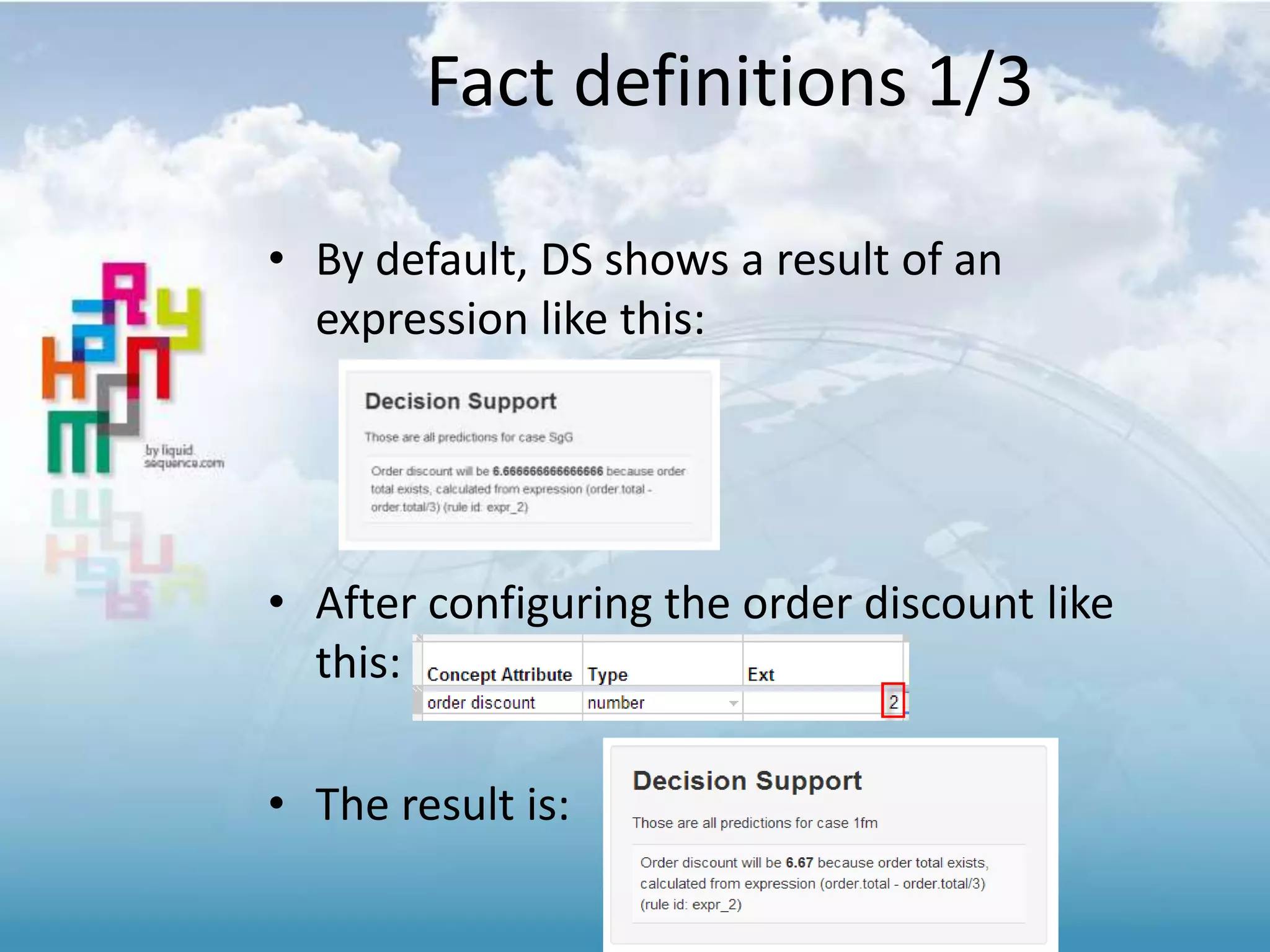
Fact definitions 1/3
• By default, DS shows a result of an
expression like this:
• After configuring the order discount like
this:
• The result is:
Fact definitions 2/3
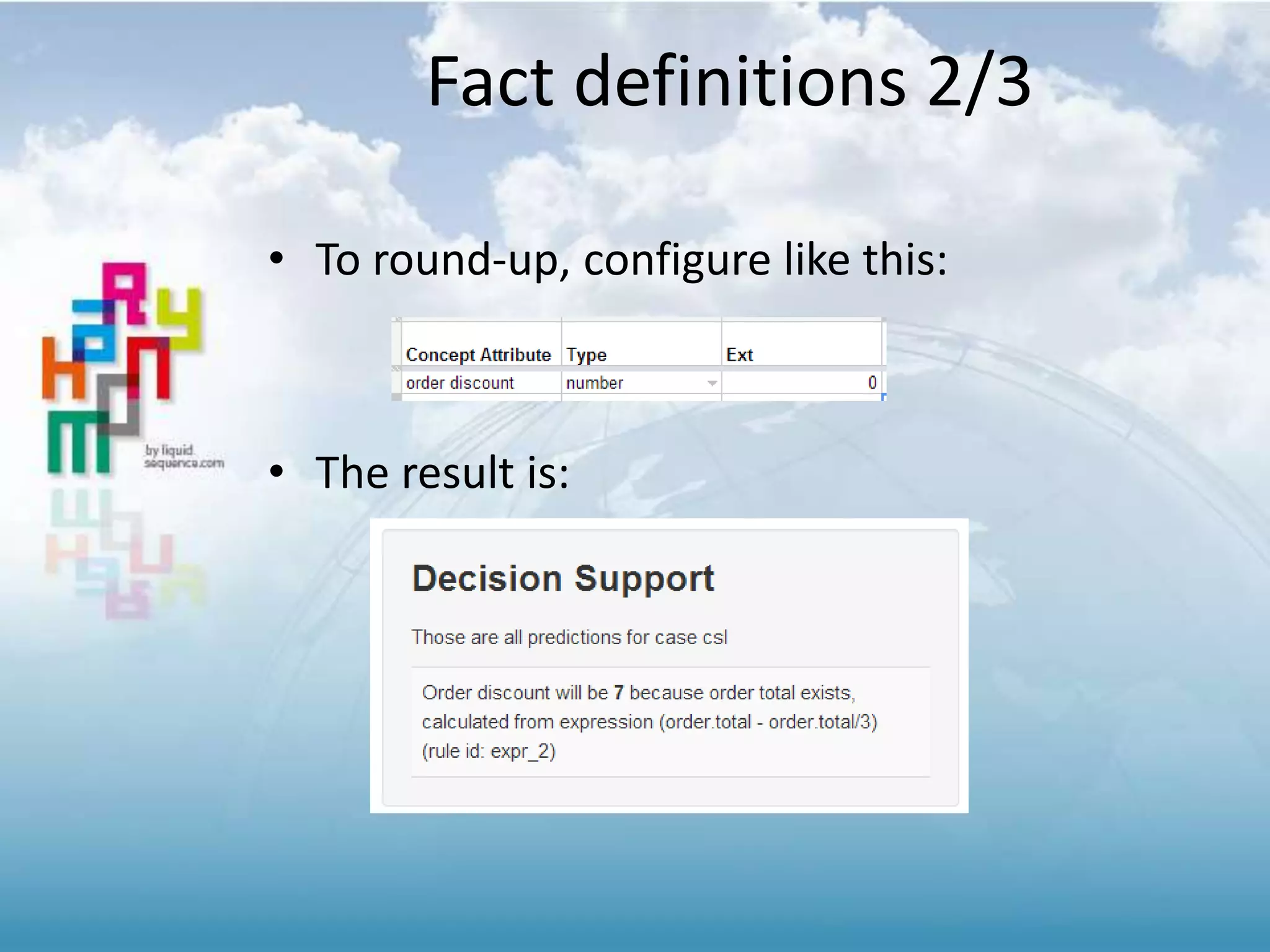
• To round-up, configure like this:
• The result is:
Fact definitions 3/3
• “InitialValue” – sets an initial value for a fact
– makes setting VAT.percentage to 21 in a rule
unnecessary
– all facts set with an initial value will be added to the
case data when starting a new case
• “Don’t show in decision support”
– for facts that are ‘internal’ to the process, users
might not be interested in them (set to true)
• “Don’t save in working memory”
– for facts like “next.order” just set to true and
Harmony won’t add that fact into the case data
Config improvements 1/3
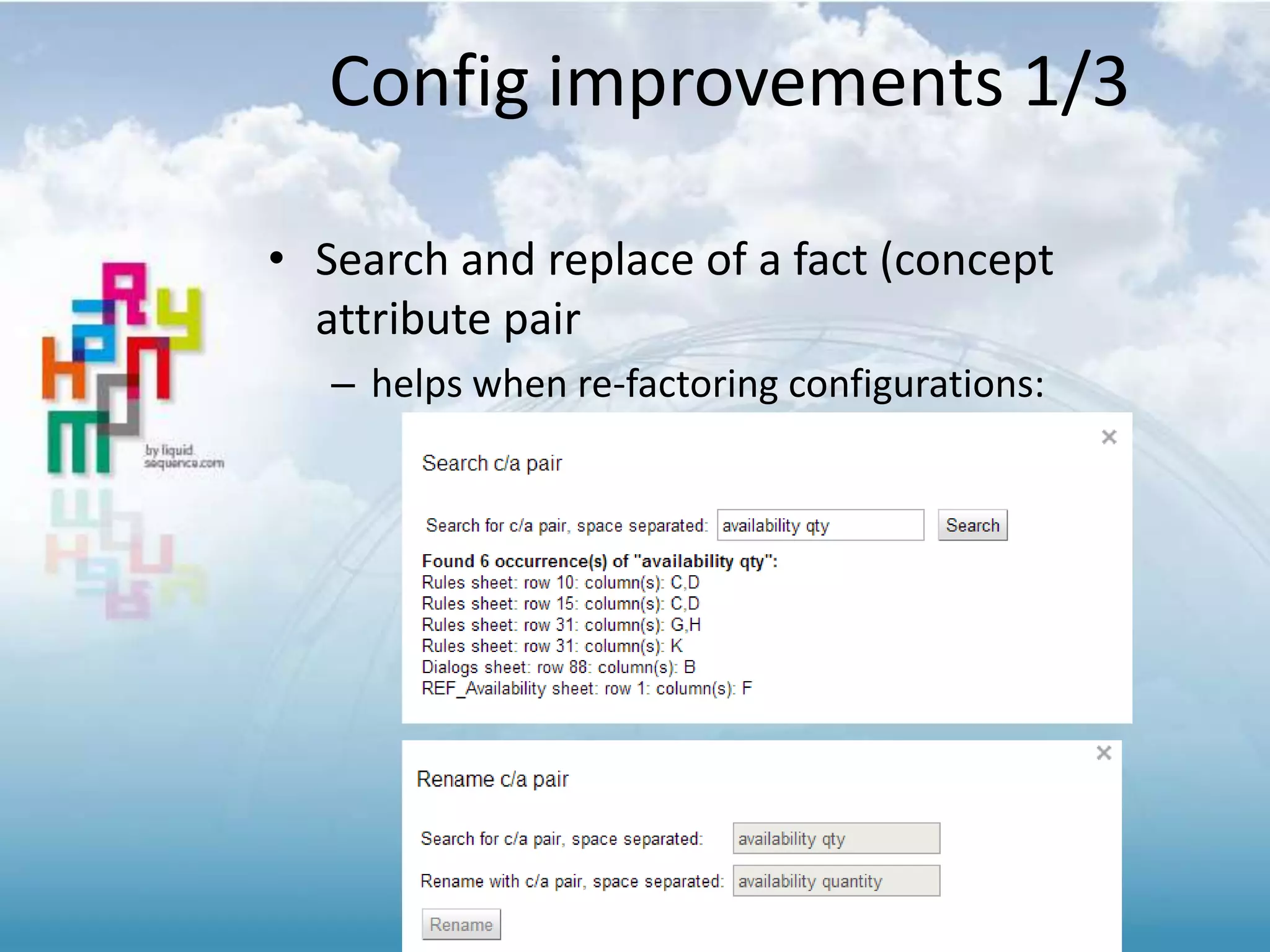
• Search and replace of a fact (concept
attribute pair
– helps when re-factoring configurations:
Config improvements 2/3
• Insert concept /attribute pair
– The rules sheet can become quite large … so
we’ve made it easier to insert an existing c/a
pair or create a new one
Config improvements 3/3
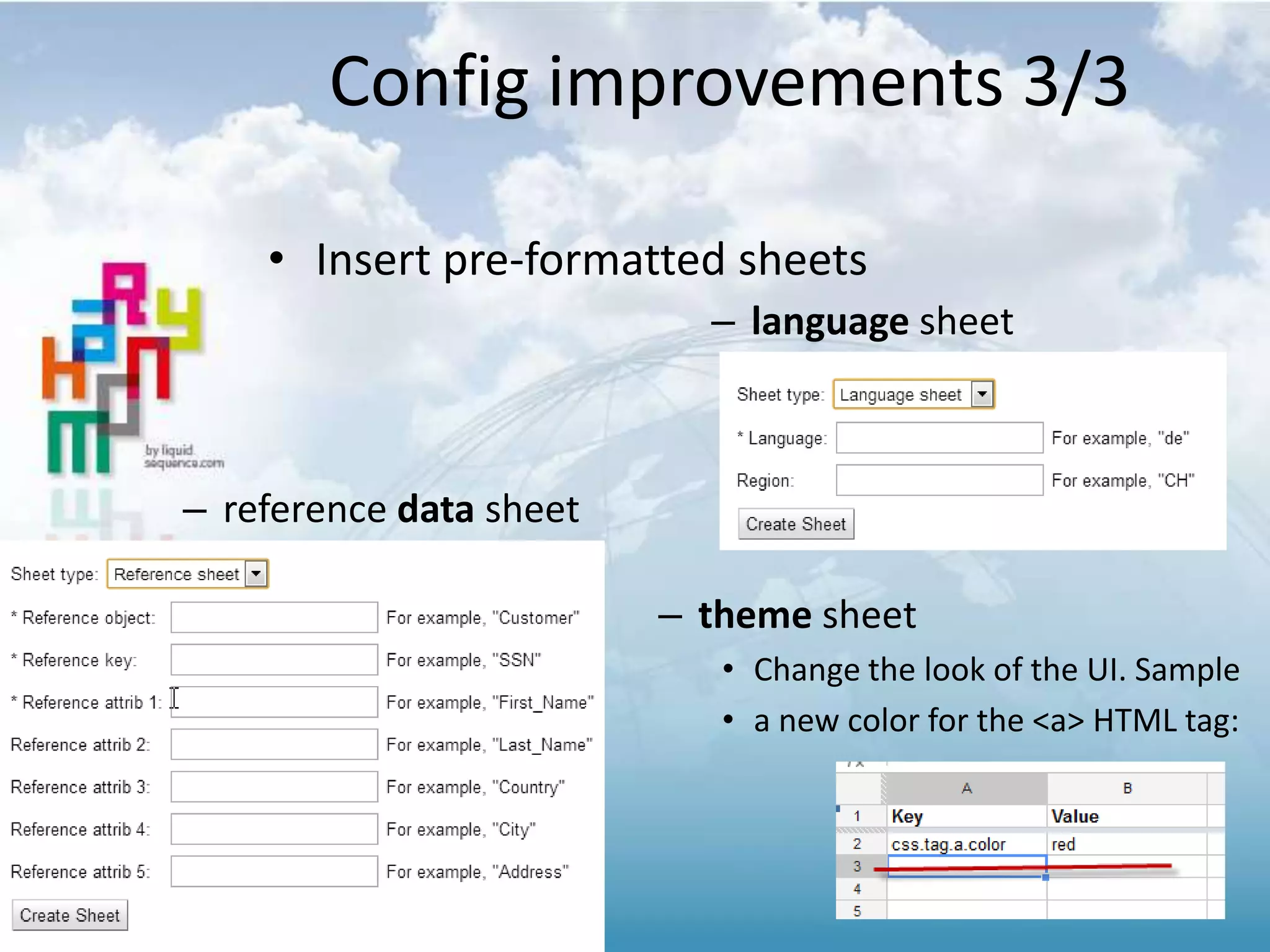
• Insert pre-formatted sheets
– theme sheet
• Change the look of the UI. Sample
• a new color for the <a> HTML tag:
– reference data sheet
– language sheet
[new] Warnings web-part
• The purpose is to discover difficult to find
issues with the configuration
– speeds up time to diagnose the problem
• Uses websockets to push to the user at the
moment a warning occurs
• Visible to Admin users only
MULTI LANGUAGE
1.9 Release Notes
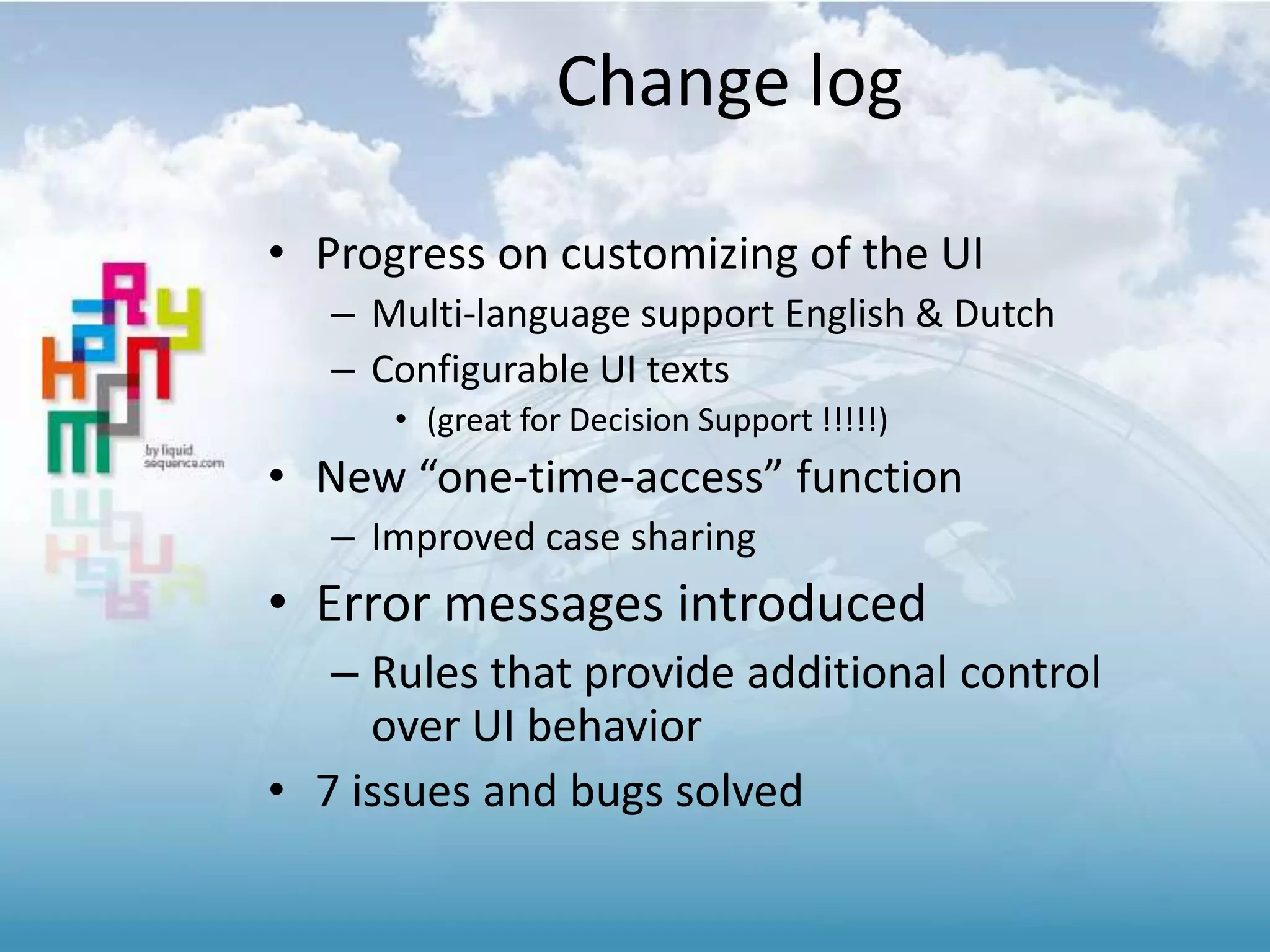
Change log
• Progress on customizing of the UI
– Multi-language support English & Dutch
– Configurable UI texts
• (great for Decision Support !!!!!)
• New “one-time-access” function
– Improved case sharing
• Error messages introduced
– Rules that provide additional control
over UI behavior
• 7 issues and bugs solved
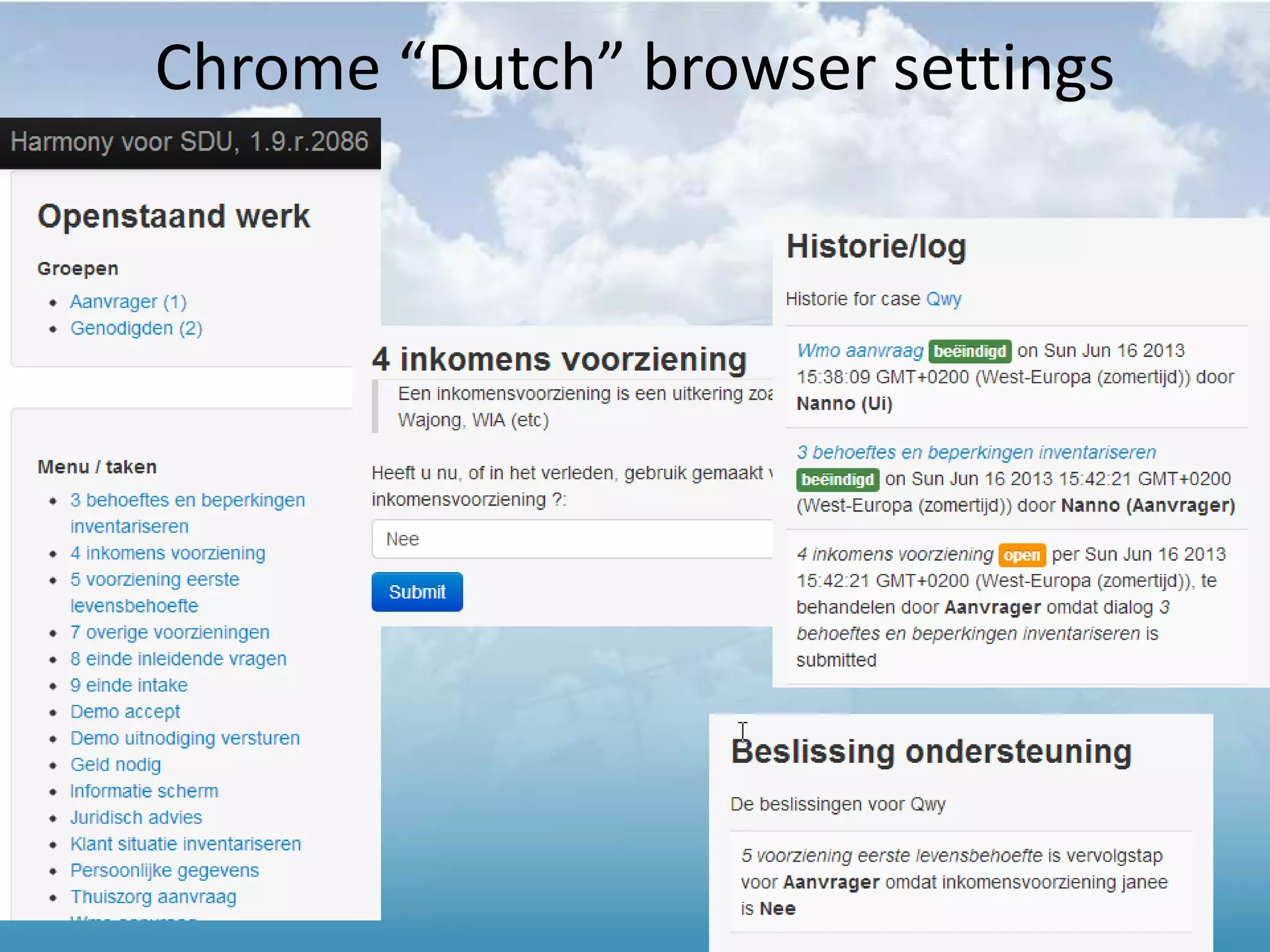
Chrome “Dutch” browser settings
The same case [Qwy] – “English” settings
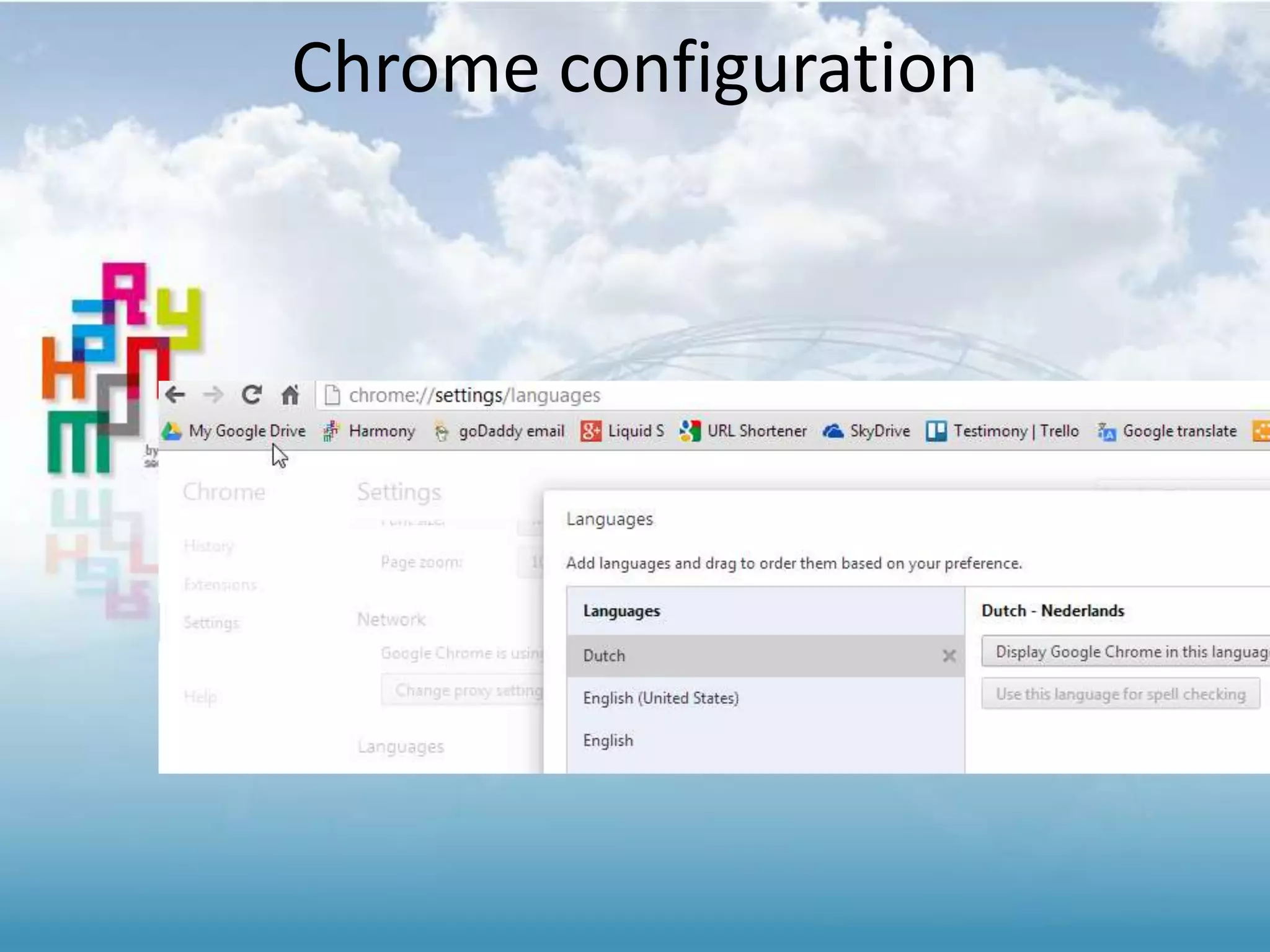
Chrome configuration
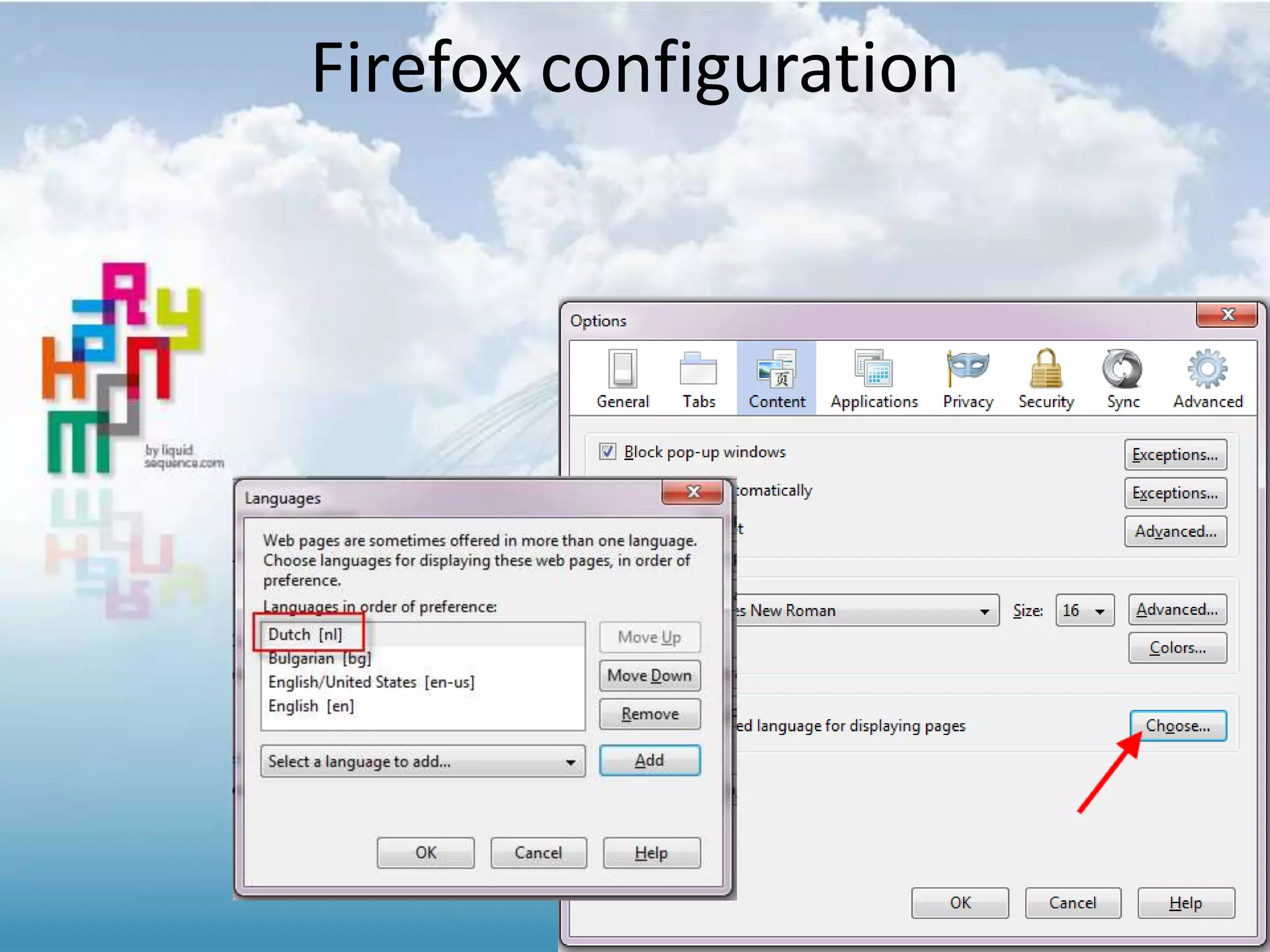
Firefox configuration
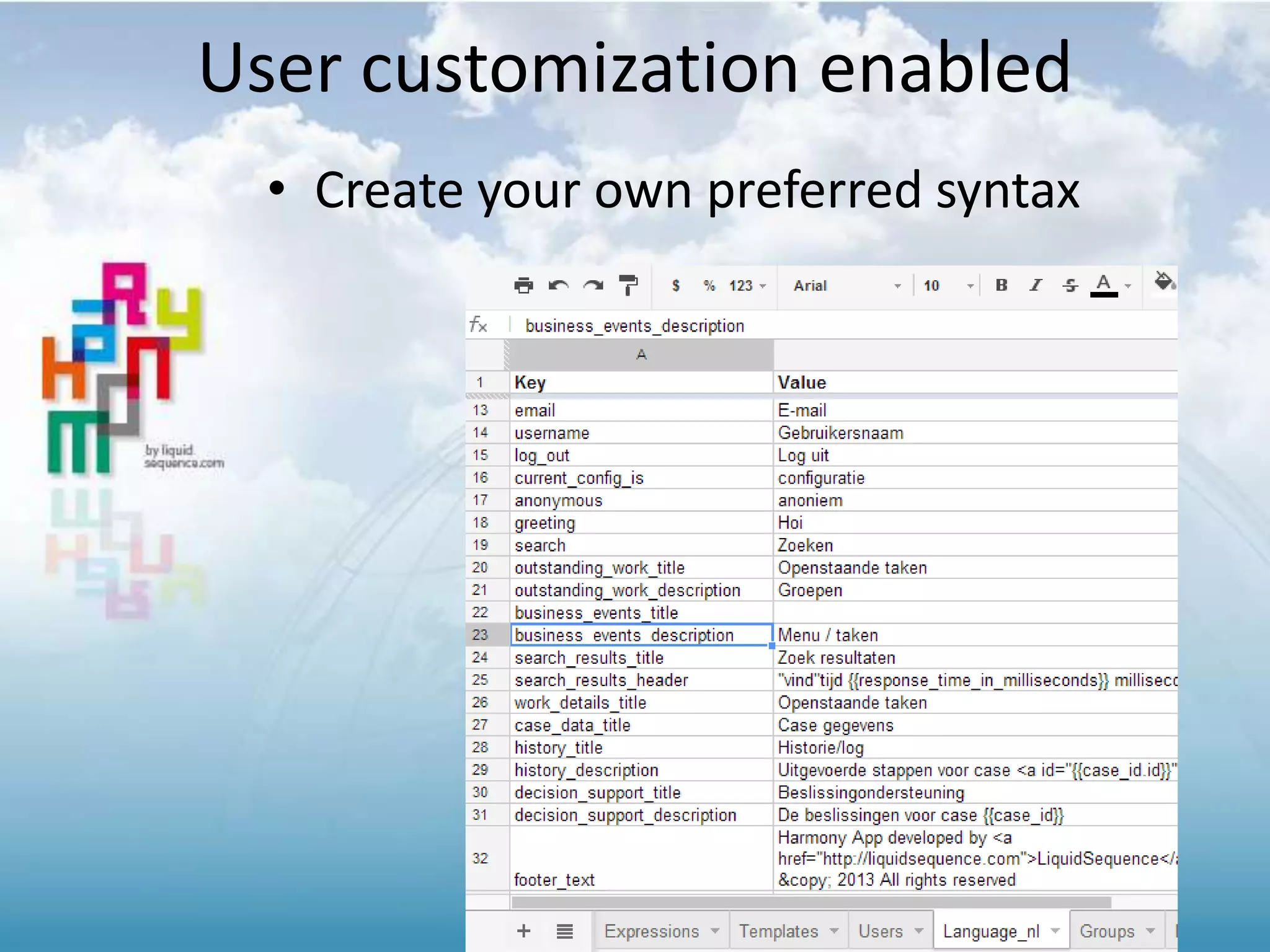
• Create your own preferred syntax
User customization enabled
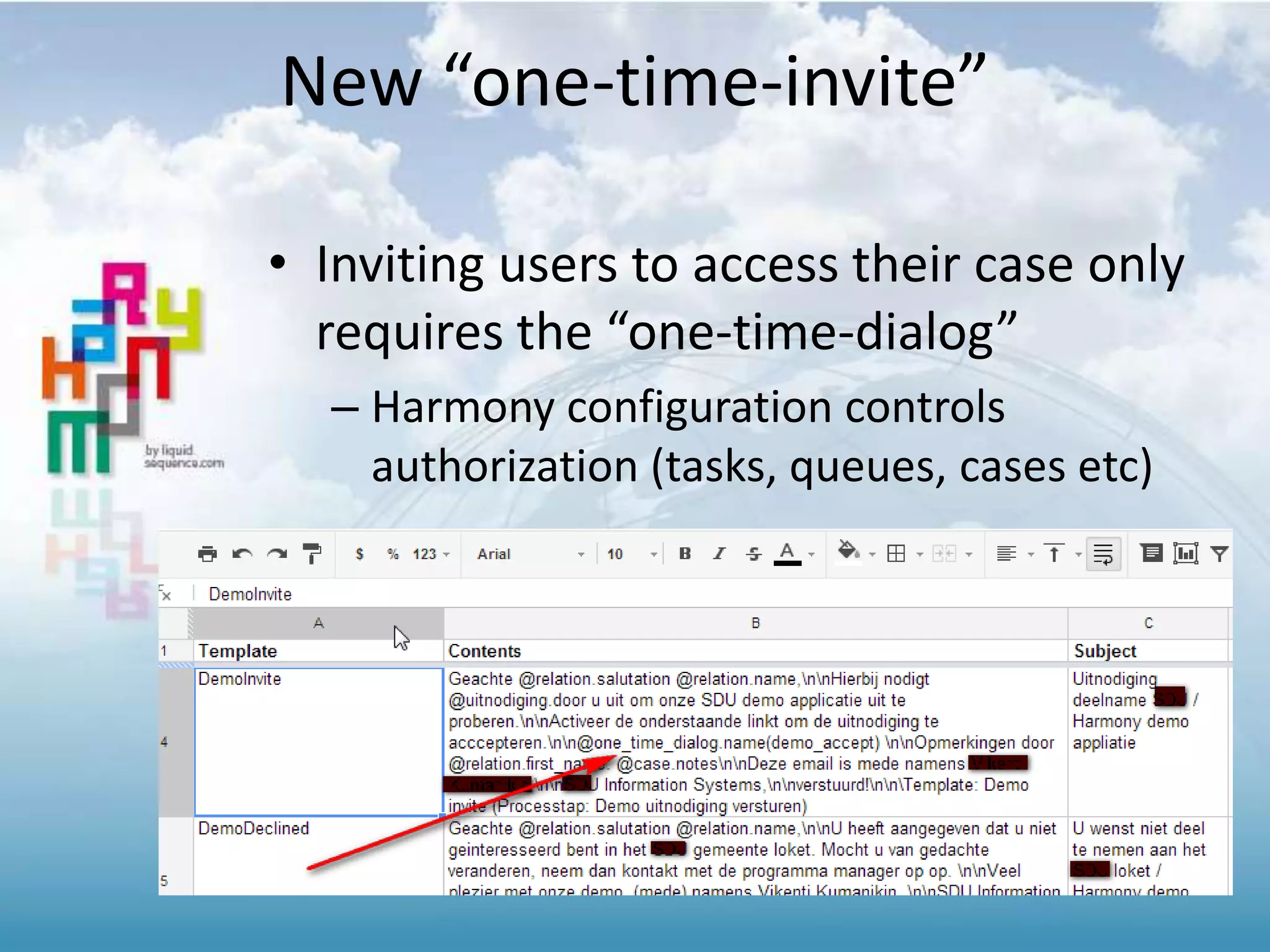
New “one-time-invite”
• Inviting users to access their case only
requires the “one-time-dialog”
– Harmony configuration controls
authorization (tasks, queues, cases etc)
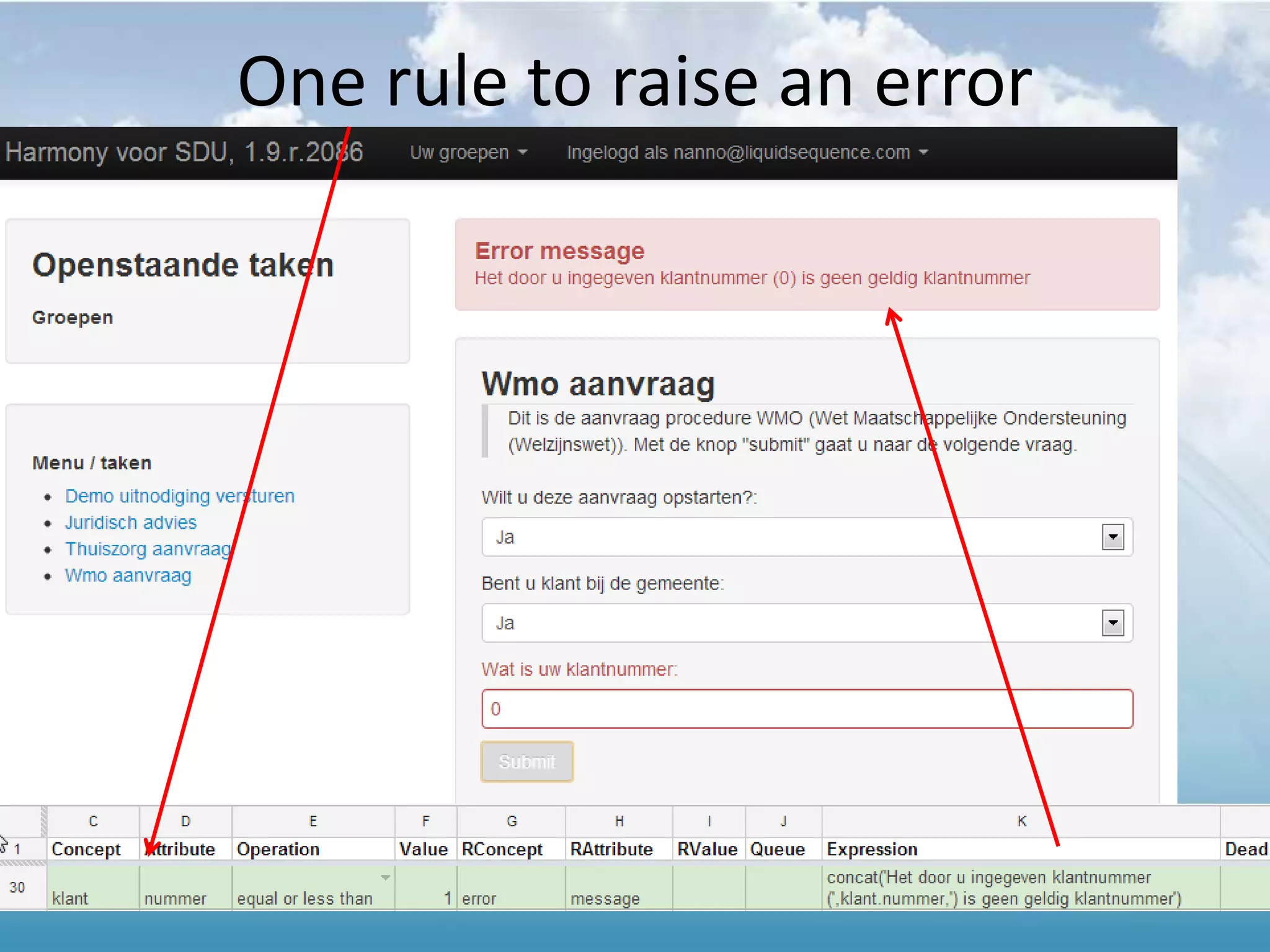
One rule to raise an error
INTEGRATION GOOGLE CALENDAR
1.8 Release Notes
Change log
• 1st version of integrating Harmony with
Google Calendar
– (deadlines are turned into events in the
calendar)
• After login, the user is redirected to the
originally requested page
• 18 issues and bugs solved
• Progress on customizing of the UI
– company specific colors
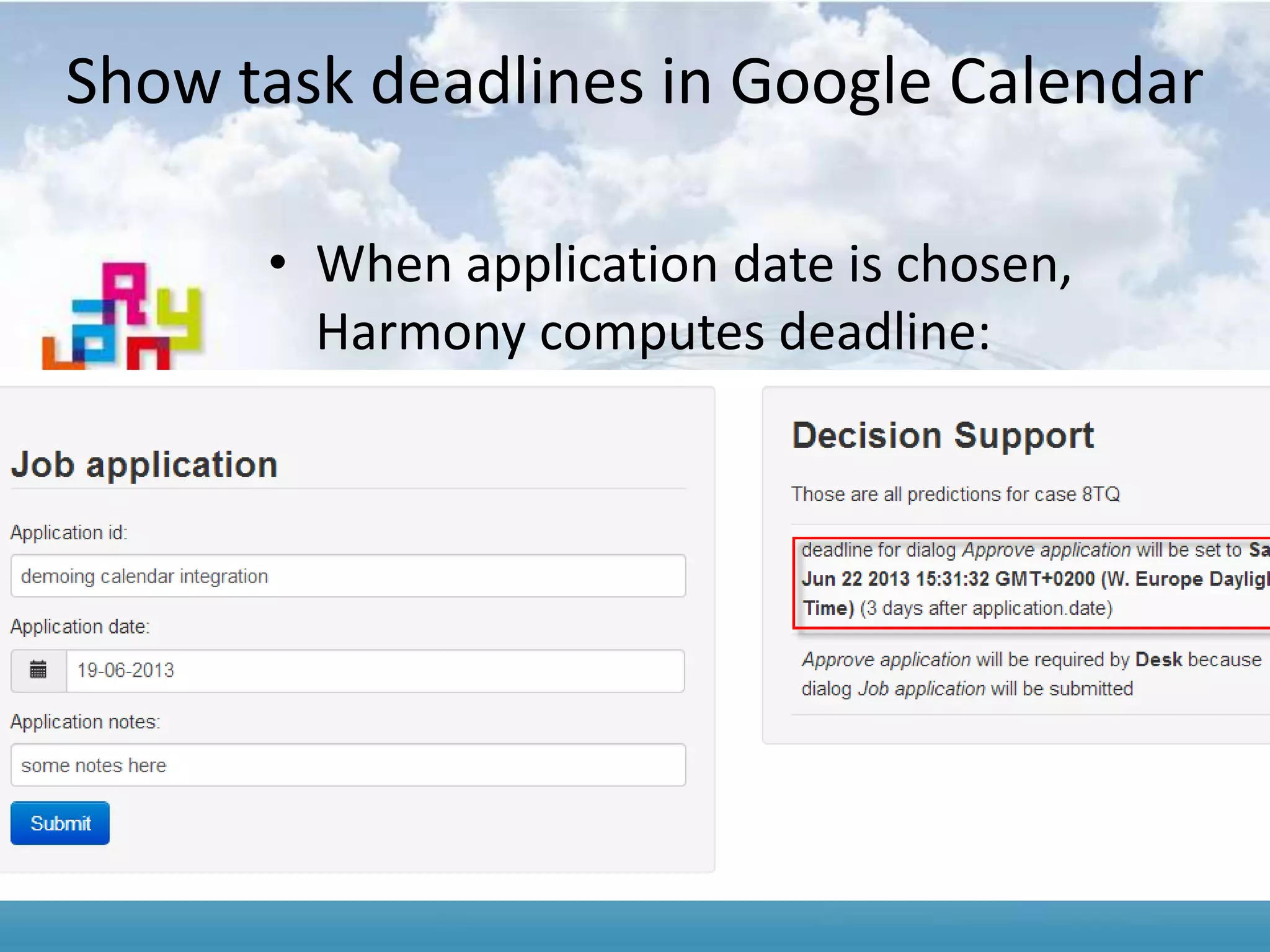
Show task deadlines in Google Calendar
• When application date is chosen,
Harmony computes deadline:
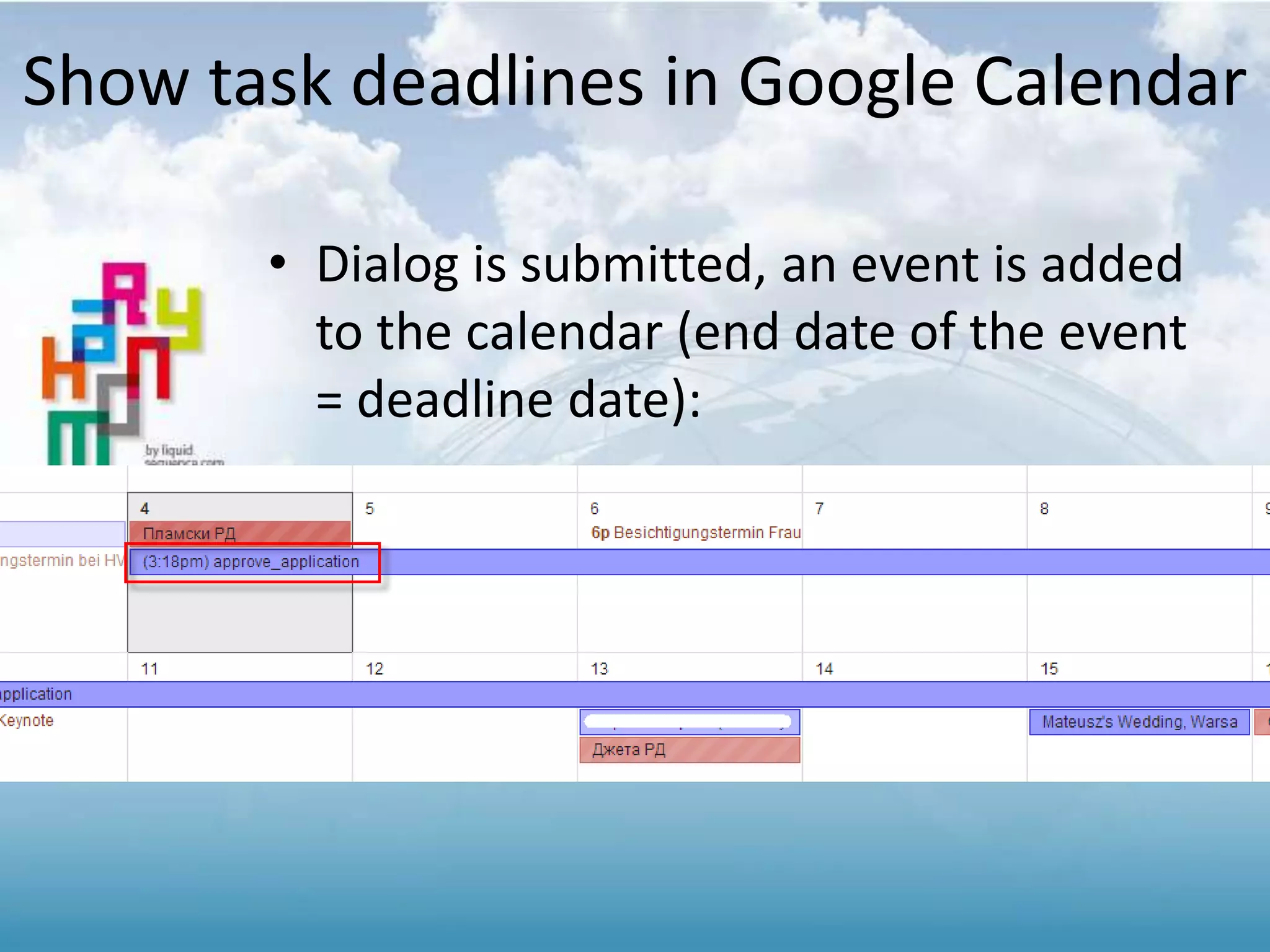
• Dialog is submitted, an event is added
to the calendar (end date of the event
= deadline date):
Show task deadlines in Google Calendar
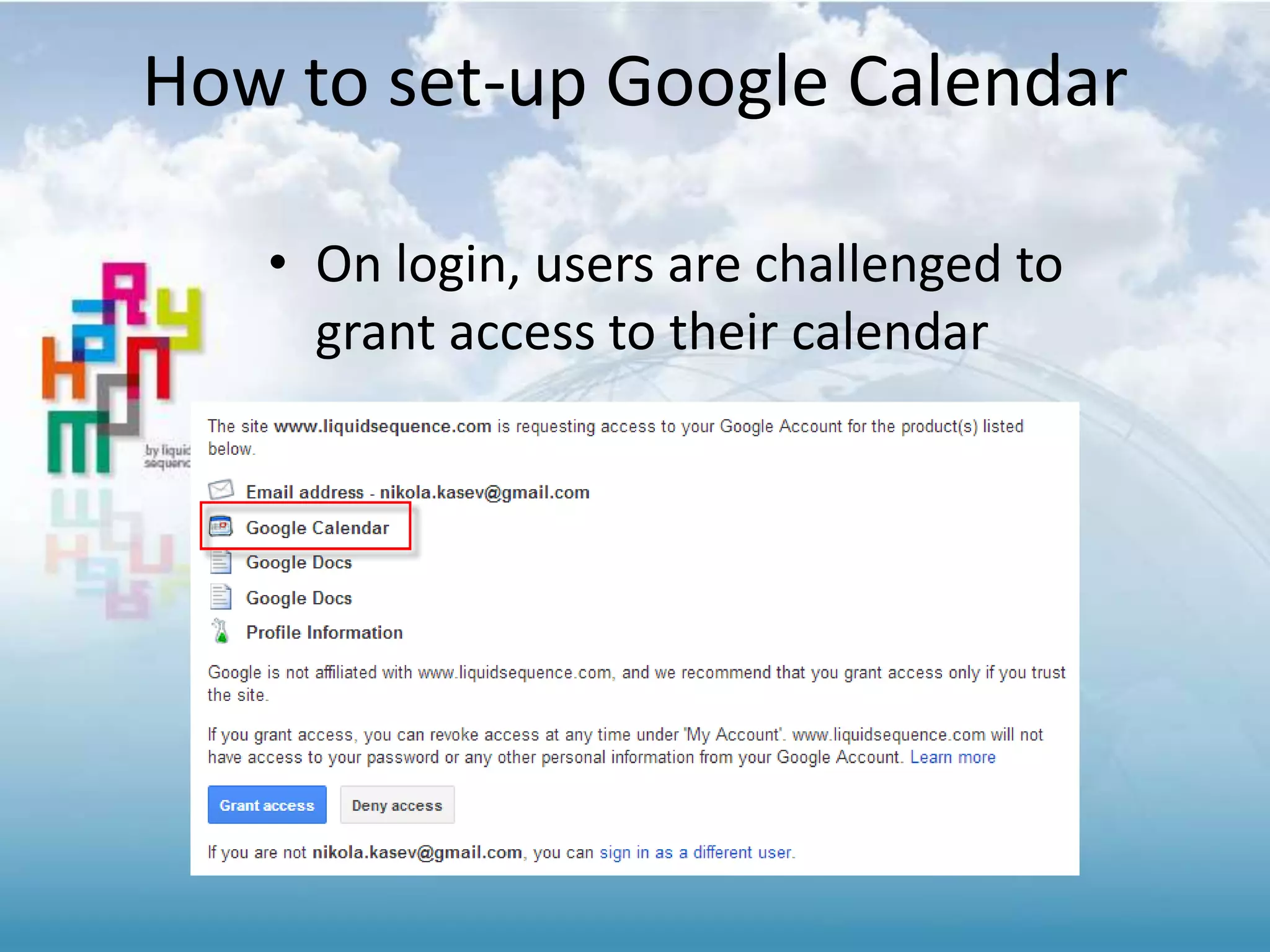
• On login, users are challenged to
grant access to their calendar
How to set-up Google Calendar
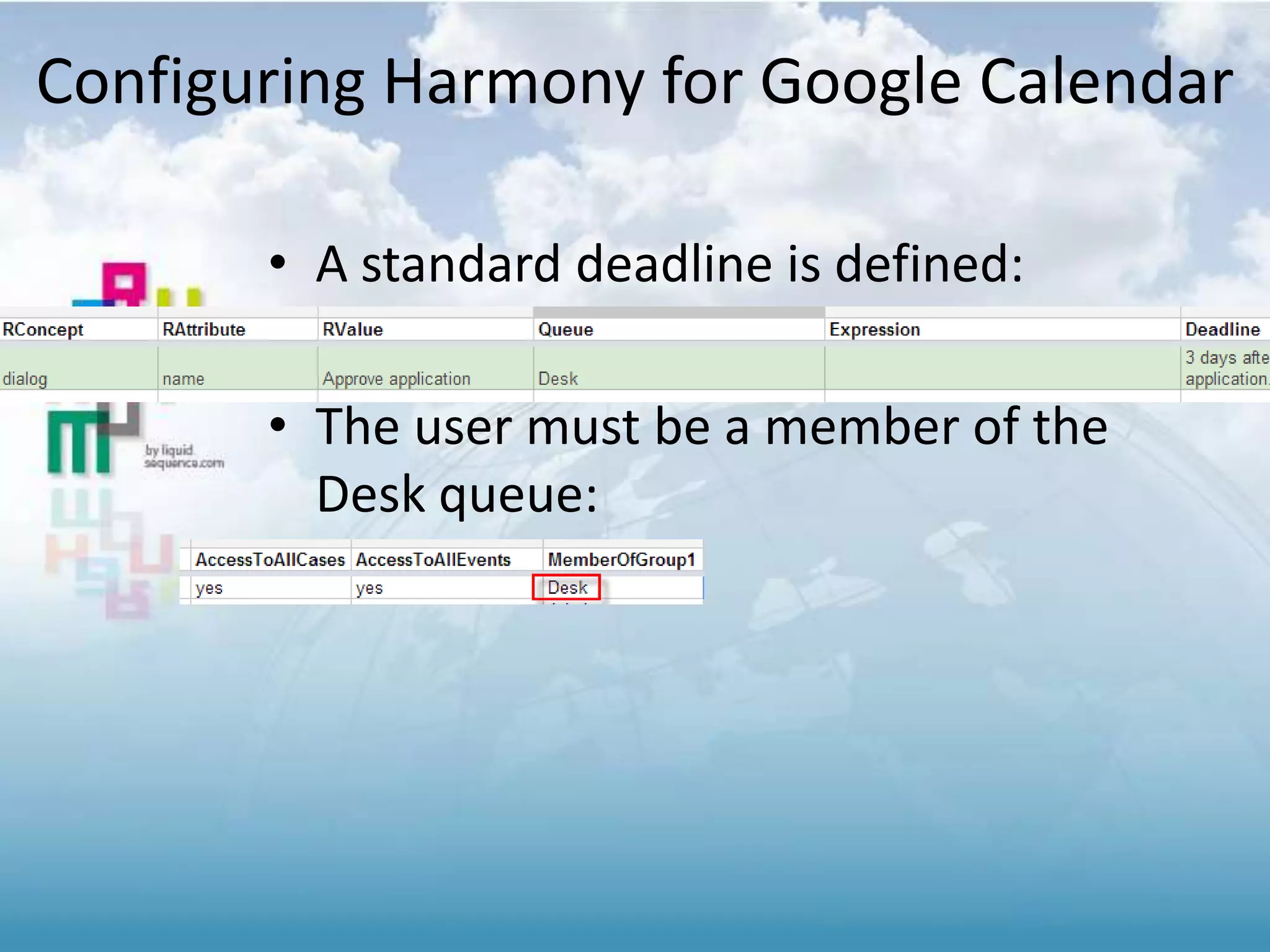
• A standard deadline is defined:
• The user must be a member of the
Desk queue:
Configuring Harmony for Google Calendar
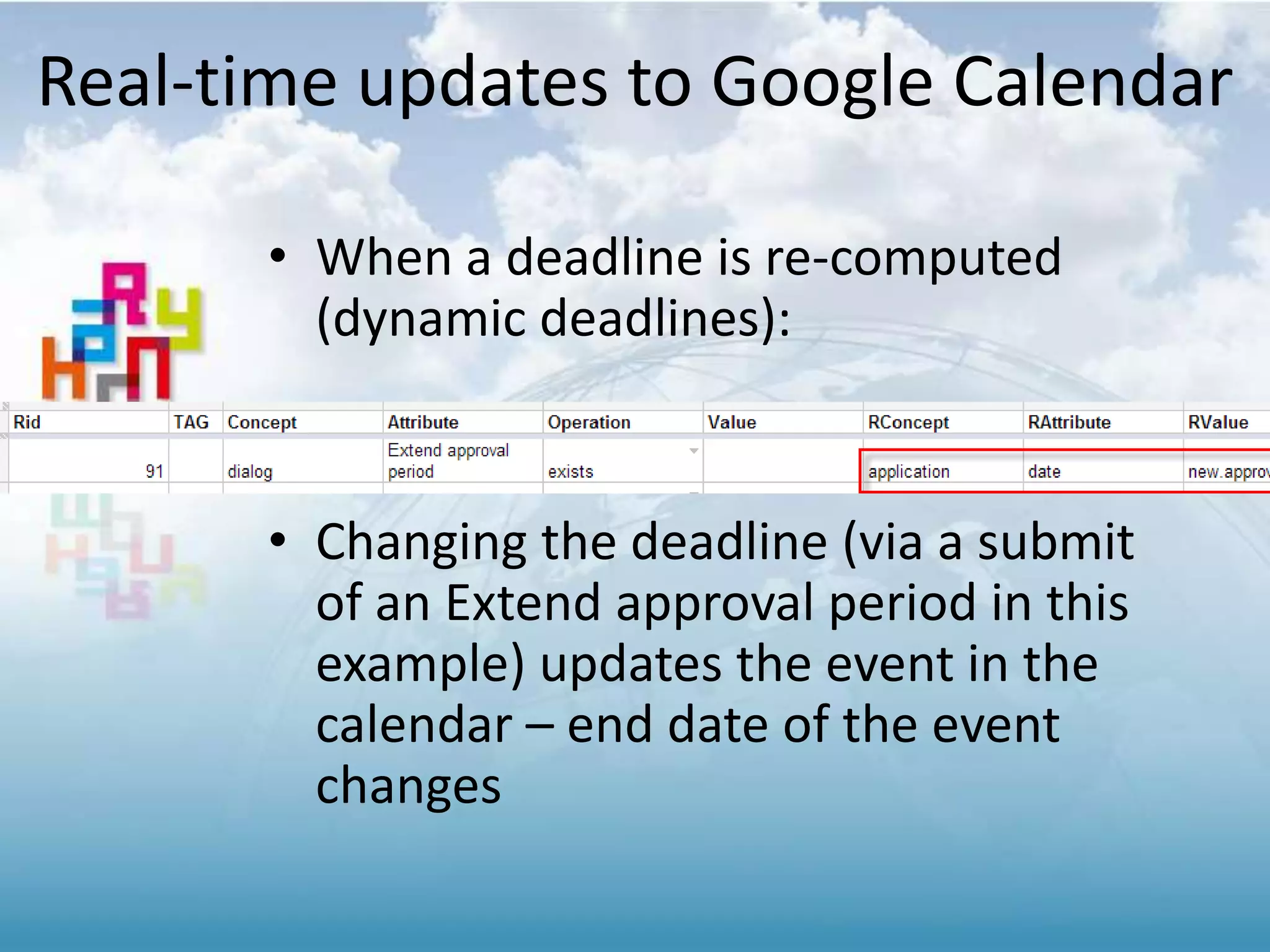
• When a deadline is re-computed
(dynamic deadlines):
• Changing the deadline (via a submit
of an Extend approval period in this
example) updates the event in the
calendar – end date of the event
changes
Real-time updates to Google Calendar
Calendar Integration … 6
• This is a basic implementation, based
on feedback we will extend the
functionality
• Good to know:
– The user must explicitly be a member of
a group (Users belonging to Admin only
won’t see events in the calendar)
– Dialog name used as event name, two
OWIs of the same name aren’t
supported in Calendar
UI ADDING DYNAMIC DIALOGS
(CONTROLLABLE PER “ITEM / LINE”)
1.6 Release Notes
Change log 1.6:
• Websockets are better “fit”with an ESB in
the browser
• new messages are published via web-sockets
to the ESB, web-parts change HTML content
accordingly
• Show/hide of dialog items
• Customer requirement for dynamic forms
• Configurable application name
• set in spreadsheet, (was "Harmony App“_
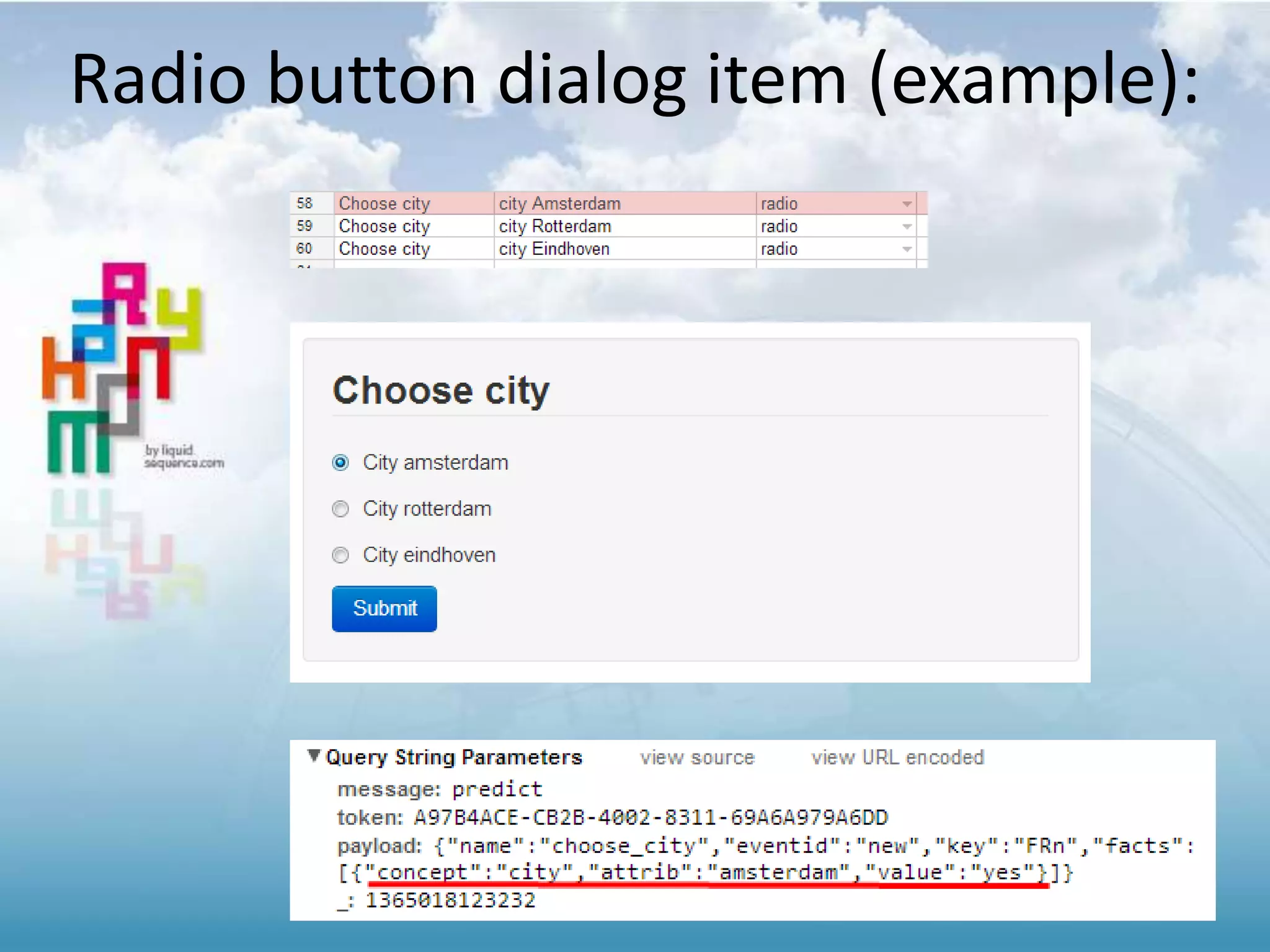
• Radio button dialog item type added
• 16 bugs fixed, added another 3 validation
rules in the spreadsheet
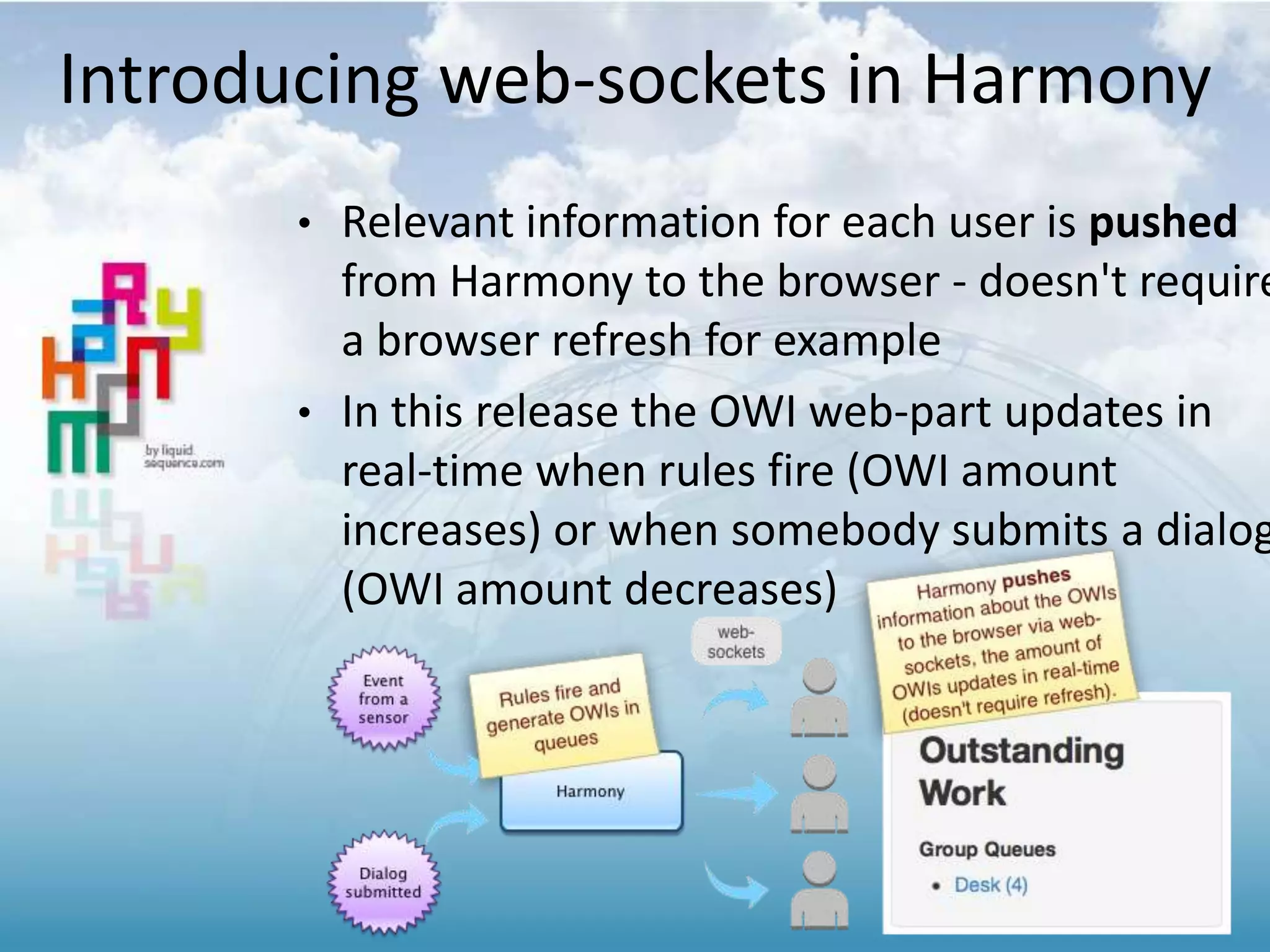
Introducing web-sockets in Harmony
• Relevant information for each user is pushed
from Harmony to the browser - doesn't require
a browser refresh for example
• In this release the OWI web-part updates in
real-time when rules fire (OWI amount
increases) or when somebody submits a dialog
(OWI amount decreases)
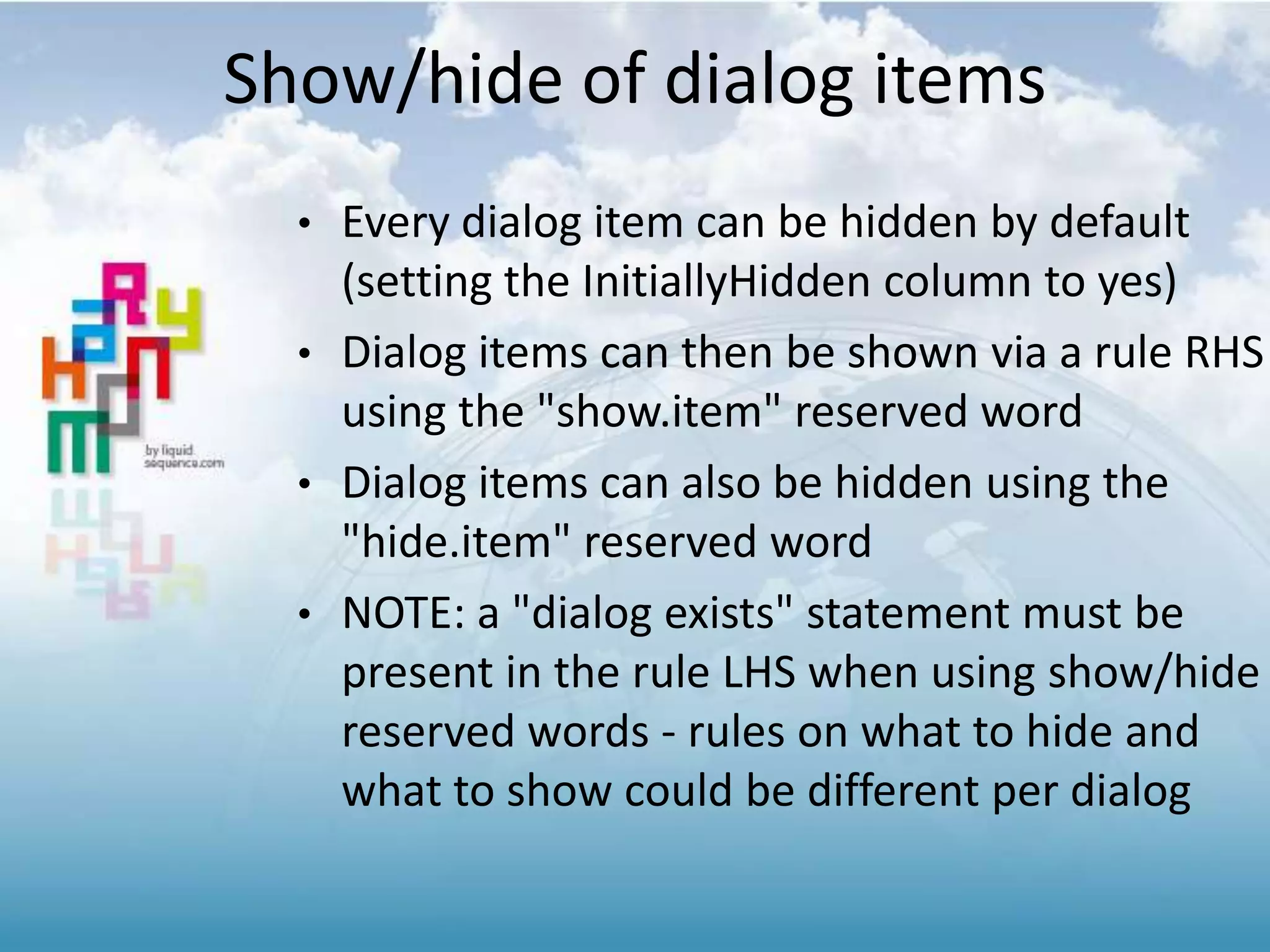
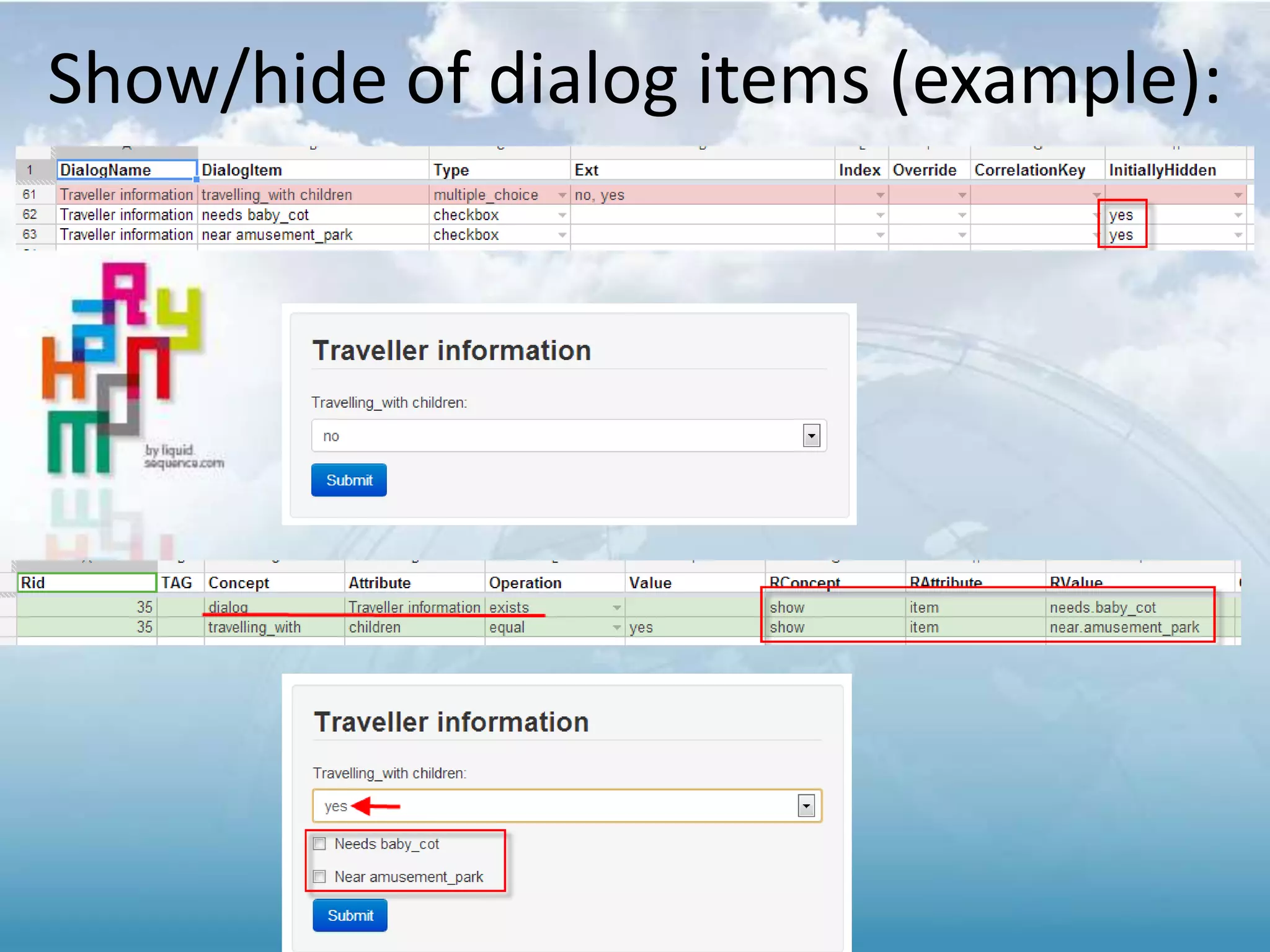
Show/hide of dialog items
• Every dialog item can be hidden by default
(setting the InitiallyHidden column to yes)
• Dialog items can then be shown via a rule RHS
using the "show.item" reserved word
• Dialog items can also be hidden using the
"hide.item" reserved word
• NOTE: a "dialog exists" statement must be
present in the rule LHS when using show/hide
reserved words - rules on what to hide and
what to show could be different per dialog
Show/hide of dialog items (example):
Radio button dialog item (example):
INTEGRATION GOOGLE MAPS
1.5 Release Notes
• Bi-directional Maps integration
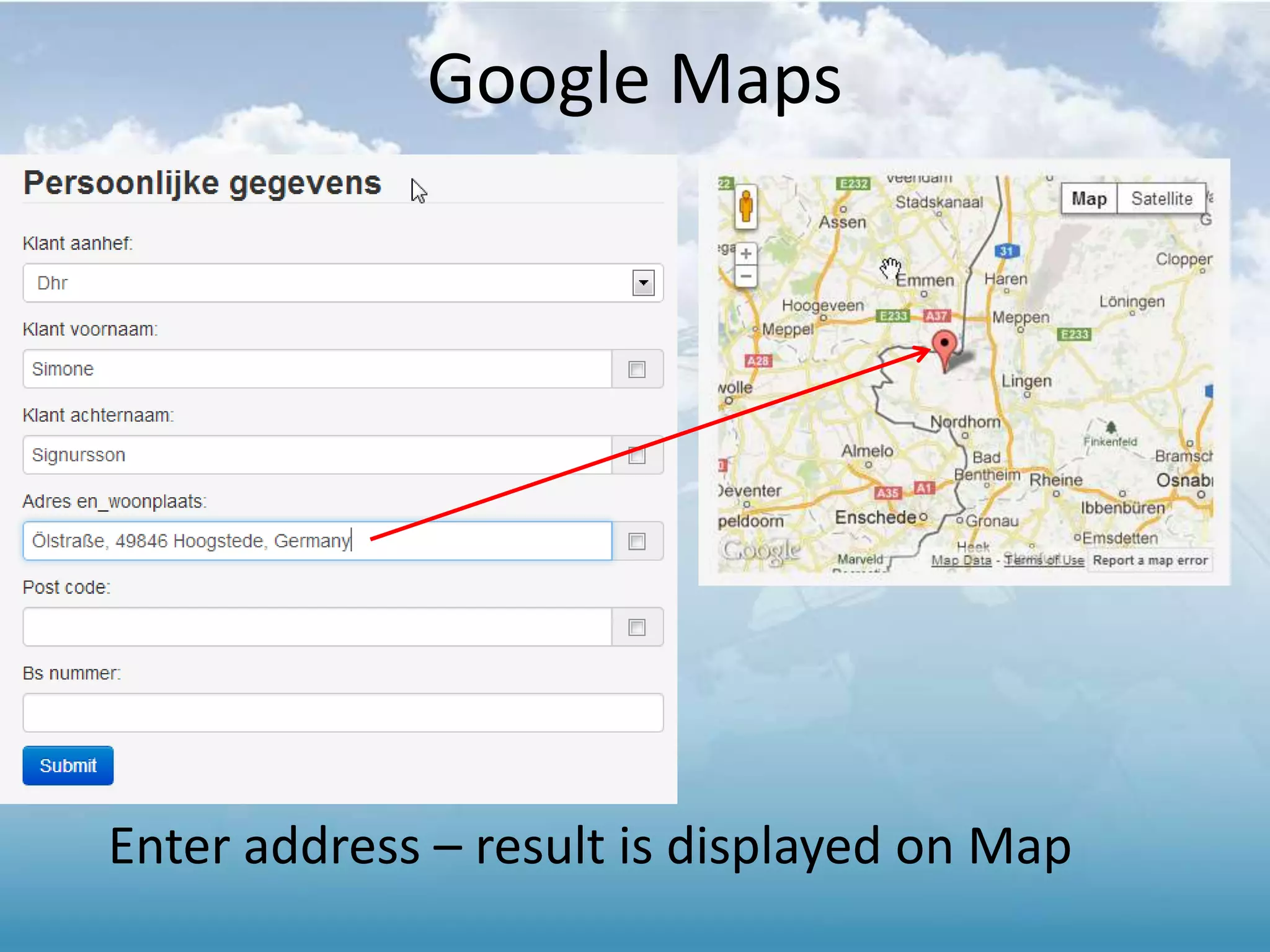
– Enter address: display on map
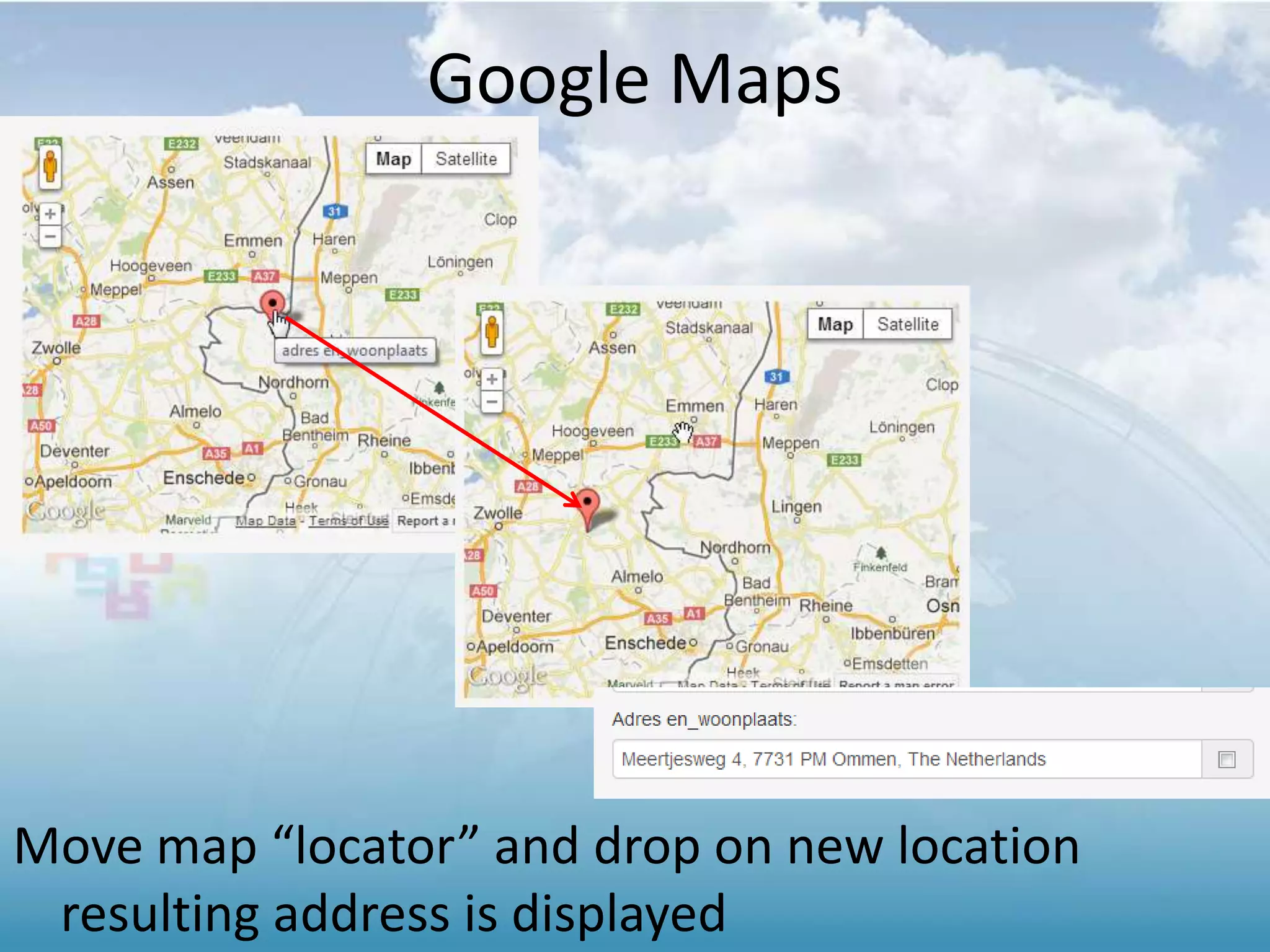
– From map, change location
• Reflects address
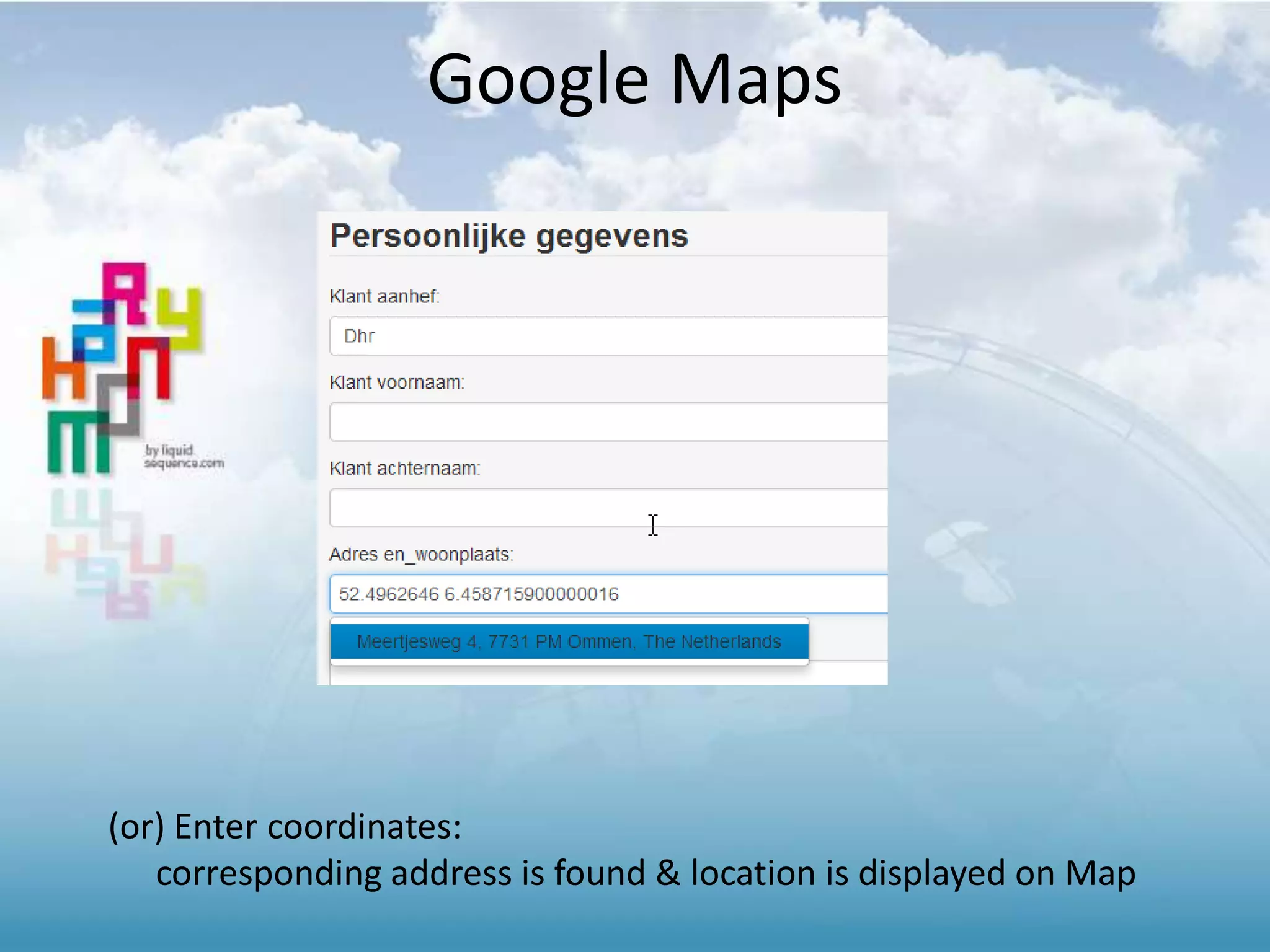
– Entering coordinates
• 12 bugs fixed, added 5 validation
rules in the spreadsheet
Change log 1.5:
Google Maps
Enter address – result is displayed on Map
Google Maps
Move map “locator” and drop on new location
resulting address is displayed
Google Maps
(or) Enter coordinates:
corresponding address is found & location is displayed on Map
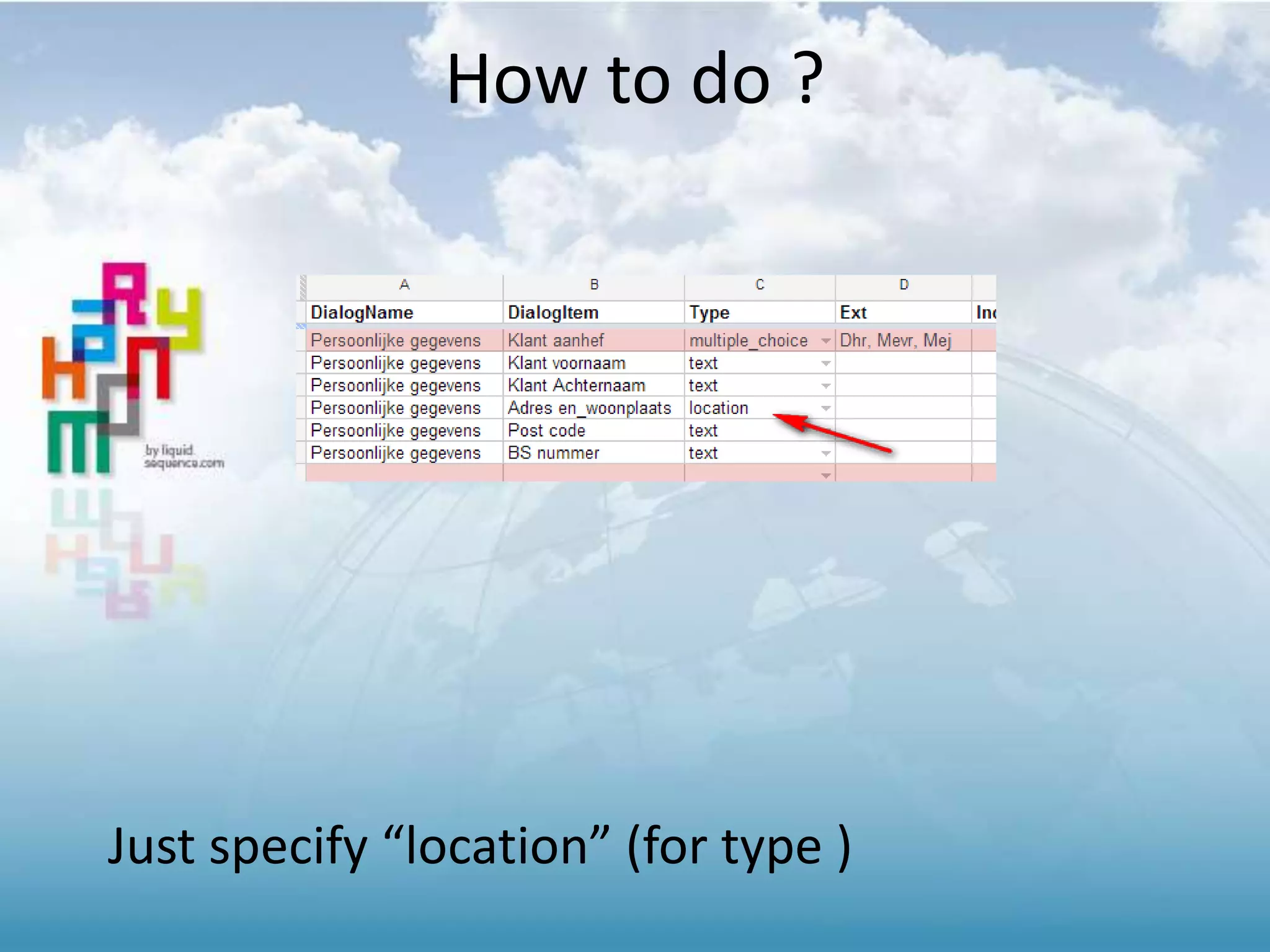
How to do ?
Just specify “location” (for type )
UI DIALOG DYNAMIC “ITEM /
(LINE)” SUPPORT
1.4 Release Notes
• New UI to allow easy customization
– Developers request more control over UI
– A brand new JavaScript library was built
specifically to help developers customize the
Harmony UI and integrate web-parts from
Harmony into their own applications
– Result from user demand
• New UI framework: Bootstrap
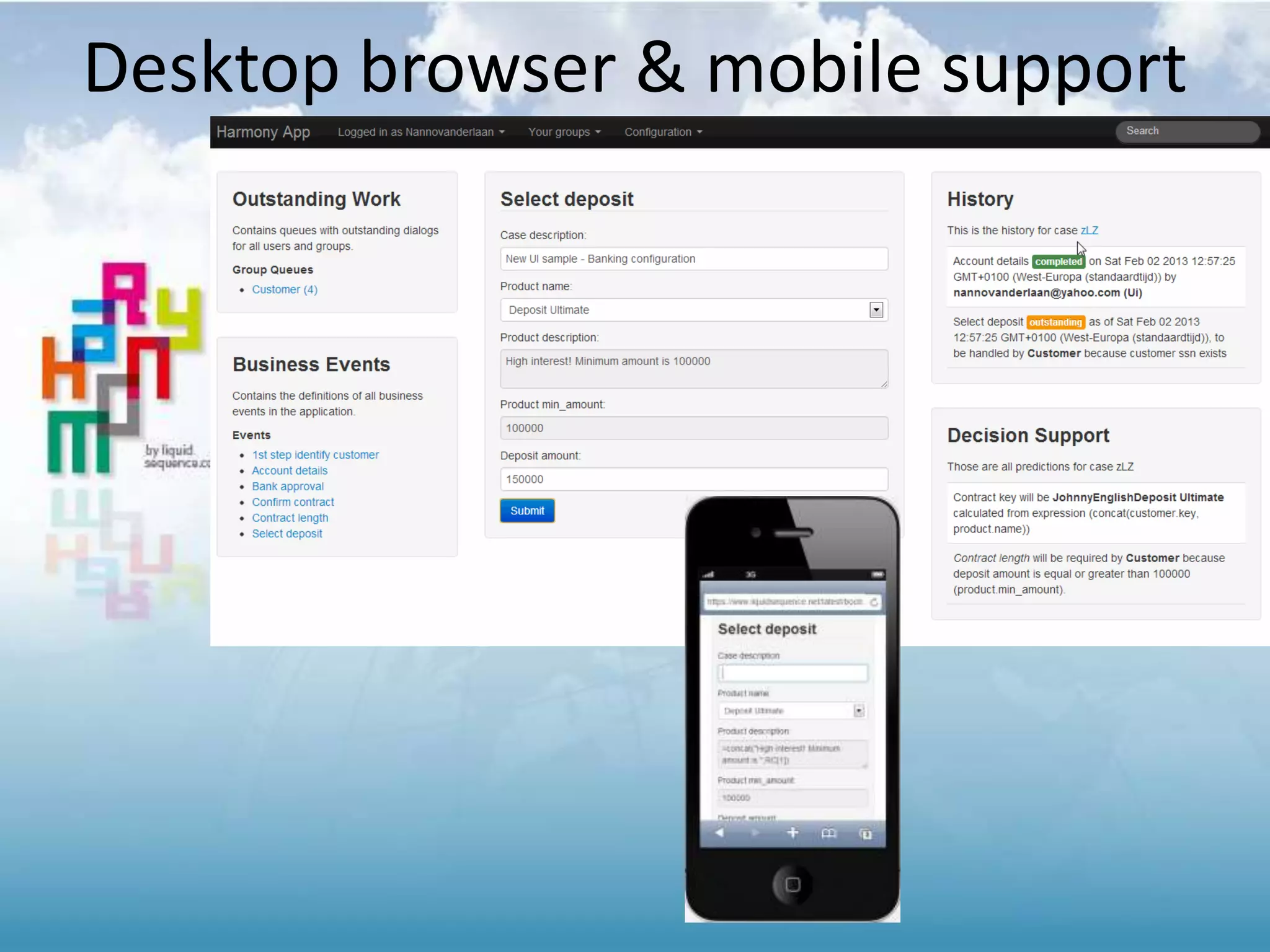
– One library supporting desktop and mobile UI
• [implemented] Extended UI archictecture
– Analysis from user “behavior”
• We have noticed logic still being coded coded in UI
layer (JavaScript)
Change log 1.4:
(NEW USER INTERFACE) BOOTSTRAP
A brand new JavaScript library was built specifically to help
developers customize the Harmony UI and integrate web-parts
from Harmony into their own applications
Desktop browser & mobile support
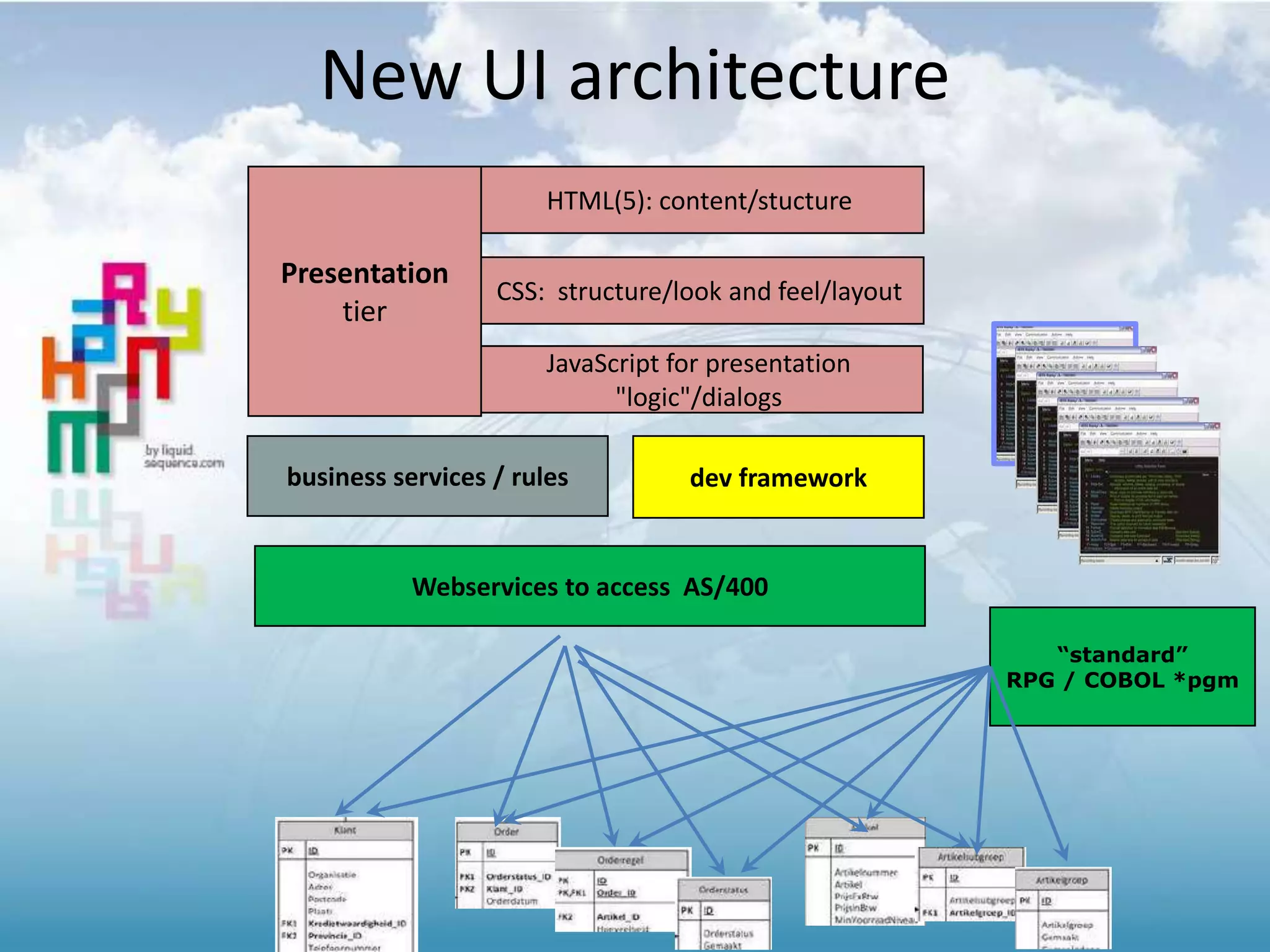
business services / rules
JavaScript for presentation
"logic"/dialogs
“standard”
RPG / COBOL *pgm
Webservices to access AS/400
dev framework
New UI architecture
HTML(5): content/stucture
CSS: structure/look and feel/layout
Presentation
tier
(NEW FEATURE) INVENTORY FILE
1.3 Release Notes
Inventory 2.0 (1/3)
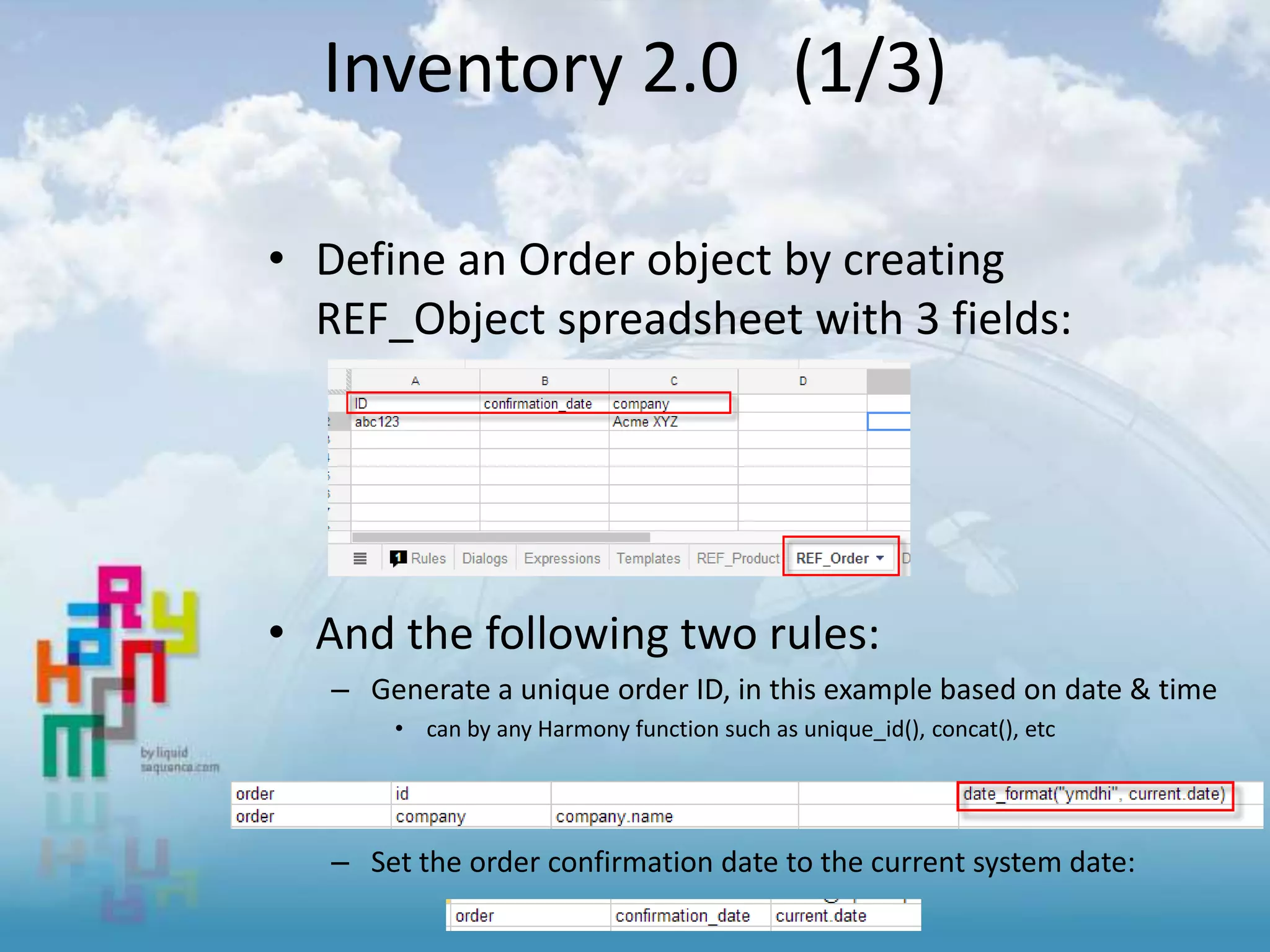
• Define an Order object by creating
REF_Object spreadsheet with 3 fields:
• And the following two rules:
– Generate a unique order ID, in this example based on date & time
• can by any Harmony function such as unique_id(), concat(), etc
– Set the order confirmation date to the current system date:
• Creating an order [transaction]
When the order.id is provided/calculated a new
row in the REF_Object [table] is created.
– The order is immediately visible in the Google
Spreadsheet
Inventory 2.0 (2/3)
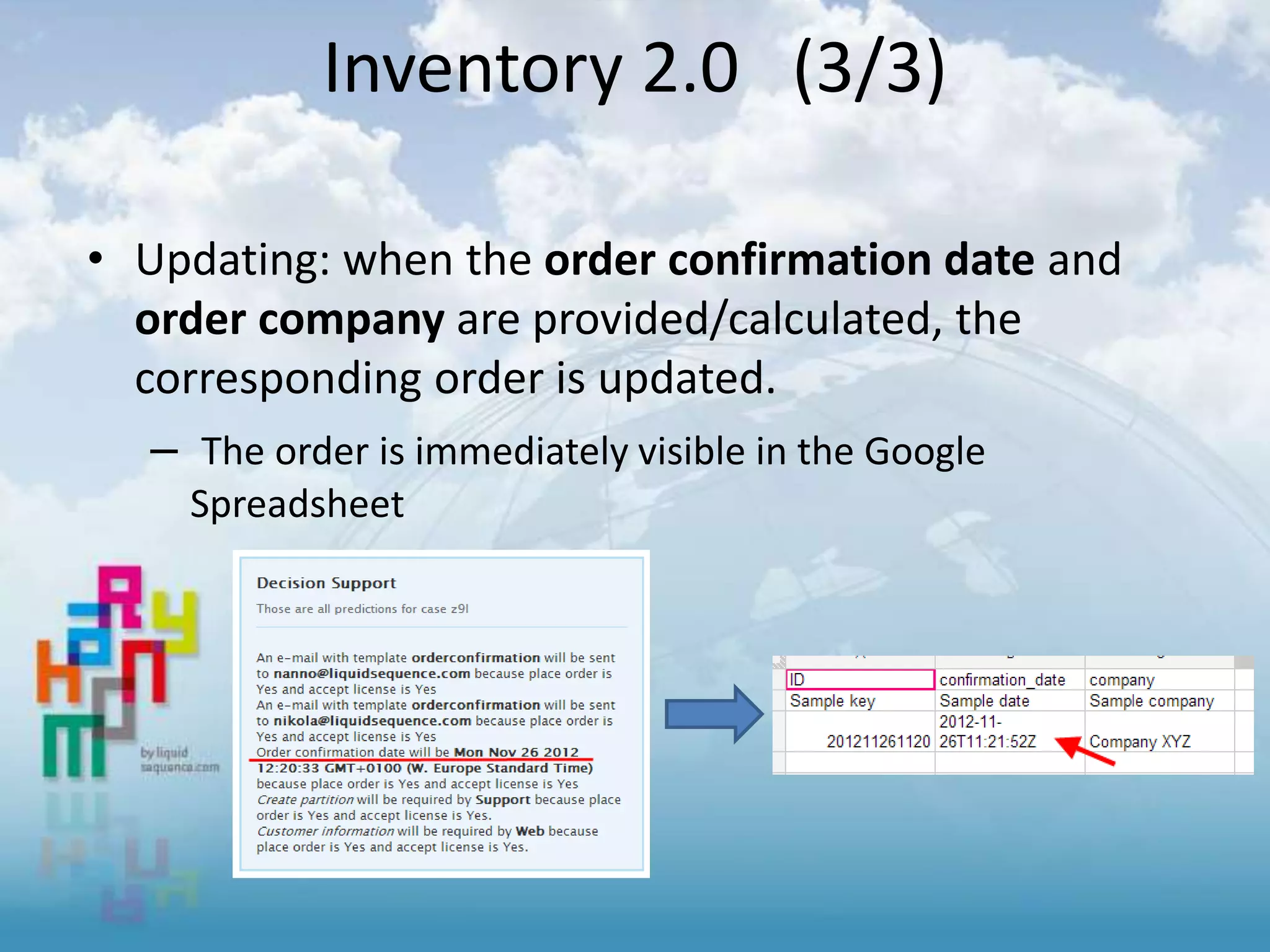
• Updating: when the order confirmation date and
order company are provided/calculated, the
corresponding order is updated.
– The order is immediately visible in the Google
Spreadsheet
Inventory 2.0 (3/3)
IMPROVEMENTS
Deadlines, UI data validation, LinkedIn sign-on, UI time control
Improvements 1/4
• Introducing: Dynamic Deadlines
– For example a deadline is defined like this:
“10 days before arrival.date”
– If arrival.date doesn’t exist in the case data,
the calculation of the deadline will be
postponed until arrival.date is provided
– The deadline is re-calculated always when the
arrival.date changes
– If the result of the deadline calculation is in
the past, a ‘deadline.expired’ fact is asserted
in the case data automatically
Improvements 2/4
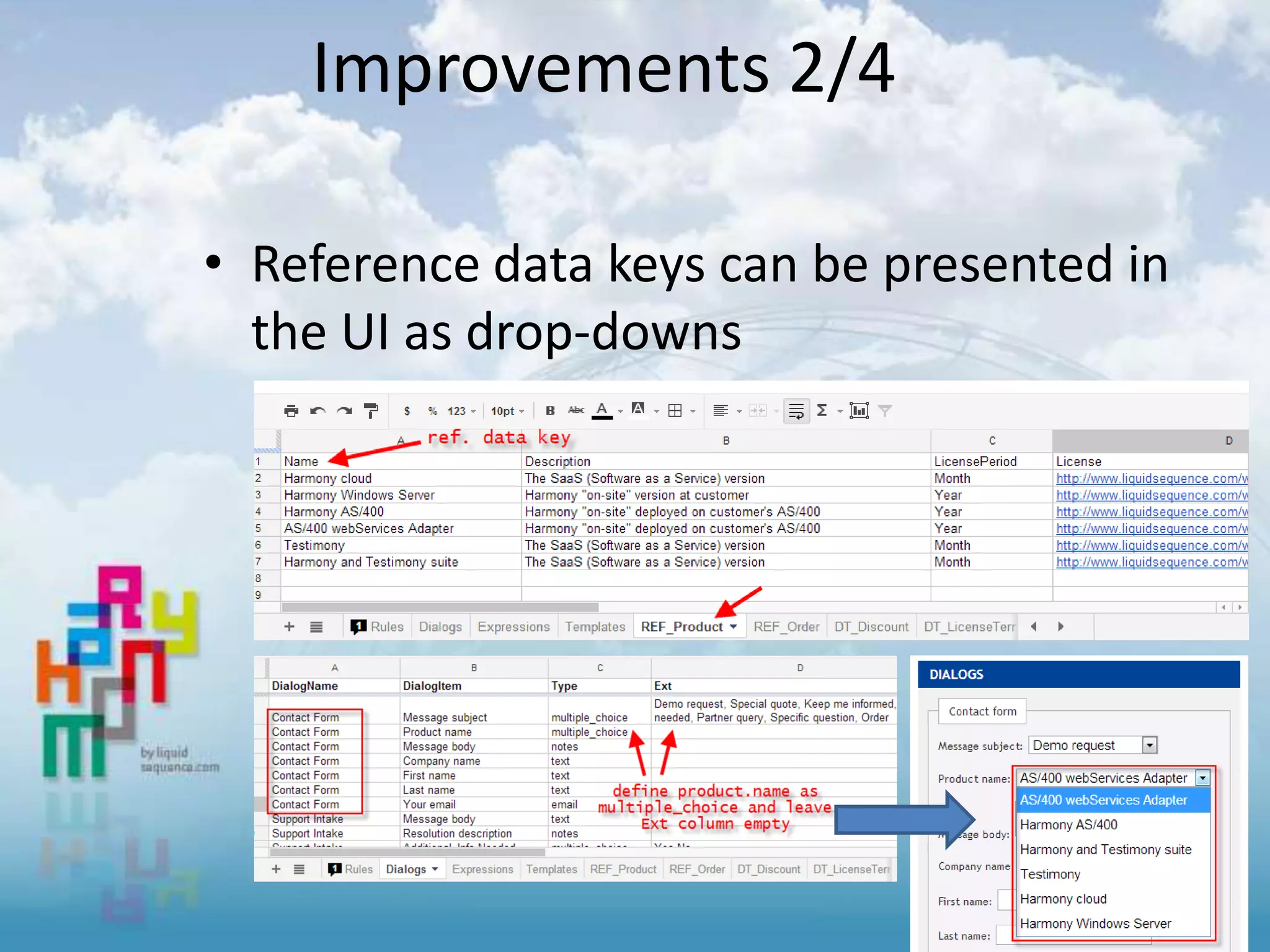
• Reference data keys can be presented in
the UI as drop-downs
Improvements 3/4
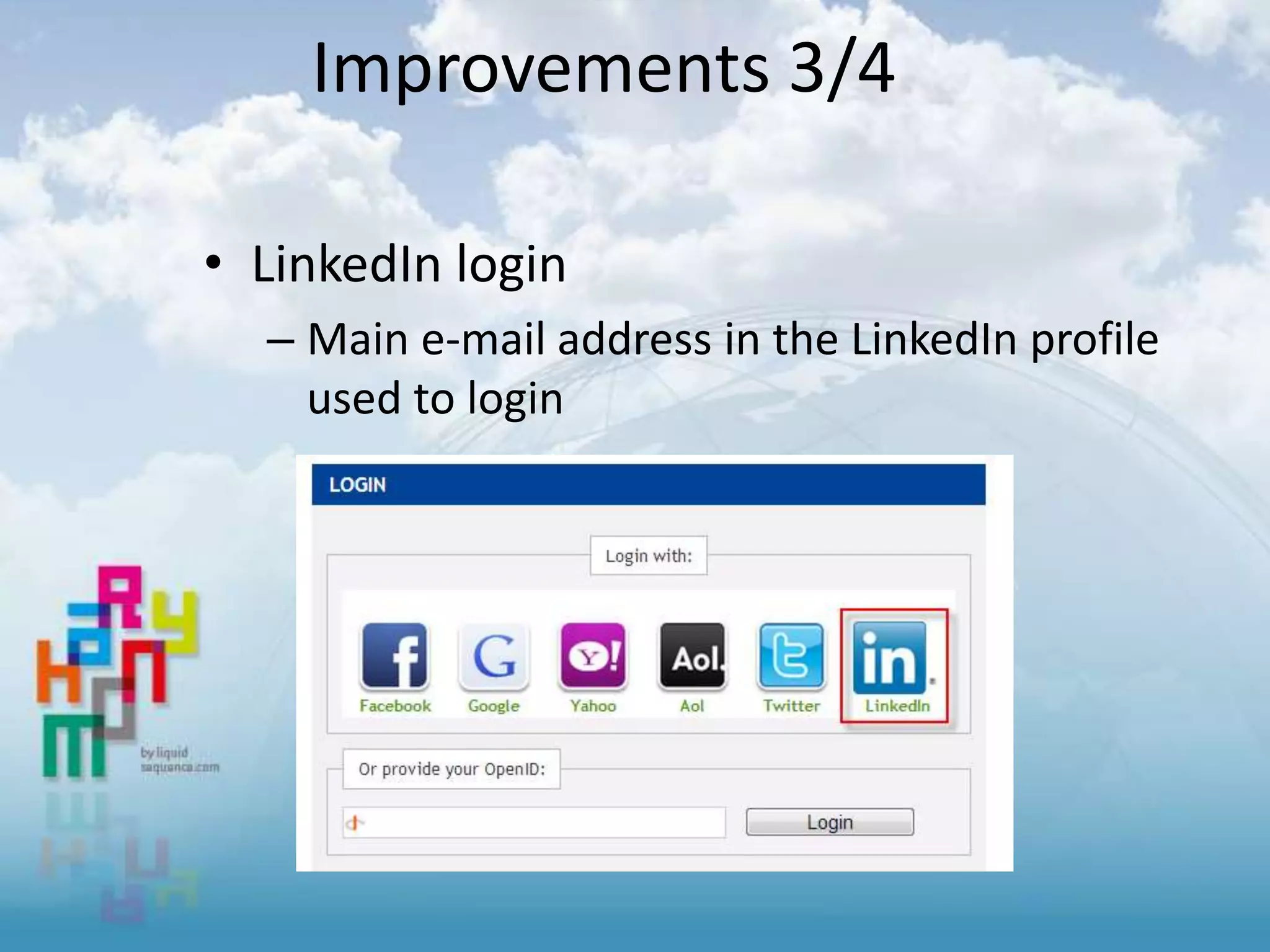
• LinkedIn login
– Main e-mail address in the LinkedIn profile
used to login
Improvements 4/4
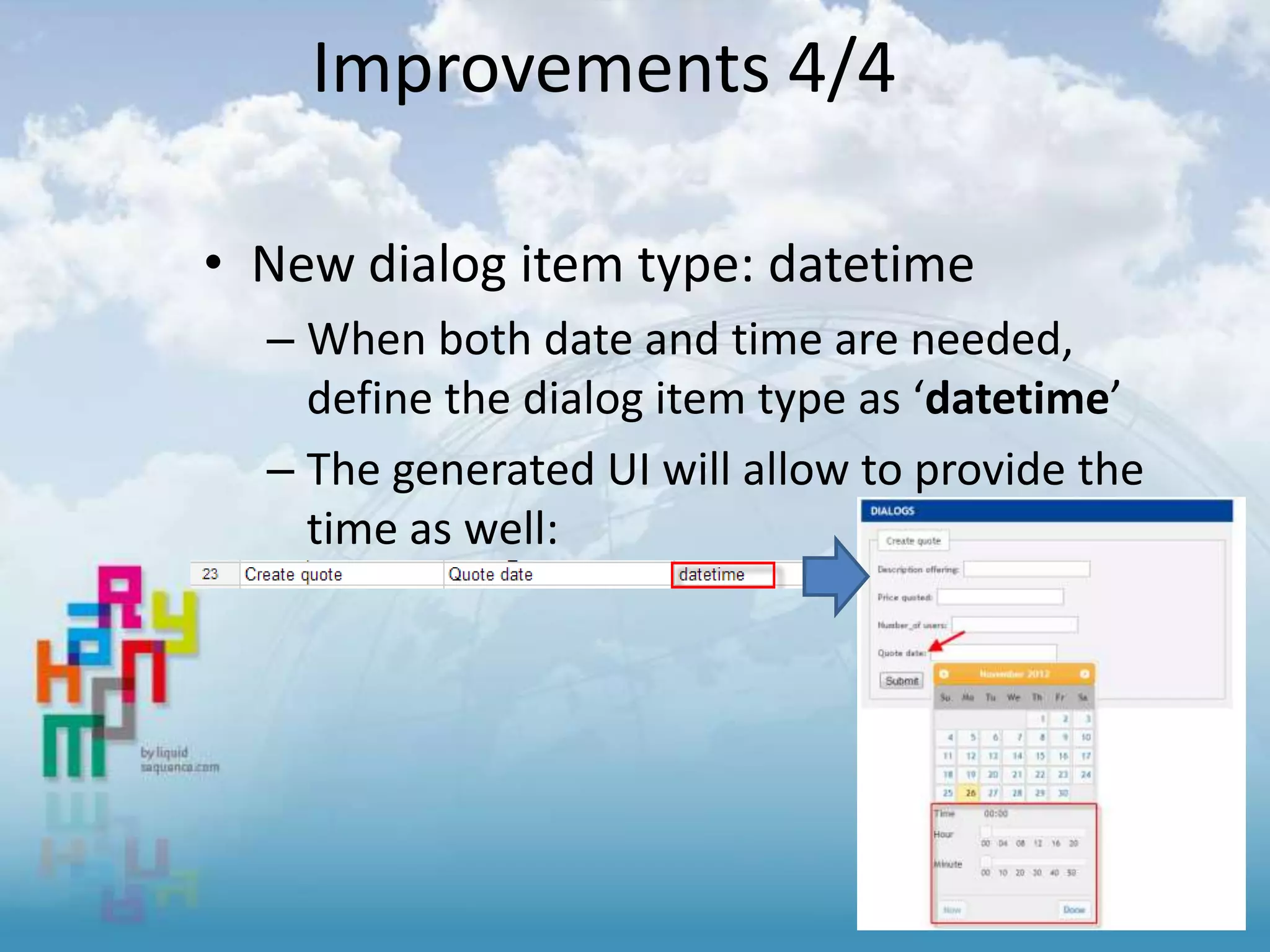
• New dialog item type: datetime
– When both date and time are needed,
define the dialog item type as ‘datetime’
– The generated UI will allow to provide the
time as well:
INTEGRATION
integration with external systems via industry standard
SOAP/XML web-services
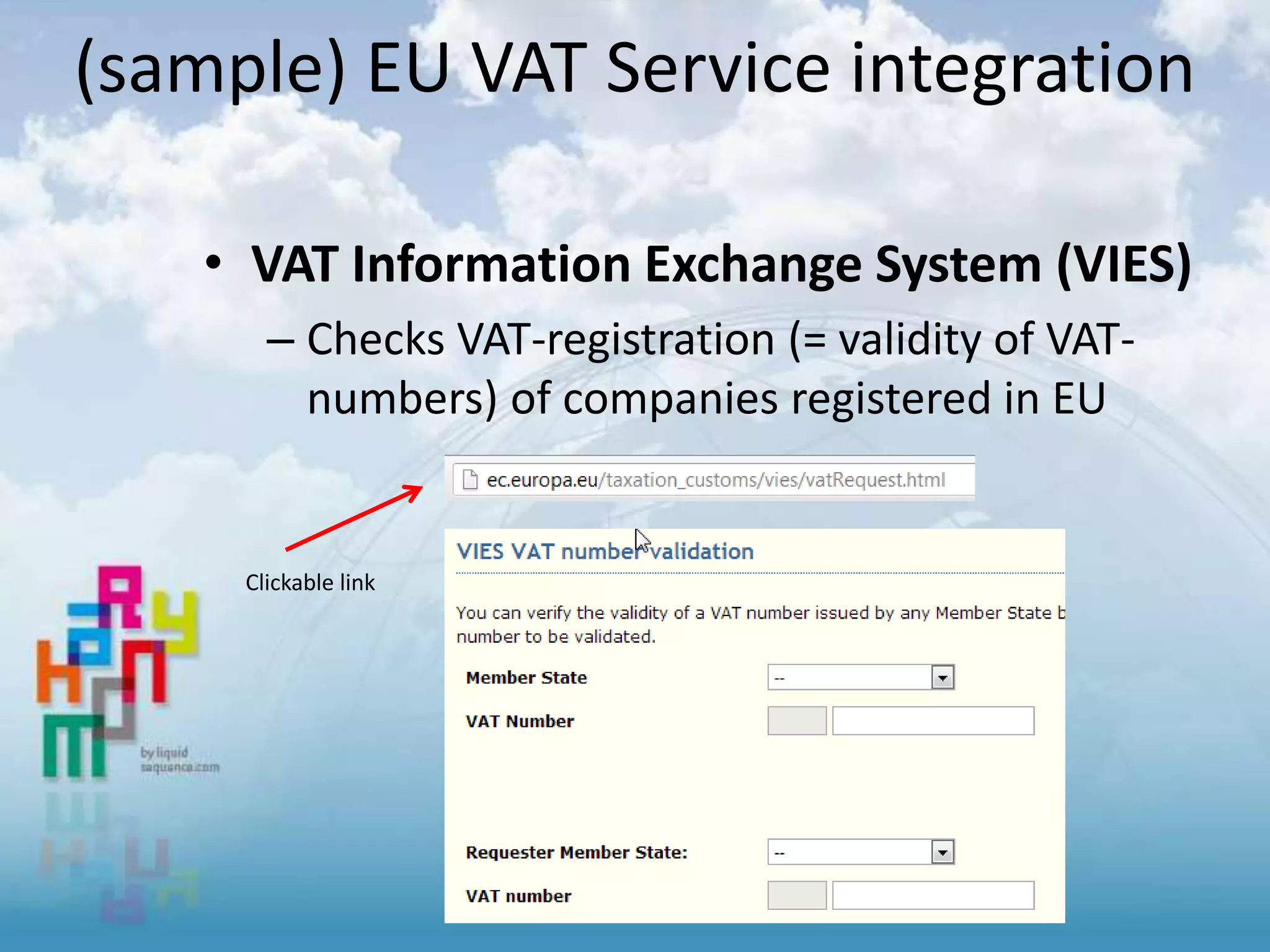
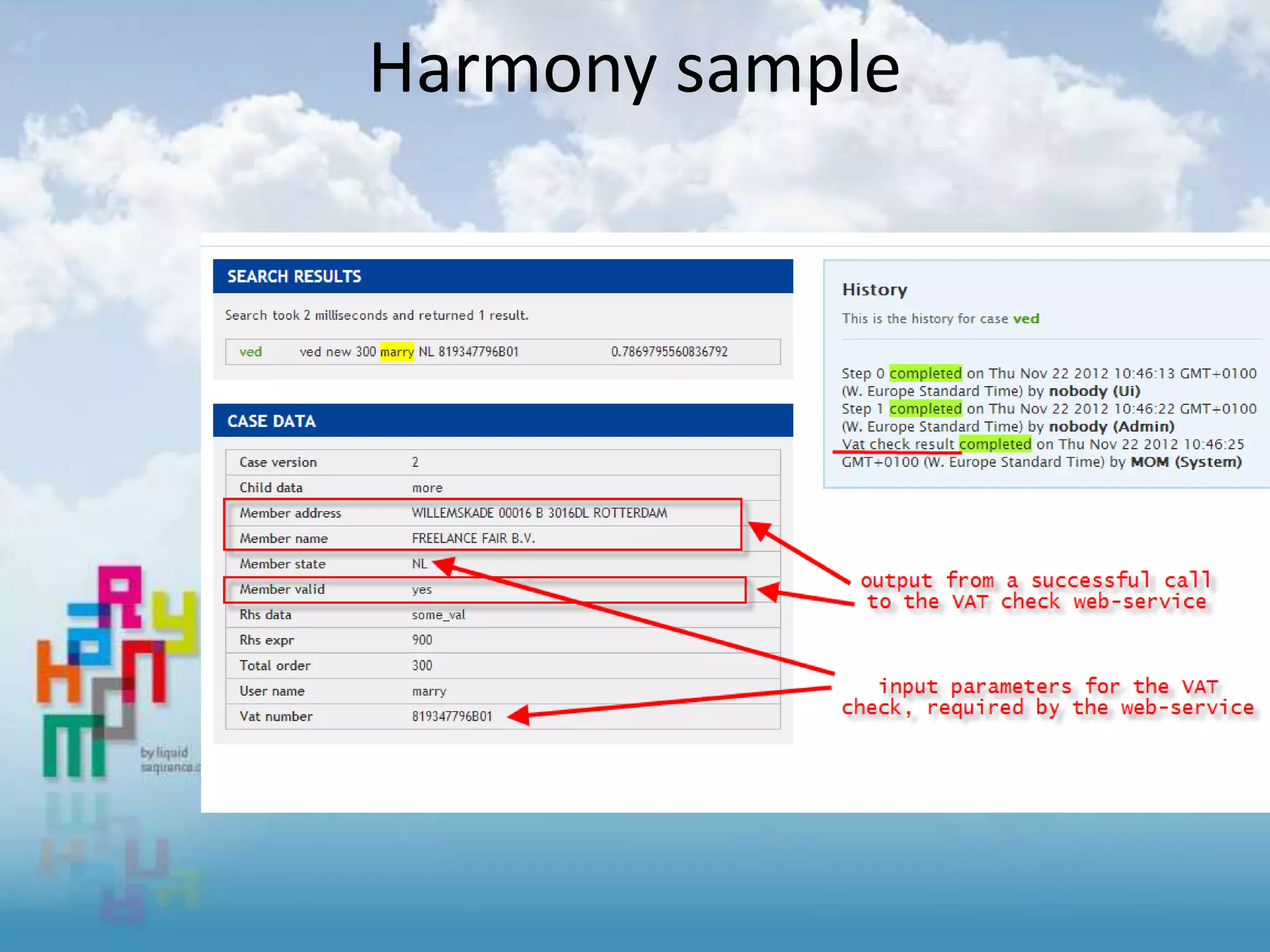
(sample) EU VAT Service integration
• VAT Information Exchange System (VIES)
– Checks VAT-registration (= validity of VAT-
numbers) of companies registered in EU
Clickable link
Harmony sample
• Bla bla
For more information
• Visit
– www.liquidsequence.com
• Contact us
– http://www.liquidsequence.com/contact
• Follow us
– www.linkedin.com/company/liquid-sequence/
– www.twitter.com/NannovanderLaan
– Documentation on how to integrate web services
• Will be added later

Harmony release overview 1.0 - 2.0

  • 1.
    Harmony consolidated Release Notes Lastupdate: release 2.0 (2 August 2013)
  • 2.
    Our release policy •10 releases per year – containing – new feature(s) improving capabilities , increasing business benefits – Improvements Revised or minor new features added to extend functionality – Bug fixes – Sample implementation(s) demonstrating “Harmony in action” – More on our website: Agile product development.
  • 3.
    FACT DEFINITIONS AND IMPROVEDCONFIGS 2.0 Release Notes
  • 4.
    Change log • New –Fact definitions sheet – allows to specify how to round numbers, decimals after the comma, initial values and more – Configuration improvements – search/replace of a fact, dialog autofill, create new sheet – Warnings web-part – identifies and helps with common configuration issues – Google App Script library for all Harmony configurations, simplifies the release of new functionality in the configurations • 19 issues and bugs solved
  • 5.
    Fact definitions 1/3 •By default, DS shows a result of an expression like this: • After configuring the order discount like this: • The result is:
  • 6.
    Fact definitions 2/3 •To round-up, configure like this: • The result is:
  • 7.
    Fact definitions 3/3 •“InitialValue” – sets an initial value for a fact – makes setting VAT.percentage to 21 in a rule unnecessary – all facts set with an initial value will be added to the case data when starting a new case • “Don’t show in decision support” – for facts that are ‘internal’ to the process, users might not be interested in them (set to true) • “Don’t save in working memory” – for facts like “next.order” just set to true and Harmony won’t add that fact into the case data
  • 8.
    Config improvements 1/3 •Search and replace of a fact (concept attribute pair – helps when re-factoring configurations:
  • 9.
    Config improvements 2/3 •Insert concept /attribute pair – The rules sheet can become quite large … so we’ve made it easier to insert an existing c/a pair or create a new one
  • 10.
    Config improvements 3/3 •Insert pre-formatted sheets – theme sheet • Change the look of the UI. Sample • a new color for the <a> HTML tag: – reference data sheet – language sheet
  • 11.
    [new] Warnings web-part •The purpose is to discover difficult to find issues with the configuration – speeds up time to diagnose the problem • Uses websockets to push to the user at the moment a warning occurs • Visible to Admin users only
  • 12.
  • 13.
    Change log • Progresson customizing of the UI – Multi-language support English & Dutch – Configurable UI texts • (great for Decision Support !!!!!) • New “one-time-access” function – Improved case sharing • Error messages introduced – Rules that provide additional control over UI behavior • 7 issues and bugs solved
  • 14.
  • 15.
    The same case[Qwy] – “English” settings
  • 16.
  • 17.
  • 18.
    • Create yourown preferred syntax User customization enabled
  • 19.
    New “one-time-invite” • Invitingusers to access their case only requires the “one-time-dialog” – Harmony configuration controls authorization (tasks, queues, cases etc)
  • 20.
    One rule toraise an error
  • 21.
  • 22.
    Change log • 1stversion of integrating Harmony with Google Calendar – (deadlines are turned into events in the calendar) • After login, the user is redirected to the originally requested page • 18 issues and bugs solved • Progress on customizing of the UI – company specific colors
  • 23.
    Show task deadlinesin Google Calendar • When application date is chosen, Harmony computes deadline:
  • 24.
    • Dialog issubmitted, an event is added to the calendar (end date of the event = deadline date): Show task deadlines in Google Calendar
  • 25.
    • On login,users are challenged to grant access to their calendar How to set-up Google Calendar
  • 26.
    • A standarddeadline is defined: • The user must be a member of the Desk queue: Configuring Harmony for Google Calendar
  • 27.
    • When adeadline is re-computed (dynamic deadlines): • Changing the deadline (via a submit of an Extend approval period in this example) updates the event in the calendar – end date of the event changes Real-time updates to Google Calendar
  • 28.
    Calendar Integration …6 • This is a basic implementation, based on feedback we will extend the functionality • Good to know: – The user must explicitly be a member of a group (Users belonging to Admin only won’t see events in the calendar) – Dialog name used as event name, two OWIs of the same name aren’t supported in Calendar
  • 29.
    UI ADDING DYNAMICDIALOGS (CONTROLLABLE PER “ITEM / LINE”) 1.6 Release Notes
  • 30.
    Change log 1.6: •Websockets are better “fit”with an ESB in the browser • new messages are published via web-sockets to the ESB, web-parts change HTML content accordingly • Show/hide of dialog items • Customer requirement for dynamic forms • Configurable application name • set in spreadsheet, (was "Harmony App“_ • Radio button dialog item type added • 16 bugs fixed, added another 3 validation rules in the spreadsheet
  • 31.
    Introducing web-sockets inHarmony • Relevant information for each user is pushed from Harmony to the browser - doesn't require a browser refresh for example • In this release the OWI web-part updates in real-time when rules fire (OWI amount increases) or when somebody submits a dialog (OWI amount decreases)
  • 32.
    Show/hide of dialogitems • Every dialog item can be hidden by default (setting the InitiallyHidden column to yes) • Dialog items can then be shown via a rule RHS using the "show.item" reserved word • Dialog items can also be hidden using the "hide.item" reserved word • NOTE: a "dialog exists" statement must be present in the rule LHS when using show/hide reserved words - rules on what to hide and what to show could be different per dialog
  • 33.
    Show/hide of dialogitems (example):
  • 34.
    Radio button dialogitem (example):
  • 35.
  • 36.
    • Bi-directional Mapsintegration – Enter address: display on map – From map, change location • Reflects address – Entering coordinates • 12 bugs fixed, added 5 validation rules in the spreadsheet Change log 1.5:
  • 37.
    Google Maps Enter address– result is displayed on Map
  • 38.
    Google Maps Move map“locator” and drop on new location resulting address is displayed
  • 39.
    Google Maps (or) Entercoordinates: corresponding address is found & location is displayed on Map
  • 40.
    How to do? Just specify “location” (for type )
  • 41.
    UI DIALOG DYNAMIC“ITEM / (LINE)” SUPPORT 1.4 Release Notes
  • 42.
    • New UIto allow easy customization – Developers request more control over UI – A brand new JavaScript library was built specifically to help developers customize the Harmony UI and integrate web-parts from Harmony into their own applications – Result from user demand • New UI framework: Bootstrap – One library supporting desktop and mobile UI • [implemented] Extended UI archictecture – Analysis from user “behavior” • We have noticed logic still being coded coded in UI layer (JavaScript) Change log 1.4:
  • 43.
    (NEW USER INTERFACE)BOOTSTRAP A brand new JavaScript library was built specifically to help developers customize the Harmony UI and integrate web-parts from Harmony into their own applications
  • 44.
    Desktop browser &mobile support
  • 45.
    business services /rules JavaScript for presentation "logic"/dialogs “standard” RPG / COBOL *pgm Webservices to access AS/400 dev framework New UI architecture HTML(5): content/stucture CSS: structure/look and feel/layout Presentation tier
  • 46.
    (NEW FEATURE) INVENTORYFILE 1.3 Release Notes
  • 47.
    Inventory 2.0 (1/3) •Define an Order object by creating REF_Object spreadsheet with 3 fields: • And the following two rules: – Generate a unique order ID, in this example based on date & time • can by any Harmony function such as unique_id(), concat(), etc – Set the order confirmation date to the current system date:
  • 48.
    • Creating anorder [transaction] When the order.id is provided/calculated a new row in the REF_Object [table] is created. – The order is immediately visible in the Google Spreadsheet Inventory 2.0 (2/3)
  • 49.
    • Updating: whenthe order confirmation date and order company are provided/calculated, the corresponding order is updated. – The order is immediately visible in the Google Spreadsheet Inventory 2.0 (3/3)
  • 50.
    IMPROVEMENTS Deadlines, UI datavalidation, LinkedIn sign-on, UI time control
  • 51.
    Improvements 1/4 • Introducing:Dynamic Deadlines – For example a deadline is defined like this: “10 days before arrival.date” – If arrival.date doesn’t exist in the case data, the calculation of the deadline will be postponed until arrival.date is provided – The deadline is re-calculated always when the arrival.date changes – If the result of the deadline calculation is in the past, a ‘deadline.expired’ fact is asserted in the case data automatically
  • 52.
    Improvements 2/4 • Referencedata keys can be presented in the UI as drop-downs
  • 53.
    Improvements 3/4 • LinkedInlogin – Main e-mail address in the LinkedIn profile used to login
  • 54.
    Improvements 4/4 • Newdialog item type: datetime – When both date and time are needed, define the dialog item type as ‘datetime’ – The generated UI will allow to provide the time as well:
  • 55.
    INTEGRATION integration with externalsystems via industry standard SOAP/XML web-services
  • 56.
    (sample) EU VATService integration • VAT Information Exchange System (VIES) – Checks VAT-registration (= validity of VAT- numbers) of companies registered in EU Clickable link
  • 57.
  • 58.
    For more information •Visit – www.liquidsequence.com • Contact us – http://www.liquidsequence.com/contact • Follow us – www.linkedin.com/company/liquid-sequence/ – www.twitter.com/NannovanderLaan – Documentation on how to integrate web services • Will be added later