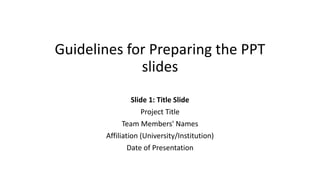
Guidelines for Preparing the PPT
slides
Slide 1: Title Slide
Project Title
Team Members' Names
Affiliation (University/Institution)
Date of Presentation
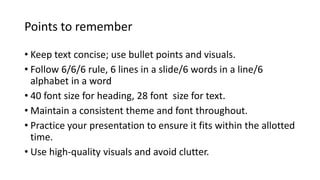
Points to remember
• Keep text concise; use bullet points and visuals.
• Follow 6/6/6 rule, 6 lines in a slide/6 words in a line/6
alphabet in a word
• 40 font size for heading, 28 font size for text.
• Maintain a consistent theme and font throughout.
• Practice your presentation to ensure it fits within the allotted
time.
• Use high-quality visuals and avoid clutter.
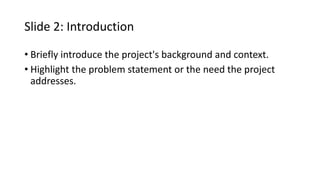
Slide 2: Introduction
• Briefly introduce the project's background and context.
• Highlight the problem statement or the need the project
addresses.
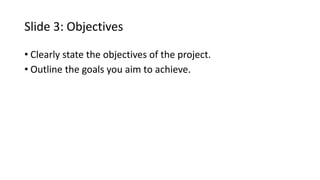
Slide 3: Objectives
• Clearly state the objectives of the project.
• Outline the goals you aim to achieve.
Slide 4: Literature Review
• Summarize relevant literature or existing solutions in the
field.
• Highlight the gap your project fills.
Slide 5: Methodology
• Explain the approach or methods used in the project.
• Include diagrams or flowcharts to illustrate the process.
Slide 6: Implementation
• Discuss the steps taken for project implementation.
• Include screenshots, code snippets, or diagrams to
demonstrate key aspects.
Slide 7: Results till now after phase 1
• Showcase the outcomes and results achieved.
• Include graphs, charts, or images to visualize data or project
outcomes.
Slide 8: Work to be completed
• Highlight any challenges or obstacles faced during the
project.
• Discuss how these challenges were overcome.
Slide 9: Project Plan
• Propose potential future enhancements or developments.
• Identify areas where the project could be expanded.
Slide 10: Conclusion
• Summarize the key points.
• Emphasize the significance of your project's contributions.
Slide 11: Acknowledgments
• Acknowledge any individuals, mentors, or organizations that
supported the project.

Guidelines for Preparing the PPT slides.pptx

  • 1.
    Guidelines for Preparingthe PPT slides Slide 1: Title Slide Project Title Team Members' Names Affiliation (University/Institution) Date of Presentation
  • 2.
    Points to remember •Keep text concise; use bullet points and visuals. • Follow 6/6/6 rule, 6 lines in a slide/6 words in a line/6 alphabet in a word • 40 font size for heading, 28 font size for text. • Maintain a consistent theme and font throughout. • Practice your presentation to ensure it fits within the allotted time. • Use high-quality visuals and avoid clutter.
  • 3.
    Slide 2: Introduction •Briefly introduce the project's background and context. • Highlight the problem statement or the need the project addresses.
  • 4.
    Slide 3: Objectives •Clearly state the objectives of the project. • Outline the goals you aim to achieve.
  • 5.
    Slide 4: LiteratureReview • Summarize relevant literature or existing solutions in the field. • Highlight the gap your project fills.
  • 6.
    Slide 5: Methodology •Explain the approach or methods used in the project. • Include diagrams or flowcharts to illustrate the process.
  • 7.
    Slide 6: Implementation •Discuss the steps taken for project implementation. • Include screenshots, code snippets, or diagrams to demonstrate key aspects.
  • 8.
    Slide 7: Resultstill now after phase 1 • Showcase the outcomes and results achieved. • Include graphs, charts, or images to visualize data or project outcomes.
  • 9.
    Slide 8: Workto be completed • Highlight any challenges or obstacles faced during the project. • Discuss how these challenges were overcome.
  • 10.
    Slide 9: ProjectPlan • Propose potential future enhancements or developments. • Identify areas where the project could be expanded.
  • 11.
    Slide 10: Conclusion •Summarize the key points. • Emphasize the significance of your project's contributions.
  • 12.
    Slide 11: Acknowledgments •Acknowledge any individuals, mentors, or organizations that supported the project.