GOOGLE READ & WRITE
Lecturer: Dr. Vu Hoa Ngan
Presenter: Nguyen Thi Ngoc Anh (ID: 2391401111005)
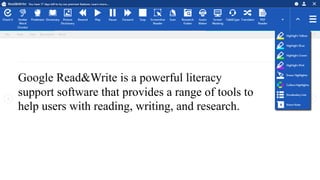
Google Read&Write is a powerful literacy
support software that provides a range of tools to
help users with reading, writing, and research.
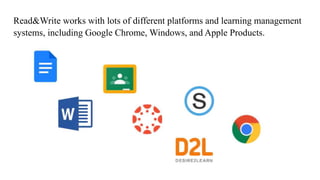
Read&Write works with lots of different platforms and learning management
systems, including Google Chrome, Windows, and Apple Products.
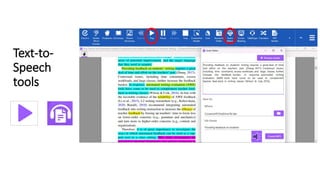
Text-to-
Speech
tools
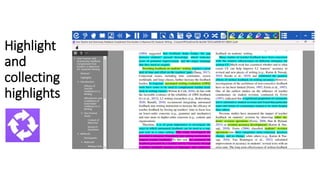
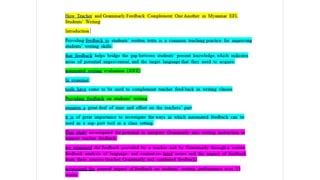
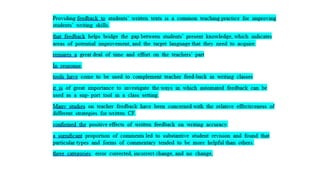
Highlight
and
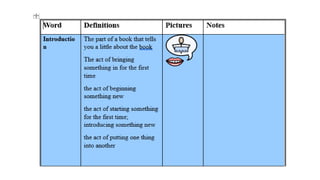
collecting
highlights
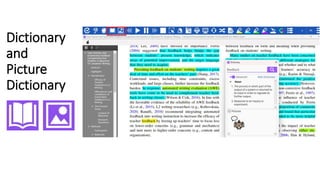
Dictionary
and
Picture
Dictionary
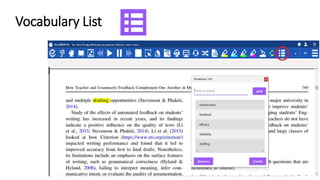
Vocabulary List
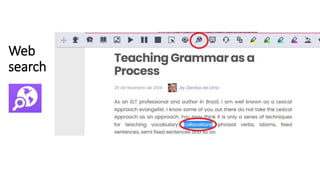
Web
search
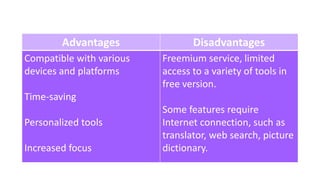
Advantages Disadvantages
Compatible with various
devices and platforms
Time-saving
Personalized tools
Increased focus
Freemium service, limited
access to a variety of tools in
free version.
Some features require
Internet connection, such as
translator, web search, picture
dictionary.
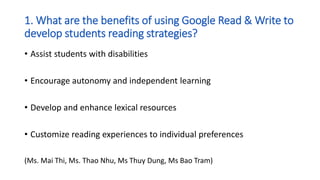
1. What are the benefits of using Google Read & Write to
develop students reading strategies?
• Assist students with disabilities
• Encourage autonomy and independent learning
• Develop and enhance lexical resources
• Customize reading experiences to individual preferences
(Ms. Mai Thi, Ms. Thao Nhu, Ms Thuy Dung, Ms Bao Tram)
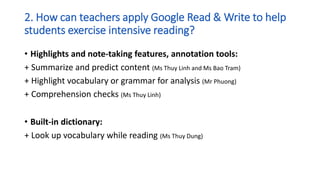
2. How can teachers apply Google Read & Write to help
students exercise intensive reading?
• Highlights and note-taking features, annotation tools:
+ Summarize and predict content (Ms Thuy Linh and Ms Bao Tram)
+ Highlight vocabulary or grammar for analysis (Mr Phuong)
+ Comprehension checks (Ms Thuy Linh)
• Built-in dictionary:
+ Look up vocabulary while reading (Ms Thuy Dung)
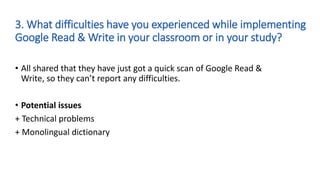
3. What difficulties have you experienced while implementing
Google Read & Write in your classroom or in your study?
• All shared that they have just got a quick scan of Google Read &
Write, so they can’t report any difficulties.
• Potential issues
+ Technical problems
+ Monolingual dictionary
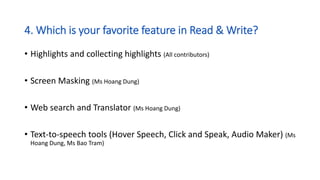
4. Which is your favorite feature in Read & Write?
• Highlights and collecting highlights (All contributors)
• Screen Masking (Ms Hoang Dung)
• Web search and Translator (Ms Hoang Dung)
• Text-to-speech tools (Hover Speech, Click and Speak, Audio Maker) (Ms
Hoang Dung, Ms Bao Tram)
Google Read and Write.pptx

Google Read and Write.pptx

  • 1.
    GOOGLE READ &WRITE Lecturer: Dr. Vu Hoa Ngan Presenter: Nguyen Thi Ngoc Anh (ID: 2391401111005)
  • 3.
    Google Read&Write isa powerful literacy support software that provides a range of tools to help users with reading, writing, and research.
  • 4.
    Read&Write works withlots of different platforms and learning management systems, including Google Chrome, Windows, and Apple Products.
  • 5.
  • 6.
  • 9.
  • 10.
  • 13.
  • 14.
    Advantages Disadvantages Compatible withvarious devices and platforms Time-saving Personalized tools Increased focus Freemium service, limited access to a variety of tools in free version. Some features require Internet connection, such as translator, web search, picture dictionary.
  • 15.
    1. What arethe benefits of using Google Read & Write to develop students reading strategies? • Assist students with disabilities • Encourage autonomy and independent learning • Develop and enhance lexical resources • Customize reading experiences to individual preferences (Ms. Mai Thi, Ms. Thao Nhu, Ms Thuy Dung, Ms Bao Tram)
  • 16.
    2. How canteachers apply Google Read & Write to help students exercise intensive reading? • Highlights and note-taking features, annotation tools: + Summarize and predict content (Ms Thuy Linh and Ms Bao Tram) + Highlight vocabulary or grammar for analysis (Mr Phuong) + Comprehension checks (Ms Thuy Linh) • Built-in dictionary: + Look up vocabulary while reading (Ms Thuy Dung)
  • 17.
    3. What difficultieshave you experienced while implementing Google Read & Write in your classroom or in your study? • All shared that they have just got a quick scan of Google Read & Write, so they can’t report any difficulties. • Potential issues + Technical problems + Monolingual dictionary
  • 18.
    4. Which isyour favorite feature in Read & Write? • Highlights and collecting highlights (All contributors) • Screen Masking (Ms Hoang Dung) • Web search and Translator (Ms Hoang Dung) • Text-to-speech tools (Hover Speech, Click and Speak, Audio Maker) (Ms Hoang Dung, Ms Bao Tram)