RDMD – Sean Tsai 2016.1.29
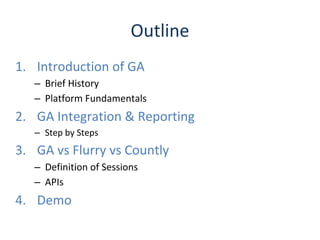
1. Introduction of GA
– Brief History
– Platform Fundamentals
2. GA Integration & Reporting
– Step by Steps
3. GA vs Flurry vs Countly
– Definition of Sessions
– APIs
4. Demo
Outline
1. Introduction of GA
2005
2012
Mobile App Analytics
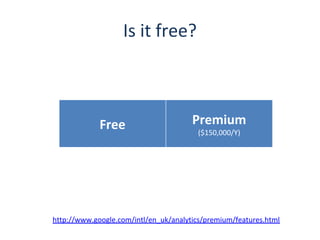
Is it free?
Free Premium
($150,000/Y)
http://www.google.com/intl/en_uk/analytics/premium/features.html
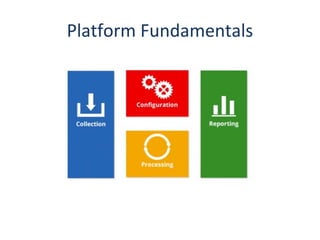
Platform Fundamentals
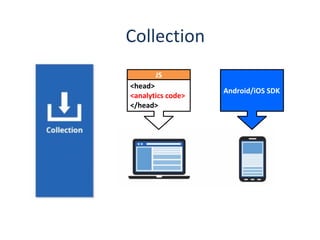
Android/iOS SDK
<head>
<analytics code>
</head>
JS
Collection
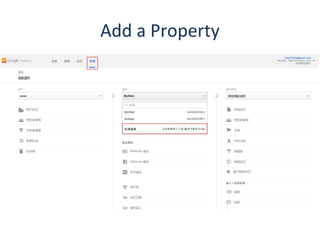
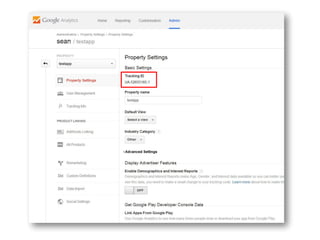
Add a Property
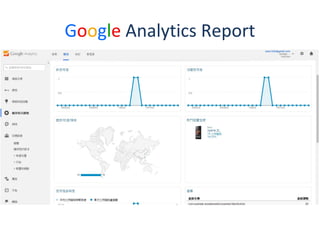
Google Analytics Report
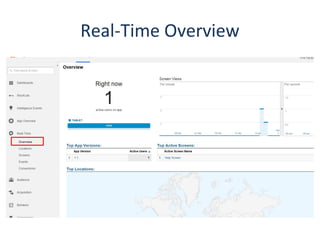
Real-Time Overview
2. GA Integration & Reporting
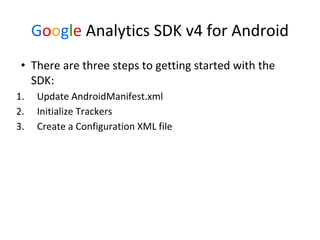
Google Analytics SDK v4 for Android
• There are three steps to getting started with the
SDK:
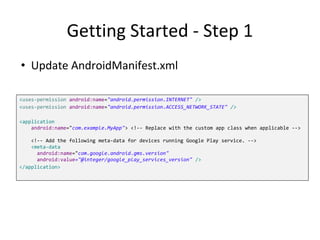
1. Update AndroidManifest.xml
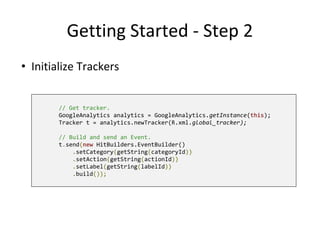
2. Initialize Trackers
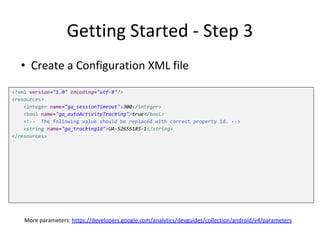
3. Create a Configuration XML file
Getting Started - Step 1
<uses-permission android:name="android.permission.INTERNET" />
<uses-permission android:name="android.permission.ACCESS_NETWORK_STATE" />
<application
android:name="com.example.MyApp"> <!-- Replace with the custom app class when applicable -->
<!-- Add the following meta-data for devices running Google Play service. -->
<meta-data
android:name="com.google.android.gms.version"
android:value="@integer/google_play_services_version" />
</application>
• Update AndroidManifest.xml
Getting Started - Step 2
• Initialize Trackers
// Get tracker.
GoogleAnalytics analytics = GoogleAnalytics.getInstance(this);
Tracker t = analytics.newTracker(R.xml.global_tracker);
// Build and send an Event.
t.send(new HitBuilders.EventBuilder()
.setCategory(getString(categoryId))
.setAction(getString(actionId))
.setLabel(getString(labelId))
.build());
Getting Started - Step 3
<?xml version="1.0" encoding="utf-8"?>
<resources>
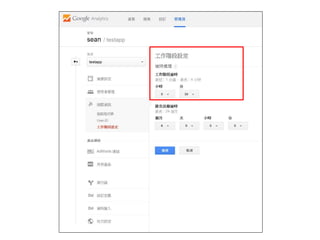
<integer name="ga_sessionTimeout">300</integer>
<bool name="ga_autoActivityTracking">true</bool>
<!-- The following value should be replaced with correct property id. -->
<string name="ga_trackingId">UA-52655185-1</string>
</resources>
• Create a Configuration XML file
More parameters: https://developers.google.com/analytics/devguides/collection/android/v4/parameters
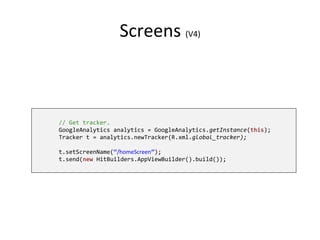
Screens (V4)
// Get tracker.
GoogleAnalytics analytics = GoogleAnalytics.getInstance(this);
Tracker t = analytics.newTracker(R.xml.global_tracker);
t.setScreenName(“/homeScreen”);
t.send(new HitBuilders.AppViewBuilder().build());
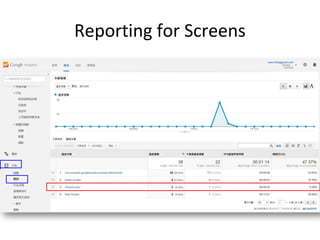
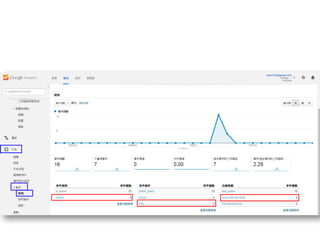
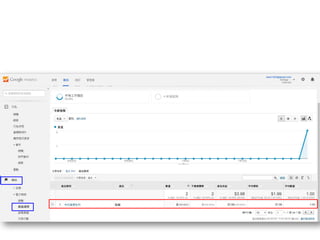
Reporting for Screens
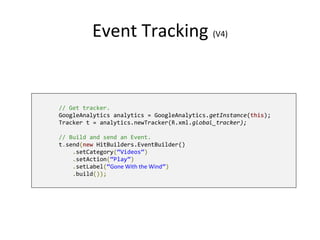
Event Tracking (V4)
// Get tracker.
GoogleAnalytics analytics = GoogleAnalytics.getInstance(this);
Tracker t = analytics.newTracker(R.xml.global_tracker);
// Build and send an Event.
t.send(new HitBuilders.EventBuilder()
.setCategory(“Videos”)
.setAction(“Play”)
.setLabel(“Gone With the Wind”)
.build());
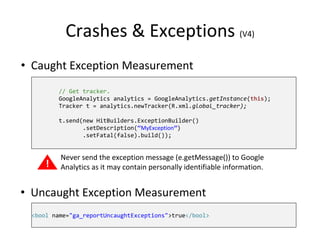
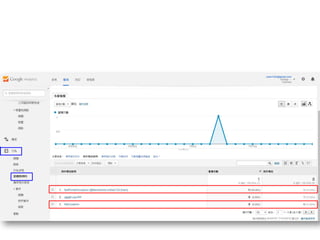
Crashes & Exceptions (V4)
// Get tracker.
GoogleAnalytics analytics = GoogleAnalytics.getInstance(this);
Tracker t = analytics.newTracker(R.xml.global_tracker);
t.send(new HitBuilders.ExceptionBuilder()
.setDescription(“MyException”)
.setFatal(false).build());
!
Never send the exception message (e.getMessage()) to Google
Analytics as it may contain personally identifiable information.
• Caught Exception Measurement
• Uncaught Exception Measurement
<bool name="ga_reportUncaughtExceptions">true</bool>
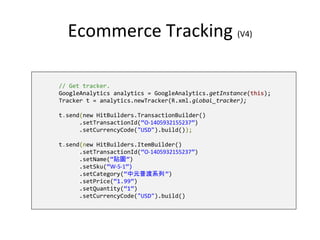
Ecommerce Tracking (V4)
// Get tracker.
GoogleAnalytics analytics = GoogleAnalytics.getInstance(this);
Tracker t = analytics.newTracker(R.xml.global_tracker);
t.send(new HitBuilders.TransactionBuilder()
.setTransactionId(“O-1405932155237”)
.setCurrencyCode("USD").build());
t.send(new HitBuilders.ItemBuilder()
.setTransactionId(“O-1405932155237”)
.setName(“貼圖”)
.setSku(“W-S-1”)
.setCategory(“中元普渡系列”)
.setPrice(“1.99”)
.setQuantity(“1”)
.setCurrencyCode("USD").build()
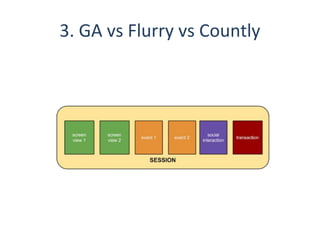
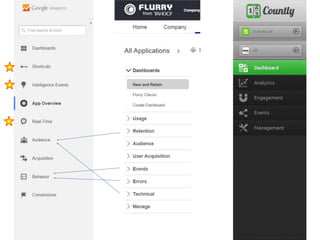
3. GA vs Flurry vs Countly
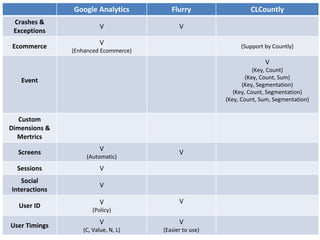
Google Analytics Flurry CLCountly
Crashes &
Exceptions
V V
Ecommerce
V
(Enhanced Ecommerce)
(Support by Countly)
Event
V
(Key, Count)
(Key, Count, Sum)
(Key, Segmentation)
(Key, Count, Segmentation)
(Key, Count, Sum, Segmentation)
Custom
Dimensions &
Mertrics
Screens
V
(Automatic)
V
Sessions V
Social
Interactions
V
User ID
V
(Policy)
V
User Timings
V
(C, Value, N, L)
V
(Easier to use)
4. Integrate GA to CLCountly?
Q & A
Reference
• Google Analytics Academy
https://analyticsacademy.withgoogle.com/
• Yahoo! Developer Network
https://developer.yahoo.com/flurry/docs/analytics/lexicon/videos/
• Countly Doc
http://resources.count.ly/v1.0/docs/countly-sdk-for-android
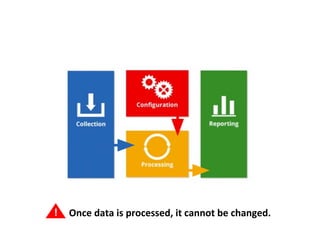
! Once data is processed, it cannot be changed.
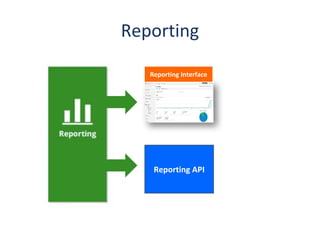
Reporting
Reporting API
Reporting Interface
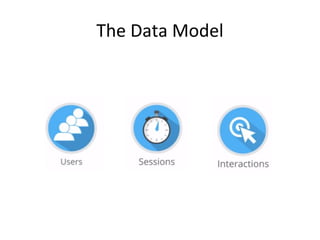
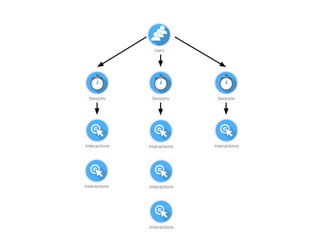
The Data Model
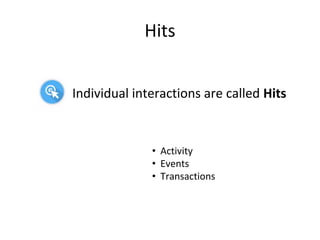
Hits
Individual interactions are called Hits
• Activity
• Events
• Transactions
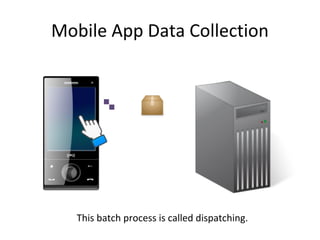
Mobile App Data Collection
This batch process is called dispatching.
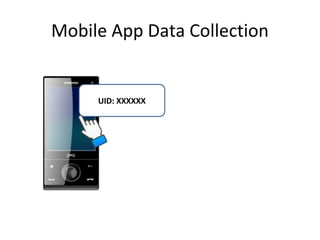
Mobile App Data Collection
UID: XXXXXX
Google analytics

  • 1.
    RDMD – SeanTsai 2016.1.29
  • 2.
    1. Introduction ofGA – Brief History – Platform Fundamentals 2. GA Integration & Reporting – Step by Steps 3. GA vs Flurry vs Countly – Definition of Sessions – APIs 4. Demo Outline
  • 3.
  • 4.
  • 5.
  • 6.
    Is it free? FreePremium ($150,000/Y) http://www.google.com/intl/en_uk/analytics/premium/features.html
  • 7.
  • 8.
  • 9.
  • 10.
  • 11.
  • 12.
    2. GA Integration& Reporting
  • 13.
    Google Analytics SDKv4 for Android • There are three steps to getting started with the SDK: 1. Update AndroidManifest.xml 2. Initialize Trackers 3. Create a Configuration XML file
  • 15.
    Getting Started -Step 1 <uses-permission android:name="android.permission.INTERNET" /> <uses-permission android:name="android.permission.ACCESS_NETWORK_STATE" /> <application android:name="com.example.MyApp"> <!-- Replace with the custom app class when applicable --> <!-- Add the following meta-data for devices running Google Play service. --> <meta-data android:name="com.google.android.gms.version" android:value="@integer/google_play_services_version" /> </application> • Update AndroidManifest.xml
  • 16.
    Getting Started -Step 2 • Initialize Trackers // Get tracker. GoogleAnalytics analytics = GoogleAnalytics.getInstance(this); Tracker t = analytics.newTracker(R.xml.global_tracker); // Build and send an Event. t.send(new HitBuilders.EventBuilder() .setCategory(getString(categoryId)) .setAction(getString(actionId)) .setLabel(getString(labelId)) .build());
  • 17.
    Getting Started -Step 3 <?xml version="1.0" encoding="utf-8"?> <resources> <integer name="ga_sessionTimeout">300</integer> <bool name="ga_autoActivityTracking">true</bool> <!-- The following value should be replaced with correct property id. --> <string name="ga_trackingId">UA-52655185-1</string> </resources> • Create a Configuration XML file More parameters: https://developers.google.com/analytics/devguides/collection/android/v4/parameters
  • 19.
    Screens (V4) // Gettracker. GoogleAnalytics analytics = GoogleAnalytics.getInstance(this); Tracker t = analytics.newTracker(R.xml.global_tracker); t.setScreenName(“/homeScreen”); t.send(new HitBuilders.AppViewBuilder().build());
  • 20.
  • 21.
    Event Tracking (V4) //Get tracker. GoogleAnalytics analytics = GoogleAnalytics.getInstance(this); Tracker t = analytics.newTracker(R.xml.global_tracker); // Build and send an Event. t.send(new HitBuilders.EventBuilder() .setCategory(“Videos”) .setAction(“Play”) .setLabel(“Gone With the Wind”) .build());
  • 23.
    Crashes & Exceptions(V4) // Get tracker. GoogleAnalytics analytics = GoogleAnalytics.getInstance(this); Tracker t = analytics.newTracker(R.xml.global_tracker); t.send(new HitBuilders.ExceptionBuilder() .setDescription(“MyException”) .setFatal(false).build()); ! Never send the exception message (e.getMessage()) to Google Analytics as it may contain personally identifiable information. • Caught Exception Measurement • Uncaught Exception Measurement <bool name="ga_reportUncaughtExceptions">true</bool>
  • 25.
    Ecommerce Tracking (V4) //Get tracker. GoogleAnalytics analytics = GoogleAnalytics.getInstance(this); Tracker t = analytics.newTracker(R.xml.global_tracker); t.send(new HitBuilders.TransactionBuilder() .setTransactionId(“O-1405932155237”) .setCurrencyCode("USD").build()); t.send(new HitBuilders.ItemBuilder() .setTransactionId(“O-1405932155237”) .setName(“貼圖”) .setSku(“W-S-1”) .setCategory(“中元普渡系列”) .setPrice(“1.99”) .setQuantity(“1”) .setCurrencyCode("USD").build()
  • 28.
    3. GA vsFlurry vs Countly
  • 29.
    Google Analytics FlurryCLCountly Crashes & Exceptions V V Ecommerce V (Enhanced Ecommerce) (Support by Countly) Event V (Key, Count) (Key, Count, Sum) (Key, Segmentation) (Key, Count, Segmentation) (Key, Count, Sum, Segmentation) Custom Dimensions & Mertrics Screens V (Automatic) V Sessions V Social Interactions V User ID V (Policy) V User Timings V (C, Value, N, L) V (Easier to use)
  • 31.
    4. Integrate GAto CLCountly?
  • 32.
  • 33.
    Reference • Google AnalyticsAcademy https://analyticsacademy.withgoogle.com/ • Yahoo! Developer Network https://developer.yahoo.com/flurry/docs/analytics/lexicon/videos/ • Countly Doc http://resources.count.ly/v1.0/docs/countly-sdk-for-android
  • 34.
    ! Once datais processed, it cannot be changed.
  • 35.
  • 36.
  • 39.
    Hits Individual interactions arecalled Hits • Activity • Events • Transactions
  • 40.
    Mobile App DataCollection This batch process is called dispatching.
  • 41.
    Mobile App DataCollection UID: XXXXXX