Going all-inwith Go
for CLIapps
AboutMe
» Tom Elliott
» Engineer @ Yext
» https://telliott.io
» @theotherelliott
AboutYext
» Location data management
» 90 engineers
» 200+ microservices in Java
& Go
» http://www.yext.com
» http://github.com/yext
» http://engblog.yext.com/
Agenda
» Who Uses Go For CLI?
» Why Go for CLI?
» Tools at Yext
» Standard Library
» 3rd Party Packages
» Distribution
» Update Notification
Who Uses Go for CLI?
Why Go
for CLI?
WhyGo for CLI?
» Familiarity
» Code Reuse
» Cross-platform
» Distribution Flexibility
ToolsAt
Yext
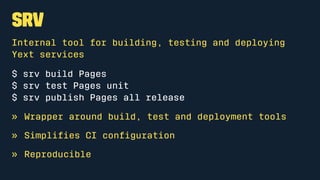
srv
Internal tool for building, testing and deploying
Yext services
$ srv build Pages
$ srv test Pages unit
$ srv publish Pages all release
» Wrapper around build, test and deployment tools
» Simplifies CI configuration
» Reproducible
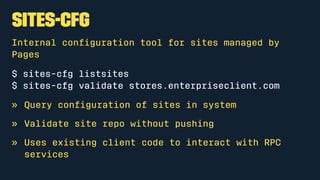
sites-cfg
Internal configuration tool for sites managed by
Pages
$ sites-cfg listsites
$ sites-cfg validate stores.enterpriseclient.com
» Query configuration of sites in system
» Validate site repo without pushing
» Uses existing client code to interact with RPC
services
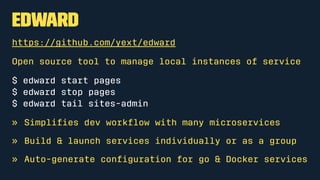
Edward
https://github.com/yext/edward
Open source tool to manage local instances of service
$ edward start pages
$ edward stop pages
$ edward tail sites-admin
» Simplifies dev workflow with many microservices
» Build & launch services individually or as a group
» Auto-generate configuration for go & Docker services
Standard
Library
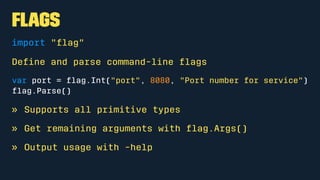
Flags
import "flag"
Define and parse command-line flags
var port = flag.Int("port", 8080, "Port number for service")
flag.Parse()
» Supports all primitive types
» Get remaining arguments with flag.Args()
» Output usage with -help
Directorytreewalking
import "path/filepath"
Call filepath.Walk with a starting dir and a visitor function.
To find all .c files:
func main() {
_ = filepath.Walk(os.Args[1], visit)
}
func visit(path string, f os.FileInfo, err error) error {
if filepath.Ext(path) == ".c" {
fmt.Println(path)
}
return nil
}
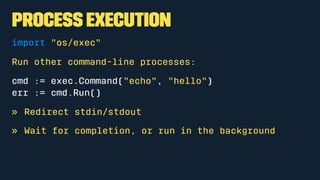
Process Execution
import "os/exec"
Run other command-line processes:
cmd := exec.Command("echo", "hello")
err := cmd.Run()
» Redirect stdin/stdout
» Wait for completion, or run in the background
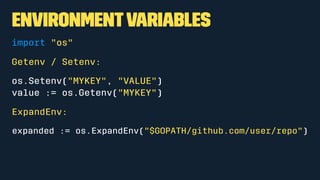
EnvironmentVariables
import "os"
Getenv / Setenv:
os.Setenv("MYKEY", "VALUE")
value := os.Getenv("MYKEY")
ExpandEnv:
expanded := os.ExpandEnv("$GOPATH/github.com/user/repo")
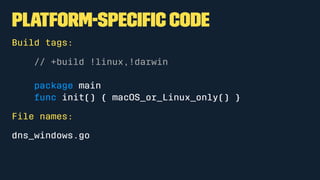
Platform-Specific Code
Build tags:
// +build !linux,!darwin
package main
func init() { macOS_or_Linux_only() }
File names:
dns_windows.go
3rd Party
Packages
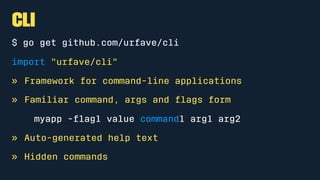
CLI
$ go get github.com/urfave/cli
import "urfave/cli"
» Framework for command-line applications
» Familiar command, args and flags form
myapp -flag1 value command1 arg1 arg2
» Auto-generated help text
» Hidden commands
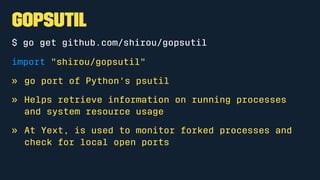
gopsutil
$ go get github.com/shirou/gopsutil
import "shirou/gopsutil"
» go port of Python's psutil
» Helps retrieve information on running processes
and system resource usage
» At Yext, is used to monitor forked processes and
check for local open ports
Distribution
Distribution
» go get
» Build from source
» Pre-built binary
go get
Use go get to download and build as with any package
$ go get <package>
Updates:
$ go get -u <package>
Example:
» Edward
go get
Pros:
» No overhead, just push to a repo
» Handles dependencies and installation
» Cross-platform by default
Cons:
» Always pulls the latest commit
» Limits build complexity (by design)
» Difficult to use for closed-source
Build from source
» Download source
» Provide instructions
» Build with Makefile or similar
Example:
* sites-cfg
* Hugo
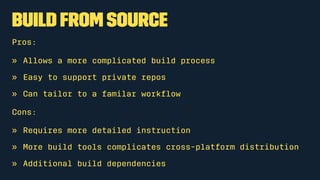
Build from source
Pros:
» Allows a more complicated build process
» Easy to support private repos
» Can tailor to a familar workflow
Cons:
» Requires more detailed instruction
» More build tools complicates cross-platform distribution
» Additional build dependencies
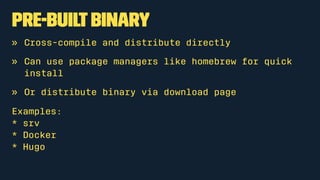
Pre-builtbinary
» Cross-compile and distribute directly
» Can use package managers like homebrew for quick
install
» Or distribute binary via download page
Examples:
* srv
* Docker
* Hugo
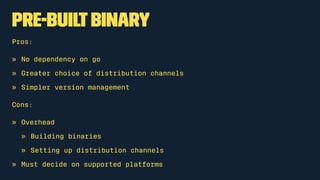
Pre-builtbinary
Pros:
» No dependency on go
» Greater choice of distribution channels
» Simpler version management
Cons:
» Overhead
» Building binaries
» Setting up distribution channels
» Must decide on supported platforms
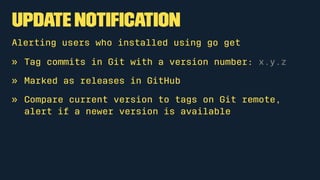
UpdateNotification
Update Notification
Alerting users who installed using go get
» Tag commits in Git with a version number: x.y.z
» Marked as releases in GitHub
» Compare current version to tags on Git remote,
alert if a newer version is available
Checking for Updates
import "github.com/hashicorp/go-version"
func UpdateAvailable(repo, currentVersion) (bool, string, error) {
output, _ := exec.Command(
"git",
"ls-remote",
"-t",
"git://"+repo
).CombinedOutput()
// Parse tag from output in the form [0-9]+.[0-9]+.[0-9]+
latestVersion, _ = findLatestVersionTag(output)
remote, _ := version.NewVersion(latestVersion)
local, _ := version.NewVersion(currentVersion)
return local.LessThan(remote), remote, nil
}
WhatCould
You Do?
ThankYou» http://www.yext.com
» https://telliott.io
» @theotherelliott

Going All-In With Go For CLI Apps

  • 1.
  • 2.
    AboutMe » Tom Elliott »Engineer @ Yext » https://telliott.io » @theotherelliott
  • 3.
    AboutYext » Location datamanagement » 90 engineers » 200+ microservices in Java & Go » http://www.yext.com » http://github.com/yext » http://engblog.yext.com/
  • 5.
    Agenda » Who UsesGo For CLI? » Why Go for CLI? » Tools at Yext » Standard Library » 3rd Party Packages » Distribution » Update Notification
  • 6.
    Who Uses Gofor CLI?
  • 7.
    Who Uses Gofor CLI?
  • 8.
  • 9.
    WhyGo for CLI? »Familiarity » Code Reuse » Cross-platform » Distribution Flexibility
  • 10.
  • 11.
    srv Internal tool forbuilding, testing and deploying Yext services $ srv build Pages $ srv test Pages unit $ srv publish Pages all release » Wrapper around build, test and deployment tools » Simplifies CI configuration » Reproducible
  • 12.
    sites-cfg Internal configuration toolfor sites managed by Pages $ sites-cfg listsites $ sites-cfg validate stores.enterpriseclient.com » Query configuration of sites in system » Validate site repo without pushing » Uses existing client code to interact with RPC services
  • 13.
    Edward https://github.com/yext/edward Open source toolto manage local instances of service $ edward start pages $ edward stop pages $ edward tail sites-admin » Simplifies dev workflow with many microservices » Build & launch services individually or as a group » Auto-generate configuration for go & Docker services
  • 14.
  • 15.
    Flags import "flag" Define andparse command-line flags var port = flag.Int("port", 8080, "Port number for service") flag.Parse() » Supports all primitive types » Get remaining arguments with flag.Args() » Output usage with -help
  • 16.
    Directorytreewalking import "path/filepath" Call filepath.Walkwith a starting dir and a visitor function. To find all .c files: func main() { _ = filepath.Walk(os.Args[1], visit) } func visit(path string, f os.FileInfo, err error) error { if filepath.Ext(path) == ".c" { fmt.Println(path) } return nil }
  • 17.
    Process Execution import "os/exec" Runother command-line processes: cmd := exec.Command("echo", "hello") err := cmd.Run() » Redirect stdin/stdout » Wait for completion, or run in the background
  • 18.
    EnvironmentVariables import "os" Getenv /Setenv: os.Setenv("MYKEY", "VALUE") value := os.Getenv("MYKEY") ExpandEnv: expanded := os.ExpandEnv("$GOPATH/github.com/user/repo")
  • 19.
    Platform-Specific Code Build tags: //+build !linux,!darwin package main func init() { macOS_or_Linux_only() } File names: dns_windows.go
  • 20.
  • 21.
    CLI $ go getgithub.com/urfave/cli import "urfave/cli" » Framework for command-line applications » Familiar command, args and flags form myapp -flag1 value command1 arg1 arg2 » Auto-generated help text » Hidden commands
  • 22.
    gopsutil $ go getgithub.com/shirou/gopsutil import "shirou/gopsutil" » go port of Python's psutil » Helps retrieve information on running processes and system resource usage » At Yext, is used to monitor forked processes and check for local open ports
  • 23.
  • 24.
    Distribution » go get »Build from source » Pre-built binary
  • 25.
    go get Use goget to download and build as with any package $ go get <package> Updates: $ go get -u <package> Example: » Edward
  • 26.
    go get Pros: » Nooverhead, just push to a repo » Handles dependencies and installation » Cross-platform by default Cons: » Always pulls the latest commit » Limits build complexity (by design) » Difficult to use for closed-source
  • 27.
    Build from source »Download source » Provide instructions » Build with Makefile or similar Example: * sites-cfg * Hugo
  • 28.
    Build from source Pros: »Allows a more complicated build process » Easy to support private repos » Can tailor to a familar workflow Cons: » Requires more detailed instruction » More build tools complicates cross-platform distribution » Additional build dependencies
  • 29.
    Pre-builtbinary » Cross-compile anddistribute directly » Can use package managers like homebrew for quick install » Or distribute binary via download page Examples: * srv * Docker * Hugo
  • 30.
    Pre-builtbinary Pros: » No dependencyon go » Greater choice of distribution channels » Simpler version management Cons: » Overhead » Building binaries » Setting up distribution channels » Must decide on supported platforms
  • 31.
  • 32.
    Update Notification Alerting userswho installed using go get » Tag commits in Git with a version number: x.y.z » Marked as releases in GitHub » Compare current version to tags on Git remote, alert if a newer version is available
  • 33.
    Checking for Updates import"github.com/hashicorp/go-version" func UpdateAvailable(repo, currentVersion) (bool, string, error) { output, _ := exec.Command( "git", "ls-remote", "-t", "git://"+repo ).CombinedOutput() // Parse tag from output in the form [0-9]+.[0-9]+.[0-9]+ latestVersion, _ = findLatestVersionTag(output) remote, _ := version.NewVersion(latestVersion) local, _ := version.NewVersion(currentVersion) return local.LessThan(remote), remote, nil }
  • 34.
  • 35.