STEPS TO INSTALL GLOMOSIM PRESENTED BY :- PANKAJ BARODIA M. TECH. (CSE) Deenbandhu Chhotu Ram University of Science and Technology Murthal, Sonipat (Haryana),  June 2009
Before Installation GloMoSim requires the following software to run. Microsoft VC++ version 6.0  (Essential) JAVA JRE version 1.2 or higher  (For VT)  JAVA SDK version 1.2 or higher  (For VT)
A Step-by-Step Installation Guide  Download GloMoSim 2.03, unzip and save (say save to "C:\glomosim\glomosim") 2.  Go to glomosim/Parsec, open folder 'windows-nt-vc6.0', copy all files into Parsec directory. Delete all other folders under Parsec directory (since they are for other OS)
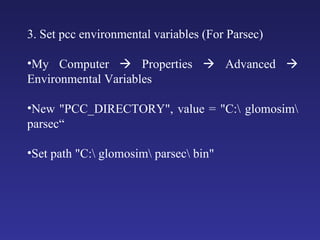
3. Set pcc environmental variables (For Parsec) My Computer    Properties    Advanced    Environmental Variables New "PCC_DIRECTORY", value = "C:\ glomosim\ parsec“ Set path "C:\ glomosim\ parsec\ bin"
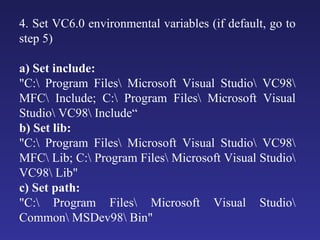
4. Set VC6.0 environmental variables (if default, go to step 5) a) Set include:  "C:\ Program Files\ Microsoft Visual Studio\ VC98\ MFC\ Include; C:\ Program Files\ Microsoft Visual Studio\ VC98\ Include“ b) Set lib:  "C:\ Program Files\ Microsoft Visual Studio\ VC98\ MFC\ Lib; C:\ Program Files\ Microsoft Visual Studio\ VC98\ Lib"  c) Set path:  "C:\ Program Files\ Microsoft Visual Studio\ Common\ MSDev98\ Bin"
5. Check pcc environment by "pcc -env" in DOS prompt (cmd)  6. GloMoSim Installation  Go to glomosim\ glomosim\ main, do "makent.bat“ Go to glomosim\ glomosim\ bin, find "glomosim.exe"  Test glomosim. Under DOS: "glomosim config.in"  "glomo.stat" is generated after simulation, compare with "glomo.stat.sample"
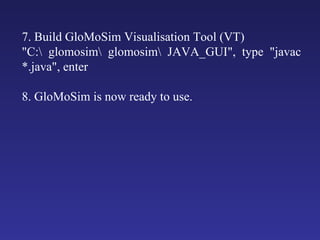
7. Build GloMoSim Visualisation Tool (VT)  "C:\ glomosim\ glomosim\ JAVA_GUI", type "javac *.java", enter  8. GloMoSim is now ready to use.
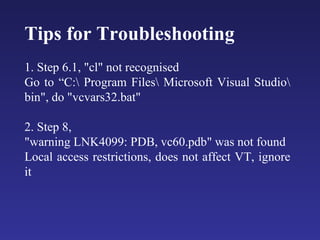
Tips for Troubleshooting  1. Step 6.1, "cl" not recognised  Go to “C:\ Program Files\ Microsoft Visual Studio\ bin", do "vcvars32.bat"  2. Step 8,  "warning LNK4099: PDB, vc60.pdb" was not found  Local access restrictions, does not affect VT, ignore it
Thank You

Glomosim

  • 1.
    STEPS TO INSTALLGLOMOSIM PRESENTED BY :- PANKAJ BARODIA M. TECH. (CSE) Deenbandhu Chhotu Ram University of Science and Technology Murthal, Sonipat (Haryana), June 2009
  • 2.
    Before Installation GloMoSimrequires the following software to run. Microsoft VC++ version 6.0 (Essential) JAVA JRE version 1.2 or higher (For VT) JAVA SDK version 1.2 or higher (For VT)
  • 3.
    A Step-by-Step InstallationGuide Download GloMoSim 2.03, unzip and save (say save to "C:\glomosim\glomosim") 2. Go to glomosim/Parsec, open folder 'windows-nt-vc6.0', copy all files into Parsec directory. Delete all other folders under Parsec directory (since they are for other OS)
  • 4.
    3. Set pccenvironmental variables (For Parsec) My Computer  Properties  Advanced  Environmental Variables New "PCC_DIRECTORY", value = "C:\ glomosim\ parsec“ Set path "C:\ glomosim\ parsec\ bin"
  • 5.
    4. Set VC6.0environmental variables (if default, go to step 5) a) Set include: "C:\ Program Files\ Microsoft Visual Studio\ VC98\ MFC\ Include; C:\ Program Files\ Microsoft Visual Studio\ VC98\ Include“ b) Set lib: "C:\ Program Files\ Microsoft Visual Studio\ VC98\ MFC\ Lib; C:\ Program Files\ Microsoft Visual Studio\ VC98\ Lib" c) Set path: "C:\ Program Files\ Microsoft Visual Studio\ Common\ MSDev98\ Bin"
  • 6.
    5. Check pccenvironment by "pcc -env" in DOS prompt (cmd) 6. GloMoSim Installation Go to glomosim\ glomosim\ main, do "makent.bat“ Go to glomosim\ glomosim\ bin, find "glomosim.exe" Test glomosim. Under DOS: "glomosim config.in" "glomo.stat" is generated after simulation, compare with "glomo.stat.sample"
  • 7.
    7. Build GloMoSimVisualisation Tool (VT) "C:\ glomosim\ glomosim\ JAVA_GUI", type "javac *.java", enter 8. GloMoSim is now ready to use.
  • 8.
    Tips for Troubleshooting 1. Step 6.1, "cl" not recognised Go to “C:\ Program Files\ Microsoft Visual Studio\ bin", do "vcvars32.bat" 2. Step 8, "warning LNK4099: PDB, vc60.pdb" was not found Local access restrictions, does not affect VT, ignore it
  • 9.