Welcome
Introduction
  Introduction    The Member
                       Copyright   LittleAdministration Trainers’
                                         Extras              Giving         Trainers’ Trainers’ Talk
                                                                      you More                   Trainers’ Trainers’ Library
                                                                                                                      Trainers’ Trainers’ Images
                                                                                                                                      How Can I?   F Finally
                                                                                                                                                     inally
                   Homepage                              Market                Talk              Library           Images


         Introduction


         Welcome to Glasstap                                                           Dedicated to Outstanding
         Please do take the time to read this guide                                    Customer Service
         before you start using our materials.                                         We take pride in providing exceptional
                                                                                       customer service.
         Membership Levels
         Glasstap’s suite of services for                                              As a Glasstap member, you will have a
         professional trainers have been                                               dedicated Customer Relationship Manager
         developed by trainers, for trainers. Our                                      who is there to help you get the most out
         aim is to help trainers deliver business                                      of our services. You can find out who your
         improvement efficiently and with impact.                                      Customer Relationship Manager is and
                                                                                       their direct contact number through your
         As a Glasstap member, you will enjoy                                          Member Homepage.
         the benefits associated with one of three
         levels of membership, as follows:                                             More on that later, but remember, we are
                                                                                       here to help and listen. So if you have
                                         A LEVEL
                                       TO SUIT ALL
                                                       NEED
                                                      TO SAVE
                                                                  YOUR
                                                                COMPLETE
                                                                                       any questions, ideas, concerns, or need
                                        BUDGETS        TIME?    PACKAGE
                                                                                       help, please let us know.
           Plan Comparison             Network+	Library+	 Gold

          Trainers’ Talk
                                                                                       Logging In
                                                                                       To Log In to Glasstap, just go to
          Trainers’ Library
                                                                                       www.glasstap.com and click on Log In
          Trainers’ Images                                                             (on the left or in the top menu). The first
                                                                                       time you log in using your email and
          Trainers’ Market Discount	      5%	         10%	       10%
                                                                                       password, you’ll be asked to create a
                                                                                       security question, which you’ll be asked
                                                                                       each time you log in as a further
            TIP                                                                        identity check.

                  Every trainer needs their own                                        would benefit from their own licence,
          Glasstap membership at the appropriate                                       please get in touch. It’s easy and cost
          level in order to have a licence to use                                      effective to upgrade your account
          our services, materials or images. If you                                    and doing so will avoid copyright
          have colleagues who you think need or                                        infringement.

                                                                                       © Glasstap Limited, 2012. All rights reserved.               2
Introduction
  Introduction      The Member
                         Copyright   LittleAdministration Trainers’
                                           Extras              Giving         Trainers’ Trainers’ Talk
                                                                        you More                   Trainers’ Trainers’ Library
                                                                                                                        Trainers’ Trainers’ Images
                                                                                                                                        How Can I?   F Finally
                                                                                                                                                       inally
                     Homepage                              Market                Talk              Library           Images


         The Member Homepage 1


         The Member Homepage is your central
                                                                                             My Favourites
         hub from where you can access the full
         range of Glasstap’s services. There’s lots
         of useful information and features on                                             Trainers’ Library
                                                                                         		            – A list of those items you’ve
         this page, so it’s worth spending a few
                                                                                         added to your Favourites folder from
         minutes familiarising yourself with it.
                                                                                         Trainers’ Library.

                              At the top of the page you’ll                                Trainers’ Images
                                                                                         		           – A snapshot of those
                              see our Newsflash. We’ll use
                              this to keep you up to date with                           images you’ve added to your Favourites
                              important information like new                             folder from Trainers’ Images.
                              developments and special offers.
                                                                                            Trainers’ Talk
                                                                                         		          – A list of all questions
                                                                                         you’ve posted and, beneath, responses
                                                                                         you’ve added to other people’s questions.
         The Tabs:
                                                                                               My Account
           Trainers’ Library

                                                                                             My Services
         The default view when you visit the                                             		            – This screen shows you
         homepage – this shows you the latest                                            your current membership level and the
         materials that have been added to                                               services included in that level.
         Trainers’ Library.
                                                                                            Private Profile
                                                                                         		             – From here you can amend
           Trainers’ Images                                                              any of your personal details, (excluding
                                                                                         your email address). To make any
         A snapshot of the latest additions to                                           changes, click ‘Edit’ and then ‘Update’
         Trainers’ Images.                                                               when you’ve made the changes you want.
                                                                                         If you’d like to change your email address
                 Trainers’ Talk                                                          or transfer your membership to another
                                                                                         person, please contact your Customer
         A preview of the latest questions to be                                         Relationship Manager.
         added to Trainers’ Talk.


                                                                                         © Glasstap Limited, 2012. All rights reserved.               3
Introduction
  Introduction     The Member
                        Copyright   LittleAdministration Trainers’
                                          Extras              Giving         Trainers’ Trainers’ Talk
                                                                       you More                   Trainers’ Trainers’ Library
                                                                                                                       Trainers’ Trainers’ Images
                                                                                                                                       How Can I?   F Finally
                                                                                                                                                      inally
                    Homepage                              Market                Talk              Library           Images


         The Member Homepage 2


                 My Account


            Public Profile
         		            – Creating a Public Profile is
                                                                                             TIP
         a really useful networking tool. When you
         create a Public Profile, your name will link
         to it whenever you review a document                                                Create a Public Profile to improve
         in Trainers’ Library or add a question or                                           your networking opportunities as well
         response in Trainers’ Talk. Your profile                                            as let others know your credentials
                                                                                             and expertise.
         includes a section on Background,
         Expertise and another that you can
         name and define yourself.

            My Invoice
         		            – By default this screen
         will show you the most recent invoice
         you’ve paid. To see previous invoices,
         just click on the link near the top of this
         pane. (Please note that invoices prior to
         2012 will not appear – if you’d like copies
         of older invoices, please contact your
         Customer Relationship Manager.)

                 Help
         		          – This screen tells you who
         your Customer Relationship Manager is
         and gives you their direct contact details.

         Introduce a Friend
         		           – You can earn up to
         one year’s free membership, just for
         introducing a friend to Glasstap. Full
         details and the tool to introduce friends
         are included in this pane.


                                                                                        © Glasstap Limited, 2012. All rights reserved.               4
Introduction
  Introduction   The Member
                      Copyright   LittleAdministration Trainers’
                                        Extras              Giving         Trainers’ Trainers’ Talk
                                                                     you More                   Trainers’ Trainers’ Library
                                                                                                                     Trainers’ Trainers’ Images
                                                                                                                                     How Can I?   F Finally
                                                                                                                                                    inally
                  Homepage                              Market                Talk              Library           Images


         Little Extras 1


         This page highlights some of the little                                      Introduce a Friend and
         extras we provide that you might
         otherwise overlook.
                                                                                      Earn up to 12 Month’s
                                                                                      Free Membership
         No Price Increase Guarantee                                                  We hope you value your Glasstap
                                                                                      membership, and will be happy to
         Whichever membership you have, be
                                                                                      recommend membership to your friends.
         it Network+, Library+ or Gold, we
                                                                                      If you do, and are, then take advantage
         guarantee not to increase the price you
                                                                                      of our Introduce a Friend scheme.
         pay for that membership for as long
         as your membership continues. Even
                                                                                      Within the Member Homepage is a special
         if we’ve put the price of your level of
                                                                                      Introduce a Friend screen. When you use
         membership up for new members, your
                                                                                      this and your friend joins within six weeks
         annual subscription will be the same as it
                                                                                      of your introduction, (paying annually)
         was when you joined.
                                                                                      we’ll add free months to your own
                                                                                      existing subscription, as follows:
         The longer you stay with us, the greater
         the benefit as we’re continuously
                                                                                      •	 Introduce a Library+ customer and 	
         developing new materials and making
                                                                                      	 we’ll give you 6 FREE months and 		
         these available to customers.
                                                                                      	 extend your renewal date accordingly.
                                                                                      •	 Introduce a Gold customer and we’ll 	
                                                                                      	 give you 12 FREE months and extend 	
                                                                                      	 your renewal date accordingly.


             UP TO                                                                    Not only this, but your friend will benefit

         12 MONTHS                            10%                                    from a 10% reduction on their annual
                                                                                      subscription.
             FREE                              OFF
         MEMBERSHIP                         FOR YOUR
           FOR YOU!                          FRIENDS


                                                                                      © Glasstap Limited, 2012. All rights reserved.               5
Introduction
  Introduction      The Member
                         Copyright   LittleAdministration Trainers’
                                           Extras              Giving         Trainers’ Trainers’ Talk
                                                                        you More                   Trainers’ Trainers’ Library
                                                                                                                        Trainers’ Trainers’ Images
                                                                                                                                        How Can I?   F Finally
                                                                                                                                                       inally
                     Homepage                              Market                Talk              Library           Images


         Little Extras 2


          Trainers’ Market Discounts                                                        Free Stuff
          All Glasstap members benefit from                                                 You might have overlooked the free
          a discount whenever they purchase                                                 goodies that we offer to everyone,
          products from Trainers’ Market, as                                                members and non-members alike:
          follows:
                                                                                            Quotations Directory
                                                                                            The Quotations Directory contains       FREE!
           Membership                       Discount                                        quotations that we believe are
                                                                                            applicable to training, or which can
           Network +	                       5%                                              be used to provoke discussion around
                                                                                            a particular topic. They are listed by
           Library +	                       10%
                                                                                            training category, making it easy to find
           Gold	10%
                                                                                            quotations that are relevant to your
                                                                                            training. Just go to Free Stuff/Quotations
                                                                                            in the menu on the left.

                 TIP

                                                                                                                                                     FREE!
                 Gold customers also benefit from a
                 20% double discount on any of our                                                                    Rod’s
                 own brand DVDs.
                                                                                                                      Blog
                                                                                            Rod’s Blog
                                                                                            Our co-founder’s blog is bound to
                                                                                            provoke discussion and thought
                                                                                            and is well worth following.
                                                                                            It can be accessed from:
                                                                                            www.glasstap.com/user_area/rods_blog.
                                                                                            aspx. Click on the title of any blog entry
                                                                                            to gain access to older blog posts too.

                                                                                         © Glasstap Limited, 2012. All rights reserved.               6
Introduction      The Member   Little Extras   Trainers’   Trainers’          Trainers’       Trainers’      How Can I?   Finally
                   Homepage                     Market       Talk              Library        Images


        Trainers’ Market

          AVAILABLE
            TO ALL


        Trainers’ Market is your point of call for
        all those little extras that will really bring                     TIP
        your training to life.
                                                                           Gold Customers – Watch out for the
        Here you’ll find:                                                  special launch offers on new Glasstap
                                                                           DVD releases.
        Trainers’ Essentials – Lots of props for
        activities, to encourage accelerated
        learning or stimulate discussion.

        Trainers’ Library Props – If you need any
        additional props to run an exercise in
        Trainers’ Library, you’ll find them here.

        DVD and CD Rom – Including our own
        brand training DVDs.

        Download Products – Guides that you
        can download when you buy.

        Pocketbooks – We’re a reseller for the
        excellent range of Pocketbooks.


               TIP

               Keep visiting Trainers’ Market to see
               our Special Offers, including End of
               Line Offers.


                                                                       © Glasstap Limited, 2012. All rights reserved.     7
Introduction      The Member
                      Administration Extras
                   Homepage
                                Little        Trainers’
                                               Market
                                                          Trainers’
                                                            Talk
                                                                             Trainers’
                                                                              Library
                                                                                             Trainers’
                                                                                             Images
                                                                                                            How Can I?   Finally


        Trainers’ Talk 1
          NETWORK+     LIBRARY+      GOLD


        Trainers’ Talk is the leading online forum                    Auto Update
        and networking tool for professional                          When you join Glasstap, you’re
        trainers.                                                     automatically enrolled to receive the
                                                                      Trainers’ Talk ‘Auto Update’. This is a
        It’s the official forum for members of                        regular email that goes out to all active
        the British Institute for Learning and                        members, listing new questions and new
        Development and access to Trainers’ Talk                      responses. It’s just one of the features
        is included in every Glasstap membership                      that helps make Trainers’ Talk one of the
        package.                                                      most useful and widely used forums of
                                                                      its type.
        Trainers’ Talk is the perfect tool for
        trainers who want to share ideas, network
                                                                         TIP
        and get involved with the growing
        Glasstap ‘community’:
                                                                         To opt out of the Trainers’ Talk Auto
        •	     No unnecessary rules or regulations 	                     Update:
        	      - it’s the person asking the question 	
        	      that determines the type of response 	                    1) 	 og in to the Member Homepage.
                                                                            L
        	      they get.
                                                                         2) 	 o to My Account/Private Profile/	
                                                                            G
        •	     Receive a regular auto update, which 	
                                                                         	Edit.
        	      will keep you abreast of the threads 	
        	      you want to follow (and exclude those 	
                                                                         3) 	 ncheck the Trainers’ Talk Auto 	
                                                                            U
        	      you don’t).
                                                                         	 Update box and click Update.
        •	 Choose to receive email alerts as 		
        	 soon as someone responds to your 		
        	question.


               TIP

               Use the forum to network, share ideas
               and even win business.


                                                                      © Glasstap Limited, 2012. All rights reserved.     8
Introduction       The Member
                       Administration Extras
                    Homepage
                                 Little        Trainers’
                                                Market
                                                           Trainers’
                                                             Talk
                                                                              Trainers’
                                                                               Library
                                                                                              Trainers’
                                                                                              Images
                                                                                                             How Can I?   Finally


        Trainers’ Talk 2
          NETWORK+      LIBRARY+      GOLD


        Adding Questions                                               Copyright and Rules
        and Responses                                                  Here is a summary of the main rules
        Adding questions and                                           covering Trainers’ Talk. For the full
        responses in Trainers’ Talk                                    rules, please refer to our terms at:
        is easy. Simply log in and                                     www.glasstap.com/terms.aspx
        click ‘Add A Question’ in the
        Trainers’ Talk menu to start                                   Before sharing documents through
        a new thread. To respond                                       Trainers’ Talk you must ensure that
        to a question, click on the                                    doing so does not breach anyone else’s
        yellow icon next to any                                        copyright or encourage breach of
        question to see it in detail                                   copyright. This includes offering to share
        and click ‘Add Response’                                       copyrighted material with other members.
        in the Trainers’ Talk menu.                                    If you share your own material or ideas
                                                                       you are making these freely available for
        Hiding Threads                                                 others to use.
        You can hide threads that don’t interest
        you. Hiding a thread will also exclude                         All questions and responses should
        responses relating to that question from                       conform to the type of response
        your Auto Update. So, with Trainers’ Talk,                     requested and must be respectful. (For a
        you can focus on the threads you’re really                     list of the types of responses we are likely
        interested in getting involved with.                           to remove, please refer to our full terms.)
                                                                       We reserve the right to remove any
                                                                       postings, which, at our sole discretion, do
                                                                       not abide with the spirit of Trainers’ Talk.

               TIP
                                                                       3)	Select ‘Don’t see this thread again’ 	
               To hide threads:                                        	 from the options available in 		
                                                                       	 the drop down list at the top of
               1)	Go to the Trainers’ Talk ‘Main List’.                	 the screen.

               2) 	 elect those thread you want to hide.
                  S                                                    4)	Click ‘Perform Action’.


                                                                       © Glasstap Limited, 2012. All rights reserved.     9
Introduction      The Member    Little Extras   Trainers’   Trainers’         Trainers’        Trainers’      How Can I?   Finally
                   Homepage                      Market       Talk             Library         Images


        Trainers’ Library 1

          LIBRARY+       GOLD


        Trainers’ Library is your first point of call                   Finding and Opening
        for content for any course or workshop
        that you’ll deliver in real-time. (It is
                                                                        Documents
        not suitable and cannot be used for                             From your Member Homepage, there are
        e-learning or distance learning.)                               several ways to find the training materials
                                                                        you need:
        You’ll discover that our course material
        engages learners and results in real                            •	 From the What’s New tab.
        learning that can be applied in the                             •	 From the My Favourites tab.
        workplace. It’s also often fun to deliver                       •	 Using the Search field in the top right 	
        and participate in.                                             	 corner of the screen.
                                                                        •	 Using the Trainers’ Library menu on 	
        We provide detailed trainer’s notes,                            	 the left.
        handouts, briefs, PowerPoint; everything
        you need to put powerful courses and
        workshops together.


               TIP

               Our Course Agendas section shows
               you how modules can be linked
               together to create complete one or                       Let’s assume you’re using the menu on
               two day workshops and courses.                           the left. When you click on a document
                                                                        type, for example ‘Course Modules’, you’ll
                                                                        see a page with a brief explanation of
                                                                        the type of material within this area and
                                                                        a list of learning topics. Click on the blue
                                                                        arrow next to any topic to open the list of
                                                                        modules linked to that topic.


                                                                        © Glasstap Limited, 2012. All rights reserved.     10
Introduction     The Member    Little Extras   Trainers’   Trainers’         Trainers’        Trainers’      How Can I?   Finally
                  Homepage                      Market       Talk             Library         Images


        Trainers’ Library 2

          LIBRARY+      GOLD


        This screen shows you the module                               Using Our Material
        names, how long they typically take
                                                                       You will soon discover that the training
        to deliver (allowing for discussion and
                                                                       material in Trainers’ Library has been
        analysis as well as the exercise) and
                                                                       designed to be highly participative in
        three icons:
                                                                       nature. We normally use a combination
                                                                       of exercise and discussion to help
            This button will take you to the
                                                                       develop key learning points. To help you
            module reviews screen. Here you
                                                                       run a successful discussion, we provide
        can add a review for a module you’ve
                                                                       suggested questions and summarise the
        used, or read reviews on a module you
                                                                       learning points periodically throughout
        are considering using.
                                                                       the training modules.
             This button will add the module to
             your Favourites. This is a special                        Discussion questions are there to act
        folder accessed from the My Favourites                         as a guide and should not be used
        tab in your Member Homepage and it’s                           as a script. As a trainer you will need
        a great way of shortlisting modules you                        to respond to the points raised by
        intend to use again and again. (They’ll                        participants, and whenever possible ask
        remain in the normal listings too.)                            supplementary questions that build on
            This button will expand your view                          comments that participants have made.
            to include a brief summary of the
        module and the links to download the                           You’ll notice that the trainer’s notes have
        documents associated with it. Clicking                         been produced using a larger font than
        on the blue arrow again will close this                        this guide, whilst handouts are produced
        expanded view. You can open and                                using the standard font. The larger font
        preview several modules at a time.                             is used in the trainer’s notes to make it
                                                                       easier for trainers to refer to them during
                                                                       delivery. However, once again, please
                                                                       don’t use the trainer’s notes as a script.
           TIP
                                                                       The more familiar you are with the notes
                                                                       prior to delivering the module, the more
         Every time you review a module,
                                                                       successful your training session is likely
         we’ll send you a £5 Trainers’ Market
                                                                       to be.
         voucher as a thank you.


                                                                       © Glasstap Limited, 2012. All rights reserved.     11
Introduction      The Member    Little Extras   Trainers’   Trainers’         Trainers’        Trainers’      How Can I?   Finally
                   Homepage                      Market       Talk             Library         Images


        Trainers’ Library 3

            LIBRARY+     GOLD


        Summary Sheets                                                  Equipment You’ll Need
        You can download trainer’s notes                                We assume that the following equipment
        with, or without, the summary sheets.                           will be available to trainers delivering our
        The summary sheets contain useful                               training material:
        information about the aims of the
        module, who the module might be                                 •	   A training room large enough for 		
        suitable for, what additional materials you                     	    participants to work at their desks and 	
        need and a key to the symbols used in                           	    space for participants to break out into 	
        the trainer’s notes.                                            	    small teams of 4-6.
                                                                        •	 Flipchart paper (or equivalent).
        Symbols Used to Highlight                                       •	   An overhead projector or laptop. This 	
        Important Information:                                          	    is not always required and even where 	
                                                                        	    there are PowerPoint slides included 	
                                                                        	    in a module, these can easily be 		
        	         Background information.
                                                                        	    replaced with prepared flipcharts or 	
                                                                        	    additional handouts if you prefer.
        	         Ideas that you might want to use.                     •	 Pens, pencils and paper for 			
                                                                        	participants.
        	         Things to look out for.
                                                                        Where equipment or materials other than
        	          Visual Aid – for example, 	                          these and the documents we provide are
                   PowerPoint.                                          required, we will tell you in the summary
                                                                        sheet and in the information on the
                                                                        website about that module.

        Most of this information is also included
        in the description of the module, found on                           TIP
        the website.
                                                                         Any additional materials can usually be
                                                                         purchased at: www.trainersmarket.com


                                                                        © Glasstap Limited, 2012. All rights reserved.     12
Introduction    The Member    Little Extras   Trainers’   Trainers’         Trainers’        Trainers’      How Can I?   Finally
                 Homepage                      Market       Talk             Library         Images


        Trainers’ Library 4

          LIBRARY+     GOLD


        Who Are The Exercises                                         Copyright and Rules
        Suitable For?                                                 Here is a summary of the main rules
        The summary sheets for each training                          covering Trainers’ Library. For the full
        module will include advice about who                          rules, please refer to our terms at:
        the module is suitable for. This is a guide                   www.glasstap.com/terms.aspx
        only, as the needs of participants at
        different levels within an organisation                       As long as you have a current Library+
        will vary. The experiential nature of our                     or Gold Glasstap membership, you have
        training material means that the same                         a personal licence to access Trainers’
        exercise will often work with staff at                        Library and use our copyrighted trainer’s
        many different levels. For example, Island                    notes in any training at which you are
        of Opportunity has been used with junior                      present, in real time, virtually (for
        staff right through to senior directors and                   example by non-recorded webinar)
        executives.                                                   or physically (e.g., a classroom based
                                                                      course or workshop). Our trainer’s notes
                                                                      may not be distributed to anyone who is
        How Many Participants?                                        not a current Library+ or Gold Glasstap
        Most exercises have been designed for                         member or used in any other way without
        use with groups no larger than 15, and                        our prior written consent.
        the timings given for each module are
        based on groups of between 10 and 12.                         Handouts, slides or other participant
        The summary sheets will tell you if the                       material referred to in our trainer’s
        module is suitable for smaller or larger                      notes may be distributed to participants
        groups. Many work well with smaller                           present at training you deliver. With the
        groups and some are suitable for use                          exception of handouts, you should retain
        with much larger groups (particularly                         any documents used after the training is
        some of the teambuilding games).                              complete. (You can provide paper copies
                                                                      of our PowerPoint slides to participants as
                                                                      an additional handout if you desire.)

                                                                      If you cancel your membership, you will
                                                                      no longer have a licence to access or use
                                                                      our materials and you’ll need to destroy
                                                                      anything you’ve downloaded.
                                                                      © Glasstap Limited, 2012. All rights reserved.     13
Introduction          The Member   Little Extras   Trainers’   Trainers’          Trainers’       Trainers’      How Can I?   Finally
                       Homepage                     Market       Talk              Library         Images


        Trainers’ Images 1

               GOLD


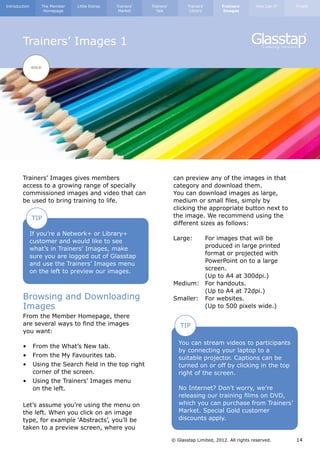
        Trainers’ Images gives members                                     can preview any of the images in that
        access to a growing range of specially                             category and download them.
        commissioned images and video that can                             You can download images as large,
        be used to bring training to life.                                 medium or small files, simply by
                                                                           clicking the appropriate button next to
               TIP                                                         the image. We recommend using the
                                                                           different sizes as follows:
               If you’re a Network+ or Library+
               customer and would like to see                              Large: 	 For images that will be		
               what’s in Trainers’ Images, make                            	          produced in large printed 		
               sure you are logged out of Glasstap                         	          format or projected with 		
               and use the Trainers’ Images menu                           	          PowerPoint on to a large 		
               on the left to preview our images.                          	screen.
                                                                           	          (Up to A4 at 300dpi.)
                                                                           Medium: 	 For handouts.
                                                                           	          (Up to A4 at 72dpi.)
        Browsing and Downloading                                           Smaller: 	 For websites.
        Images                                                             	          (Up to 500 pixels wide.)
        From the Member Homepage, there                                    	
        are several ways to find the images                                    TIP
        you want:
                                                                              You can stream videos to participants
        •	 From the What’s New tab.
                                                                              by connecting your laptop to a
        •	 From the My Favourites tab.                                        suitable projector. Captions can be
        •	 Using the Search field in the top right 	                          turned on or off by clicking in the top
        	 corner of the screen.                                               right of the screen.
        •	 Using the Trainers’ Images menu
        	 on the left.                                                        No Internet? Don’t worry, we’re
                                                                              releasing our training films on DVD,
        Let’s assume you’re using the menu on                                 which you can purchase from Trainers’
        the left. When you click on an image                                  Market. Special Gold customer
        type, for example ‘Abstracts’, you’ll be                              discounts apply.
        taken to a preview screen, where you

                                                                           © Glasstap Limited, 2012. All rights reserved.     14
Introduction          The Member   Little Extras   Trainers’   Trainers’          Trainers’       Trainers’      How Can I?   Finally
                       Homepage                     Market       Talk              Library         Images


        Trainers’ Images 2

               GOLD


        Copyright and Rules
                                                                           Videos may not be modified, reproduced
        Here is a summary of the main rules
                                                                           or shared and may only be used in and
        covering Trainers’ Images. For the full
                                                                           during training events that you are
        rules, please refer to our terms at:
                                                                           facilitating in real-time.
        www.glasstap.com/terms.aspx
                                                                           There are some uses that are specifically
        As long as you have a current Gold
                                                                           prohibited by our full terms, which can be
        Glasstap membership, you have a
                                                                           viewed by visiting:
        personal licence to access Trainers’
                                                                           www.glasstap.com/terms.aspx
        Images and use our copyrighted images
        and video.
                                                                           Prohibited uses include using the image in
                                                                           a design or template for resale, licence or
        Static images may be modified,
                                                                           distribution for profit.
        reproduced and used for any of the
        following permitted uses:

        1.	 In handouts provided to participants 	
        	 on 	 raining courses or workshops that 	
               t
        	 you deliver.
        2.	 In PowerPoint or other presentations 	
        	 in training courses or workshops that 	
        	 you deliver.
        3.	 In advertising and promotional 		
        	 materials, including printed materials, 	
        	 product packaging, catalogues, 		
        	 brochures, promotional greeting cards 	
        	 and promotional postcards that are 	
        	 not for resale or license.
        4.	 In online or electronic publications, 	
        	 including web pages to a maximum 	
        	 of 	800 x 600 pixels for image or 		
        	illustration.
        5.	 Any other uses approved in writing by 	
        	Glasstap.
                                                                           © Glasstap Limited, 2012. All rights reserved.     15
Introduction   The Member   Little Extras   Trainers’   Trainers’          Trainers’       Trainers’      How Can I?   Finally
                Homepage                     Market       Talk              Library        Images


        How can I? 1


        Renew My Membership?                                        Re-Assign Membership to
        Your membership will be due for renewal                     Someone Else?
        every 12 months. We’ll contact you                          We recognise that people’s roles change.
        in plenty of time to remind you when                        If you need to reassign your membership
        payment is due, even if you’ve set up a                     (or if you have a corporate membership,
        FuturePay agreement with your credit or                     any of your licences), just contact your
        debit card to pay your subscriptions by                     Customer Relationship Manager or email
        instalment.                                                 us at contact@glasstap.com. We’ll be
                                                                    pleased to help.
        If you pay your annual subscription in
        one go, you can renew your membership
        online up to three months before your
                                                                    Create a Public Profile?
        current membership expires. You’ll be                       A Public Profile is a powerful marketing
        prompted to do this on the Member                           and networking tool. To create yours just
        Homepage and will have the option of                        go to My Account/Public Profile in the
        renewing using a credit or debit card or                    Member Homepage.
        by requesting an invoice.
                                                                    Update My Details?
        If you pay your annual subscription in                      You can update any of your personal
        instalments using a FuturePay agreement                     information, including your password or
        set up on your credit or debit card,                        security question by going to My Account/
        your membership will be automatically                       Private Profile. Please note, you can not
        renewed without you needing to do                           update your email address online. If
        anything.                                                   your email address changes or you wish
                                                                    to assign your membership to someone
        Ensure I Benefit from the No                                else, please contact your Customer
        Price Increase Guarantee?                                   Relationship Manager.
        As long as we receive your renewal
        payment before your renewal date (the
        anniversary of you joining Glasstap),
        you’ll automatically retain your current
        subscription price. If your membership
        expires, you’ll need to rejoin at the
        current price.
                                                                    © Glasstap Limited, 2012. All rights reserved.     16
Introduction   The Member   Little Extras   Trainers’   Trainers’          Trainers’       Trainers’      How Can I?   Finally
                Homepage                     Market       Talk              Library        Images


        How can I? 2


        Get a Receipt?
        You can view and print a receipt for your
        most recent payment by going to My
        Account/My Invoice. For older receipts,
        follow the link at the top of this pane.
        (Please note, that invoices prior to 2012
        may not be available to view online.
        If you need a copy of an older invoice
        that is not visible, please contact your
        Customer Relationship Manager.)

        Contact My Customer
        Relationship Manager?
        You can view your Customer Relationship
        Manager’s direct contact details (and see
        what they look like!) by clicking on the
        Help tab in the Member Homepage.

        Alternatively, just give us a call on
        0845 222 11 22 (+44(0)1434 381122)
        or email us at contact@glasstap.com, and
        we’ll make sure the right person deals
        with your enquiry.


                                                                    © Glasstap Limited, 2012. All rights reserved.     17
Introduction   The Member   Little Extras   Trainers’   Trainers’          Trainers’       Trainers’      How Can I?   Finally
                Homepage                     Market       Talk              Library        Images


        Finally


        Feedback
        We really appreciate feedback on how
        well your Glasstap membership is
        working for you as well as ideas about
        what changes we could make to help you
        even more. If you have any comments
        or suggestions relating to a document or
        image, or Glasstap in general, please let
        us know.

        Errors and Omissions
        Whilst we have done our best to ensure
        all of the documents on our website
        are error free, (every document goes
        through a three step proof reading
        process) we realise we might not achieve
        perfection all of the time. If you spot
        an error, or room for improvement,
        please let us know. We’ll give priority
        to correcting mistakes in participants’
                                                                                   Glasstap Limited
        handouts and will always email you to let
                                                                                   7 Skelgillside Workshops
        you know when an error you’ve spotted
                                                                                   Alston
        has been corrected.
                                                                                   Cumbria
                                                                                   CA9 3TR

                                                                                   t: 0845 222 11 22
                                                                                   t: +44 (0) 1434 38 11 22

                                                                                   contact@glasstap.com
                                                                                   www.glasstap.com


                                                                    © Glasstap Limited, 2012. All rights reserved.     18

Glasstap Welcome Pack

  • 1.
  • 2.
    Introduction Introduction The Member Copyright LittleAdministration Trainers’ Extras Giving Trainers’ Trainers’ Talk you More Trainers’ Trainers’ Library Trainers’ Trainers’ Images How Can I? F Finally inally Homepage Market Talk Library Images Introduction Welcome to Glasstap Dedicated to Outstanding Please do take the time to read this guide Customer Service before you start using our materials. We take pride in providing exceptional customer service. Membership Levels Glasstap’s suite of services for As a Glasstap member, you will have a professional trainers have been dedicated Customer Relationship Manager developed by trainers, for trainers. Our who is there to help you get the most out aim is to help trainers deliver business of our services. You can find out who your improvement efficiently and with impact. Customer Relationship Manager is and their direct contact number through your As a Glasstap member, you will enjoy Member Homepage. the benefits associated with one of three levels of membership, as follows: More on that later, but remember, we are here to help and listen. So if you have A LEVEL TO SUIT ALL NEED TO SAVE YOUR COMPLETE any questions, ideas, concerns, or need BUDGETS TIME? PACKAGE help, please let us know. Plan Comparison Network+ Library+ Gold Trainers’ Talk Logging In To Log In to Glasstap, just go to Trainers’ Library www.glasstap.com and click on Log In Trainers’ Images (on the left or in the top menu). The first time you log in using your email and Trainers’ Market Discount 5% 10% 10% password, you’ll be asked to create a security question, which you’ll be asked each time you log in as a further TIP identity check. Every trainer needs their own would benefit from their own licence, Glasstap membership at the appropriate please get in touch. It’s easy and cost level in order to have a licence to use effective to upgrade your account our services, materials or images. If you and doing so will avoid copyright have colleagues who you think need or infringement. © Glasstap Limited, 2012. All rights reserved. 2
  • 3.
    Introduction Introduction The Member Copyright LittleAdministration Trainers’ Extras Giving Trainers’ Trainers’ Talk you More Trainers’ Trainers’ Library Trainers’ Trainers’ Images How Can I? F Finally inally Homepage Market Talk Library Images The Member Homepage 1 The Member Homepage is your central My Favourites hub from where you can access the full range of Glasstap’s services. There’s lots of useful information and features on Trainers’ Library – A list of those items you’ve this page, so it’s worth spending a few added to your Favourites folder from minutes familiarising yourself with it. Trainers’ Library. At the top of the page you’ll Trainers’ Images – A snapshot of those see our Newsflash. We’ll use this to keep you up to date with images you’ve added to your Favourites important information like new folder from Trainers’ Images. developments and special offers. Trainers’ Talk – A list of all questions you’ve posted and, beneath, responses you’ve added to other people’s questions. The Tabs: My Account Trainers’ Library My Services The default view when you visit the – This screen shows you homepage – this shows you the latest your current membership level and the materials that have been added to services included in that level. Trainers’ Library. Private Profile – From here you can amend Trainers’ Images any of your personal details, (excluding your email address). To make any A snapshot of the latest additions to changes, click ‘Edit’ and then ‘Update’ Trainers’ Images. when you’ve made the changes you want. If you’d like to change your email address Trainers’ Talk or transfer your membership to another person, please contact your Customer A preview of the latest questions to be Relationship Manager. added to Trainers’ Talk. © Glasstap Limited, 2012. All rights reserved. 3
  • 4.
    Introduction Introduction The Member Copyright LittleAdministration Trainers’ Extras Giving Trainers’ Trainers’ Talk you More Trainers’ Trainers’ Library Trainers’ Trainers’ Images How Can I? F Finally inally Homepage Market Talk Library Images The Member Homepage 2 My Account Public Profile – Creating a Public Profile is TIP a really useful networking tool. When you create a Public Profile, your name will link to it whenever you review a document Create a Public Profile to improve in Trainers’ Library or add a question or your networking opportunities as well response in Trainers’ Talk. Your profile as let others know your credentials and expertise. includes a section on Background, Expertise and another that you can name and define yourself. My Invoice – By default this screen will show you the most recent invoice you’ve paid. To see previous invoices, just click on the link near the top of this pane. (Please note that invoices prior to 2012 will not appear – if you’d like copies of older invoices, please contact your Customer Relationship Manager.) Help – This screen tells you who your Customer Relationship Manager is and gives you their direct contact details. Introduce a Friend – You can earn up to one year’s free membership, just for introducing a friend to Glasstap. Full details and the tool to introduce friends are included in this pane. © Glasstap Limited, 2012. All rights reserved. 4
  • 5.
    Introduction Introduction The Member Copyright LittleAdministration Trainers’ Extras Giving Trainers’ Trainers’ Talk you More Trainers’ Trainers’ Library Trainers’ Trainers’ Images How Can I? F Finally inally Homepage Market Talk Library Images Little Extras 1 This page highlights some of the little Introduce a Friend and extras we provide that you might otherwise overlook. Earn up to 12 Month’s Free Membership No Price Increase Guarantee We hope you value your Glasstap membership, and will be happy to Whichever membership you have, be recommend membership to your friends. it Network+, Library+ or Gold, we If you do, and are, then take advantage guarantee not to increase the price you of our Introduce a Friend scheme. pay for that membership for as long as your membership continues. Even Within the Member Homepage is a special if we’ve put the price of your level of Introduce a Friend screen. When you use membership up for new members, your this and your friend joins within six weeks annual subscription will be the same as it of your introduction, (paying annually) was when you joined. we’ll add free months to your own existing subscription, as follows: The longer you stay with us, the greater the benefit as we’re continuously • Introduce a Library+ customer and developing new materials and making we’ll give you 6 FREE months and these available to customers. extend your renewal date accordingly. • Introduce a Gold customer and we’ll give you 12 FREE months and extend your renewal date accordingly. UP TO Not only this, but your friend will benefit 12 MONTHS 10% from a 10% reduction on their annual subscription. FREE OFF MEMBERSHIP FOR YOUR FOR YOU! FRIENDS © Glasstap Limited, 2012. All rights reserved. 5
  • 6.
    Introduction Introduction The Member Copyright LittleAdministration Trainers’ Extras Giving Trainers’ Trainers’ Talk you More Trainers’ Trainers’ Library Trainers’ Trainers’ Images How Can I? F Finally inally Homepage Market Talk Library Images Little Extras 2 Trainers’ Market Discounts Free Stuff All Glasstap members benefit from You might have overlooked the free a discount whenever they purchase goodies that we offer to everyone, products from Trainers’ Market, as members and non-members alike: follows: Quotations Directory The Quotations Directory contains FREE! Membership Discount quotations that we believe are applicable to training, or which can Network + 5% be used to provoke discussion around a particular topic. They are listed by Library + 10% training category, making it easy to find Gold 10% quotations that are relevant to your training. Just go to Free Stuff/Quotations in the menu on the left. TIP FREE! Gold customers also benefit from a 20% double discount on any of our Rod’s own brand DVDs. Blog Rod’s Blog Our co-founder’s blog is bound to provoke discussion and thought and is well worth following. It can be accessed from: www.glasstap.com/user_area/rods_blog. aspx. Click on the title of any blog entry to gain access to older blog posts too. © Glasstap Limited, 2012. All rights reserved. 6
  • 7.
    Introduction The Member Little Extras Trainers’ Trainers’ Trainers’ Trainers’ How Can I? Finally Homepage Market Talk Library Images Trainers’ Market AVAILABLE TO ALL Trainers’ Market is your point of call for all those little extras that will really bring TIP your training to life. Gold Customers – Watch out for the Here you’ll find: special launch offers on new Glasstap DVD releases. Trainers’ Essentials – Lots of props for activities, to encourage accelerated learning or stimulate discussion. Trainers’ Library Props – If you need any additional props to run an exercise in Trainers’ Library, you’ll find them here. DVD and CD Rom – Including our own brand training DVDs. Download Products – Guides that you can download when you buy. Pocketbooks – We’re a reseller for the excellent range of Pocketbooks. TIP Keep visiting Trainers’ Market to see our Special Offers, including End of Line Offers. © Glasstap Limited, 2012. All rights reserved. 7
  • 8.
    Introduction The Member Administration Extras Homepage Little Trainers’ Market Trainers’ Talk Trainers’ Library Trainers’ Images How Can I? Finally Trainers’ Talk 1 NETWORK+ LIBRARY+ GOLD Trainers’ Talk is the leading online forum Auto Update and networking tool for professional When you join Glasstap, you’re trainers. automatically enrolled to receive the Trainers’ Talk ‘Auto Update’. This is a It’s the official forum for members of regular email that goes out to all active the British Institute for Learning and members, listing new questions and new Development and access to Trainers’ Talk responses. It’s just one of the features is included in every Glasstap membership that helps make Trainers’ Talk one of the package. most useful and widely used forums of its type. Trainers’ Talk is the perfect tool for trainers who want to share ideas, network TIP and get involved with the growing Glasstap ‘community’: To opt out of the Trainers’ Talk Auto • No unnecessary rules or regulations Update: - it’s the person asking the question that determines the type of response 1) og in to the Member Homepage. L they get. 2) o to My Account/Private Profile/ G • Receive a regular auto update, which Edit. will keep you abreast of the threads you want to follow (and exclude those 3) ncheck the Trainers’ Talk Auto U you don’t). Update box and click Update. • Choose to receive email alerts as soon as someone responds to your question. TIP Use the forum to network, share ideas and even win business. © Glasstap Limited, 2012. All rights reserved. 8
  • 9.
    Introduction The Member Administration Extras Homepage Little Trainers’ Market Trainers’ Talk Trainers’ Library Trainers’ Images How Can I? Finally Trainers’ Talk 2 NETWORK+ LIBRARY+ GOLD Adding Questions Copyright and Rules and Responses Here is a summary of the main rules Adding questions and covering Trainers’ Talk. For the full responses in Trainers’ Talk rules, please refer to our terms at: is easy. Simply log in and www.glasstap.com/terms.aspx click ‘Add A Question’ in the Trainers’ Talk menu to start Before sharing documents through a new thread. To respond Trainers’ Talk you must ensure that to a question, click on the doing so does not breach anyone else’s yellow icon next to any copyright or encourage breach of question to see it in detail copyright. This includes offering to share and click ‘Add Response’ copyrighted material with other members. in the Trainers’ Talk menu. If you share your own material or ideas you are making these freely available for Hiding Threads others to use. You can hide threads that don’t interest you. Hiding a thread will also exclude All questions and responses should responses relating to that question from conform to the type of response your Auto Update. So, with Trainers’ Talk, requested and must be respectful. (For a you can focus on the threads you’re really list of the types of responses we are likely interested in getting involved with. to remove, please refer to our full terms.) We reserve the right to remove any postings, which, at our sole discretion, do not abide with the spirit of Trainers’ Talk. TIP 3) Select ‘Don’t see this thread again’ To hide threads: from the options available in the drop down list at the top of 1) Go to the Trainers’ Talk ‘Main List’. the screen. 2) elect those thread you want to hide. S 4) Click ‘Perform Action’. © Glasstap Limited, 2012. All rights reserved. 9
  • 10.
    Introduction The Member Little Extras Trainers’ Trainers’ Trainers’ Trainers’ How Can I? Finally Homepage Market Talk Library Images Trainers’ Library 1 LIBRARY+ GOLD Trainers’ Library is your first point of call Finding and Opening for content for any course or workshop that you’ll deliver in real-time. (It is Documents not suitable and cannot be used for From your Member Homepage, there are e-learning or distance learning.) several ways to find the training materials you need: You’ll discover that our course material engages learners and results in real • From the What’s New tab. learning that can be applied in the • From the My Favourites tab. workplace. It’s also often fun to deliver • Using the Search field in the top right and participate in. corner of the screen. • Using the Trainers’ Library menu on We provide detailed trainer’s notes, the left. handouts, briefs, PowerPoint; everything you need to put powerful courses and workshops together. TIP Our Course Agendas section shows you how modules can be linked together to create complete one or Let’s assume you’re using the menu on two day workshops and courses. the left. When you click on a document type, for example ‘Course Modules’, you’ll see a page with a brief explanation of the type of material within this area and a list of learning topics. Click on the blue arrow next to any topic to open the list of modules linked to that topic. © Glasstap Limited, 2012. All rights reserved. 10
  • 11.
    Introduction The Member Little Extras Trainers’ Trainers’ Trainers’ Trainers’ How Can I? Finally Homepage Market Talk Library Images Trainers’ Library 2 LIBRARY+ GOLD This screen shows you the module Using Our Material names, how long they typically take You will soon discover that the training to deliver (allowing for discussion and material in Trainers’ Library has been analysis as well as the exercise) and designed to be highly participative in three icons: nature. We normally use a combination of exercise and discussion to help This button will take you to the develop key learning points. To help you module reviews screen. Here you run a successful discussion, we provide can add a review for a module you’ve suggested questions and summarise the used, or read reviews on a module you learning points periodically throughout are considering using. the training modules. This button will add the module to your Favourites. This is a special Discussion questions are there to act folder accessed from the My Favourites as a guide and should not be used tab in your Member Homepage and it’s as a script. As a trainer you will need a great way of shortlisting modules you to respond to the points raised by intend to use again and again. (They’ll participants, and whenever possible ask remain in the normal listings too.) supplementary questions that build on This button will expand your view comments that participants have made. to include a brief summary of the module and the links to download the You’ll notice that the trainer’s notes have documents associated with it. Clicking been produced using a larger font than on the blue arrow again will close this this guide, whilst handouts are produced expanded view. You can open and using the standard font. The larger font preview several modules at a time. is used in the trainer’s notes to make it easier for trainers to refer to them during delivery. However, once again, please don’t use the trainer’s notes as a script. TIP The more familiar you are with the notes prior to delivering the module, the more Every time you review a module, successful your training session is likely we’ll send you a £5 Trainers’ Market to be. voucher as a thank you. © Glasstap Limited, 2012. All rights reserved. 11
  • 12.
    Introduction The Member Little Extras Trainers’ Trainers’ Trainers’ Trainers’ How Can I? Finally Homepage Market Talk Library Images Trainers’ Library 3 LIBRARY+ GOLD Summary Sheets Equipment You’ll Need You can download trainer’s notes We assume that the following equipment with, or without, the summary sheets. will be available to trainers delivering our The summary sheets contain useful training material: information about the aims of the module, who the module might be • A training room large enough for suitable for, what additional materials you participants to work at their desks and need and a key to the symbols used in space for participants to break out into the trainer’s notes. small teams of 4-6. • Flipchart paper (or equivalent). Symbols Used to Highlight • An overhead projector or laptop. This Important Information: is not always required and even where there are PowerPoint slides included in a module, these can easily be Background information. replaced with prepared flipcharts or additional handouts if you prefer. Ideas that you might want to use. • Pens, pencils and paper for participants. Things to look out for. Where equipment or materials other than Visual Aid – for example, these and the documents we provide are PowerPoint. required, we will tell you in the summary sheet and in the information on the website about that module. Most of this information is also included in the description of the module, found on TIP the website. Any additional materials can usually be purchased at: www.trainersmarket.com © Glasstap Limited, 2012. All rights reserved. 12
  • 13.
    Introduction The Member Little Extras Trainers’ Trainers’ Trainers’ Trainers’ How Can I? Finally Homepage Market Talk Library Images Trainers’ Library 4 LIBRARY+ GOLD Who Are The Exercises Copyright and Rules Suitable For? Here is a summary of the main rules The summary sheets for each training covering Trainers’ Library. For the full module will include advice about who rules, please refer to our terms at: the module is suitable for. This is a guide www.glasstap.com/terms.aspx only, as the needs of participants at different levels within an organisation As long as you have a current Library+ will vary. The experiential nature of our or Gold Glasstap membership, you have training material means that the same a personal licence to access Trainers’ exercise will often work with staff at Library and use our copyrighted trainer’s many different levels. For example, Island notes in any training at which you are of Opportunity has been used with junior present, in real time, virtually (for staff right through to senior directors and example by non-recorded webinar) executives. or physically (e.g., a classroom based course or workshop). Our trainer’s notes may not be distributed to anyone who is How Many Participants? not a current Library+ or Gold Glasstap Most exercises have been designed for member or used in any other way without use with groups no larger than 15, and our prior written consent. the timings given for each module are based on groups of between 10 and 12. Handouts, slides or other participant The summary sheets will tell you if the material referred to in our trainer’s module is suitable for smaller or larger notes may be distributed to participants groups. Many work well with smaller present at training you deliver. With the groups and some are suitable for use exception of handouts, you should retain with much larger groups (particularly any documents used after the training is some of the teambuilding games). complete. (You can provide paper copies of our PowerPoint slides to participants as an additional handout if you desire.) If you cancel your membership, you will no longer have a licence to access or use our materials and you’ll need to destroy anything you’ve downloaded. © Glasstap Limited, 2012. All rights reserved. 13
  • 14.
    Introduction The Member Little Extras Trainers’ Trainers’ Trainers’ Trainers’ How Can I? Finally Homepage Market Talk Library Images Trainers’ Images 1 GOLD Trainers’ Images gives members can preview any of the images in that access to a growing range of specially category and download them. commissioned images and video that can You can download images as large, be used to bring training to life. medium or small files, simply by clicking the appropriate button next to TIP the image. We recommend using the different sizes as follows: If you’re a Network+ or Library+ customer and would like to see Large: For images that will be what’s in Trainers’ Images, make produced in large printed sure you are logged out of Glasstap format or projected with and use the Trainers’ Images menu PowerPoint on to a large on the left to preview our images. screen. (Up to A4 at 300dpi.) Medium: For handouts. (Up to A4 at 72dpi.) Browsing and Downloading Smaller: For websites. Images (Up to 500 pixels wide.) From the Member Homepage, there are several ways to find the images TIP you want: You can stream videos to participants • From the What’s New tab. by connecting your laptop to a • From the My Favourites tab. suitable projector. Captions can be • Using the Search field in the top right turned on or off by clicking in the top corner of the screen. right of the screen. • Using the Trainers’ Images menu on the left. No Internet? Don’t worry, we’re releasing our training films on DVD, Let’s assume you’re using the menu on which you can purchase from Trainers’ the left. When you click on an image Market. Special Gold customer type, for example ‘Abstracts’, you’ll be discounts apply. taken to a preview screen, where you © Glasstap Limited, 2012. All rights reserved. 14
  • 15.
    Introduction The Member Little Extras Trainers’ Trainers’ Trainers’ Trainers’ How Can I? Finally Homepage Market Talk Library Images Trainers’ Images 2 GOLD Copyright and Rules Videos may not be modified, reproduced Here is a summary of the main rules or shared and may only be used in and covering Trainers’ Images. For the full during training events that you are rules, please refer to our terms at: facilitating in real-time. www.glasstap.com/terms.aspx There are some uses that are specifically As long as you have a current Gold prohibited by our full terms, which can be Glasstap membership, you have a viewed by visiting: personal licence to access Trainers’ www.glasstap.com/terms.aspx Images and use our copyrighted images and video. Prohibited uses include using the image in a design or template for resale, licence or Static images may be modified, distribution for profit. reproduced and used for any of the following permitted uses: 1. In handouts provided to participants on raining courses or workshops that t you deliver. 2. In PowerPoint or other presentations in training courses or workshops that you deliver. 3. In advertising and promotional materials, including printed materials, product packaging, catalogues, brochures, promotional greeting cards and promotional postcards that are not for resale or license. 4. In online or electronic publications, including web pages to a maximum of 800 x 600 pixels for image or illustration. 5. Any other uses approved in writing by Glasstap. © Glasstap Limited, 2012. All rights reserved. 15
  • 16.
    Introduction The Member Little Extras Trainers’ Trainers’ Trainers’ Trainers’ How Can I? Finally Homepage Market Talk Library Images How can I? 1 Renew My Membership? Re-Assign Membership to Your membership will be due for renewal Someone Else? every 12 months. We’ll contact you We recognise that people’s roles change. in plenty of time to remind you when If you need to reassign your membership payment is due, even if you’ve set up a (or if you have a corporate membership, FuturePay agreement with your credit or any of your licences), just contact your debit card to pay your subscriptions by Customer Relationship Manager or email instalment. us at contact@glasstap.com. We’ll be pleased to help. If you pay your annual subscription in one go, you can renew your membership online up to three months before your Create a Public Profile? current membership expires. You’ll be A Public Profile is a powerful marketing prompted to do this on the Member and networking tool. To create yours just Homepage and will have the option of go to My Account/Public Profile in the renewing using a credit or debit card or Member Homepage. by requesting an invoice. Update My Details? If you pay your annual subscription in You can update any of your personal instalments using a FuturePay agreement information, including your password or set up on your credit or debit card, security question by going to My Account/ your membership will be automatically Private Profile. Please note, you can not renewed without you needing to do update your email address online. If anything. your email address changes or you wish to assign your membership to someone Ensure I Benefit from the No else, please contact your Customer Price Increase Guarantee? Relationship Manager. As long as we receive your renewal payment before your renewal date (the anniversary of you joining Glasstap), you’ll automatically retain your current subscription price. If your membership expires, you’ll need to rejoin at the current price. © Glasstap Limited, 2012. All rights reserved. 16
  • 17.
    Introduction The Member Little Extras Trainers’ Trainers’ Trainers’ Trainers’ How Can I? Finally Homepage Market Talk Library Images How can I? 2 Get a Receipt? You can view and print a receipt for your most recent payment by going to My Account/My Invoice. For older receipts, follow the link at the top of this pane. (Please note, that invoices prior to 2012 may not be available to view online. If you need a copy of an older invoice that is not visible, please contact your Customer Relationship Manager.) Contact My Customer Relationship Manager? You can view your Customer Relationship Manager’s direct contact details (and see what they look like!) by clicking on the Help tab in the Member Homepage. Alternatively, just give us a call on 0845 222 11 22 (+44(0)1434 381122) or email us at contact@glasstap.com, and we’ll make sure the right person deals with your enquiry. © Glasstap Limited, 2012. All rights reserved. 17
  • 18.
    Introduction The Member Little Extras Trainers’ Trainers’ Trainers’ Trainers’ How Can I? Finally Homepage Market Talk Library Images Finally Feedback We really appreciate feedback on how well your Glasstap membership is working for you as well as ideas about what changes we could make to help you even more. If you have any comments or suggestions relating to a document or image, or Glasstap in general, please let us know. Errors and Omissions Whilst we have done our best to ensure all of the documents on our website are error free, (every document goes through a three step proof reading process) we realise we might not achieve perfection all of the time. If you spot an error, or room for improvement, please let us know. We’ll give priority to correcting mistakes in participants’ Glasstap Limited handouts and will always email you to let 7 Skelgillside Workshops you know when an error you’ve spotted Alston has been corrected. Cumbria CA9 3TR t: 0845 222 11 22 t: +44 (0) 1434 38 11 22 contact@glasstap.com www.glasstap.com © Glasstap Limited, 2012. All rights reserved. 18