1
GIT-TING BETTER,
CONFESSION OF A GIT ADDICT
SOFTSHAKE 2016
2
3
Grégory Bataille
@gregbfiveten
Pix4D
Back end engineer
photogrammetry
THE GASTRO-
INTESTINAL
TRACK
4
http://julienrenaux.fr/2013/10/04/how-to-automatically-checkout-the-latest-tag-of-a-git-repository/
5
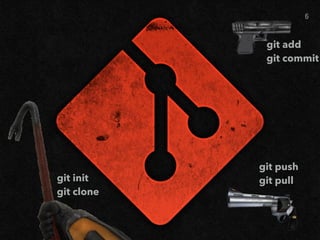
git init

git clone
git add

git commit
git push

git pull
6
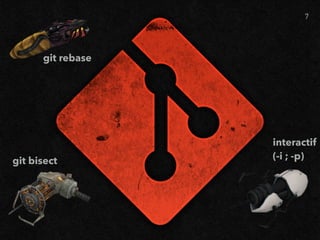
git rebase
git bisect
interactif

(-i ; -p)
7
AGENDA
8
GIT-TING BETTER
AGENDA
▸ Basics
▸ Diffs
▸ Log(s)
▸ Rebase
▸ Interactive Manipulations
▸ A full workflow
9
BASICS
10
GIT-TING BETTER
ARCHITECTURE BASICS
▸ Commit = collection of diffs
▸ Repo = collection of commits, each commit referencing its
parent(s)
▸ Branch = pointer (HEAD) on a commit
11
MASTERING
DIFFS
12
GIT-TING BETTER
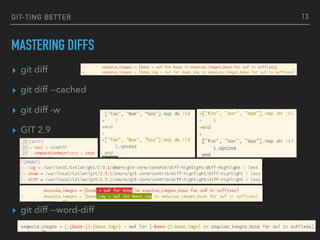
MASTERING DIFFS
▸ git diff
▸ git diff --cached
▸ git diff -w
▸ GIT 2.9
▸ git diff --word-diff
13
THE LOG(S)
14
GIT-TING BETTER
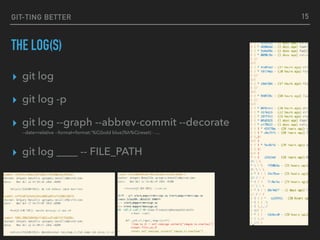
THE LOG(S)
▸ git log
▸ git log -p
▸ git log --graph --abbrev-commit --decorate 

--date=relative --format=format:'%C(bold blue)%h%C(reset) - …
▸ git log ____ -- FILE_PATH
15
GIT-TING BETTER
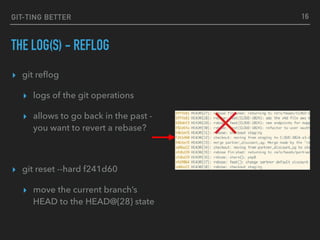
THE LOG(S) - REFLOG
▸ git reflog
▸ logs of the git operations
▸ allows to go back in the past -
you want to revert a rebase?
▸ git reset --hard f241d60
▸ move the current branch’s
HEAD to the HEAD@{28} state
16
GIT-TING BETTER
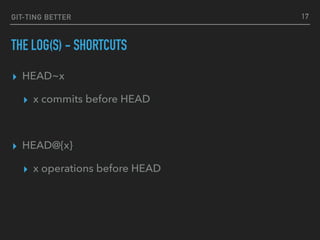
THE LOG(S) - SHORTCUTS
▸ HEAD~x
▸ x commits before HEAD
▸ HEAD@{x}
▸ x operations before HEAD
17
GIT-TING BETTER
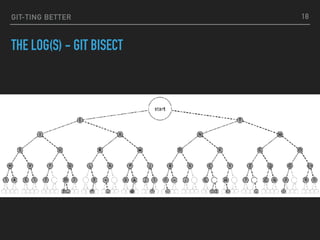
THE LOG(S) - GIT BISECT
18
REBASE
19
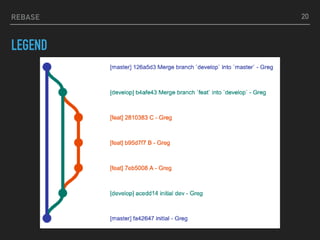
REBASE
LEGEND
20
21
WHY
WHAT
HOW?
?
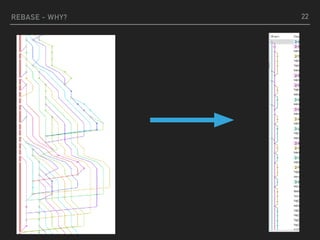
REBASE - WHY? 22
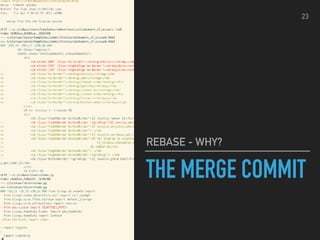
THE MERGE COMMIT
REBASE - WHY?
23
24
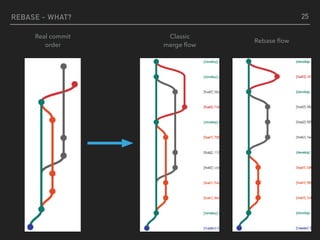
REBASE - WHAT? 25
Classic

merge flow
Rebase flow
Real commit

order
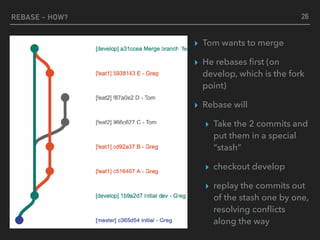
REBASE - HOW? 26
▸ Tom wants to merge
▸ He rebases first (on
develop, which is the fork
point)
▸ Rebase will
▸ Take the 2 commits and
put them in a special
“stash”
▸ checkout develop
▸ replay the commits out
of the stash one by one,
resolving conflicts
along the way
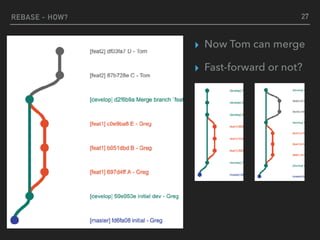
REBASE - HOW? 27
▸ Now Tom can merge
▸ Fast-forward or not?
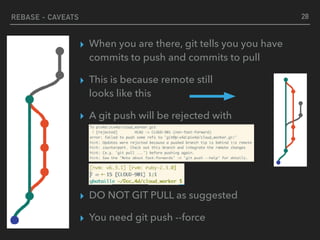
▸ When you are there, git tells you you have
commits to push and commits to pull
▸ This is because remote still

looks like this
▸ A git push will be rejected with

▸ DO NOT GIT PULL as suggested
▸ You need git push --force
REBASE - CAVEATS 28
29
REBASE
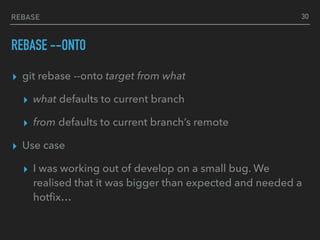
REBASE --ONTO
▸ git rebase --onto target from what
▸ what defaults to current branch
▸ from defaults to current branch’s remote
▸ Use case
▸ I was working out of develop on a small bug. We
realised that it was bigger than expected and needed a
hotfix…
30
INTERACTIVE
MANIPULATIONS
31
INTERACTIVE MANIPULATIONS
WHY SHOULD I CARE?
▸ Commits should be unitary / single purpose
▸ Easier to follow the history
▸ Easier to review
▸ Easier to revert if needed
▸ Easier to isolate a change creating a bug
▸ …
▸ We are not capable of that
32
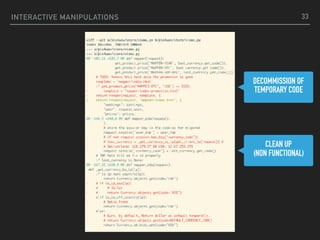
INTERACTIVE MANIPULATIONS 33
DECOMMISSION OF
TEMPORARY CODE
CLEAN UP
(NON FUNCTIONAL)
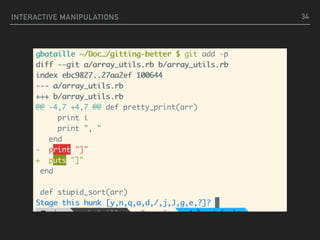
INTERACTIVE MANIPULATIONS 34
INTERACTIVE MANIPULATIONS
▸ git reset -p
▸ git checkout -p
35
INTERACTION MANIPULATIONS
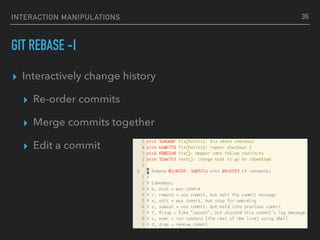
GIT REBASE -I
▸ Interactively change history
▸ Re-order commits
▸ Merge commits together
▸ Edit a commit
36
A FULL
WORKFLOW
37
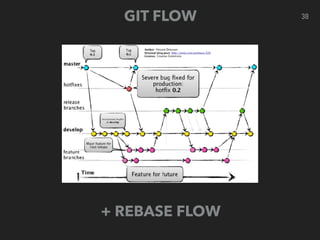
38GIT FLOW
+ REBASE FLOW
A FULL WORKFLOW
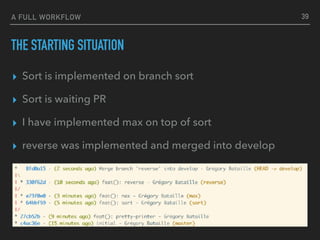
THE STARTING SITUATION
▸ Sort is implemented on branch sort
▸ Sort is waiting PR
▸ I have implemented max on top of sort
▸ reverse was implemented and merged into develop
39
CONCLUSION
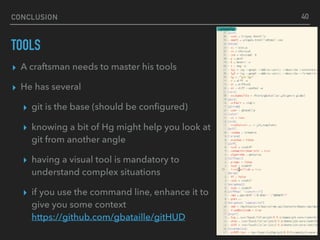
TOOLS
▸ A craftsman needs to master his tools
▸ He has several
▸ git is the base (should be configured)
▸ knowing a bit of Hg might help you look at
git from another angle
▸ having a visual tool is mandatory to
understand complex situations
▸ if you use the command line, enhance it to
give you some context

https://github.com/gbataille/gitHUD
40
41
42
Grégory Bataille
@gregbfiveten
Pix4D
Back end engineer
photogrammetry

Gitting better