Git Training
jeremy.gobet.72@gmail.com
Agenda
1. Discover Git
2. Basic commands
3. Understand Git basics
4. Working remotely
5. Branches & workflows
6. Rewrite history
7. Other commands
8. Advanced notions
9. Conclusion
Discover Git
Connect
u Are you using source control ?
u What great about it ?
u What not so nice ?
u What missing and why would I want that ?
Version Control
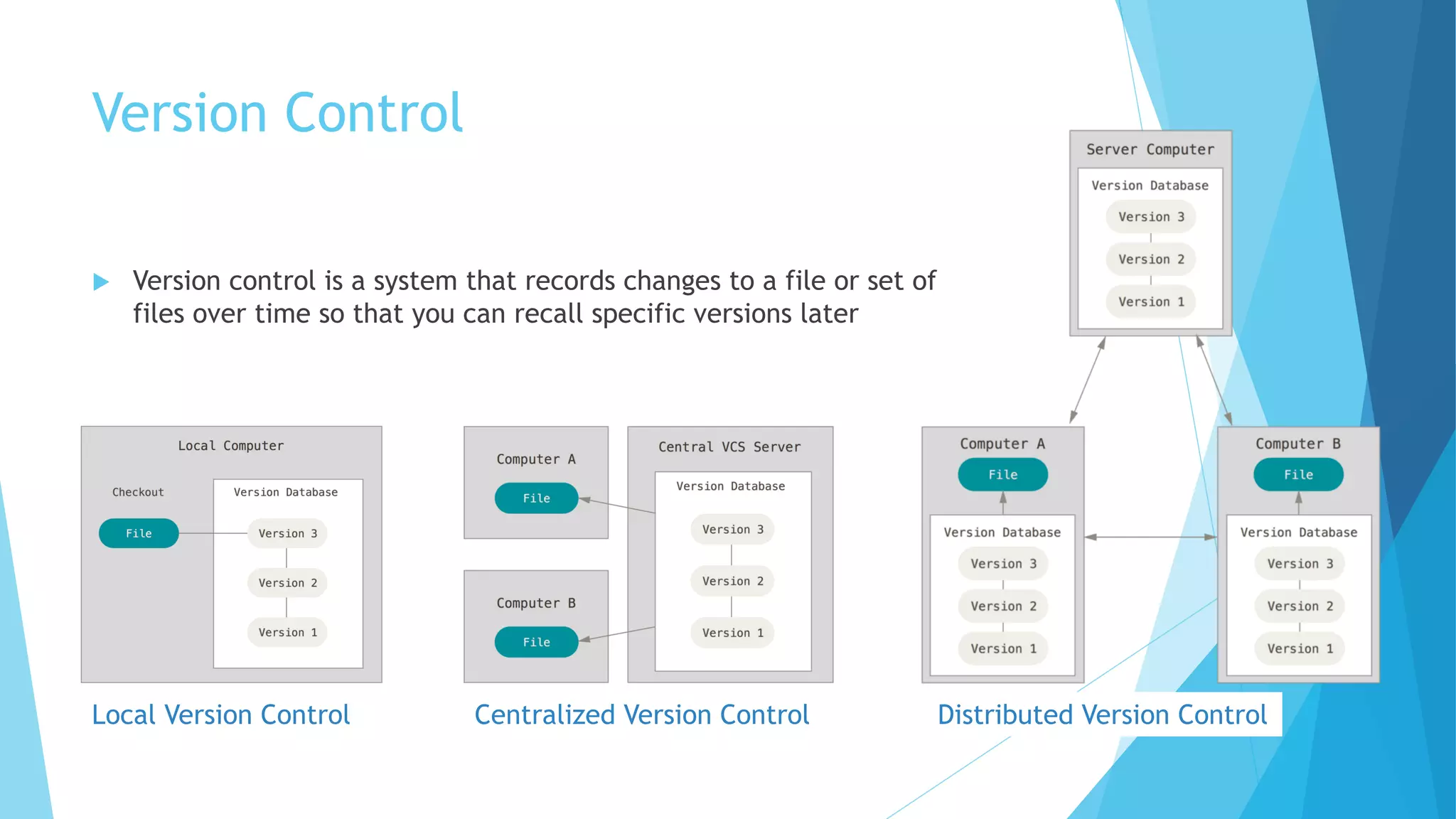
u Version control is a system that records changes to a file or set of
files over time so that you can recall specific versions later
Local Version Control Centralized Version Control Distributed Version Control
What are the pains for developers about
source code ?
u Do modifications in isolation
u Do not be impact by changes of my colleagues
u Have several versions of the software
u The current development version
u To do a patch on an old version
u Merge my work with others
u Have backup of the source code
u Have an history of changes
u View the origin of modifications in a file
u Have consistency
u Most of changes concern several files
u Compare versions
Git & Ecosystem
u Git is the heart, but there are also fundamental tools/sites
around
u They offer free or paid remote repository
u 'Social network' feature about coding
u Tasks repository
u Collaborative feature : Merge (or Pull request)
https://gitlab.com/https://github.com/ https://bitbucket.org/
Basic commands
Git config
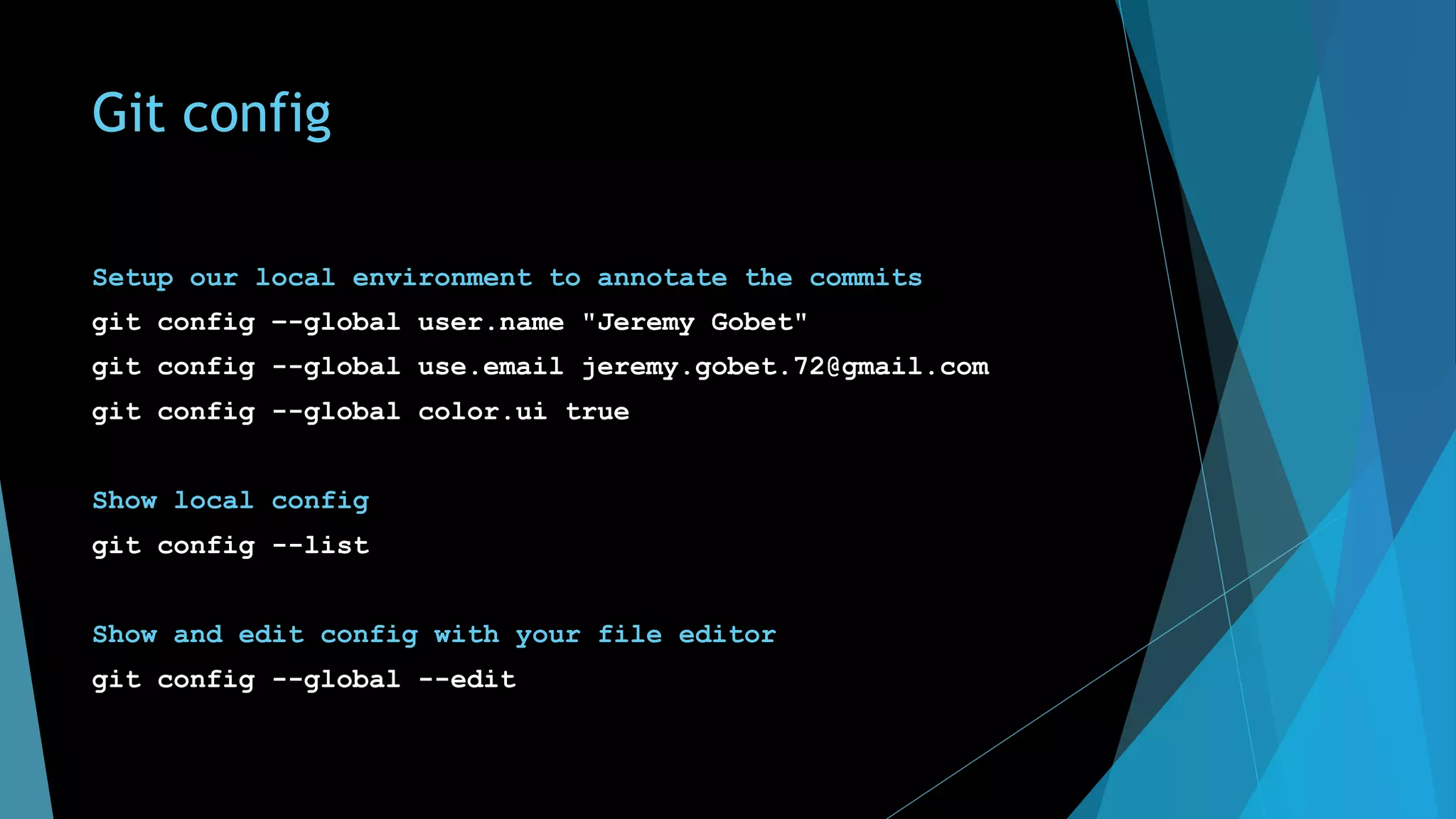
Setup our local environment to annotate the commits
git config –-global user.name "Jeremy Gobet"
git config --global use.email jeremy.gobet.72@gmail.com
git config --global color.ui true
Show local config
git config --list
Show and edit config with your file editor
git config --global --edit
Git help
git help
Help about a specific command
git help <command>
git help add
git help commit
git help status
git help push
git help pull
Understand Git basics
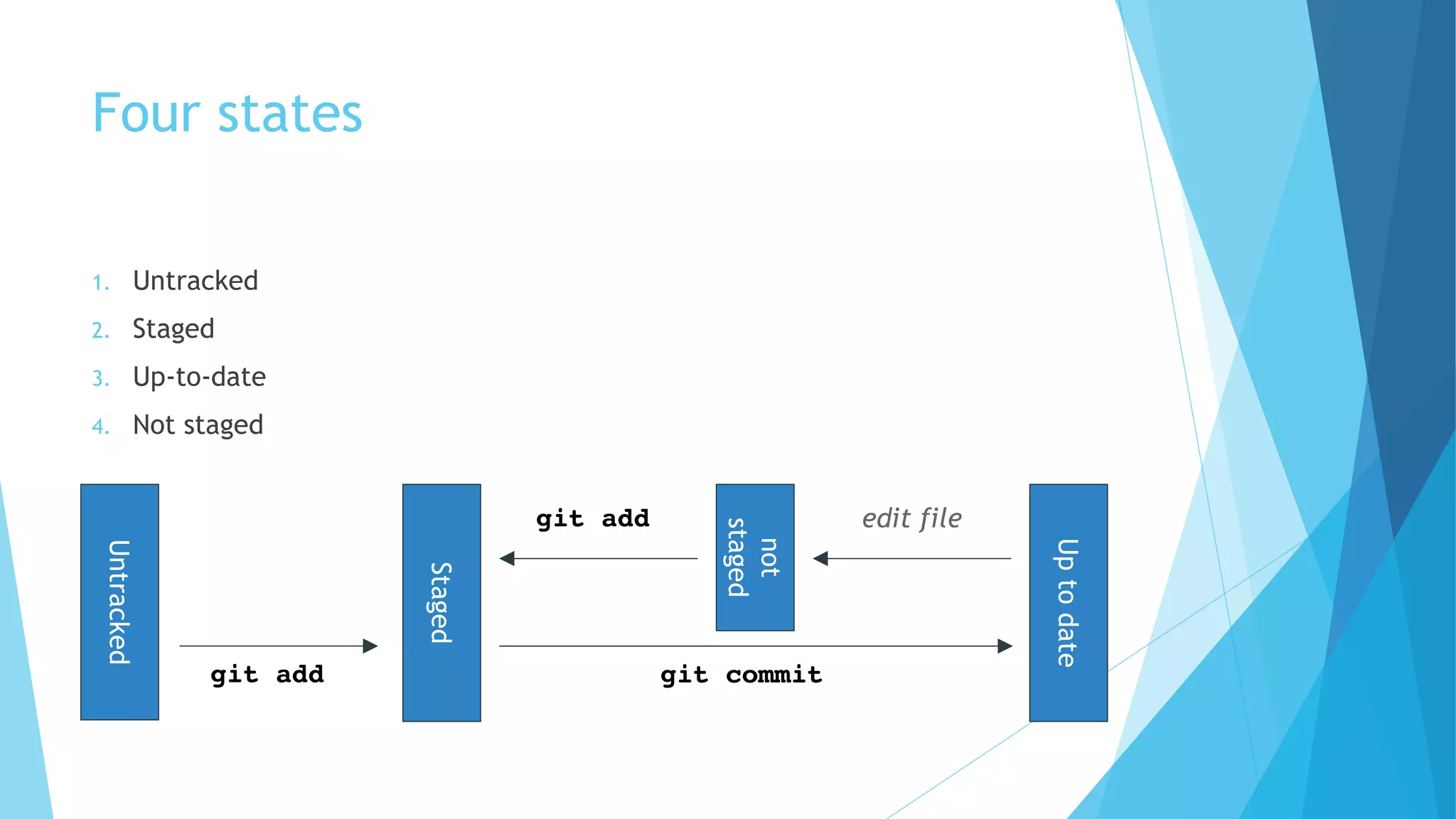
Four states
1. Untracked
2. Staged
3. Up-to-date
4. Not staged
Untracked
Staged
Uptodate
git add git commit
not
staged
edit filegit add
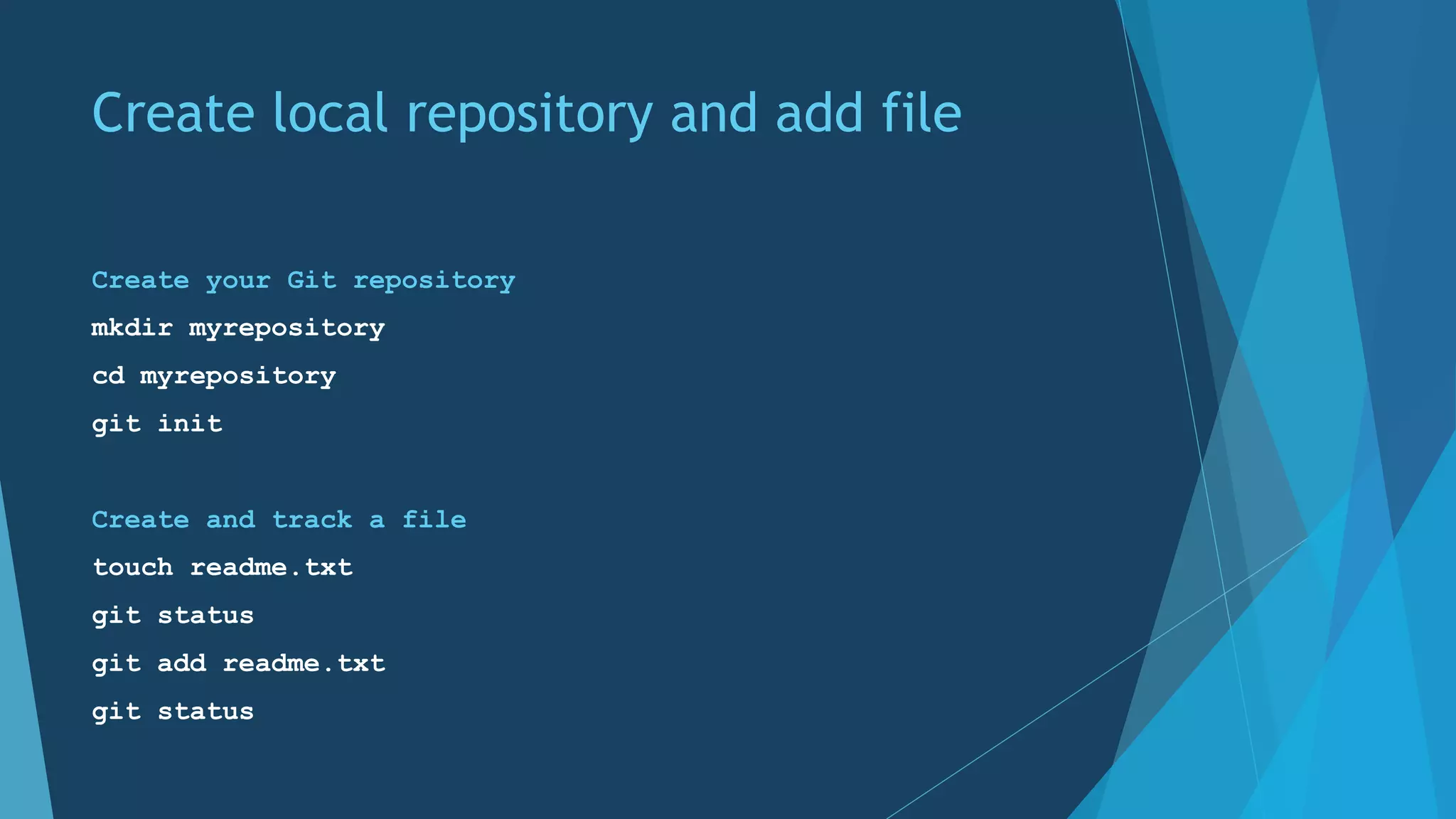
Create local repository and add file
Create your Git repository
mkdir myrepository
cd myrepository
git init
Create and track a file
touch readme.txt
git status
git add readme.txt
git status
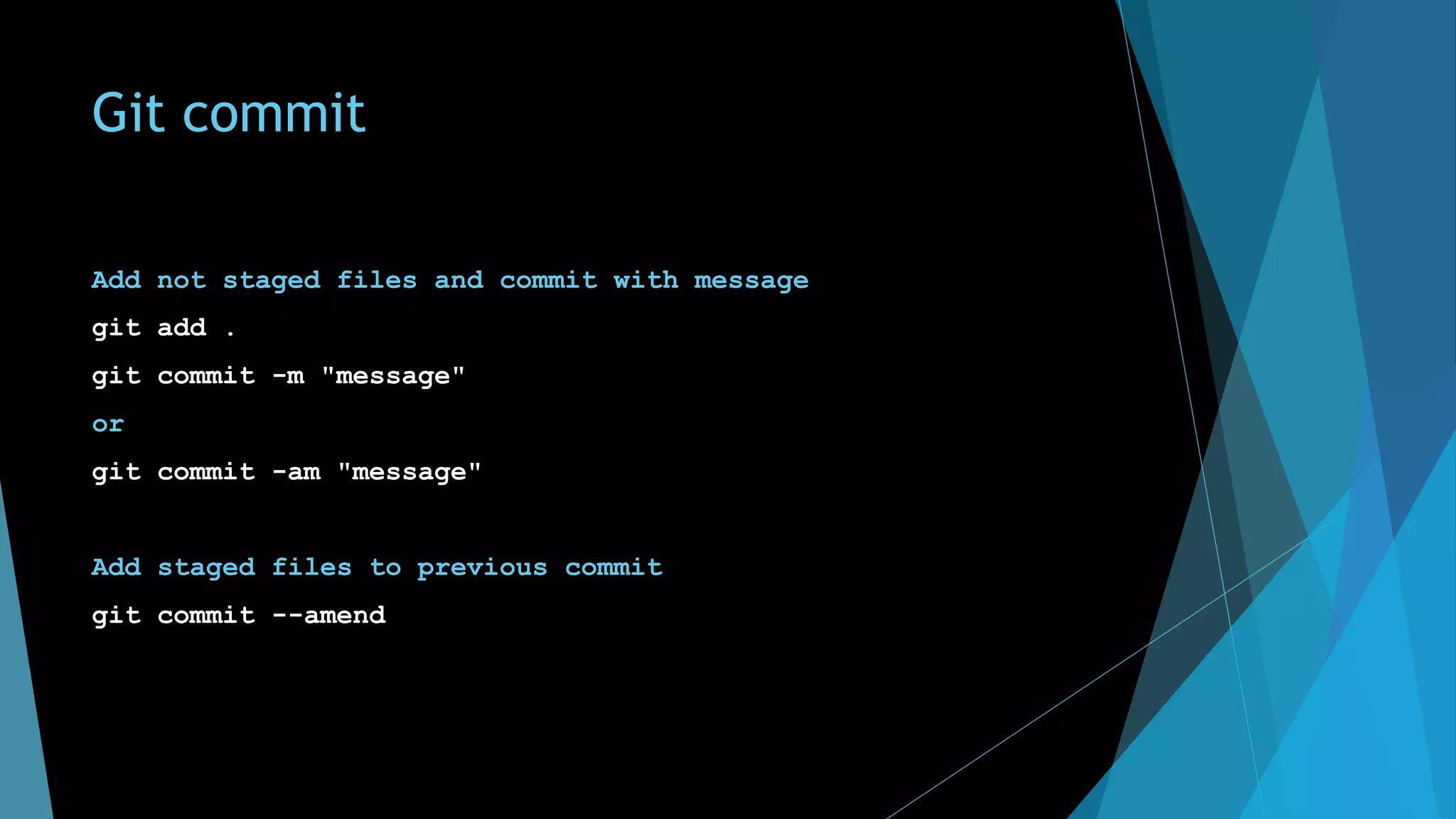
Git commit
Add not staged files and commit with message
git add .
git commit -m "message"
or
git commit -am "message"
Add staged files to previous commit
git commit --amend
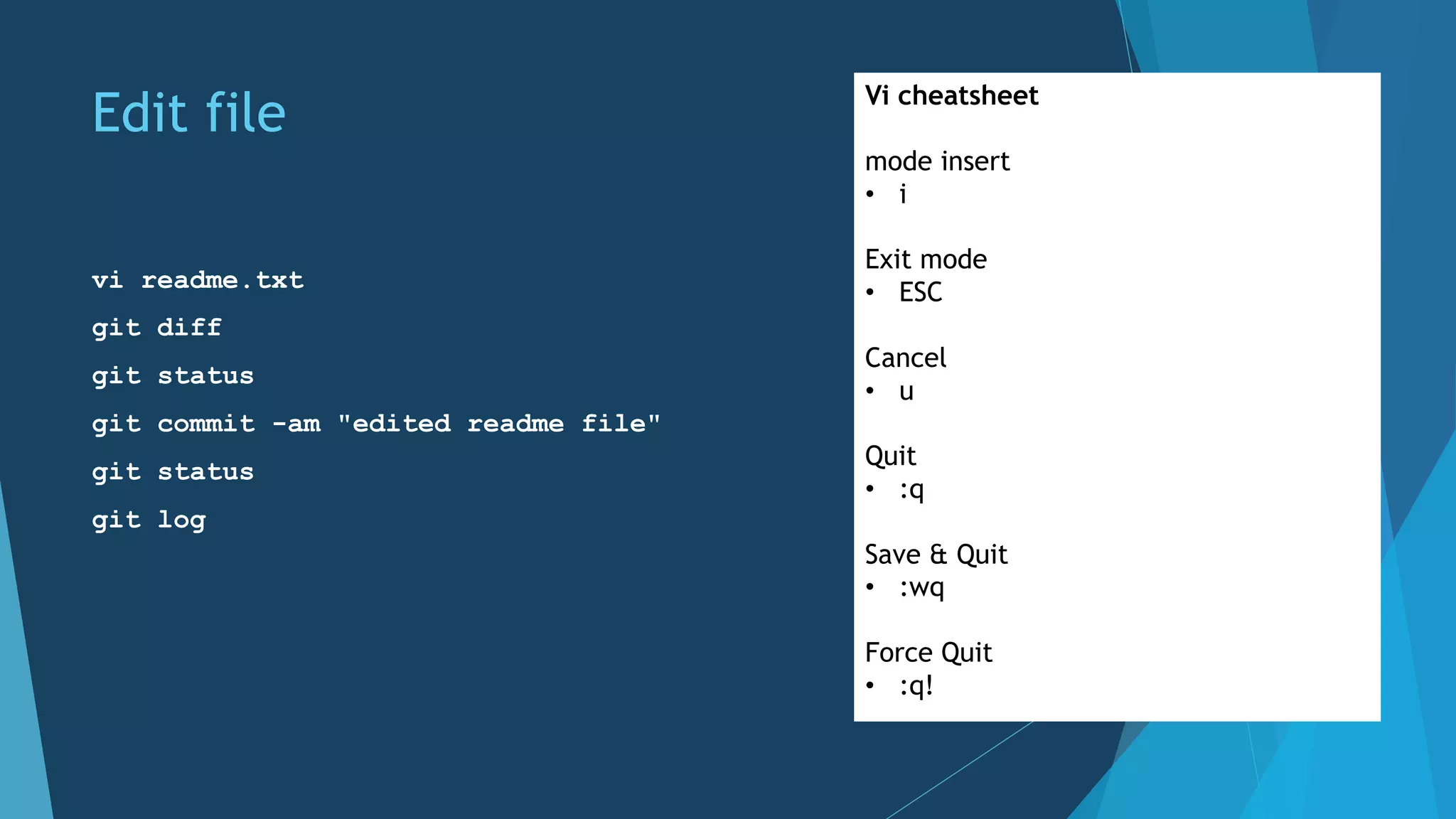
Edit file
vi readme.txt
git diff
git status
git commit -am "edited readme file"
git status
git log
Vi cheatsheet
mode insert
• i
Exit mode
• ESC
Cancel
• u
Quit
• :q
Save & Quit
• :wq
Force Quit
• :q!
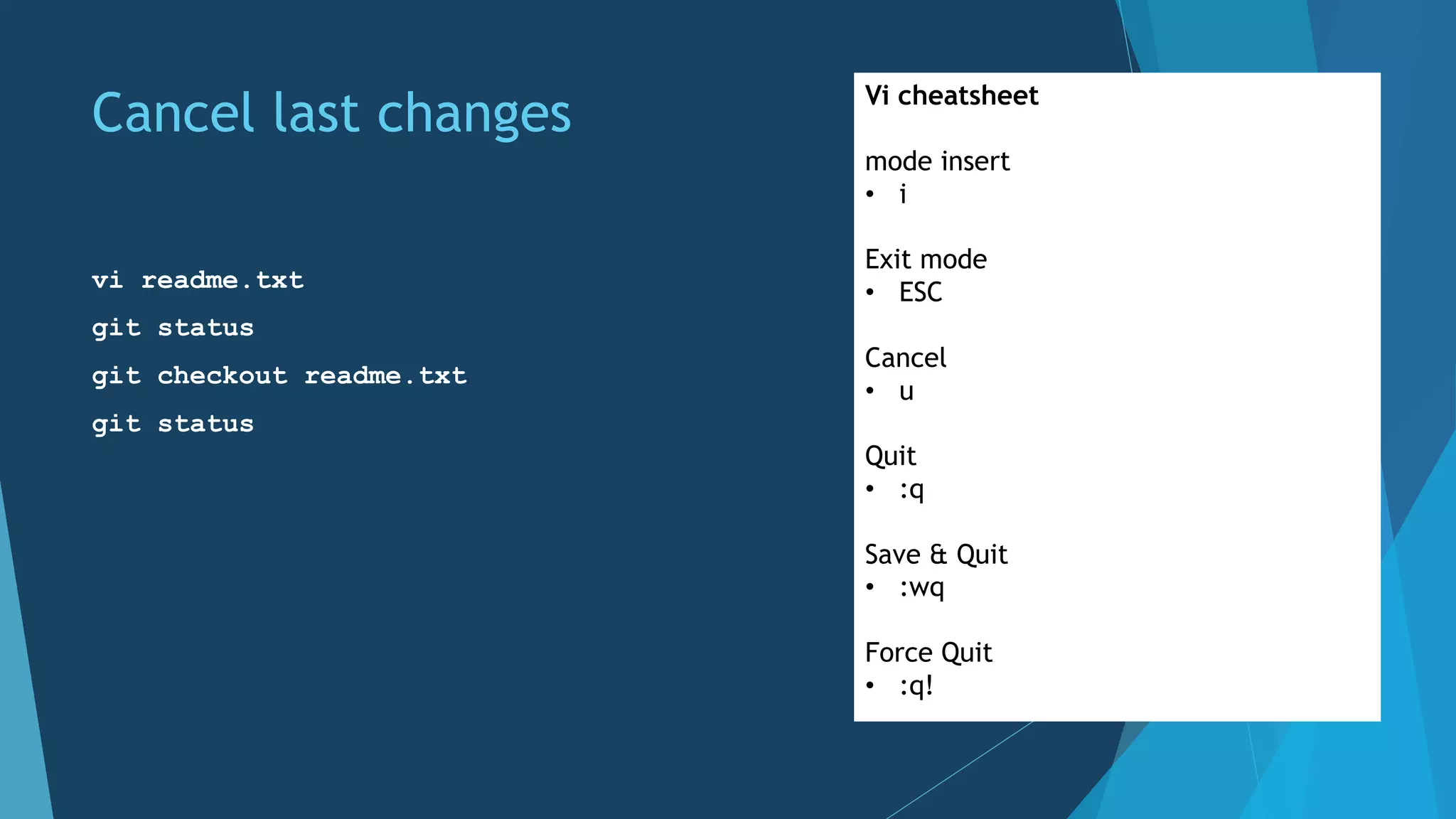
Cancel last changes
vi readme.txt
git status
git checkout readme.txt
git status
Vi cheatsheet
mode insert
• i
Exit mode
• ESC
Cancel
• u
Quit
• :q
Save & Quit
• :wq
Force Quit
• :q!
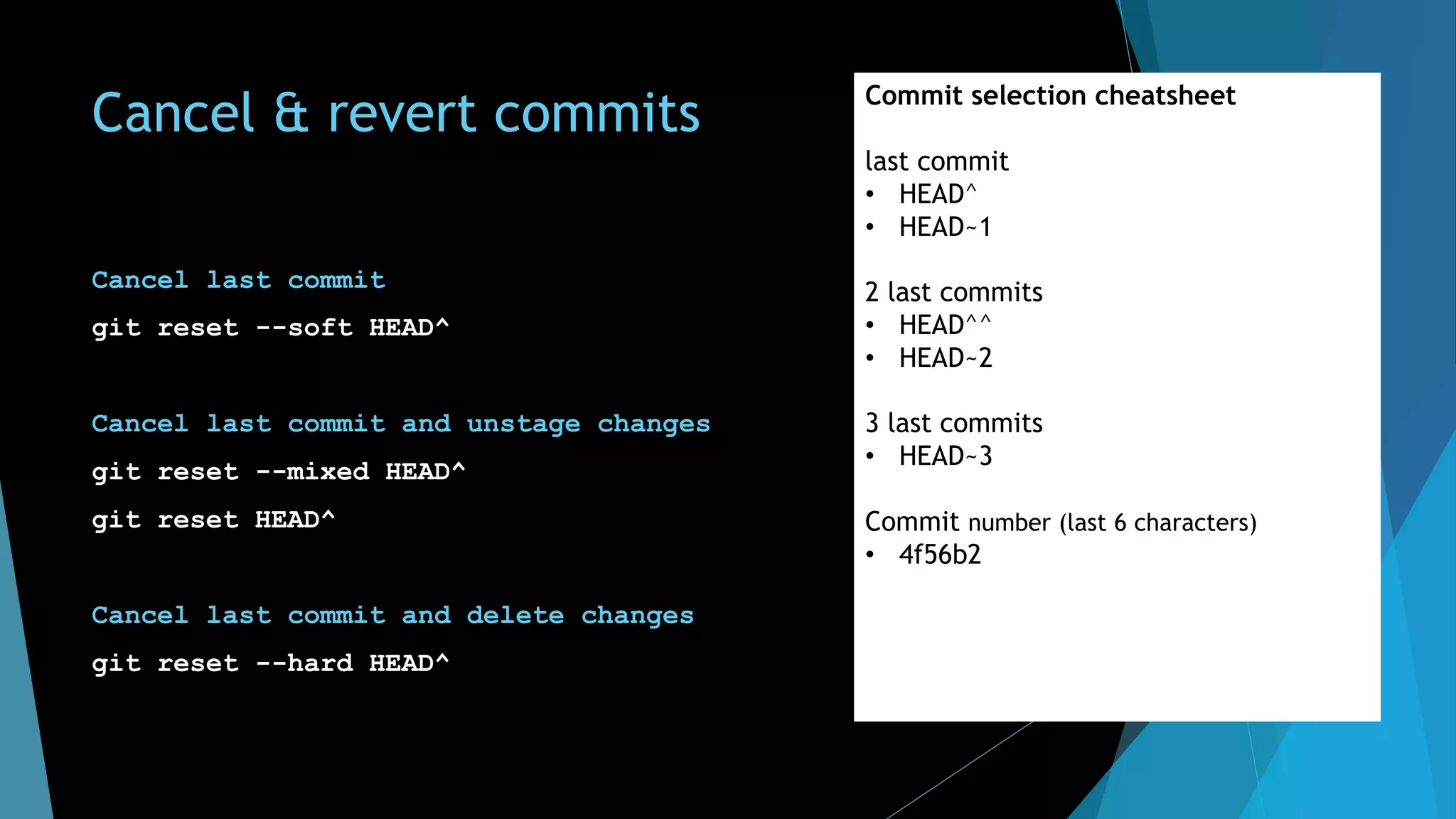
Cancel & revert commits
Cancel last commit
git reset --soft HEAD^
Cancel last commit and unstage changes
git reset --mixed HEAD^
git reset HEAD^
Cancel last commit and delete changes
git reset --hard HEAD^
Commit selection cheatsheet
last commit
• HEAD^
• HEAD~1
2 last commits
• HEAD^^
• HEAD~2
3 last commits
• HEAD~3
Commit number (last 6 characters)
• 4f56b2
Remove file from repository
git rm readme.txt
git status
git commit -am "removed readme file"
git status
git log
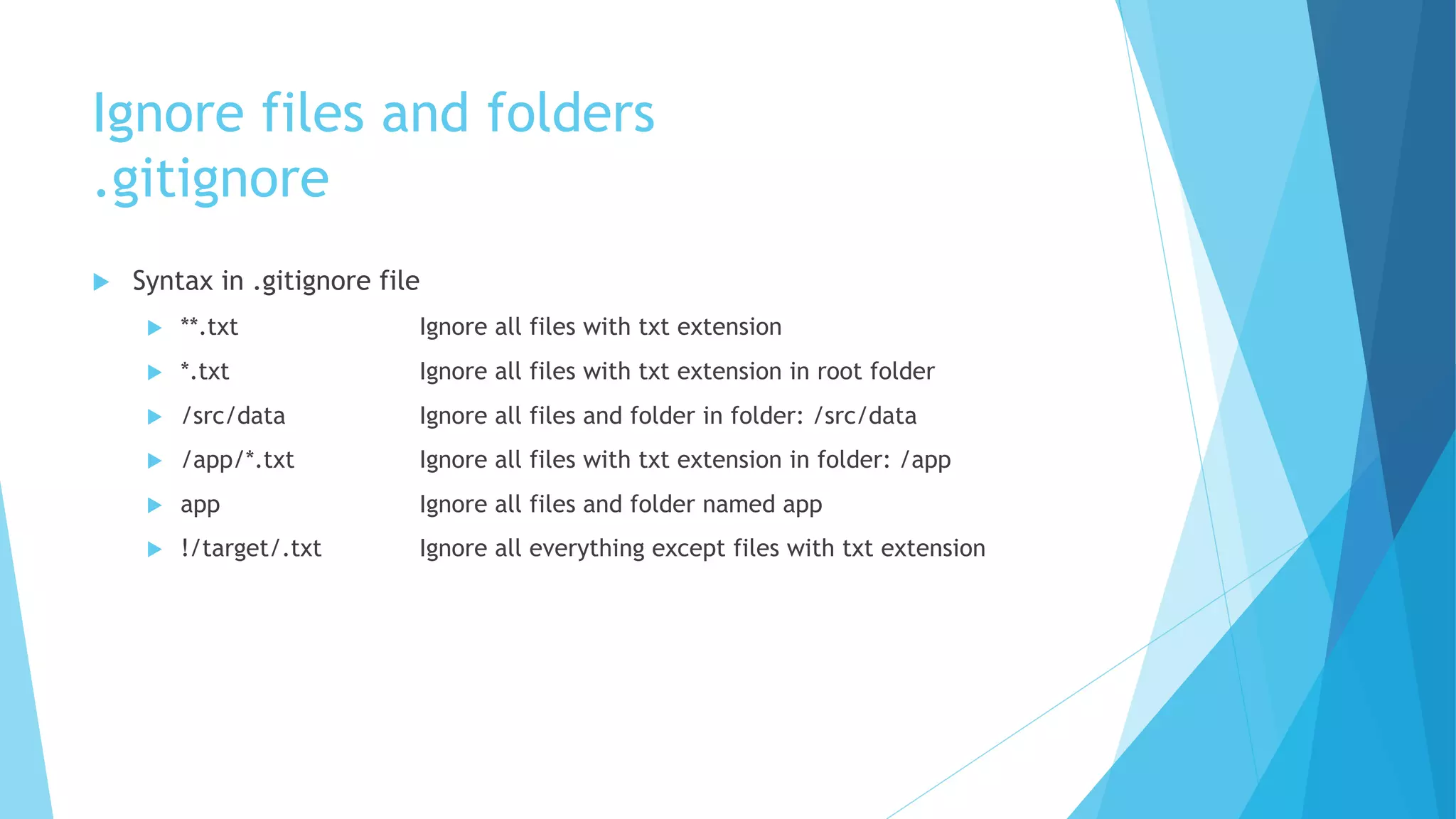
Ignore files and folders
.gitignore
u Syntax in .gitignore file
u **.txt Ignore all files with txt extension
u *.txt Ignore all files with txt extension in root folder
u /src/data Ignore all files and folder in folder: /src/data
u /app/*.txt Ignore all files with txt extension in folder: /app
u app Ignore all files and folder named app
u !/target/.txt Ignore all everything except files with txt extension
Working remotely
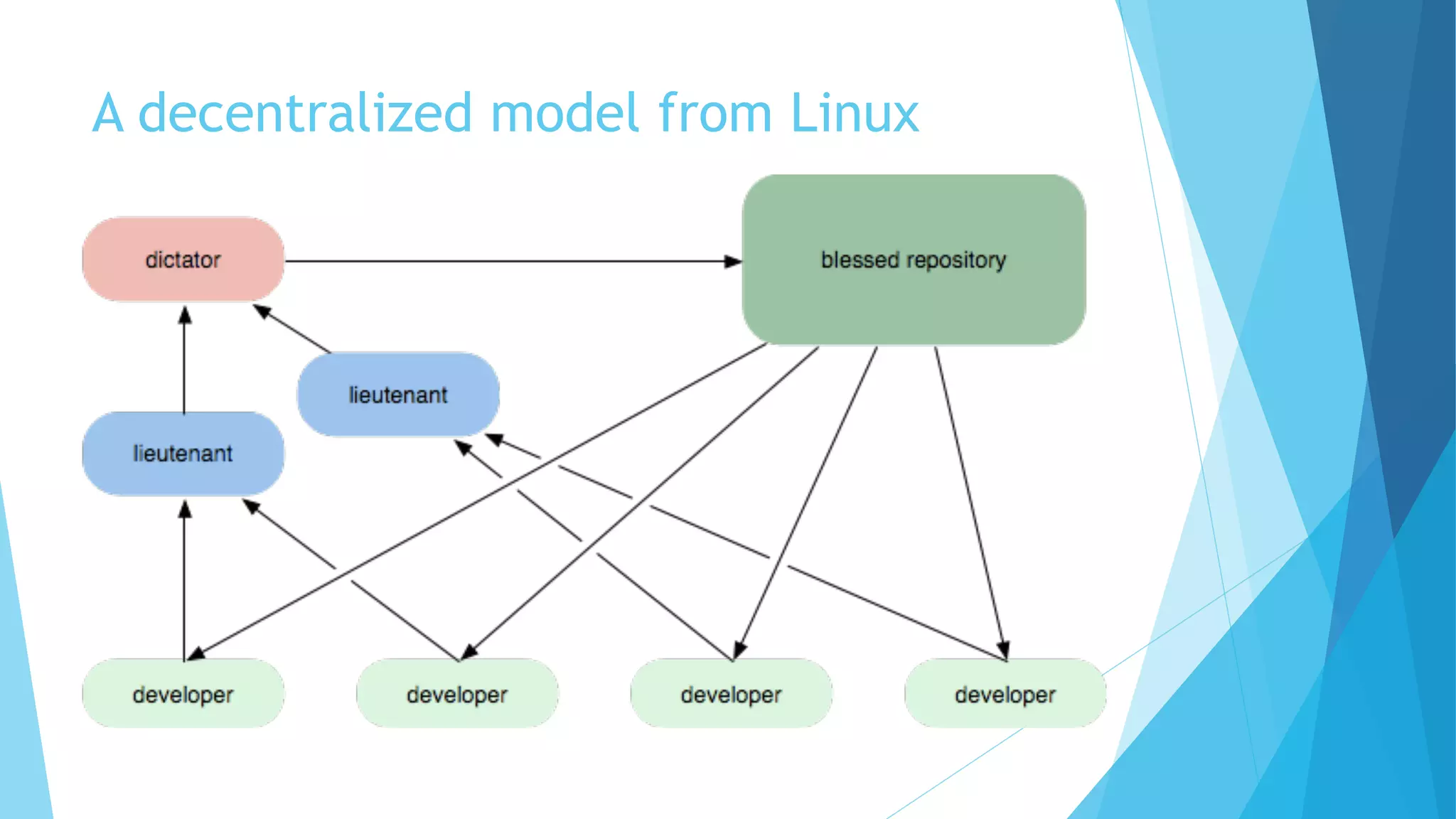
A decentralized model from Linux
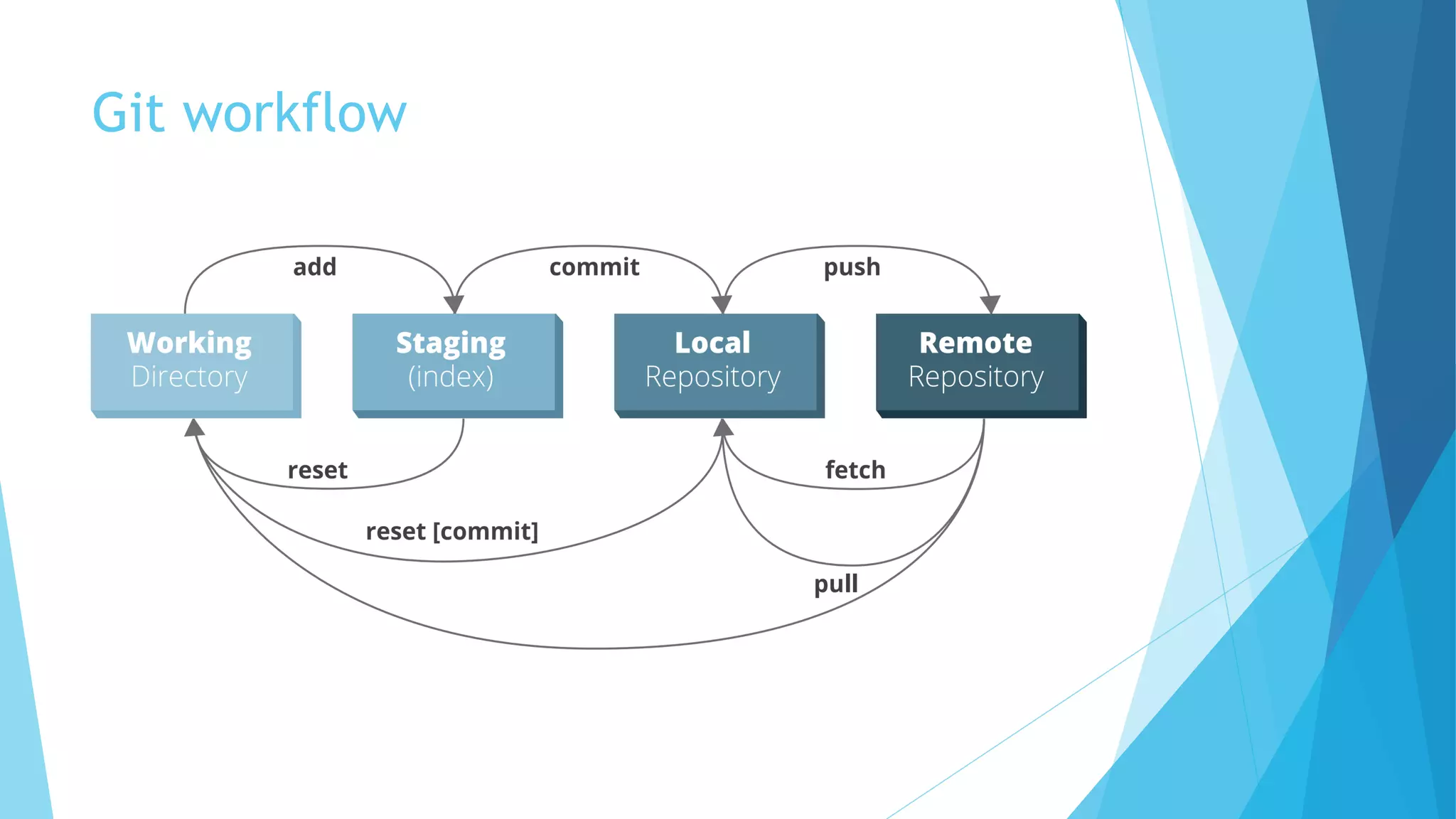
Git workflow
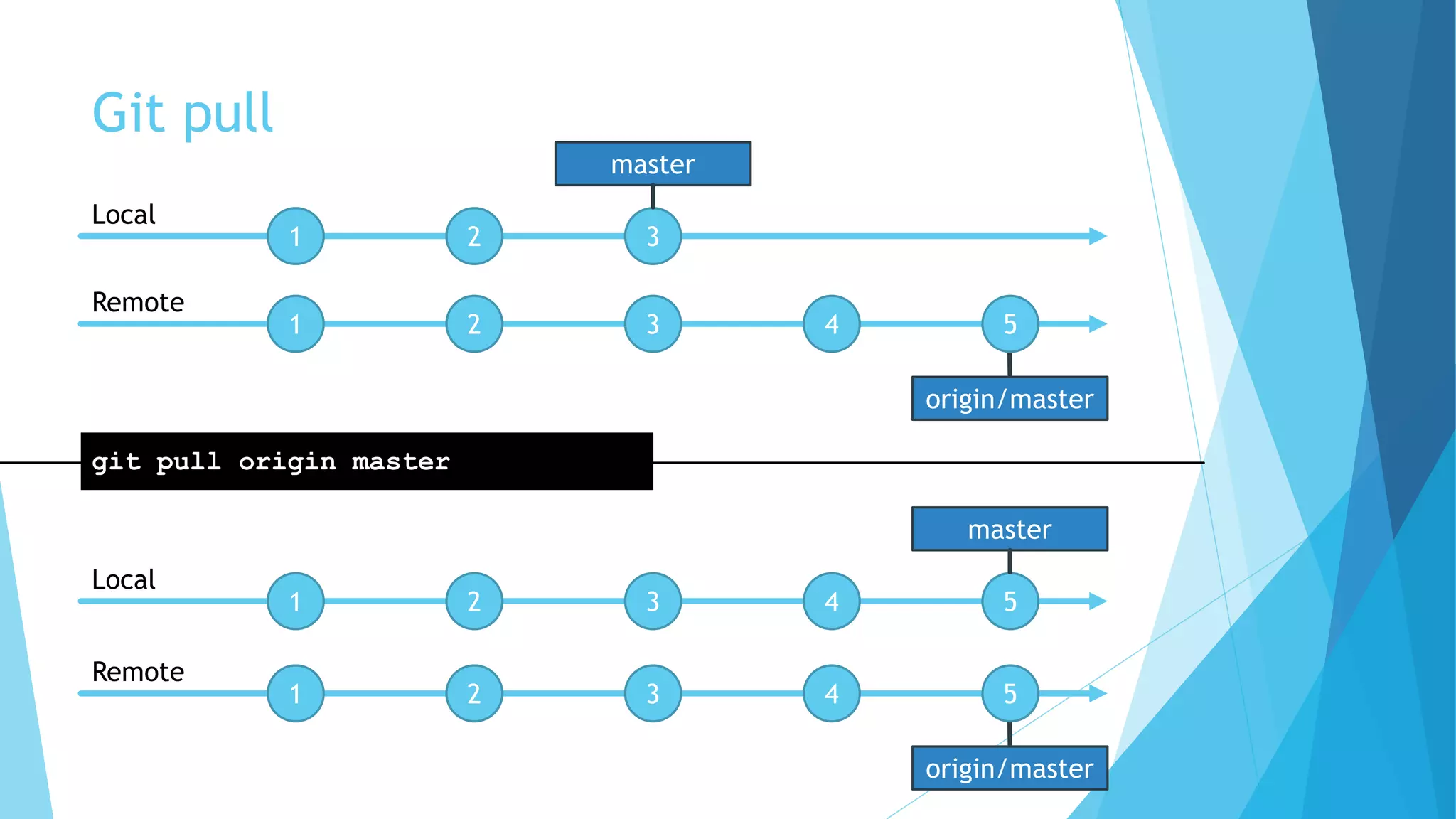
Git pull
Pull changes from remote repository
git pull
git pull [<remote> <branch>]
git pull origin master
origin/master
Git pull
1 2 3
1 2 3 4 5
Local
Remote
master
1 2 3 4 5
Local
master
git pull origin master
origin/master
1 2 3 4 5
Remote
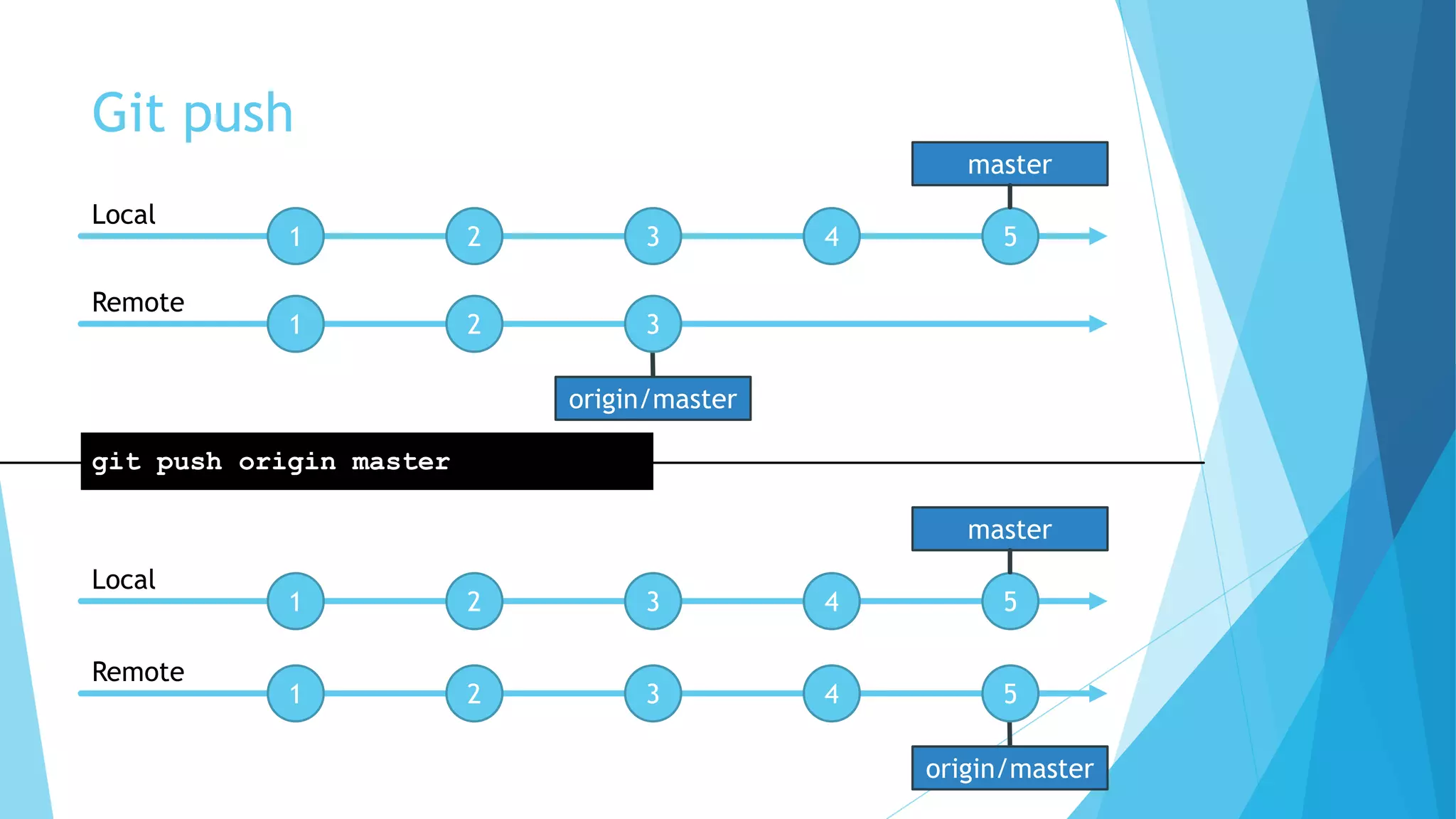
Git push
Push changes to remote repository
git push
git push [<remote> <branch>]
git push origin master
Git push
origin/master
1 2 3
1 2 3
Local
Remote
1 2 3 4 5
Local
master
git push origin master
origin/master
1 2 3 4 5
Remote
4 5
master
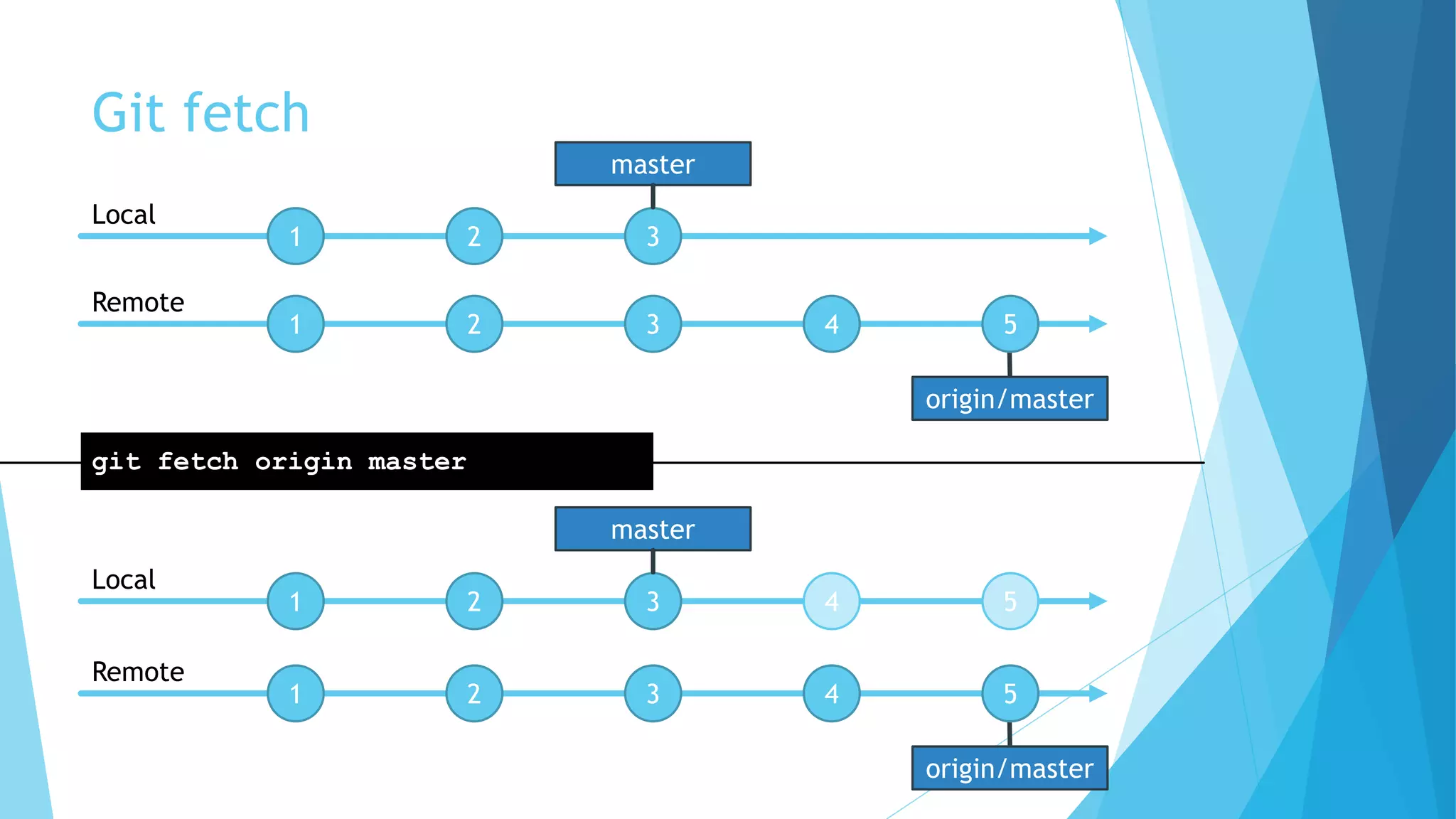
Git fetch
Fetch changes from remote repository
git fetch
git fetch [<remote> <branch>]
git fetch origin master
git push = git fetch + git merge
Git fetch
origin/master
1 2 3
1 2 3 4 5
Local
Remote
master
1 2 3 4 5
Local
master
git fetch origin master
origin/master
1 2 3 4 5
Remote
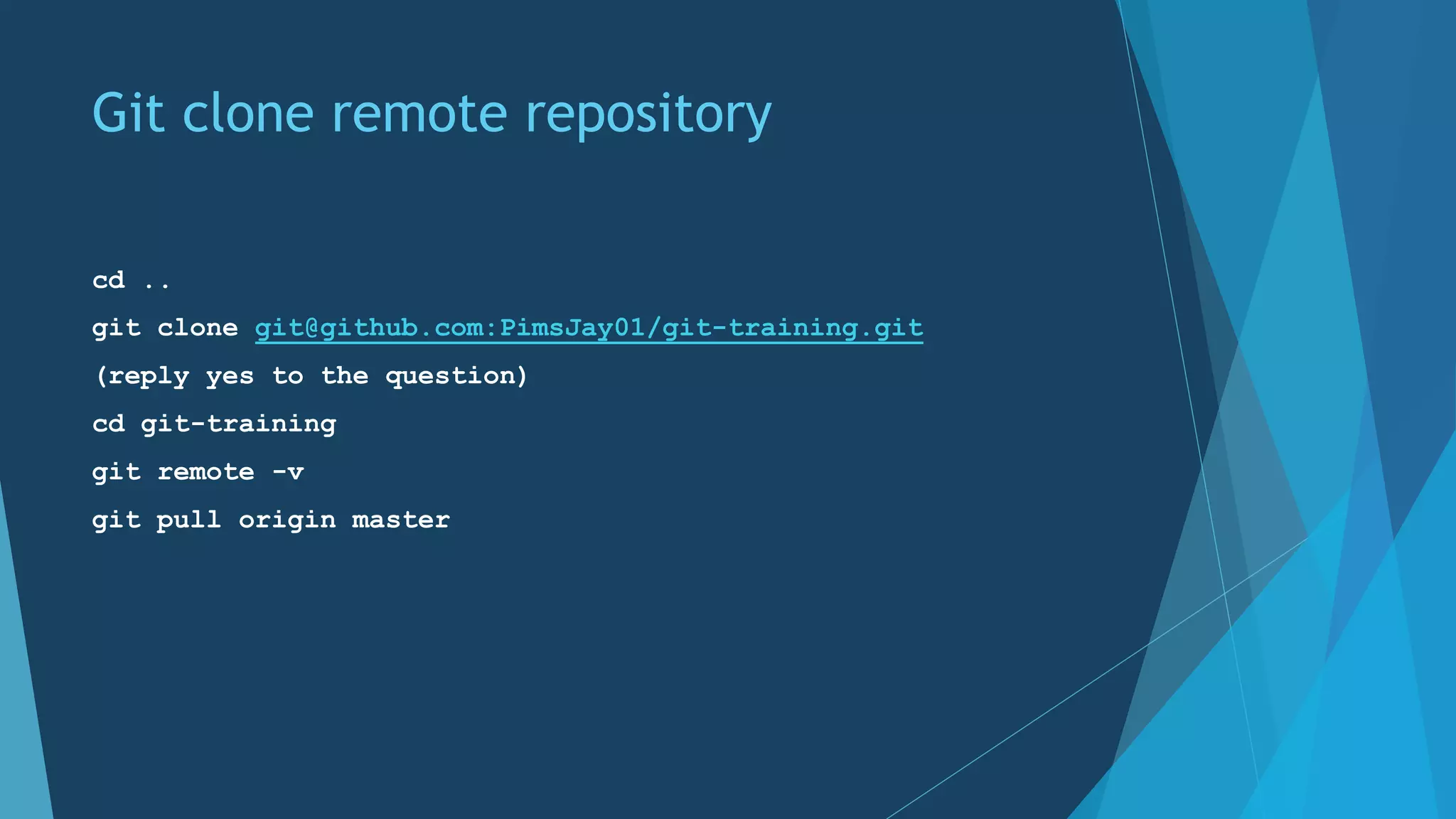
Git clone remote repository
cd ..
git clone git@github.com:PimsJay01/git-training.git
(reply yes to the question)
cd git-training
git remote -v
git pull origin master
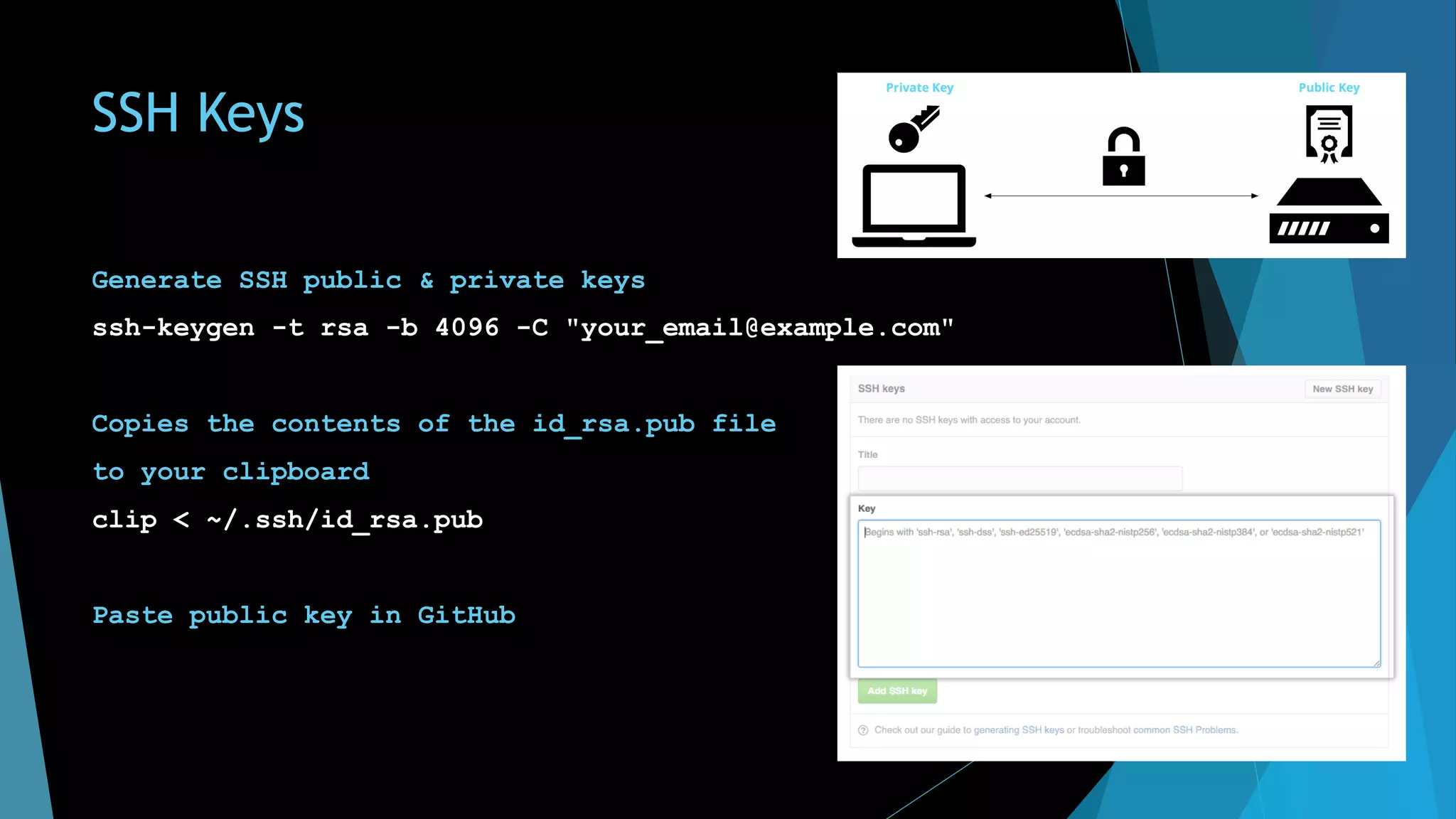
SSH Keys
Generate SSH public & private keys
ssh-keygen -t rsa -b 4096 -C "your_email@example.com"
Copies the contents of the id_rsa.pub file
to your clipboard
clip < ~/.ssh/id_rsa.pub
Paste public key in GitHub
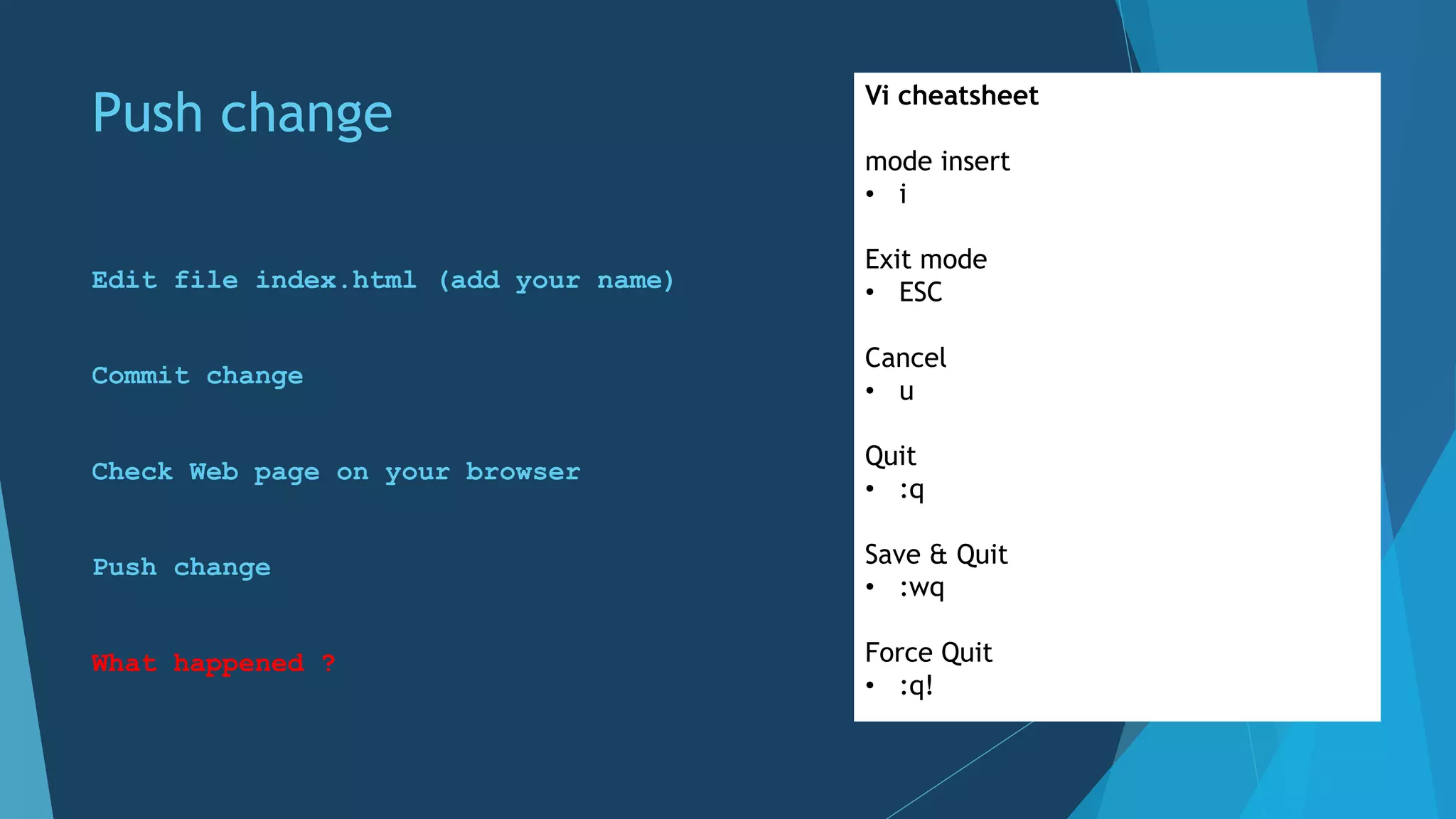
Push change
Edit file index.html (add your name)
Commit change
Check Web page on your browser
Push change
What happened ?
Vi cheatsheet
mode insert
• i
Exit mode
• ESC
Cancel
• u
Quit
• :q
Save & Quit
• :wq
Force Quit
• :q!
origin/master
Git push rejected
Cannot write over Jeremy’s commit
To git@github.com:me/remote-repository.git
! [rejected] master -> master (non-fast-forward)
error: failed to push some refs to 'git@github.com:me/remote-repository.git
' hint: Updates were rejected because the tip of your current branch is behind
hint: its remote counterpart. Merge the remote changes (e.g. 'git pull')
hint: before pushing again.
hint: See the 'Note about fast-forwards' in 'git push --help' for details.
1 2 3
1 2 3 4
Local
Remote
git push origin master
4
master
Push change
Pull remote changes in order to push yours
What happened ?
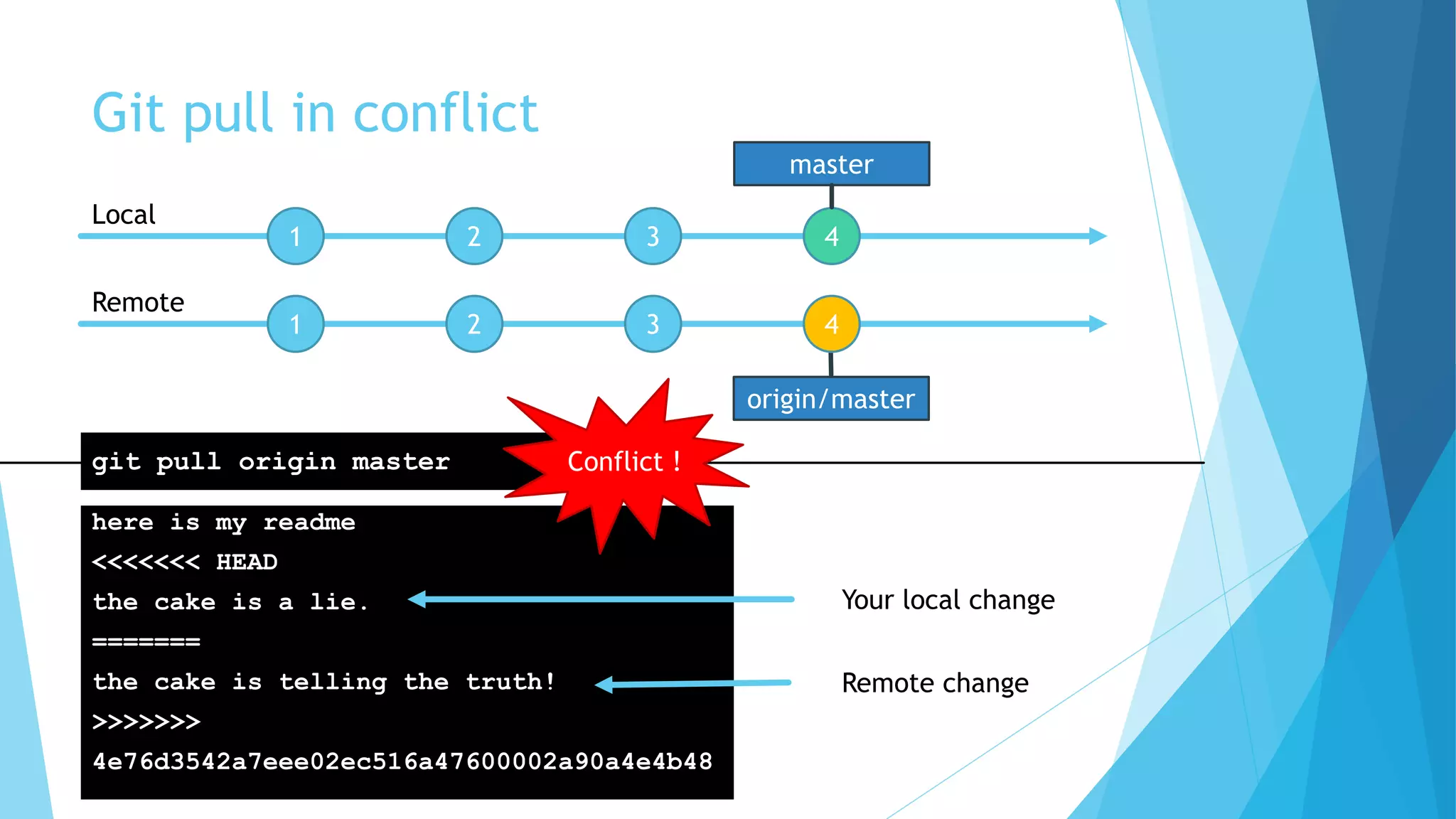
origin/master
Git pull in conflict
here is my readme
<<<<<<< HEAD
the cake is a lie.
=======
the cake is telling the truth!
>>>>>>>
4e76d3542a7eee02ec516a47600002a90a4e4b48
1 2 3
1 2 3 4
Local
Remote
git pull origin master
4
master
Conflict !
Your local change
Remote change
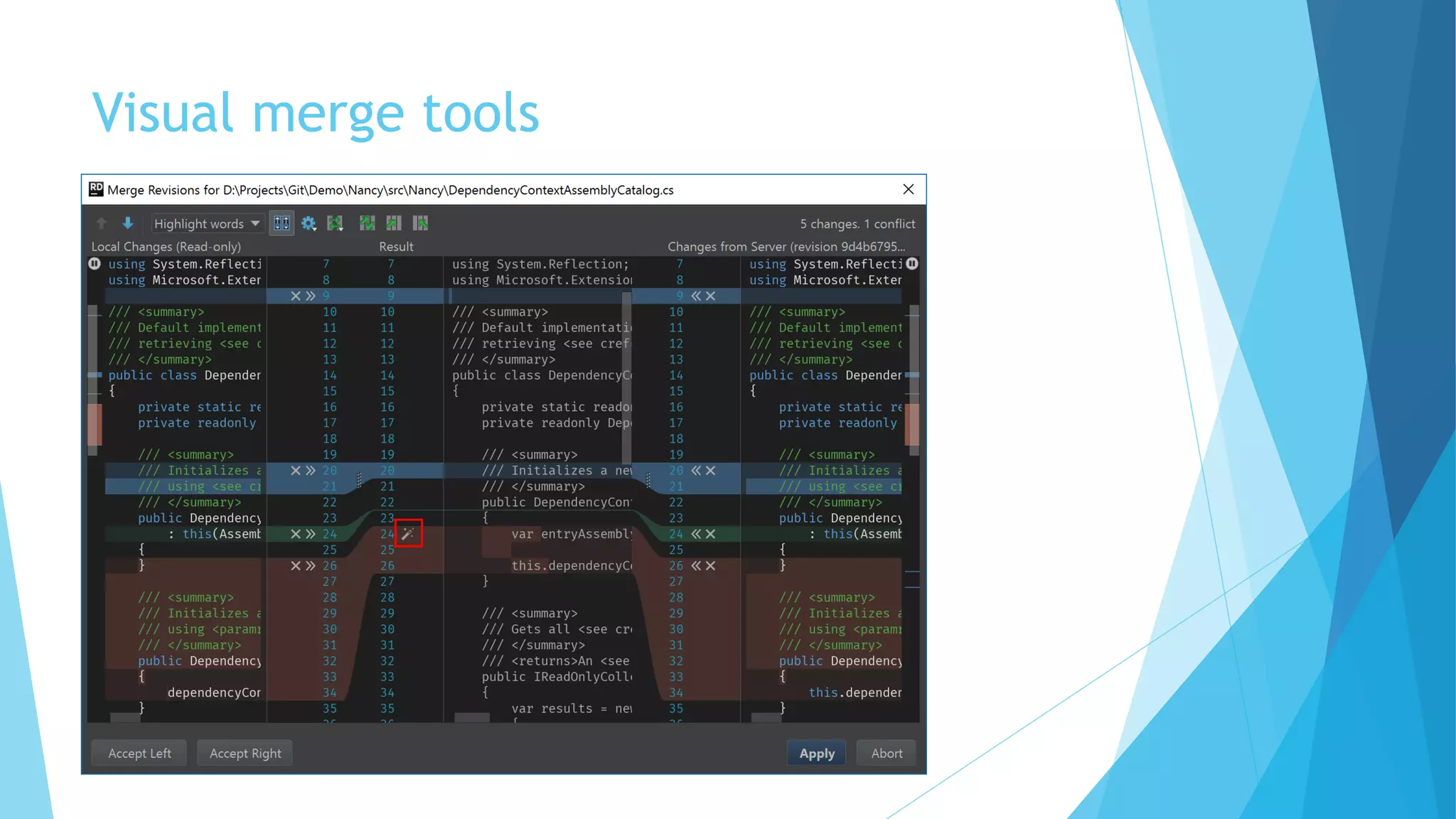
Visual merge tools
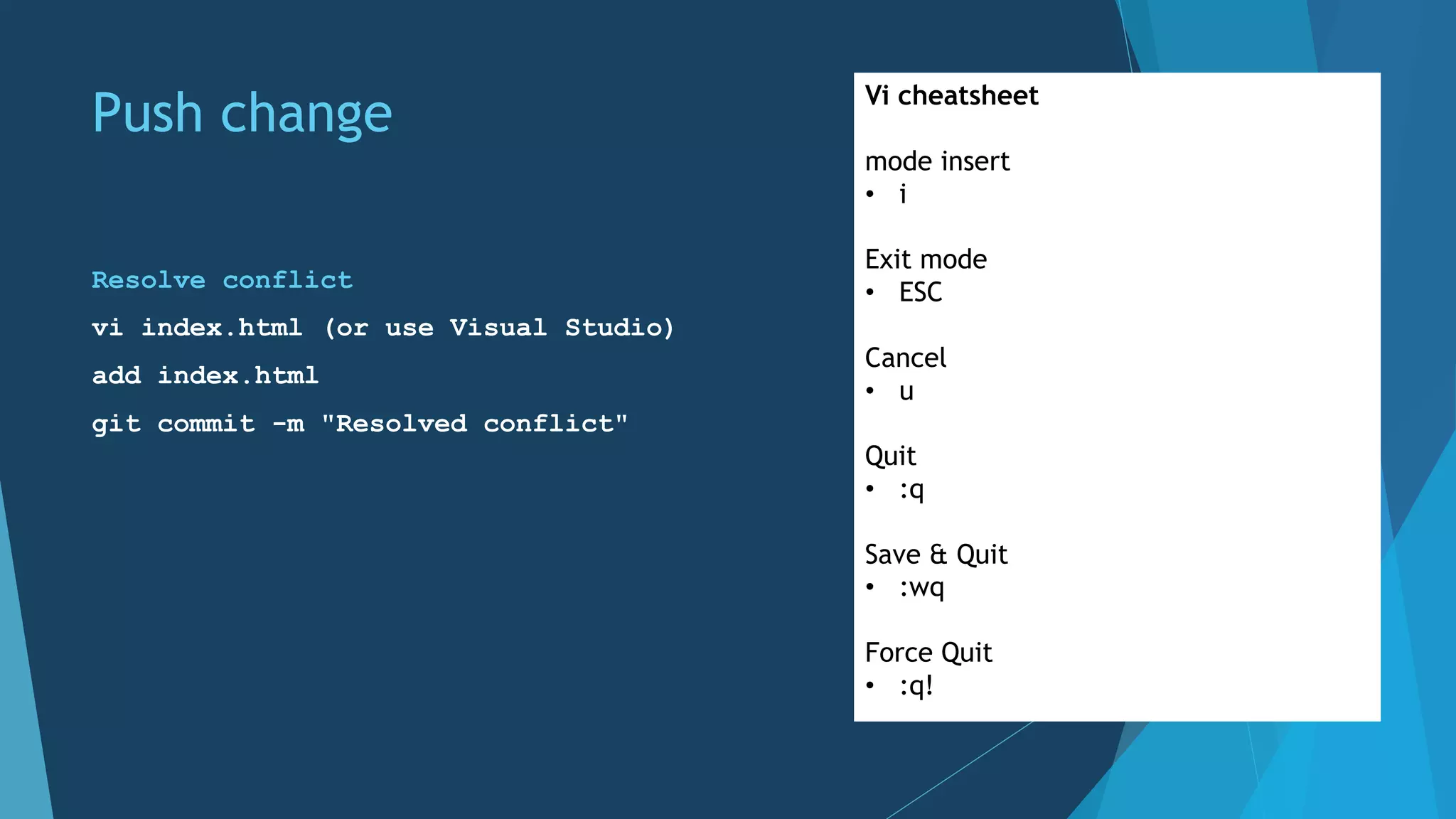
Push change
Resolve conflict
vi index.html (or use Visual Studio)
add index.html
git commit -m "Resolved conflict"
Vi cheatsheet
mode insert
• i
Exit mode
• ESC
Cancel
• u
Quit
• :q
Save & Quit
• :wq
Force Quit
• :q!
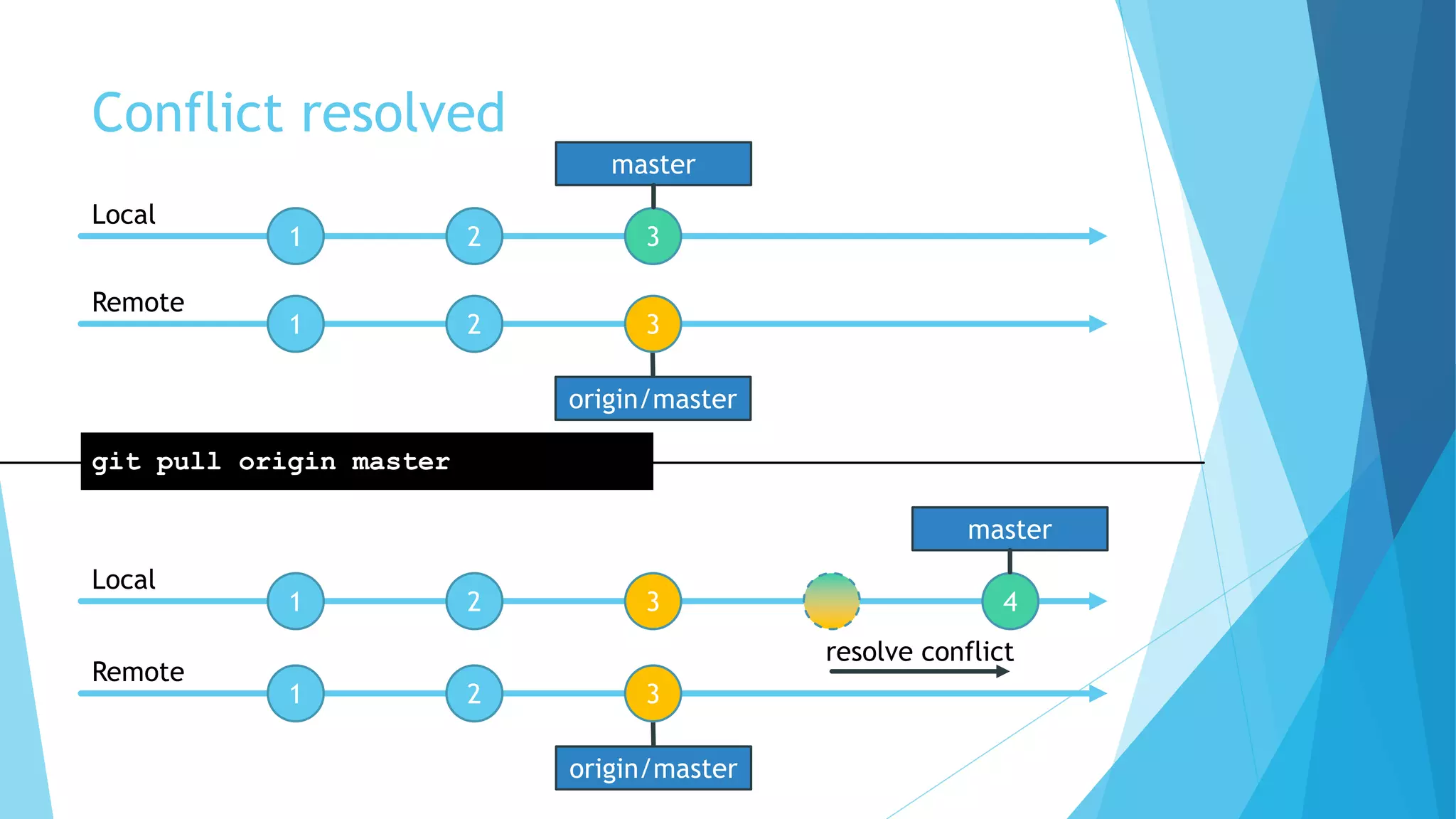
origin/master
Conflict resolved
1 2 3
1 2 3
Local
Remote
1 2 3 4
Local
master
git pull origin master
origin/master
1 2 3
Remote
master
resolve conflict
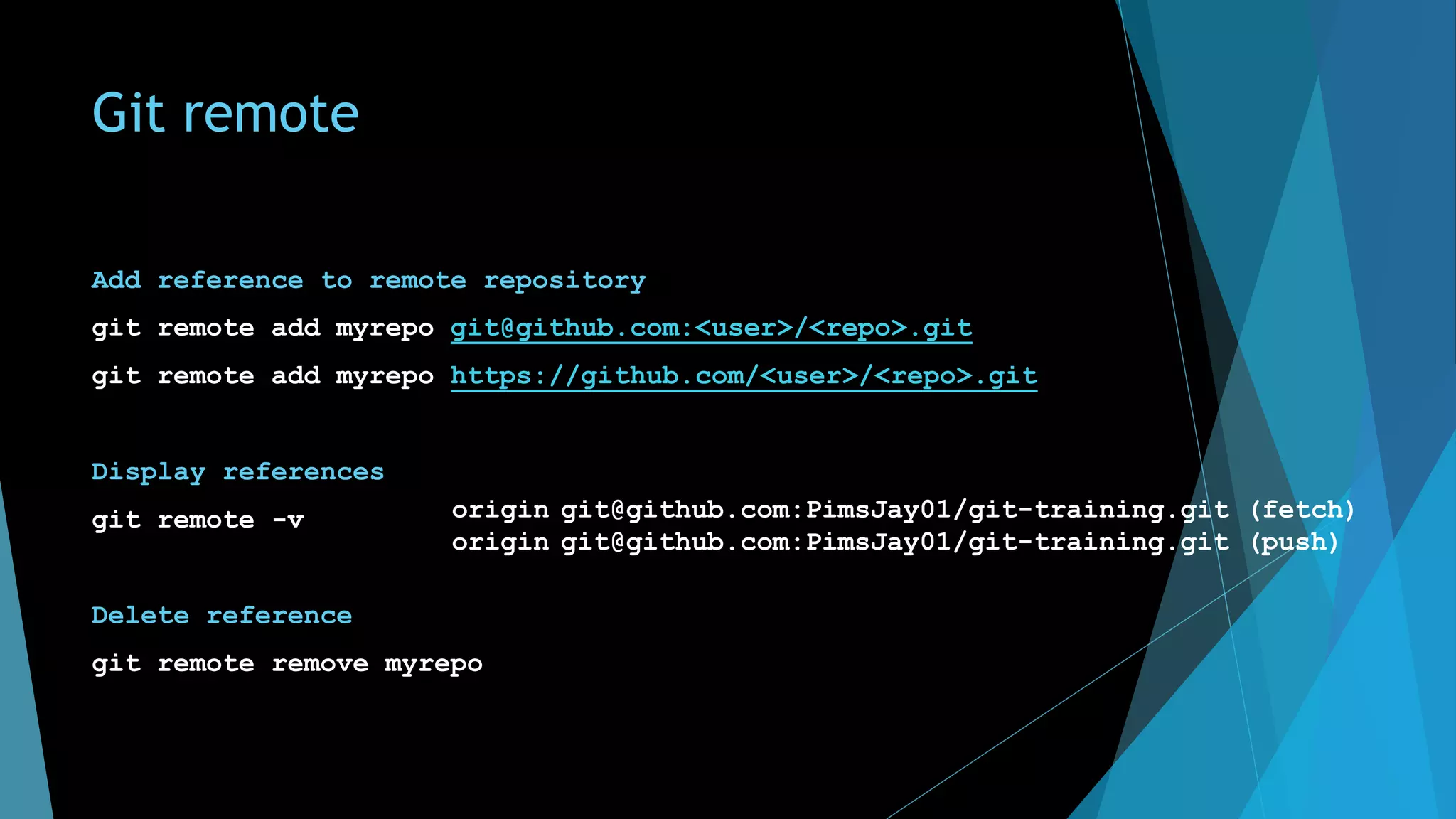
Git remote
Add reference to remote repository
git remote add myrepo git@github.com:<user>/<repo>.git
git remote add myrepo https://github.com/<user>/<repo>.git
Display references
git remote -v
Delete reference
git remote remove myrepo
origin git@github.com:PimsJay01/git-training.git (fetch)
origin git@github.com:PimsJay01/git-training.git (push)
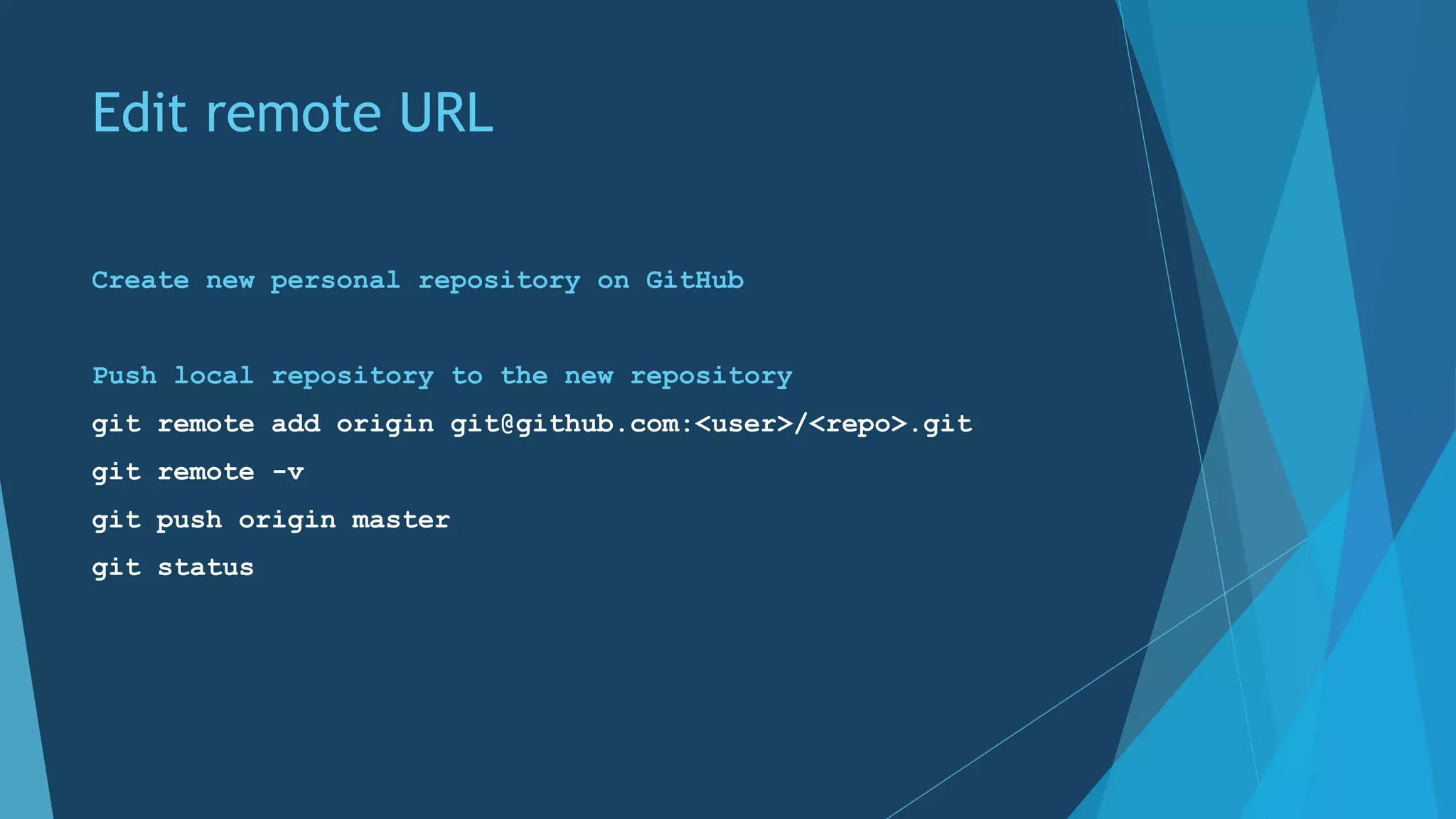
Edit remote URL
Create new personal repository on GitHub
Push local repository to the new repository
git remote add origin git@github.com:<user>/<repo>.git
git remote -v
git push origin master
git status
branches & workflows
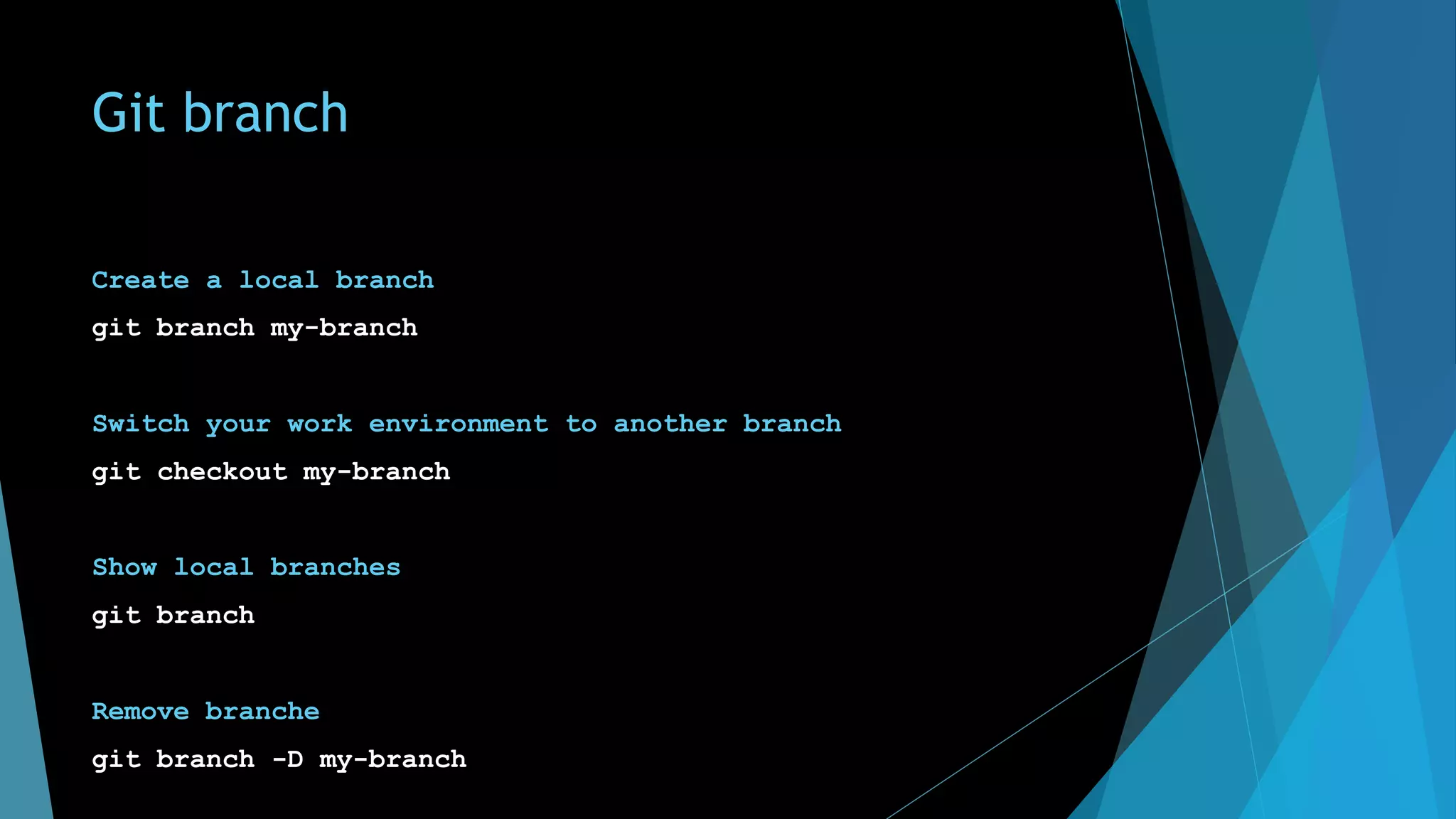
Git branch
Create a local branch
git branch my-branch
Switch your work environment to another branch
git checkout my-branch
Show local branches
git branch
Remove branche
git branch -D my-branch
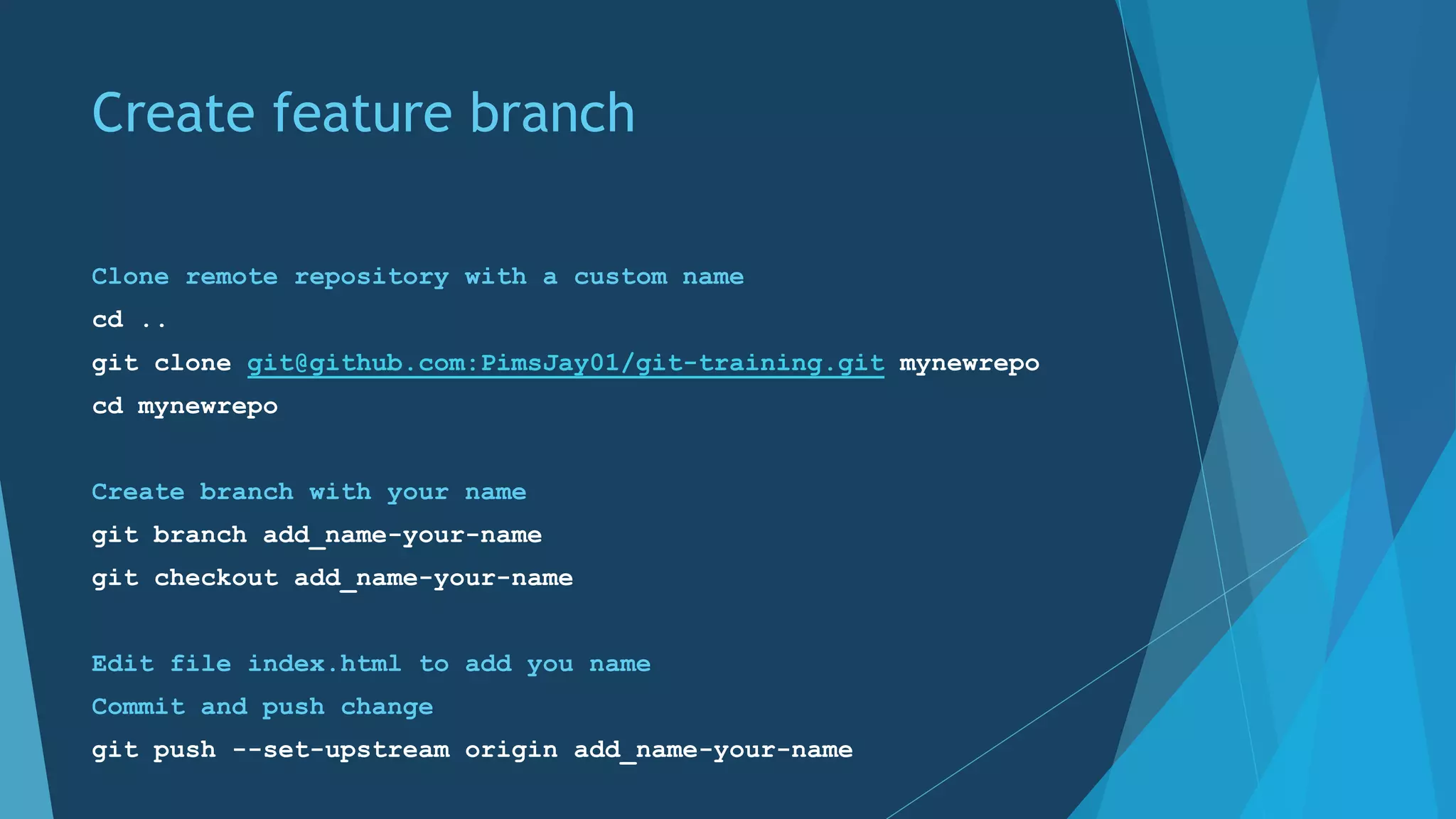
Create feature branch
Clone remote repository with a custom name
cd ..
git clone git@github.com:PimsJay01/git-training.git mynewrepo
cd mynewrepo
Create branch with your name
git branch add_name-your-name
git checkout add_name-your-name
Edit file index.html to add you name
Commit and push change
git push --set-upstream origin add_name-your-name
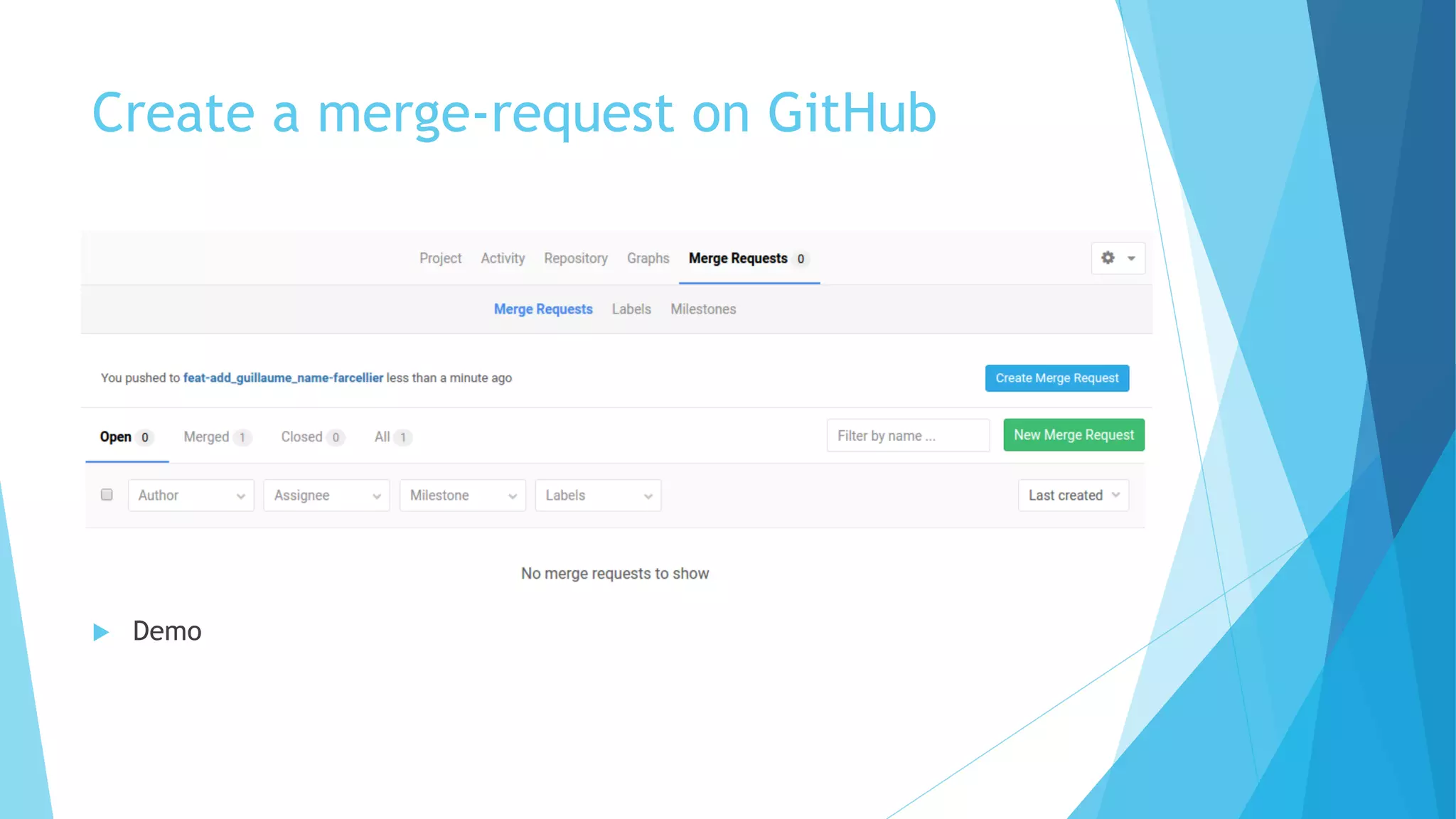
Create a merge-request on GitHub
u Demo
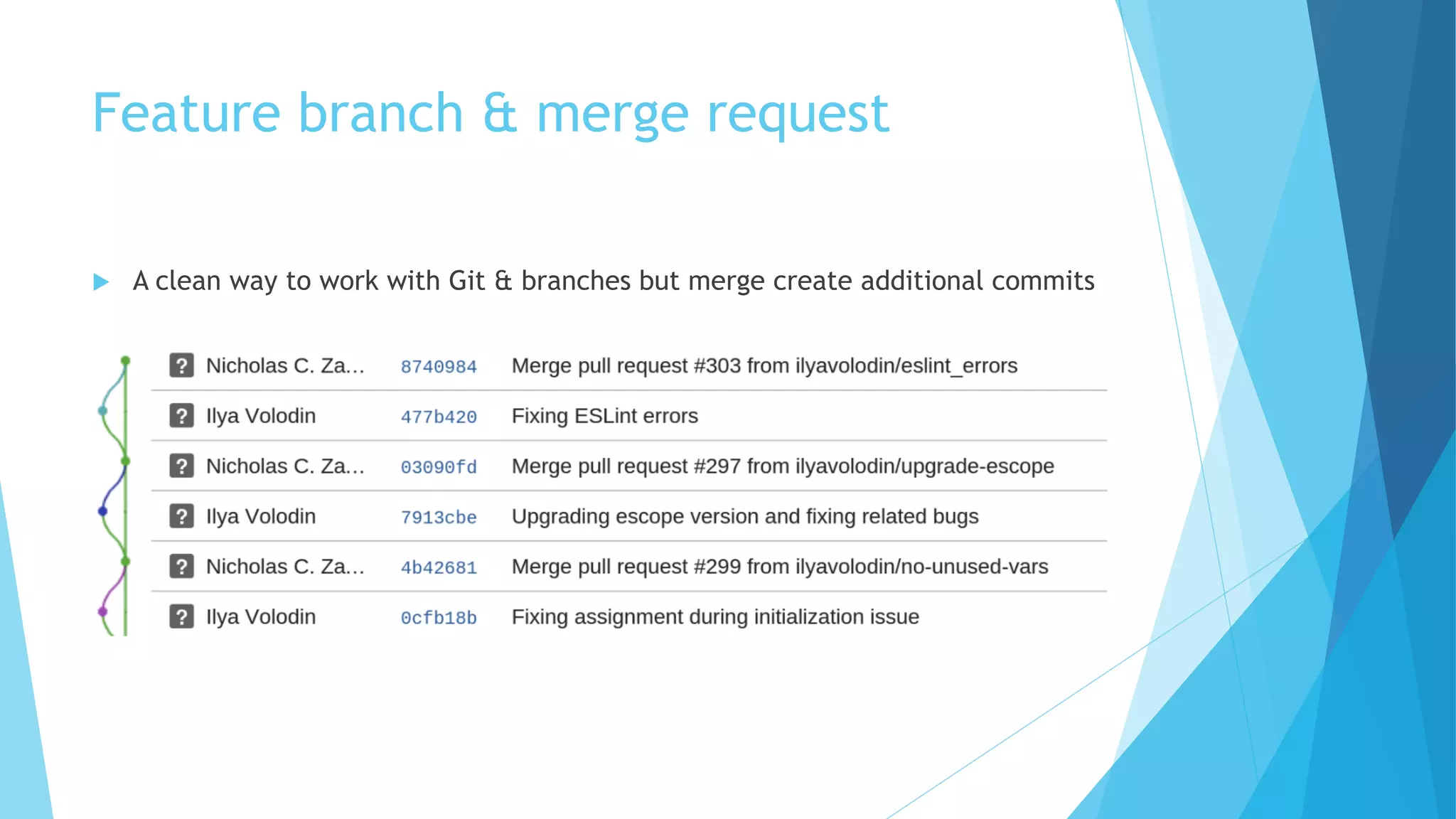
Feature branch & merge request
u A clean way to work with Git & branches but merge create additional commits
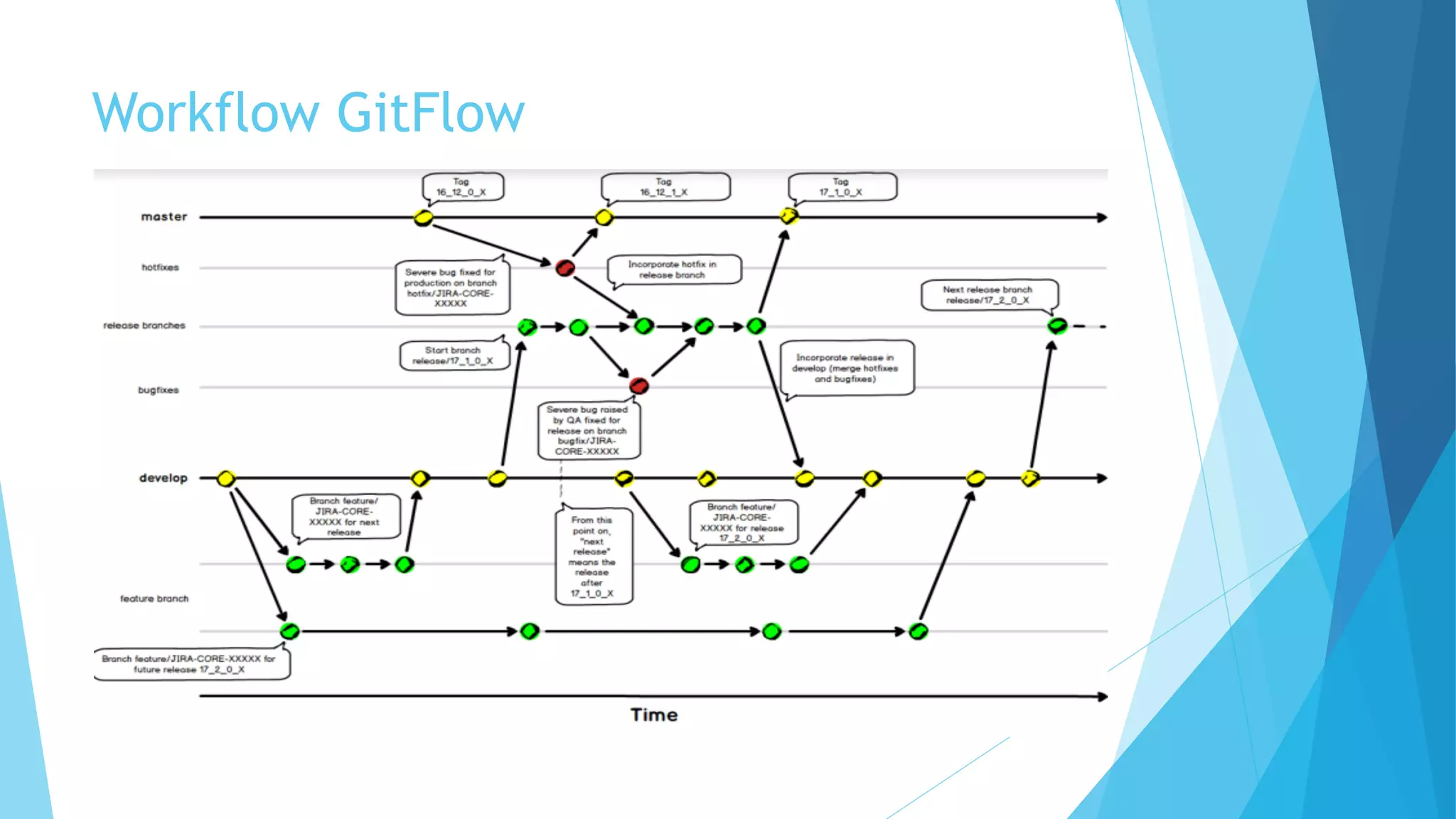
Workflow GitFlow
Rewrite history
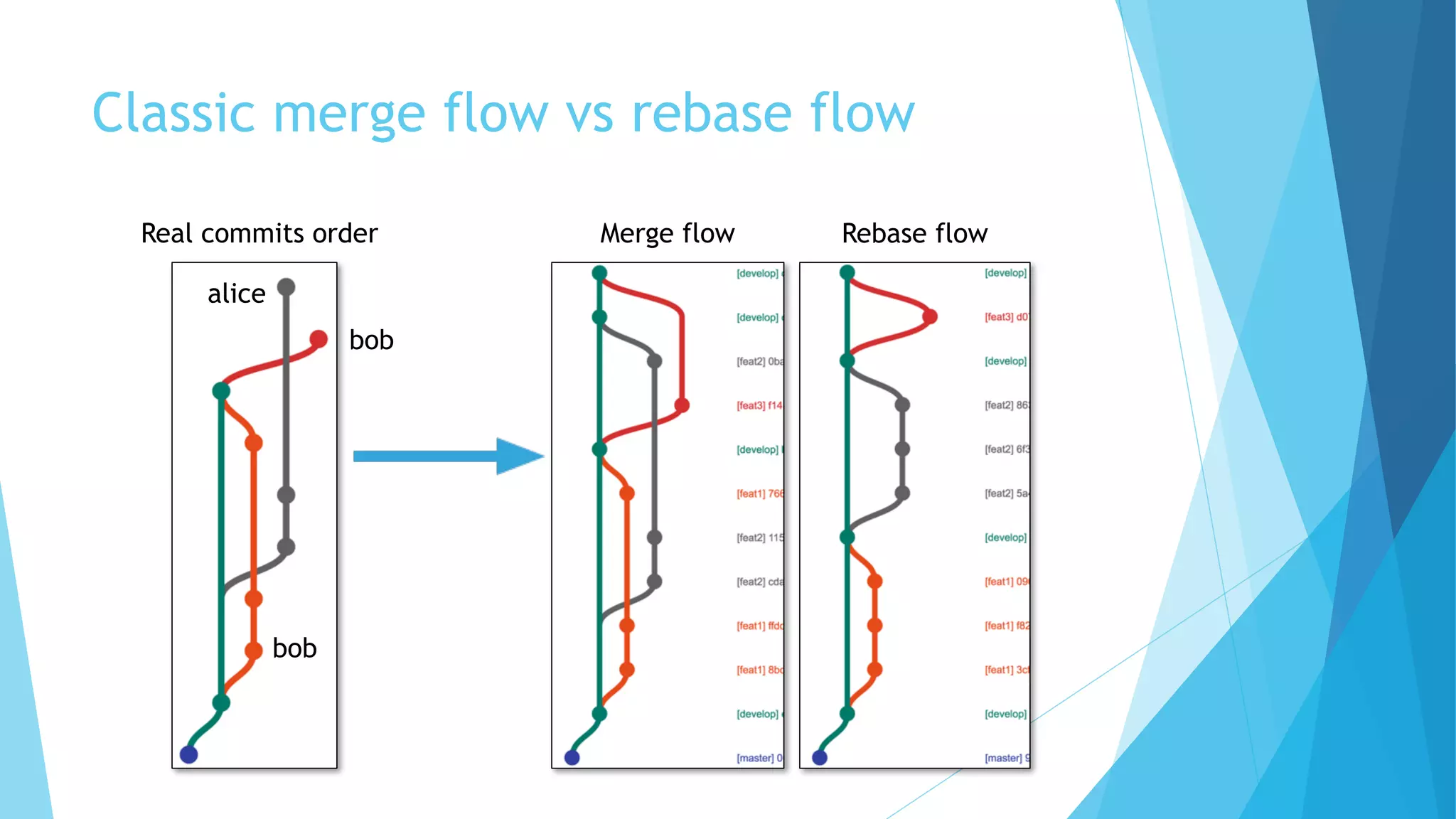
Classic merge flow vs rebase flow
Real commits order Merge flow Rebase flow
bob
bob
alice
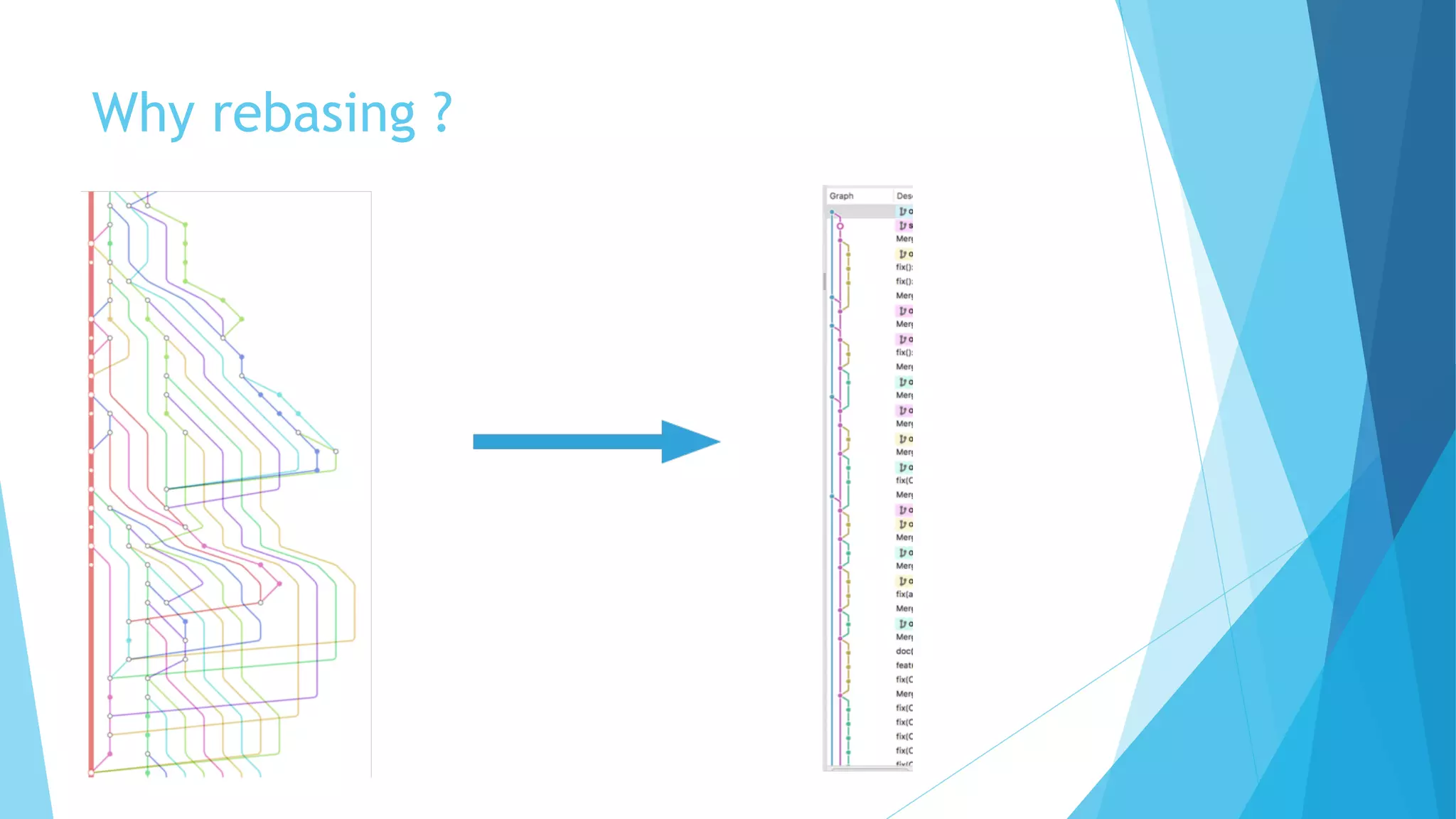
Why rebasing ?
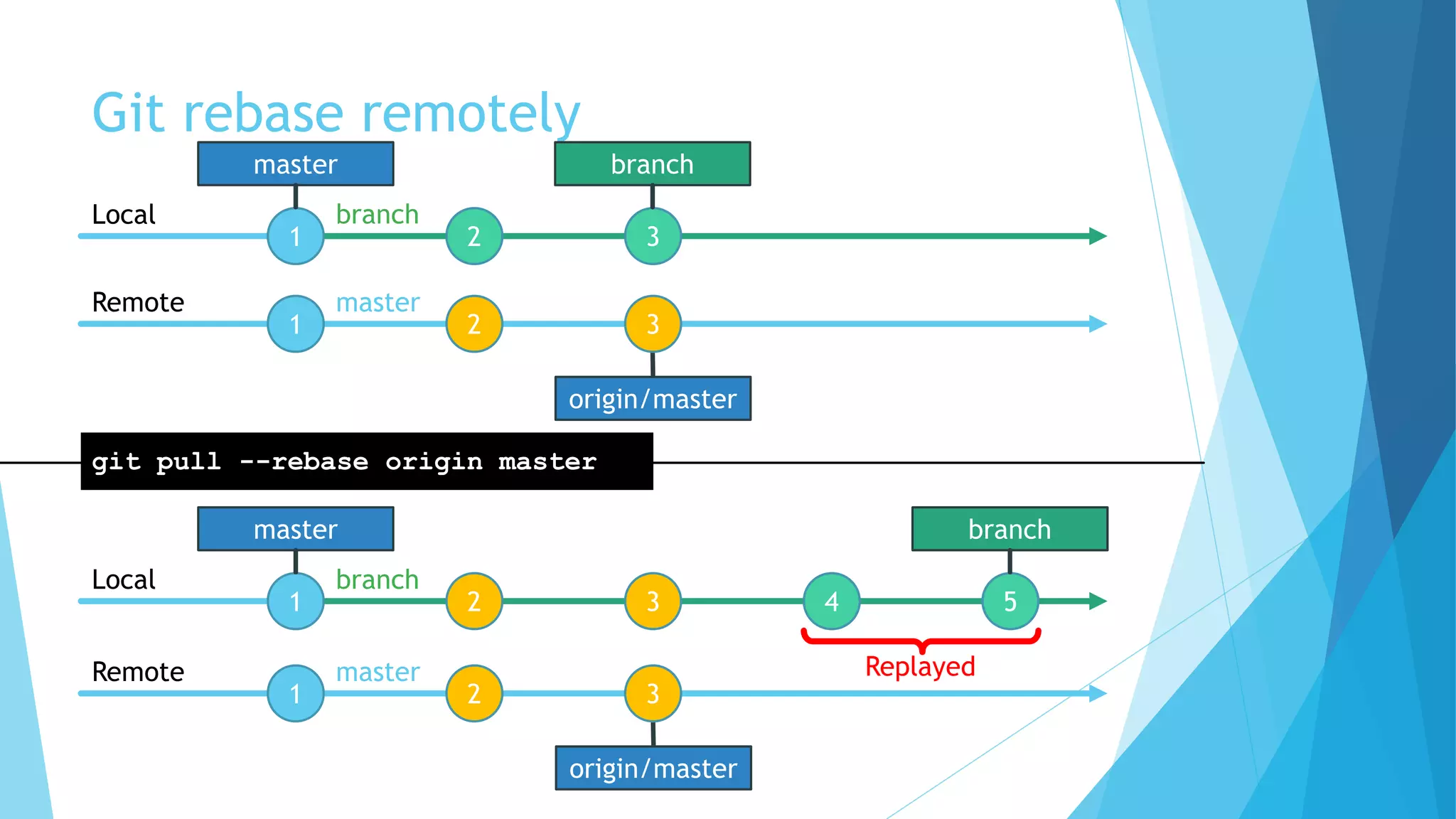
Git rebase remotely
origin/master
1 2 3
1 2 3
Local
Remote
git pull --rebase origin master
master
1 2 3 4 5
Local
branch
origin/master
1 2 3
Remote
branch
master
branch
master
branch
master
Replayed
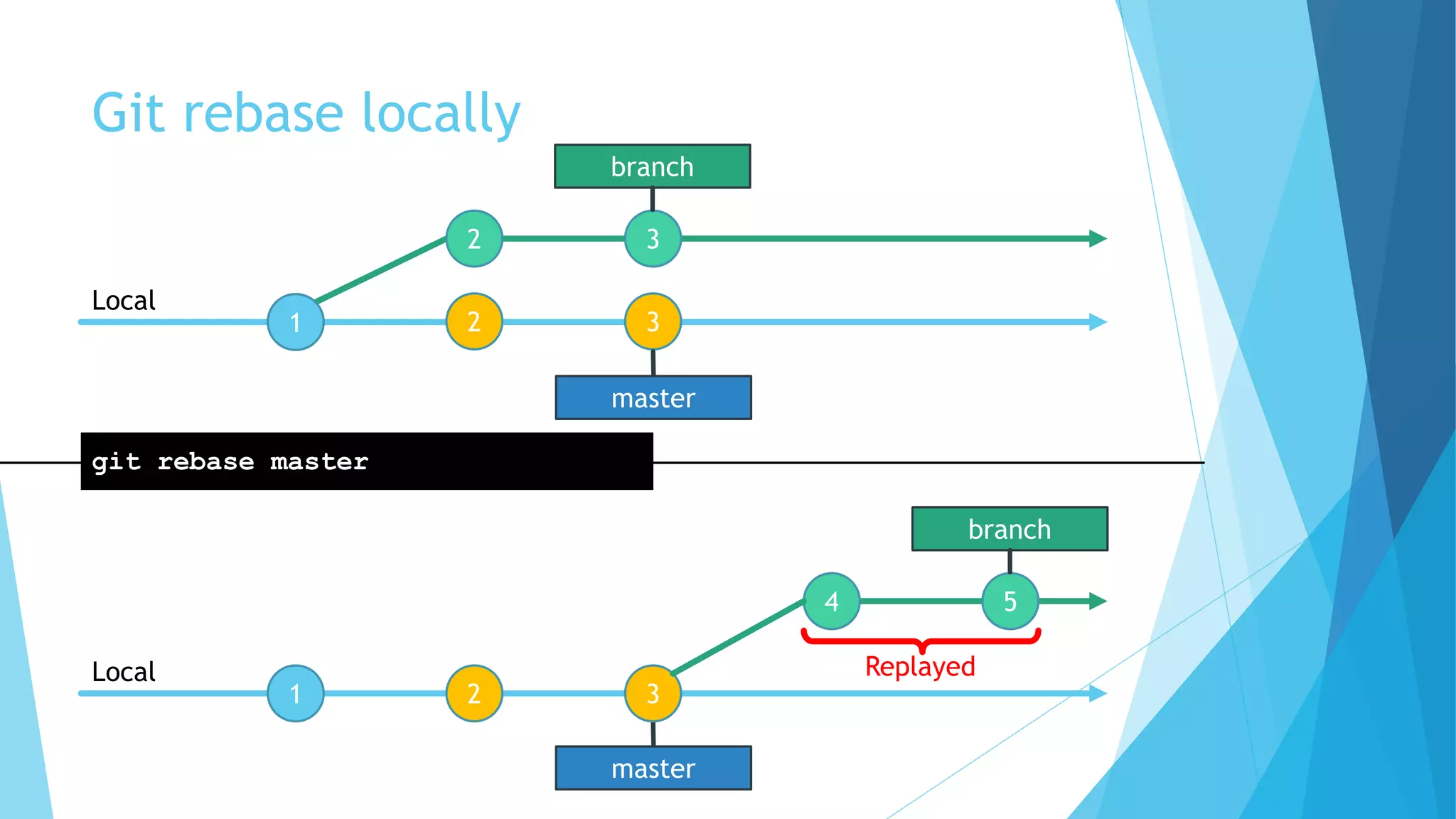
Git rebase locally
1
2 3
Local
git rebase master
4 5
branch
master
1 2 3
Local
branch
Replayed
2 3
master
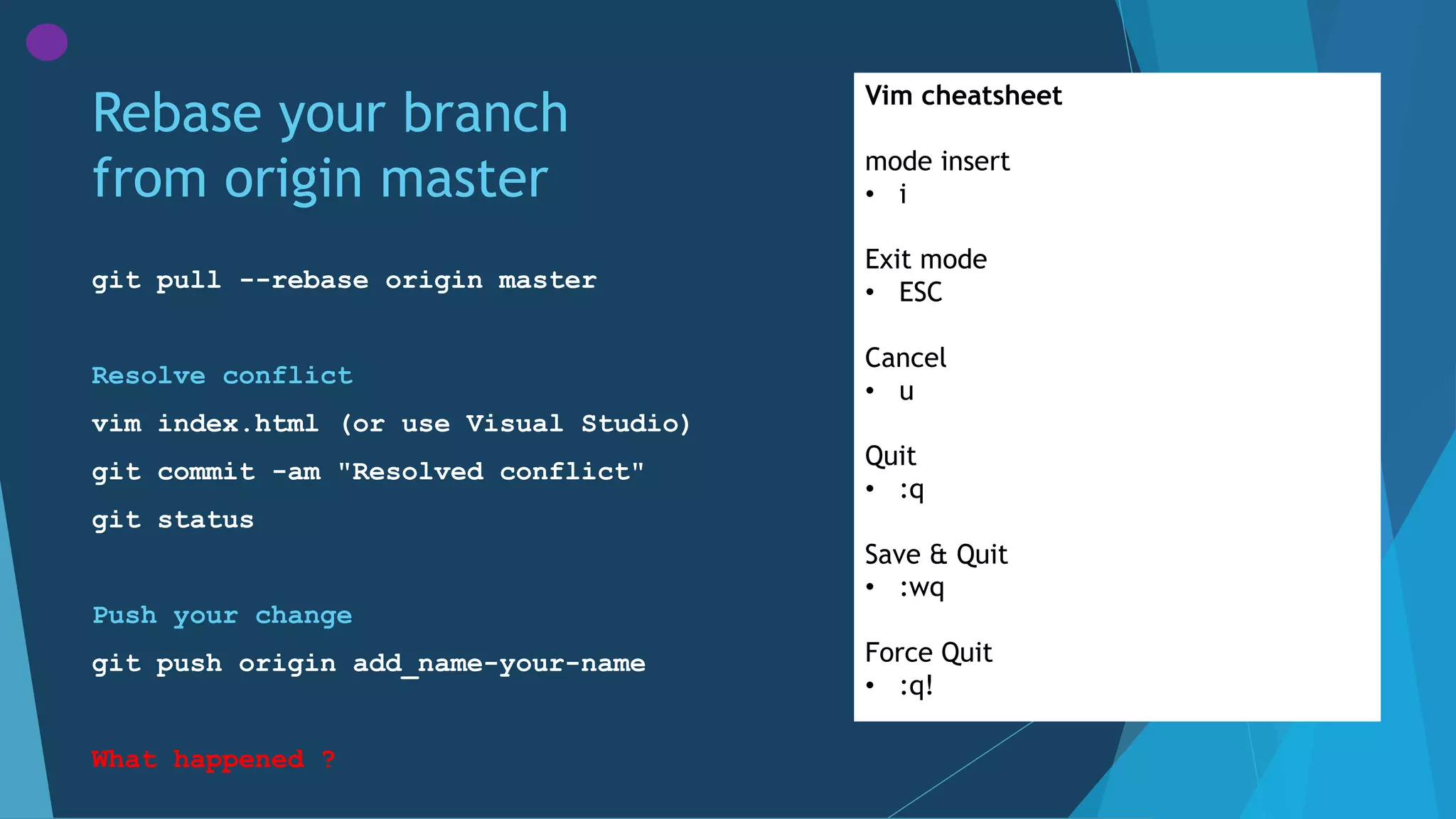
Rebase your branch
from origin master
git pull --rebase origin master
Resolve conflict
vim index.html (or use Visual Studio)
git commit -am "Resolved conflict"
git status
Push your change
git push origin add_name-your-name
What happened ?
Vim cheatsheet
mode insert
• i
Exit mode
• ESC
Cancel
• u
Quit
• :q
Save & Quit
• :wq
Force Quit
• :q!
Hash
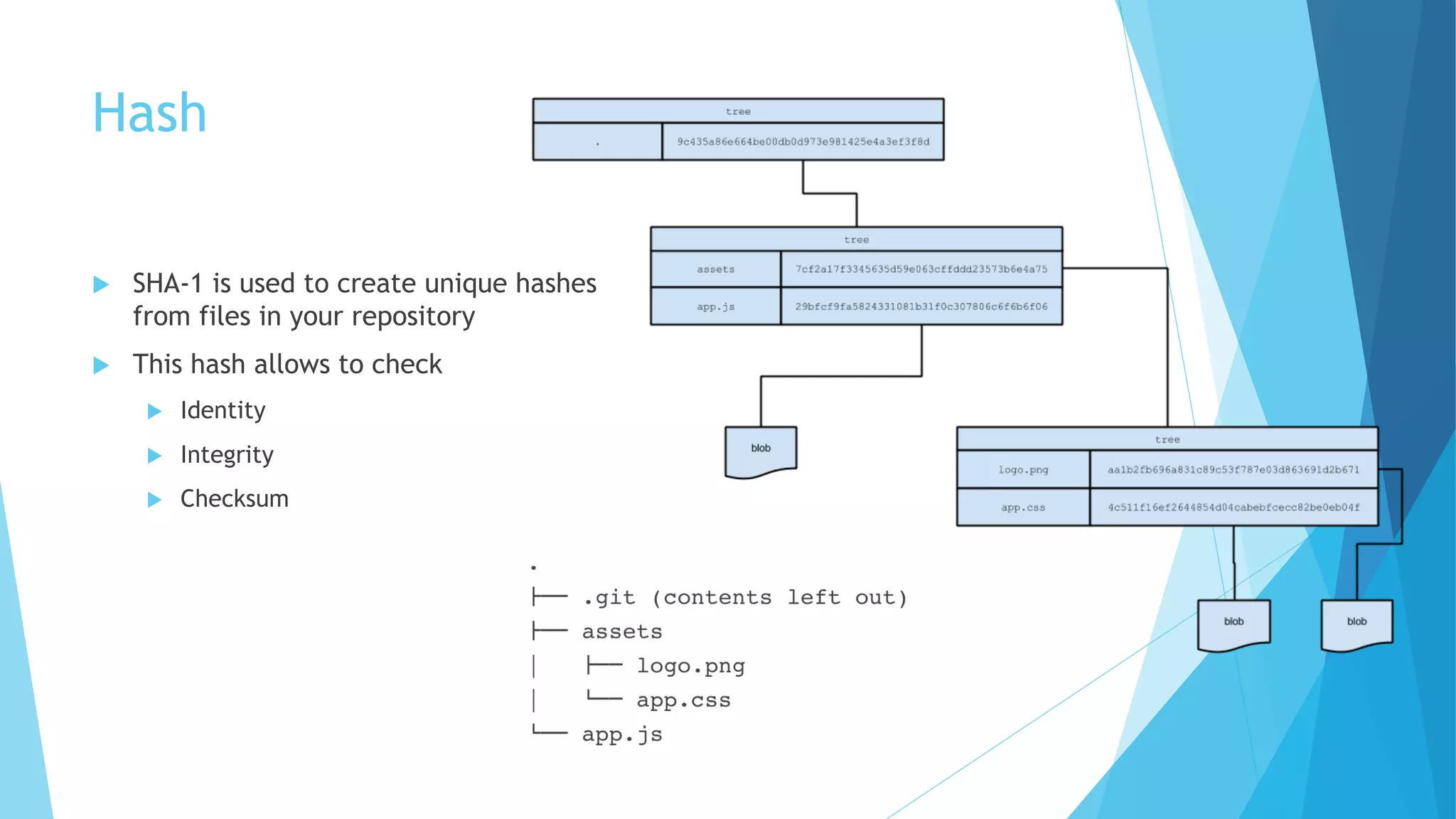
u SHA-1 is used to create unique hashes
from files in your repository
u This hash allows to check
u Identity
u Integrity
u Checksum
branch
Git rebase
1
2 31
Local
Remote
git push origin master
2 3 4 5
branch
origin/branch
branch
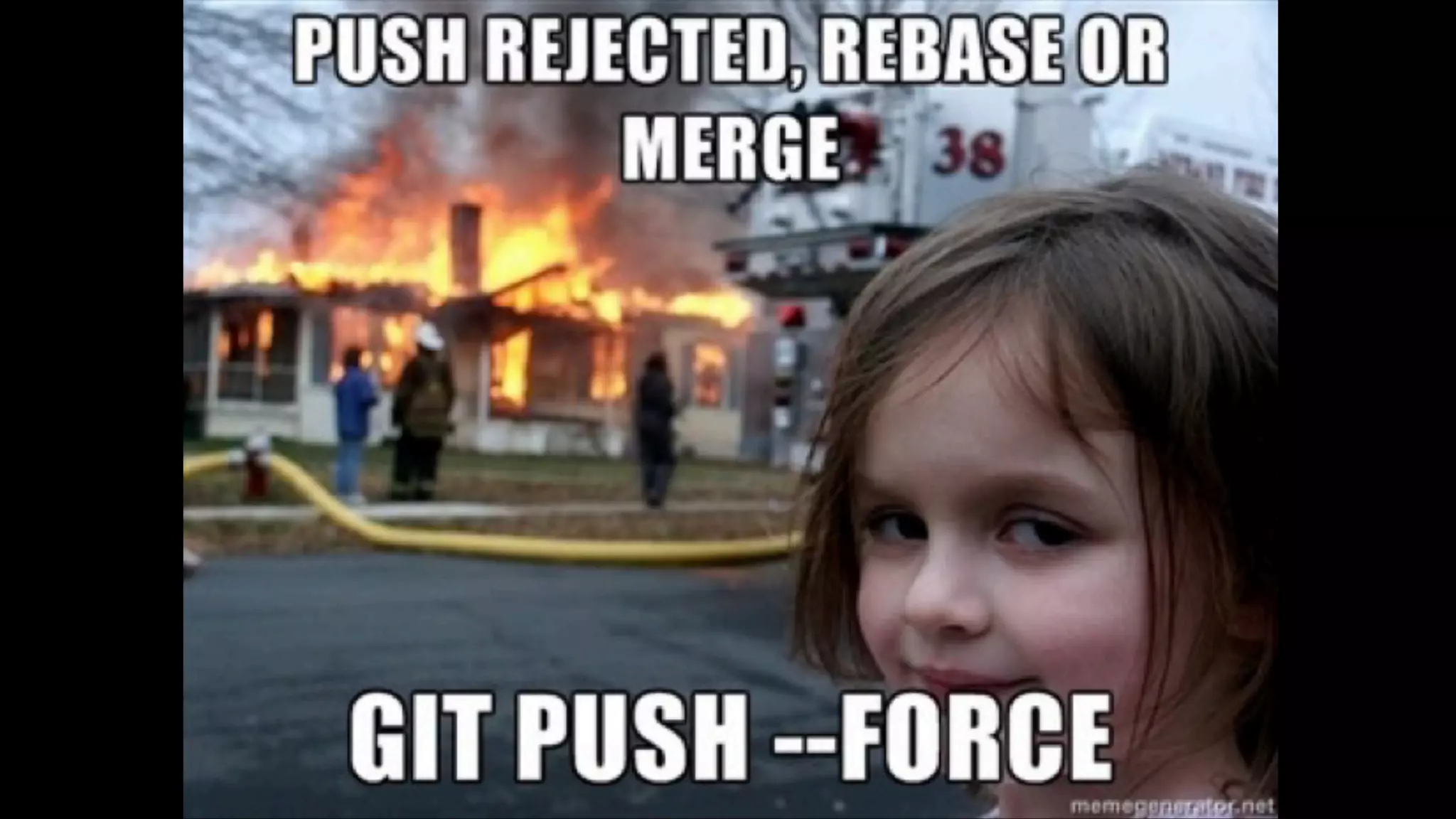
Cannot write over Jeremy’s commit
To git@github.com:me/remote-repository.git
! [rejected] master -> master (non-fast-forward)
git push --force origin master
1 2 3 4 5
Remote
origin/branch
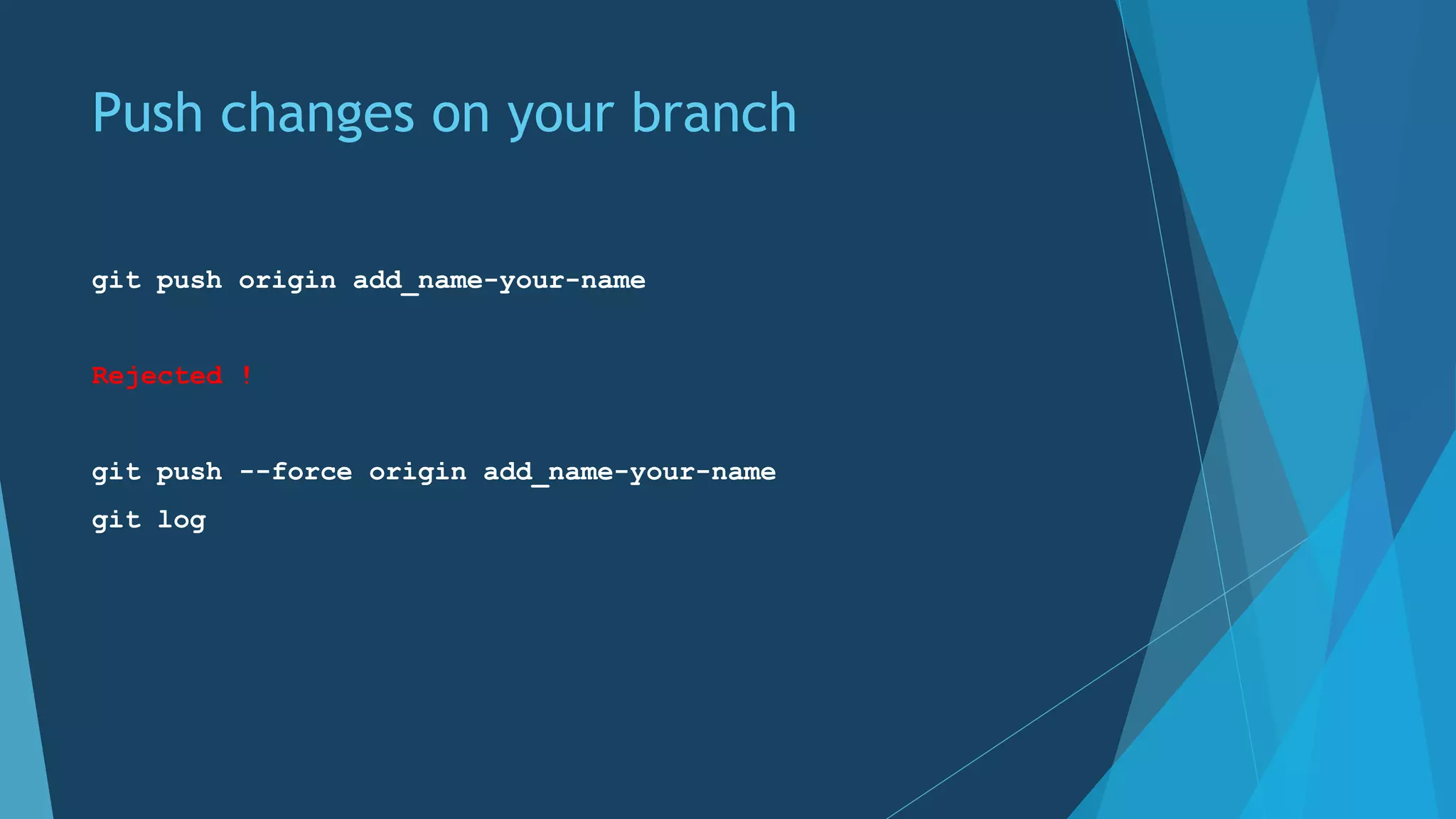
Push changes on your branch
git push origin add_name-your-name
Rejected !
git push --force origin add_name-your-name
git log
Feature branch on a daily basis
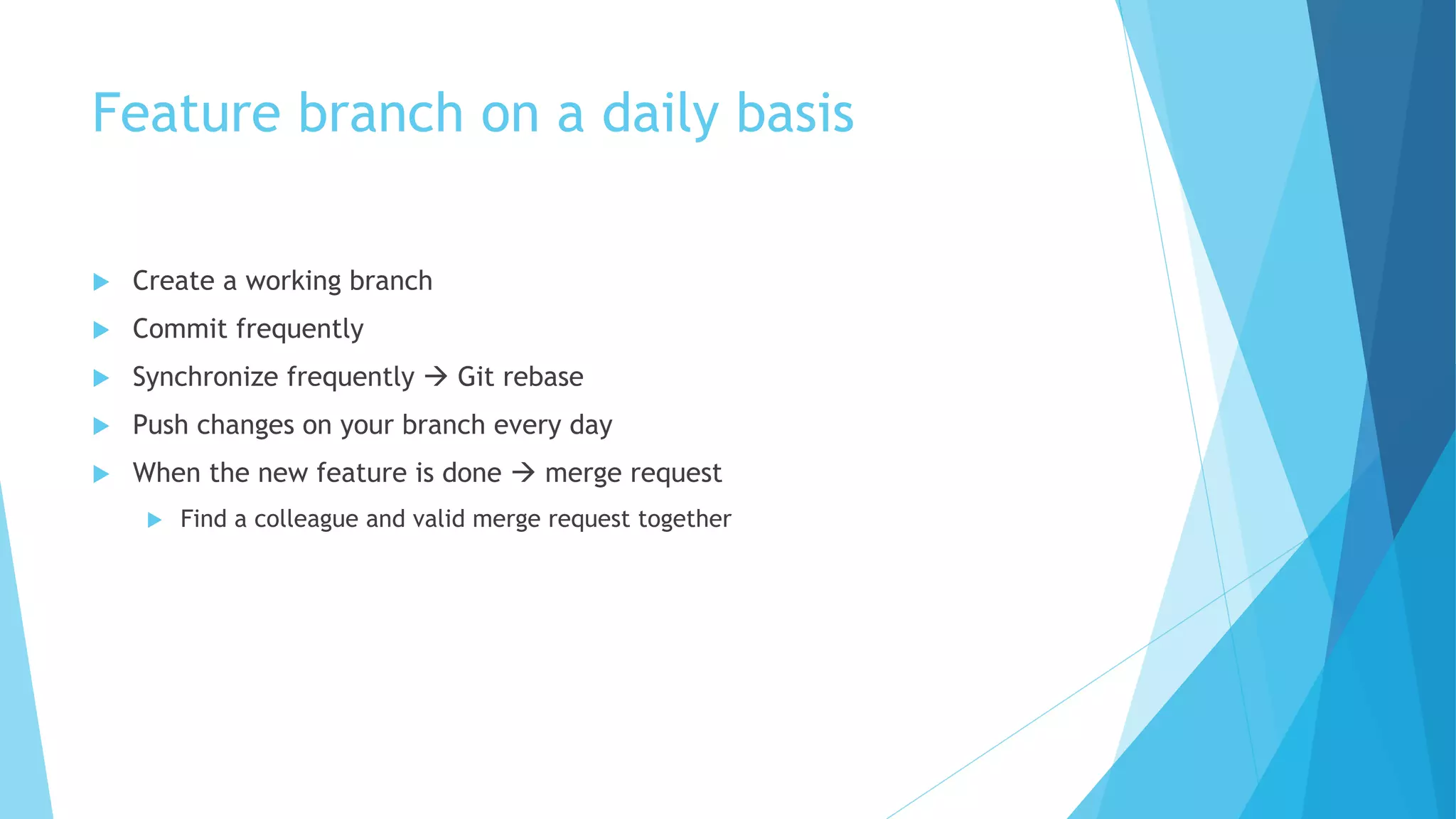
u Create a working branch
u Commit frequently
u Synchronize frequently à Git rebase
u Push changes on your branch every day
u When the new feature is done à merge request
u Find a colleague and valid merge request together
Other commands
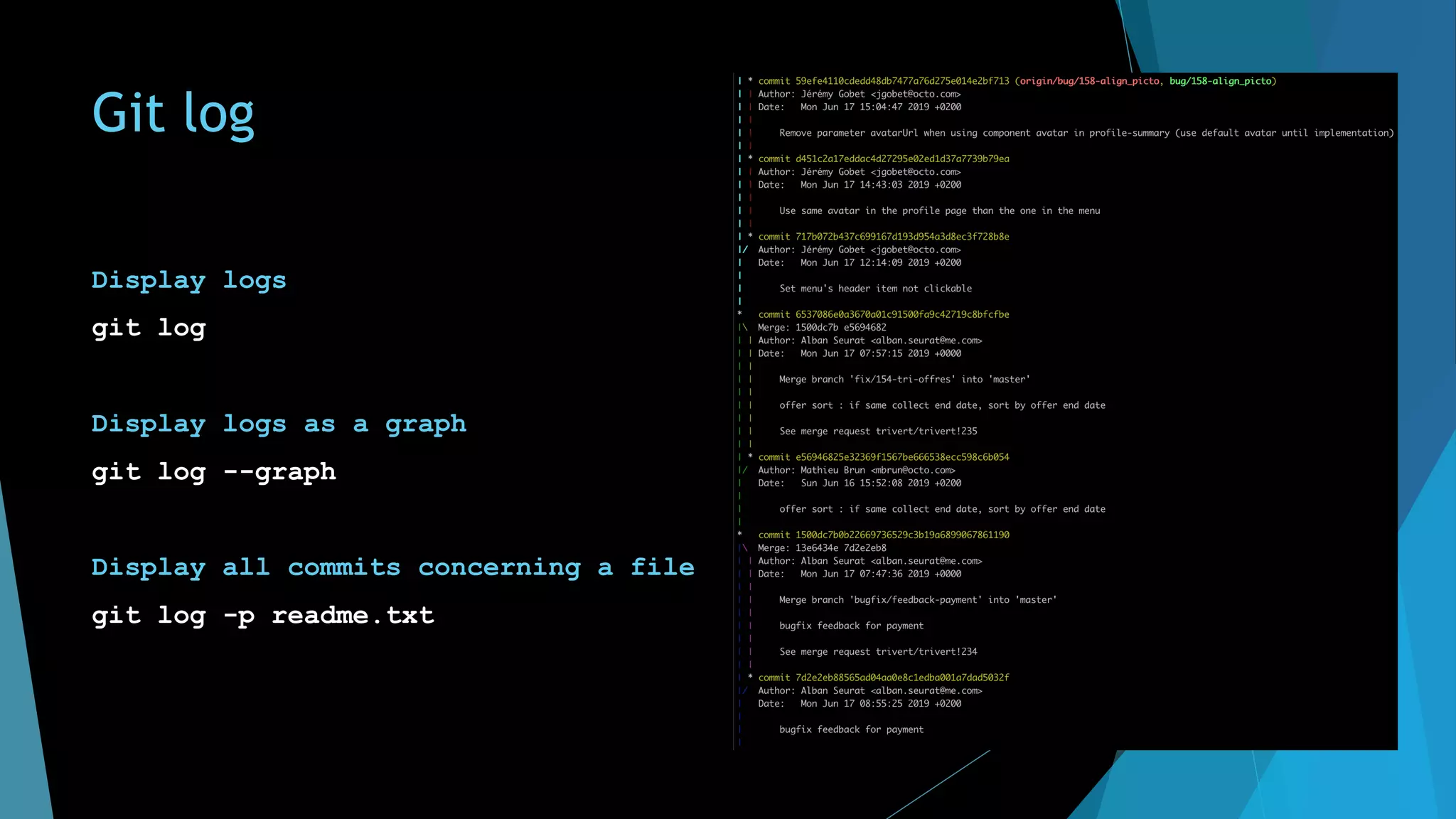
Git log
Display logs
git log
Display logs as a graph
git log --graph
Display all commits concerning a file
git log -p readme.txt
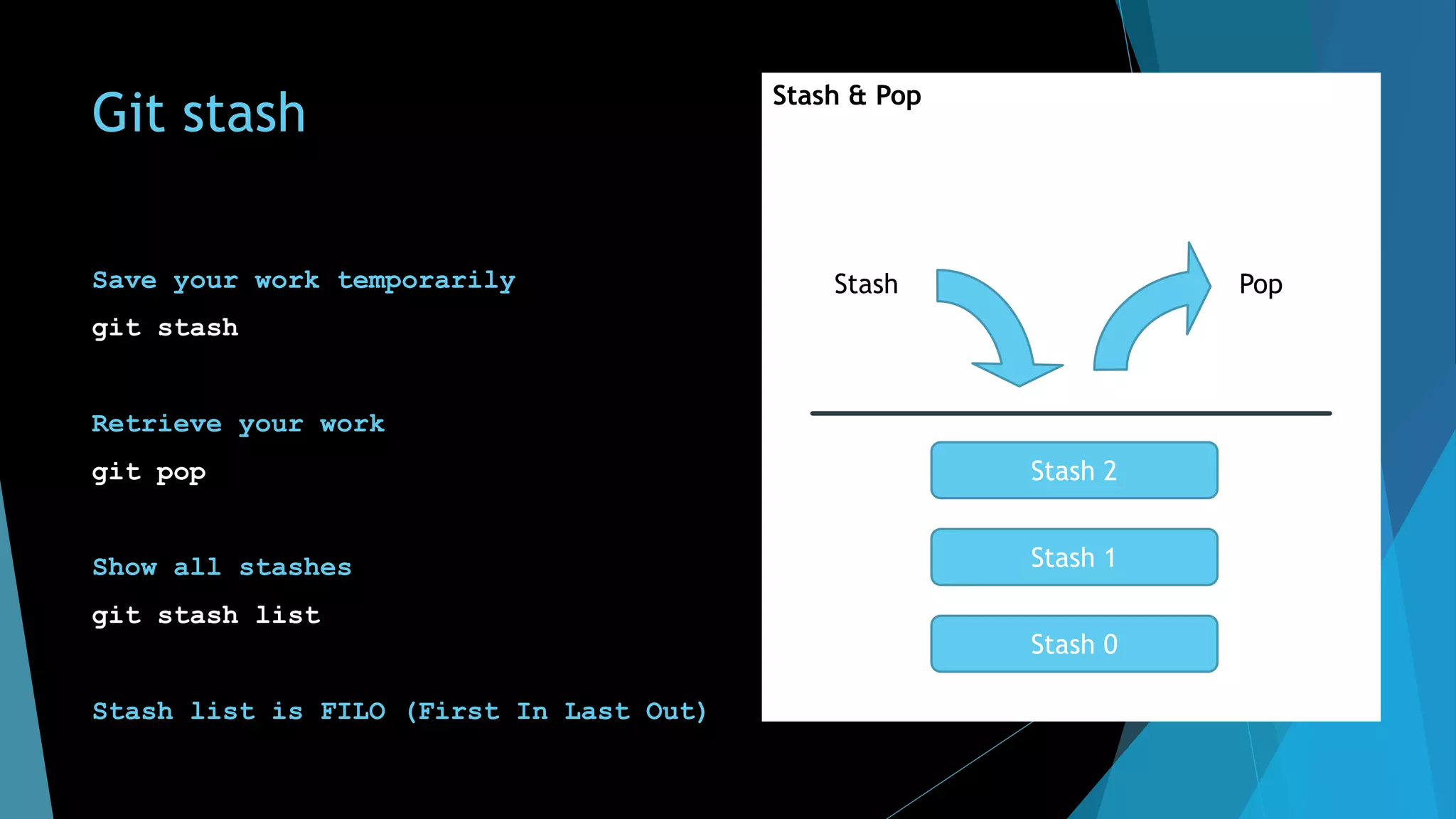
Git stash
Save your work temporarily
git stash
Retrieve your work
git pop
Show all stashes
git stash list
Stash list is FILO (First In Last Out)
Stash & Pop
Stash 0
Stash 1
Stash 2
Stash Pop
Git tag
A tag is a way to mark and name a commit
Add a tag
git tag -a v0.2 -m "version 0.2"
Checkout a tag
git checkout v0.2
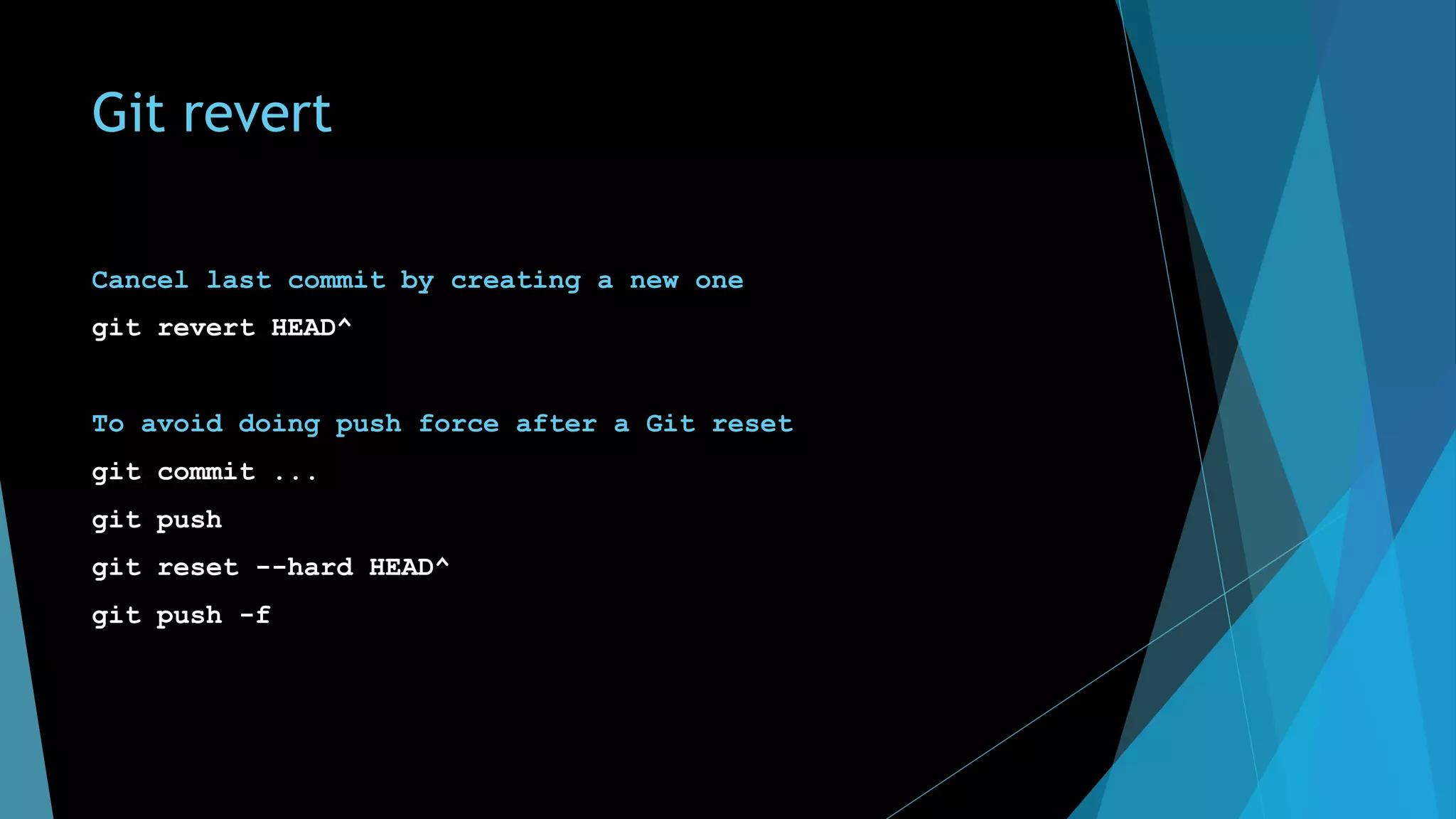
Git revert
Cancel last commit by creating a new one
git revert HEAD^
To avoid doing push force after a Git reset
git commit ...
git push
git reset --hard HEAD^
git push -f
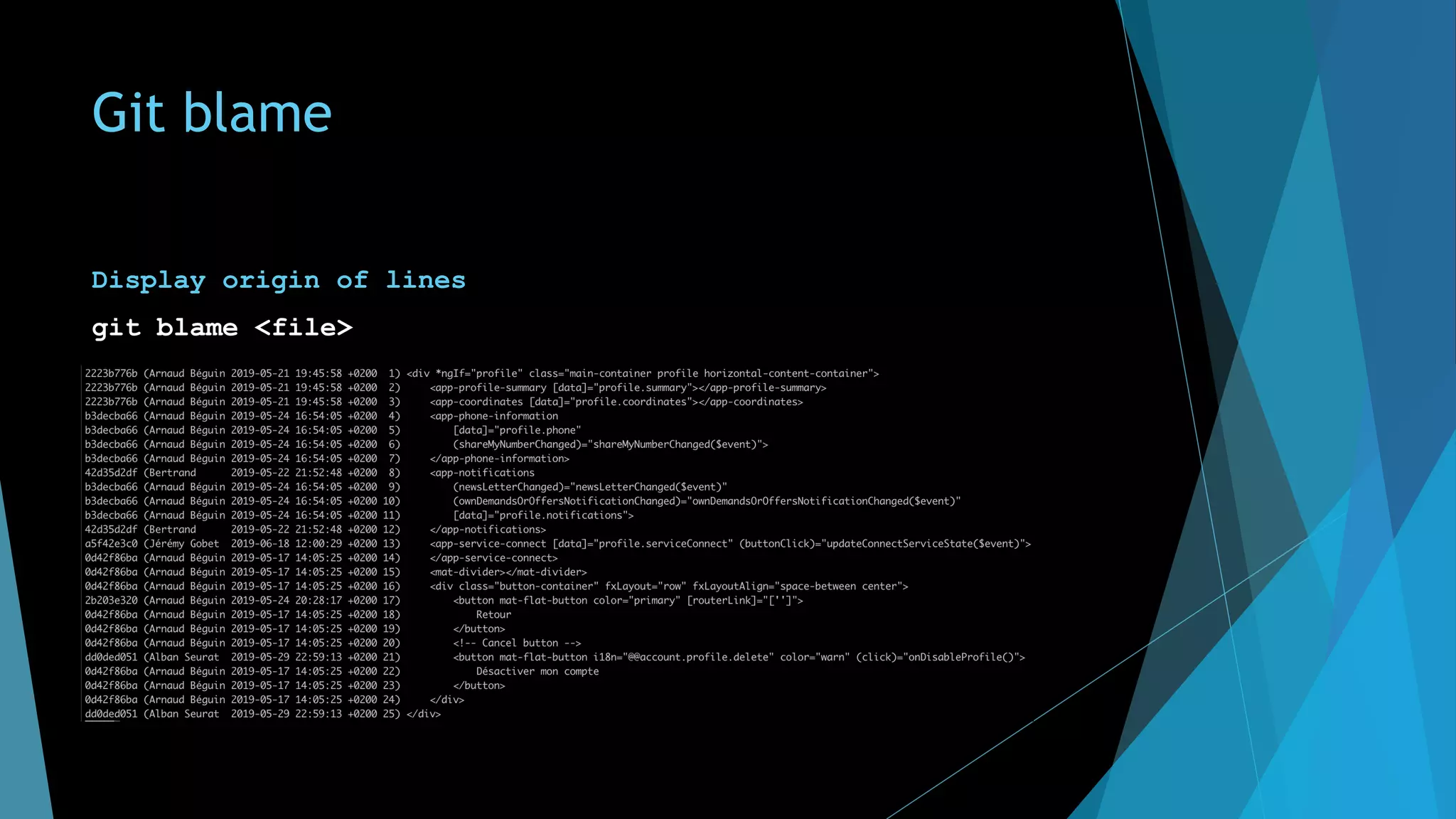
Git blame
Display origin of lines
git blame <file>
Advanced notions
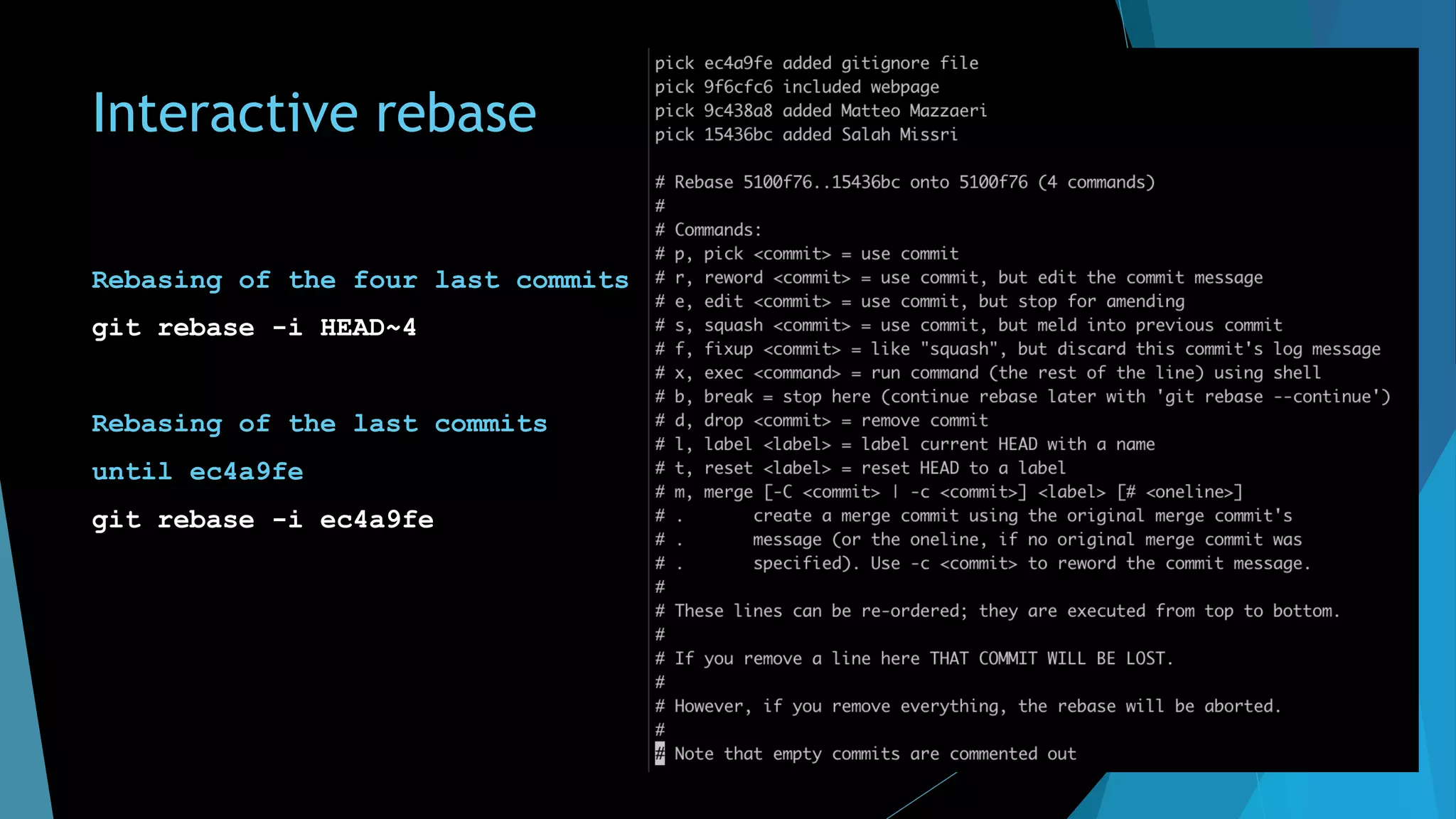
Interactive rebase
Rebasing of the four last commits
git rebase -i HEAD~4
Rebasing of the last commits
until ec4a9fe
git rebase -i ec4a9fe
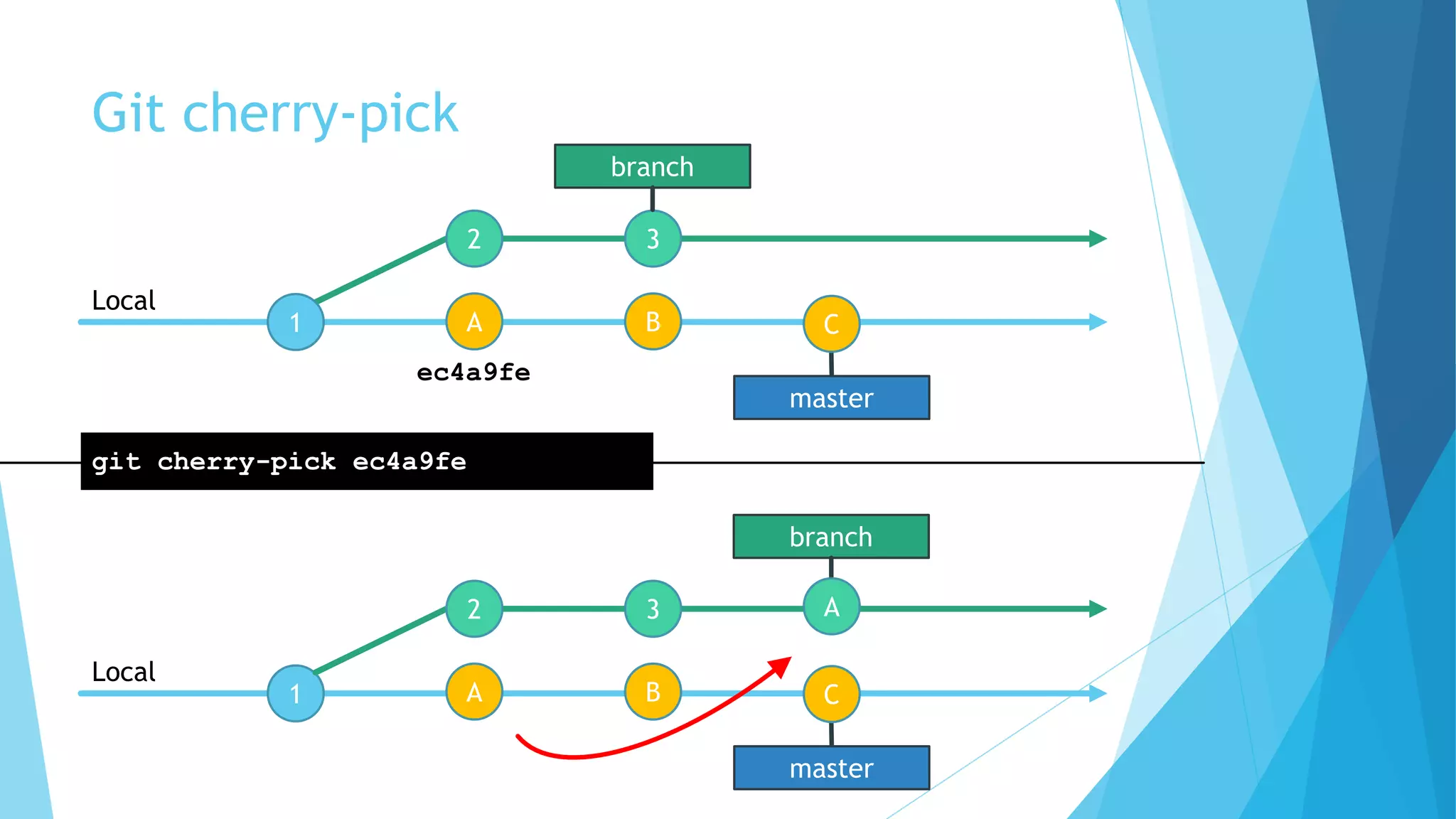
Git cherry-pick
1
2 3
Local
git cherry-pick ec4a9fe
1
Local
branch
A B
master
C
2 3
branch
A B
master
C
A
ec4a9fe
Git bissect
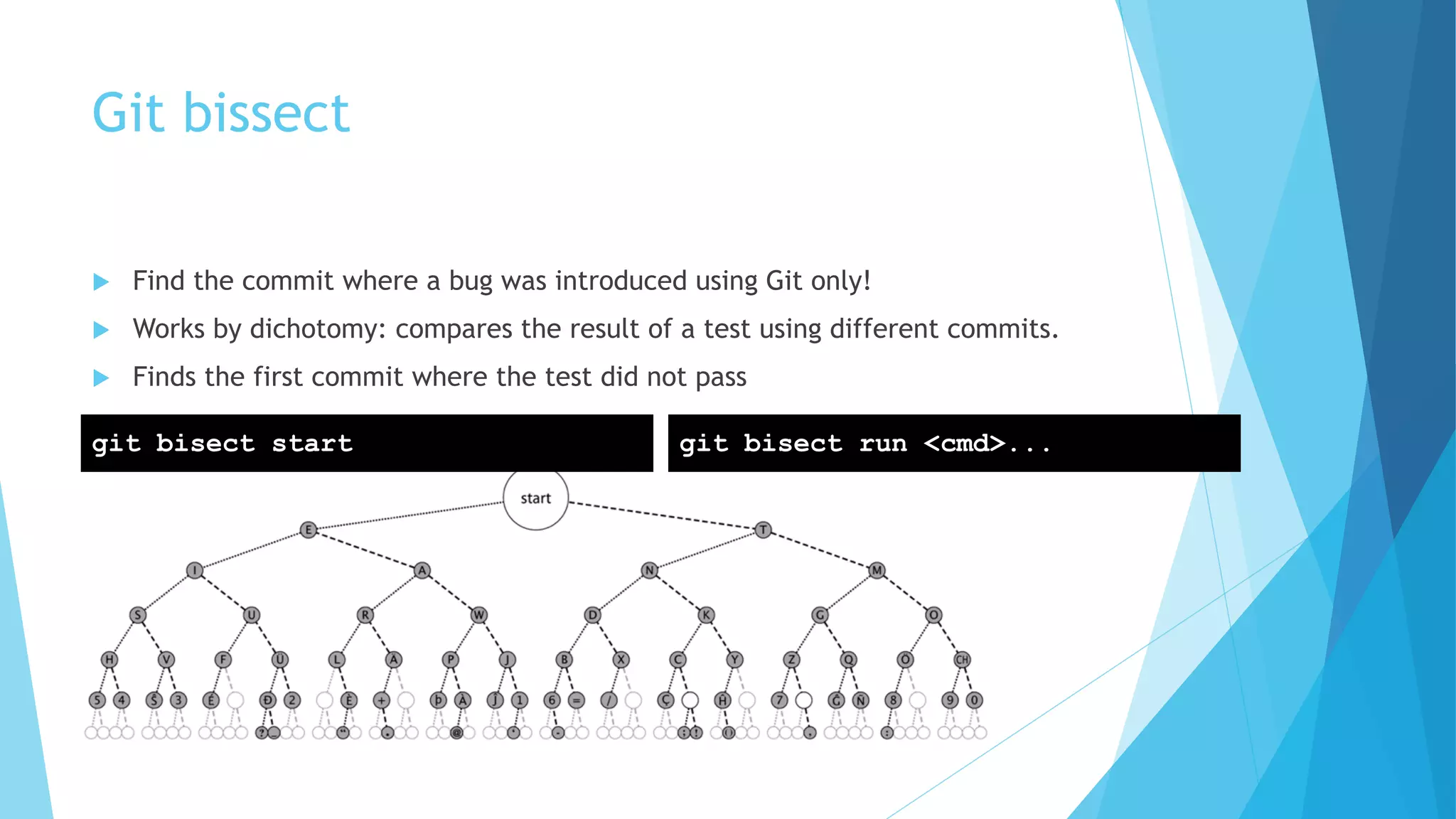
u Find the commit where a bug was introduced using Git only!
u Works by dichotomy: compares the result of a test using different commits.
u Finds the first commit where the test did not pass
git bisect start git bisect run <cmd>...
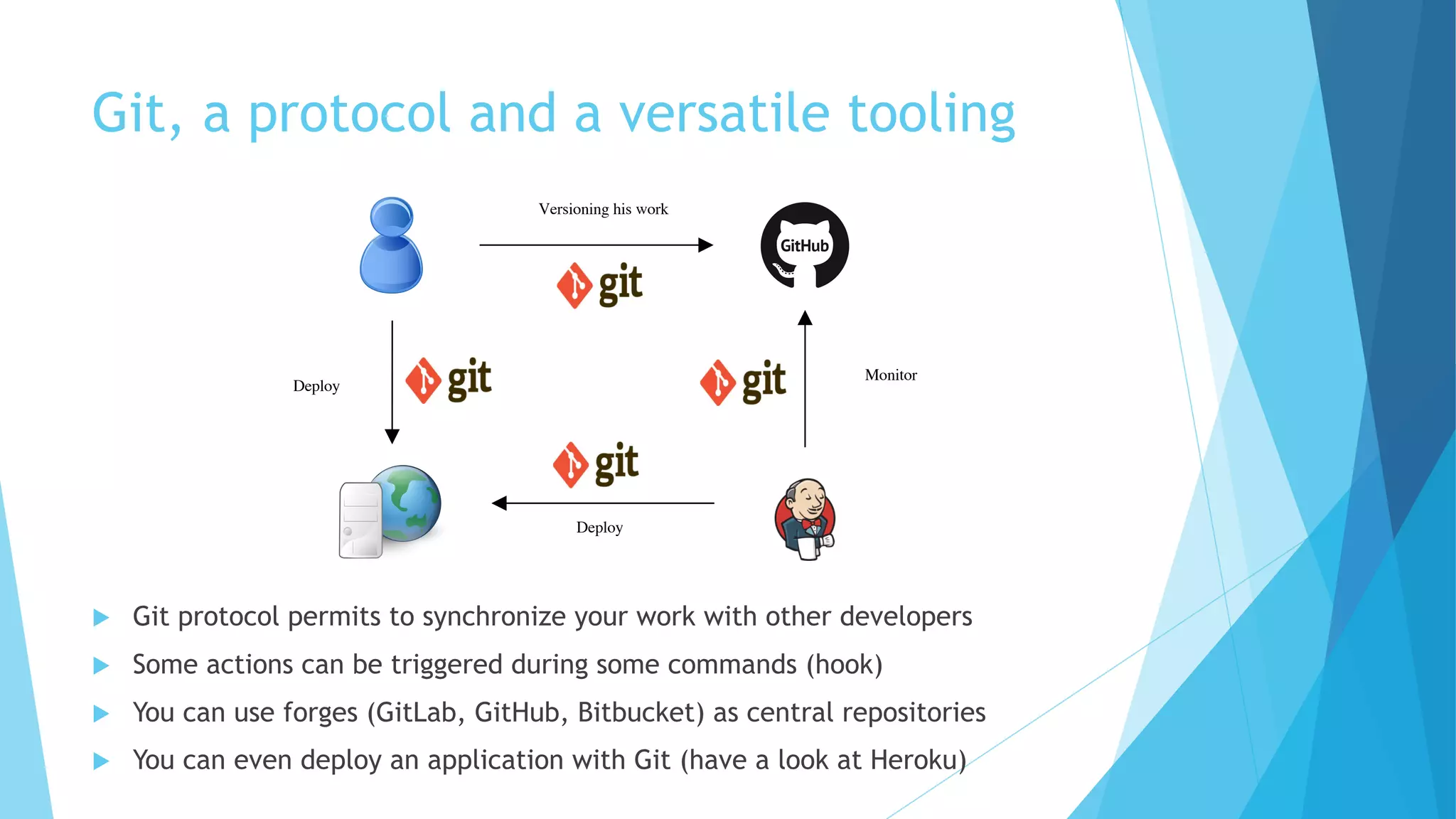
Git, a protocol and a versatile tooling
u Git protocol permits to synchronize your work with other developers
u Some actions can be triggered during some commands (hook)
u You can use forges (GitLab, GitHub, Bitbucket) as central repositories
u You can even deploy an application with Git (have a look at Heroku)
Versioning his work
Deploy
Monitor
Deploy
Alias
[alias]
st = status
stp = status --porcelain
ci = commit
br = branch
co = checkout
rz = reset --hard HEAD
pullr = pull --rebase
unstage = reset HEAD
lol = log --graph --decorate --pretty=oneline --abbrev-commit (log
mieux présenté) lpush = "!git --no-pager log origin/$(git
currentbranch)..HEAD --oneline » (ce quʼil reste à pusher)
lpull = "!git --no-pager log HEAD..origin/$(git currentbranch) --
oneline » (ce qui va venir au prochain pull)
whatsnew = "!git diff origin/$(git currentbranch)...HEAD »
whatscoming = "!git diff HEAD...origin/$(git currentbranch)"
currentbranch = "!git branch | grep "^*" | cut -d " " -f 2"
Conclusion
u Git is complex but Git is good
u Do not learn commands but understand graph manipulation
u http://learngitbranching.js.org
u http://gitimmersion.com
u Git commits are easy and fast à Commit frequently (and deal with it later)
u Git branches are cheap à Use as many as you need!
u Git ask less manual merges à The merge engine is powerful
u Git is standalone à You don’t need a server to work
u Questions ?

Git training

  • 1.
  • 2.
    Agenda 1. Discover Git 2.Basic commands 3. Understand Git basics 4. Working remotely 5. Branches & workflows 6. Rewrite history 7. Other commands 8. Advanced notions 9. Conclusion
  • 3.
  • 4.
    Connect u Are youusing source control ? u What great about it ? u What not so nice ? u What missing and why would I want that ?
  • 5.
    Version Control u Versioncontrol is a system that records changes to a file or set of files over time so that you can recall specific versions later Local Version Control Centralized Version Control Distributed Version Control
  • 6.
    What are thepains for developers about source code ? u Do modifications in isolation u Do not be impact by changes of my colleagues u Have several versions of the software u The current development version u To do a patch on an old version u Merge my work with others u Have backup of the source code u Have an history of changes u View the origin of modifications in a file u Have consistency u Most of changes concern several files u Compare versions
  • 7.
    Git & Ecosystem uGit is the heart, but there are also fundamental tools/sites around u They offer free or paid remote repository u 'Social network' feature about coding u Tasks repository u Collaborative feature : Merge (or Pull request) https://gitlab.com/https://github.com/ https://bitbucket.org/
  • 8.
  • 9.
    Git config Setup ourlocal environment to annotate the commits git config –-global user.name "Jeremy Gobet" git config --global use.email jeremy.gobet.72@gmail.com git config --global color.ui true Show local config git config --list Show and edit config with your file editor git config --global --edit
  • 10.
    Git help git help Helpabout a specific command git help <command> git help add git help commit git help status git help push git help pull
  • 11.
  • 12.
    Four states 1. Untracked 2.Staged 3. Up-to-date 4. Not staged Untracked Staged Uptodate git add git commit not staged edit filegit add
  • 13.
    Create local repositoryand add file Create your Git repository mkdir myrepository cd myrepository git init Create and track a file touch readme.txt git status git add readme.txt git status
  • 14.
    Git commit Add notstaged files and commit with message git add . git commit -m "message" or git commit -am "message" Add staged files to previous commit git commit --amend
  • 15.
    Edit file vi readme.txt gitdiff git status git commit -am "edited readme file" git status git log Vi cheatsheet mode insert • i Exit mode • ESC Cancel • u Quit • :q Save & Quit • :wq Force Quit • :q!
  • 16.
    Cancel last changes vireadme.txt git status git checkout readme.txt git status Vi cheatsheet mode insert • i Exit mode • ESC Cancel • u Quit • :q Save & Quit • :wq Force Quit • :q!
  • 17.
    Cancel & revertcommits Cancel last commit git reset --soft HEAD^ Cancel last commit and unstage changes git reset --mixed HEAD^ git reset HEAD^ Cancel last commit and delete changes git reset --hard HEAD^ Commit selection cheatsheet last commit • HEAD^ • HEAD~1 2 last commits • HEAD^^ • HEAD~2 3 last commits • HEAD~3 Commit number (last 6 characters) • 4f56b2
  • 18.
    Remove file fromrepository git rm readme.txt git status git commit -am "removed readme file" git status git log
  • 19.
    Ignore files andfolders .gitignore u Syntax in .gitignore file u **.txt Ignore all files with txt extension u *.txt Ignore all files with txt extension in root folder u /src/data Ignore all files and folder in folder: /src/data u /app/*.txt Ignore all files with txt extension in folder: /app u app Ignore all files and folder named app u !/target/.txt Ignore all everything except files with txt extension
  • 20.
  • 21.
  • 22.
  • 23.
    Git pull Pull changesfrom remote repository git pull git pull [<remote> <branch>] git pull origin master
  • 24.
    origin/master Git pull 1 23 1 2 3 4 5 Local Remote master 1 2 3 4 5 Local master git pull origin master origin/master 1 2 3 4 5 Remote
  • 25.
    Git push Push changesto remote repository git push git push [<remote> <branch>] git push origin master
  • 26.
    Git push origin/master 1 23 1 2 3 Local Remote 1 2 3 4 5 Local master git push origin master origin/master 1 2 3 4 5 Remote 4 5 master
  • 27.
    Git fetch Fetch changesfrom remote repository git fetch git fetch [<remote> <branch>] git fetch origin master git push = git fetch + git merge
  • 28.
    Git fetch origin/master 1 23 1 2 3 4 5 Local Remote master 1 2 3 4 5 Local master git fetch origin master origin/master 1 2 3 4 5 Remote
  • 29.
    Git clone remoterepository cd .. git clone git@github.com:PimsJay01/git-training.git (reply yes to the question) cd git-training git remote -v git pull origin master
  • 30.
    SSH Keys Generate SSHpublic & private keys ssh-keygen -t rsa -b 4096 -C "your_email@example.com" Copies the contents of the id_rsa.pub file to your clipboard clip < ~/.ssh/id_rsa.pub Paste public key in GitHub
  • 32.
    Push change Edit fileindex.html (add your name) Commit change Check Web page on your browser Push change What happened ? Vi cheatsheet mode insert • i Exit mode • ESC Cancel • u Quit • :q Save & Quit • :wq Force Quit • :q!
  • 33.
    origin/master Git push rejected Cannotwrite over Jeremy’s commit To git@github.com:me/remote-repository.git ! [rejected] master -> master (non-fast-forward) error: failed to push some refs to 'git@github.com:me/remote-repository.git ' hint: Updates were rejected because the tip of your current branch is behind hint: its remote counterpart. Merge the remote changes (e.g. 'git pull') hint: before pushing again. hint: See the 'Note about fast-forwards' in 'git push --help' for details. 1 2 3 1 2 3 4 Local Remote git push origin master 4 master
  • 34.
    Push change Pull remotechanges in order to push yours What happened ?
  • 35.
    origin/master Git pull inconflict here is my readme <<<<<<< HEAD the cake is a lie. ======= the cake is telling the truth! >>>>>>> 4e76d3542a7eee02ec516a47600002a90a4e4b48 1 2 3 1 2 3 4 Local Remote git pull origin master 4 master Conflict ! Your local change Remote change
  • 36.
  • 37.
    Push change Resolve conflict viindex.html (or use Visual Studio) add index.html git commit -m "Resolved conflict" Vi cheatsheet mode insert • i Exit mode • ESC Cancel • u Quit • :q Save & Quit • :wq Force Quit • :q!
  • 38.
    origin/master Conflict resolved 1 23 1 2 3 Local Remote 1 2 3 4 Local master git pull origin master origin/master 1 2 3 Remote master resolve conflict
  • 39.
    Git remote Add referenceto remote repository git remote add myrepo git@github.com:<user>/<repo>.git git remote add myrepo https://github.com/<user>/<repo>.git Display references git remote -v Delete reference git remote remove myrepo origin git@github.com:PimsJay01/git-training.git (fetch) origin git@github.com:PimsJay01/git-training.git (push)
  • 40.
    Edit remote URL Createnew personal repository on GitHub Push local repository to the new repository git remote add origin git@github.com:<user>/<repo>.git git remote -v git push origin master git status
  • 41.
  • 42.
    Git branch Create alocal branch git branch my-branch Switch your work environment to another branch git checkout my-branch Show local branches git branch Remove branche git branch -D my-branch
  • 43.
    Create feature branch Cloneremote repository with a custom name cd .. git clone git@github.com:PimsJay01/git-training.git mynewrepo cd mynewrepo Create branch with your name git branch add_name-your-name git checkout add_name-your-name Edit file index.html to add you name Commit and push change git push --set-upstream origin add_name-your-name
  • 44.
    Create a merge-requeston GitHub u Demo
  • 45.
    Feature branch &merge request u A clean way to work with Git & branches but merge create additional commits
  • 46.
  • 47.
  • 48.
    Classic merge flowvs rebase flow Real commits order Merge flow Rebase flow bob bob alice
  • 49.
  • 50.
    Git rebase remotely origin/master 12 3 1 2 3 Local Remote git pull --rebase origin master master 1 2 3 4 5 Local branch origin/master 1 2 3 Remote branch master branch master branch master Replayed
  • 51.
    Git rebase locally 1 23 Local git rebase master 4 5 branch master 1 2 3 Local branch Replayed 2 3 master
  • 52.
    Rebase your branch fromorigin master git pull --rebase origin master Resolve conflict vim index.html (or use Visual Studio) git commit -am "Resolved conflict" git status Push your change git push origin add_name-your-name What happened ? Vim cheatsheet mode insert • i Exit mode • ESC Cancel • u Quit • :q Save & Quit • :wq Force Quit • :q!
  • 53.
    Hash u SHA-1 isused to create unique hashes from files in your repository u This hash allows to check u Identity u Integrity u Checksum
  • 54.
    branch Git rebase 1 2 31 Local Remote gitpush origin master 2 3 4 5 branch origin/branch branch Cannot write over Jeremy’s commit To git@github.com:me/remote-repository.git ! [rejected] master -> master (non-fast-forward) git push --force origin master 1 2 3 4 5 Remote origin/branch
  • 55.
    Push changes onyour branch git push origin add_name-your-name Rejected ! git push --force origin add_name-your-name git log
  • 57.
    Feature branch ona daily basis u Create a working branch u Commit frequently u Synchronize frequently à Git rebase u Push changes on your branch every day u When the new feature is done à merge request u Find a colleague and valid merge request together
  • 58.
  • 59.
    Git log Display logs gitlog Display logs as a graph git log --graph Display all commits concerning a file git log -p readme.txt
  • 60.
    Git stash Save yourwork temporarily git stash Retrieve your work git pop Show all stashes git stash list Stash list is FILO (First In Last Out) Stash & Pop Stash 0 Stash 1 Stash 2 Stash Pop
  • 61.
    Git tag A tagis a way to mark and name a commit Add a tag git tag -a v0.2 -m "version 0.2" Checkout a tag git checkout v0.2
  • 62.
    Git revert Cancel lastcommit by creating a new one git revert HEAD^ To avoid doing push force after a Git reset git commit ... git push git reset --hard HEAD^ git push -f
  • 63.
    Git blame Display originof lines git blame <file>
  • 64.
  • 65.
    Interactive rebase Rebasing ofthe four last commits git rebase -i HEAD~4 Rebasing of the last commits until ec4a9fe git rebase -i ec4a9fe
  • 66.
    Git cherry-pick 1 2 3 Local gitcherry-pick ec4a9fe 1 Local branch A B master C 2 3 branch A B master C A ec4a9fe
  • 67.
    Git bissect u Findthe commit where a bug was introduced using Git only! u Works by dichotomy: compares the result of a test using different commits. u Finds the first commit where the test did not pass git bisect start git bisect run <cmd>...
  • 68.
    Git, a protocoland a versatile tooling u Git protocol permits to synchronize your work with other developers u Some actions can be triggered during some commands (hook) u You can use forges (GitLab, GitHub, Bitbucket) as central repositories u You can even deploy an application with Git (have a look at Heroku) Versioning his work Deploy Monitor Deploy
  • 69.
    Alias [alias] st = status stp= status --porcelain ci = commit br = branch co = checkout rz = reset --hard HEAD pullr = pull --rebase unstage = reset HEAD lol = log --graph --decorate --pretty=oneline --abbrev-commit (log mieux présenté) lpush = "!git --no-pager log origin/$(git currentbranch)..HEAD --oneline » (ce quʼil reste à pusher) lpull = "!git --no-pager log HEAD..origin/$(git currentbranch) -- oneline » (ce qui va venir au prochain pull) whatsnew = "!git diff origin/$(git currentbranch)...HEAD » whatscoming = "!git diff HEAD...origin/$(git currentbranch)" currentbranch = "!git branch | grep "^*" | cut -d " " -f 2"
  • 70.
    Conclusion u Git iscomplex but Git is good u Do not learn commands but understand graph manipulation u http://learngitbranching.js.org u http://gitimmersion.com u Git commits are easy and fast à Commit frequently (and deal with it later) u Git branches are cheap à Use as many as you need! u Git ask less manual merges à The merge engine is powerful u Git is standalone à You don’t need a server to work u Questions ?