Git Ninja Training
Ashok Kumar
Cloud Security Architect
BigApp
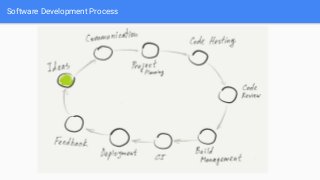
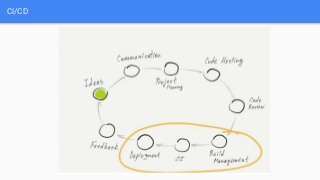
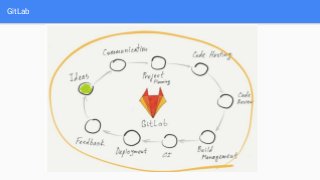
Software Development Process
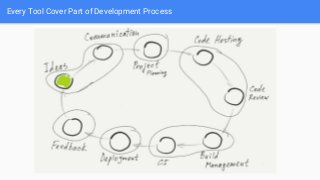
Every Tool Cover Part of Development Process
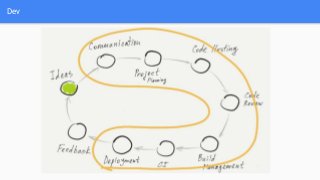
Dev
CI/CD
GitLab
How do most people work today?
Intro
Git is a free and open source distributed version control system designed to
handle everything from small to very large projects with speed and efficiency.
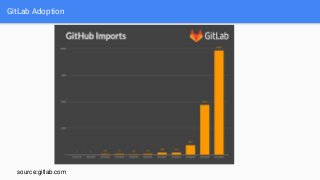
GitLab Adoption
source:gitlab.com
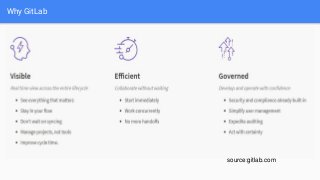
Why GitLab
source:gitlab.com
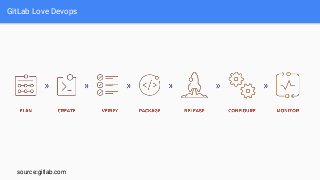
GitLab Love Devops
source:gitlab.com
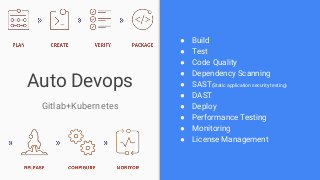
Auto Devops
Gitlab+Kubernetes
● Build
● Test
● Code Quality
● Dependency Scanning
● SAST(Static application security testing)
● DAST
● Deploy
● Performance Testing
● Monitoring
● License Management
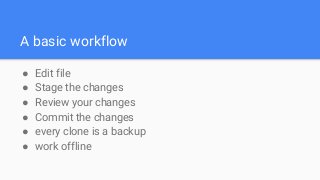
A basic workflow
● Edit file
● Stage the changes
● Review your changes
● Commit the changes
● every clone is a backup
● work offline
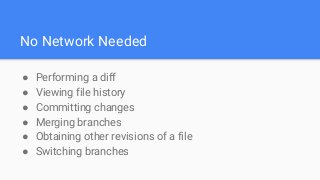
No Network Needed
● Performing a diff
● Viewing file history
● Committing changes
● Merging branches
● Obtaining other revisions of a file
● Switching branches
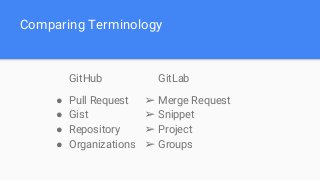
Comparing Terminology
GitHub
● Pull Request
● Gist
● Repository
● Organizations
GitLab
➢ Merge Request
➢ Snippet
➢ Project
➢ Groups
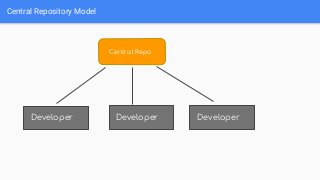
Central repository model
Central Repository Model
Central Repo
Developer DeveloperDeveloper
Git global setup
git config --global user.name "ashokbigapp"
git config --global user.email "ashok@bigappcompany.in"
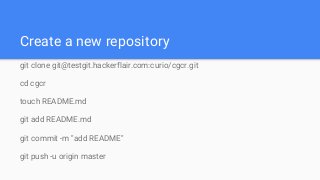
Create a new repository
git clone git@testgit.hackerflair.com:curio/cgcr.git
cd cgcr
touch README.md
git add README.md
git commit -m "add README"
git push -u origin master
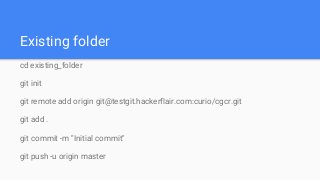
Existing folder
cd existing_folder
git init
git remote add origin git@testgit.hackerflair.com:curio/cgcr.git
git add .
git commit -m "Initial commit"
git push -u origin master
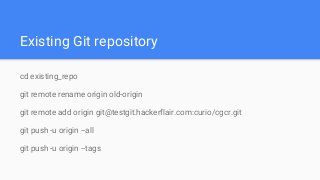
Existing Git repository
cd existing_repo
git remote rename origin old-origin
git remote add origin git@testgit.hackerflair.com:curio/cgcr.git
git push -u origin --all
git push -u origin --tags
Git Branch
git checkout [branch]
git checkout -b [branch]
git branch -d [branch]
git branch --help
what is branch really ?
git status
History
Git log
git log
git log [branch]
git log --help
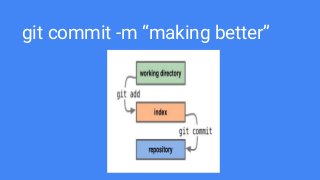
git add .
git commit -m “making better”
git fetch
git pull
git pull = fetch + merge
git push
git remote -v
git merge [branch]
git reset
git [command] --help
Distributed WorkFlow
fetch, pull and push
who is what now ?
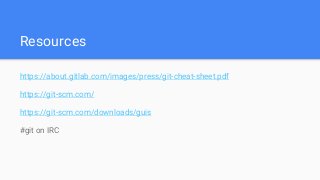
Resources
https://about.gitlab.com/images/press/git-cheat-sheet.pdf
https://git-scm.com/
https://git-scm.com/downloads/guis
#git on IRC
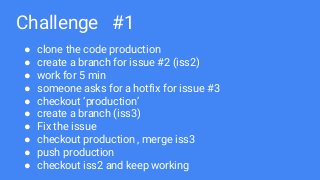
Challenge #1
● clone the code production
● create a branch for issue #2 (iss2)
● work for 5 min
● someone asks for a hotfix for issue #3
● checkout ‘production’
● create a branch (iss3)
● Fix the issue
● checkout production , merge iss3
● push production
● checkout iss2 and keep working
what to do next
Tagging
git tag -a v1.0 b95d62f4c
git stash
Challenge #2
Questions ?
gitlab @ashokbigapp
twitter @0fffh
Thankyou

Git Ninja KT (GitHub to GitLab)