+ Hangouts
      Based on best practices
of 3 Google Hangouts around Rio+20
WHAT IS A GOOGLE+ HANGOUT?


                             DEFINITION:


A free video chat service from
Google that enables both
one-on-one chats and group
chats with up to ten people at a
time.
WHY A DISCUSSION?


  People around the world
  Who want to share their thoughts and
   knowledge
  And discuss about it with others
  At a very low cost
  and keep this discussion recorded for
   later
10 STEPS
     To make your
    Google+ Hangout
     A SUCCESS
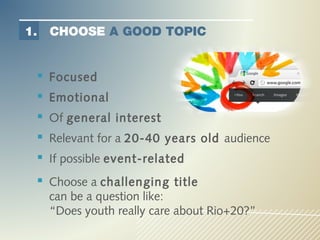
1.   CHOOSE A GOOD TOPIC


  Focused
  Emotional
  Of general interest
  Relevant for a 20-40 years old audience
  If possible event-related
  Choose a challenging title
     can be a question like:
     “Does youth really care about Rio+20?”
2.     CHOOSE THE PARTICIPANTS


      Up to 9 people can join a Hangout
      7 billion people can watch it, live or delayed
      Invite a celebrity
       (high-level UN, show biz, Nobel)
      Choose participants who
            Have a special link to the subject
             (experts, witnesses)
            Are good speakers
            Are ready to share and ask questions
            Can answer live questions on-the-spot
3.     CHOOSE A MODERATOR


     A good moderator should:
     Know the subject/topic
     Have discussed with the participants before
     Be dynamic, speak clearly and shortly
     Be able to manage the unexpected
     Encourage the discussion among the
     participants
4.     CHOOSE A DATE/TIME


      There is no ideal time -> but it is recorded!
      Know where your main audience will be
      Consider the age of your audience
      Consider promoting the Hangout the days before
      45 minutes of Hangout =
           2 hours of availability for the participants
            (incl. testing, off-air briefing)
           3 hours on day D for the organizers
           1-2 weeks of preparation in advance (part-time)
5.     WRITE A SCRIPT

      Schedule all activities from setup to the end
      Schedule everyone’s interventions
      Questions from moderator: 30’’ max
      Answers from participants: 2’30’’ max
      Insert prepared questions in the script
      Allow time for questions coming live
      Don’t be too harsh if the discussion goes
       smoothly
6.     SHARE INFORMATION

      Give the Hangout a title (may be a question)
      Write a description:
        Tell the world why you want those people to meet
        Present the participants (name, position, etc)
      Inform your network in time to ensure
       promotion
      Make a short promo video with the guest
       star
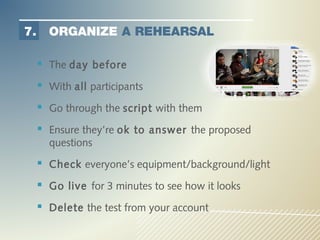
7.     ORGANIZE A REHEARSAL

      The day before
      With all participants
      Go through the script with them
      Ensure they’re ok to answer the proposed
       questions
      Check everyone’s equipment/background/light
      Go live for 3 minutes to see how it looks
      Delete the test from your account
8.     GO LIVE!

                      Just before:
     Post the description and name/position of
     participants on the Google+ page

     Start the Hangout about 30 minutes before going
     “on air” to allow anyone to join and relax

     Promote the link and time of the “on air”
     Take some pictures to post on social media
8.     GO LIVE!

                 During the Hangout:
     Check that the screen is following the speaker
     Live tweet
     Monitor questions coming from the social media
     Communicate with participants through the chat
     Keep your timing, don’t go over 45’!
9.     RELAX


      Share the link on the social media channels
       “you missed it? ….”
      Storify the Hangout with the tweets and other
       posts
      Thank the people who shared and tweeted and of
       course the participants
10. RECYCLE


   Some people may discover the Hangout later
   Continue promoting it in the following days,
    in your newsletters, make a website story
    about it, etc.
   Edit the best quotes and make it a separate
    video
   Check the # views regularly and re-promote it
    whenever relevant
Good luck!
brigitte@upwelling.net
   +1-347-449-2656

      @uPwelling

Google+ Hangout Training for KM meeting UNDP

  • 1.
    + Hangouts Based on best practices of 3 Google Hangouts around Rio+20
  • 2.
    WHAT IS AGOOGLE+ HANGOUT? DEFINITION: A free video chat service from Google that enables both one-on-one chats and group chats with up to ten people at a time.
  • 3.
    WHY A DISCUSSION?  People around the world  Who want to share their thoughts and knowledge  And discuss about it with others  At a very low cost  and keep this discussion recorded for later
  • 4.
    10 STEPS To make your Google+ Hangout A SUCCESS
  • 5.
    1. CHOOSE A GOOD TOPIC  Focused  Emotional  Of general interest  Relevant for a 20-40 years old audience  If possible event-related  Choose a challenging title can be a question like: “Does youth really care about Rio+20?”
  • 6.
    2. CHOOSE THE PARTICIPANTS  Up to 9 people can join a Hangout  7 billion people can watch it, live or delayed  Invite a celebrity (high-level UN, show biz, Nobel)  Choose participants who  Have a special link to the subject (experts, witnesses)  Are good speakers  Are ready to share and ask questions  Can answer live questions on-the-spot
  • 7.
    3. CHOOSE A MODERATOR A good moderator should: Know the subject/topic Have discussed with the participants before Be dynamic, speak clearly and shortly Be able to manage the unexpected Encourage the discussion among the participants
  • 8.
    4. CHOOSE A DATE/TIME  There is no ideal time -> but it is recorded!  Know where your main audience will be  Consider the age of your audience  Consider promoting the Hangout the days before  45 minutes of Hangout =  2 hours of availability for the participants (incl. testing, off-air briefing)  3 hours on day D for the organizers  1-2 weeks of preparation in advance (part-time)
  • 9.
    5. WRITE A SCRIPT  Schedule all activities from setup to the end  Schedule everyone’s interventions  Questions from moderator: 30’’ max  Answers from participants: 2’30’’ max  Insert prepared questions in the script  Allow time for questions coming live  Don’t be too harsh if the discussion goes smoothly
  • 10.
    6. SHARE INFORMATION  Give the Hangout a title (may be a question)  Write a description:  Tell the world why you want those people to meet  Present the participants (name, position, etc)  Inform your network in time to ensure promotion  Make a short promo video with the guest star
  • 11.
    7. ORGANIZE A REHEARSAL  The day before  With all participants  Go through the script with them  Ensure they’re ok to answer the proposed questions  Check everyone’s equipment/background/light  Go live for 3 minutes to see how it looks  Delete the test from your account
  • 12.
    8. GO LIVE! Just before: Post the description and name/position of participants on the Google+ page Start the Hangout about 30 minutes before going “on air” to allow anyone to join and relax Promote the link and time of the “on air” Take some pictures to post on social media
  • 13.
    8. GO LIVE! During the Hangout: Check that the screen is following the speaker Live tweet Monitor questions coming from the social media Communicate with participants through the chat Keep your timing, don’t go over 45’!
  • 14.
    9. RELAX  Share the link on the social media channels “you missed it? ….”  Storify the Hangout with the tweets and other posts  Thank the people who shared and tweeted and of course the participants
  • 15.
    10. RECYCLE  Some people may discover the Hangout later  Continue promoting it in the following days, in your newsletters, make a website story about it, etc.  Edit the best quotes and make it a separate video  Check the # views regularly and re-promote it whenever relevant
  • 16.
    Good luck! brigitte@upwelling.net +1-347-449-2656 @uPwelling