Learn Python
Laban Kulubasi
Overview
•History
•Installing & Running Python
•Names & Assignment
•Sequences types: Lists, Tuples, and Strings
•Mutability
Brief History of Python
•Invented in the Netherlands, early 90s by Guido van
Rossum
•Named after Monty Python
•Open sourced from the beginning
•Considered a scripting language, but is much more
•Scalable, object oriented and functional from the
beginning
•Used by Google from the beginning
•Increasingly popular
https://docs.python.org/3/
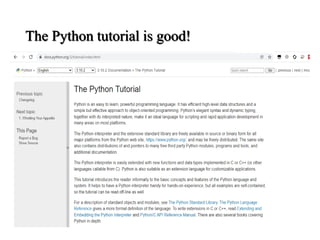
The Python tutorial is good!
Running Python
The Python Interpreter
•Typical Python implementations offer
both an interpreter and compiler
•Interactive interface to Python with a
read-eval-print loop
Installing
•Download from http://python.org/download/
•Python comes with a large library of standard
modules
•There are several options for an IDE
•IDLE – works well with Windows
IDLE Development Environment
• IDLE is an Integrated DeveLopment Environ-ment
for Python, typically used on Windows
• Multi-window text editor with syntax highlighting,
auto-completion, smart indent and other.
• Python shell with syntax highlighting.
• Integrated debugger
with stepping, persis-
tent breakpoints,
and call stack visi-
bility
Python Scripts
•When you call a python program from the command
line the interpreter evaluates each expression in the
file
•Familiar mechanisms are used to provide command
line arguments and/or redirect input and output
•Python also has mechanisms to allow a python
program to act both as a script and as a module to be
imported and used by another python program
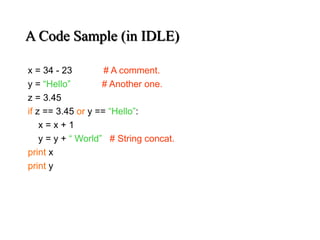
A Code Sample (in IDLE)
x = 34 - 23 # A comment.
y = “Hello” # Another one.
z = 3.45
if z == 3.45 or y == “Hello”:
x = x + 1
y = y + “ World” # String concat.
print x
print y
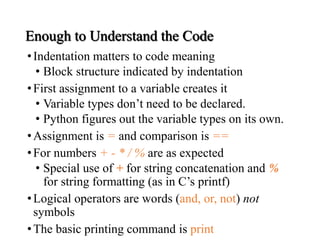
Enough to Understand the Code
•Indentation matters to code meaning
• Block structure indicated by indentation
•First assignment to a variable creates it
• Variable types don’t need to be declared.
• Python figures out the variable types on its own.
•Assignment is = and comparison is ==
•For numbers + - * / % are as expected
• Special use of + for string concatenation and %
for string formatting (as in C’s printf)
•Logical operators are words (and, or, not) not
symbols
•The basic printing command is print
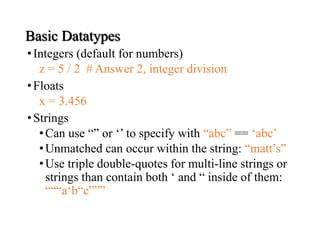
Basic Datatypes
•Integers (default for numbers)
z = 5 / 2 # Answer 2, integer division
•Floats
x = 3.456
•Strings
•Can use “” or ‘’ to specify with “abc” == ‘abc’
•Unmatched can occur within the string: “matt’s”
•Use triple double-quotes for multi-line strings or
strings than contain both ‘ and “ inside of them:
“““a‘b“c”””
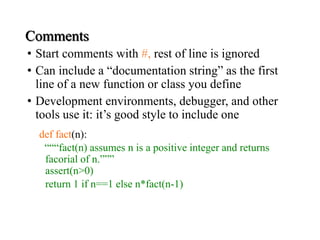
Comments
• Start comments with #, rest of line is ignored
• Can include a “documentation string” as the first
line of a new function or class you define
• Development environments, debugger, and other
tools use it: it’s good style to include one
def fact(n):
“““fact(n) assumes n is a positive integer and returns
facorial of n.”””
assert(n>0)
return 1 if n==1 else n*fact(n-1)
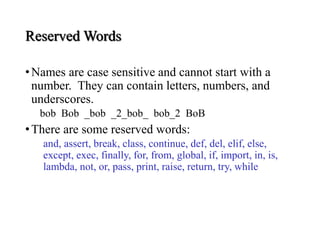
Reserved Words
•Names are case sensitive and cannot start with a
number. They can contain letters, numbers, and
underscores.
bob Bob _bob _2_bob_ bob_2 BoB
•There are some reserved words:
and, assert, break, class, continue, def, del, elif, else,
except, exec, finally, for, from, global, if, import, in, is,
lambda, not, or, pass, print, raise, return, try, while
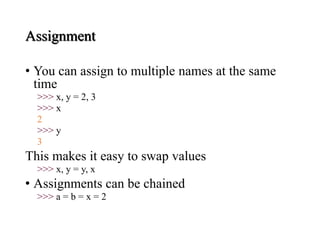
Assignment
• You can assign to multiple names at the same
time
>>> x, y = 2, 3
>>> x
2
>>> y
3
This makes it easy to swap values
>>> x, y = y, x
• Assignments can be chained
>>> a = b = x = 2
Sequence types: Tuples,
Lists, and Strings
Sequence Types
1. Tuple: (‘john’, 32, [CMSC])
 A simple immutable ordered sequence of items
 Items can be of mixed types, including
collection types
2. Strings: “John Smith”
• Immutable
• Conceptually very much like a tuple
3. List: [1, 2, ‘john’, (‘up’, ‘down’)]
 Mutable ordered sequence of items of mixed
types
The ‘in’ Operator
• Boolean test whether a value is inside a container:
>>> t = [1, 2, 4, 5]
>>> 3 in t
False
>>> 4 in t
True
>>> 4 not in t
False
• For strings, tests for substrings
>>> a = 'abcde'
>>> 'c' in a
True
>>> 'cd' in a
True
>>> 'ac' in a
False
• Be careful: the in keyword is also used in the syntax of for loops and list
comprehensions
The + Operator
The + operator produces a new tuple, list, or string
whose value is the concatenation of its arguments.
>>> (1, 2, 3) + (4, 5, 6)
(1, 2, 3, 4, 5, 6)
>>> [1, 2, 3] + [4, 5, 6]
[1, 2, 3, 4, 5, 6]
>>> “Hello” + “ ” + “World”
‘Hello World’
The * Operator
•The * operator produces a new tuple, list, or string
that “repeats” the original content.
>>> (1, 2, 3) * 3
(1, 2, 3, 1, 2, 3, 1, 2, 3)
>>> [1, 2, 3] * 3
[1, 2, 3, 1, 2, 3, 1, 2, 3]
>>> “Hello” * 3
‘HelloHelloHello’
Mutability:
Tuples vs. Lists
Lists are mutable
>>> li = [‘abc’, 23, 4.34, 23]
>>> li[1] = 45
>>> li
[‘abc’, 45, 4.34, 23]
•We can change lists in place.
•Name li still points to the same memory
reference when we’re done.
Tuples are immutable
>>> t = (23, ‘abc’, 4.56, (2,3), ‘def’)
>>> t[2] = 3.14
Traceback (most recent call last):
File "<pyshell#75>", line 1, in -toplevel-
tu[2] = 3.14
TypeError: object doesn't support item assignment
• You can’t change a tuple.
• You can make a fresh tuple and assign its reference to a
previously used name.
>>> t = (23, ‘abc’, 3.14, (2,3), ‘def’)
• The immutability of tuples means they’re faster than
lists.
Operations on Lists Only
>>> li = [1, 11, 3, 4, 5]
>>> li.append(‘a’) # Note the method syntax
>>> li
[1, 11, 3, 4, 5, ‘a’]
>>> li.insert(2, ‘i’)
>>>li
[1, 11, ‘i’, 3, 4, 5, ‘a’]
The extend method vs +
• + creates a fresh list with a new memory ref
• extend operates on list li in place.
>>> li.extend([9, 8, 7])
>>> li
[1, 2, ‘i’, 3, 4, 5, ‘a’, 9, 8, 7]
• Potentially confusing:
• extend takes a list as an argument.
• append takes a singleton as an argument.
>>> li.append([10, 11, 12])
>>> li
[1, 2, ‘i’, 3, 4, 5, ‘a’, 9, 8, 7, [10, 11, 12]]
Operations on Lists Only
Lists have many methods, including index, count,
remove, reverse, sort
>>> li = [‘a’, ‘b’, ‘c’, ‘b’]
>>> li.index(‘b’) # index of 1st occurrence
1
>>> li.count(‘b’) # number of occurrences
2
>>> li.remove(‘b’) # remove 1st occurrence
>>> li
[‘a’, ‘c’, ‘b’]
Operations on Lists Only
>>> li = [5, 2, 6, 8]
>>> li.reverse() # reverse the list *in place*
>>> li
[8, 6, 2, 5]
>>> li.sort() # sort the list *in place*
>>> li
[2, 5, 6, 8]
>>> li.sort(some_function)
# sort in place using user-defined comparison
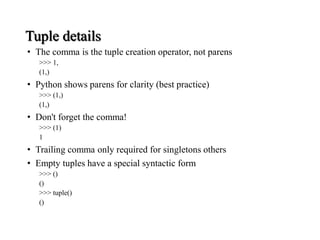
Tuple details
• The comma is the tuple creation operator, not parens
>>> 1,
(1,)
• Python shows parens for clarity (best practice)
>>> (1,)
(1,)
• Don't forget the comma!
>>> (1)
1
• Trailing comma only required for singletons others
• Empty tuples have a special syntactic form
>>> ()
()
>>> tuple()
()
Summary: Tuples vs. Lists
•Lists slower but more powerful than tuples
•Lists can be modified, and they have lots of handy
operations and mehtods
•Tuples are immutable and have fewer features
•To convert between tuples and lists use the list() and
tuple() functions:
li = list(tu)
tu = tuple(li)

Getting started in Python presentation by Laban K

  • 1.
  • 2.
    Overview •History •Installing & RunningPython •Names & Assignment •Sequences types: Lists, Tuples, and Strings •Mutability
  • 3.
    Brief History ofPython •Invented in the Netherlands, early 90s by Guido van Rossum •Named after Monty Python •Open sourced from the beginning •Considered a scripting language, but is much more •Scalable, object oriented and functional from the beginning •Used by Google from the beginning •Increasingly popular
  • 4.
  • 5.
  • 6.
  • 7.
    The Python Interpreter •TypicalPython implementations offer both an interpreter and compiler •Interactive interface to Python with a read-eval-print loop
  • 8.
    Installing •Download from http://python.org/download/ •Pythoncomes with a large library of standard modules •There are several options for an IDE •IDLE – works well with Windows
  • 9.
    IDLE Development Environment •IDLE is an Integrated DeveLopment Environ-ment for Python, typically used on Windows • Multi-window text editor with syntax highlighting, auto-completion, smart indent and other. • Python shell with syntax highlighting. • Integrated debugger with stepping, persis- tent breakpoints, and call stack visi- bility
  • 10.
    Python Scripts •When youcall a python program from the command line the interpreter evaluates each expression in the file •Familiar mechanisms are used to provide command line arguments and/or redirect input and output •Python also has mechanisms to allow a python program to act both as a script and as a module to be imported and used by another python program
  • 11.
    A Code Sample(in IDLE) x = 34 - 23 # A comment. y = “Hello” # Another one. z = 3.45 if z == 3.45 or y == “Hello”: x = x + 1 y = y + “ World” # String concat. print x print y
  • 12.
    Enough to Understandthe Code •Indentation matters to code meaning • Block structure indicated by indentation •First assignment to a variable creates it • Variable types don’t need to be declared. • Python figures out the variable types on its own. •Assignment is = and comparison is == •For numbers + - * / % are as expected • Special use of + for string concatenation and % for string formatting (as in C’s printf) •Logical operators are words (and, or, not) not symbols •The basic printing command is print
  • 13.
    Basic Datatypes •Integers (defaultfor numbers) z = 5 / 2 # Answer 2, integer division •Floats x = 3.456 •Strings •Can use “” or ‘’ to specify with “abc” == ‘abc’ •Unmatched can occur within the string: “matt’s” •Use triple double-quotes for multi-line strings or strings than contain both ‘ and “ inside of them: “““a‘b“c”””
  • 14.
    Comments • Start commentswith #, rest of line is ignored • Can include a “documentation string” as the first line of a new function or class you define • Development environments, debugger, and other tools use it: it’s good style to include one def fact(n): “““fact(n) assumes n is a positive integer and returns facorial of n.””” assert(n>0) return 1 if n==1 else n*fact(n-1)
  • 15.
    Reserved Words •Names arecase sensitive and cannot start with a number. They can contain letters, numbers, and underscores. bob Bob _bob _2_bob_ bob_2 BoB •There are some reserved words: and, assert, break, class, continue, def, del, elif, else, except, exec, finally, for, from, global, if, import, in, is, lambda, not, or, pass, print, raise, return, try, while
  • 16.
    Assignment • You canassign to multiple names at the same time >>> x, y = 2, 3 >>> x 2 >>> y 3 This makes it easy to swap values >>> x, y = y, x • Assignments can be chained >>> a = b = x = 2
  • 17.
  • 18.
    Sequence Types 1. Tuple:(‘john’, 32, [CMSC])  A simple immutable ordered sequence of items  Items can be of mixed types, including collection types 2. Strings: “John Smith” • Immutable • Conceptually very much like a tuple 3. List: [1, 2, ‘john’, (‘up’, ‘down’)]  Mutable ordered sequence of items of mixed types
  • 19.
    The ‘in’ Operator •Boolean test whether a value is inside a container: >>> t = [1, 2, 4, 5] >>> 3 in t False >>> 4 in t True >>> 4 not in t False • For strings, tests for substrings >>> a = 'abcde' >>> 'c' in a True >>> 'cd' in a True >>> 'ac' in a False • Be careful: the in keyword is also used in the syntax of for loops and list comprehensions
  • 20.
    The + Operator The+ operator produces a new tuple, list, or string whose value is the concatenation of its arguments. >>> (1, 2, 3) + (4, 5, 6) (1, 2, 3, 4, 5, 6) >>> [1, 2, 3] + [4, 5, 6] [1, 2, 3, 4, 5, 6] >>> “Hello” + “ ” + “World” ‘Hello World’
  • 21.
    The * Operator •The* operator produces a new tuple, list, or string that “repeats” the original content. >>> (1, 2, 3) * 3 (1, 2, 3, 1, 2, 3, 1, 2, 3) >>> [1, 2, 3] * 3 [1, 2, 3, 1, 2, 3, 1, 2, 3] >>> “Hello” * 3 ‘HelloHelloHello’
  • 22.
  • 23.
    Lists are mutable >>>li = [‘abc’, 23, 4.34, 23] >>> li[1] = 45 >>> li [‘abc’, 45, 4.34, 23] •We can change lists in place. •Name li still points to the same memory reference when we’re done.
  • 24.
    Tuples are immutable >>>t = (23, ‘abc’, 4.56, (2,3), ‘def’) >>> t[2] = 3.14 Traceback (most recent call last): File "<pyshell#75>", line 1, in -toplevel- tu[2] = 3.14 TypeError: object doesn't support item assignment • You can’t change a tuple. • You can make a fresh tuple and assign its reference to a previously used name. >>> t = (23, ‘abc’, 3.14, (2,3), ‘def’) • The immutability of tuples means they’re faster than lists.
  • 25.
    Operations on ListsOnly >>> li = [1, 11, 3, 4, 5] >>> li.append(‘a’) # Note the method syntax >>> li [1, 11, 3, 4, 5, ‘a’] >>> li.insert(2, ‘i’) >>>li [1, 11, ‘i’, 3, 4, 5, ‘a’]
  • 26.
    The extend methodvs + • + creates a fresh list with a new memory ref • extend operates on list li in place. >>> li.extend([9, 8, 7]) >>> li [1, 2, ‘i’, 3, 4, 5, ‘a’, 9, 8, 7] • Potentially confusing: • extend takes a list as an argument. • append takes a singleton as an argument. >>> li.append([10, 11, 12]) >>> li [1, 2, ‘i’, 3, 4, 5, ‘a’, 9, 8, 7, [10, 11, 12]]
  • 27.
    Operations on ListsOnly Lists have many methods, including index, count, remove, reverse, sort >>> li = [‘a’, ‘b’, ‘c’, ‘b’] >>> li.index(‘b’) # index of 1st occurrence 1 >>> li.count(‘b’) # number of occurrences 2 >>> li.remove(‘b’) # remove 1st occurrence >>> li [‘a’, ‘c’, ‘b’]
  • 28.
    Operations on ListsOnly >>> li = [5, 2, 6, 8] >>> li.reverse() # reverse the list *in place* >>> li [8, 6, 2, 5] >>> li.sort() # sort the list *in place* >>> li [2, 5, 6, 8] >>> li.sort(some_function) # sort in place using user-defined comparison
  • 29.
    Tuple details • Thecomma is the tuple creation operator, not parens >>> 1, (1,) • Python shows parens for clarity (best practice) >>> (1,) (1,) • Don't forget the comma! >>> (1) 1 • Trailing comma only required for singletons others • Empty tuples have a special syntactic form >>> () () >>> tuple() ()
  • 30.
    Summary: Tuples vs.Lists •Lists slower but more powerful than tuples •Lists can be modified, and they have lots of handy operations and mehtods •Tuples are immutable and have fewer features •To convert between tuples and lists use the list() and tuple() functions: li = list(tu) tu = tuple(li)