Xenon HD Gerrit!
Ohhhhhh yeah!
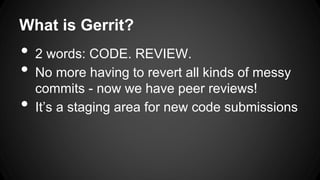
What is Gerrit?
• 2 words: CODE. REVIEW.
• No more having to revert all kinds of messy
commits - now we have peer reviews!
• It’s a staging area for new code submissions
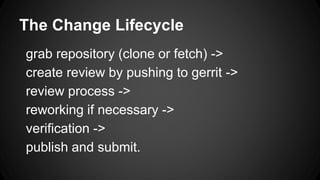
The Change Lifecycle
grab repository (clone or fetch) ->
create review by pushing to gerrit ->
review process ->
reworking if necessary ->
verification ->
publish and submit.
Things to remember when you
commit
- ALWAYS include a change-id
(fortunately the gerrit script helps you with
this)
It has to be in the last paragraph of commit
- ALWAYS include sign-off
give yourself some credit!
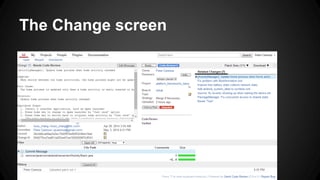
The Change screen
Life of a patch
http://source.android.com/source/life-of-a-
patch.html
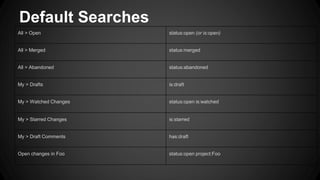
Default Searches
All > Open status:open (or is:open)
All > Merged status:merged
All > Abandoned status:abandoned
My > Drafts is:draft
My > Watched Changes status:open is:watched
My > Starred Changes is:starred
My > Draft Comments has:draft
Open changes in Foo status:open project:Foo
SSH Auth/Keys
We will be using SSH mostly.
Follow these steps:
• ssh-keygen -t rsa (creates a public key)
• copy the content of the public key file onto
your clipboard, and paste it into Gerrit’s web
interface (.ssh/id_rsa.pub)
• verify: ssh -p 29418 <user>@gerrit.xenonhd.com
vendor/xenonhd/tools/gerritme.pl
• Make sure your linux server has perl
(buildbox does)
• copy to home directory (~/gerritme.pl)
• for each repo you modify you will want to run
this script
• initializes all your gerrit stuff! Only need to
run once (unless you wipe directories)
Say you have made a change…
First (and easiest) way to upload to gerrit:
Assuming you have run gerritme.sh on the
repo.
First, commit the change (with -s to sign off).
Then push using git push gerrit
That’s it! It should now be in the gerrit server
FYI: The branch you pushed to is
Patch sets (Oops, you messed up!)
Hey everyone messes up…
The gerritme script inserts a special hook that
puts in a change-id line on EVERY COMMIT.
If you want to modify an old commit, use the
specific commit tag in your new commit.
Patch sets (continued)
You can:
• git commit --amend to add to or edit a
commit you just made
• git rebase -- if your commit was made
earlier, you can edit that specific commit
using git rebase, or rebase to
• squash more than one commit together
using a single commit id
Cherry picking from elsewhere
Usually, if you cherry pick, the commit will
already have a reference number. Leave it
there, please, to credit the original committer.
UNLESS it’s your own commit, then you can
change numbers to mark it as a different
patch.
IF for some reason you don’t commit
with a change id...
The push will fail. We are configured to accept
only commits with change ids. This should
not happen if you use gerritme, as it
automatically places an id on each commit.
IF somehow the change id is not in the last
paragraph of the commit msg, the push will
fail. Simply edit the commit and move it to the
end.
Signed-off-by lines
Signed off by lines will be required.
Cherry picks will usually have them.
To add one , do git commit with -s switch.
If you forgot, you can always commit --amend
-s
Or add manually something like
Signed-off-by: Random J Developer <random@developer.example.org>
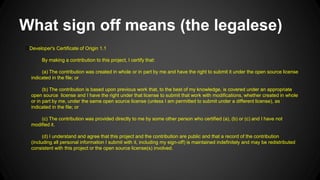
What sign off means (the legalese)
DDeveloper's Certificate of Origin 1.1
By making a contribution to this project, I certify that:
(a) The contribution was created in whole or in part by me and have the right to submit it under the open source license
indicated in the file; or
(b) The contribution is based upon previous work that, to the best of my knowledge, is covered under an appropriate
open source license and I have the right under that license to submit that work with modifications, whether created in whole
or in part by me, under the same open source license (unless I am permitted to submit under a different license), as
indicated in the file; or
(c) The contribution was provided directly to me by some other person who certified (a), (b) or (c) and I have not
modified it.
(d) I understand and agree that this project and the contribution are public and that a record of the contribution
(including all personal information I submit with it, including my sign-off) is maintained indefinitely and may be redistributed
consistent with this project or the open source license(s) involved.
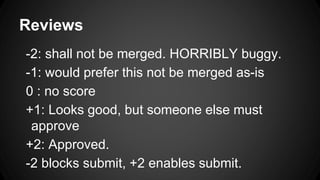
Reviews
-2: shall not be merged. HORRIBLY buggy.
-1: would prefer this not be merged as-is
0 : no score
+1: Looks good, but someone else must
approve
+2: Approved.
-2 blocks submit, +2 enables submit.
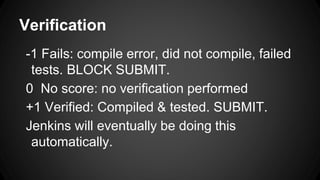
Verification
-1 Fails: compile error, did not compile, failed
tests. BLOCK SUBMIT.
0 No score: no verification performed
+1 Verified: Compiled & tested. SUBMIT.
Jenkins will eventually be doing this
automatically.

Gerrit class

  • 1.
  • 2.
    What is Gerrit? •2 words: CODE. REVIEW. • No more having to revert all kinds of messy commits - now we have peer reviews! • It’s a staging area for new code submissions
  • 3.
    The Change Lifecycle grabrepository (clone or fetch) -> create review by pushing to gerrit -> review process -> reworking if necessary -> verification -> publish and submit.
  • 4.
    Things to rememberwhen you commit - ALWAYS include a change-id (fortunately the gerrit script helps you with this) It has to be in the last paragraph of commit - ALWAYS include sign-off give yourself some credit!
  • 5.
  • 6.
    Life of apatch http://source.android.com/source/life-of-a- patch.html
  • 7.
    Default Searches All >Open status:open (or is:open) All > Merged status:merged All > Abandoned status:abandoned My > Drafts is:draft My > Watched Changes status:open is:watched My > Starred Changes is:starred My > Draft Comments has:draft Open changes in Foo status:open project:Foo
  • 8.
    SSH Auth/Keys We willbe using SSH mostly. Follow these steps: • ssh-keygen -t rsa (creates a public key) • copy the content of the public key file onto your clipboard, and paste it into Gerrit’s web interface (.ssh/id_rsa.pub) • verify: ssh -p 29418 <user>@gerrit.xenonhd.com
  • 9.
    vendor/xenonhd/tools/gerritme.pl • Make sureyour linux server has perl (buildbox does) • copy to home directory (~/gerritme.pl) • for each repo you modify you will want to run this script • initializes all your gerrit stuff! Only need to run once (unless you wipe directories)
  • 10.
    Say you havemade a change… First (and easiest) way to upload to gerrit: Assuming you have run gerritme.sh on the repo. First, commit the change (with -s to sign off). Then push using git push gerrit That’s it! It should now be in the gerrit server FYI: The branch you pushed to is
  • 11.
    Patch sets (Oops,you messed up!) Hey everyone messes up… The gerritme script inserts a special hook that puts in a change-id line on EVERY COMMIT. If you want to modify an old commit, use the specific commit tag in your new commit.
  • 12.
    Patch sets (continued) Youcan: • git commit --amend to add to or edit a commit you just made • git rebase -- if your commit was made earlier, you can edit that specific commit using git rebase, or rebase to • squash more than one commit together using a single commit id
  • 13.
    Cherry picking fromelsewhere Usually, if you cherry pick, the commit will already have a reference number. Leave it there, please, to credit the original committer. UNLESS it’s your own commit, then you can change numbers to mark it as a different patch.
  • 14.
    IF for somereason you don’t commit with a change id... The push will fail. We are configured to accept only commits with change ids. This should not happen if you use gerritme, as it automatically places an id on each commit. IF somehow the change id is not in the last paragraph of the commit msg, the push will fail. Simply edit the commit and move it to the end.
  • 15.
    Signed-off-by lines Signed offby lines will be required. Cherry picks will usually have them. To add one , do git commit with -s switch. If you forgot, you can always commit --amend -s Or add manually something like Signed-off-by: Random J Developer <random@developer.example.org>
  • 16.
    What sign offmeans (the legalese) DDeveloper's Certificate of Origin 1.1 By making a contribution to this project, I certify that: (a) The contribution was created in whole or in part by me and have the right to submit it under the open source license indicated in the file; or (b) The contribution is based upon previous work that, to the best of my knowledge, is covered under an appropriate open source license and I have the right under that license to submit that work with modifications, whether created in whole or in part by me, under the same open source license (unless I am permitted to submit under a different license), as indicated in the file; or (c) The contribution was provided directly to me by some other person who certified (a), (b) or (c) and I have not modified it. (d) I understand and agree that this project and the contribution are public and that a record of the contribution (including all personal information I submit with it, including my sign-off) is maintained indefinitely and may be redistributed consistent with this project or the open source license(s) involved.
  • 17.
    Reviews -2: shall notbe merged. HORRIBLY buggy. -1: would prefer this not be merged as-is 0 : no score +1: Looks good, but someone else must approve +2: Approved. -2 blocks submit, +2 enables submit.
  • 18.
    Verification -1 Fails: compileerror, did not compile, failed tests. BLOCK SUBMIT. 0 No score: no verification performed +1 Verified: Compiled & tested. SUBMIT. Jenkins will eventually be doing this automatically.