Getting
started with
Gearman for
MySQL
Giuseppe Maxia
Eric Day
This work is licensed under the Creative Commons Attribution-Share Alike 3.0 Unported License.
Tuesday, 13 April 2010
A short (I promise!)
history of computing
Tuesday, 13 April 2010
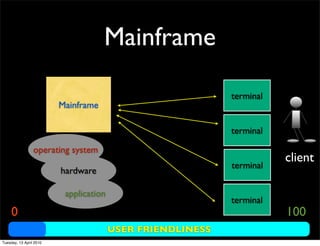
Mainframe
Mainframe
operating system
hardware
application
terminal
client
USER FRIENDLINESS
0 100
terminal
terminal
terminal
Tuesday, 13 April 2010
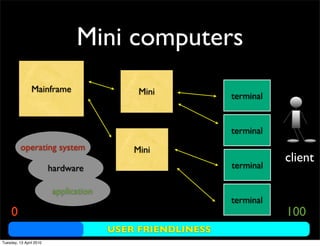
Mini computers
Mainframe
operating system
hardware
application
client
USER FRIENDLINESS
0 100
Mini terminal
terminal
terminal
terminal
Mini
Tuesday, 13 April 2010
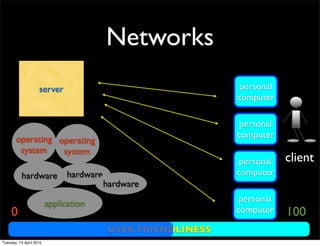
Networks
server
hardware
application
client
USER FRIENDLINESS
0 100
personal
computer
personal
computer
personal
computer
personal
computer
hardware
operating
system
operating
system
hardware
Tuesday, 13 April 2010
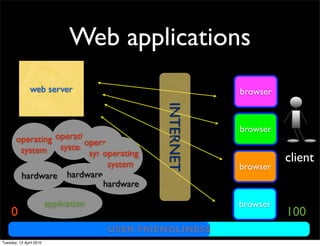
Web applications
web server
hardware
application
client
USER FRIENDLINESS
0 100
browser
browser
browser
browser
operating
system
hardware
operating
system
operating
system
hardware
operating
system INTERNET
Tuesday, 13 April 2010
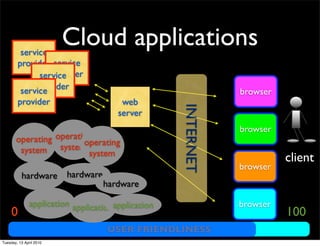
Cloud applications
web
server
hardware
application
client
USER FRIENDLINESS
0 100
browser
browser
browser
browser
operating
system
hardware
operating
system
operating
system
hardware
service
provider
applicationapplication
service
provider
service
provider
service
provider
INTERNET
Tuesday, 13 April 2010
Some actors
• memcached
• gearman
Used in production byYahoo!, LiveJournal and
CraigList
Tuesday, 13 April 2010
M
A
G AN
E R
Tuesday, 13 April 2010
M
G AN
ER
!=
Tuesday, 13 April 2010
M
A
G AN
E R ?
Tuesday, 13 April 2010
M A G
A N E R
Tuesday, 13 April 2010
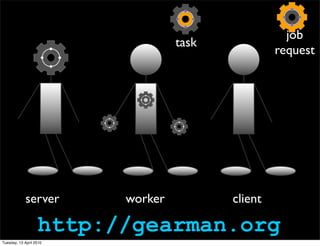
server worker client
task
job
request
http://gearman.org
Tuesday, 13 April 2010
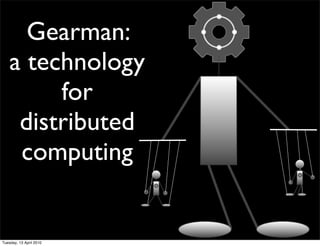
Gearman:
a technology
for
distributed
computing
Tuesday, 13 April 2010
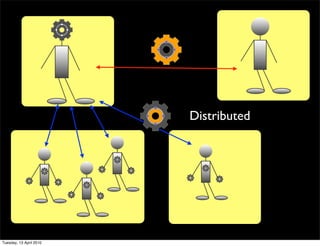
Distributed
Tuesday, 13 April 2010
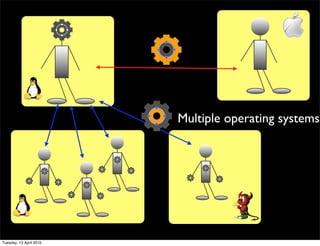
Multiple operating systems
Tuesday, 13 April 2010
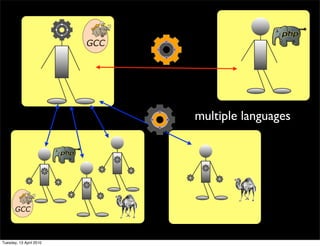
multiple languages
Tuesday, 13 April 2010
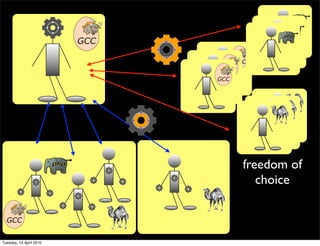
freedom of
choice
Tuesday, 13 April 2010
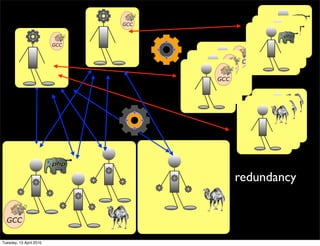
redundancy
Tuesday, 13 April 2010
USING GEARMAN
• Server: gearmand
• Client libraries:
• C/C++
• Java
• Perl
• PHP
• Python
Tuesday, 13 April 2010
Simple usage
GEARMAN
• Command line client and worker
Tuesday, 13 April 2010
starting the server
/usr/local/sbin/gearmand -d
# started as daemon.
# No feedback given on the command line
Tuesday, 13 April 2010
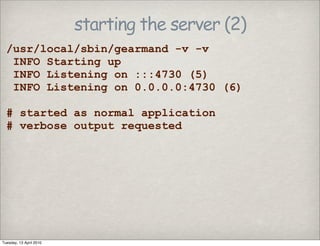
starting the server (2)
/usr/local/sbin/gearmand -v -v
INFO Starting up
INFO Listening on :::4730 (5)
INFO Listening on 0.0.0.0:4730 (6)
# started as normal application
# verbose output requested
Tuesday, 13 April 2010
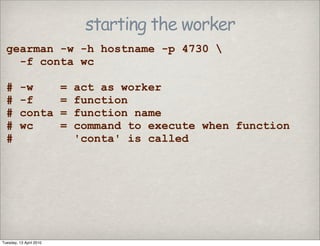
starting the worker
gearman -w -h hostname -p 4730 
-f conta wc
# -w = act as worker
# -f = function
# conta = function name
# wc = command to execute when function
# 'conta' is called
Tuesday, 13 April 2010
what the server says
/usr/local/sbin/gearmand -v -v
INFO Starting up
INFO Listening on :::4730 (5)
INFO Listening on 0.0.0.0:4730 (6)
…
INFO Accepted connection from 127.0.0.1:4994
INFO [ 0] 127.0.0.1:4994 Connected
Tuesday, 13 April 2010
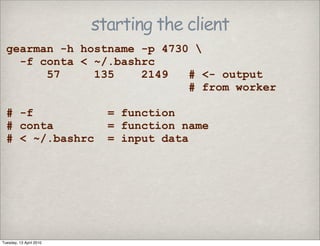
starting the client
gearman -h hostname -p 4730 
-f conta < ~/.bashrc
57 135 2149 # <- output
# from worker
# -f = function
# conta = function name
# < ~/.bashrc = input data
Tuesday, 13 April 2010
what the server says
/usr/local/sbin/gearmand -v -v
INFO Starting up
INFO Listening on :::4730 (5)
INFO Listening on 0.0.0.0:4730 (6)
…
INFO Accepted connection from 127.0.0.1:4994
INFO [ 0] 127.0.0.1:4994 Connected
…
INFO Accepted connection from 127.0.0.1:5181
INFO [ 0] 127.0.0.1:5181 Connected
INFO [ 0] 127.0.0.1:5181 Disconnected
Tuesday, 13 April 2010
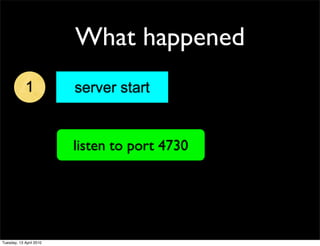
What happened
1 server start
listen to port 4730
Tuesday, 13 April 2010
What happened
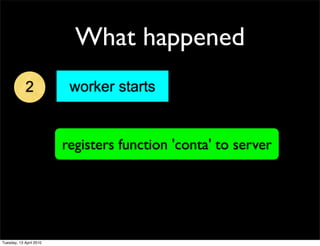
2 worker starts
registers function 'conta' to server
Tuesday, 13 April 2010
What happened
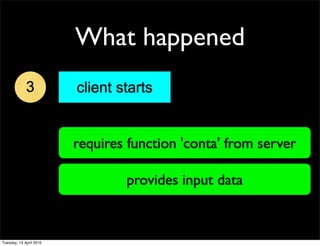
3 client starts
requires function 'conta' from server
provides input data
Tuesday, 13 April 2010
What happened
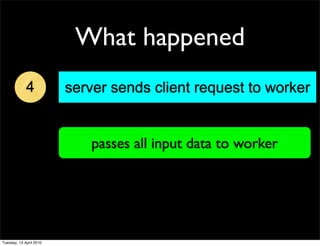
4 server sends client request to worker
passes all input data to worker
Tuesday, 13 April 2010
What happened
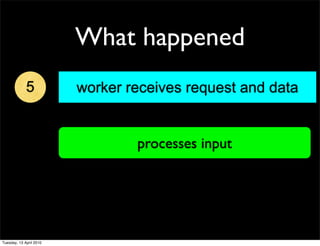
5 worker receives request and data
processes input
Tuesday, 13 April 2010
What happened
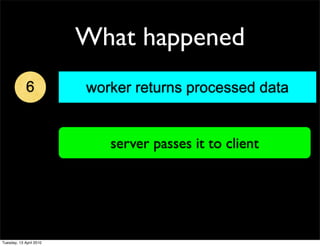
6 worker returns processed data
server passes it to client
Tuesday, 13 April 2010
What happened
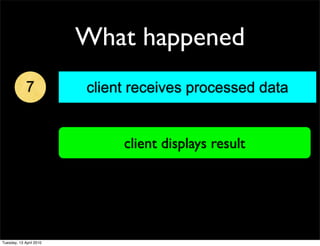
7 client receives processed data
client displays result
Tuesday, 13 April 2010
A simple Perl worker
Tuesday, 13 April 2010
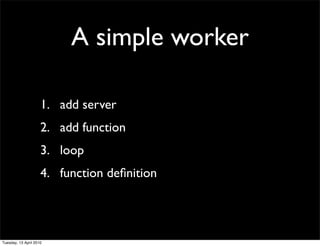
A simple worker
1. add server
2. add function
3. loop
4. function definition
Tuesday, 13 April 2010
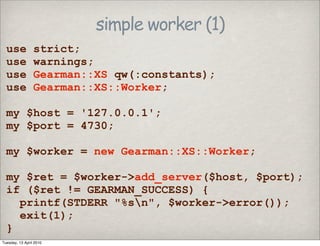
simple worker (1)
use strict;
use warnings;
use Gearman::XS qw(:constants);
use Gearman::XS::Worker;
my $host = '127.0.0.1';
my $port = 4730;
my $worker = new Gearman::XS::Worker;
my $ret = $worker->add_server($host, $port);
if ($ret != GEARMAN_SUCCESS) {
printf(STDERR "%sn", $worker->error());
exit(1);
}
Tuesday, 13 April 2010
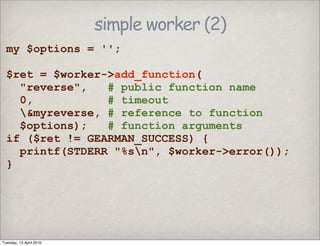
simple worker (2)
my $options = '';
$ret = $worker->add_function(
"reverse", # public function name
0, # timeout
&myreverse, # reference to function
$options); # function arguments
if ($ret != GEARMAN_SUCCESS) {
printf(STDERR "%sn", $worker->error());
}
Tuesday, 13 April 2010
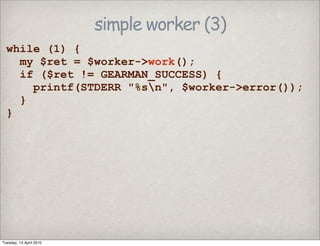
simple worker (3)
while (1) {
my $ret = $worker->work();
if ($ret != GEARMAN_SUCCESS) {
printf(STDERR "%sn", $worker->error());
}
}
Tuesday, 13 April 2010
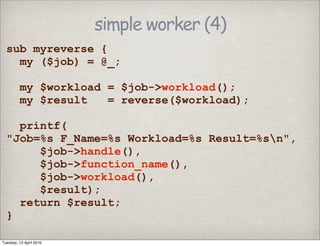
simple worker (4)
sub myreverse {
my ($job) = @_;
my $workload = $job->workload();
my $result = reverse($workload);
printf(
"Job=%s F_Name=%s Workload=%s Result=%sn",
$job->handle(),
$job->function_name(),
$job->workload(),
$result);
return $result;
}
Tuesday, 13 April 2010
A simple client
Tuesday, 13 April 2010
A simple perl client
• add server
• run a task
Tuesday, 13 April 2010
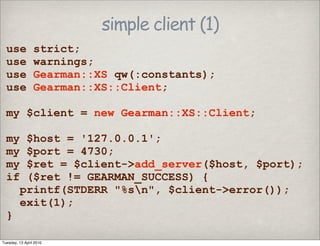
simple client (1)
use strict;
use warnings;
use Gearman::XS qw(:constants);
use Gearman::XS::Client;
my $client = new Gearman::XS::Client;
my $host = '127.0.0.1';
my $port = 4730;
my $ret = $client->add_server($host, $port);
if ($ret != GEARMAN_SUCCESS) {
printf(STDERR "%sn", $client->error());
exit(1);
}
Tuesday, 13 April 2010
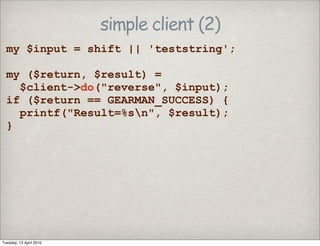
simple client (2)
my $input = shift || 'teststring';
my ($return, $result) =
$client->do("reverse", $input);
if ($return == GEARMAN_SUCCESS) {
printf("Result=%sn", $result);
}
Tuesday, 13 April 2010
A sample run
Tuesday, 13 April 2010
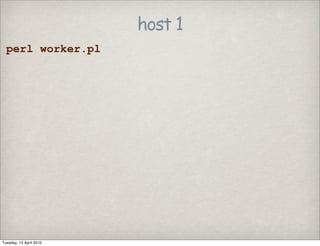
host 1
perl worker.pl
Tuesday, 13 April 2010
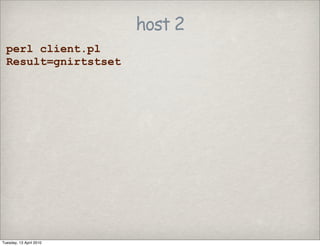
host 2
perl client.pl
Result=gnirtstset
Tuesday, 13 April 2010
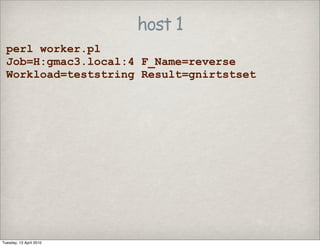
host 1
perl worker.pl
Job=H:gmac3.local:4 F_Name=reverse
Workload=teststring Result=gnirtstset
Tuesday, 13 April 2010
more client functions
• do_background
• add_task
• run_tasks
Tuesday, 13 April 2010
Some advanced usage
• DBIx::SQLCrosstab
• Data cubes
• Perl only
Tuesday, 13 April 2010
See more hacks!
• Gearman hacks with MySQL
• Thursday at 2pm
Tuesday, 13 April 2010
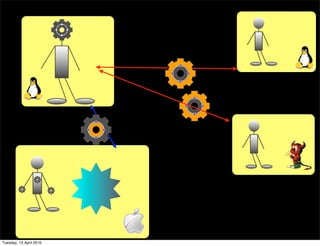
Image processing
• CPU intensive
• Large storage needed
• Application is OS specific
Tuesday, 13 April 2010
See more performance!
• Boosting database performance with
Gearman
• tomorrow, at 3:05pm
Tuesday, 13 April 2010
Gearman
for the
MySQL
server
Tuesday, 13 April 2010
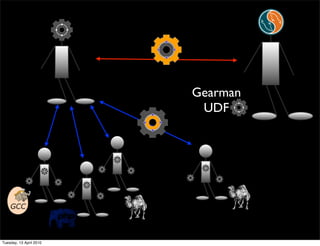
Gearman
UDF
Tuesday, 13 April 2010
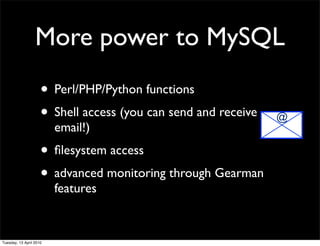
More power to MySQL
• Perl/PHP/Python functions
• Shell access (you can send and receive
email!)
• filesystem access
• advanced monitoring through Gearman
features
@
Tuesday, 13 April 2010
WARNING!
You can
easily
shoot
yourself
in the
foot
Tuesday, 13 April 2010
Using MySQL UDF
•Install Gearman
•Get MySQL server source (needed to compile the
UDF)
•Get the UDF source
•https://launchpad.net/gearman-mysql-udf
•Follow the instructions (good luck)
:-)
Tuesday, 13 April 2010
Create a worker (1)
my @functions = (
['reverse', &myreverse],
['count', &mycount],
['shell', &myshell],
['eval', &myeval],
['store', &mystore],
);
# see the full code here:
#http://forge.mysql.com/tools/tool.php?id=235
Tuesday, 13 April 2010
Create a worker (2)
for my $func (@functions) {
$ret = $worker->add_function(
$func->[0], 0, $func->[1], $options);
if ($ret != GEARMAN_SUCCESS) {
printf(STDERR
"error with function %s - %sn",
$func->[0],
$worker->error());
}
}
Tuesday, 13 April 2010
Create a worker (3)
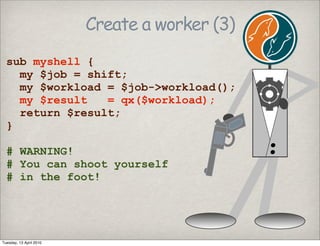
sub myshell {
my $job = shift;
my $workload = $job->workload();
my $result = qx($workload);
return $result;
}
# WARNING!
# You can shoot yourself
# in the foot!
Tuesday, 13 April 2010
Create a worker (3)
sub myshell {
my $job = shift;
my $workload = $job->workload();
my $result = qx($workload);
return $result;
}
# WARNING!
# You can shoot yourself
# in the foot!
Tuesday, 13 April 2010
Create a worker (4)
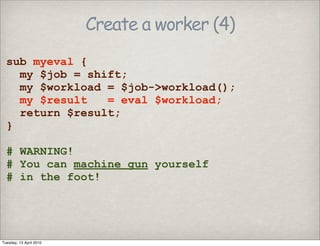
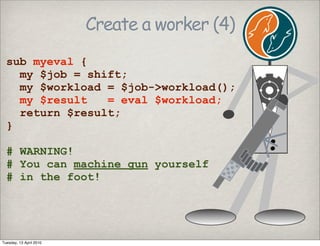
sub myeval {
my $job = shift;
my $workload = $job->workload();
my $result = eval $workload;
return $result;
}
# WARNING!
# You can machine gun yourself
# in the foot!
Tuesday, 13 April 2010
Create a worker (4)
sub myeval {
my $job = shift;
my $workload = $job->workload();
my $result = eval $workload;
return $result;
}
# WARNING!
# You can machine gun yourself
# in the foot!
Tuesday, 13 April 2010
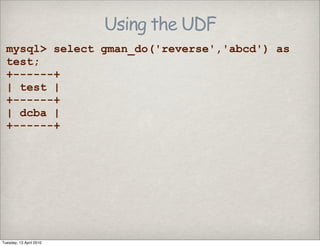
Using the UDF
mysql> select gman_do('reverse','abcd') as
test;
+------+
| test |
+------+
| dcba |
+------+
Tuesday, 13 April 2010
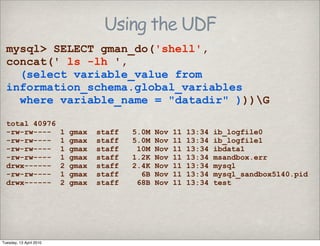
Using the UDF
mysql> SELECT gman_do('shell',
concat(' ls -lh ',
(select variable_value from
information_schema.global_variables
where variable_name = "datadir" )))G
total 40976
-rw-rw---- 1 gmax staff 5.0M Nov 11 13:34 ib_logfile0
-rw-rw---- 1 gmax staff 5.0M Nov 11 13:34 ib_logfile1
-rw-rw---- 1 gmax staff 10M Nov 11 13:34 ibdata1
-rw-rw---- 1 gmax staff 1.2K Nov 11 13:34 msandbox.err
drwx------ 2 gmax staff 2.4K Nov 11 13:34 mysql
-rw-rw---- 1 gmax staff 6B Nov 11 13:34 mysql_sandbox5140.pid
drwx------ 2 gmax staff 68B Nov 11 13:34 test
Tuesday, 13 April 2010
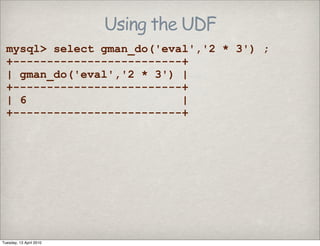
Using the UDF
mysql> select gman_do('eval','2 * 3') ;
+-------------------------+
| gman_do('eval','2 * 3') |
+-------------------------+
| 6 |
+-------------------------+
Tuesday, 13 April 2010
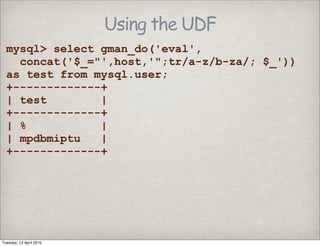
Using the UDF
mysql> select gman_do('eval',
concat('$_="',host,'";tr/a-z/b-za/; $_'))
as test from mysql.user;
+-------------+
| test |
+-------------+
| % |
| mpdbmiptu |
+-------------+
Tuesday, 13 April 2010
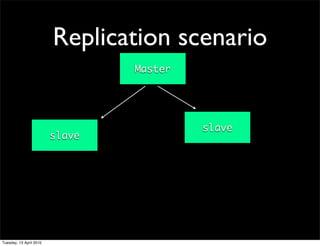
Replication scenario
Master
slave
slave
Tuesday, 13 April 2010
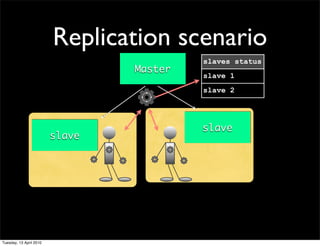
Replication scenario
Master
slave
slave
slaves status
slave 1
slave 2
Tuesday, 13 April 2010
THANKS
This work is licensed under the Creative Commons Attribution-Share Alike 3.0 Unported License. To view a copy of this license, visit http://
creativecommons.org/licenses/by-sa/3.0/ or send a letter to Creative Commons, 171 Second Street, Suite 300, San Francisco, California, 94105, USA.
Let's talk!
Tuesday, 13 April 2010

Gearman for MySQL