Tensorflow integration w/ Flutter
Muhammad Zhafran
linkedin.com/in/zfrn
@zhafran_dev
Get to know more about the Tensorflow in Flutter Development
About Me:
● Core Team Mobile Dev GDSC Unsri
● Bangkit Graduate ML Cohort
● Finalist Gemastik XVI
● $10.000 Incubation Awardee by Google & Dikti
● Co-founder & Flutter developer at startup Catatmak
● Suka low quality meme & anime cringe
● tidak sombong
● tidak suka ngoding
● cita2 jadi discord mod
● suka main game single player nintendo (zelda, mario)
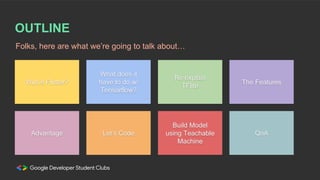
OUTLINE
Folks, here are what we’re going to talk about…
Wut is Flutter?
Advantage
What does it
have to do w/
Tensorflow?
Let’s Code
Re explain
TFlite
Build Model
using Teachable
Machine
The Features
QnA
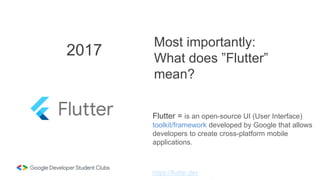
2017
Flutter = is an open-source UI (User Interface)
toolkit/framework developed by Google that allows
developers to create cross-platform mobile
applications.
Most importantly:
What does ”Flutter”
mean?
https://flutter.dev
https://flutter.dev
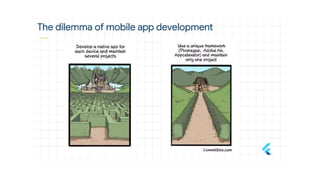
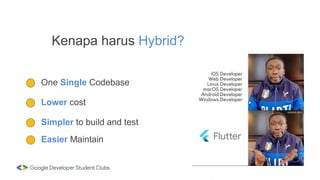
One Single Codebase
Kenapa harus Hybrid?
Lower cost
Simpler to build and test
Easier Maintain
Best practice
● MVP Startup
● Single code base
● Cross-platform development
● Pengembangan Cepat
● Kinerja seperti native
When to use Flutter?
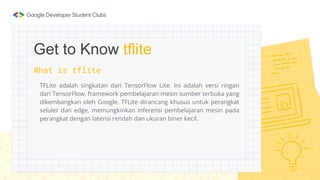
What is tflite
TFLite adalah singkatan dari TensorFlow Lite. Ini adalah versi ringan
dari TensorFlow, framework pembelajaran mesin sumber terbuka yang
dikembangkan oleh Google. TFLite dirancang khusus untuk perangkat
seluler dan edge, memungkinkan inferensi pembelajaran mesin pada
perangkat dengan latensi rendah dan ukuran biner kecil.

Get to Know tflite
Best practice
● Mobile Applications
● Edge Devices and IoT
● Offline Applications
● Privacy-Sensitive Applications
● Real-Time Processing
When to use tflite?
Advantages
Why u Should use Flutter & Tensorflow
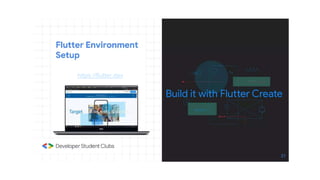
flutter.dev/get-started/install
Flutter Installation
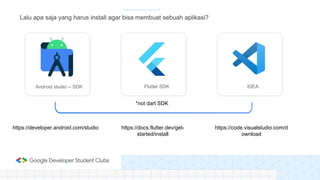
Lalu apa saja yang harus install agar bisa membuat sebuah aplikasi?
Flutter SDK
Android studio -- SDK IDEA
https://developer.android.com/studio https://docs.flutter.dev/get-
started/install
https://code.visualstudio.com/d
ownload
*not dart SDK
Flutter new project
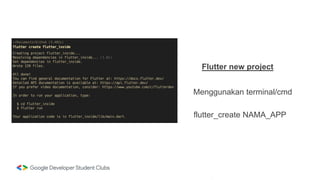
Menggunakan terminal/cmd
flutter_create NAMA_APP
Flutter new project
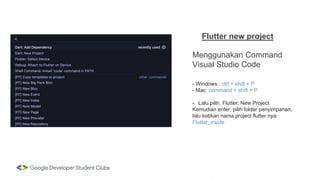
Menggunakan Command
Visual Studio Code
- Windows : ctrl + shift + P
- Mac: command + shift + P
- Lalu pilih, Flutter: New Project
Kemudian enter, pilih folder penyimpanan,
lalu ketikan nama project flutter nya:
Flutter_inside
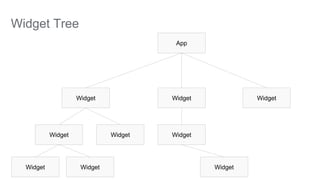
Widget Tree
App
Widget
Widget
Widget
Widget
Widget
Widget
Widget
Widget
Widget
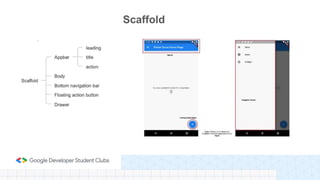
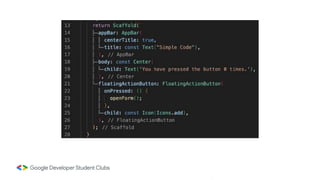
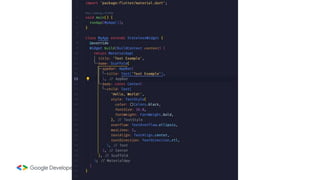
Scaffold
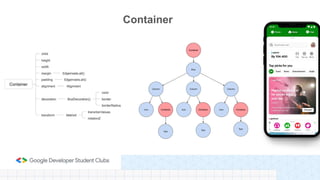
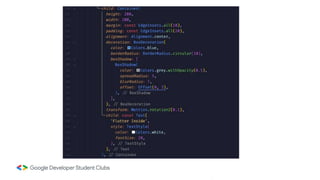
Container
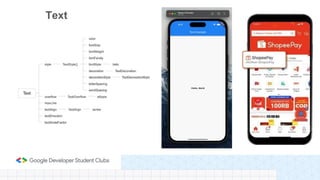
Text
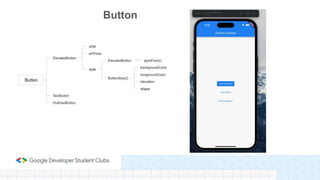
Button
Let’s Code!
Tutorial
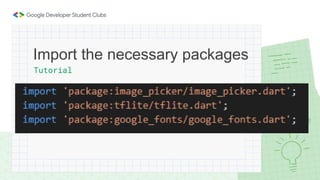
Import the necessary packages
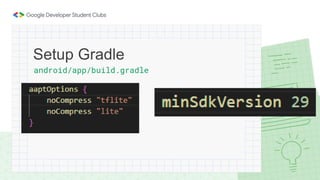
android/app/build.gradle
Setup Gradle
Tutorial
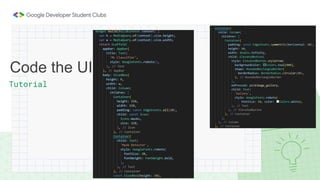
Code the UI
Tutorial
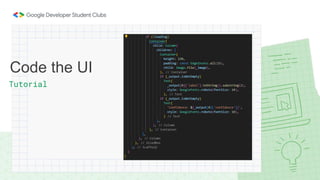
Code the UI
Tutorial
Create Model
Tutorial
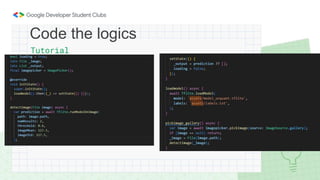
Code the logics
Tutorial
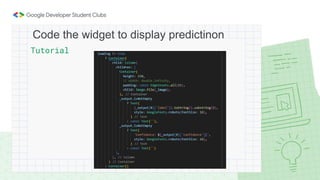
Code the widget to display predictinon
Tips
Experience
being a
speaker
Knowledge
(if lucky)
Knowledge
from this
session
Knowledge
by actually
doing it
Q&A Session
Thank You! :D

GDSC Unsri 2023 - Flutterflow Presentation.pptx