FUTURE-PROOF RWD
ADAM CHAMBERS
Senior Developer, Digital Surgeons
!

@chambaz
digitalsurgeons.com
FUTURE-PROOF RWD
FUTURE-PROOF RWD
Desktop
Tablet
Mobile
THE
INTERNET
OF THINGS
Future-proofing Responsive Web Designs.
• Elastic layouts
• Mobile first
• Progressive enhancement
• Modular & semantic
• Lightweight & performant
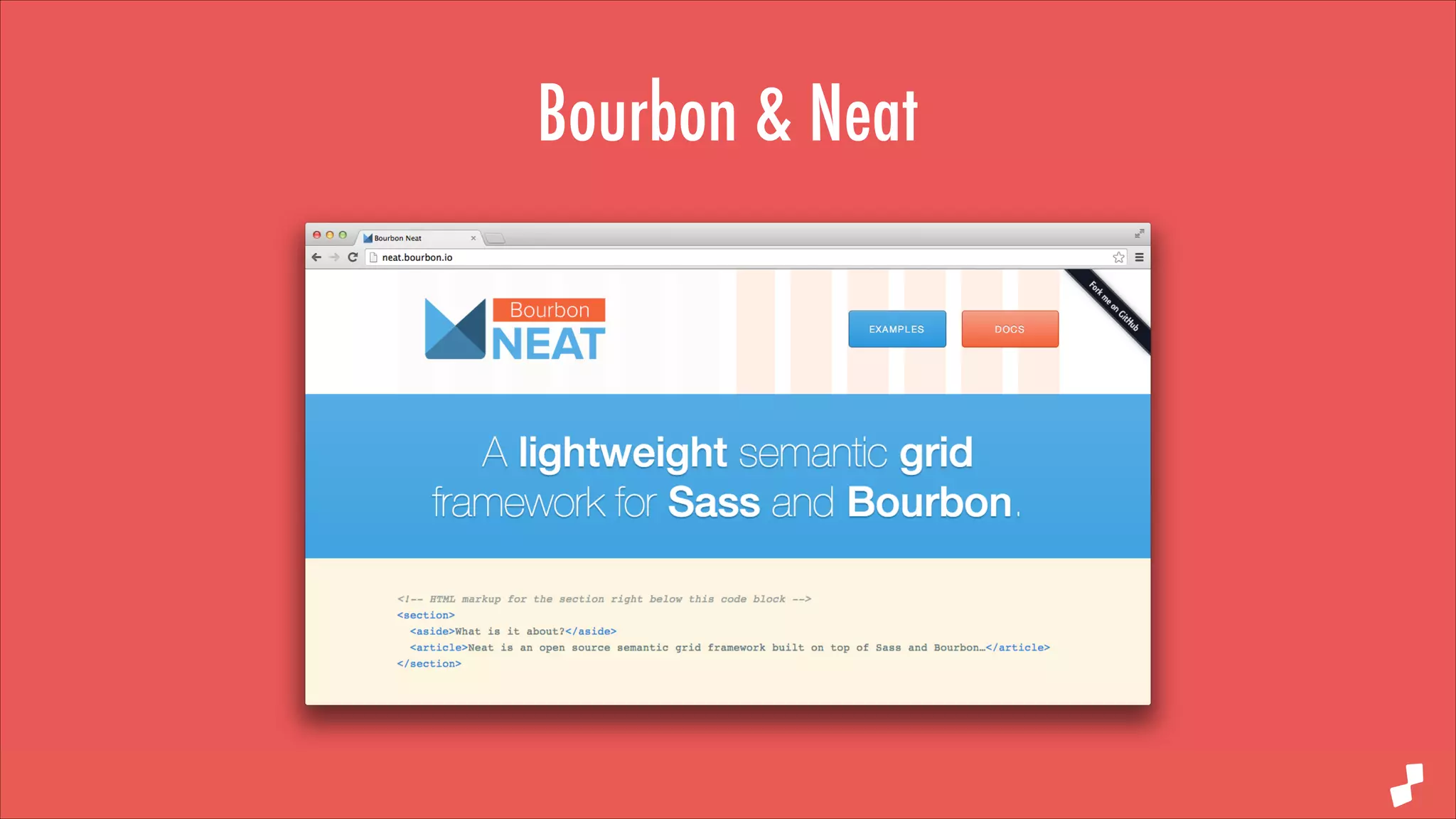
Bourbon & Neat
Keep it relative
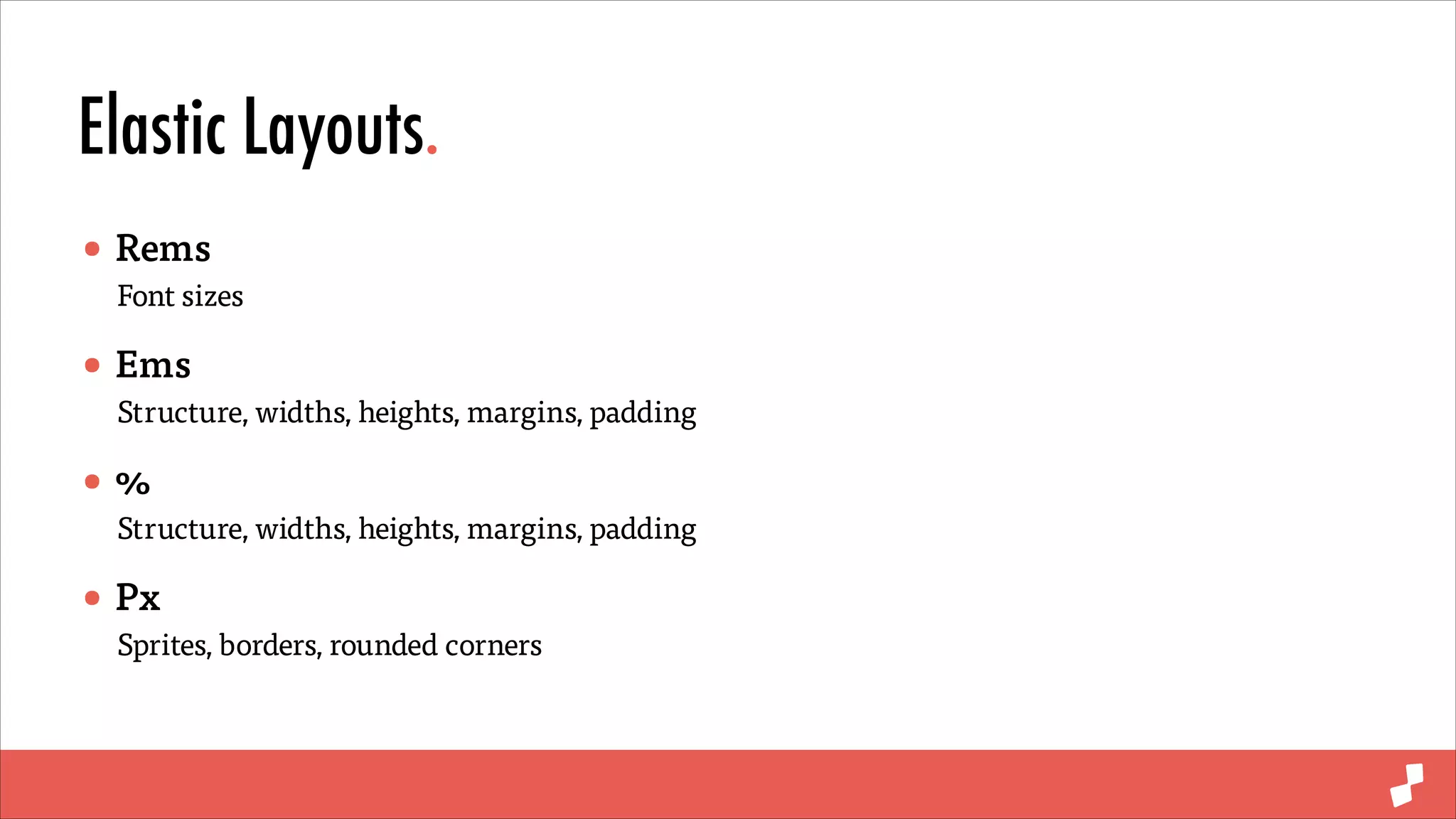
Elastic Layouts.
• Rems

Font sizes

• Ems

Structure, widths, heights, margins, padding

•%

Structure, widths, heights, margins, padding

• Px

Sprites, borders, rounded corners
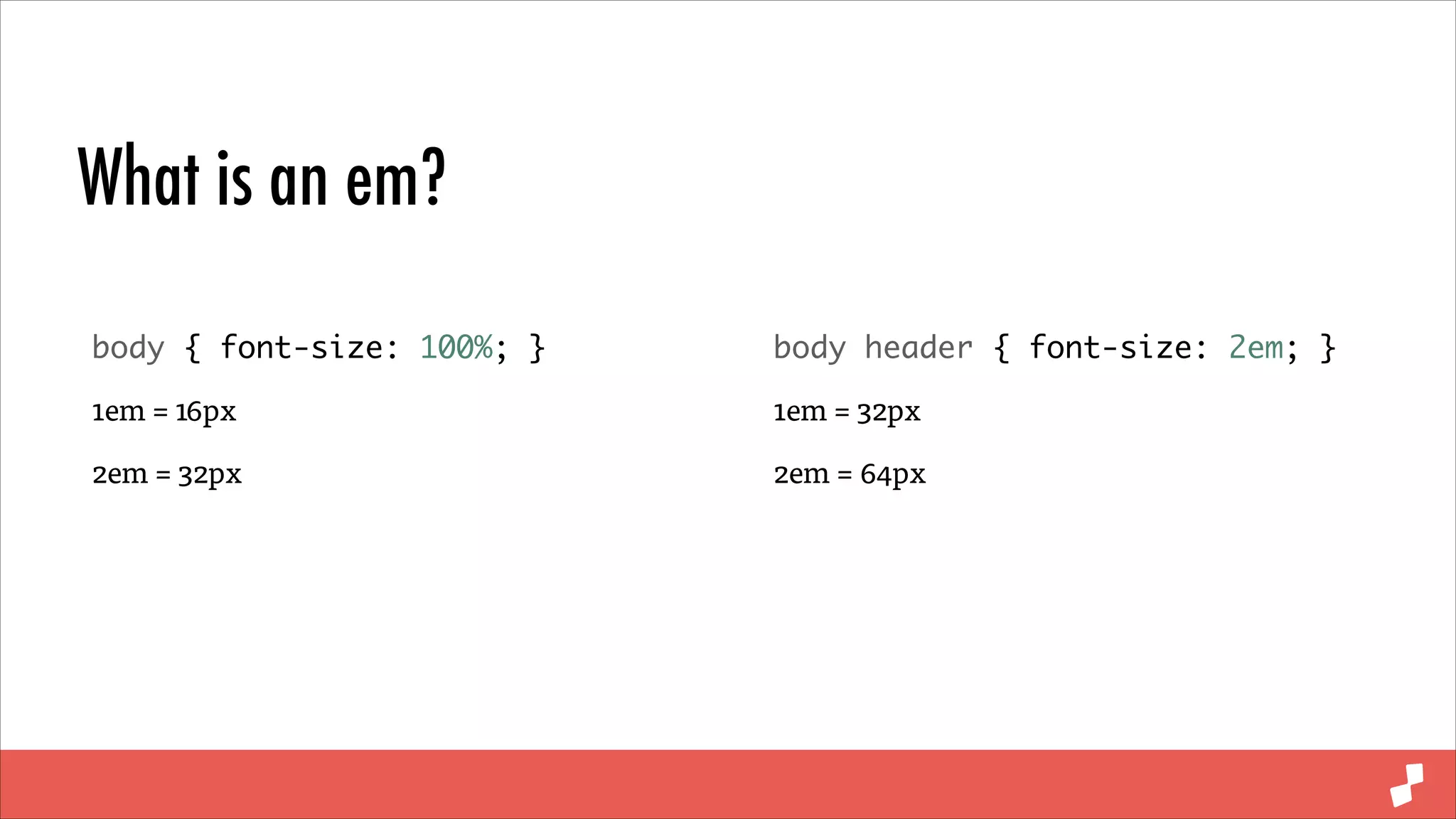
What is an em?
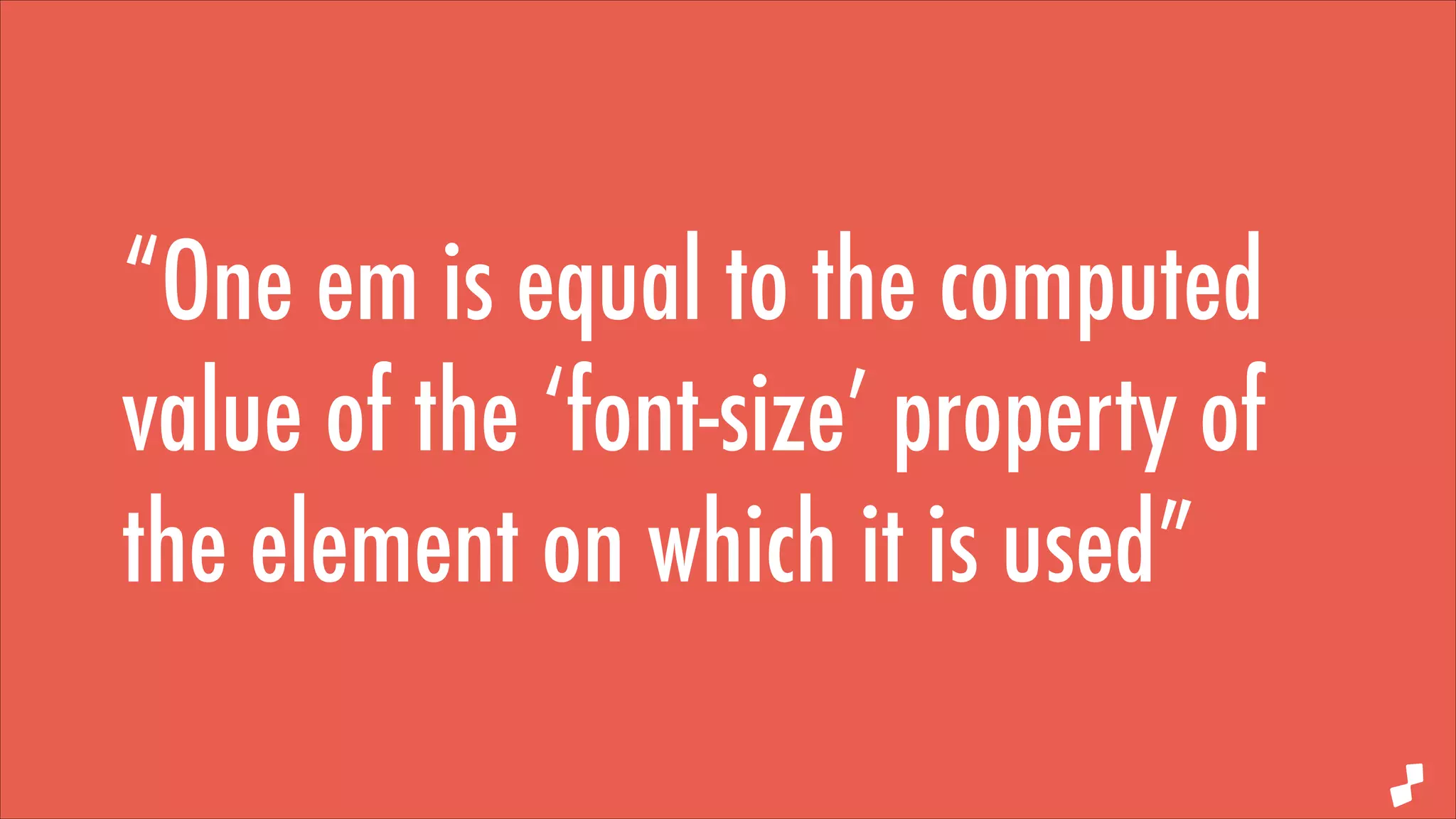
“One em is equal to the computed
value of the ‘font-size’ property of
the element on which it is used”
What is an em?
body { font-size: 100%; }	

body header { font-size: 2em; }	

1em = 16px

1em = 32px

2em = 32px

2em = 64px
Elastic Layouts.
• Rems

Font sizes

• Ems

Structure, widths, heights, margins, padding

•%

Structure, widths, heights, margins, padding

• Px

Sprites, borders, rounded corners
Why not px?
Why ems?
Absolute Typography.
Base font size 16px

Base font size 40px
Relative Typography.
Base font size 16px

Base font size 40px
Absolute / Relative Media Queries.
Px base media query

Em based media query
Start small
Mobile first.
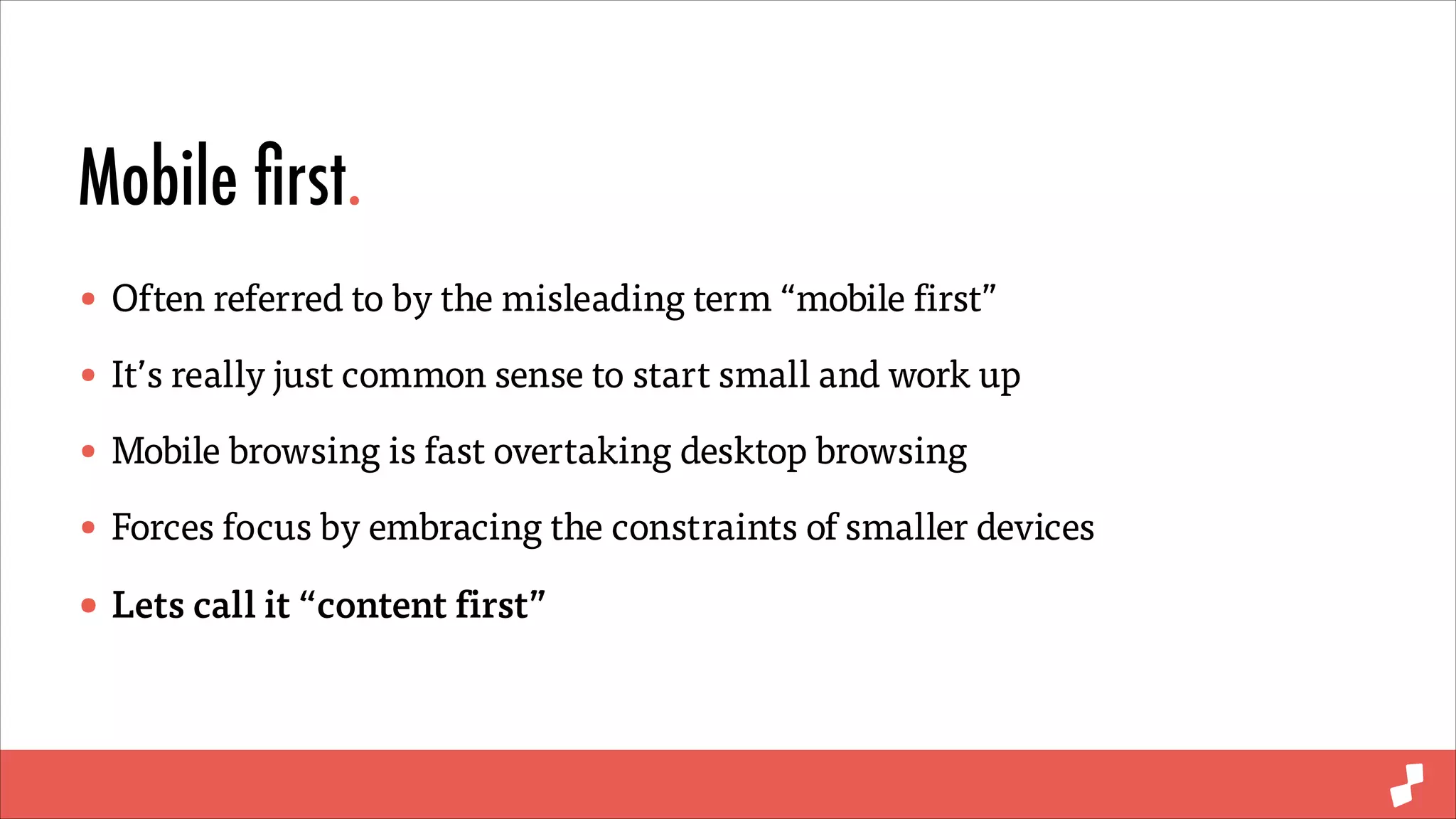
• Often referred to by the misleading term “mobile first”
• It’s really just common sense to start small and work up
• Mobile browsing is fast overtaking desktop browsing
• Forces focus by embracing the constraints of smaller devices
• Lets call it “content first”
Min-width Media Queries.
Max-width

Min-width

.responsive-element {	
	
padding: 0;	
	
@include span-columns(6);	

.responsive-element {	
	
padding: 1em;	
	
width: 100%;	


@include media(min-width: 48em) {	
	
	
padding: 0;	
	
	
@include span-columns(6);	
	
}	
}

!


}

@include media(max-width: 48em) {	
	
padding: 1em;	
	
width: 100%;	
}
From the ground up
Progressive Enhancement.
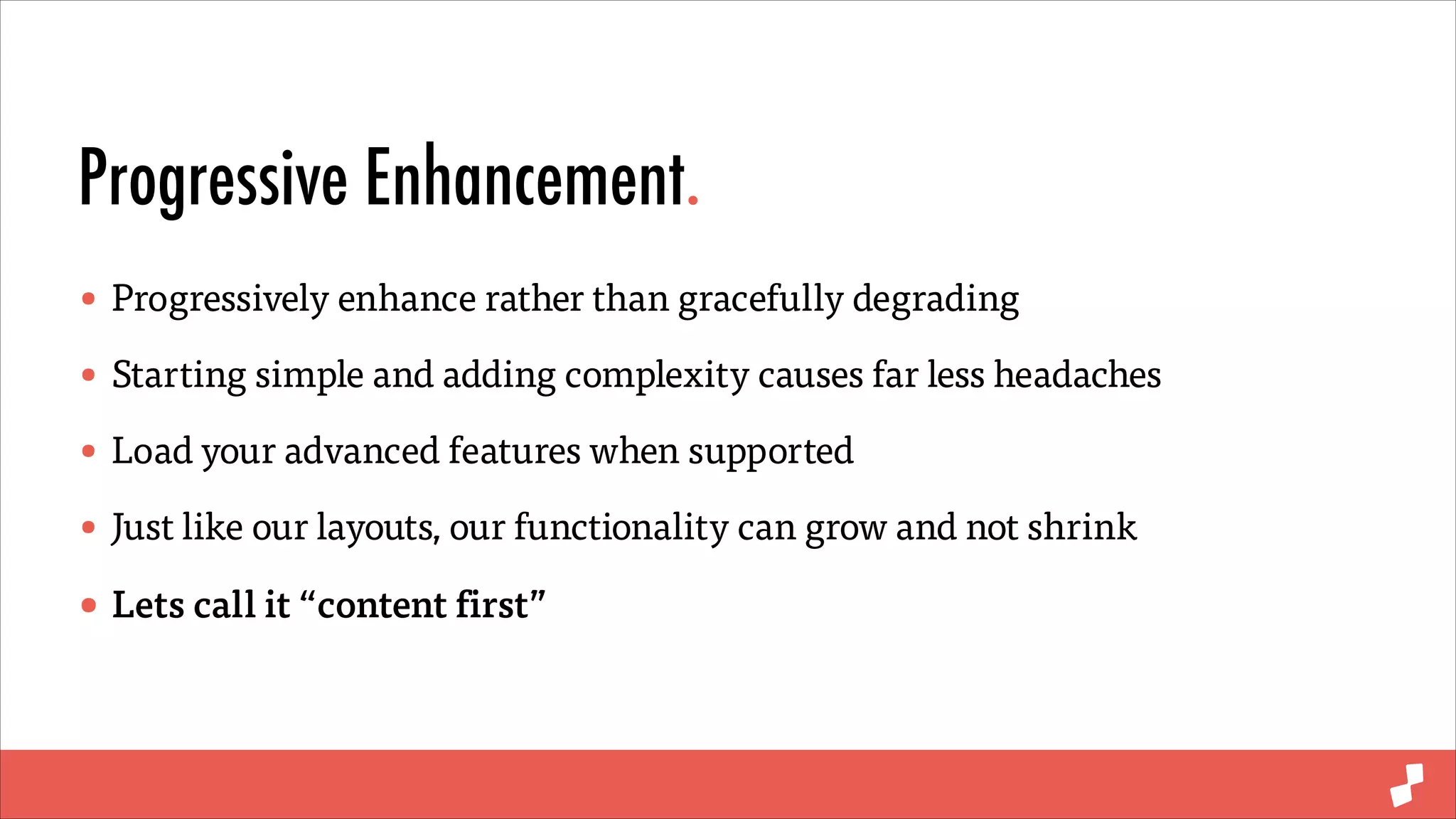
• Progressively enhance rather than gracefully degrading
• Starting simple and adding complexity causes far less headaches
• Load your advanced features when supported
• Just like our layouts, our functionality can grow and not shrink
• Lets call it “content first”
Progressive Enhancement.
Cutting the mustard

Progressive Enhancement

// cutting the mustard	
if(‘querySelector’ in document &&	
‘localStorage’ in window &&	
‘addEventListener’ in window) {	

if(Modernizr.webp) {	
	
// use webp images	
} else if(Modernizr.svg) {	
	
// ok use sag then	
}	

!

	
}

// all the things	

!

if(Modernizr.geolocation) {	
	
// geolocation wizardry	
}	
!

if(window.matchMedia(‘min-width: 48em’).matches) {	
	
// all the things	
}
<!––

ResponsiveComments.com ––>
Modular & meaningful
Sassy Modularity.
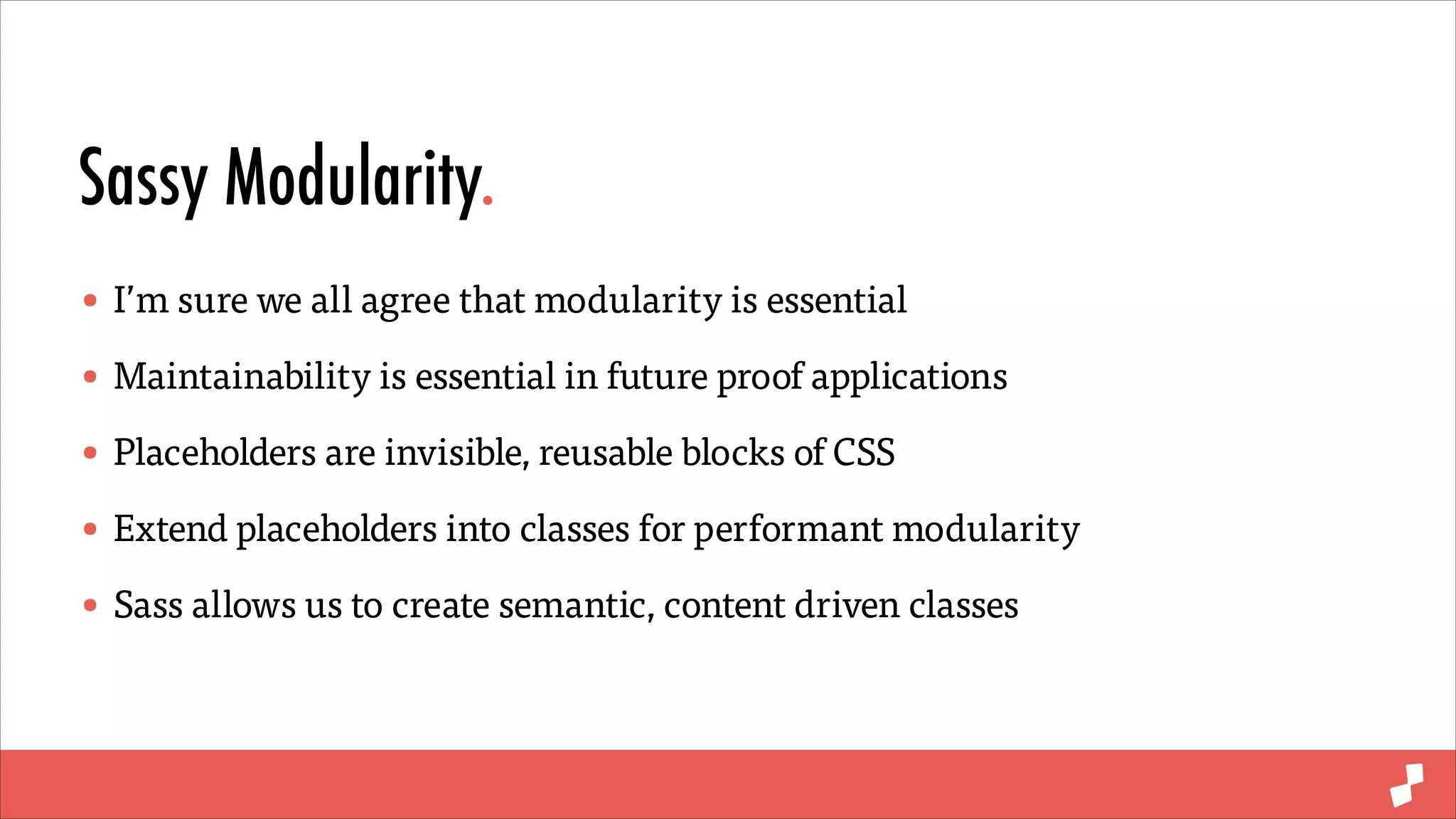
• I’m sure we all agree that modularity is essential
• Maintainability is essential in future proof applications
• Placeholders are invisible, reusable blocks of CSS
• Extend placeholders into classes for performant modularity
• Sass allows us to create semantic, content driven classes
Modular CSS.
HTML

CSS
.product {	
	
width: 25%;	
	
padding: 2em;	
	
float: left;	
}

.featured {	
	
width: red;	
}

<div class=“product”>	
	
<!-— product markup —->	
</div>	
!

<div class=“product featured”>	
	
<!-— featured product markup —->	
</div>
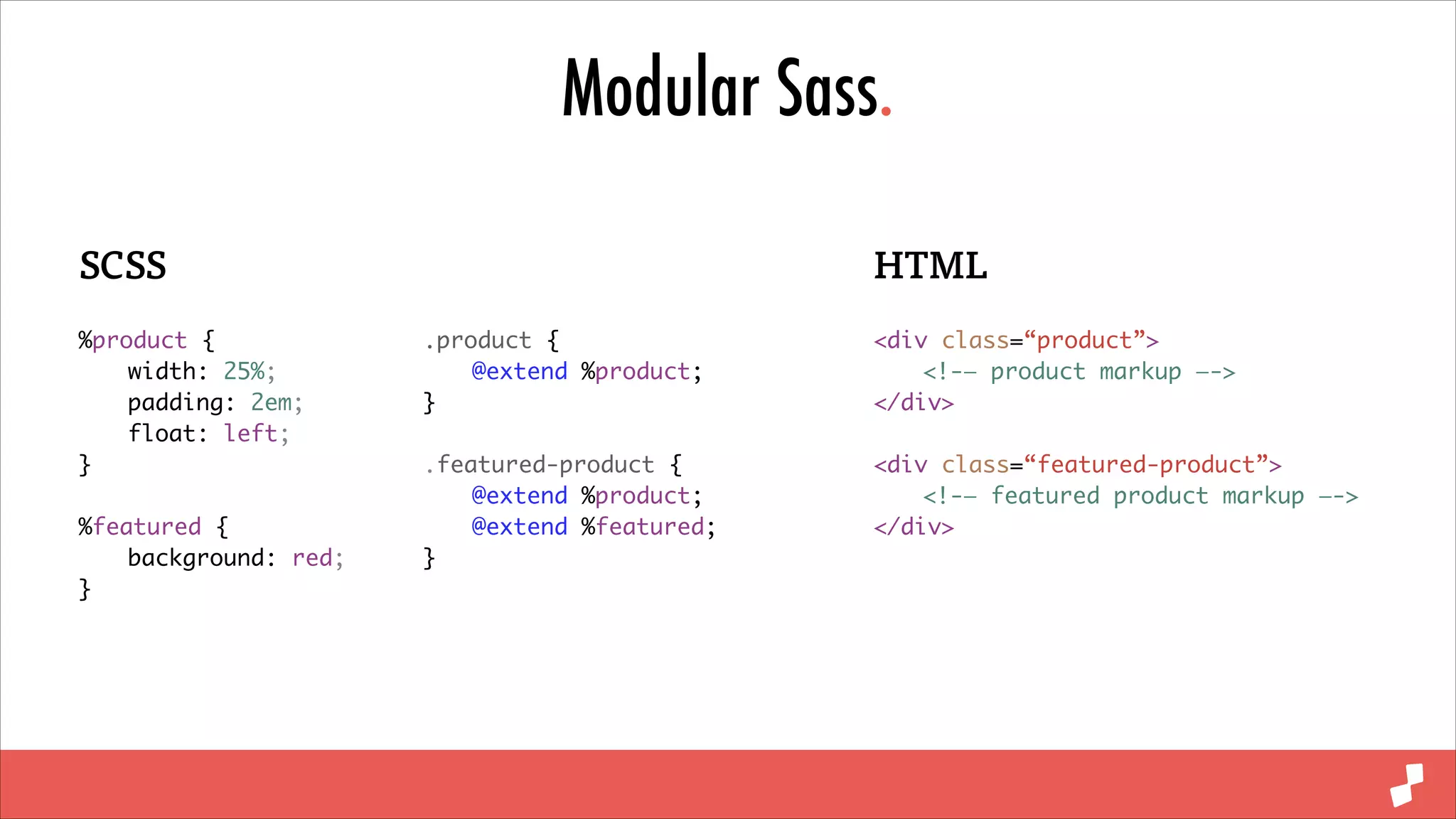
Modular Sass.
SCSS
%product {	
	
width: 25%;	
	
padding: 2em;	
	
float: left;	
}	
!

%featured {	
	
background: red;	
}

HTML
.product {	
	
@extend %product;	
}	

<div class=“product”>	
	
<!-— product markup —->	
</div>	

!

!

.featured-product {	
	
@extend %product;	
	
@extend %featured;	
}

<div class=“featured-product”>	
	
<!-— featured product markup —->	
</div>
Modular Sass.
SCSS

CSS

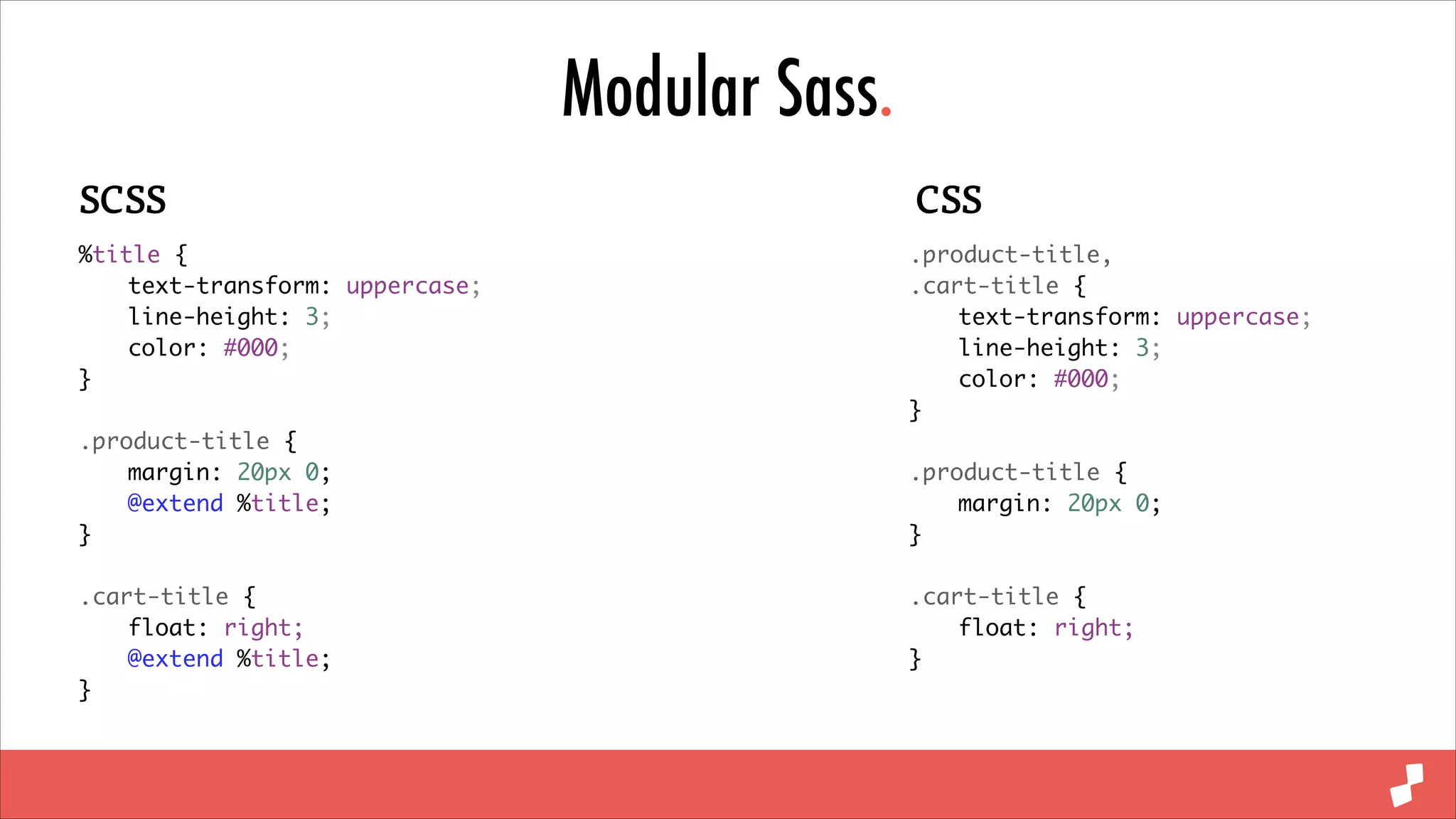
%title {	
	
text-transform: uppercase;	
	
line-height: 3;	
	
color: #000;	
}	

.product-title,	
.cart-title {	
	
text-transform: uppercase;	
	
line-height: 3;	
	
color: #000;	
}	

!

.product-title {	
	
margin: 20px 0;	
	
@extend %title;	
}	

!

!

!

.cart-title {	
	
float: right;	
	
@extend %title;	
}

.cart-title {	
	
float: right;	
}

.product-title {	
	
margin: 20px 0;	
}
Light & fast
Monolithic Frameworks.
• Frameworks are essential for rapid development
• Providing building blocks for your application
• Large overhead and code bloat
• Pick and choose exactly what you require
Mixins.
• Mixins are invisible, reusable blocks of CSS
• Arguments and conditional logic
• Mixin libraries have no overhead
• Only use exactly what you require
Mixin Libraries.
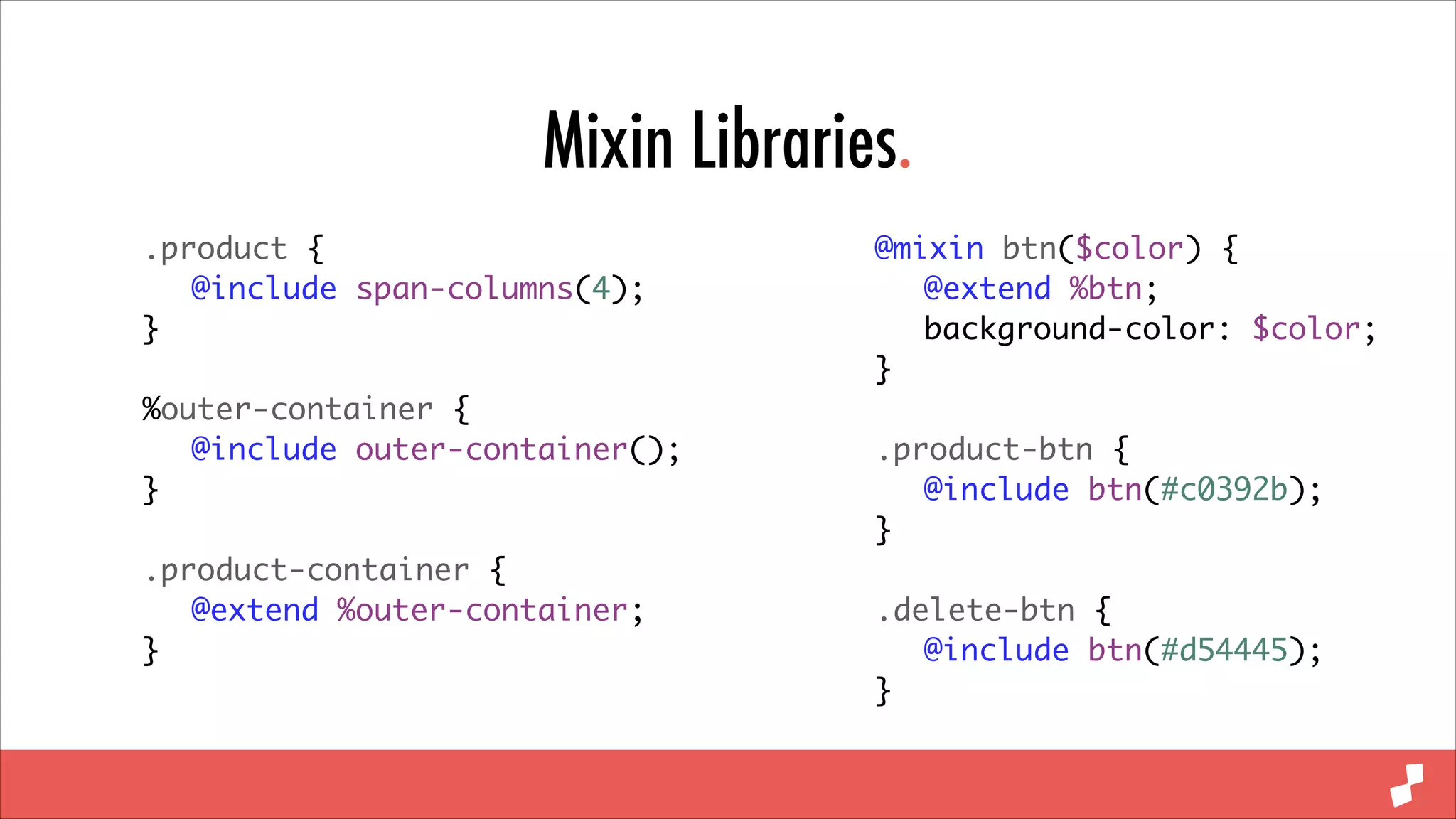
.product {	
	 @include span-columns(4);	
}	
!

%outer-container {	
	 @include outer-container();	
}	
!

.product-container {	
	 @extend %outer-container;	
}

@mixin btn($color) {	
	 @extend %btn;	
	 background-color: $color;	
}	
!

.product-btn {	
	 @include btn(#c0392b);	
}	
!

.delete-btn {	
	 @include btn(#d54445);	
}
jQuery.
• jQuery is a fantastic library for cross browser development
• Do you really need the entire 100kb?
• Not just page weight but call stack size
• Native JavaScript support is actually pretty good
Vanilla JS.
var products = document.querySelectorAll(‘.product’);	
!

var featuredProduct = document.querySelector(‘.featured-product’);	
!

[].forEach.call(products, function(product) {	
	 // do something with each product	
});	
!

featuredProduct.classList.add(‘active’);	
featuredProduct.classList.remove(‘active’);	
featuredProduct.classList.contains(‘active’);
Bower.
• Dependency management for the front end
• Micro-libraries over monolithic frameworks
• Small libraries that serve a single purpose
• Pick and choose exactly what you require
Bower.json
{	
"name": "Digital Surgeons",	
"version": "1.0.0",	
"private": true,	
"dependencies": {	
"normalize-scss": "~2.1.3",	
"responsive-comments": "~1.2.1",	
"html5-polyfills": "*",	
"matchmedia": "~0.1.0",	
"headroom.js": "~0.3.9",	
"raf.js": "~0.0.3",	
"respond": "~1.4.2",	
"html5shiv": "~3.7.0",	
"slider": "https://github.com/cferdinandi/slider.git",	
"swiper": "~2.4.3",	
"move.js": "https://github.com/visionmedia/move.js.git#~0.3.3",	
"imagesloaded": "~3.1.4"	
}	
}
Grunt.
• Task runner and build processes for the front end
• Package your front end code for production
• Compile, minify, concatenate, optimise
• If at all possible, automate it
Gruntfile.js
files: {	
	
// global JS	
	
‘js/dist/global.js’: [	
	
	
‘bower_components/raf.js/raf.min.js’,	
	
	
‘bower_components/html5-polyfills/classList.js’,	
	
	
‘bower_components/responsive-comments/responsive-comments.js’,	
	
	
‘bower_components/anim/anim.min.js’,	
	
	
‘bower_components/headroom.js/dist/headroom.js’,	
	
	
‘js/src/global.js’	
	
],	
	
// global JS + page specific	
	
‘js/dist/home.js’: [	
	
	
‘bower_components/swiper/dist/idangerous.swiper.js’,	
	
	
‘bower_components/eventEmitter/EventEmitter.min.js’,	
	
	
‘bower_components/eventie/eventie.js’,	
	
	
‘bower_components/imagesloaded/imagesloaded.js’,	
	
	
‘js/dist/global.js’,	
	
	
‘js/src/slider.js’,	
	
	
‘js/src/home.js’	
	
]	
}

watch: {	
	
scripts: {	
	
files: [‘js/src/*.js’],	
	
tasks: [‘uglify’],	
	
options: {	
	
	
spawn: false,	
	 livereload: true	
	
}	
	
},	
css: {	
	
files: ‘sass/*.scss’,	
	
tasks: [‘sass’],	
	
options: {	
	
	
livereload: true,	
	
}	
}	
}
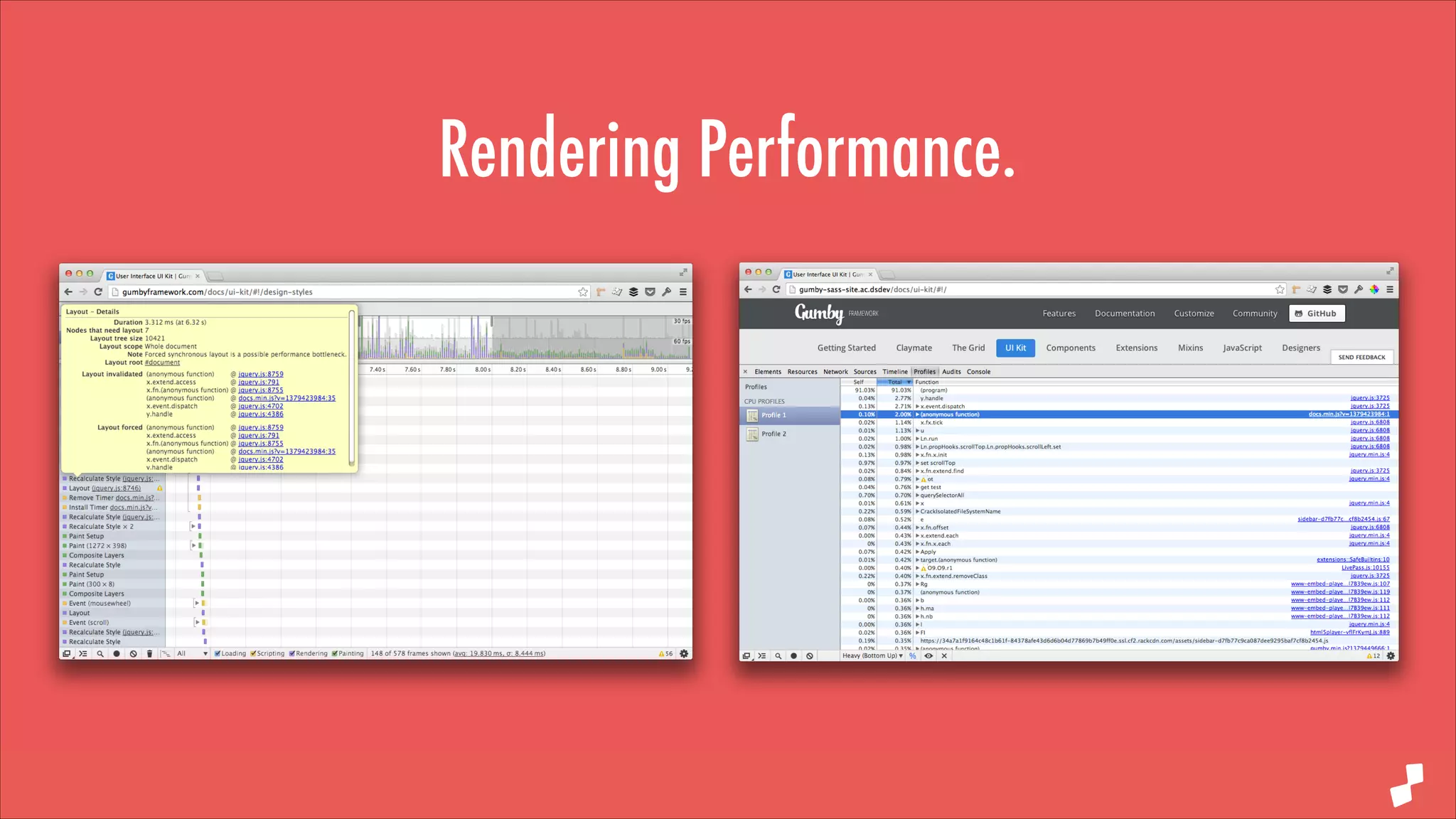
#perfmatters.
• Performance is no longer just load time, it’s a feature
• Rendering performance is essential in a world of client side apps
• Use Chrome’s extensive Dev Tools to profile and optimise
• Make your application run fast and smoothly over time
Rendering Performance.
Painting Performance.
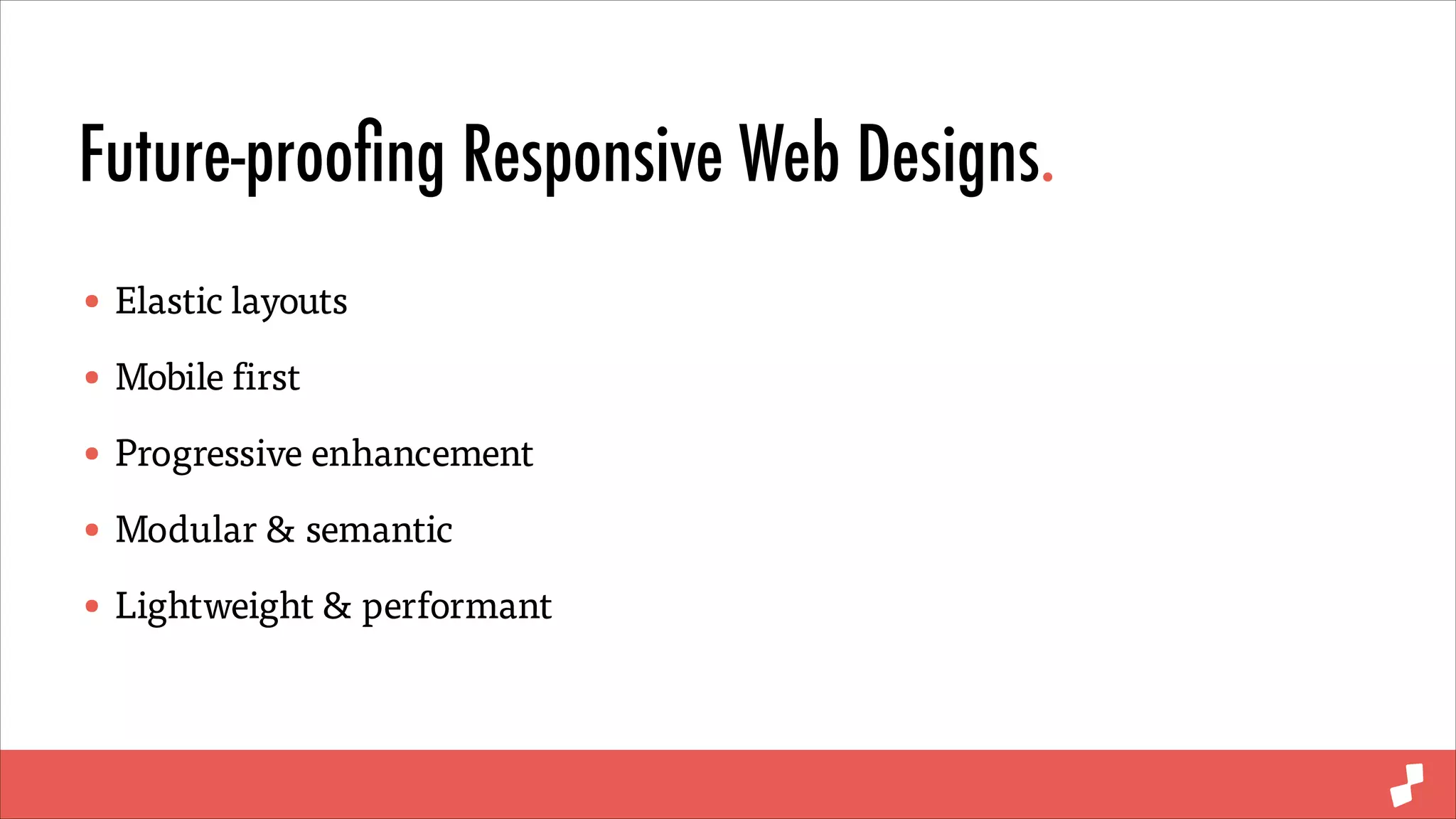
Future-proofing Responsive Web Designs.
• Elastic layouts
• Mobile first
• Progressive enhancement
• Modular & semantic
• Lightweight & performant
“Amazing last quote
with something meaningful
and memorable.”
#perfmatters
FUTURE-PROOF RWD
Follow me @chambaz
digitalsurgeons.com

Future proof rwd

  • 1.
  • 2.
    ADAM CHAMBERS Senior Developer,Digital Surgeons ! @chambaz digitalsurgeons.com
  • 4.
  • 5.
  • 6.
  • 7.
  • 8.
    Future-proofing Responsive WebDesigns. • Elastic layouts • Mobile first • Progressive enhancement • Modular & semantic • Lightweight & performant
  • 9.
  • 10.
  • 11.
    Elastic Layouts. • Rems Fontsizes • Ems Structure, widths, heights, margins, padding •% Structure, widths, heights, margins, padding • Px Sprites, borders, rounded corners
  • 12.
  • 13.
    “One em isequal to the computed value of the ‘font-size’ property of the element on which it is used”
  • 14.
    What is anem? body { font-size: 100%; } body header { font-size: 2em; } 1em = 16px 1em = 32px 2em = 32px 2em = 64px
  • 15.
    Elastic Layouts. • Rems Fontsizes • Ems Structure, widths, heights, margins, padding •% Structure, widths, heights, margins, padding • Px Sprites, borders, rounded corners
  • 16.
  • 17.
  • 18.
    Absolute Typography. Base fontsize 16px Base font size 40px
  • 19.
    Relative Typography. Base fontsize 16px Base font size 40px
  • 20.
    Absolute / RelativeMedia Queries. Px base media query Em based media query
  • 21.
  • 22.
    Mobile first. • Oftenreferred to by the misleading term “mobile first” • It’s really just common sense to start small and work up • Mobile browsing is fast overtaking desktop browsing • Forces focus by embracing the constraints of smaller devices • Lets call it “content first”
  • 23.
    Min-width Media Queries. Max-width Min-width .responsive-element{ padding: 0; @include span-columns(6); .responsive-element { padding: 1em; width: 100%; @include media(min-width: 48em) { padding: 0; @include span-columns(6); } } ! } @include media(max-width: 48em) { padding: 1em; width: 100%; }
  • 24.
  • 25.
    Progressive Enhancement. • Progressivelyenhance rather than gracefully degrading • Starting simple and adding complexity causes far less headaches • Load your advanced features when supported • Just like our layouts, our functionality can grow and not shrink • Lets call it “content first”
  • 26.
    Progressive Enhancement. Cutting themustard Progressive Enhancement // cutting the mustard if(‘querySelector’ in document && ‘localStorage’ in window && ‘addEventListener’ in window) { if(Modernizr.webp) { // use webp images } else if(Modernizr.svg) { // ok use sag then } ! } // all the things ! if(Modernizr.geolocation) { // geolocation wizardry } ! if(window.matchMedia(‘min-width: 48em’).matches) { // all the things }
  • 27.
  • 28.
  • 29.
    Sassy Modularity. • I’msure we all agree that modularity is essential • Maintainability is essential in future proof applications • Placeholders are invisible, reusable blocks of CSS • Extend placeholders into classes for performant modularity • Sass allows us to create semantic, content driven classes
  • 30.
    Modular CSS. HTML CSS .product { width:25%; padding: 2em; float: left; } .featured { width: red; } <div class=“product”> <!-— product markup —-> </div> ! <div class=“product featured”> <!-— featured product markup —-> </div>
  • 31.
    Modular Sass. SCSS %product { width:25%; padding: 2em; float: left; } ! %featured { background: red; } HTML .product { @extend %product; } <div class=“product”> <!-— product markup —-> </div> ! ! .featured-product { @extend %product; @extend %featured; } <div class=“featured-product”> <!-— featured product markup —-> </div>
  • 32.
    Modular Sass. SCSS CSS %title { text-transform:uppercase; line-height: 3; color: #000; } .product-title, .cart-title { text-transform: uppercase; line-height: 3; color: #000; } ! .product-title { margin: 20px 0; @extend %title; } ! ! ! .cart-title { float: right; @extend %title; } .cart-title { float: right; } .product-title { margin: 20px 0; }
  • 33.
  • 34.
    Monolithic Frameworks. • Frameworksare essential for rapid development • Providing building blocks for your application • Large overhead and code bloat • Pick and choose exactly what you require
  • 35.
    Mixins. • Mixins areinvisible, reusable blocks of CSS • Arguments and conditional logic • Mixin libraries have no overhead • Only use exactly what you require
  • 36.
    Mixin Libraries. .product { @include span-columns(4); } ! %outer-container { @include outer-container(); } ! .product-container { @extend %outer-container; } @mixin btn($color) { @extend %btn; background-color: $color; } ! .product-btn { @include btn(#c0392b); } ! .delete-btn { @include btn(#d54445); }
  • 37.
    jQuery. • jQuery isa fantastic library for cross browser development • Do you really need the entire 100kb? • Not just page weight but call stack size • Native JavaScript support is actually pretty good
  • 38.
    Vanilla JS. var products= document.querySelectorAll(‘.product’); ! var featuredProduct = document.querySelector(‘.featured-product’); ! [].forEach.call(products, function(product) { // do something with each product }); ! featuredProduct.classList.add(‘active’); featuredProduct.classList.remove(‘active’); featuredProduct.classList.contains(‘active’);
  • 39.
    Bower. • Dependency managementfor the front end • Micro-libraries over monolithic frameworks • Small libraries that serve a single purpose • Pick and choose exactly what you require
  • 40.
    Bower.json { "name": "Digital Surgeons", "version":"1.0.0", "private": true, "dependencies": { "normalize-scss": "~2.1.3", "responsive-comments": "~1.2.1", "html5-polyfills": "*", "matchmedia": "~0.1.0", "headroom.js": "~0.3.9", "raf.js": "~0.0.3", "respond": "~1.4.2", "html5shiv": "~3.7.0", "slider": "https://github.com/cferdinandi/slider.git", "swiper": "~2.4.3", "move.js": "https://github.com/visionmedia/move.js.git#~0.3.3", "imagesloaded": "~3.1.4" } }
  • 41.
    Grunt. • Task runnerand build processes for the front end • Package your front end code for production • Compile, minify, concatenate, optimise • If at all possible, automate it
  • 42.
    Gruntfile.js files: { // globalJS ‘js/dist/global.js’: [ ‘bower_components/raf.js/raf.min.js’, ‘bower_components/html5-polyfills/classList.js’, ‘bower_components/responsive-comments/responsive-comments.js’, ‘bower_components/anim/anim.min.js’, ‘bower_components/headroom.js/dist/headroom.js’, ‘js/src/global.js’ ], // global JS + page specific ‘js/dist/home.js’: [ ‘bower_components/swiper/dist/idangerous.swiper.js’, ‘bower_components/eventEmitter/EventEmitter.min.js’, ‘bower_components/eventie/eventie.js’, ‘bower_components/imagesloaded/imagesloaded.js’, ‘js/dist/global.js’, ‘js/src/slider.js’, ‘js/src/home.js’ ] } watch: { scripts: { files: [‘js/src/*.js’], tasks: [‘uglify’], options: { spawn: false, livereload: true } }, css: { files: ‘sass/*.scss’, tasks: [‘sass’], options: { livereload: true, } } }
  • 43.
    #perfmatters. • Performance isno longer just load time, it’s a feature • Rendering performance is essential in a world of client side apps • Use Chrome’s extensive Dev Tools to profile and optimise • Make your application run fast and smoothly over time
  • 44.
  • 45.
  • 46.
    Future-proofing Responsive WebDesigns. • Elastic layouts • Mobile first • Progressive enhancement • Modular & semantic • Lightweight & performant
  • 48.
    “Amazing last quote withsomething meaningful and memorable.” #perfmatters
  • 49.
    FUTURE-PROOF RWD Follow me@chambaz digitalsurgeons.com