How to WorkHow to Work on Funding Moduleon Funding Module
Funding
Funding is the act of providing resources, usually
in form of money or other values such as effort or time
for a project, a person, a business, or any other private
or public institutions.The process of gathering fund is
known as fundraising.
Sources of funding include credit, donations, grants,
savings, subsidies, and taxes.
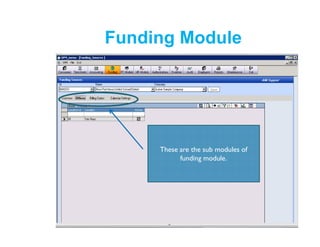
These are the sub modules of
funding module.
Funding Module
Funding Module
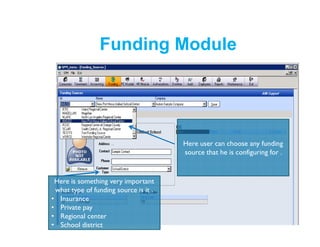
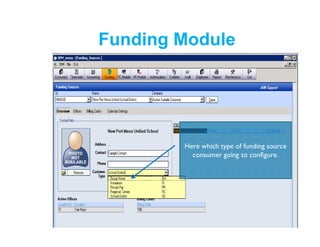
Here is something very important
what type of funding source is it .
• Insurance
• Private pay
• Regional center
• School district
Here user can choose any funding
source that he is configuring for .
Funding Module
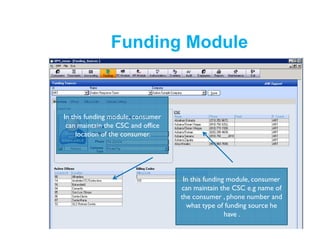
In this funding module, consumer
can maintain the CSC and office
location of the consumer.
In this funding module, consumer
can maintain the CSC e.g name of
the consumer , phone number and
what type of funding source he
have .
Funding Module
Here which type of funding source
consumer going to configure.
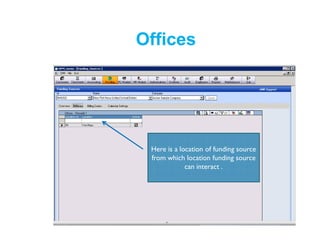
Here is a location of funding source
from which location funding source
can interact .
Offices
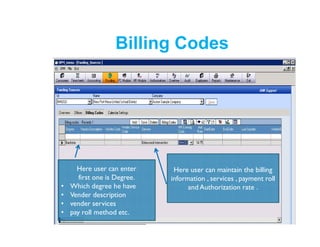
Here user can maintain the billing
information , services , payment roll
and Authorization rate .
Billing Codes
Here user can enter
first one is Degree.
• Which degree he have
• Vender description
• vender services
• pay roll method etc.
Billing Codes
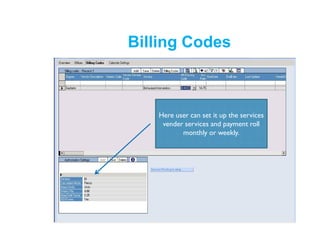
Here user can set it up the services
vender services and payment roll
monthly or weekly.
Calendar Settings
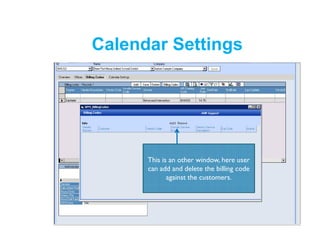
This is an other window, here user
can add and delete the billing code
against the customers.
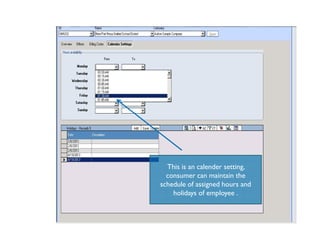
This is an calender setting,
consumer can maintain the
schedule of assigned hours and
holidays of employee .

Funding Module

  • 3.
    How to WorkHowto Work on Funding Moduleon Funding Module
  • 4.
    Funding Funding is theact of providing resources, usually in form of money or other values such as effort or time for a project, a person, a business, or any other private or public institutions.The process of gathering fund is known as fundraising. Sources of funding include credit, donations, grants, savings, subsidies, and taxes.
  • 5.
    These are thesub modules of funding module. Funding Module
  • 6.
    Funding Module Here issomething very important what type of funding source is it . • Insurance • Private pay • Regional center • School district Here user can choose any funding source that he is configuring for .
  • 7.
    Funding Module In thisfunding module, consumer can maintain the CSC and office location of the consumer. In this funding module, consumer can maintain the CSC e.g name of the consumer , phone number and what type of funding source he have .
  • 8.
    Funding Module Here whichtype of funding source consumer going to configure.
  • 9.
    Here is alocation of funding source from which location funding source can interact . Offices
  • 10.
    Here user canmaintain the billing information , services , payment roll and Authorization rate . Billing Codes Here user can enter first one is Degree. • Which degree he have • Vender description • vender services • pay roll method etc.
  • 11.
    Billing Codes Here usercan set it up the services vender services and payment roll monthly or weekly.
  • 12.
    Calendar Settings This isan other window, here user can add and delete the billing code against the customers.
  • 13.
    This is ancalender setting, consumer can maintain the schedule of assigned hours and holidays of employee .