Subtopics -
 Functions
 Function Declaration
 Function Arguments
 Return Statements and values
By Hardeep Singh
FUNCTIONS
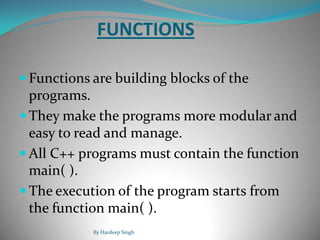
 Functions are building blocks of the
programs.
 They make the programs more modular and
easy to read and manage.
 All C++ programs must contain the function
main( ).
 The execution of the program starts from
the function main( ).
By Hardeep Singh
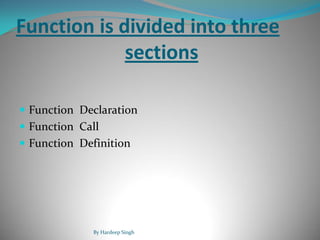
Function is divided into three
sections
 Function Declaration
 Function Call
 Function Definition
By Hardeep Singh
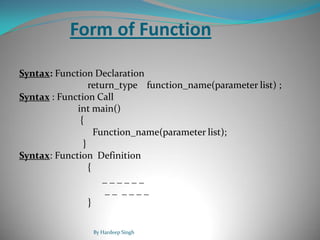
Form of Function
Syntax: Function Declaration
return_type function_name(parameter list) ;
Syntax : Function Call
int main()
{
Function_name(parameter list);
}
Syntax: Function Definition
{
_ _ _ _ _ _
_ _ _ _ _ _
}
By Hardeep Singh
Function Declaration
 A function declaration is made by declaring the return
type of the function, name of the function and the
data types of the parameters of the function.
 Always terminated by semicolon.
 The general form of function declaration :-
return_type function_name(parameter list);
By Hardeep Singh
 The return_type specifies the type of the
data the function returns.
 The parameter list could be empty .
 The parameter list should contain both data
type and name of the variable.
 For example,
int factorial(int n, float j)
By Hardeep Singh
Function Arguments
 Arguments contain the actual value which is to be
passed to the function when it is called.
 The sequence of the arguments in the call of the
function should be same as the sequence of the
parameters in the parameter list of the declaration
of the function.
 When a function call is made arguments replace
the parameters of the function.
By Hardeep Singh
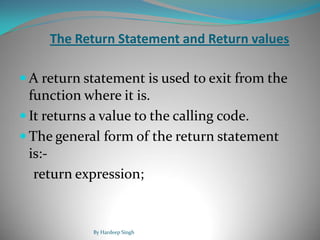
The Return Statement and Return values
 A return statement is used to exit from the
function where it is.
 It returns a value to the calling code.
 The general form of the return statement
is:-
return expression;
By Hardeep Singh
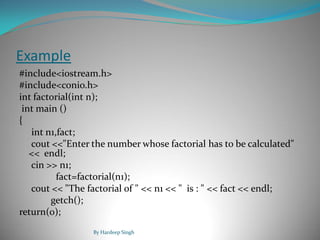
Example
#include<iostream.h>
#include<conio.h>
int factorial(int n);
int main ()
{
int n1,fact;
cout <<"Enter the number whose factorial has to be calculated"
<< endl;
cin >> n1;
fact=factorial(n1);
cout << "The factorial of " << n1 << " is : " << fact << endl;
getch();
return(0);
By Hardeep Singh
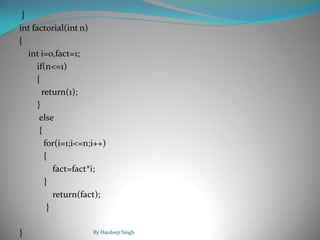
}
int factorial(int n)
{
int i=0,fact=1;
if(n<=1)
{
return(1);
}
else
{
for(i=1;i<=n;i++)
{
fact=fact*i;
}
return(fact);
}
} By Hardeep Singh
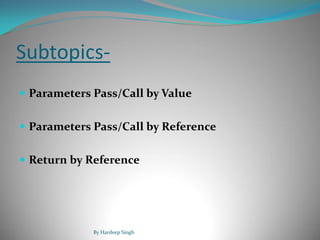
Subtopics-
 Parameters Pass/Call by Value
 Parameters Pass/Call by Reference
 Return by Reference
By Hardeep Singh
Pass/Call by value
 Copies of the arguments are created .
 The parameters are mapped to the copies of
the arguments created.
 The changes made to the parameter do not
affect the arguments.
By Hardeep Singh
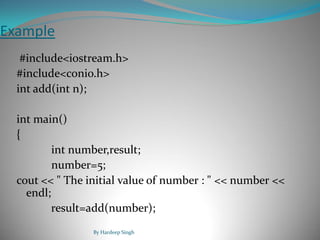
Example
#include<iostream.h>
#include<conio.h>
int add(int n);
int main()
{
int number,result;
number=5;
cout << " The initial value of number : " << number <<
endl;
result=add(number);
By Hardeep Singh
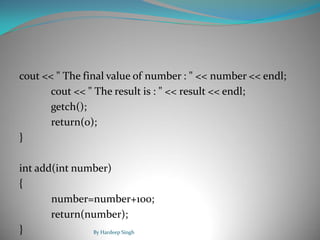
cout << " The final value of number : " << number << endl;
cout << " The result is : " << result << endl;
getch();
return(0);
}
int add(int number)
{
number=number+100;
return(number);
} By Hardeep Singh
Pass/Call by reference
 Pass by reference is the second way of
passing parameters to the function.
 The address of the argument is copied into
the parameter.
 The changes made to the parameter affect
the arguments.
By Hardeep Singh
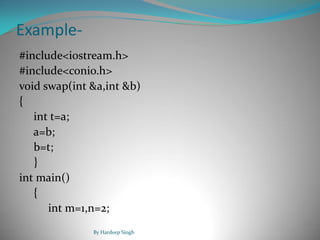
Example-
#include<iostream.h>
#include<conio.h>
void swap(int &a,int &b)
{
int t=a;
a=b;
b=t;
}
int main()
{
int m=1,n=2;
By Hardeep Singh
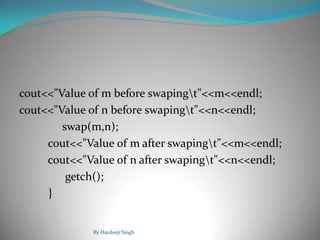
cout<<"Value of m before swapingt"<<m<<endl;
cout<<"Value of n before swapingt"<<n<<endl;
swap(m,n);
cout<<"Value of m after swapingt"<<m<<endl;
cout<<"Value of n after swapingt"<<n<<endl;
getch();
}
By Hardeep Singh
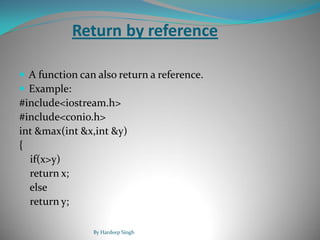
Return by reference
 A function can also return a reference.
 Example:
#include<iostream.h>
#include<conio.h>
int &max(int &x,int &y)
{
if(x>y)
return x;
else
return y;
By Hardeep Singh
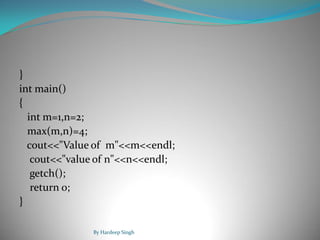
}
int main()
{
int m=1,n=2;
max(m,n)=4;
cout<<"Value of m"<<m<<endl;
cout<<"value of n"<<n<<endl;
getch();
return 0;
}
By Hardeep Singh
Subtopics-
Inline functions
Default arguments
Function overloading
By Hardeep Singh
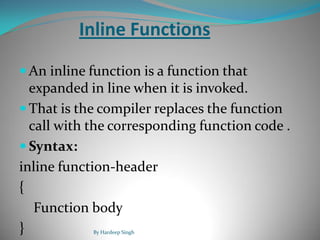
Inline Functions
 An inline function is a function that
expanded in line when it is invoked.
 That is the compiler replaces the function
call with the corresponding function code .
 Syntax:
inline function-header
{
Function body
} By Hardeep Singh
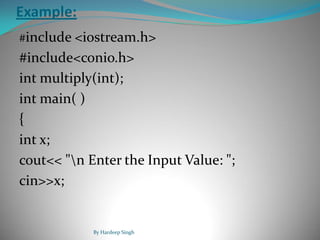
Example:
#include <iostream.h>
#include<conio.h>
int multiply(int);
int main( )
{
int x;
cout<< "n Enter the Input Value: ";
cin>>x;
By Hardeep Singh
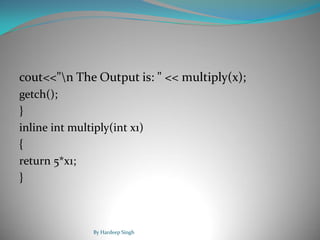
cout<<"n The Output is: " << multiply(x);
getch();
}
inline int multiply(int x1)
{
return 5*x1;
}
By Hardeep Singh
Default Arguments
 Default values are specified when the
function is declared.
 Compier looks at the prototype to see how
many arguments function uses.
 Default arguments are useful in situations
where some arguments always have the
same value.
By Hardeep Singh
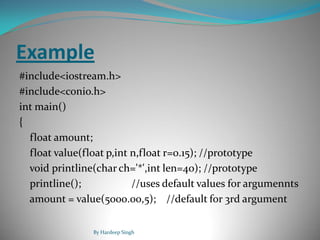
Example
#include<iostream.h>
#include<conio.h>
int main()
{
float amount;
float value(float p,int n,float r=0.15); //prototype
void printline(char ch='*',int len=40); //prototype
printline(); //uses default values for argumennts
amount = value(5000.00,5); //default for 3rd argument
By Hardeep Singh
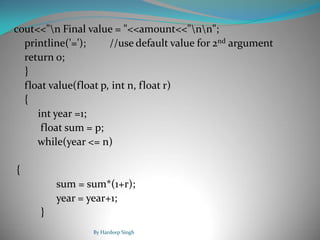
cout<<"n Final value = "<<amount<<"nn";
printline('='); //use default value for 2nd argument
return 0;
}
float value(float p, int n, float r)
{
int year =1;
float sum = p;
while(year <= n)
{
sum = sum*(1+r);
year = year+1;
}
By Hardeep Singh
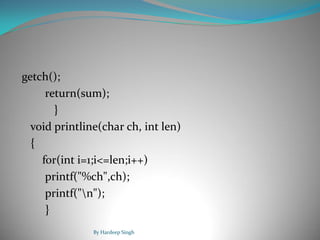
getch();
return(sum);
}
void printline(char ch, int len)
{
for(int i=1;i<=len;i++)
printf("%ch",ch);
printf("n");
}
By Hardeep Singh
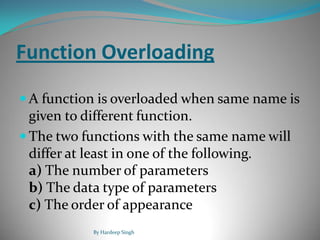
Function Overloading
 A function is overloaded when same name is
given to different function.
 The two functions with the same name will
differ at least in one of the following.
a) The number of parameters
b) The data type of parameters
c) The order of appearance
By Hardeep Singh
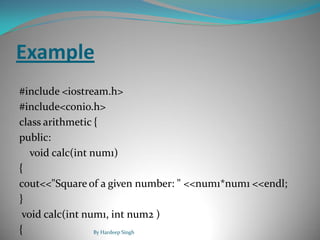
Example
#include <iostream.h>
#include<conio.h>
class arithmetic {
public:
void calc(int num1)
{
cout<<"Square of a given number: " <<num1*num1 <<endl;
}
void calc(int num1, int num2 )
{ By Hardeep Singh
cout<<"Product of two whole numbers: "
<<num1*num2 <<endl;
}
};
int main() //begin of main function
{
arithmetic a;
a.calc(4);
a.calc(6,7);
getch();
}
By Hardeep Singh

functions in c++ basic concept for students

  • 1.
    Subtopics -  Functions Function Declaration  Function Arguments  Return Statements and values By Hardeep Singh
  • 2.
    FUNCTIONS  Functions arebuilding blocks of the programs.  They make the programs more modular and easy to read and manage.  All C++ programs must contain the function main( ).  The execution of the program starts from the function main( ). By Hardeep Singh
  • 3.
    Function is dividedinto three sections  Function Declaration  Function Call  Function Definition By Hardeep Singh
  • 4.
    Form of Function Syntax:Function Declaration return_type function_name(parameter list) ; Syntax : Function Call int main() { Function_name(parameter list); } Syntax: Function Definition { _ _ _ _ _ _ _ _ _ _ _ _ } By Hardeep Singh
  • 5.
    Function Declaration  Afunction declaration is made by declaring the return type of the function, name of the function and the data types of the parameters of the function.  Always terminated by semicolon.  The general form of function declaration :- return_type function_name(parameter list); By Hardeep Singh
  • 6.
     The return_typespecifies the type of the data the function returns.  The parameter list could be empty .  The parameter list should contain both data type and name of the variable.  For example, int factorial(int n, float j) By Hardeep Singh
  • 7.
    Function Arguments  Argumentscontain the actual value which is to be passed to the function when it is called.  The sequence of the arguments in the call of the function should be same as the sequence of the parameters in the parameter list of the declaration of the function.  When a function call is made arguments replace the parameters of the function. By Hardeep Singh
  • 8.
    The Return Statementand Return values  A return statement is used to exit from the function where it is.  It returns a value to the calling code.  The general form of the return statement is:- return expression; By Hardeep Singh
  • 9.
    Example #include<iostream.h> #include<conio.h> int factorial(int n); intmain () { int n1,fact; cout <<"Enter the number whose factorial has to be calculated" << endl; cin >> n1; fact=factorial(n1); cout << "The factorial of " << n1 << " is : " << fact << endl; getch(); return(0); By Hardeep Singh
  • 10.
    } int factorial(int n) { inti=0,fact=1; if(n<=1) { return(1); } else { for(i=1;i<=n;i++) { fact=fact*i; } return(fact); } } By Hardeep Singh
  • 11.
    Subtopics-  Parameters Pass/Callby Value  Parameters Pass/Call by Reference  Return by Reference By Hardeep Singh
  • 12.
    Pass/Call by value Copies of the arguments are created .  The parameters are mapped to the copies of the arguments created.  The changes made to the parameter do not affect the arguments. By Hardeep Singh
  • 13.
    Example #include<iostream.h> #include<conio.h> int add(int n); intmain() { int number,result; number=5; cout << " The initial value of number : " << number << endl; result=add(number); By Hardeep Singh
  • 14.
    cout << "The final value of number : " << number << endl; cout << " The result is : " << result << endl; getch(); return(0); } int add(int number) { number=number+100; return(number); } By Hardeep Singh
  • 15.
    Pass/Call by reference Pass by reference is the second way of passing parameters to the function.  The address of the argument is copied into the parameter.  The changes made to the parameter affect the arguments. By Hardeep Singh
  • 16.
    Example- #include<iostream.h> #include<conio.h> void swap(int &a,int&b) { int t=a; a=b; b=t; } int main() { int m=1,n=2; By Hardeep Singh
  • 17.
    cout<<"Value of mbefore swapingt"<<m<<endl; cout<<"Value of n before swapingt"<<n<<endl; swap(m,n); cout<<"Value of m after swapingt"<<m<<endl; cout<<"Value of n after swapingt"<<n<<endl; getch(); } By Hardeep Singh
  • 18.
    Return by reference A function can also return a reference.  Example: #include<iostream.h> #include<conio.h> int &max(int &x,int &y) { if(x>y) return x; else return y; By Hardeep Singh
  • 19.
    } int main() { int m=1,n=2; max(m,n)=4; cout<<"Valueof m"<<m<<endl; cout<<"value of n"<<n<<endl; getch(); return 0; } By Hardeep Singh
  • 20.
  • 21.
    Inline Functions  Aninline function is a function that expanded in line when it is invoked.  That is the compiler replaces the function call with the corresponding function code .  Syntax: inline function-header { Function body } By Hardeep Singh
  • 22.
    Example: #include <iostream.h> #include<conio.h> int multiply(int); intmain( ) { int x; cout<< "n Enter the Input Value: "; cin>>x; By Hardeep Singh
  • 23.
    cout<<"n The Outputis: " << multiply(x); getch(); } inline int multiply(int x1) { return 5*x1; } By Hardeep Singh
  • 24.
    Default Arguments  Defaultvalues are specified when the function is declared.  Compier looks at the prototype to see how many arguments function uses.  Default arguments are useful in situations where some arguments always have the same value. By Hardeep Singh
  • 25.
    Example #include<iostream.h> #include<conio.h> int main() { float amount; floatvalue(float p,int n,float r=0.15); //prototype void printline(char ch='*',int len=40); //prototype printline(); //uses default values for argumennts amount = value(5000.00,5); //default for 3rd argument By Hardeep Singh
  • 26.
    cout<<"n Final value= "<<amount<<"nn"; printline('='); //use default value for 2nd argument return 0; } float value(float p, int n, float r) { int year =1; float sum = p; while(year <= n) { sum = sum*(1+r); year = year+1; } By Hardeep Singh
  • 27.
    getch(); return(sum); } void printline(char ch,int len) { for(int i=1;i<=len;i++) printf("%ch",ch); printf("n"); } By Hardeep Singh
  • 28.
    Function Overloading  Afunction is overloaded when same name is given to different function.  The two functions with the same name will differ at least in one of the following. a) The number of parameters b) The data type of parameters c) The order of appearance By Hardeep Singh
  • 29.
    Example #include <iostream.h> #include<conio.h> class arithmetic{ public: void calc(int num1) { cout<<"Square of a given number: " <<num1*num1 <<endl; } void calc(int num1, int num2 ) { By Hardeep Singh
  • 30.
    cout<<"Product of twowhole numbers: " <<num1*num2 <<endl; } }; int main() //begin of main function { arithmetic a; a.calc(4); a.calc(6,7); getch(); } By Hardeep Singh