Mobile app
from 0 - to “deployed”
Xamarin.Forms + GitHub + Visual Studio Mobile Center
Demo: 1. Create an app
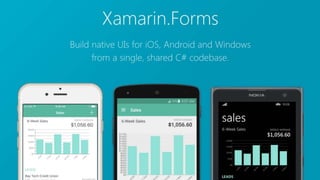
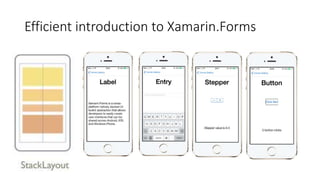
Efficient introduction to Xamarin.Forms
Visual Studio
Mobile Center
Demo:
1. Create an app
2. Add the app to VS Mobile
Center
Demo:
1. Create an app
2. Add the app to VS Mobile Center
3. Some magic?
Questions/Feedback
Xamarin.com
Xamarin.com/Forms
Mobile.Azure.com
@AlexSorokoletov
alex@sorokoletov.com

From 0 to Deployed

Editor's Notes

  • #2 Welcome everyone! Please have a seat, we will soon start. This talk is about mobile application development, about Xamarin, Xamarin.Forms. We will talk about some automation and how to do it right with VS Mobile Center.
  • #3 I heard a story on Freakonomics about a lady who searched for the best burger in town. It was quite a challenge. To go through all the places. And you know, to keep all these ratings, maybe in a notepad or somewhere else. Quite a challenge  So I thought maybe I can do something similar. Find a best pizza in the neighborhood?
  • #4 Now, since I'm a mobile developer, what do I do with this thought? I get an app for that! Again, as a mobile developer, why do I go to the store and download whatever is there. I'd rather make a new app, my own
  • #5 Now that I need to make an app, what framework should I use? React, Swift, Java, what? I have an iphone, my friends have android devices. Maybe I’ll switch later to Galaxy 8. Would be great to have app on iOS and Android. Crossplatform would be a key for me. I also want this app done quick and easy. Don’t want to learn multiple languages, etc. Xamarin.Forms is an ideal choice for that case. It is a crossplatform mobile framework, that supports many platforms and uses one language for all of them. It is free and you can download it from xamarin.com. I already did that and I’m ready to create my application.
  • #6 I’m going to switch to my desktop and open Xamarin Studio IDE to create an app.
  • #7 Let’s have a quick intro into Xamarin.Forms. This is a set of controls we’re going to use today. … … I encourage you to check out Xamarin.Forms if you haven’t tried it yet. It’s an interesting framework, lot’s of content to get started, etc. Now, let’s switch back to demo and improve the app a bit.
  • #8 VS mobile center is a next generation service for mobile developers. It builds, distributes, tests, runs analytics, crash reports and many more. Basically it does everything that a mobile developer needs. Today I’ll show to how to build & distribute your app. We will also see how to get some analytics in your app.
  • #10 Edit something on github and see how it runs the build and compiles new version