








INFORMATION AND  COMMUNICATIONS TECHNOLOGY Term 2 ~ Week 5.2 Specific Objective ~ 2.3.1
Objectives Use the search engine to access information.
Required Previous Knowledge Student can browse the internet through the use of URLs and Hyperlinks.
REVIEW ACCESSING A WEBSITE WITH A URL
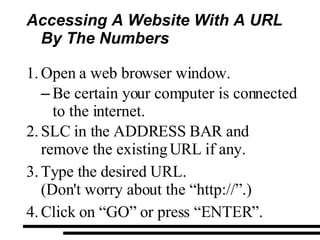
Accessing A Website With A URL By The Numbers Open a web browser window. Be certain your computer is connected to the internet. SLC in the ADDRESS BAR and remove the existing URL if any. Type the desired URL. (Don't worry about the “http://”.) Click on “GO” or press “ENTER”.
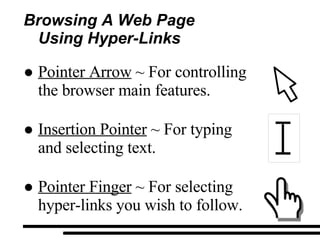
Browsing A Web Page  Using Hyper-Links Pointer Arrow  ~ For controlling the browser main features. Insertion Pointer  ~ For typing  and selecting text. Pointer Finger  ~ For selecting hyper-links you wish to follow.
Browsing With Hyper-Links By The Numbers Place the mouse pointer on any hyper-link within a web page. You can see the link's URL in the STATUS BAR. To follow a link to its location or content, single left click. Wait for the new web page to load the content. You can watch the Throbber or Progress Bar.
ACCESSING INFORMATION FROM THE INTERNET
Accessing Information  From The Internet The Internet provides access to a vast amount of information on a wide range of topics, along with useful services. Some of these include: Electronics Mail Chat Web Browsing File transfer
Accessing Information From The Internet Many of these resources allow users to search and retrieve material made available by other users of the Internet.  One of the most efficient way of conducting research on the Internet is by using the world wide web (www).
Accessing Information From The Internet Since the web is accessible from so many countries by so many people, it offers access to a tremendous amount  of information all in one place.
DISCUSSION WHAT IS A  SEARCH ENGINE?
SEARCH ENGINES
Search Engine Search Engines are another service on the web that allows us to find information related to a particular set of words or information Search Engines provides an interface where the user enters the word or phrase that he/she wants to search.
Search Engines It is an interactive tool that enables users to locate information available through the world wide web. It presents a text box for the user to fill it, submit and retrieve the list of resources that match the search criteria.
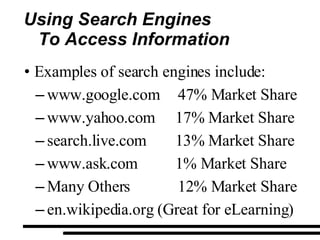
Using Search Engines To Access Information Examples of search engines include: www.google.com 47% Market Share www.yahoo.com 17% Market Share search.live.com 13% Market Share www.ask.com 1% Market Share Many Others 12% Market Share en.wikipedia.org (Great for eLearning)
DEMONSTRATION SEARCHING THE INTERNET
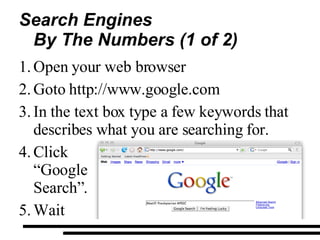
Search Engines By The Numbers (1 of 2) Open your web browser  Goto http://www.google.com In the text box type a few keywords that  describes what you are searching for. Click  “Google  Search”. Wait
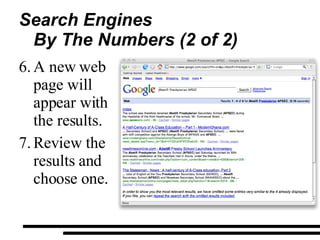
Search Engines By The Numbers (2 of 2) A new web page will appear with the results. Review the results and choose one.
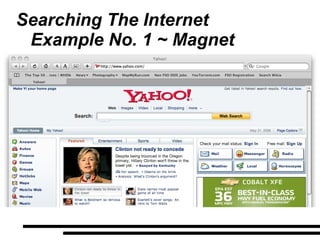
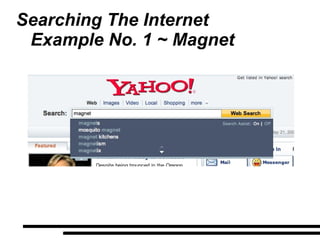
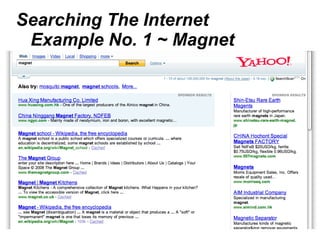
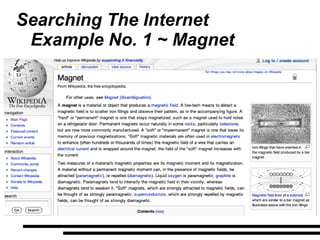
Searching The Internet Example No. 1 ~ Magnet
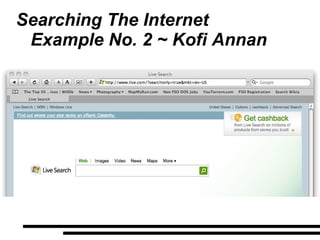
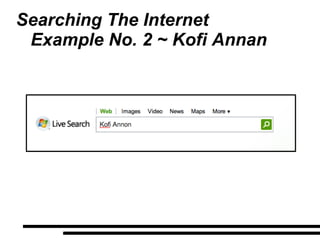
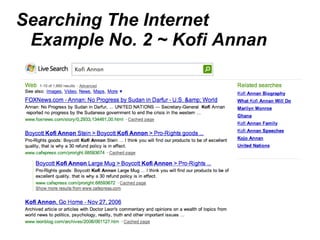
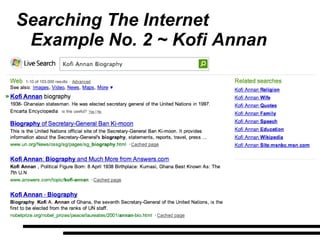
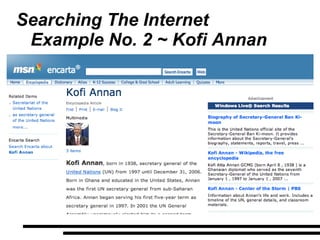
Searching The Internet Example No. 2 ~ Kofi Annan
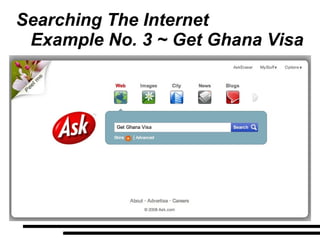
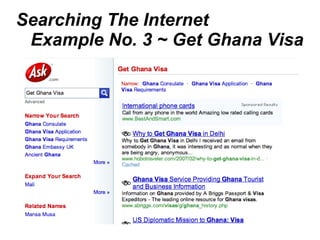
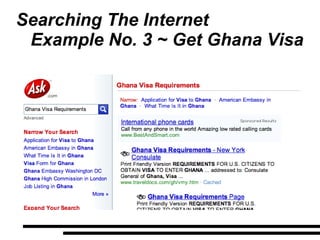
Searching The Internet Example No. 3 ~ Get Ghana Visa
PRACTICAL WORK SEARCHING THE INTERNET
Practicals ~ Browsing A Web Page  Using Hyper-Links Working in groups, please do the following: Open Internet Explorer. Goto http://www.google.com Search the internet and find a website that talk about how “Hydro Electric  Energy” is generated.
QUESTIONS

Form 1 Term 2 Week 5.2

  • 1.
    INFORMATION AND COMMUNICATIONS TECHNOLOGY Term 2 ~ Week 5.2 Specific Objective ~ 2.3.1
  • 2.
    Objectives Use thesearch engine to access information.
  • 3.
    Required Previous KnowledgeStudent can browse the internet through the use of URLs and Hyperlinks.
  • 4.
    REVIEW ACCESSING AWEBSITE WITH A URL
  • 5.
    Accessing A WebsiteWith A URL By The Numbers Open a web browser window. Be certain your computer is connected to the internet. SLC in the ADDRESS BAR and remove the existing URL if any. Type the desired URL. (Don't worry about the “http://”.) Click on “GO” or press “ENTER”.
  • 6.
    Browsing A WebPage Using Hyper-Links Pointer Arrow ~ For controlling the browser main features. Insertion Pointer ~ For typing and selecting text. Pointer Finger ~ For selecting hyper-links you wish to follow.
  • 7.
    Browsing With Hyper-LinksBy The Numbers Place the mouse pointer on any hyper-link within a web page. You can see the link's URL in the STATUS BAR. To follow a link to its location or content, single left click. Wait for the new web page to load the content. You can watch the Throbber or Progress Bar.
  • 8.
  • 9.
    Accessing Information From The Internet The Internet provides access to a vast amount of information on a wide range of topics, along with useful services. Some of these include: Electronics Mail Chat Web Browsing File transfer
  • 10.
    Accessing Information FromThe Internet Many of these resources allow users to search and retrieve material made available by other users of the Internet. One of the most efficient way of conducting research on the Internet is by using the world wide web (www).
  • 11.
    Accessing Information FromThe Internet Since the web is accessible from so many countries by so many people, it offers access to a tremendous amount of information all in one place.
  • 12.
    DISCUSSION WHAT ISA SEARCH ENGINE?
  • 13.
  • 14.
    Search Engine SearchEngines are another service on the web that allows us to find information related to a particular set of words or information Search Engines provides an interface where the user enters the word or phrase that he/she wants to search.
  • 15.
    Search Engines Itis an interactive tool that enables users to locate information available through the world wide web. It presents a text box for the user to fill it, submit and retrieve the list of resources that match the search criteria.
  • 16.
    Using Search EnginesTo Access Information Examples of search engines include: www.google.com 47% Market Share www.yahoo.com 17% Market Share search.live.com 13% Market Share www.ask.com 1% Market Share Many Others 12% Market Share en.wikipedia.org (Great for eLearning)
  • 17.
  • 18.
    Search Engines ByThe Numbers (1 of 2) Open your web browser Goto http://www.google.com In the text box type a few keywords that describes what you are searching for. Click “Google Search”. Wait
  • 19.
    Search Engines ByThe Numbers (2 of 2) A new web page will appear with the results. Review the results and choose one.
  • 20.
    Searching The InternetExample No. 1 ~ Magnet
  • 21.
    Searching The InternetExample No. 1 ~ Magnet
  • 22.
    Searching The InternetExample No. 1 ~ Magnet
  • 23.
    Searching The InternetExample No. 1 ~ Magnet
  • 24.
    Searching The InternetExample No. 2 ~ Kofi Annan
  • 25.
    Searching The InternetExample No. 2 ~ Kofi Annan
  • 26.
    Searching The InternetExample No. 2 ~ Kofi Annan
  • 27.
    Searching The InternetExample No. 2 ~ Kofi Annan
  • 28.
    Searching The InternetExample No. 2 ~ Kofi Annan
  • 29.
    Searching The InternetExample No. 3 ~ Get Ghana Visa
  • 30.
    Searching The InternetExample No. 3 ~ Get Ghana Visa
  • 31.
    Searching The InternetExample No. 3 ~ Get Ghana Visa
  • 32.
    Searching The InternetExample No. 3 ~ Get Ghana Visa
  • 33.
  • 34.
    Practicals ~ BrowsingA Web Page Using Hyper-Links Working in groups, please do the following: Open Internet Explorer. Goto http://www.google.com Search the internet and find a website that talk about how “Hydro Electric Energy” is generated.
  • 35.