Instructional Technologies Summative Presentation A.J. Amling Student Teaching Summary
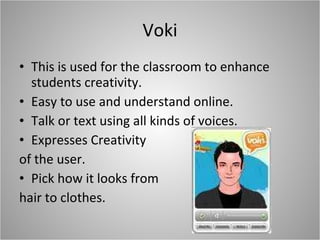
Voki This is used for the classroom to enhance students creativity.  Easy to use and understand online.  Talk or text using all kinds of voices. Expresses Creativity  of the user. Pick how it looks from  hair to clothes.
How it was used…. The Voki was used as an introduction tool at my second placement. I had my Voki talk in my voice. I shared my name, age, family info, school info, why I want to be a teacher, etc. Students loved it and we will later work on making their own.
PBS Teacher Tube Review established teachers lessons Evaluate lessons Gain Ideas Find interesting movie clips Students are seeing what other schools do
How it was used…. This was more of a resource to share with my cooperating teacher. I gained ideas to enrich my lessons. I found other ways to teach math lessons. My teacher has now added that to her place to find resources. Pass the knowledge on!!!!!!
Skype Easy to use and download from Internet. Communication between people. Using a Webcam and Microphone. Read books over the Internet.
How it was used… Used in my big technology lesson. Cross cultural communication technique. Learn new information. Vocabulary New places and surroundings. Tone of voice  Break down of language barrier.
Quizlet Online tool to download. Make flashcards Design them to remember them. Students can make them themselves At home extension
How it was used… Quizlet was the one not used as often.  Students put words that were not understood. Done in computer class. Hard to keep going in classroom.
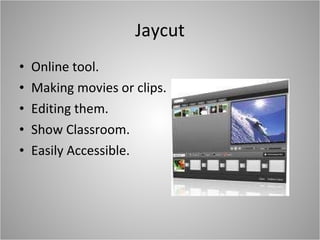
Jaycut Online tool. Making movies or clips. Editing them. Show Classroom. Easily Accessible.
How it was used… I used it to make a movie project for Chapel. Took pictures of kids praying Took video clips of what prayer means to them. Edited the clips. Showed in Chapel service for whole school.
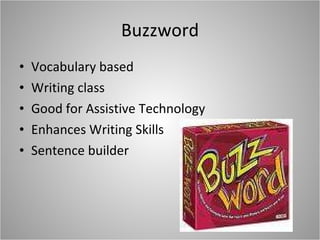
Buzzword Vocabulary based Writing class Good for Assistive Technology Enhances Writing Skills Sentence builder
How it was used… Buzzword charts for desks in fun colors. Used buzzwords instead of our “trash” words. Students loved finding new words.  Enhanced their Vocabulary.
Twitter Online download. Follow anyone around the world. Give advice. Make updates. Learn about new ideas through others.
How it was used… My cooperating teacher uses Twitter with the class. She had me hook into hers. Students asked questions about Homework, Tests, Quizzes.  Good tool to keep informed with.
Slide Share Regular download from Internet. Upload Power Points. Share information Gain information Make it FUN looking 
How it was used… This was not used directly in my classroom. It was used for this final project. It could be used to learn how to take notes from a lecture.  Or it could be used to tell about a book. Share pictures with the class about a topic.
Ending Through this course I have learned about so much new technology to use in the classroom. I know that I will do everything I can to use it next year in the classroom. Thank you for all of your help and guidance through this course. Great articles!!!!

Final Presentation

  • 1.
    Instructional Technologies SummativePresentation A.J. Amling Student Teaching Summary
  • 2.
    Voki This isused for the classroom to enhance students creativity. Easy to use and understand online. Talk or text using all kinds of voices. Expresses Creativity of the user. Pick how it looks from hair to clothes.
  • 3.
    How it wasused…. The Voki was used as an introduction tool at my second placement. I had my Voki talk in my voice. I shared my name, age, family info, school info, why I want to be a teacher, etc. Students loved it and we will later work on making their own.
  • 4.
    PBS Teacher TubeReview established teachers lessons Evaluate lessons Gain Ideas Find interesting movie clips Students are seeing what other schools do
  • 5.
    How it wasused…. This was more of a resource to share with my cooperating teacher. I gained ideas to enrich my lessons. I found other ways to teach math lessons. My teacher has now added that to her place to find resources. Pass the knowledge on!!!!!!
  • 6.
    Skype Easy touse and download from Internet. Communication between people. Using a Webcam and Microphone. Read books over the Internet.
  • 7.
    How it wasused… Used in my big technology lesson. Cross cultural communication technique. Learn new information. Vocabulary New places and surroundings. Tone of voice Break down of language barrier.
  • 8.
    Quizlet Online toolto download. Make flashcards Design them to remember them. Students can make them themselves At home extension
  • 9.
    How it wasused… Quizlet was the one not used as often. Students put words that were not understood. Done in computer class. Hard to keep going in classroom.
  • 10.
    Jaycut Online tool.Making movies or clips. Editing them. Show Classroom. Easily Accessible.
  • 11.
    How it wasused… I used it to make a movie project for Chapel. Took pictures of kids praying Took video clips of what prayer means to them. Edited the clips. Showed in Chapel service for whole school.
  • 12.
    Buzzword Vocabulary basedWriting class Good for Assistive Technology Enhances Writing Skills Sentence builder
  • 13.
    How it wasused… Buzzword charts for desks in fun colors. Used buzzwords instead of our “trash” words. Students loved finding new words. Enhanced their Vocabulary.
  • 14.
    Twitter Online download.Follow anyone around the world. Give advice. Make updates. Learn about new ideas through others.
  • 15.
    How it wasused… My cooperating teacher uses Twitter with the class. She had me hook into hers. Students asked questions about Homework, Tests, Quizzes. Good tool to keep informed with.
  • 16.
    Slide Share Regulardownload from Internet. Upload Power Points. Share information Gain information Make it FUN looking 
  • 17.
    How it wasused… This was not used directly in my classroom. It was used for this final project. It could be used to learn how to take notes from a lecture. Or it could be used to tell about a book. Share pictures with the class about a topic.
  • 18.
    Ending Through thiscourse I have learned about so much new technology to use in the classroom. I know that I will do everything I can to use it next year in the classroom. Thank you for all of your help and guidance through this course. Great articles!!!!