Marathwada Mitramandal’s
COLLEGE OF ENGINEERING
Karvenagar, Pune
Accredited with ‘A++’ Grade by
NAAC
Presentation
On
Subject: Programming And Problem
Solving
By
Ms. Y. V. Belkhede
Department of Engineering Sciences
Unit-6: File Handling
Session-39/44
Types of files: Text and Binary Files
session Plan
Outline:
A. Attendance
B. Review of the previous session
C. Learning Outcomes of the session
D. Content
E. Student’s evaluation
F. Preparation for next session
G. Wrap up
B.Review of the previous session:
Files: A file is a collection of related information that is recorded on secondary storage
File path:
Relative path :relative path needs to be combined with another path in order to access a file
Absolute path: it is a complete path considered from root node
C.Learning Outcomes of the session:
Students will understand different types of files
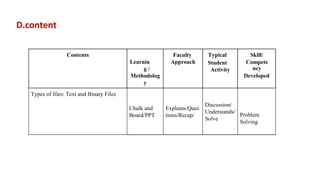
D.content
Contents
Learnin
g /
Methodolog
y
Faculty
Approach
Typical
Student
Activity
Skill/
Compete
ncy
Developed
Types of files: Text and Binary Files
Chalk and
Board/PPT
Explains/Ques
tions/Recap/
Discussion/
Understands/
Solve
Problem
Solving
Types of Files
• Like c and CPP , python also supports two types of files
• Text files
• Binary Files
Text Files
• A text file is a stream of characters that can be sequentially processed by a computer in
forward direction
• They can read and write data one at a time
• Newline characters may be converted to or from carriage return/linefeed combinations
• A line can contain 0 or more characters (255)
• Write operation- newline converted to carriage return/ line feed
• Read- carriage return/ line feed to newline
Text Files
• Data representation: Internal , External
• Each file ends with special character called end of file (EOF)
• 123=2 bytes
• 123=3 bytes
Binary Files
• Binary file is a file which may contain any type of data, encoded in binary form
for computer storage and processing purposes
• Includes files such as word processing docs, pdfs, images, spreadsheets, zips and
other executable programs.
• Random access
• Follows internal representation
• Also ends with EOF marker
• Less space to storage
• Eliminates conversions between internal and external
Binary Files
• In a text file , an integer value 123 will be stored as a sequence of three
characters-1,2 , and 3.
• As each character takes 1 byte , therefore , to store the integer value 123, we need
3 bytes.
• However, in a binary file, the integer value 123 will be stored in 2 bytes in the
binary form.
• From this we can conclude binary files takes less space to store same piece of
data
E. Student’s evaluation of main body:
What is internal and external representation in files?
Which file type takes less space to store data?
Differentiate between Binary and text files
F. Assignment for next session:
G.Wrap up:
Summary
Types of files:
1)Text Files:
A text file is a stream of characters that can be sequentially processed by a computer in
forward direction
2)Binary Files:
Binary file is a file which may contain any type of data, encoded in binary form for
computer storage and processing purposes

File handling.pptx

  • 1.
    Marathwada Mitramandal’s COLLEGE OFENGINEERING Karvenagar, Pune Accredited with ‘A++’ Grade by NAAC Presentation On Subject: Programming And Problem Solving By Ms. Y. V. Belkhede Department of Engineering Sciences
  • 2.
    Unit-6: File Handling Session-39/44 Typesof files: Text and Binary Files session Plan
  • 3.
    Outline: A. Attendance B. Reviewof the previous session C. Learning Outcomes of the session D. Content E. Student’s evaluation F. Preparation for next session G. Wrap up
  • 4.
    B.Review of theprevious session: Files: A file is a collection of related information that is recorded on secondary storage File path: Relative path :relative path needs to be combined with another path in order to access a file Absolute path: it is a complete path considered from root node
  • 5.
    C.Learning Outcomes ofthe session: Students will understand different types of files
  • 6.
    D.content Contents Learnin g / Methodolog y Faculty Approach Typical Student Activity Skill/ Compete ncy Developed Types offiles: Text and Binary Files Chalk and Board/PPT Explains/Ques tions/Recap/ Discussion/ Understands/ Solve Problem Solving
  • 7.
    Types of Files •Like c and CPP , python also supports two types of files • Text files • Binary Files
  • 8.
    Text Files • Atext file is a stream of characters that can be sequentially processed by a computer in forward direction • They can read and write data one at a time • Newline characters may be converted to or from carriage return/linefeed combinations • A line can contain 0 or more characters (255) • Write operation- newline converted to carriage return/ line feed • Read- carriage return/ line feed to newline
  • 9.
    Text Files • Datarepresentation: Internal , External • Each file ends with special character called end of file (EOF) • 123=2 bytes • 123=3 bytes
  • 10.
    Binary Files • Binaryfile is a file which may contain any type of data, encoded in binary form for computer storage and processing purposes • Includes files such as word processing docs, pdfs, images, spreadsheets, zips and other executable programs. • Random access • Follows internal representation • Also ends with EOF marker • Less space to storage • Eliminates conversions between internal and external
  • 11.
    Binary Files • Ina text file , an integer value 123 will be stored as a sequence of three characters-1,2 , and 3. • As each character takes 1 byte , therefore , to store the integer value 123, we need 3 bytes. • However, in a binary file, the integer value 123 will be stored in 2 bytes in the binary form. • From this we can conclude binary files takes less space to store same piece of data
  • 12.
    E. Student’s evaluationof main body: What is internal and external representation in files? Which file type takes less space to store data?
  • 13.
    Differentiate between Binaryand text files F. Assignment for next session:
  • 14.
    G.Wrap up: Summary Types offiles: 1)Text Files: A text file is a stream of characters that can be sequentially processed by a computer in forward direction 2)Binary Files: Binary file is a file which may contain any type of data, encoded in binary form for computer storage and processing purposes