Navigating the DOM with ExtJS By Aaron Conran
Document Object Model The Document Object Model or DOM is a standard to represent HTML, XHTML and other XML formats. The DOM is represented as a tree within the browser and provides access to all node’s on the current page
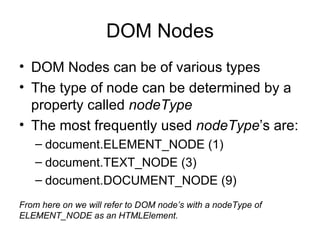
DOM Nodes DOM Nodes can be of various types The type of node can be determined by a property called  nodeType The most frequently used  nodeType ’s are: document.ELEMENT_NODE (1) document.TEXT_NODE (3) document.DOCUMENT_NODE (9) From here on we will refer to DOM node’s with a nodeType of ELEMENT_NODE as an HTMLElement.
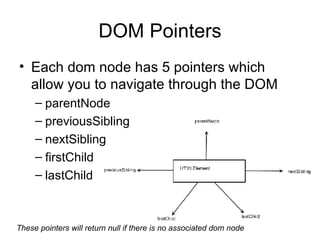
DOM Pointers Each dom node has 5 pointers which allow you to navigate through the DOM parentNode previousSibling nextSibling firstChild lastChild These pointers will return null if there is no associated dom node
DOM Pointers Finding related elements with only DOM pointers may prove frustrating  ExtJS allows you to find related elements much easier by  eliminating cross-browser inconsistencies ignoring empty textnodes created by formatted markup implementing CSS/XPath selection
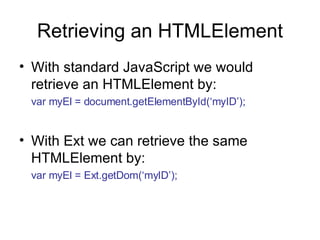
Retrieving an HTMLElement With standard JavaScript we would retrieve an HTMLElement by: var myEl = document.getElementById(‘myID’); With Ext we can retrieve the same HTMLElement by: var myEl = Ext.getDom(‘myID’);
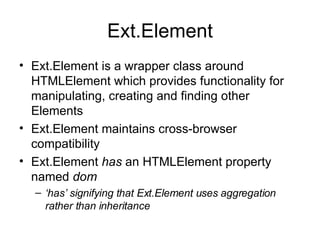
Ext.Element Ext.Element is a wrapper class around HTMLElement which provides functionality for manipulating, creating and finding other Elements Ext.Element maintains cross-browser compatibility Ext.Element  has  an HTMLElement property named  dom ‘ has’ signifying that Ext.Element uses aggregation rather than inheritance
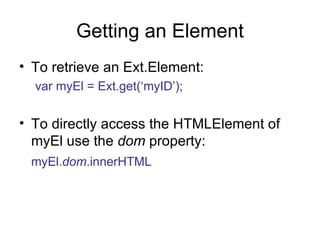
Getting an Element To retrieve an Ext.Element: var myEl = Ext.get(‘myID’); To directly access the HTMLElement of myEl use the  dom  property: myEl. dom .innerHTML
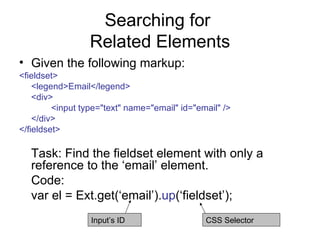
Searching for  Related Elements Given the following markup: <fieldset> <legend>Email</legend> <div> <input type=&quot;text&quot; name=&quot;email&quot; id=&quot;email&quot; /> </div> </fieldset> Task: Find the fieldset element with only a reference to the ‘email’ element. Code: var el = Ext.get(‘email’). up (‘fieldset’); CSS Selector Input’s ID
up or findParentNode up public function up( String selector, [Number/String/HTMLElement/Element maxDepth] )  Walks up the dom looking for a parent node that matches the passed simple selector (e.g. div.some-class or span:first-child). This is a shortcut for findParentNode() that always returns an Ext.Element. Parameters:   selector : StringThe simple selector to test maxDepth : Number/String/HTMLElement/Element(optional) The max depth to search as a number or element (defaults to 10 || document.body) Returns:   Ext.Element The matching DOM node (or null if no match was found) This method is defined by Element.
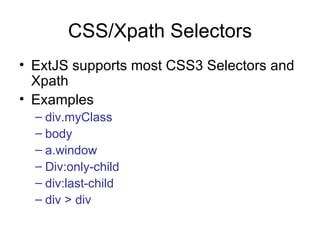
CSS/Xpath Selectors ExtJS supports most CSS3 Selectors and Xpath Examples div.myClass body a.window Div:only-child div:last-child div > div
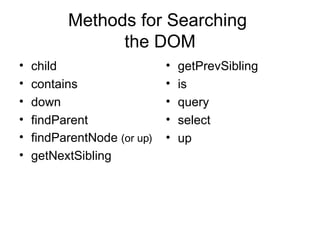
Methods for Searching  the DOM child contains down findParent findParentNode  (or up) getNextSibling getPrevSibling is query select up

Ext Js Dom Navigation

  • 1.
    Navigating the DOMwith ExtJS By Aaron Conran
  • 2.
    Document Object ModelThe Document Object Model or DOM is a standard to represent HTML, XHTML and other XML formats. The DOM is represented as a tree within the browser and provides access to all node’s on the current page
  • 3.
    DOM Nodes DOMNodes can be of various types The type of node can be determined by a property called nodeType The most frequently used nodeType ’s are: document.ELEMENT_NODE (1) document.TEXT_NODE (3) document.DOCUMENT_NODE (9) From here on we will refer to DOM node’s with a nodeType of ELEMENT_NODE as an HTMLElement.
  • 4.
    DOM Pointers Eachdom node has 5 pointers which allow you to navigate through the DOM parentNode previousSibling nextSibling firstChild lastChild These pointers will return null if there is no associated dom node
  • 5.
    DOM Pointers Findingrelated elements with only DOM pointers may prove frustrating ExtJS allows you to find related elements much easier by eliminating cross-browser inconsistencies ignoring empty textnodes created by formatted markup implementing CSS/XPath selection
  • 6.
    Retrieving an HTMLElementWith standard JavaScript we would retrieve an HTMLElement by: var myEl = document.getElementById(‘myID’); With Ext we can retrieve the same HTMLElement by: var myEl = Ext.getDom(‘myID’);
  • 7.
    Ext.Element Ext.Element isa wrapper class around HTMLElement which provides functionality for manipulating, creating and finding other Elements Ext.Element maintains cross-browser compatibility Ext.Element has an HTMLElement property named dom ‘ has’ signifying that Ext.Element uses aggregation rather than inheritance
  • 8.
    Getting an ElementTo retrieve an Ext.Element: var myEl = Ext.get(‘myID’); To directly access the HTMLElement of myEl use the dom property: myEl. dom .innerHTML
  • 9.
    Searching for Related Elements Given the following markup: <fieldset> <legend>Email</legend> <div> <input type=&quot;text&quot; name=&quot;email&quot; id=&quot;email&quot; /> </div> </fieldset> Task: Find the fieldset element with only a reference to the ‘email’ element. Code: var el = Ext.get(‘email’). up (‘fieldset’); CSS Selector Input’s ID
  • 10.
    up or findParentNodeup public function up( String selector, [Number/String/HTMLElement/Element maxDepth] ) Walks up the dom looking for a parent node that matches the passed simple selector (e.g. div.some-class or span:first-child). This is a shortcut for findParentNode() that always returns an Ext.Element. Parameters: selector : StringThe simple selector to test maxDepth : Number/String/HTMLElement/Element(optional) The max depth to search as a number or element (defaults to 10 || document.body) Returns: Ext.Element The matching DOM node (or null if no match was found) This method is defined by Element.
  • 11.
    CSS/Xpath Selectors ExtJSsupports most CSS3 Selectors and Xpath Examples div.myClass body a.window Div:only-child div:last-child div > div
  • 12.
    Methods for Searching the DOM child contains down findParent findParentNode (or up) getNextSibling getPrevSibling is query select up