


Expression Blend for DevelopersRDN Dev Day
Hello WorldMahesh KrishnanPrincipal ConsultantAuthor: Silverlight 4 for DummiesRun VIC.NET Dev SIG & SDDNMahesh.Krishnan@readify.net@MaheshKrishnanBlogesh.wordpress.com
What are we doing?Type of presentationBit of PowerPointLots of DemosNo sales. No wow demos or 5 minutes demos. Useful Tips & Tricks.
Rules
Have you…??
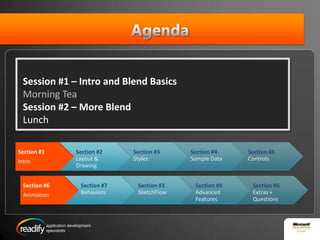
AgendaSession #1 – Intro and Blend BasicsMorning TeaSession #2 – More BlendLunch
What is Expression Blend?Primary Tool for Designing User InterfacesVisually design UI – Blend creates XAMLBetter user experience than Visual Studio when working UI designYou still need VS 2010 to do all the developer stuff
AdoptionReasonsPositioned as Design toolCrashesMesses with my XamlPatternsDon’t want to learn a new toolI’m productive hand coding XamlNot broadly adoptedMore stable nowLet goBetter supportDon’t learn something different if you don’t need to do something different.Learning curve
Blend vs Visual StudioWhen would you use Expression Blend?Prototyping UIUser Interface designWriting small blocks of codeImporting designs from Photoshop and IllustratorAnimationWhen would you use Visual Studio?Simple UI designWriting codeDebugging, setting breakpoints, etcIntegrating with other projects (.NET WCF Services, WCF, ...)
BLENDWALkTHROUGH
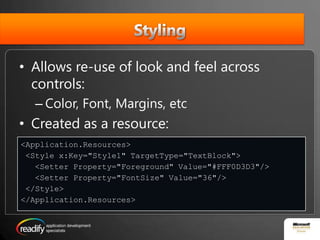
StylingAllows re-use of look and feel across controls:Color, Font, Margins, etcCreated as a resource:<Application.Resources> <Style x:Key="Style1" TargetType="TextBlock">   <Setter Property="Foreground" Value="#FFF0D3D3"/>   <Setter Property="FontSize" Value="36"/> </Style></Application.Resources>
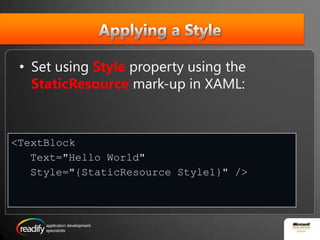
Applying a StyleSet using Styleproperty using the StaticResourcemark-up in XAML:<TextBlock   Text="Hello World"    Style="{StaticResource Style1}" />
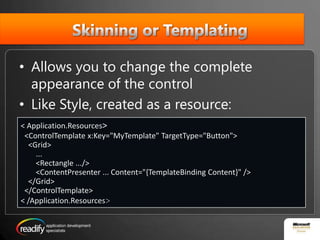
Skinning or TemplatingAllows you to change the complete appearance of the controlLike Style, created as a resource:< Application.Resources>  <ControlTemplate x:Key="MyTemplate" TargetType="Button">    <Grid>        ...        <Rectangle .../>        <ContentPresenter ... Content="{TemplateBinding Content}" />    </Grid>  </ControlTemplate>< /Application.Resources>
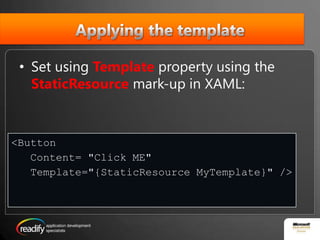
Applying the templateSet using Templateproperty using the StaticResourcemark-up in XAML:<ButtonContent="Click ME" Template="{StaticResourceMyTemplate}" />
Parts and States ModelStates model breaks the Control down based upon its different states and how it should look for each stateParts model breaks the Control down into various parts and how each part should look
Visual  State ManagerManages states for a controlAllows setting different State groups for a controlManages transition between statesControls the look and feel of the control when state transition occursAllows designers to define state transition behaviour (usually done using Animation)
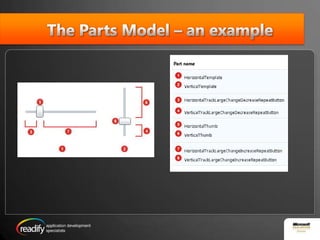
The Parts Model – an example
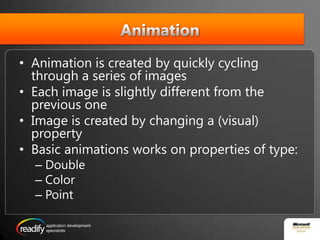
AnimationAnimation is created by quickly cycling through a series of images Each image is slightly different from the previous oneImage is created by changing a (visual) propertyBasic animations works on properties of type:DoubleColorPoint
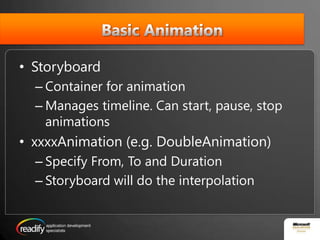
 Basic AnimationStoryboardContainer for animationManages timeline. Can start, pause, stop animationsxxxxAnimation (e.g. DoubleAnimation)Specify From, To and DurationStoryboard will do the interpolation
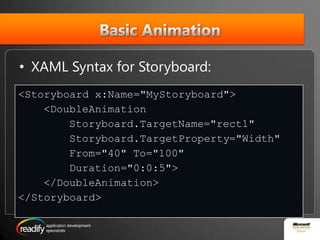
Basic AnimationXAML Syntax for Storyboard: <Storyboard x:Name="MyStoryboard">    <DoubleAnimationStoryboard.TargetName="rect1" Storyboard.TargetProperty="Width"        From="40" To="100"        Duration="0:0:5">    </DoubleAnimation></Storyboard>
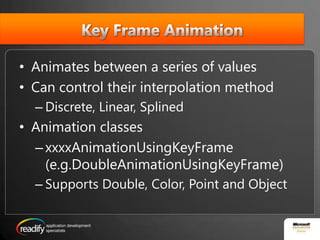
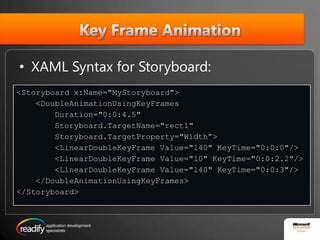
 Key Frame AnimationAnimates between a series of valuesCan control their interpolation methodDiscrete, Linear, SplinedAnimation classesxxxxAnimationUsingKeyFrame(e.g.DoubleAnimationUsingKeyFrame)Supports Double, Color, Point and Object
Key Frame AnimationXAML Syntax for Storyboard: <Storyboard x:Name="MyStoryboard">    <DoubleAnimationUsingKeyFrames        Duration="0:0:4.5"Storyboard.TargetName="rect1" Storyboard.TargetProperty="Width”>        <LinearDoubleKeyFrame Value="140" KeyTime="0:0:0"/>        <LinearDoubleKeyFrame Value="10" KeyTime="0:0:2.2"/>        <LinearDoubleKeyFrame Value="140" KeyTime="0:0:3"/>    </DoubleAnimationUsingKeyFrames></Storyboard>
BehaviorReusable piece of functionalityAllows actions to be performed without writing codeStart an animationTrigger a state changePlay a soundetc
Behavior typesAction: invoked to perform an operation.Call a method, open window, etcBehavior: operation performed without invoking itMouse over operationTrigger: fires when something (event) occursTimer ends
TFS UnboxedLearn what is involved in getting TFS 2010 up and running in your development environmentStephen Godbold & Dr TaflineMurnaneMonday 2 August 2010 Level 5, 4 Freshwater Place, SouthbankAM session:  8:30am – 12:15pmPM session:  1:15pm – 5:00pm $75 + GST (includes light refreshments)
Questions?

Expression Blend for Developers

  • 1.
    Expression Blend forDevelopersRDN Dev Day
  • 2.
    Hello WorldMahesh KrishnanPrincipalConsultantAuthor: Silverlight 4 for DummiesRun VIC.NET Dev SIG & SDDNMahesh.Krishnan@readify.net@MaheshKrishnanBlogesh.wordpress.com
  • 3.
    What are wedoing?Type of presentationBit of PowerPointLots of DemosNo sales. No wow demos or 5 minutes demos. Useful Tips & Tricks.
  • 4.
  • 5.
  • 6.
    AgendaSession #1 –Intro and Blend BasicsMorning TeaSession #2 – More BlendLunch
  • 7.
    What is ExpressionBlend?Primary Tool for Designing User InterfacesVisually design UI – Blend creates XAMLBetter user experience than Visual Studio when working UI designYou still need VS 2010 to do all the developer stuff
  • 8.
    AdoptionReasonsPositioned as DesigntoolCrashesMesses with my XamlPatternsDon’t want to learn a new toolI’m productive hand coding XamlNot broadly adoptedMore stable nowLet goBetter supportDon’t learn something different if you don’t need to do something different.Learning curve
  • 9.
    Blend vs VisualStudioWhen would you use Expression Blend?Prototyping UIUser Interface designWriting small blocks of codeImporting designs from Photoshop and IllustratorAnimationWhen would you use Visual Studio?Simple UI designWriting codeDebugging, setting breakpoints, etcIntegrating with other projects (.NET WCF Services, WCF, ...)
  • 10.
  • 11.
    StylingAllows re-use oflook and feel across controls:Color, Font, Margins, etcCreated as a resource:<Application.Resources> <Style x:Key="Style1" TargetType="TextBlock"> <Setter Property="Foreground" Value="#FFF0D3D3"/> <Setter Property="FontSize" Value="36"/> </Style></Application.Resources>
  • 12.
    Applying a StyleSetusing Styleproperty using the StaticResourcemark-up in XAML:<TextBlock Text="Hello World" Style="{StaticResource Style1}" />
  • 13.
    Skinning or TemplatingAllowsyou to change the complete appearance of the controlLike Style, created as a resource:< Application.Resources> <ControlTemplate x:Key="MyTemplate" TargetType="Button"> <Grid> ... <Rectangle .../> <ContentPresenter ... Content="{TemplateBinding Content}" /> </Grid> </ControlTemplate>< /Application.Resources>
  • 14.
    Applying the templateSetusing Templateproperty using the StaticResourcemark-up in XAML:<ButtonContent="Click ME" Template="{StaticResourceMyTemplate}" />
  • 15.
    Parts and StatesModelStates model breaks the Control down based upon its different states and how it should look for each stateParts model breaks the Control down into various parts and how each part should look
  • 16.
    Visual StateManagerManages states for a controlAllows setting different State groups for a controlManages transition between statesControls the look and feel of the control when state transition occursAllows designers to define state transition behaviour (usually done using Animation)
  • 17.
    The Parts Model– an example
  • 18.
    AnimationAnimation is createdby quickly cycling through a series of images Each image is slightly different from the previous oneImage is created by changing a (visual) propertyBasic animations works on properties of type:DoubleColorPoint
  • 19.
    Basic AnimationStoryboardContainerfor animationManages timeline. Can start, pause, stop animationsxxxxAnimation (e.g. DoubleAnimation)Specify From, To and DurationStoryboard will do the interpolation
  • 20.
    Basic AnimationXAML Syntaxfor Storyboard: <Storyboard x:Name="MyStoryboard"> <DoubleAnimationStoryboard.TargetName="rect1" Storyboard.TargetProperty="Width" From="40" To="100" Duration="0:0:5"> </DoubleAnimation></Storyboard>
  • 21.
    Key FrameAnimationAnimates between a series of valuesCan control their interpolation methodDiscrete, Linear, SplinedAnimation classesxxxxAnimationUsingKeyFrame(e.g.DoubleAnimationUsingKeyFrame)Supports Double, Color, Point and Object
  • 22.
    Key Frame AnimationXAMLSyntax for Storyboard: <Storyboard x:Name="MyStoryboard"> <DoubleAnimationUsingKeyFrames Duration="0:0:4.5"Storyboard.TargetName="rect1" Storyboard.TargetProperty="Width”> <LinearDoubleKeyFrame Value="140" KeyTime="0:0:0"/> <LinearDoubleKeyFrame Value="10" KeyTime="0:0:2.2"/> <LinearDoubleKeyFrame Value="140" KeyTime="0:0:3"/> </DoubleAnimationUsingKeyFrames></Storyboard>
  • 23.
    BehaviorReusable piece offunctionalityAllows actions to be performed without writing codeStart an animationTrigger a state changePlay a soundetc
  • 24.
    Behavior typesAction: invokedto perform an operation.Call a method, open window, etcBehavior: operation performed without invoking itMouse over operationTrigger: fires when something (event) occursTimer ends
  • 25.
    TFS UnboxedLearn whatis involved in getting TFS 2010 up and running in your development environmentStephen Godbold & Dr TaflineMurnaneMonday 2 August 2010 Level 5, 4 Freshwater Place, SouthbankAM session:  8:30am – 12:15pmPM session:  1:15pm – 5:00pm $75 + GST (includes light refreshments)
  • 26.

Editor's Notes

  • #3 I’m… I do… I can be contacted on…
  • #5 Questions. I’ll defer long questions for the coffee/lunch break or if it’s a topic that’ll cover later. Put your mobiles on silenceFeel free to ask questions during the breaks
  • #6 Who uses Silverlight and/or WPF? Stand up.What’s your primary way of working with UI (Raise hands) Blend VS Xaml EditorHand Coding XamlBlend (Stand up) Seen it Played with it Use it often Use it on a daily basisWho works with designers (just raising hands)
  • #9 If the tool is so great, why few people use it? Not a lot of designer adoption in the WPF/SL space. Specially not using MS tools, most of them stick to Adobe tools. This isn’t something easy to change. Ideally we should involve designers and Blend is a great tool also for themSL/WPF have a new Xaml Parser. Blend uses now the same parser that is used at runtimeA lot of stability improvements in the latest versionBetter error report and handlingMost of the times it crashed was our own code. Blend uses Behaviors, Commanding and now has great support for MVVMThat’s just a ramp up time. I challenge you to try it for 5 days.
  • #11 Create a projectShow the main panels -Projects, objects, propertiesToolboxSearch functionality in Toolbox, property panels and explain that it appears in othersHello world Naming controls Code behind intellisenseXamlintellisense Running the project