Exploring
Glogster
   Maggie Phillips
   ITEC 7430/02
    Spring 2012
      Dr. Vega
What is Glogster?
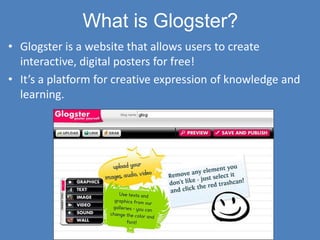
• Glogster is a website that allows users to create
  interactive, digital posters for free!
• It’s a platform for creative expression of knowledge and
  learning.
Elements of a Glog
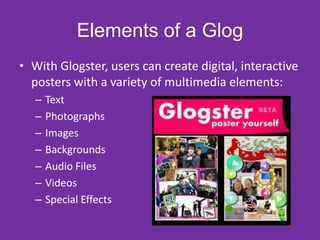
• With Glogster, users can create digital, interactive
  posters with a variety of multimedia elements:
   –   Text
   –   Photographs
   –   Images
   –   Backgrounds
   –   Audio Files
   –   Videos
   –   Special Effects
Glogster in Education
         • Glogster can be used in the
           classroom by teachers and
           students.
         • Teachers can use Glogster to
           create interactive posters to
           visually represent content,
           enhancing learning
           experiences.
         • Students can use Glogster to
           demonstrate their knowledge
           and learning. Students
           synthesize their learning by
           creating interactive multimedia
           posters representing content.
Safety First
• In 2009, Glogster launched Glogster EDU,
  which serves the education field.
• With Glogster EDU, students can create glogs
  and share them safely in a teacher controlled
  virtual classroom. Student glogs stay private!
Why did I pick Glogster?
• Glogster allows             • Glogster promotes
  students to create fun,       higher order thinking
  creative, and interactive     skills by allowing
  posters that                  students to synthesize
  demonstrate their             content using a variety
  learning. It’s a great        of multimedia
  assessment tool.              resources.
• Using Glogster is           • Glogs are a quick, easy
  motivational to               way to enhance a
  students.                     lesson!

Exploring Glogster

  • 1.
    Exploring Glogster Maggie Phillips ITEC 7430/02 Spring 2012 Dr. Vega
  • 2.
    What is Glogster? •Glogster is a website that allows users to create interactive, digital posters for free! • It’s a platform for creative expression of knowledge and learning.
  • 3.
    Elements of aGlog • With Glogster, users can create digital, interactive posters with a variety of multimedia elements: – Text – Photographs – Images – Backgrounds – Audio Files – Videos – Special Effects
  • 4.
    Glogster in Education • Glogster can be used in the classroom by teachers and students. • Teachers can use Glogster to create interactive posters to visually represent content, enhancing learning experiences. • Students can use Glogster to demonstrate their knowledge and learning. Students synthesize their learning by creating interactive multimedia posters representing content.
  • 5.
    Safety First • In2009, Glogster launched Glogster EDU, which serves the education field. • With Glogster EDU, students can create glogs and share them safely in a teacher controlled virtual classroom. Student glogs stay private!
  • 6.
    Why did Ipick Glogster? • Glogster allows • Glogster promotes students to create fun, higher order thinking creative, and interactive skills by allowing posters that students to synthesize demonstrate their content using a variety learning. It’s a great of multimedia assessment tool. resources. • Using Glogster is • Glogs are a quick, easy motivational to way to enhance a students. lesson!