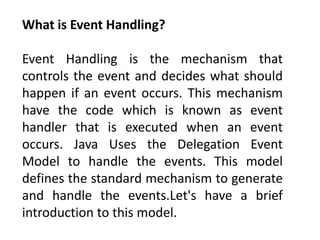
What is Event Handling?
Event Handling is the mechanism that
controls the event and decides what should
happen if an event occurs. This mechanism
have the code which is known as event
handler that is executed when an event
occurs. Java Uses the Delegation Event
Model to handle the events. This model
defines the standard mechanism to generate
and handle the events.Let's have a brief
introduction to this model.
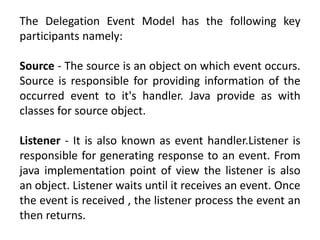
The Delegation Event Model has the following key
participants namely:
Source - The source is an object on which event occurs.
Source is responsible for providing information of the
occurred event to it's handler. Java provide as with
classes for source object.
Listener - It is also known as event handler.Listener is
responsible for generating response to an event. From
java implementation point of view the listener is also
an object. Listener waits until it receives an event. Once
the event is received , the listener process the event an
then returns.
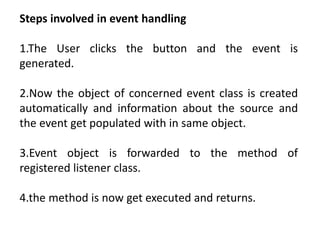
Steps involved in event handling
1.The User clicks the button and the event is
generated.
2.Now the object of concerned event class is created
automatically and information about the source and
the event get populated with in same object.
3.Event object is forwarded to the method of
registered listener class.
4.the method is now get executed and returns.
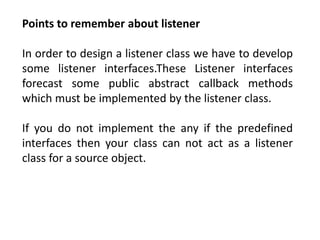
Points to remember about listener
In order to design a listener class we have to develop
some listener interfaces.These Listener interfaces
forecast some public abstract callback methods
which must be implemented by the listener class.
If you do not implement the any if the predefined
interfaces then your class can not act as a listener
class for a source object.
package com.tutorialspoint.gui;
import java.awt.*;
import java.awt.event.*;
public class AwtControlDemo {
private Frame mainFrame;
private Label headerLabel;
private Label statusLabel;
private Panel controlPanel;
public AwtControlDemo(){
prepareGUI();
}
public static void main(String[] args){
AwtControlDemo awtControlDemo = new AwtControlDemo();
awtControlDemo.showEventDemo();
}
private void prepareGUI(){
mainFrame = new Frame("Java AWT Examples");
mainFrame.setSize(400,400);
mainFrame.setLayout(new GridLayout(3, 1));
mainFrame.addWindowListener(new WindowAdapter() {
public void windowClosing(WindowEvent windowEvent){
System.exit(0);
}
});
headerLabel = new Label();
headerLabel.setAlignment(Label.CENTER);
statusLabel = new Label();
statusLabel.setAlignment(Label.CENTER);
statusLabel.setSize(350,100);
controlPanel = new Panel();
controlPanel.setLayout(new FlowLayout());
mainFrame.add(headerLabel);
mainFrame.add(controlPanel);
mainFrame.add(statusLabel);
mainFrame.setVisible(true);
}
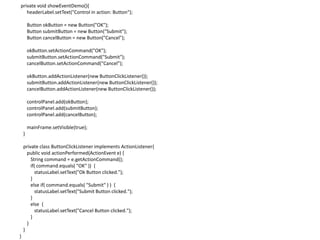
private void showEventDemo(){
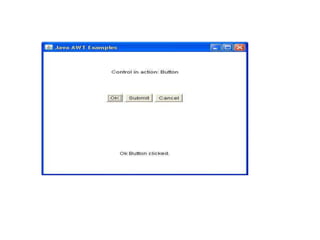
headerLabel.setText("Control in action: Button");
Button okButton = new Button("OK");
Button submitButton = new Button("Submit");
Button cancelButton = new Button("Cancel");
okButton.setActionCommand("OK");
submitButton.setActionCommand("Submit");
cancelButton.setActionCommand("Cancel");
okButton.addActionListener(new ButtonClickListener());
submitButton.addActionListener(new ButtonClickListener());
cancelButton.addActionListener(new ButtonClickListener());
controlPanel.add(okButton);
controlPanel.add(submitButton);
controlPanel.add(cancelButton);
mainFrame.setVisible(true);
}
private class ButtonClickListener implements ActionListener{
public void actionPerformed(ActionEvent e) {
String command = e.getActionCommand();
if( command.equals( "OK" )) {
statusLabel.setText("Ok Button clicked.");
}
else if( command.equals( "Submit" ) ) {
statusLabel.setText("Submit Button clicked.");
}
else {
statusLabel.setText("Cancel Button clicked.");
}
}
}
}
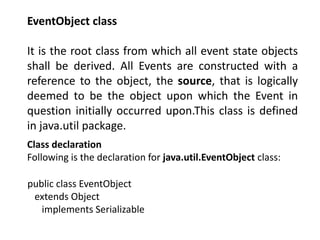
EventObject class
It is the root class from which all event state objects
shall be derived. All Events are constructed with a
reference to the object, the source, that is logically
deemed to be the object upon which the Event in
question initially occurred upon.This class is defined
in java.util package.
Class declaration
Following is the declaration for java.util.EventObject class:
public class EventObject
extends Object
implements Serializable
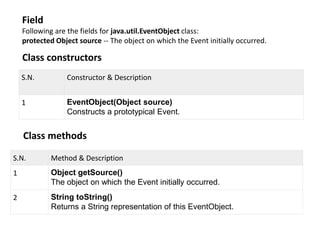
Field
Following are the fields for java.util.EventObject class:
protected Object source -- The object on which the Event initially occurred.
Class constructors
S.N. Constructor & Description
1 EventObject(Object source)
Constructs a prototypical Event.
Class methods
S.N. Method & Description
1 Object getSource()
The object on which the Event initially occurred.
2 String toString()
Returns a String representation of this EventObject.
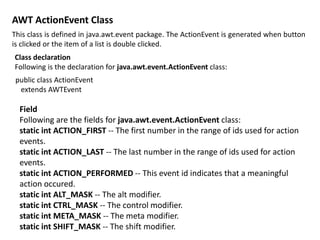
AWT ActionEvent Class
This class is defined in java.awt.event package. The ActionEvent is generated when button
is clicked or the item of a list is double clicked.
Class declaration
Following is the declaration for java.awt.event.ActionEvent class:
public class ActionEvent
extends AWTEvent
Field
Following are the fields for java.awt.event.ActionEvent class:
static int ACTION_FIRST -- The first number in the range of ids used for action
events.
static int ACTION_LAST -- The last number in the range of ids used for action
events.
static int ACTION_PERFORMED -- This event id indicates that a meaningful
action occured.
static int ALT_MASK -- The alt modifier.
static int CTRL_MASK -- The control modifier.
static int META_MASK -- The meta modifier.
static int SHIFT_MASK -- The shift modifier.
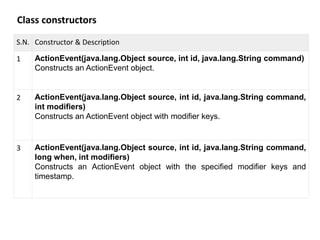
Class constructors
S.N. Constructor & Description
1 ActionEvent(java.lang.Object source, int id, java.lang.String command)
Constructs an ActionEvent object.
2 ActionEvent(java.lang.Object source, int id, java.lang.String command,
int modifiers)
Constructs an ActionEvent object with modifier keys.
3 ActionEvent(java.lang.Object source, int id, java.lang.String command,
long when, int modifiers)
Constructs an ActionEvent object with the specified modifier keys and
timestamp.
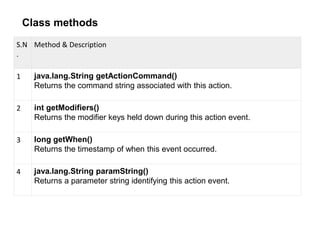
Class methods
S.N
.
Method & Description
1 java.lang.String getActionCommand()
Returns the command string associated with this action.
2 int getModifiers()
Returns the modifier keys held down during this action event.
3 long getWhen()
Returns the timestamp of when this event occurred.
4 java.lang.String paramString()
Returns a parameter string identifying this action event.
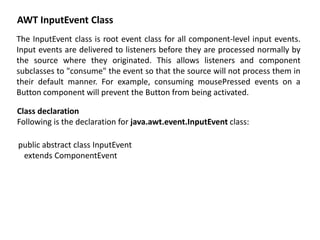
AWT InputEvent Class
The InputEvent class is root event class for all component-level input events.
Input events are delivered to listeners before they are processed normally by
the source where they originated. This allows listeners and component
subclasses to "consume" the event so that the source will not process them in
their default manner. For example, consuming mousePressed events on a
Button component will prevent the Button from being activated.
Class declaration
Following is the declaration for java.awt.event.InputEvent class:
public abstract class InputEvent
extends ComponentEvent
Field
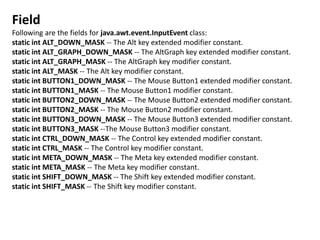
Following are the fields for java.awt.event.InputEvent class:
static int ALT_DOWN_MASK -- The Alt key extended modifier constant.
static int ALT_GRAPH_DOWN_MASK -- The AltGraph key extended modifier constant.
static int ALT_GRAPH_MASK -- The AltGraph key modifier constant.
static int ALT_MASK -- The Alt key modifier constant.
static int BUTTON1_DOWN_MASK -- The Mouse Button1 extended modifier constant.
static int BUTTON1_MASK -- The Mouse Button1 modifier constant.
static int BUTTON2_DOWN_MASK -- The Mouse Button2 extended modifier constant.
static int BUTTON2_MASK -- The Mouse Button2 modifier constant.
static int BUTTON3_DOWN_MASK -- The Mouse Button3 extended modifier constant.
static int BUTTON3_MASK --The Mouse Button3 modifier constant.
static int CTRL_DOWN_MASK -- The Control key extended modifier constant.
static int CTRL_MASK -- The Control key modifier constant.
static int META_DOWN_MASK -- The Meta key extended modifier constant.
static int META_MASK -- The Meta key modifier constant.
static int SHIFT_DOWN_MASK -- The Shift key extended modifier constant.
static int SHIFT_MASK -- The Shift key modifier constant.
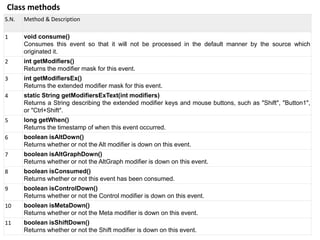
Class methods
S.N. Method & Description
1 void consume()
Consumes this event so that it will not be processed in the default manner by the source which
originated it.
2 int getModifiers()
Returns the modifier mask for this event.
3 int getModifiersEx()
Returns the extended modifier mask for this event.
4 static String getModifiersExText(int modifiers)
Returns a String describing the extended modifier keys and mouse buttons, such as "Shift", "Button1",
or "Ctrl+Shift".
5 long getWhen()
Returns the timestamp of when this event occurred.
6 boolean isAltDown()
Returns whether or not the Alt modifier is down on this event.
7 boolean isAltGraphDown()
Returns whether or not the AltGraph modifier is down on this event.
8 boolean isConsumed()
Returns whether or not this event has been consumed.
9 boolean isControlDown()
Returns whether or not the Control modifier is down on this event.
10 boolean isMetaDown()
Returns whether or not the Meta modifier is down on this event.
11 boolean isShiftDown()
Returns whether or not the Shift modifier is down on this event.
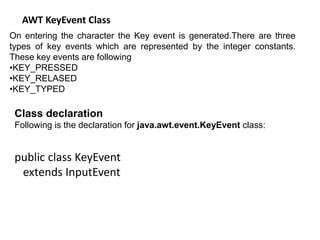
AWT KeyEvent Class
On entering the character the Key event is generated.There are three
types of key events which are represented by the integer constants.
These key events are following
•KEY_PRESSED
•KEY_RELASED
•KEY_TYPED
Class declaration
Following is the declaration for java.awt.event.KeyEvent class:
public class KeyEvent
extends InputEvent
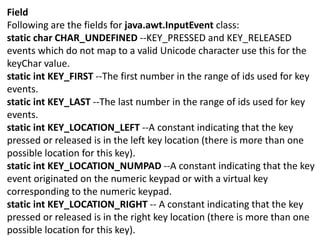
Field
Following are the fields for java.awt.InputEvent class:
static char CHAR_UNDEFINED --KEY_PRESSED and KEY_RELEASED
events which do not map to a valid Unicode character use this for the
keyChar value.
static int KEY_FIRST --The first number in the range of ids used for key
events.
static int KEY_LAST --The last number in the range of ids used for key
events.
static int KEY_LOCATION_LEFT --A constant indicating that the key
pressed or released is in the left key location (there is more than one
possible location for this key).
static int KEY_LOCATION_NUMPAD --A constant indicating that the key
event originated on the numeric keypad or with a virtual key
corresponding to the numeric keypad.
static int KEY_LOCATION_RIGHT -- A constant indicating that the key
pressed or released is in the right key location (there is more than one
possible location for this key).
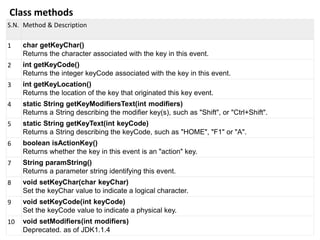
Class methods
S.N. Method & Description
1 char getKeyChar()
Returns the character associated with the key in this event.
2 int getKeyCode()
Returns the integer keyCode associated with the key in this event.
3 int getKeyLocation()
Returns the location of the key that originated this key event.
4 static String getKeyModifiersText(int modifiers)
Returns a String describing the modifier key(s), such as "Shift", or "Ctrl+Shift".
5 static String getKeyText(int keyCode)
Returns a String describing the keyCode, such as "HOME", "F1" or "A".
6 boolean isActionKey()
Returns whether the key in this event is an "action" key.
7 String paramString()
Returns a parameter string identifying this event.
8 void setKeyChar(char keyChar)
Set the keyChar value to indicate a logical character.
9 void setKeyCode(int keyCode)
Set the keyCode value to indicate a physical key.
10 void setModifiers(int modifiers)
Deprecated. as of JDK1.1.4
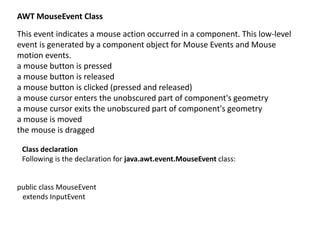
AWT MouseEvent Class
This event indicates a mouse action occurred in a component. This low-level
event is generated by a component object for Mouse Events and Mouse
motion events.
a mouse button is pressed
a mouse button is released
a mouse button is clicked (pressed and released)
a mouse cursor enters the unobscured part of component's geometry
a mouse cursor exits the unobscured part of component's geometry
a mouse is moved
the mouse is dragged
Class declaration
Following is the declaration for java.awt.event.MouseEvent class:
public class MouseEvent
extends InputEvent
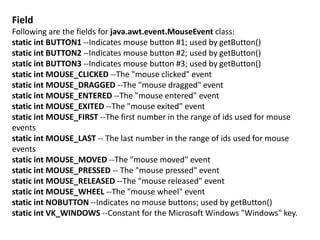
Field
Following are the fields for java.awt.event.MouseEvent class:
static int BUTTON1 --Indicates mouse button #1; used by getButton()
static int BUTTON2 --Indicates mouse button #2; used by getButton()
static int BUTTON3 --Indicates mouse button #3; used by getButton()
static int MOUSE_CLICKED --The "mouse clicked" event
static int MOUSE_DRAGGED --The "mouse dragged" event
static int MOUSE_ENTERED --The "mouse entered" event
static int MOUSE_EXITED --The "mouse exited" event
static int MOUSE_FIRST --The first number in the range of ids used for mouse
events
static int MOUSE_LAST -- The last number in the range of ids used for mouse
events
static int MOUSE_MOVED --The "mouse moved" event
static int MOUSE_PRESSED -- The "mouse pressed" event
static int MOUSE_RELEASED --The "mouse released" event
static int MOUSE_WHEEL --The "mouse wheel" event
static int NOBUTTON --Indicates no mouse buttons; used by getButton()
static int VK_WINDOWS --Constant for the Microsoft Windows "Windows" key.
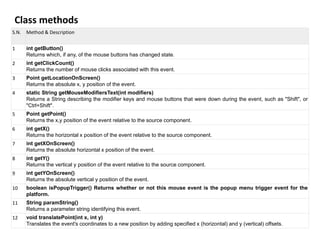
Class methods
S.N. Method & Description
1 int getButton()
Returns which, if any, of the mouse buttons has changed state.
2 int getClickCount()
Returns the number of mouse clicks associated with this event.
3 Point getLocationOnScreen()
Returns the absolute x, y position of the event.
4 static String getMouseModifiersText(int modifiers)
Returns a String describing the modifier keys and mouse buttons that were down during the event, such as "Shift", or
"Ctrl+Shift".
5 Point getPoint()
Returns the x,y position of the event relative to the source component.
6 int getX()
Returns the horizontal x position of the event relative to the source component.
7 int getXOnScreen()
Returns the absolute horizontal x position of the event.
8 int getY()
Returns the vertical y position of the event relative to the source component.
9 int getYOnScreen()
Returns the absolute vertical y position of the event.
10 boolean isPopupTrigger() Returns whether or not this mouse event is the popup menu trigger event for the
platform.
11 String paramString()
Returns a parameter string identifying this event.
12 void translatePoint(int x, int y)
Translates the event's coordinates to a new position by adding specified x (horizontal) and y (vertical) offsets.
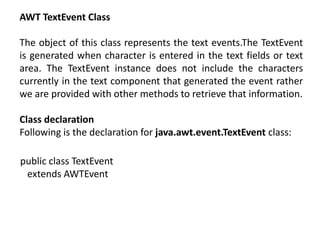
AWT TextEvent Class
The object of this class represents the text events.The TextEvent
is generated when character is entered in the text fields or text
area. The TextEvent instance does not include the characters
currently in the text component that generated the event rather
we are provided with other methods to retrieve that information.
Class declaration
Following is the declaration for java.awt.event.TextEvent class:
public class TextEvent
extends AWTEvent
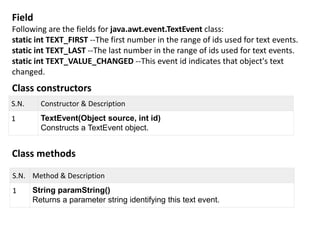
Field
Following are the fields for java.awt.event.TextEvent class:
static int TEXT_FIRST --The first number in the range of ids used for text events.
static int TEXT_LAST --The last number in the range of ids used for text events.
static int TEXT_VALUE_CHANGED --This event id indicates that object's text
changed.
Class constructors
S.N. Constructor & Description
1 TextEvent(Object source, int id)
Constructs a TextEvent object.
Class methods
S.N. Method & Description
1 String paramString()
Returns a parameter string identifying this text event.
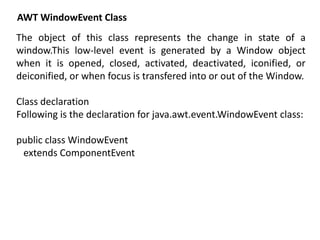
AWT WindowEvent Class
The object of this class represents the change in state of a
window.This low-level event is generated by a Window object
when it is opened, closed, activated, deactivated, iconified, or
deiconified, or when focus is transfered into or out of the Window.
Class declaration
Following is the declaration for java.awt.event.WindowEvent class:
public class WindowEvent
extends ComponentEvent
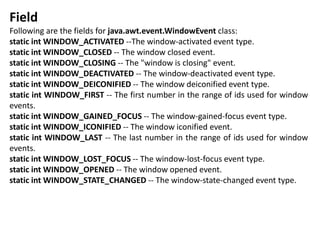
Field
Following are the fields for java.awt.event.WindowEvent class:
static int WINDOW_ACTIVATED --The window-activated event type.
static int WINDOW_CLOSED -- The window closed event.
static int WINDOW_CLOSING -- The "window is closing" event.
static int WINDOW_DEACTIVATED -- The window-deactivated event type.
static int WINDOW_DEICONIFIED -- The window deiconified event type.
static int WINDOW_FIRST -- The first number in the range of ids used for window
events.
static int WINDOW_GAINED_FOCUS -- The window-gained-focus event type.
static int WINDOW_ICONIFIED -- The window iconified event.
static int WINDOW_LAST -- The last number in the range of ids used for window
events.
static int WINDOW_LOST_FOCUS -- The window-lost-focus event type.
static int WINDOW_OPENED -- The window opened event.
static int WINDOW_STATE_CHANGED -- The window-state-changed event type.
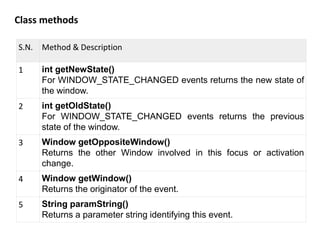
Class methods
S.N. Method & Description
1 int getNewState()
For WINDOW_STATE_CHANGED events returns the new state of
the window.
2 int getOldState()
For WINDOW_STATE_CHANGED events returns the previous
state of the window.
3 Window getOppositeWindow()
Returns the other Window involved in this focus or activation
change.
4 Window getWindow()
Returns the originator of the event.
5 String paramString()
Returns a parameter string identifying this event.
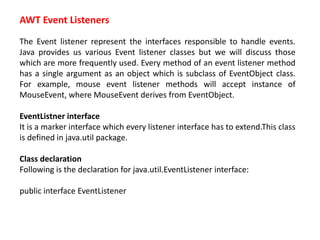
AWT Event Listeners
The Event listener represent the interfaces responsible to handle events.
Java provides us various Event listener classes but we will discuss those
which are more frequently used. Every method of an event listener method
has a single argument as an object which is subclass of EventObject class.
For example, mouse event listener methods will accept instance of
MouseEvent, where MouseEvent derives from EventObject.
EventListner interface
It is a marker interface which every listener interface has to extend.This class
is defined in java.util package.
Class declaration
Following is the declaration for java.util.EventListener interface:
public interface EventListener
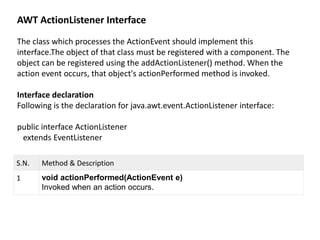
AWT ActionListener Interface
The class which processes the ActionEvent should implement this
interface.The object of that class must be registered with a component. The
object can be registered using the addActionListener() method. When the
action event occurs, that object's actionPerformed method is invoked.
Interface declaration
Following is the declaration for java.awt.event.ActionListener interface:
public interface ActionListener
extends EventListener
S.N. Method & Description
1 void actionPerformed(ActionEvent e)
Invoked when an action occurs.
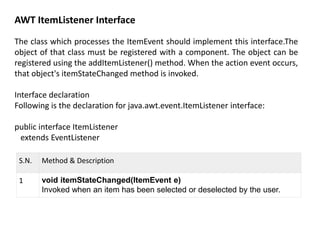
AWT ItemListener Interface
The class which processes the ItemEvent should implement this interface.The
object of that class must be registered with a component. The object can be
registered using the addItemListener() method. When the action event occurs,
that object's itemStateChanged method is invoked.
Interface declaration
Following is the declaration for java.awt.event.ItemListener interface:
public interface ItemListener
extends EventListener
S.N. Method & Description
1 void itemStateChanged(ItemEvent e)
Invoked when an item has been selected or deselected by the user.
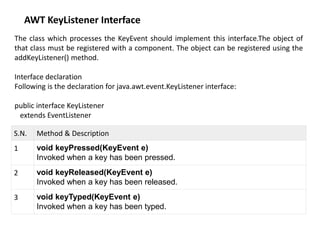
AWT KeyListener Interface
The class which processes the KeyEvent should implement this interface.The object of
that class must be registered with a component. The object can be registered using the
addKeyListener() method.
Interface declaration
Following is the declaration for java.awt.event.KeyListener interface:
public interface KeyListener
extends EventListener
S.N. Method & Description
1 void keyPressed(KeyEvent e)
Invoked when a key has been pressed.
2 void keyReleased(KeyEvent e)
Invoked when a key has been released.
3 void keyTyped(KeyEvent e)
Invoked when a key has been typed.
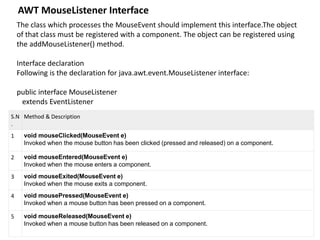
AWT MouseListener Interface
The class which processes the MouseEvent should implement this interface.The object
of that class must be registered with a component. The object can be registered using
the addMouseListener() method.
Interface declaration
Following is the declaration for java.awt.event.MouseListener interface:
public interface MouseListener
extends EventListener
S.N
.
Method & Description
1 void mouseClicked(MouseEvent e)
Invoked when the mouse button has been clicked (pressed and released) on a component.
2 void mouseEntered(MouseEvent e)
Invoked when the mouse enters a component.
3 void mouseExited(MouseEvent e)
Invoked when the mouse exits a component.
4 void mousePressed(MouseEvent e)
Invoked when a mouse button has been pressed on a component.
5 void mouseReleased(MouseEvent e)
Invoked when a mouse button has been released on a component.
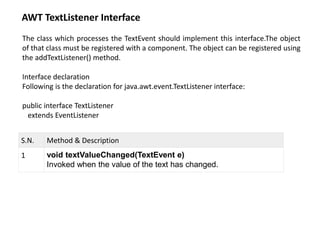
AWT TextListener Interface
The class which processes the TextEvent should implement this interface.The object
of that class must be registered with a component. The object can be registered using
the addTextListener() method.
Interface declaration
Following is the declaration for java.awt.event.TextListener interface:
public interface TextListener
extends EventListener
S.N. Method & Description
1 void textValueChanged(TextEvent e)
Invoked when the value of the text has changed.
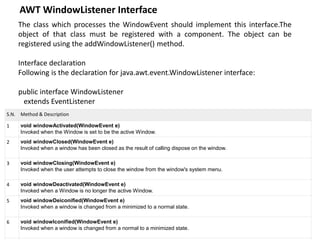
AWT WindowListener Interface
The class which processes the WindowEvent should implement this interface.The
object of that class must be registered with a component. The object can be
registered using the addWindowListener() method.
Interface declaration
Following is the declaration for java.awt.event.WindowListener interface:
public interface WindowListener
extends EventListener
S.N. Method & Description
1 void windowActivated(WindowEvent e)
Invoked when the Window is set to be the active Window.
2 void windowClosed(WindowEvent e)
Invoked when a window has been closed as the result of calling dispose on the window.
3 void windowClosing(WindowEvent e)
Invoked when the user attempts to close the window from the window's system menu.
4 void windowDeactivated(WindowEvent e)
Invoked when a Window is no longer the active Window.
5 void windowDeiconified(WindowEvent e)
Invoked when a window is changed from a minimized to a normal state.
6 void windowIconified(WindowEvent e)
Invoked when a window is changed from a normal to a minimized state.
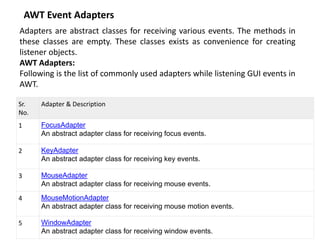
AWT Event Adapters
Adapters are abstract classes for receiving various events. The methods in
these classes are empty. These classes exists as convenience for creating
listener objects.
AWT Adapters:
Following is the list of commonly used adapters while listening GUI events in
AWT.
Sr.
No.
Adapter & Description
1 FocusAdapter
An abstract adapter class for receiving focus events.
2 KeyAdapter
An abstract adapter class for receiving key events.
3 MouseAdapter
An abstract adapter class for receiving mouse events.
4 MouseMotionAdapter
An abstract adapter class for receiving mouse motion events.
5 WindowAdapter
An abstract adapter class for receiving window events.
event-handling.pptx
event-handling.pptx
event-handling.pptx
event-handling.pptx
event-handling.pptx
event-handling.pptx

event-handling.pptx

  • 1.
    What is EventHandling? Event Handling is the mechanism that controls the event and decides what should happen if an event occurs. This mechanism have the code which is known as event handler that is executed when an event occurs. Java Uses the Delegation Event Model to handle the events. This model defines the standard mechanism to generate and handle the events.Let's have a brief introduction to this model.
  • 2.
    The Delegation EventModel has the following key participants namely: Source - The source is an object on which event occurs. Source is responsible for providing information of the occurred event to it's handler. Java provide as with classes for source object. Listener - It is also known as event handler.Listener is responsible for generating response to an event. From java implementation point of view the listener is also an object. Listener waits until it receives an event. Once the event is received , the listener process the event an then returns.
  • 3.
    Steps involved inevent handling 1.The User clicks the button and the event is generated. 2.Now the object of concerned event class is created automatically and information about the source and the event get populated with in same object. 3.Event object is forwarded to the method of registered listener class. 4.the method is now get executed and returns.
  • 4.
    Points to rememberabout listener In order to design a listener class we have to develop some listener interfaces.These Listener interfaces forecast some public abstract callback methods which must be implemented by the listener class. If you do not implement the any if the predefined interfaces then your class can not act as a listener class for a source object.
  • 5.
    package com.tutorialspoint.gui; import java.awt.*; importjava.awt.event.*; public class AwtControlDemo { private Frame mainFrame; private Label headerLabel; private Label statusLabel; private Panel controlPanel; public AwtControlDemo(){ prepareGUI(); } public static void main(String[] args){ AwtControlDemo awtControlDemo = new AwtControlDemo(); awtControlDemo.showEventDemo(); } private void prepareGUI(){ mainFrame = new Frame("Java AWT Examples"); mainFrame.setSize(400,400); mainFrame.setLayout(new GridLayout(3, 1)); mainFrame.addWindowListener(new WindowAdapter() { public void windowClosing(WindowEvent windowEvent){ System.exit(0); } }); headerLabel = new Label(); headerLabel.setAlignment(Label.CENTER); statusLabel = new Label(); statusLabel.setAlignment(Label.CENTER); statusLabel.setSize(350,100); controlPanel = new Panel(); controlPanel.setLayout(new FlowLayout()); mainFrame.add(headerLabel); mainFrame.add(controlPanel); mainFrame.add(statusLabel); mainFrame.setVisible(true); }
  • 6.
    private void showEventDemo(){ headerLabel.setText("Controlin action: Button"); Button okButton = new Button("OK"); Button submitButton = new Button("Submit"); Button cancelButton = new Button("Cancel"); okButton.setActionCommand("OK"); submitButton.setActionCommand("Submit"); cancelButton.setActionCommand("Cancel"); okButton.addActionListener(new ButtonClickListener()); submitButton.addActionListener(new ButtonClickListener()); cancelButton.addActionListener(new ButtonClickListener()); controlPanel.add(okButton); controlPanel.add(submitButton); controlPanel.add(cancelButton); mainFrame.setVisible(true); } private class ButtonClickListener implements ActionListener{ public void actionPerformed(ActionEvent e) { String command = e.getActionCommand(); if( command.equals( "OK" )) { statusLabel.setText("Ok Button clicked."); } else if( command.equals( "Submit" ) ) { statusLabel.setText("Submit Button clicked."); } else { statusLabel.setText("Cancel Button clicked."); } } } }
  • 8.
    EventObject class It isthe root class from which all event state objects shall be derived. All Events are constructed with a reference to the object, the source, that is logically deemed to be the object upon which the Event in question initially occurred upon.This class is defined in java.util package. Class declaration Following is the declaration for java.util.EventObject class: public class EventObject extends Object implements Serializable
  • 9.
    Field Following are thefields for java.util.EventObject class: protected Object source -- The object on which the Event initially occurred. Class constructors S.N. Constructor & Description 1 EventObject(Object source) Constructs a prototypical Event. Class methods S.N. Method & Description 1 Object getSource() The object on which the Event initially occurred. 2 String toString() Returns a String representation of this EventObject.
  • 10.
    AWT ActionEvent Class Thisclass is defined in java.awt.event package. The ActionEvent is generated when button is clicked or the item of a list is double clicked. Class declaration Following is the declaration for java.awt.event.ActionEvent class: public class ActionEvent extends AWTEvent Field Following are the fields for java.awt.event.ActionEvent class: static int ACTION_FIRST -- The first number in the range of ids used for action events. static int ACTION_LAST -- The last number in the range of ids used for action events. static int ACTION_PERFORMED -- This event id indicates that a meaningful action occured. static int ALT_MASK -- The alt modifier. static int CTRL_MASK -- The control modifier. static int META_MASK -- The meta modifier. static int SHIFT_MASK -- The shift modifier.
  • 11.
    Class constructors S.N. Constructor& Description 1 ActionEvent(java.lang.Object source, int id, java.lang.String command) Constructs an ActionEvent object. 2 ActionEvent(java.lang.Object source, int id, java.lang.String command, int modifiers) Constructs an ActionEvent object with modifier keys. 3 ActionEvent(java.lang.Object source, int id, java.lang.String command, long when, int modifiers) Constructs an ActionEvent object with the specified modifier keys and timestamp.
  • 12.
    Class methods S.N . Method &Description 1 java.lang.String getActionCommand() Returns the command string associated with this action. 2 int getModifiers() Returns the modifier keys held down during this action event. 3 long getWhen() Returns the timestamp of when this event occurred. 4 java.lang.String paramString() Returns a parameter string identifying this action event.
  • 13.
    AWT InputEvent Class TheInputEvent class is root event class for all component-level input events. Input events are delivered to listeners before they are processed normally by the source where they originated. This allows listeners and component subclasses to "consume" the event so that the source will not process them in their default manner. For example, consuming mousePressed events on a Button component will prevent the Button from being activated. Class declaration Following is the declaration for java.awt.event.InputEvent class: public abstract class InputEvent extends ComponentEvent
  • 14.
    Field Following are thefields for java.awt.event.InputEvent class: static int ALT_DOWN_MASK -- The Alt key extended modifier constant. static int ALT_GRAPH_DOWN_MASK -- The AltGraph key extended modifier constant. static int ALT_GRAPH_MASK -- The AltGraph key modifier constant. static int ALT_MASK -- The Alt key modifier constant. static int BUTTON1_DOWN_MASK -- The Mouse Button1 extended modifier constant. static int BUTTON1_MASK -- The Mouse Button1 modifier constant. static int BUTTON2_DOWN_MASK -- The Mouse Button2 extended modifier constant. static int BUTTON2_MASK -- The Mouse Button2 modifier constant. static int BUTTON3_DOWN_MASK -- The Mouse Button3 extended modifier constant. static int BUTTON3_MASK --The Mouse Button3 modifier constant. static int CTRL_DOWN_MASK -- The Control key extended modifier constant. static int CTRL_MASK -- The Control key modifier constant. static int META_DOWN_MASK -- The Meta key extended modifier constant. static int META_MASK -- The Meta key modifier constant. static int SHIFT_DOWN_MASK -- The Shift key extended modifier constant. static int SHIFT_MASK -- The Shift key modifier constant.
  • 15.
    Class methods S.N. Method& Description 1 void consume() Consumes this event so that it will not be processed in the default manner by the source which originated it. 2 int getModifiers() Returns the modifier mask for this event. 3 int getModifiersEx() Returns the extended modifier mask for this event. 4 static String getModifiersExText(int modifiers) Returns a String describing the extended modifier keys and mouse buttons, such as "Shift", "Button1", or "Ctrl+Shift". 5 long getWhen() Returns the timestamp of when this event occurred. 6 boolean isAltDown() Returns whether or not the Alt modifier is down on this event. 7 boolean isAltGraphDown() Returns whether or not the AltGraph modifier is down on this event. 8 boolean isConsumed() Returns whether or not this event has been consumed. 9 boolean isControlDown() Returns whether or not the Control modifier is down on this event. 10 boolean isMetaDown() Returns whether or not the Meta modifier is down on this event. 11 boolean isShiftDown() Returns whether or not the Shift modifier is down on this event.
  • 16.
    AWT KeyEvent Class Onentering the character the Key event is generated.There are three types of key events which are represented by the integer constants. These key events are following •KEY_PRESSED •KEY_RELASED •KEY_TYPED Class declaration Following is the declaration for java.awt.event.KeyEvent class: public class KeyEvent extends InputEvent
  • 17.
    Field Following are thefields for java.awt.InputEvent class: static char CHAR_UNDEFINED --KEY_PRESSED and KEY_RELEASED events which do not map to a valid Unicode character use this for the keyChar value. static int KEY_FIRST --The first number in the range of ids used for key events. static int KEY_LAST --The last number in the range of ids used for key events. static int KEY_LOCATION_LEFT --A constant indicating that the key pressed or released is in the left key location (there is more than one possible location for this key). static int KEY_LOCATION_NUMPAD --A constant indicating that the key event originated on the numeric keypad or with a virtual key corresponding to the numeric keypad. static int KEY_LOCATION_RIGHT -- A constant indicating that the key pressed or released is in the right key location (there is more than one possible location for this key).
  • 18.
    Class methods S.N. Method& Description 1 char getKeyChar() Returns the character associated with the key in this event. 2 int getKeyCode() Returns the integer keyCode associated with the key in this event. 3 int getKeyLocation() Returns the location of the key that originated this key event. 4 static String getKeyModifiersText(int modifiers) Returns a String describing the modifier key(s), such as "Shift", or "Ctrl+Shift". 5 static String getKeyText(int keyCode) Returns a String describing the keyCode, such as "HOME", "F1" or "A". 6 boolean isActionKey() Returns whether the key in this event is an "action" key. 7 String paramString() Returns a parameter string identifying this event. 8 void setKeyChar(char keyChar) Set the keyChar value to indicate a logical character. 9 void setKeyCode(int keyCode) Set the keyCode value to indicate a physical key. 10 void setModifiers(int modifiers) Deprecated. as of JDK1.1.4
  • 19.
    AWT MouseEvent Class Thisevent indicates a mouse action occurred in a component. This low-level event is generated by a component object for Mouse Events and Mouse motion events. a mouse button is pressed a mouse button is released a mouse button is clicked (pressed and released) a mouse cursor enters the unobscured part of component's geometry a mouse cursor exits the unobscured part of component's geometry a mouse is moved the mouse is dragged Class declaration Following is the declaration for java.awt.event.MouseEvent class: public class MouseEvent extends InputEvent
  • 20.
    Field Following are thefields for java.awt.event.MouseEvent class: static int BUTTON1 --Indicates mouse button #1; used by getButton() static int BUTTON2 --Indicates mouse button #2; used by getButton() static int BUTTON3 --Indicates mouse button #3; used by getButton() static int MOUSE_CLICKED --The "mouse clicked" event static int MOUSE_DRAGGED --The "mouse dragged" event static int MOUSE_ENTERED --The "mouse entered" event static int MOUSE_EXITED --The "mouse exited" event static int MOUSE_FIRST --The first number in the range of ids used for mouse events static int MOUSE_LAST -- The last number in the range of ids used for mouse events static int MOUSE_MOVED --The "mouse moved" event static int MOUSE_PRESSED -- The "mouse pressed" event static int MOUSE_RELEASED --The "mouse released" event static int MOUSE_WHEEL --The "mouse wheel" event static int NOBUTTON --Indicates no mouse buttons; used by getButton() static int VK_WINDOWS --Constant for the Microsoft Windows "Windows" key.
  • 21.
    Class methods S.N. Method& Description 1 int getButton() Returns which, if any, of the mouse buttons has changed state. 2 int getClickCount() Returns the number of mouse clicks associated with this event. 3 Point getLocationOnScreen() Returns the absolute x, y position of the event. 4 static String getMouseModifiersText(int modifiers) Returns a String describing the modifier keys and mouse buttons that were down during the event, such as "Shift", or "Ctrl+Shift". 5 Point getPoint() Returns the x,y position of the event relative to the source component. 6 int getX() Returns the horizontal x position of the event relative to the source component. 7 int getXOnScreen() Returns the absolute horizontal x position of the event. 8 int getY() Returns the vertical y position of the event relative to the source component. 9 int getYOnScreen() Returns the absolute vertical y position of the event. 10 boolean isPopupTrigger() Returns whether or not this mouse event is the popup menu trigger event for the platform. 11 String paramString() Returns a parameter string identifying this event. 12 void translatePoint(int x, int y) Translates the event's coordinates to a new position by adding specified x (horizontal) and y (vertical) offsets.
  • 22.
    AWT TextEvent Class Theobject of this class represents the text events.The TextEvent is generated when character is entered in the text fields or text area. The TextEvent instance does not include the characters currently in the text component that generated the event rather we are provided with other methods to retrieve that information. Class declaration Following is the declaration for java.awt.event.TextEvent class: public class TextEvent extends AWTEvent
  • 23.
    Field Following are thefields for java.awt.event.TextEvent class: static int TEXT_FIRST --The first number in the range of ids used for text events. static int TEXT_LAST --The last number in the range of ids used for text events. static int TEXT_VALUE_CHANGED --This event id indicates that object's text changed. Class constructors S.N. Constructor & Description 1 TextEvent(Object source, int id) Constructs a TextEvent object. Class methods S.N. Method & Description 1 String paramString() Returns a parameter string identifying this text event.
  • 24.
    AWT WindowEvent Class Theobject of this class represents the change in state of a window.This low-level event is generated by a Window object when it is opened, closed, activated, deactivated, iconified, or deiconified, or when focus is transfered into or out of the Window. Class declaration Following is the declaration for java.awt.event.WindowEvent class: public class WindowEvent extends ComponentEvent
  • 25.
    Field Following are thefields for java.awt.event.WindowEvent class: static int WINDOW_ACTIVATED --The window-activated event type. static int WINDOW_CLOSED -- The window closed event. static int WINDOW_CLOSING -- The "window is closing" event. static int WINDOW_DEACTIVATED -- The window-deactivated event type. static int WINDOW_DEICONIFIED -- The window deiconified event type. static int WINDOW_FIRST -- The first number in the range of ids used for window events. static int WINDOW_GAINED_FOCUS -- The window-gained-focus event type. static int WINDOW_ICONIFIED -- The window iconified event. static int WINDOW_LAST -- The last number in the range of ids used for window events. static int WINDOW_LOST_FOCUS -- The window-lost-focus event type. static int WINDOW_OPENED -- The window opened event. static int WINDOW_STATE_CHANGED -- The window-state-changed event type.
  • 26.
    Class methods S.N. Method& Description 1 int getNewState() For WINDOW_STATE_CHANGED events returns the new state of the window. 2 int getOldState() For WINDOW_STATE_CHANGED events returns the previous state of the window. 3 Window getOppositeWindow() Returns the other Window involved in this focus or activation change. 4 Window getWindow() Returns the originator of the event. 5 String paramString() Returns a parameter string identifying this event.
  • 27.
    AWT Event Listeners TheEvent listener represent the interfaces responsible to handle events. Java provides us various Event listener classes but we will discuss those which are more frequently used. Every method of an event listener method has a single argument as an object which is subclass of EventObject class. For example, mouse event listener methods will accept instance of MouseEvent, where MouseEvent derives from EventObject. EventListner interface It is a marker interface which every listener interface has to extend.This class is defined in java.util package. Class declaration Following is the declaration for java.util.EventListener interface: public interface EventListener
  • 28.
    AWT ActionListener Interface Theclass which processes the ActionEvent should implement this interface.The object of that class must be registered with a component. The object can be registered using the addActionListener() method. When the action event occurs, that object's actionPerformed method is invoked. Interface declaration Following is the declaration for java.awt.event.ActionListener interface: public interface ActionListener extends EventListener S.N. Method & Description 1 void actionPerformed(ActionEvent e) Invoked when an action occurs.
  • 29.
    AWT ItemListener Interface Theclass which processes the ItemEvent should implement this interface.The object of that class must be registered with a component. The object can be registered using the addItemListener() method. When the action event occurs, that object's itemStateChanged method is invoked. Interface declaration Following is the declaration for java.awt.event.ItemListener interface: public interface ItemListener extends EventListener S.N. Method & Description 1 void itemStateChanged(ItemEvent e) Invoked when an item has been selected or deselected by the user.
  • 30.
    AWT KeyListener Interface Theclass which processes the KeyEvent should implement this interface.The object of that class must be registered with a component. The object can be registered using the addKeyListener() method. Interface declaration Following is the declaration for java.awt.event.KeyListener interface: public interface KeyListener extends EventListener S.N. Method & Description 1 void keyPressed(KeyEvent e) Invoked when a key has been pressed. 2 void keyReleased(KeyEvent e) Invoked when a key has been released. 3 void keyTyped(KeyEvent e) Invoked when a key has been typed.
  • 31.
    AWT MouseListener Interface Theclass which processes the MouseEvent should implement this interface.The object of that class must be registered with a component. The object can be registered using the addMouseListener() method. Interface declaration Following is the declaration for java.awt.event.MouseListener interface: public interface MouseListener extends EventListener S.N . Method & Description 1 void mouseClicked(MouseEvent e) Invoked when the mouse button has been clicked (pressed and released) on a component. 2 void mouseEntered(MouseEvent e) Invoked when the mouse enters a component. 3 void mouseExited(MouseEvent e) Invoked when the mouse exits a component. 4 void mousePressed(MouseEvent e) Invoked when a mouse button has been pressed on a component. 5 void mouseReleased(MouseEvent e) Invoked when a mouse button has been released on a component.
  • 32.
    AWT TextListener Interface Theclass which processes the TextEvent should implement this interface.The object of that class must be registered with a component. The object can be registered using the addTextListener() method. Interface declaration Following is the declaration for java.awt.event.TextListener interface: public interface TextListener extends EventListener S.N. Method & Description 1 void textValueChanged(TextEvent e) Invoked when the value of the text has changed.
  • 33.
    AWT WindowListener Interface Theclass which processes the WindowEvent should implement this interface.The object of that class must be registered with a component. The object can be registered using the addWindowListener() method. Interface declaration Following is the declaration for java.awt.event.WindowListener interface: public interface WindowListener extends EventListener S.N. Method & Description 1 void windowActivated(WindowEvent e) Invoked when the Window is set to be the active Window. 2 void windowClosed(WindowEvent e) Invoked when a window has been closed as the result of calling dispose on the window. 3 void windowClosing(WindowEvent e) Invoked when the user attempts to close the window from the window's system menu. 4 void windowDeactivated(WindowEvent e) Invoked when a Window is no longer the active Window. 5 void windowDeiconified(WindowEvent e) Invoked when a window is changed from a minimized to a normal state. 6 void windowIconified(WindowEvent e) Invoked when a window is changed from a normal to a minimized state.
  • 34.
    AWT Event Adapters Adaptersare abstract classes for receiving various events. The methods in these classes are empty. These classes exists as convenience for creating listener objects. AWT Adapters: Following is the list of commonly used adapters while listening GUI events in AWT. Sr. No. Adapter & Description 1 FocusAdapter An abstract adapter class for receiving focus events. 2 KeyAdapter An abstract adapter class for receiving key events. 3 MouseAdapter An abstract adapter class for receiving mouse events. 4 MouseMotionAdapter An abstract adapter class for receiving mouse motion events. 5 WindowAdapter An abstract adapter class for receiving window events.