eTapestry + Zapier
Automated Integration with Any App
On the webinar today…
© 2019 Sidekick Solutions LLC2
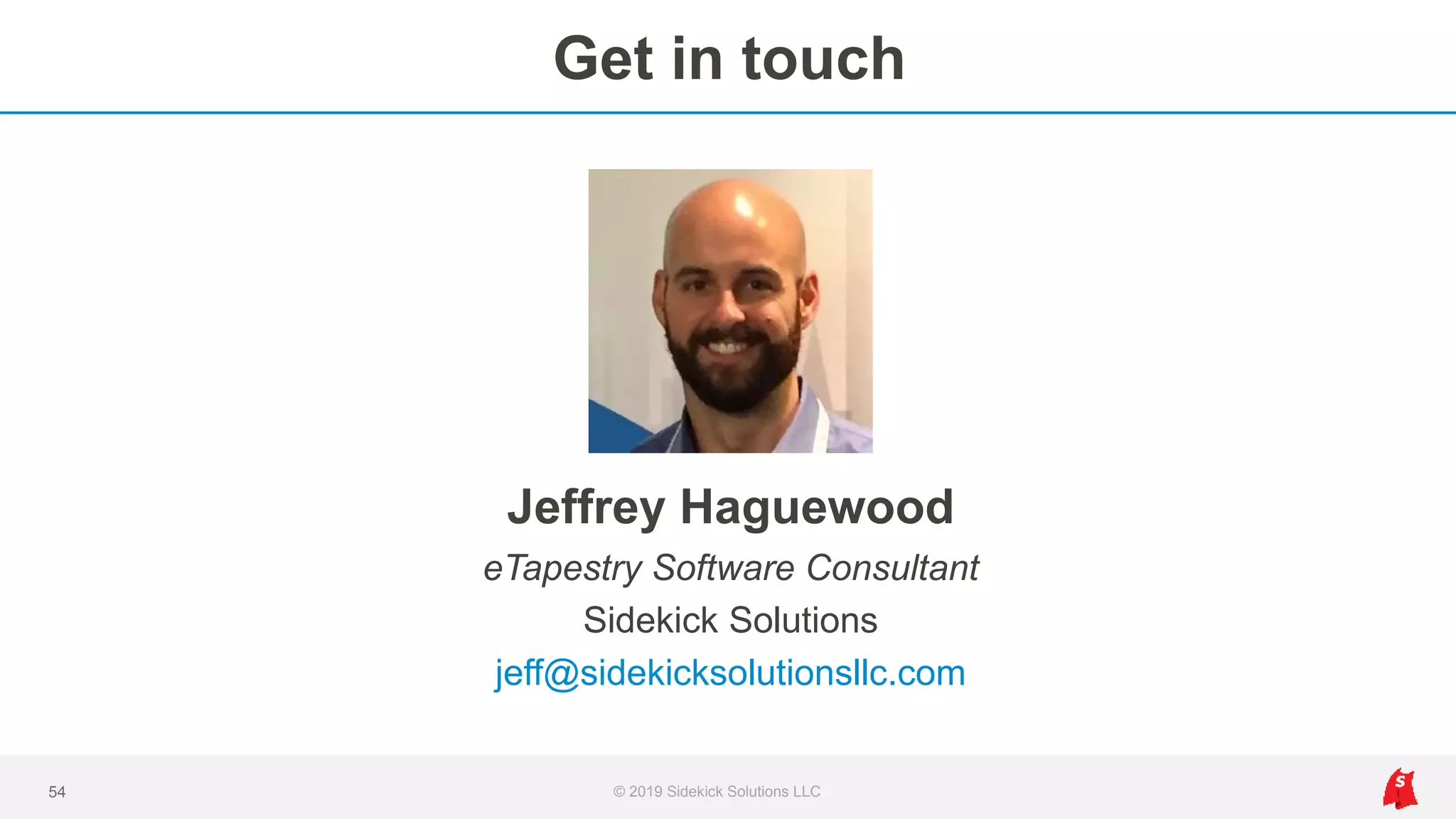
Jeffrey Haguewood
eTapestry Software Consultant
Sidekick Solutions
jeff@sidekicksolutionsllc.com
We believe that automated
integrations are essential to your
eTapestry experience, or any donor
database.
© 2019 Sidekick Solutions LLC3
Why integrations matter…you use other tools
• eTapestry
• Email marketing
• Event coordination
• Online giving
• Major gift pipeline
• Volunteers
4 © 2019 Sidekick Solutions LLC
• Accounting
• Email and calendars
• Tasks and to-dos
• Peer to peer
• Reporting and analytics
• …plus other tools
Our agenda
• What is Zapier and why connect it to eTapestry?
• Popular integrations
• Automation systems and ideas for eTapestry users
• How to get started with eTapestry + Zapier
5 © 2019 Sidekick Solutions LLC
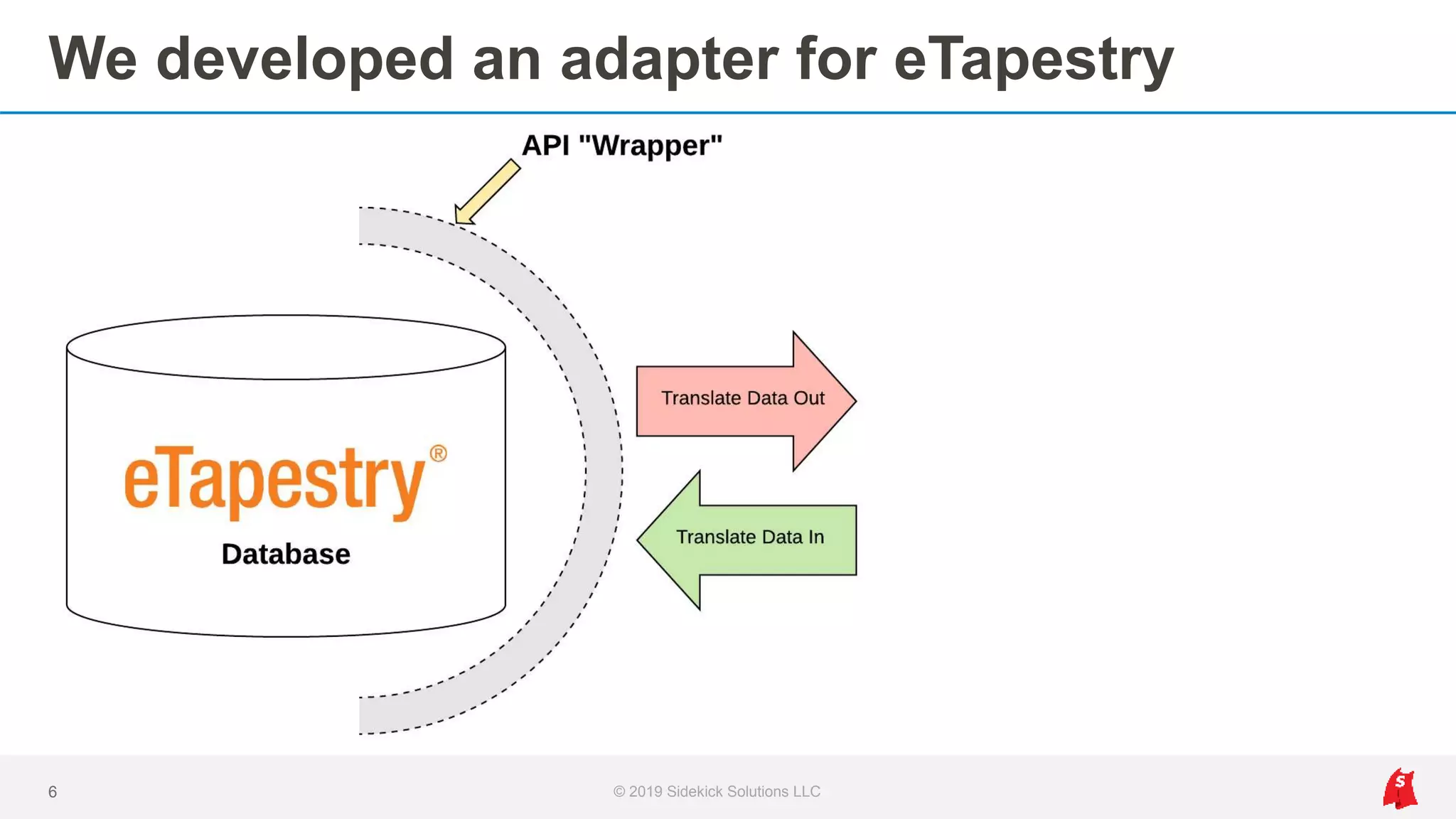
We developed an adapter for eTapestry
6 © 2019 Sidekick Solutions LLC
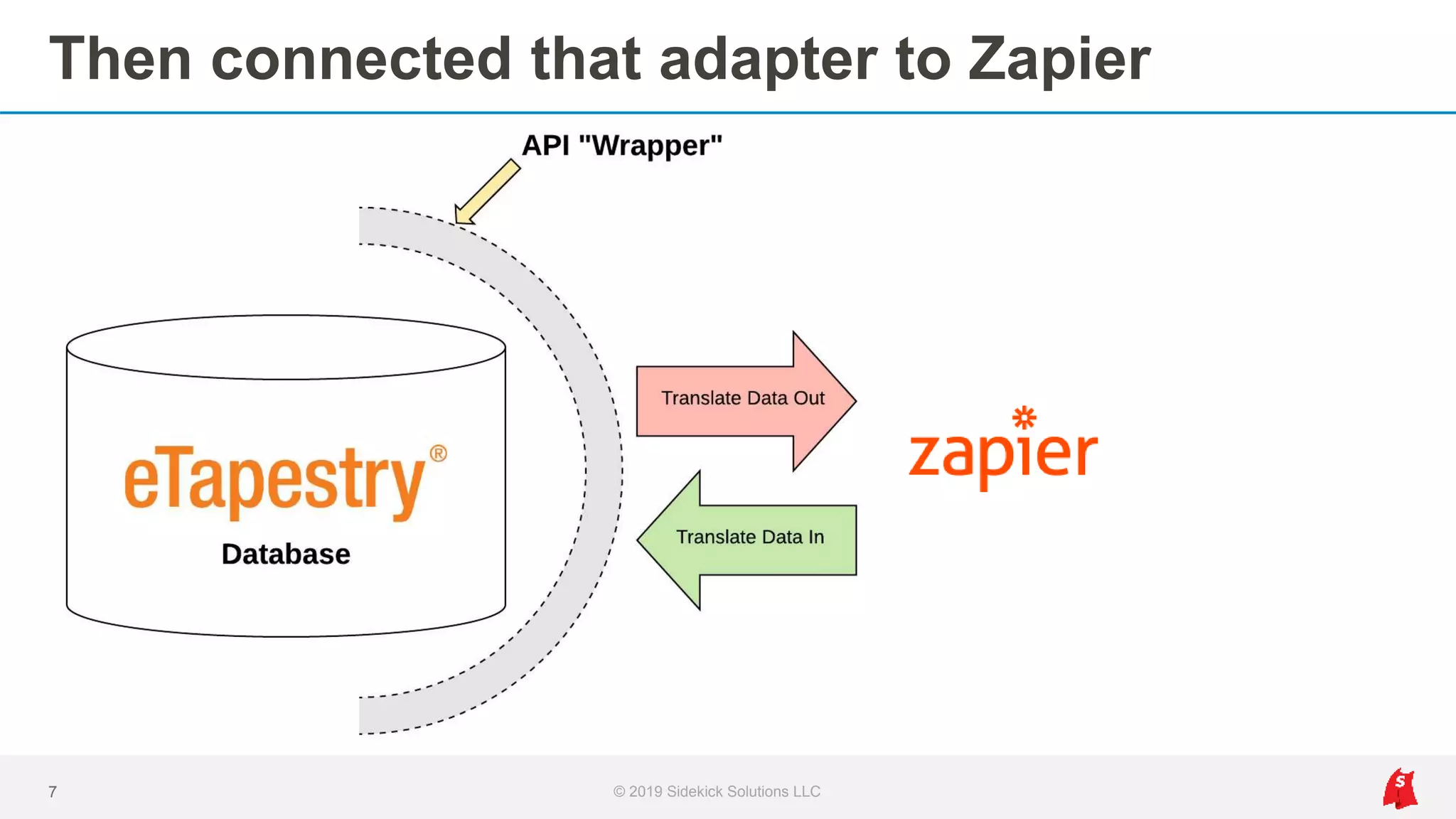
Then connected that adapter to Zapier
7 © 2019 Sidekick Solutions LLC
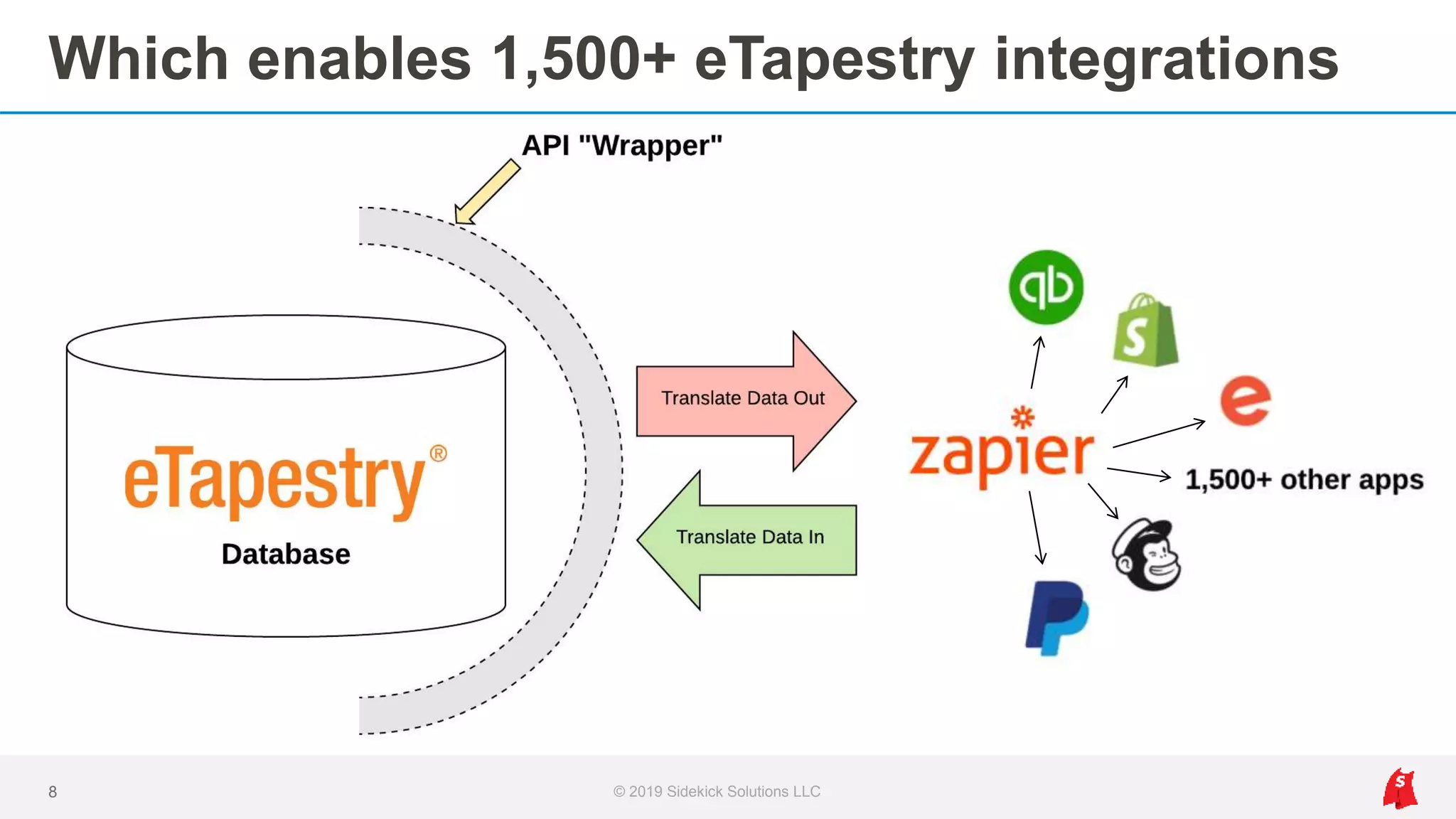
Which enables 1,500+ eTapestry integrations
8 © 2019 Sidekick Solutions LLC
Why Zapier
1. 1,500+ integrations in one platform (one-to-many)
2. Visibility to integration performance with no coding required
3. Custom mapping options and unique workflow design
9 © 2019 Sidekick Solutions LLC
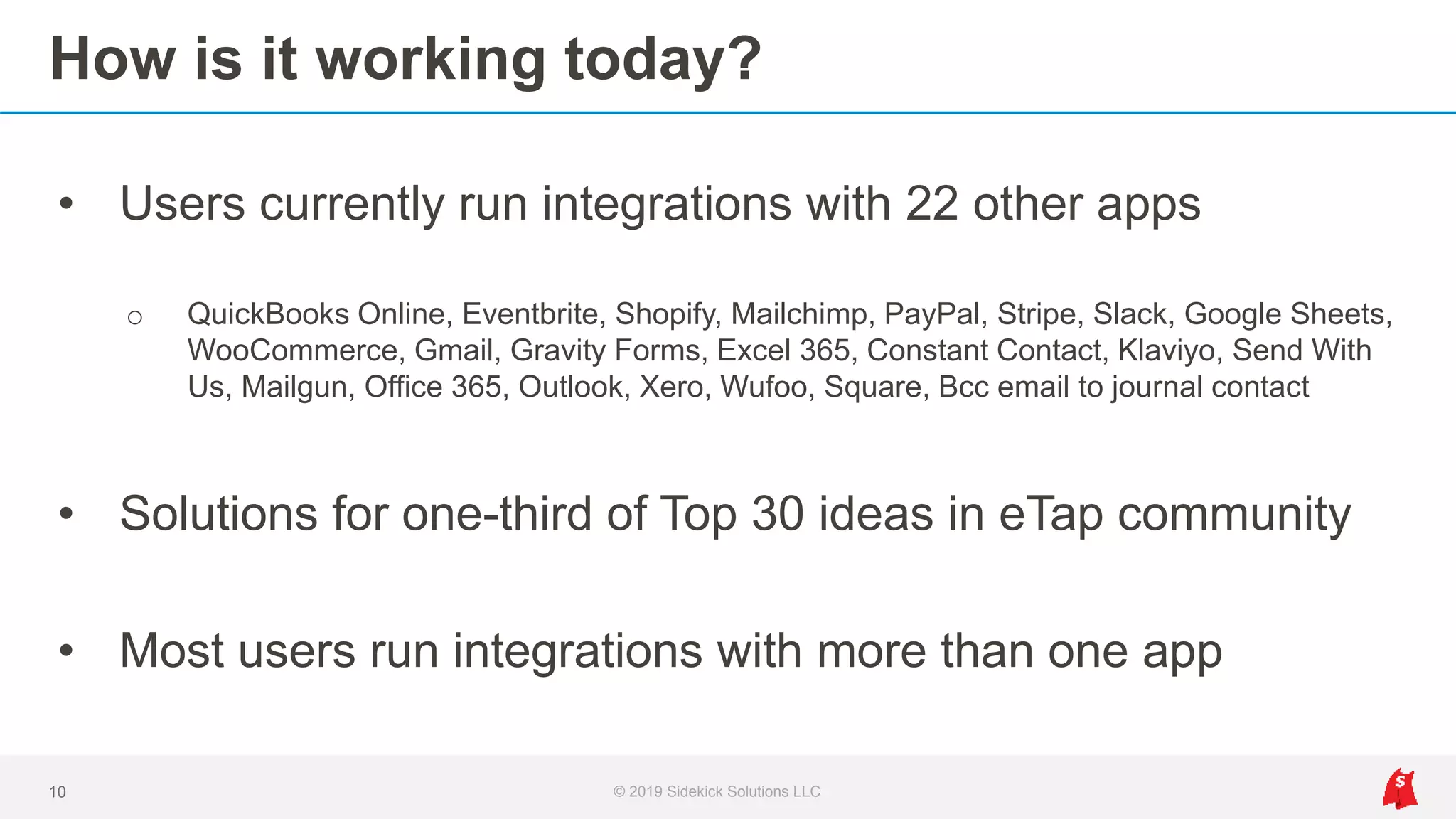
How is it working today?
• Users currently run integrations with 22 other apps
o QuickBooks Online, Eventbrite, Shopify, Mailchimp, PayPal, Stripe, Slack, Google Sheets,
WooCommerce, Gmail, Gravity Forms, Excel 365, Constant Contact, Klaviyo, Send With
Us, Mailgun, Office 365, Outlook, Xero, Wufoo, Square, Bcc email to journal contact
• Solutions for one-third of Top 30 ideas in eTap community
• Most users run integrations with more than one app
10 © 2019 Sidekick Solutions LLC
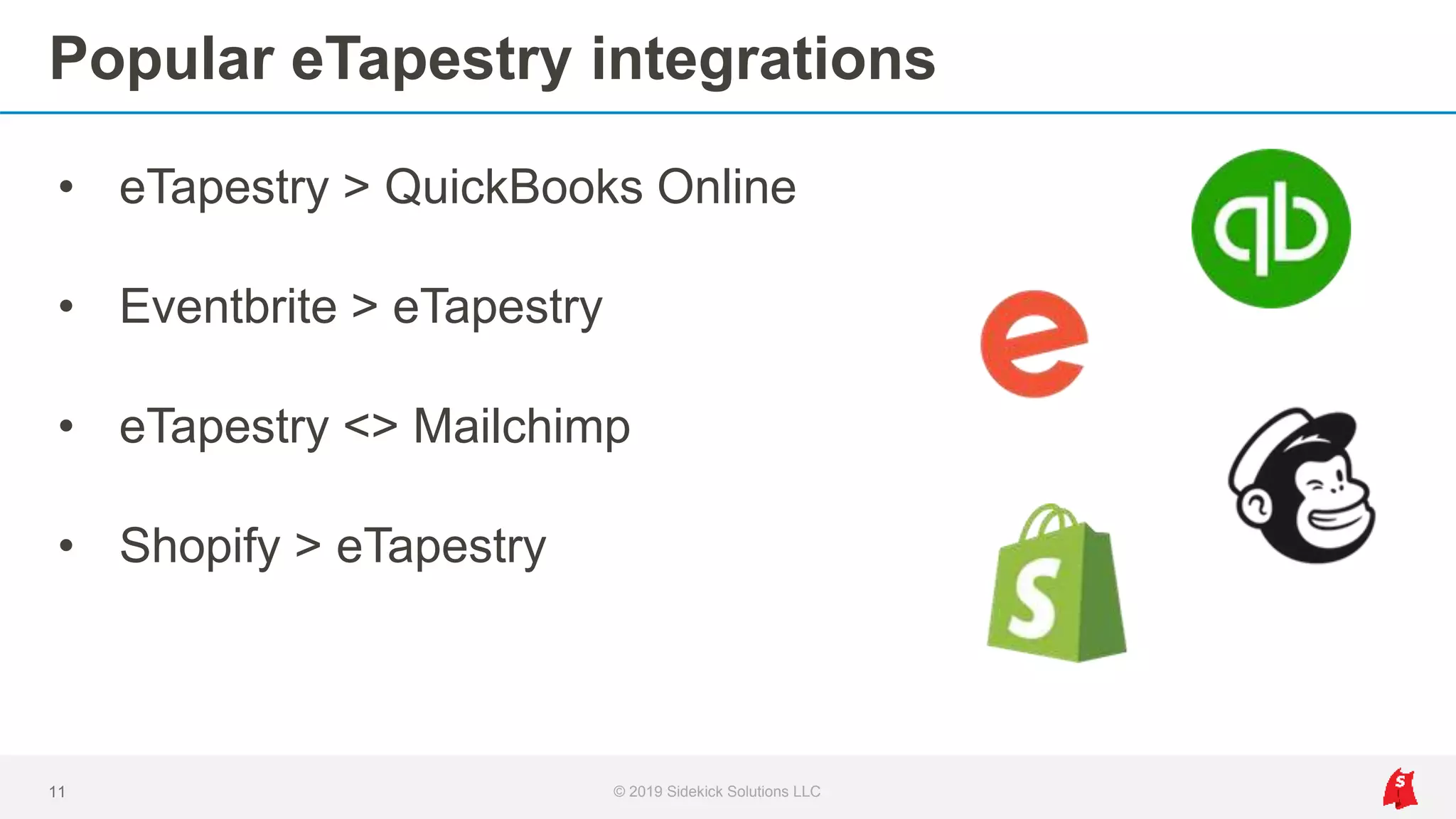
Popular eTapestry integrations
• eTapestry > QuickBooks Online
• Eventbrite > eTapestry
• eTapestry <> Mailchimp
• Shopify > eTapestry
11 © 2019 Sidekick Solutions LLC
eTapestry > QuickBooks Online
Accounting integration and reconciliation
© 2019 Sidekick Solutions LLC12
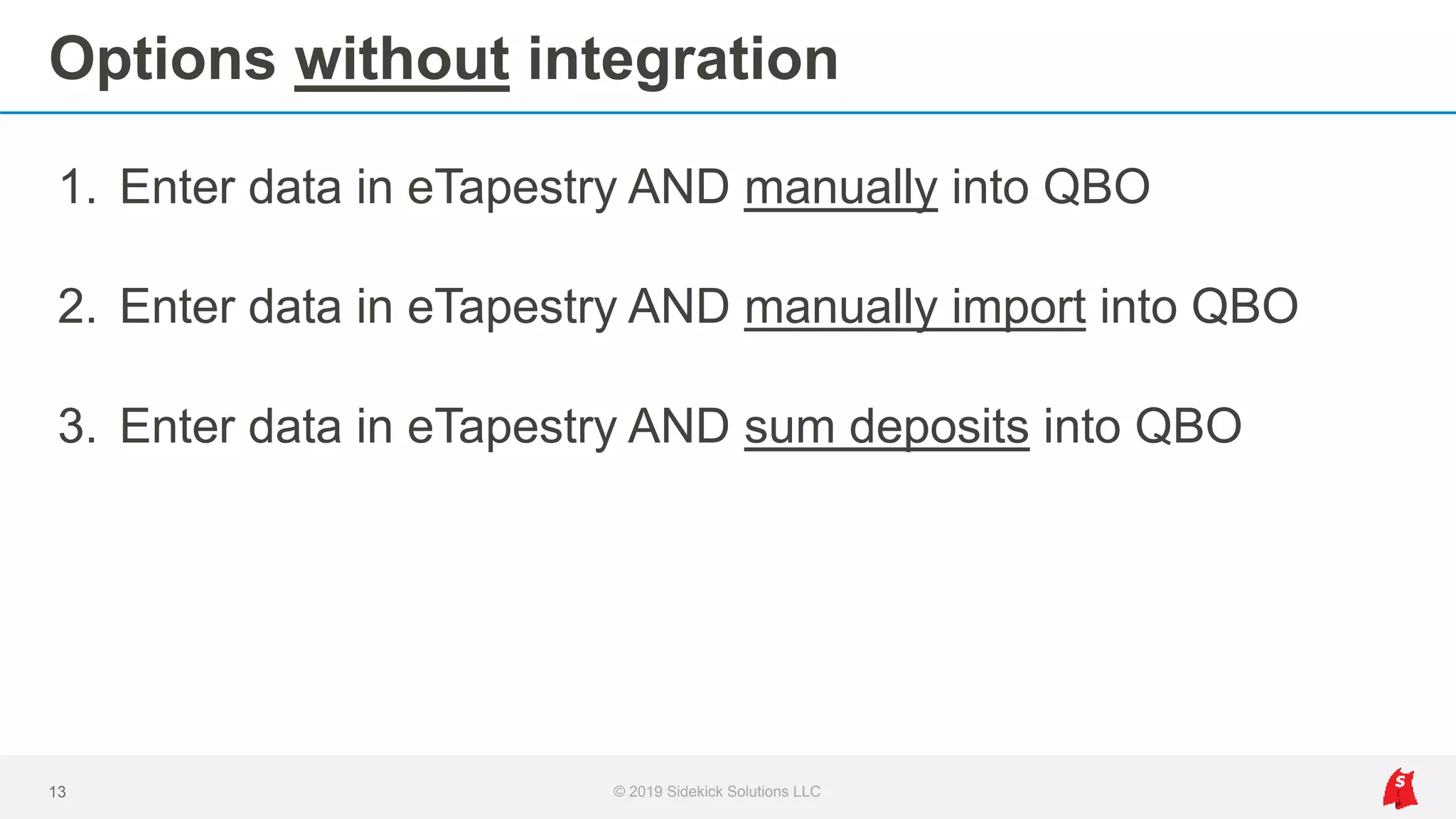
Options without integration
1. Enter data in eTapestry AND manually into QBO
2. Enter data in eTapestry AND manually import into QBO
3. Enter data in eTapestry AND sum deposits into QBO
13 © 2019 Sidekick Solutions LLC
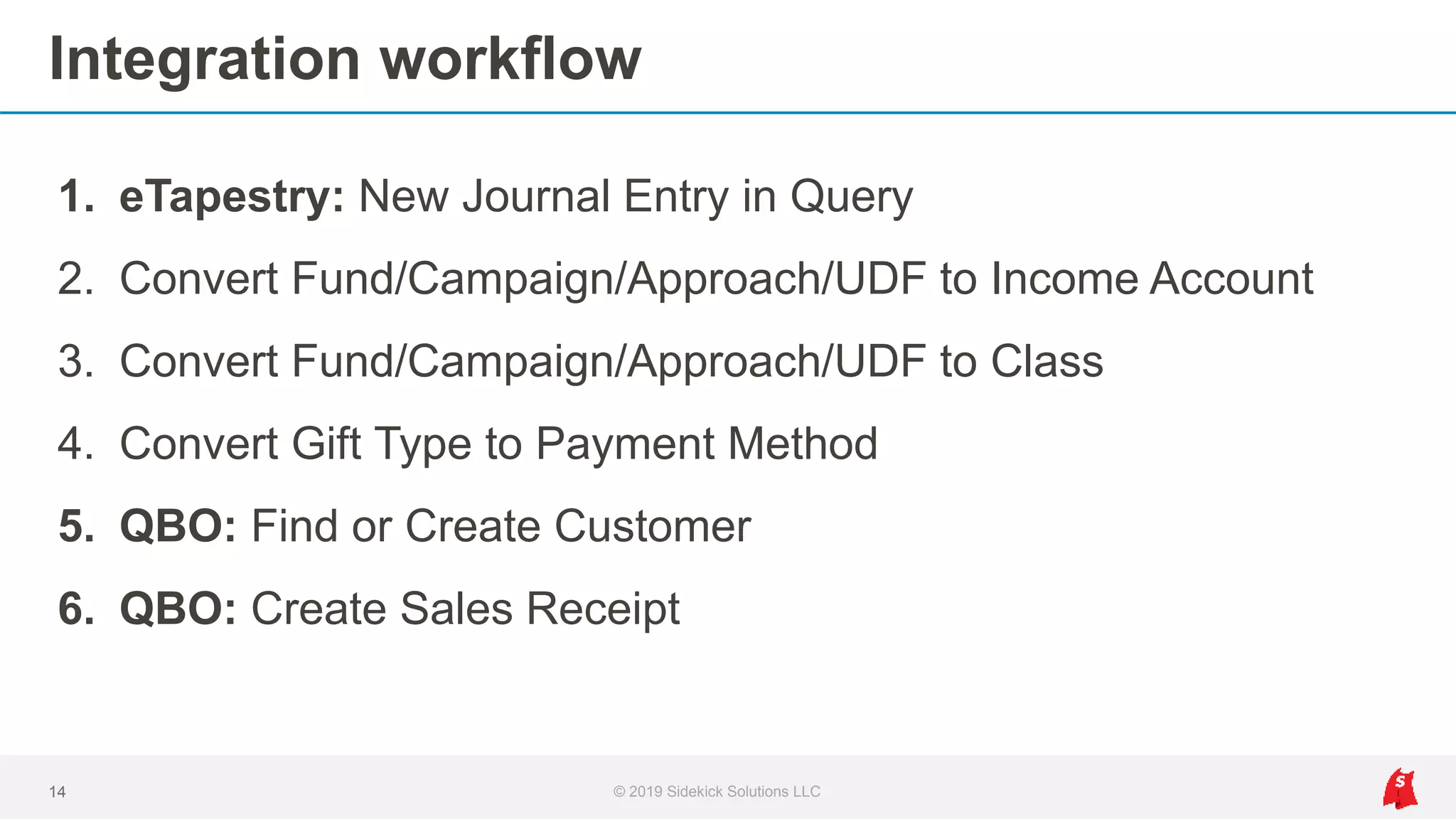
Integration workflow
© 2019 Sidekick Solutions LLC14
1. eTapestry: New Journal Entry in Query
2. Convert Fund/Campaign/Approach/UDF to Income Account
3. Convert Fund/Campaign/Approach/UDF to Class
4. Convert Gift Type to Payment Method
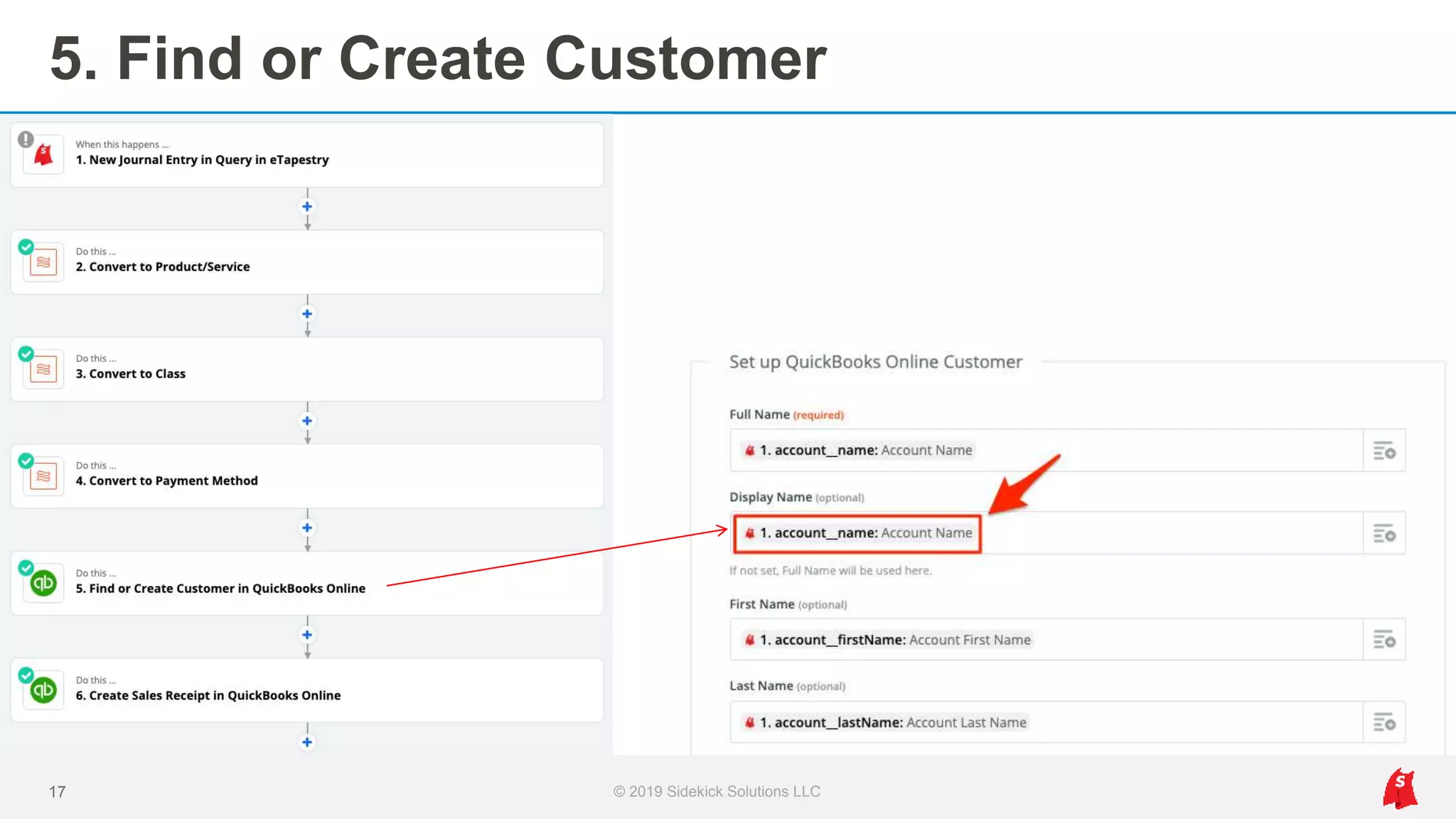
5. QBO: Find or Create Customer
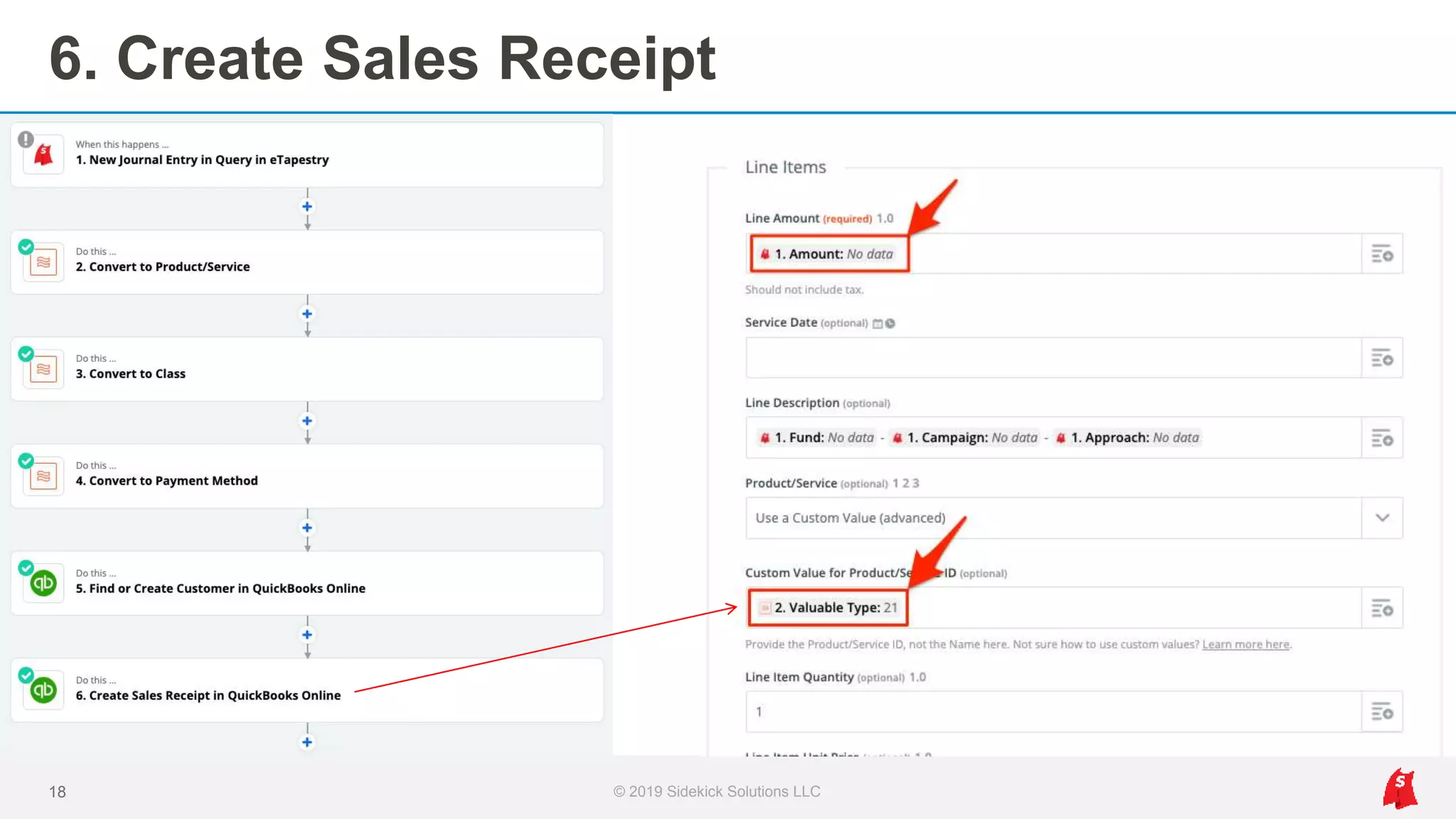
6. QBO: Create Sales Receipt
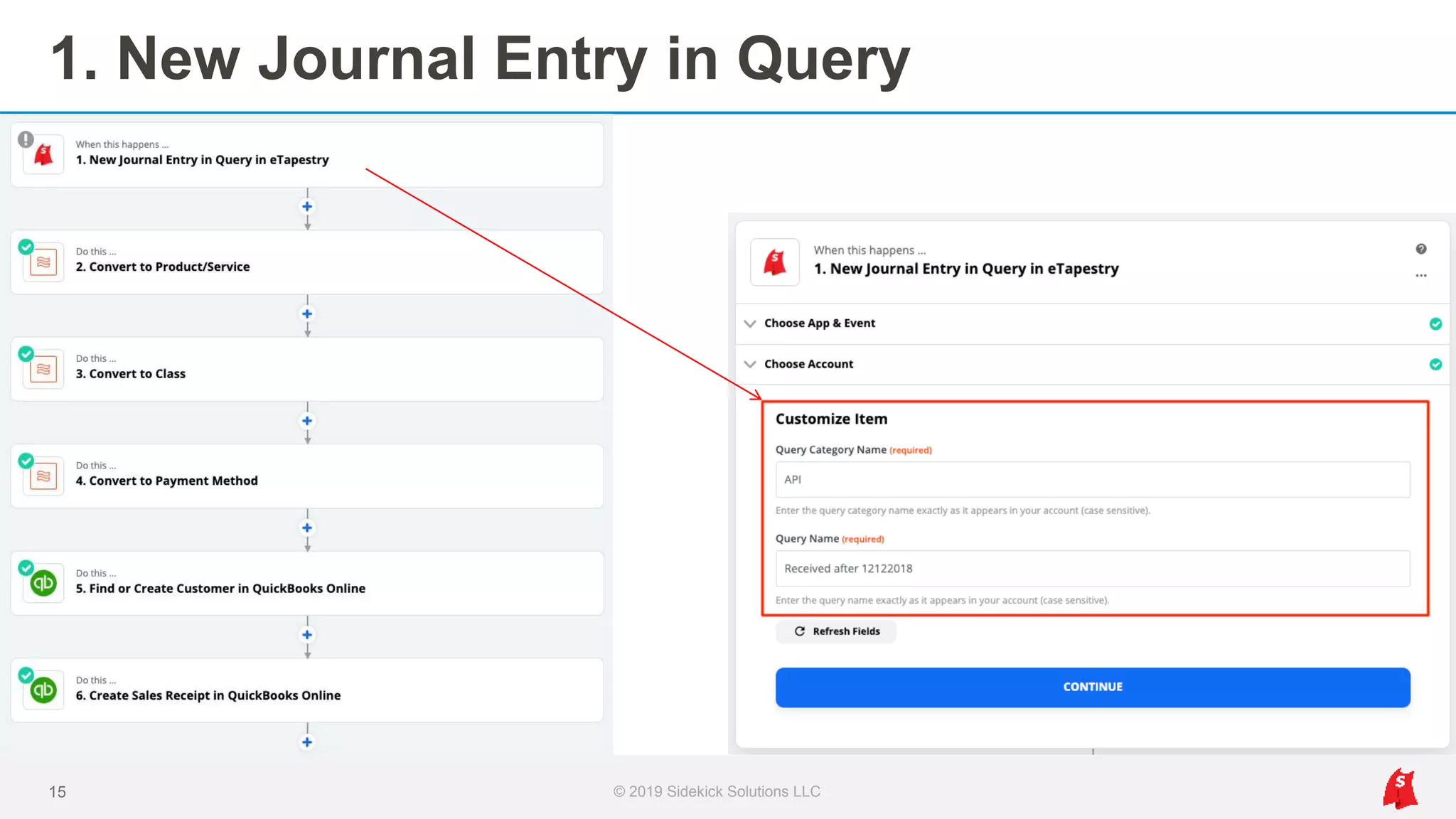
1. New Journal Entry in Query
15 © 2019 Sidekick Solutions LLC
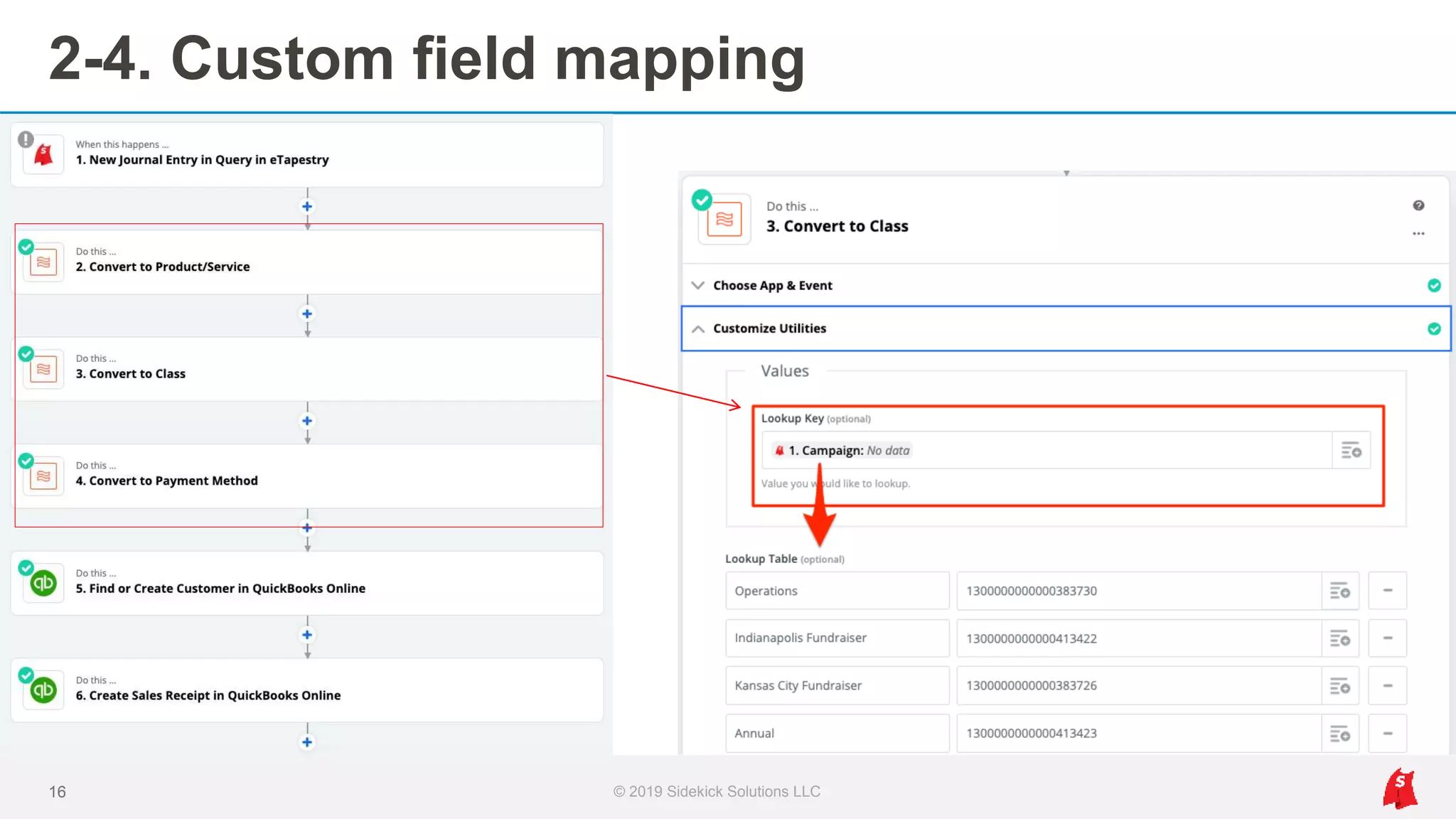
2-4. Custom field mapping
16 © 2019 Sidekick Solutions LLC
5. Find or Create Customer
17 © 2019 Sidekick Solutions LLC
6. Create Sales Receipt
18 © 2019 Sidekick Solutions LLC
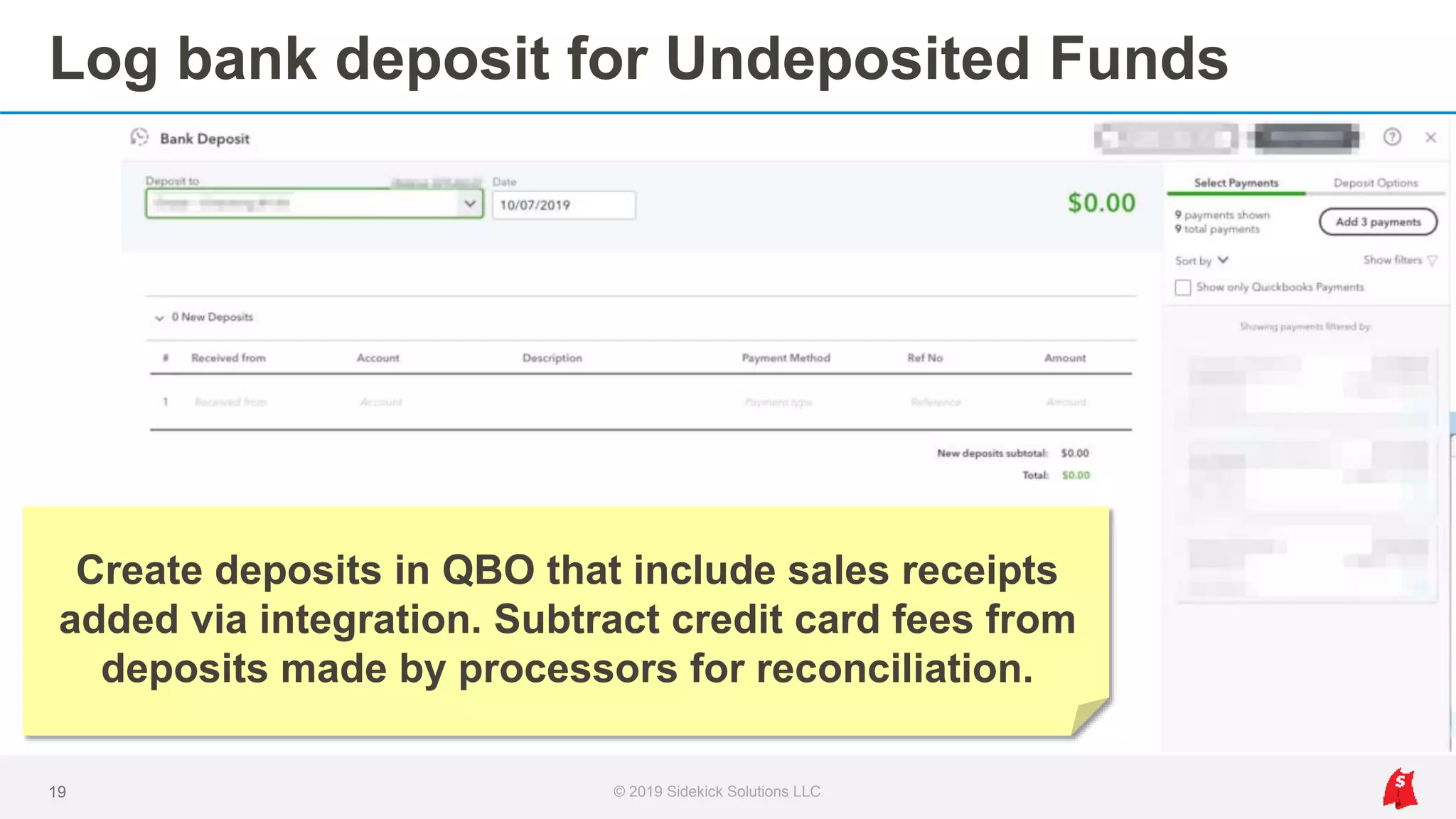
Log bank deposit for Undeposited Funds
19 © 2019 Sidekick Solutions LLC
Create deposits in QBO that include sales receipts
added via integration. Subtract credit card fees from
deposits made by processors for reconciliation.
Integration benefits
1. No more double data entry, plus real time sync
2. Custom mapping of any eTapestry field
3. Simplify reconciliation of deposits
4. Run reports immediately and improve accuracy
5. Accounting and development have the same data
20 © 2019 Sidekick Solutions LLC
Eventbrite > eTapestry
Event integration for orders, registrations, guests, and attendance
© 2019 Sidekick Solutions LLC21
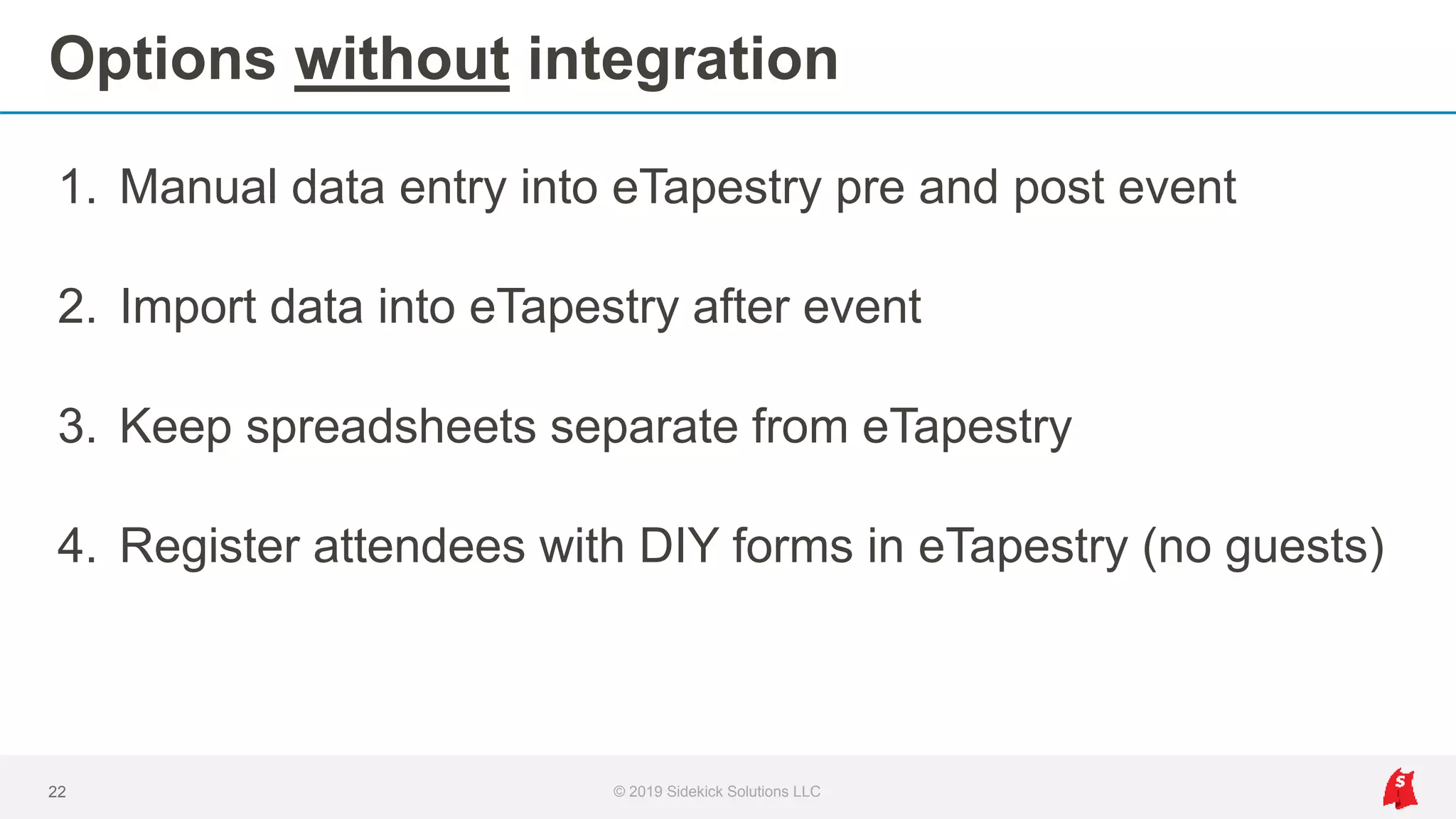
Options without integration
1. Manual data entry into eTapestry pre and post event
2. Import data into eTapestry after event
3. Keep spreadsheets separate from eTapestry
4. Register attendees with DIY forms in eTapestry (no guests)
22 © 2019 Sidekick Solutions LLC
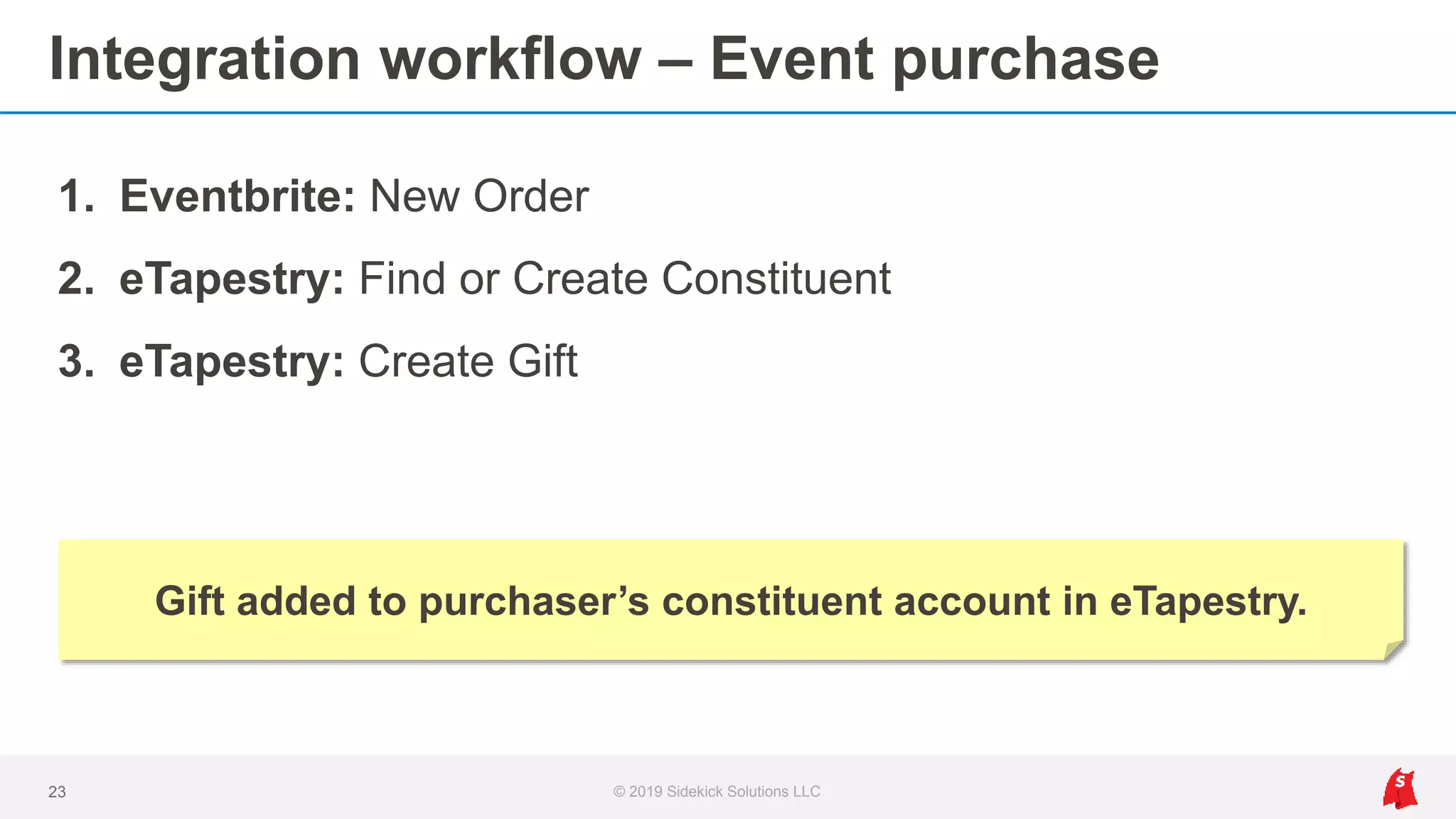
Integration workflow – Event purchase
© 2019 Sidekick Solutions LLC23
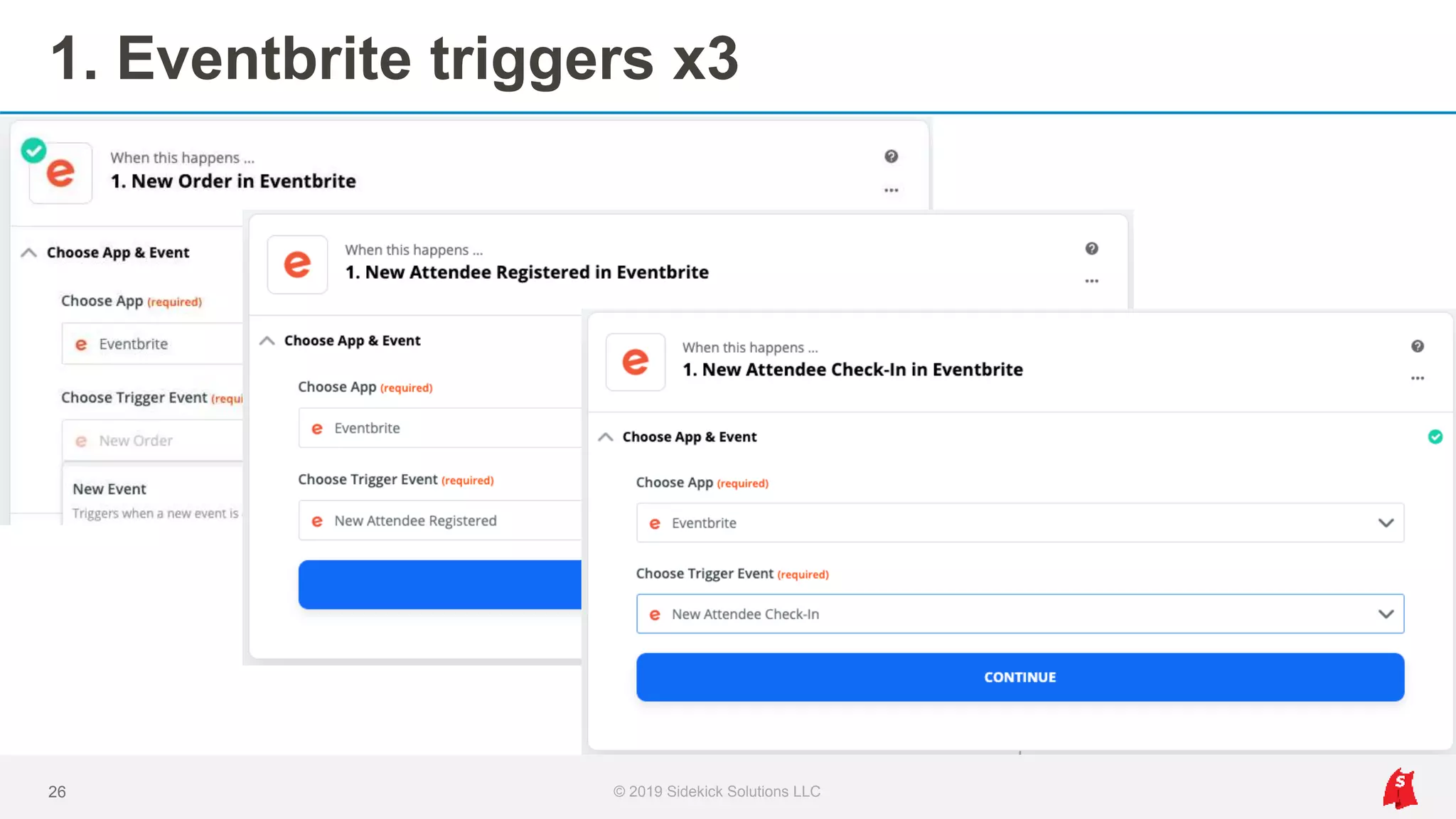
1. Eventbrite: New Order
2. eTapestry: Find or Create Constituent
3. eTapestry: Create Gift
Gift added to purchaser’s constituent account in eTapestry.
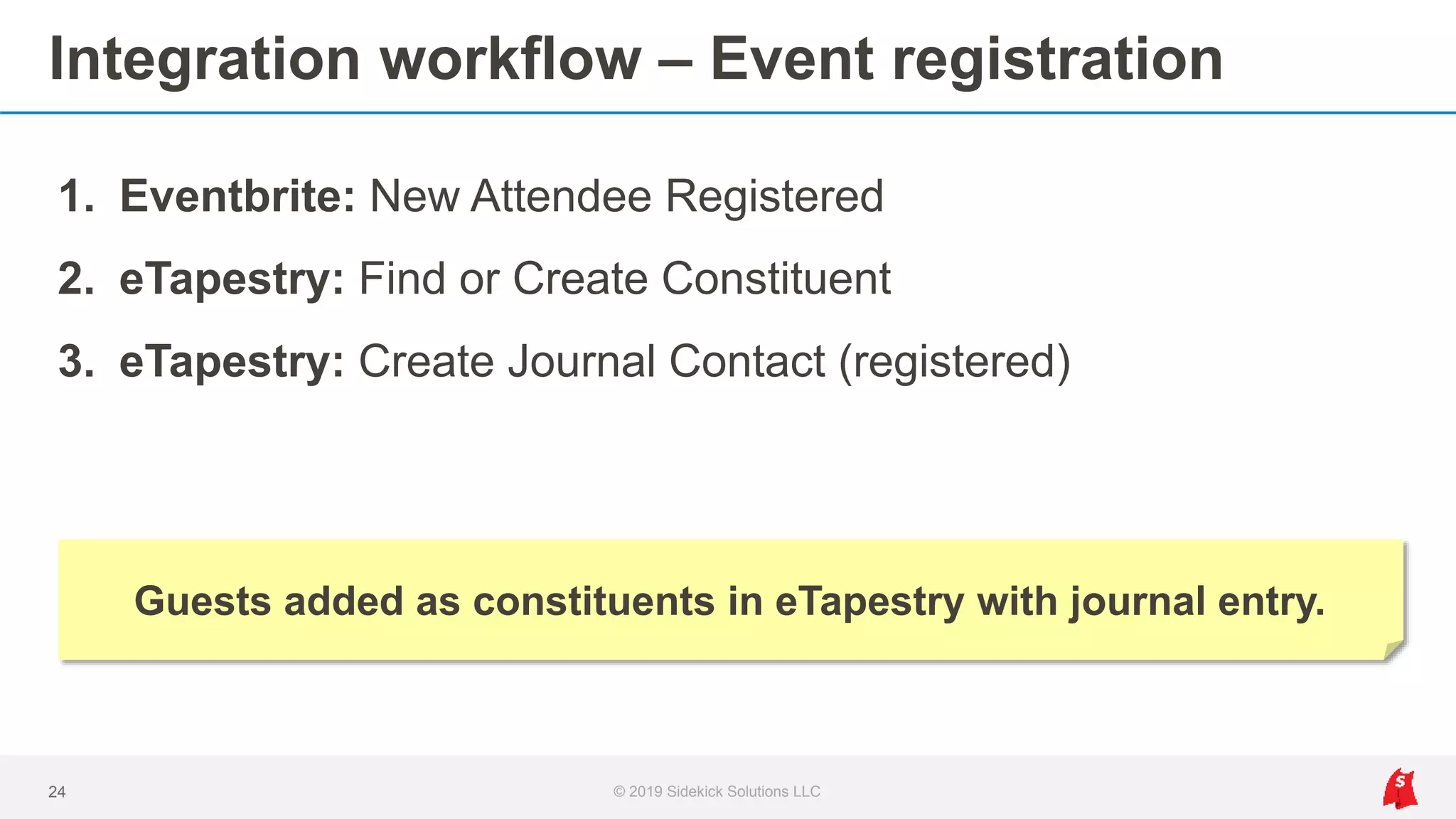
Integration workflow – Event registration
© 2019 Sidekick Solutions LLC24
1. Eventbrite: New Attendee Registered
2. eTapestry: Find or Create Constituent
3. eTapestry: Create Journal Contact (registered)
Guests added as constituents in eTapestry with journal entry.
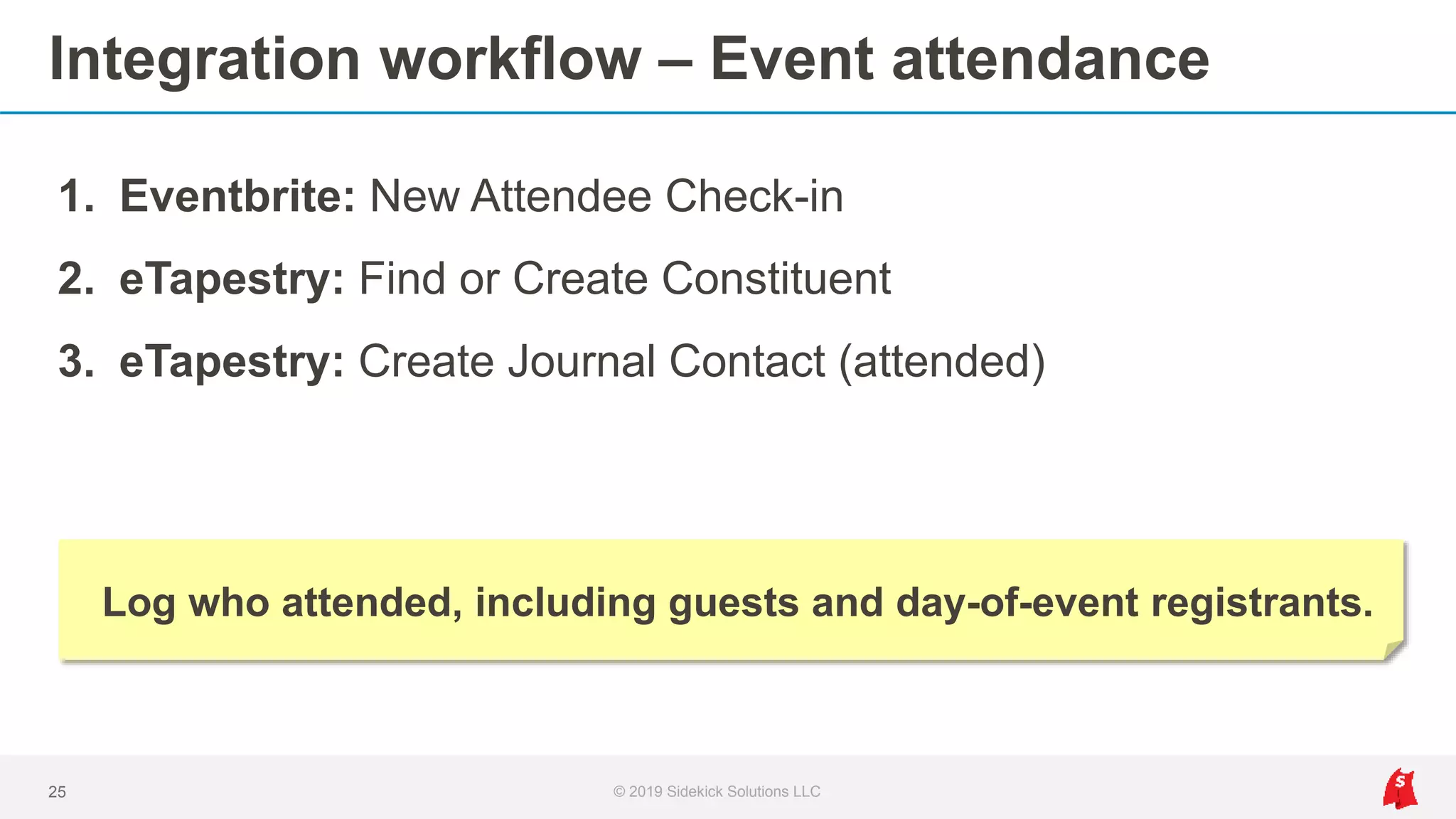
Integration workflow – Event attendance
© 2019 Sidekick Solutions LLC25
1. Eventbrite: New Attendee Check-in
2. eTapestry: Find or Create Constituent
3. eTapestry: Create Journal Contact (attended)
Log who attended, including guests and day-of-event registrants.
1. Eventbrite triggers x3
26 © 2019 Sidekick Solutions LLC
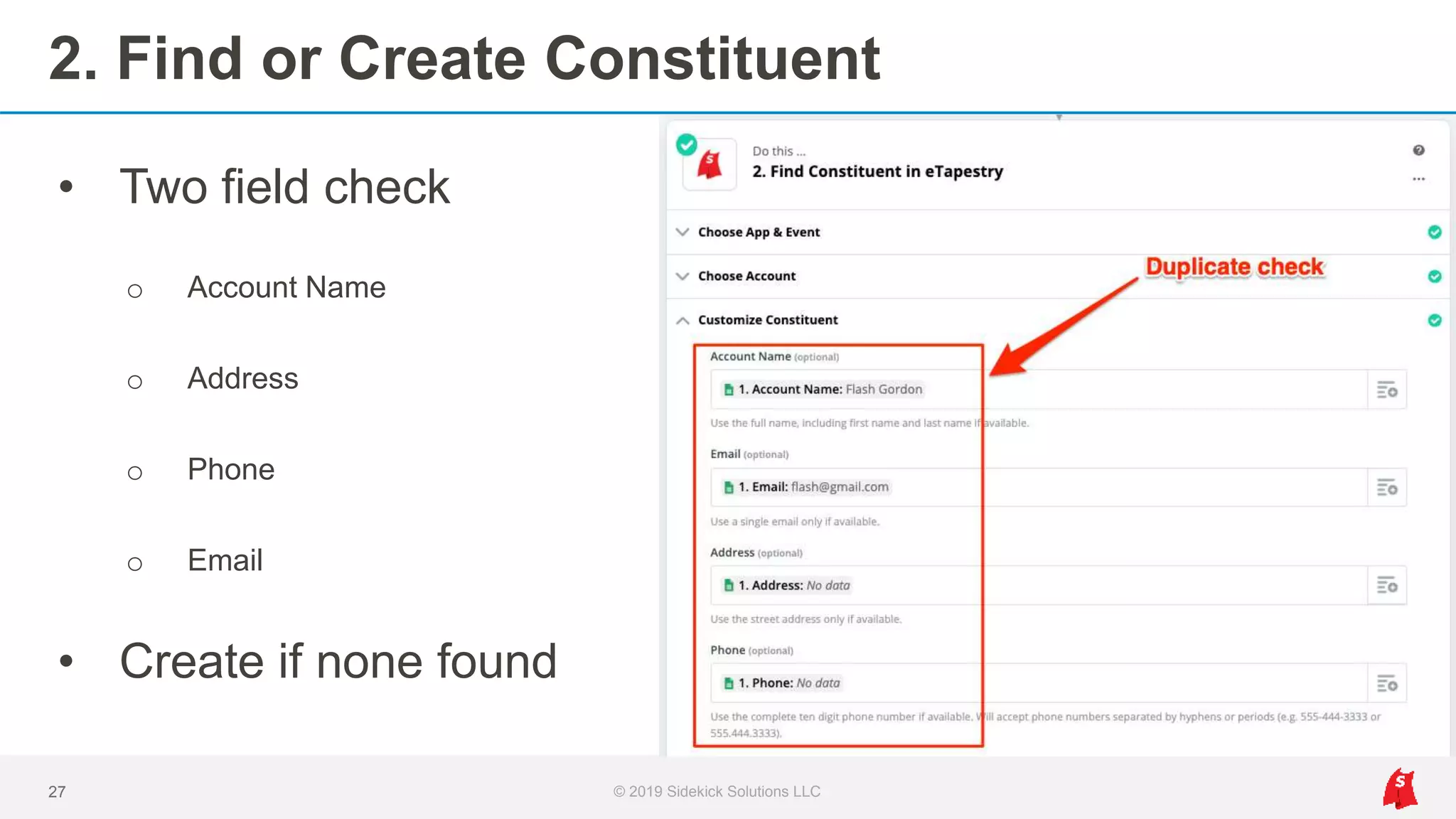
2. Find or Create Constituent
27 © 2019 Sidekick Solutions LLC
• Two field check
o Account Name
o Address
o Phone
o Email
• Create if none found
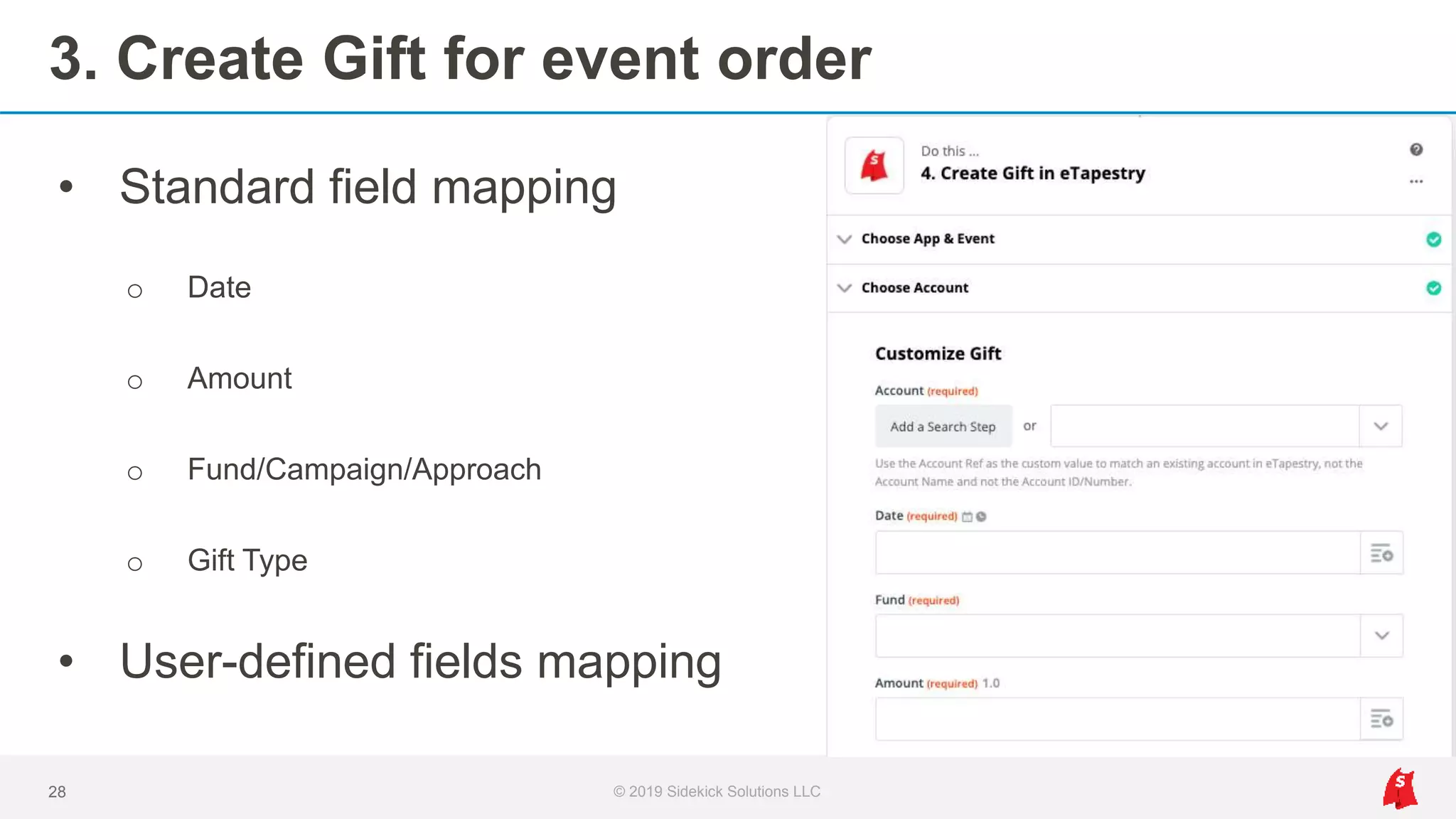
3. Create Gift for event order
28 © 2019 Sidekick Solutions LLC
• Standard field mapping
o Date
o Amount
o Fund/Campaign/Approach
o Gift Type
• User-defined fields mapping
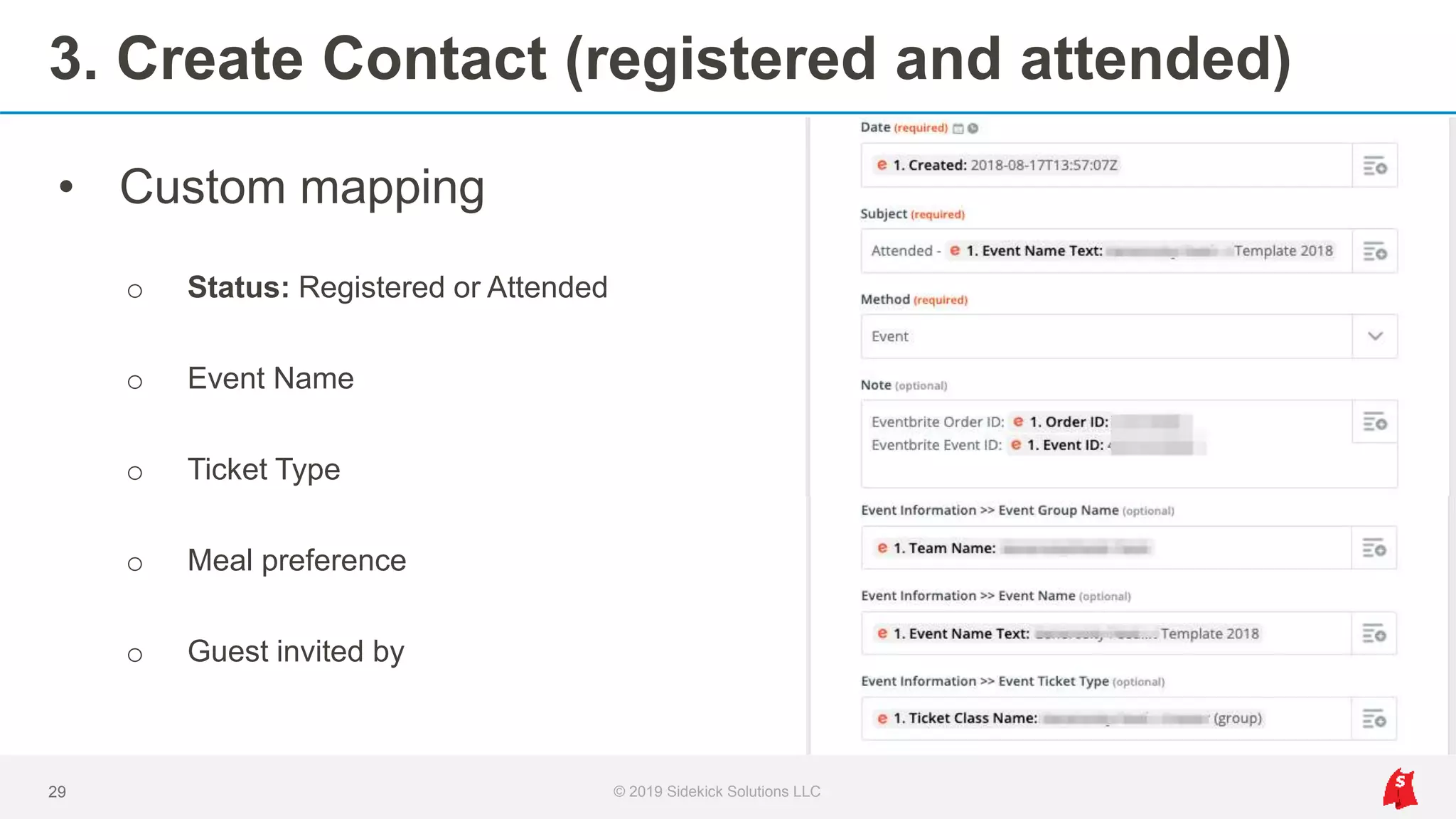
3. Create Contact (registered and attended)
29 © 2019 Sidekick Solutions LLC
• Custom mapping
o Status: Registered or Attended
o Event Name
o Ticket Type
o Meal preference
o Guest invited by
Integration benefits
1. No more post-event imports or data cleanup projects
2. Add both primary registrant AND guests to eTapestry
3. Use mobile apps for registration and check-in
4. Report on registration and attendance in real time
5. Manage free and paid events with single integration
30 © 2019 Sidekick Solutions LLC
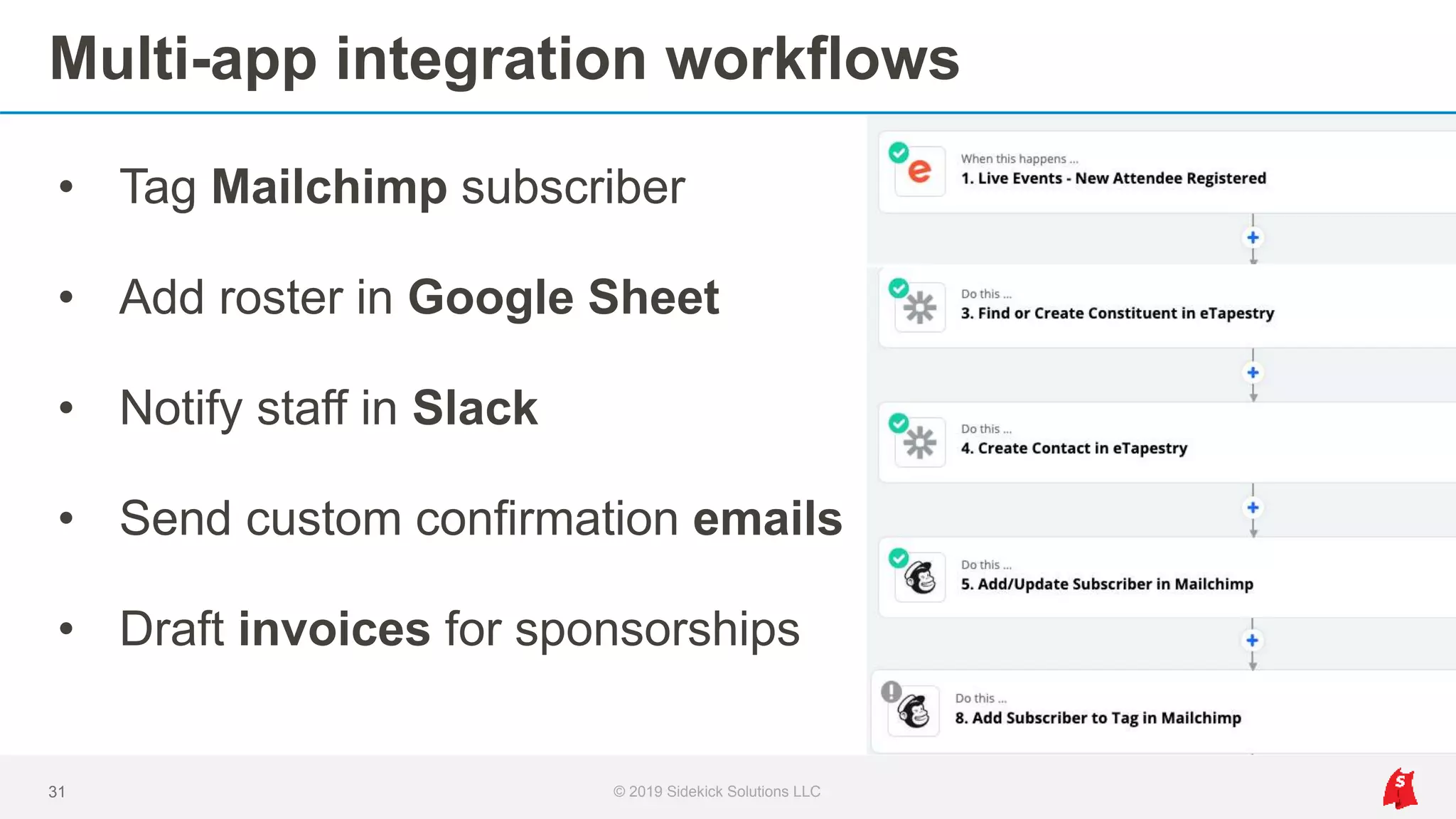
Multi-app integration workflows
31 © 2019 Sidekick Solutions LLC
• Tag Mailchimp subscriber
• Add roster in Google Sheet
• Notify staff in Slack
• Send custom confirmation emails
• Draft invoices for sponsorships
eTapestry <> Mailchimp
List sync, preferences + profiles, and campaign automation
© 2019 Sidekick Solutions LLC32
Options without integration
1. Import to Mailchimp from eTapestry before every campaign
2. Keep Mailchimp and eTapestry separate
3. Unable to run automated (drip) campaigns in real time
33 © 2019 Sidekick Solutions LLC
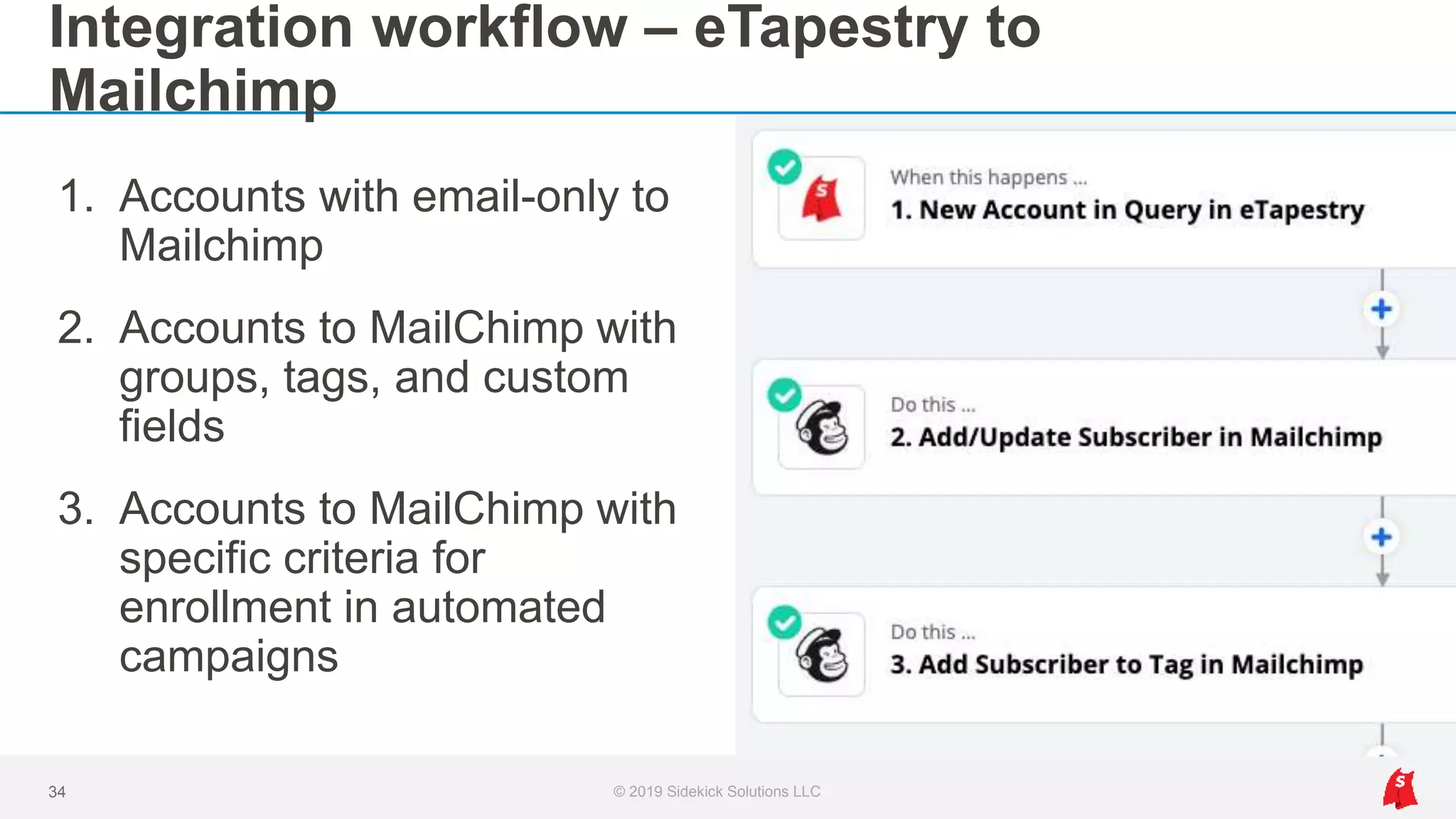
Integration workflow – eTapestry to
Mailchimp
© 2019 Sidekick Solutions LLC34
1. Accounts with email-only to
Mailchimp
2. Accounts to MailChimp with
groups, tags, and custom
fields
3. Accounts to MailChimp with
specific criteria for
enrollment in automated
campaigns
Ideas: Automated Email Campaigns
1. Add new donors to 6-month drip campaign
2. Send automated birthday notifications to donors
3. Send automated lapsed donor reminders annually
4. Follow up on membership renewal dates
5. Invite donor with a local address to register as volunteer
35 © 2019 Sidekick Solutions LLC
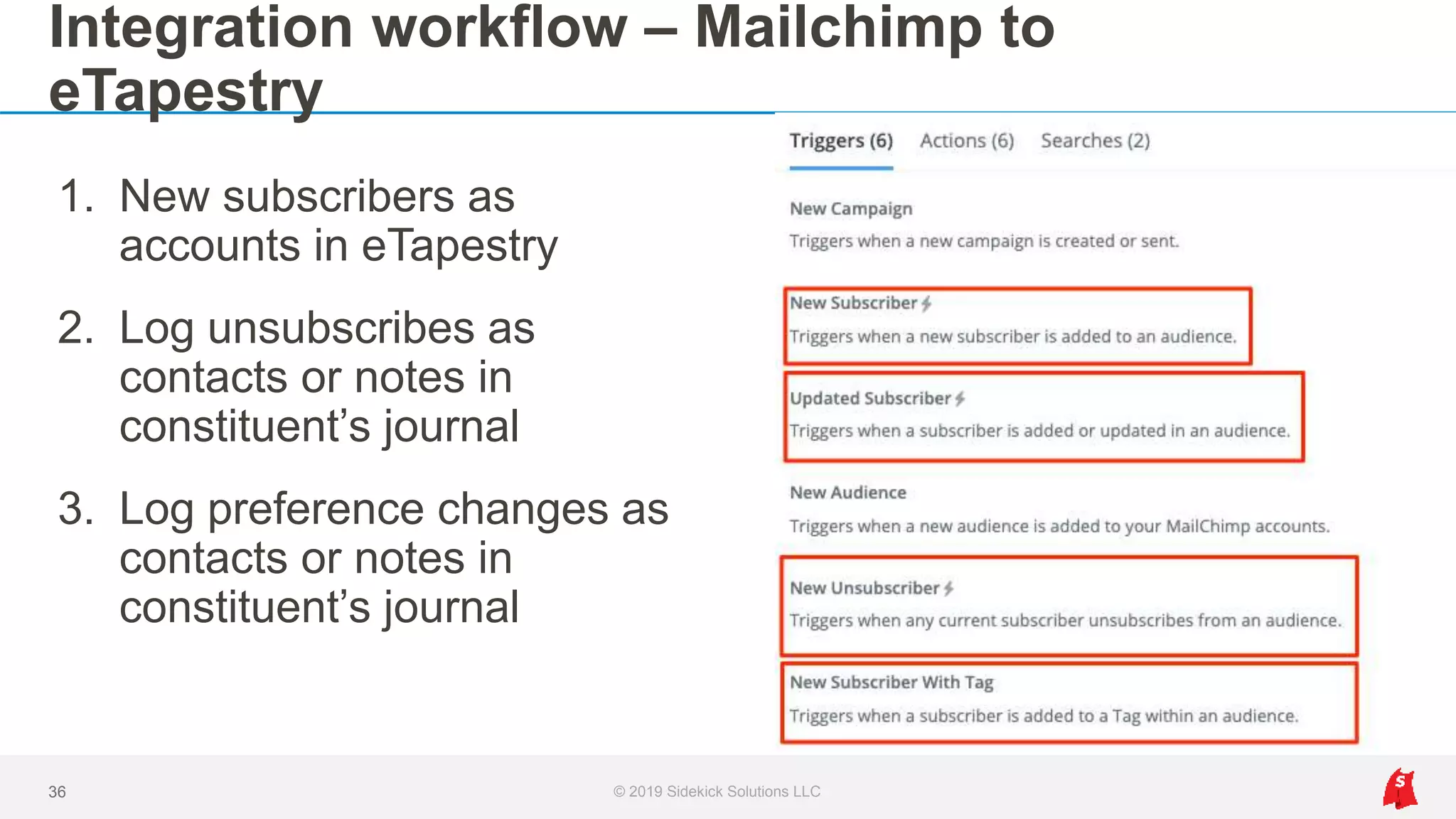
Integration workflow – Mailchimp to
eTapestry
© 2019 Sidekick Solutions LLC36
1. New subscribers as
accounts in eTapestry
2. Log unsubscribes as
contacts or notes in
constituent’s journal
3. Log preference changes as
contacts or notes in
constituent’s journal
Integration benefits
1. No more spreadsheets or scrubbing data pre-send
2. Scale communication efforts with workflow automation
3. Segment subscribers automatically with custom mapping
37 © 2019 Sidekick Solutions LLC
Shopify > eTapestry
Integration for online store purchases to a constituent’s journal
© 2019 Sidekick Solutions LLC38
Options without integration
1. Import from Shopify to eTapestry every week or month
2. Manually enter data from Shopify to eTapestry
3. Without paired accounting integration, triple data entry
39 © 2019 Sidekick Solutions LLC
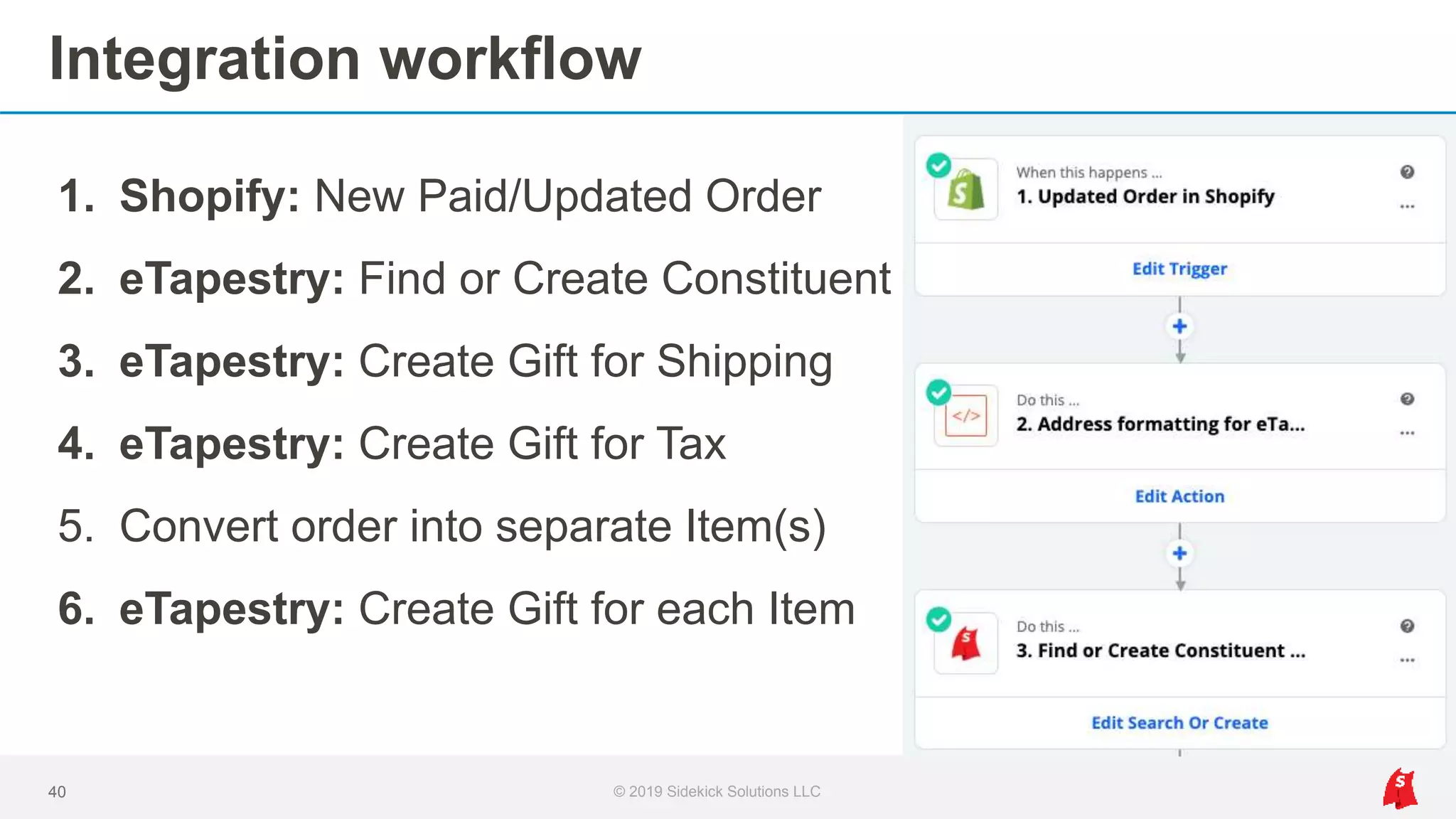
Integration workflow
© 2019 Sidekick Solutions LLC40
1. Shopify: New Paid/Updated Order
2. eTapestry: Find or Create Constituent
3. eTapestry: Create Gift for Shipping
4. eTapestry: Create Gift for Tax
5. Convert order into separate Item(s)
6. eTapestry: Create Gift for each Item
Integration benefits
1. Get item-level detail on purchases in eTapestry
2. Scale integration to allow product additions in real time
3. Sell physical, digital, or symbolic products
41 © 2019 Sidekick Solutions LLC
eTapestry + Zapier enables
fundraising system automation, which
goes well beyond any single app-to-
app integration.
© 2019 Sidekick Solutions LLC42
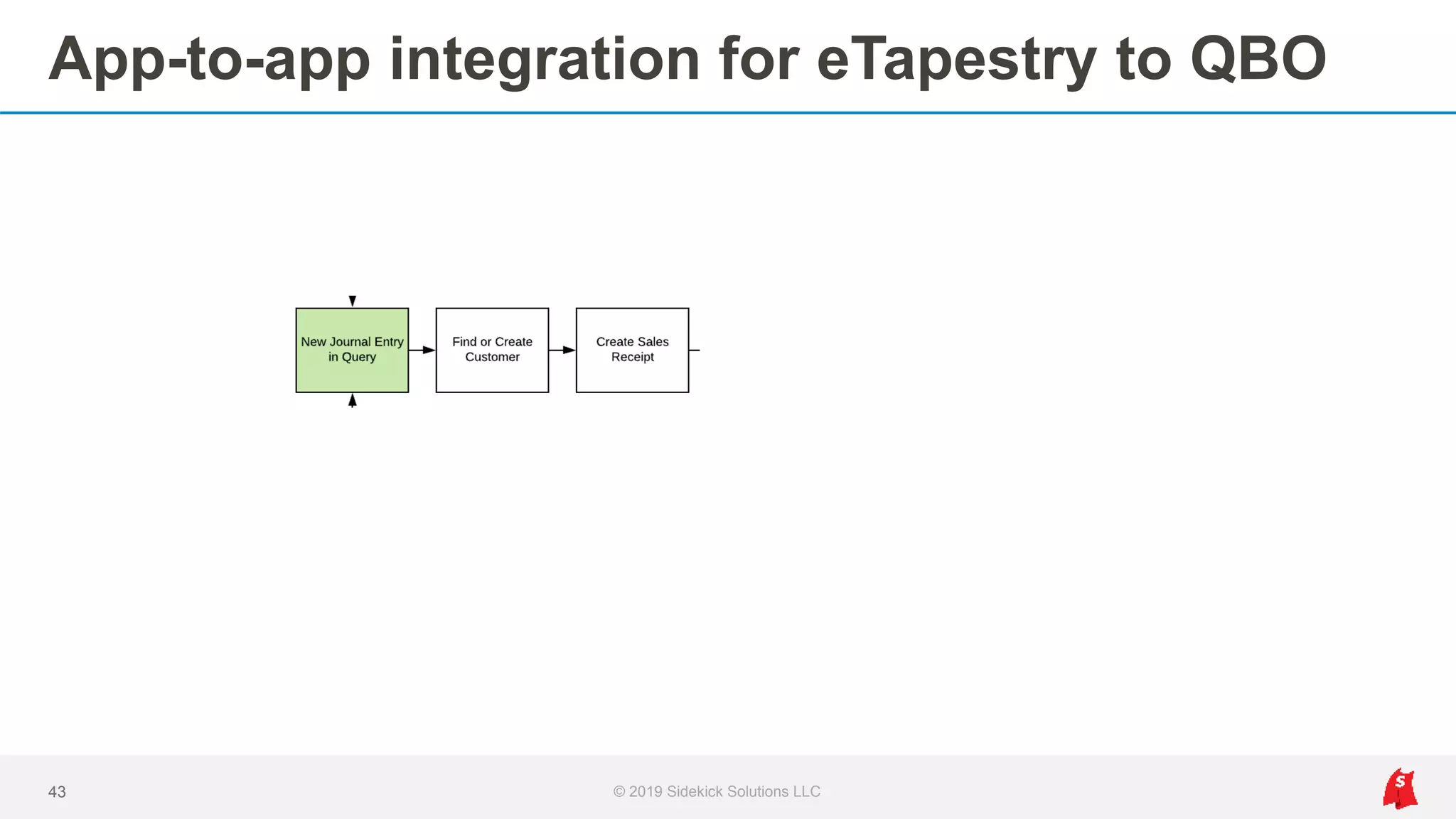
App-to-app integration for eTapestry to QBO
© 2019 Sidekick Solutions LLC43
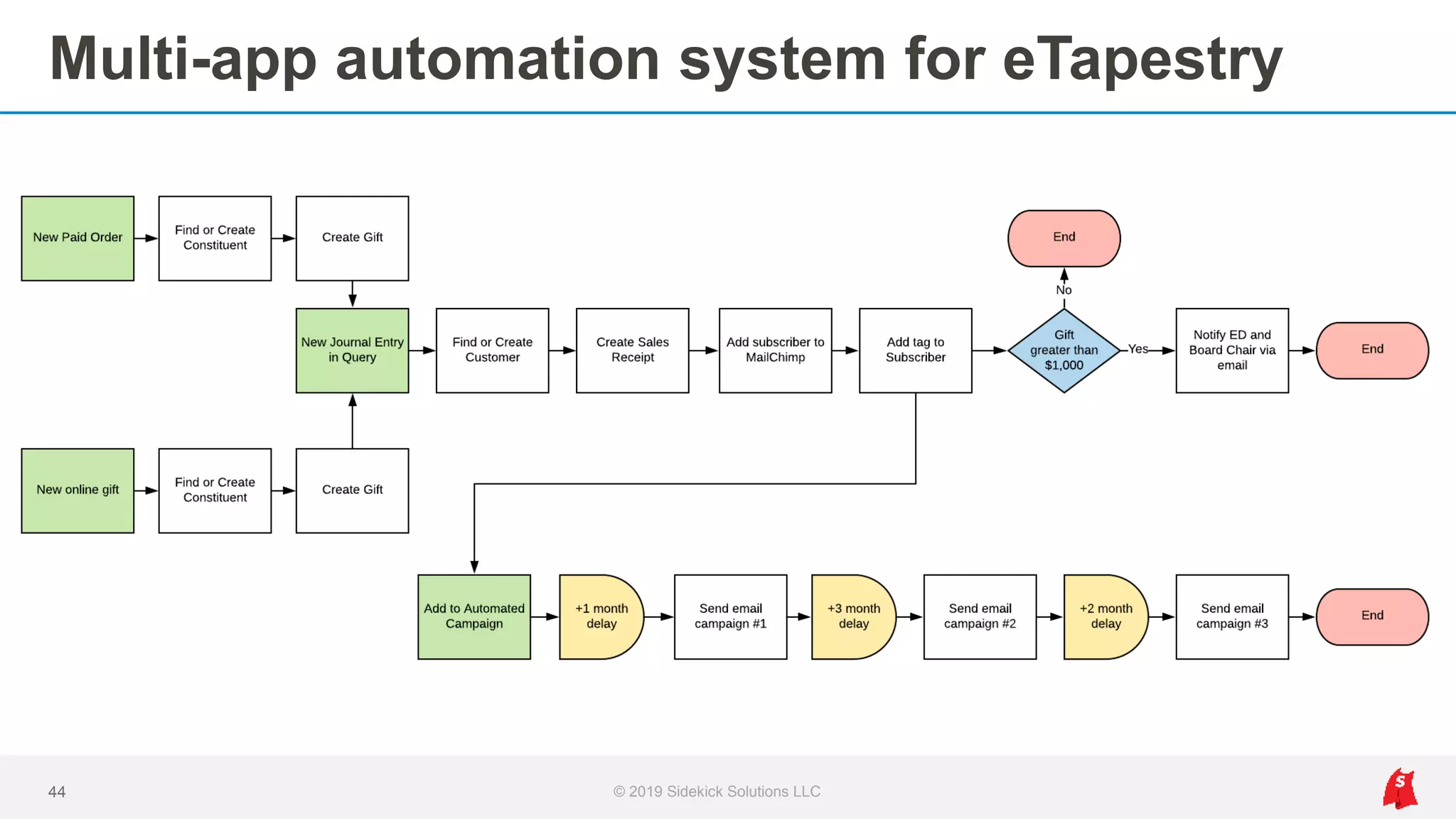
Multi-app automation system for eTapestry
© 2019 Sidekick Solutions LLC44
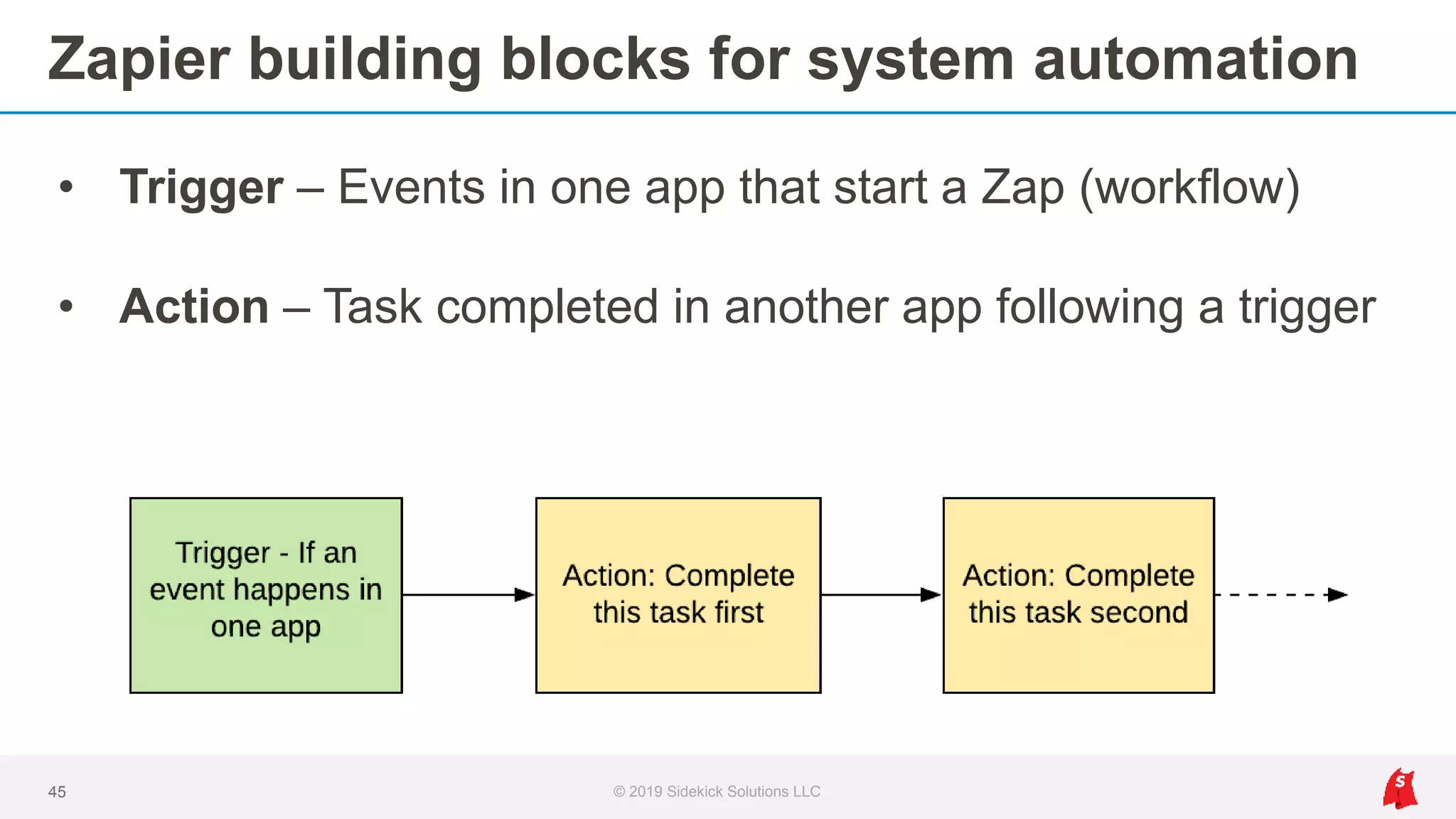
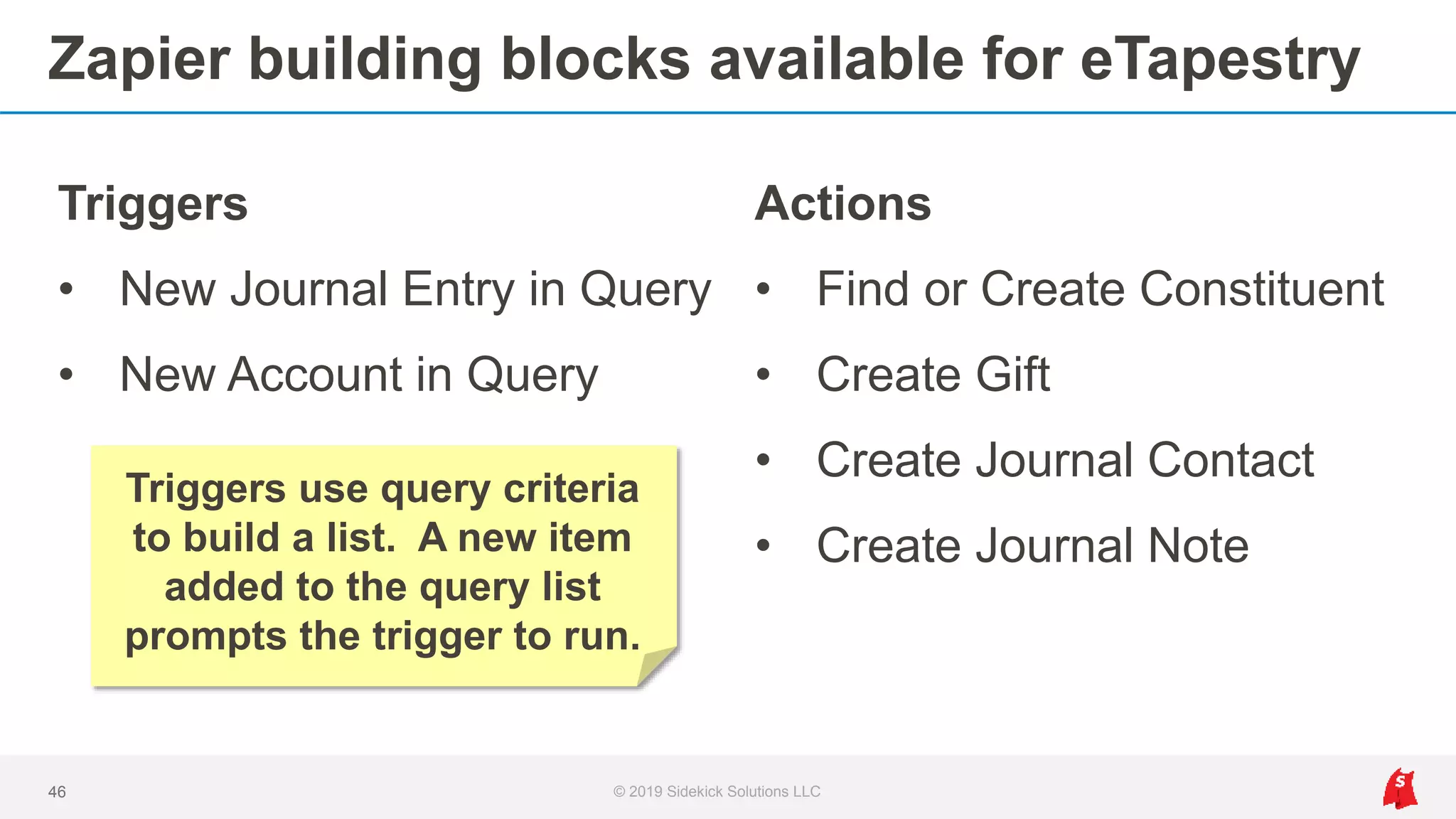
Zapier building blocks for system automation
• Trigger – Events in one app that start a Zap (workflow)
• Action – Task completed in another app following a trigger
45 © 2019 Sidekick Solutions LLC
Zapier building blocks available for eTapestry
Triggers
• New Journal Entry in Query
• New Account in Query
46 © 2019 Sidekick Solutions LLC
Actions
• Find or Create Constituent
• Create Gift
• Create Journal Contact
• Create Journal Note
Triggers use query criteria
to build a list. A new item
added to the query list
prompts the trigger to run.
Any app in Zapier’s app directory can
be integrated with eTapestry using our
Wrapper’s triggers and actions.
© 2019 Sidekick Solutions LLC47
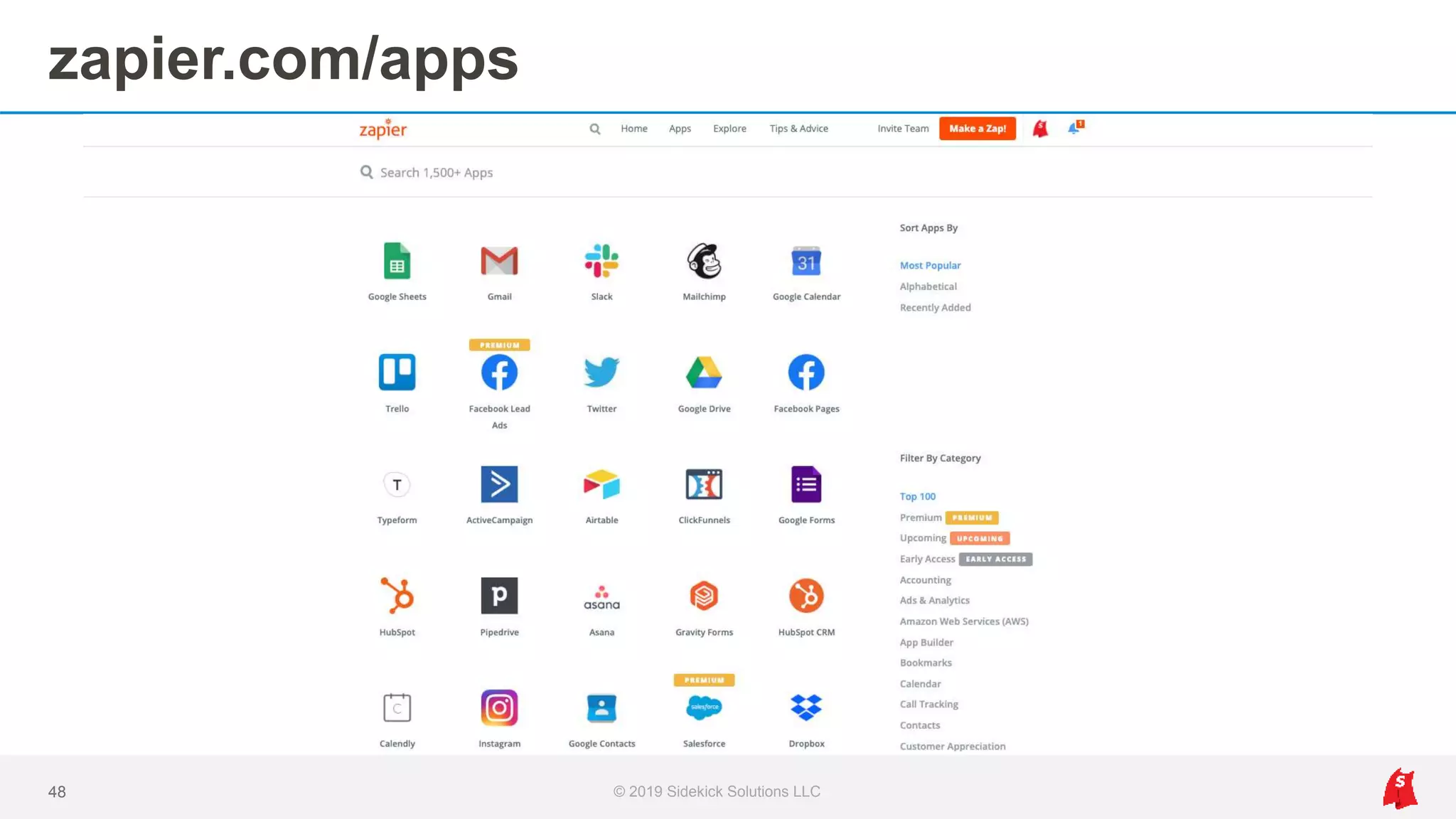
zapier.com/apps
© 2019 Sidekick Solutions LLC48
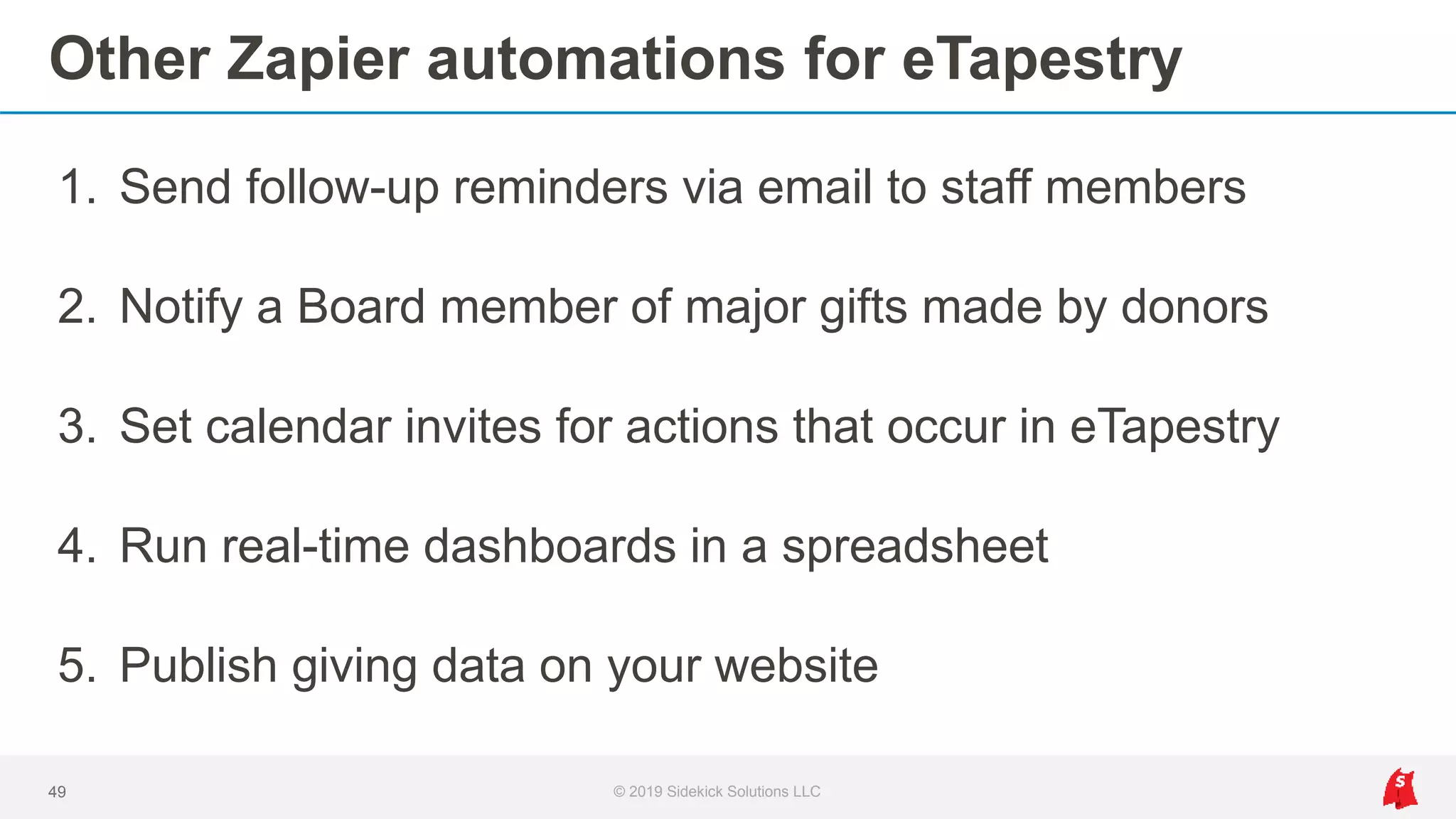
Other Zapier automations for eTapestry
1. Send follow-up reminders via email to staff members
2. Notify a Board member of major gifts made by donors
3. Set calendar invites for actions that occur in eTapestry
4. Run real-time dashboards in a spreadsheet
5. Publish giving data on your website
49 © 2019 Sidekick Solutions LLC
Other Zapier automations for eTapestry
6. Automate acknowledgement letters with mail merge
7. Log emails to an account’s journal as a contact
8. Receive notifications when a credit card expires
9. Set task to thank donors that give over certain amount
10. Send automated pledge reminders
50 © 2019 Sidekick Solutions LLC
Other Zapier automations for eTapestry
11. Send campaign updates via social media
12. Process gifts through third-party payment processors
13. Customize donation forms to match your website
14. Collect form responses to surveys and applications
15. Sync donor contacts to Google Contacts or Outlook
51 © 2019 Sidekick Solutions LLC
What’s the next step?
© 2019 Sidekick Solutions LLC52
How to get started
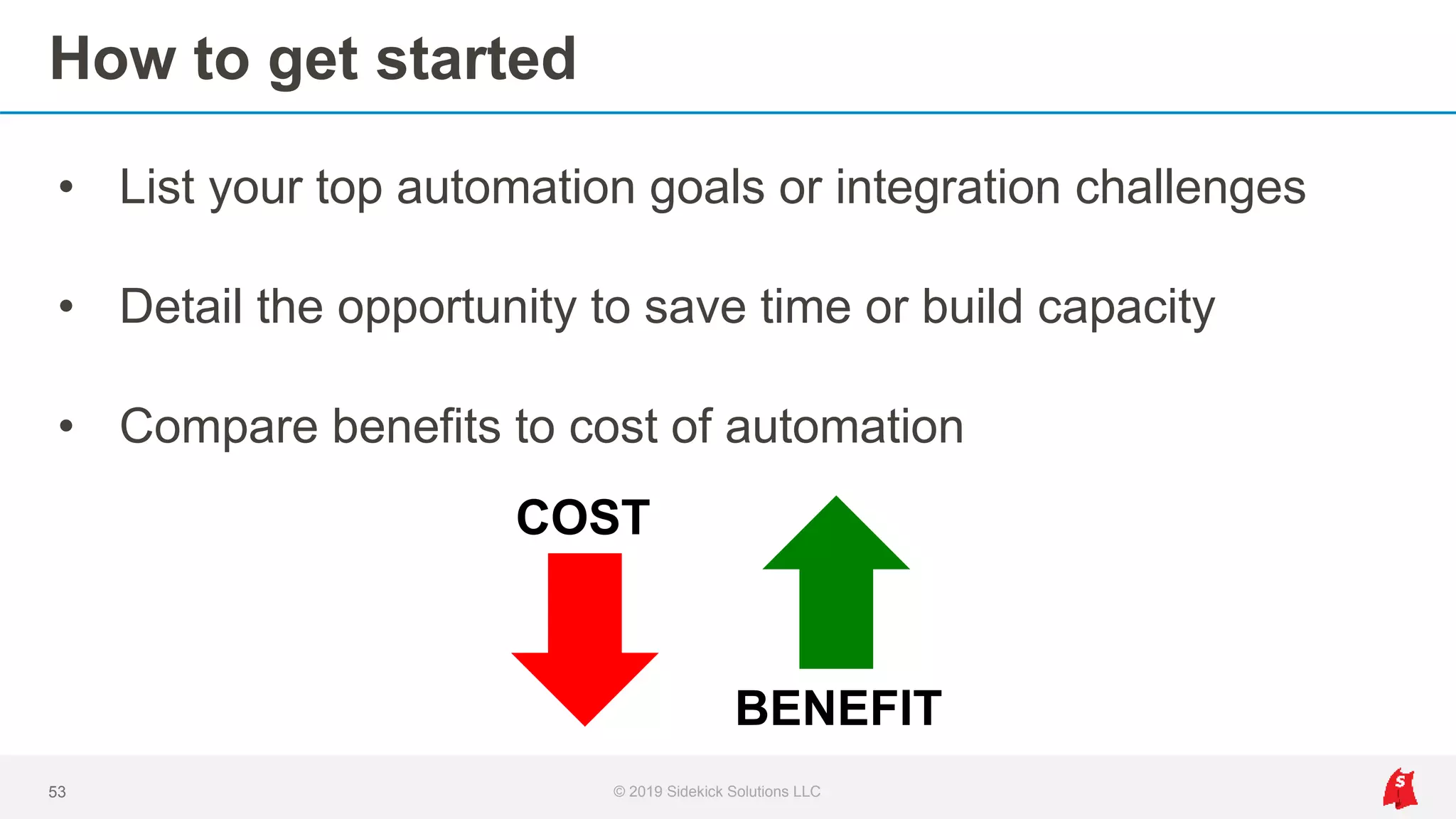
• List your top automation goals or integration challenges
• Detail the opportunity to save time or build capacity
• Compare benefits to cost of automation
53 © 2019 Sidekick Solutions LLC
COST
BENEFIT
Get in touch
© 2019 Sidekick Solutions LLC54
Jeffrey Haguewood
eTapestry Software Consultant
Sidekick Solutions
jeff@sidekicksolutionsllc.com
Thank you for joining us today!
Recording and slides will be sent to you via email.
© 2019 Sidekick Solutions LLC55
Questions?
© 2019 Sidekick Solutions LLC56

eTapestry + Zapier: Automated Integration with Any App

  • 1.
    eTapestry + Zapier AutomatedIntegration with Any App
  • 2.
    On the webinartoday… © 2019 Sidekick Solutions LLC2 Jeffrey Haguewood eTapestry Software Consultant Sidekick Solutions jeff@sidekicksolutionsllc.com
  • 3.
    We believe thatautomated integrations are essential to your eTapestry experience, or any donor database. © 2019 Sidekick Solutions LLC3
  • 4.
    Why integrations matter…youuse other tools • eTapestry • Email marketing • Event coordination • Online giving • Major gift pipeline • Volunteers 4 © 2019 Sidekick Solutions LLC • Accounting • Email and calendars • Tasks and to-dos • Peer to peer • Reporting and analytics • …plus other tools
  • 5.
    Our agenda • Whatis Zapier and why connect it to eTapestry? • Popular integrations • Automation systems and ideas for eTapestry users • How to get started with eTapestry + Zapier 5 © 2019 Sidekick Solutions LLC
  • 6.
    We developed anadapter for eTapestry 6 © 2019 Sidekick Solutions LLC
  • 7.
    Then connected thatadapter to Zapier 7 © 2019 Sidekick Solutions LLC
  • 8.
    Which enables 1,500+eTapestry integrations 8 © 2019 Sidekick Solutions LLC
  • 9.
    Why Zapier 1. 1,500+integrations in one platform (one-to-many) 2. Visibility to integration performance with no coding required 3. Custom mapping options and unique workflow design 9 © 2019 Sidekick Solutions LLC
  • 10.
    How is itworking today? • Users currently run integrations with 22 other apps o QuickBooks Online, Eventbrite, Shopify, Mailchimp, PayPal, Stripe, Slack, Google Sheets, WooCommerce, Gmail, Gravity Forms, Excel 365, Constant Contact, Klaviyo, Send With Us, Mailgun, Office 365, Outlook, Xero, Wufoo, Square, Bcc email to journal contact • Solutions for one-third of Top 30 ideas in eTap community • Most users run integrations with more than one app 10 © 2019 Sidekick Solutions LLC
  • 11.
    Popular eTapestry integrations •eTapestry > QuickBooks Online • Eventbrite > eTapestry • eTapestry <> Mailchimp • Shopify > eTapestry 11 © 2019 Sidekick Solutions LLC
  • 12.
    eTapestry > QuickBooksOnline Accounting integration and reconciliation © 2019 Sidekick Solutions LLC12
  • 13.
    Options without integration 1.Enter data in eTapestry AND manually into QBO 2. Enter data in eTapestry AND manually import into QBO 3. Enter data in eTapestry AND sum deposits into QBO 13 © 2019 Sidekick Solutions LLC
  • 14.
    Integration workflow © 2019Sidekick Solutions LLC14 1. eTapestry: New Journal Entry in Query 2. Convert Fund/Campaign/Approach/UDF to Income Account 3. Convert Fund/Campaign/Approach/UDF to Class 4. Convert Gift Type to Payment Method 5. QBO: Find or Create Customer 6. QBO: Create Sales Receipt
  • 15.
    1. New JournalEntry in Query 15 © 2019 Sidekick Solutions LLC
  • 16.
    2-4. Custom fieldmapping 16 © 2019 Sidekick Solutions LLC
  • 17.
    5. Find orCreate Customer 17 © 2019 Sidekick Solutions LLC
  • 18.
    6. Create SalesReceipt 18 © 2019 Sidekick Solutions LLC
  • 19.
    Log bank depositfor Undeposited Funds 19 © 2019 Sidekick Solutions LLC Create deposits in QBO that include sales receipts added via integration. Subtract credit card fees from deposits made by processors for reconciliation.
  • 20.
    Integration benefits 1. Nomore double data entry, plus real time sync 2. Custom mapping of any eTapestry field 3. Simplify reconciliation of deposits 4. Run reports immediately and improve accuracy 5. Accounting and development have the same data 20 © 2019 Sidekick Solutions LLC
  • 21.
    Eventbrite > eTapestry Eventintegration for orders, registrations, guests, and attendance © 2019 Sidekick Solutions LLC21
  • 22.
    Options without integration 1.Manual data entry into eTapestry pre and post event 2. Import data into eTapestry after event 3. Keep spreadsheets separate from eTapestry 4. Register attendees with DIY forms in eTapestry (no guests) 22 © 2019 Sidekick Solutions LLC
  • 23.
    Integration workflow –Event purchase © 2019 Sidekick Solutions LLC23 1. Eventbrite: New Order 2. eTapestry: Find or Create Constituent 3. eTapestry: Create Gift Gift added to purchaser’s constituent account in eTapestry.
  • 24.
    Integration workflow –Event registration © 2019 Sidekick Solutions LLC24 1. Eventbrite: New Attendee Registered 2. eTapestry: Find or Create Constituent 3. eTapestry: Create Journal Contact (registered) Guests added as constituents in eTapestry with journal entry.
  • 25.
    Integration workflow –Event attendance © 2019 Sidekick Solutions LLC25 1. Eventbrite: New Attendee Check-in 2. eTapestry: Find or Create Constituent 3. eTapestry: Create Journal Contact (attended) Log who attended, including guests and day-of-event registrants.
  • 26.
    1. Eventbrite triggersx3 26 © 2019 Sidekick Solutions LLC
  • 27.
    2. Find orCreate Constituent 27 © 2019 Sidekick Solutions LLC • Two field check o Account Name o Address o Phone o Email • Create if none found
  • 28.
    3. Create Giftfor event order 28 © 2019 Sidekick Solutions LLC • Standard field mapping o Date o Amount o Fund/Campaign/Approach o Gift Type • User-defined fields mapping
  • 29.
    3. Create Contact(registered and attended) 29 © 2019 Sidekick Solutions LLC • Custom mapping o Status: Registered or Attended o Event Name o Ticket Type o Meal preference o Guest invited by
  • 30.
    Integration benefits 1. Nomore post-event imports or data cleanup projects 2. Add both primary registrant AND guests to eTapestry 3. Use mobile apps for registration and check-in 4. Report on registration and attendance in real time 5. Manage free and paid events with single integration 30 © 2019 Sidekick Solutions LLC
  • 31.
    Multi-app integration workflows 31© 2019 Sidekick Solutions LLC • Tag Mailchimp subscriber • Add roster in Google Sheet • Notify staff in Slack • Send custom confirmation emails • Draft invoices for sponsorships
  • 32.
    eTapestry <> Mailchimp Listsync, preferences + profiles, and campaign automation © 2019 Sidekick Solutions LLC32
  • 33.
    Options without integration 1.Import to Mailchimp from eTapestry before every campaign 2. Keep Mailchimp and eTapestry separate 3. Unable to run automated (drip) campaigns in real time 33 © 2019 Sidekick Solutions LLC
  • 34.
    Integration workflow –eTapestry to Mailchimp © 2019 Sidekick Solutions LLC34 1. Accounts with email-only to Mailchimp 2. Accounts to MailChimp with groups, tags, and custom fields 3. Accounts to MailChimp with specific criteria for enrollment in automated campaigns
  • 35.
    Ideas: Automated EmailCampaigns 1. Add new donors to 6-month drip campaign 2. Send automated birthday notifications to donors 3. Send automated lapsed donor reminders annually 4. Follow up on membership renewal dates 5. Invite donor with a local address to register as volunteer 35 © 2019 Sidekick Solutions LLC
  • 36.
    Integration workflow –Mailchimp to eTapestry © 2019 Sidekick Solutions LLC36 1. New subscribers as accounts in eTapestry 2. Log unsubscribes as contacts or notes in constituent’s journal 3. Log preference changes as contacts or notes in constituent’s journal
  • 37.
    Integration benefits 1. Nomore spreadsheets or scrubbing data pre-send 2. Scale communication efforts with workflow automation 3. Segment subscribers automatically with custom mapping 37 © 2019 Sidekick Solutions LLC
  • 38.
    Shopify > eTapestry Integrationfor online store purchases to a constituent’s journal © 2019 Sidekick Solutions LLC38
  • 39.
    Options without integration 1.Import from Shopify to eTapestry every week or month 2. Manually enter data from Shopify to eTapestry 3. Without paired accounting integration, triple data entry 39 © 2019 Sidekick Solutions LLC
  • 40.
    Integration workflow © 2019Sidekick Solutions LLC40 1. Shopify: New Paid/Updated Order 2. eTapestry: Find or Create Constituent 3. eTapestry: Create Gift for Shipping 4. eTapestry: Create Gift for Tax 5. Convert order into separate Item(s) 6. eTapestry: Create Gift for each Item
  • 41.
    Integration benefits 1. Getitem-level detail on purchases in eTapestry 2. Scale integration to allow product additions in real time 3. Sell physical, digital, or symbolic products 41 © 2019 Sidekick Solutions LLC
  • 42.
    eTapestry + Zapierenables fundraising system automation, which goes well beyond any single app-to- app integration. © 2019 Sidekick Solutions LLC42
  • 43.
    App-to-app integration foreTapestry to QBO © 2019 Sidekick Solutions LLC43
  • 44.
    Multi-app automation systemfor eTapestry © 2019 Sidekick Solutions LLC44
  • 45.
    Zapier building blocksfor system automation • Trigger – Events in one app that start a Zap (workflow) • Action – Task completed in another app following a trigger 45 © 2019 Sidekick Solutions LLC
  • 46.
    Zapier building blocksavailable for eTapestry Triggers • New Journal Entry in Query • New Account in Query 46 © 2019 Sidekick Solutions LLC Actions • Find or Create Constituent • Create Gift • Create Journal Contact • Create Journal Note Triggers use query criteria to build a list. A new item added to the query list prompts the trigger to run.
  • 47.
    Any app inZapier’s app directory can be integrated with eTapestry using our Wrapper’s triggers and actions. © 2019 Sidekick Solutions LLC47
  • 48.
  • 49.
    Other Zapier automationsfor eTapestry 1. Send follow-up reminders via email to staff members 2. Notify a Board member of major gifts made by donors 3. Set calendar invites for actions that occur in eTapestry 4. Run real-time dashboards in a spreadsheet 5. Publish giving data on your website 49 © 2019 Sidekick Solutions LLC
  • 50.
    Other Zapier automationsfor eTapestry 6. Automate acknowledgement letters with mail merge 7. Log emails to an account’s journal as a contact 8. Receive notifications when a credit card expires 9. Set task to thank donors that give over certain amount 10. Send automated pledge reminders 50 © 2019 Sidekick Solutions LLC
  • 51.
    Other Zapier automationsfor eTapestry 11. Send campaign updates via social media 12. Process gifts through third-party payment processors 13. Customize donation forms to match your website 14. Collect form responses to surveys and applications 15. Sync donor contacts to Google Contacts or Outlook 51 © 2019 Sidekick Solutions LLC
  • 52.
    What’s the nextstep? © 2019 Sidekick Solutions LLC52
  • 53.
    How to getstarted • List your top automation goals or integration challenges • Detail the opportunity to save time or build capacity • Compare benefits to cost of automation 53 © 2019 Sidekick Solutions LLC COST BENEFIT
  • 54.
    Get in touch ©2019 Sidekick Solutions LLC54 Jeffrey Haguewood eTapestry Software Consultant Sidekick Solutions jeff@sidekicksolutionsllc.com
  • 55.
    Thank you forjoining us today! Recording and slides will be sent to you via email. © 2019 Sidekick Solutions LLC55
  • 56.