
C:Users>
whoami
@banerjeeamit
An affair with SQL Server for nearly a decade
Was part of SQL Escalation Services and Premier Field Engineering
team at Microsoft
Now a Sr. Program Manager on the Microsoft SQL Server (TIGER)
product team focusing on HADR and Replication
Speaker at SQL PASS, 24HOP, TechEd, Virtual TechDays, User Groups,
SQL Saturdays, SQLBITS, SQL NEXUS
Co-authored “Professional SQL Server 2012: Internals and
Troubleshooting” and “Pro SQL Server on Microsoft Azure”
Own TroubleshootingSQL.com
Also found on http://aka.ms/sqlserverteam
@mssqltiger
SQL Server Tiger Team
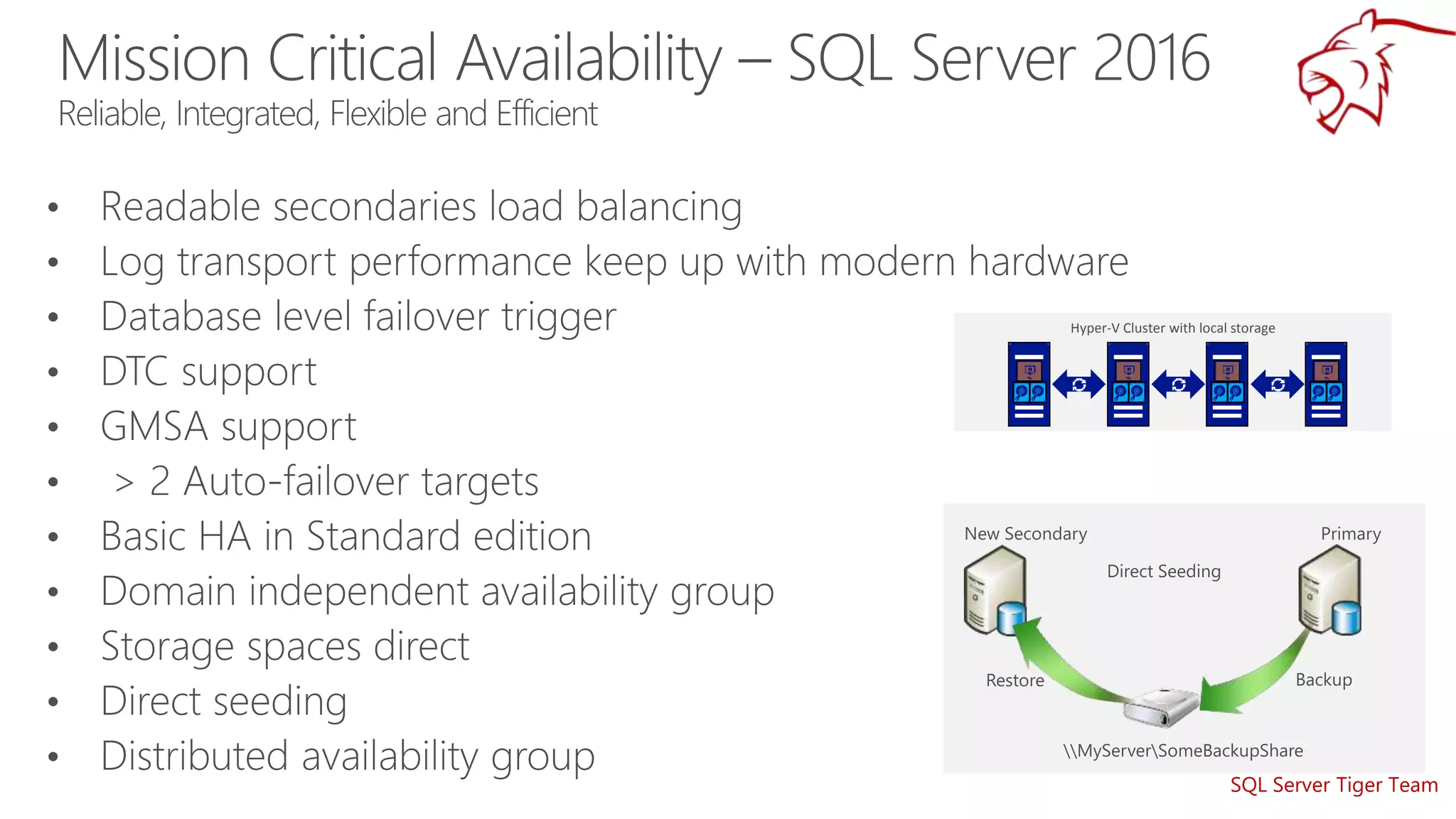
Hyper-V Cluster with local storage
SQL Server Tiger Team
Many people are saying…..
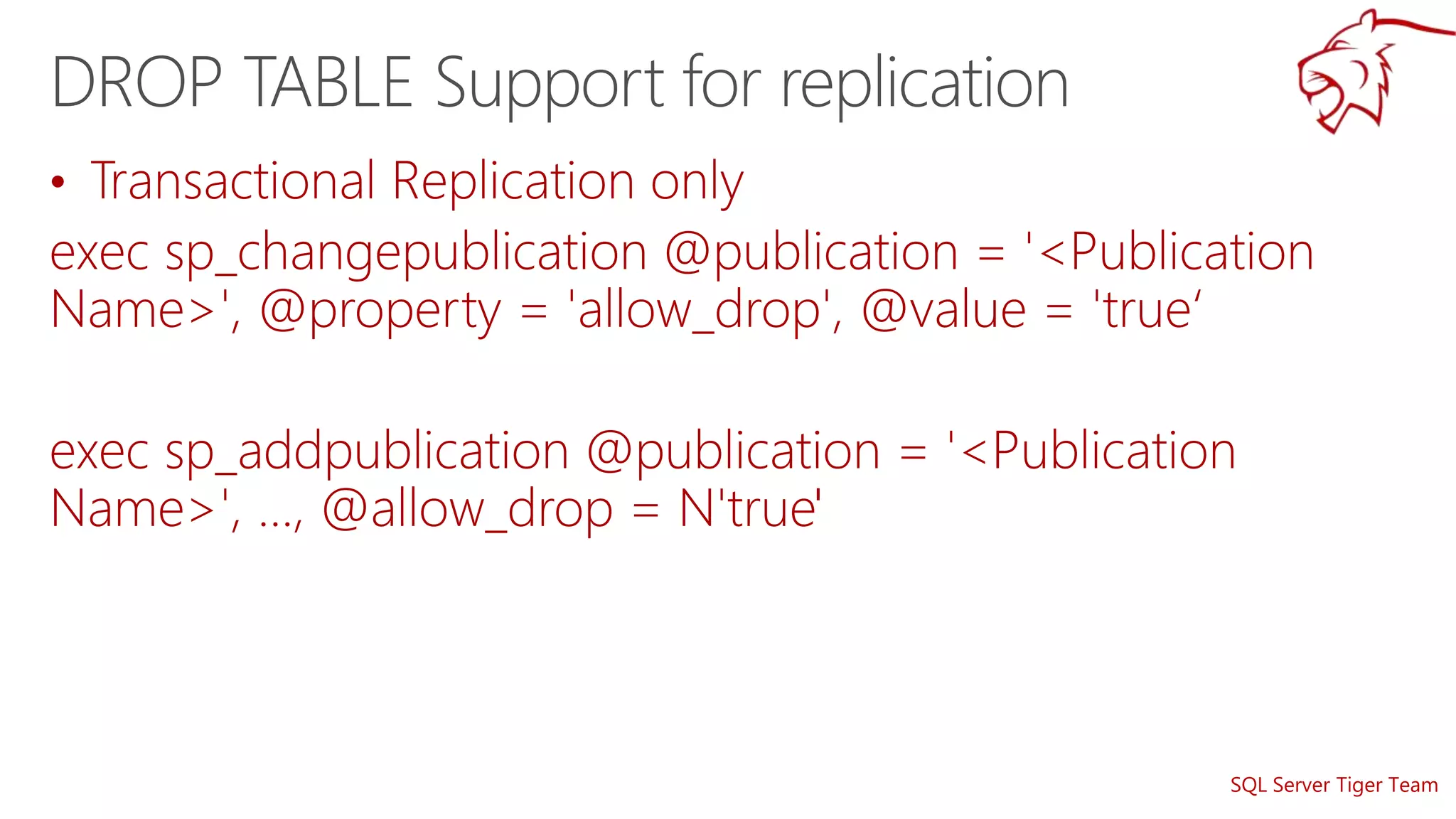
Dropping a table should be allowed in
replication
SQL Server Tiger Team
If the table does not exist or if change tracking is not enabled, appropriate error messages
will be thrown
SQL Server Tiger Team
•
•
SQL Server Tiger Team
Extended Events
•
•
•
•
•
•
•
•
•
•
•
•
•
•
•
•
•
Perfmon counters
•
•
•
•
•
•
•
•
•
•
•
•
•
•
•
•
•
•
•
•
•
SQL Server Tiger Team
https://github.com/amitmsft/MSSQLTIGERDemos
Enhancements to High Availability, Disaster Recovery and Replication

Enhancements to High Availability, Disaster Recovery and Replication

  • 2.
    C:Users> whoami @banerjeeamit An affair withSQL Server for nearly a decade Was part of SQL Escalation Services and Premier Field Engineering team at Microsoft Now a Sr. Program Manager on the Microsoft SQL Server (TIGER) product team focusing on HADR and Replication Speaker at SQL PASS, 24HOP, TechEd, Virtual TechDays, User Groups, SQL Saturdays, SQLBITS, SQL NEXUS Co-authored “Professional SQL Server 2012: Internals and Troubleshooting” and “Pro SQL Server on Microsoft Azure” Own TroubleshootingSQL.com Also found on http://aka.ms/sqlserverteam @mssqltiger
  • 3.
    SQL Server TigerTeam Hyper-V Cluster with local storage
  • 4.
  • 6.
  • 7.
    Many people aresaying….. Dropping a table should be allowed in replication
  • 8.
  • 9.
    SQL Server TigerTeam If the table does not exist or if change tracking is not enabled, appropriate error messages will be thrown
  • 10.
  • 11.
  • 12.
    SQL Server TigerTeam • •
  • 14.
  • 16.
    SQL Server TigerTeam Extended Events • • • • • • • • • • • • • • • • • Perfmon counters • • • • • • • • • • • • • • • • • • • • •
  • 17.
    SQL Server TigerTeam https://github.com/amitmsft/MSSQLTIGERDemos

Editor's Notes

  • #6 Find more details at the following links: Setting up Transactional Replication Azure DB Transactional Replication described on an episode of Data Exposed Migrating a SQL Server database to Azure SQL Database
  • #9 Refer KB3170123 for more details
  • #10 Arguments [@TableToClean= ] 'TableName' Is the name of the table, for which change tracking is enabled, that has the backlogs left by Change Tracking auto cleanup. Expected output: On running the above stored procedure, one of the following happens If the table does not exist or if change tracking is not enabled, appropriate error messages will be thrown This stored procedure will call another internal stored procedure that sets the internal table objects to be visible for this sp (so that user need not have DAC connection to access change tracking side tables) and clears up contents from the change tracking side table based on the invalid cleanup version (which it gets from sys.change_tracking_tables dmv).  While it is running, it will show the information of total rows deleted (for every 5000 rows).   Note: The auto cleanup usually has problems when there is any lock on the change tracking side table for whatever reason.  In order to determine the problematic table(s), this stored proc can be called within a cursor that will iterate over all the tables that are enabled for change tracking.  While doing that, when it encounters the problematic table, no progress will be seen in the number of rows deleted message.  That is the first clue that should help on troubleshooting the issue with CT auto cleanup.
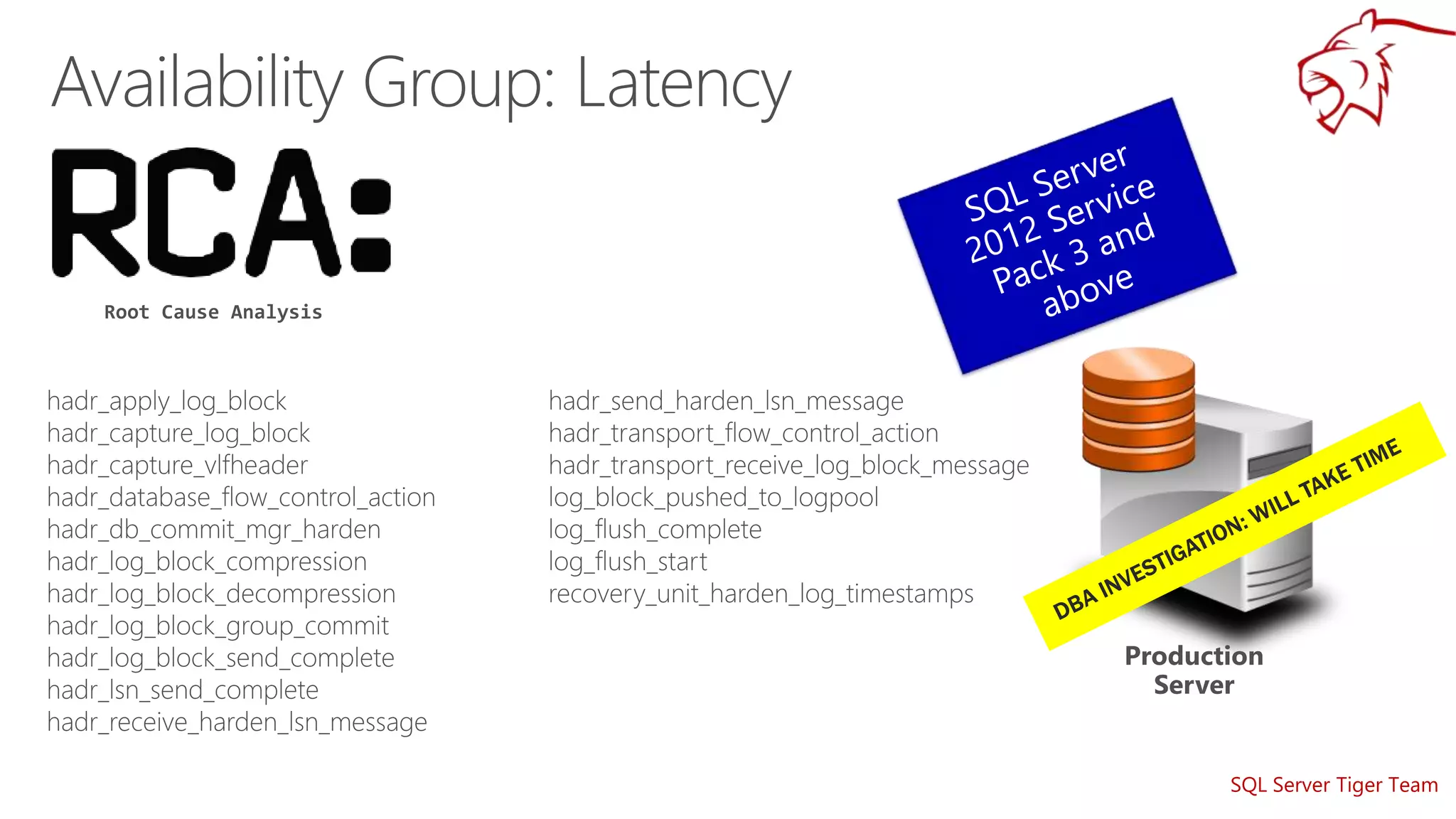
  • #12 Improvements for Lease Timeout supportability: The Lease Timeout message now displays and logs the current time and expected renewal time. A new error message was added for lease workers that clearly indicates the reason for Lease Timeout. A new extended event and a new ring buffer for lease workers were added. These clearly indicate the lease stages. More information in https://support.microsoft.com/en-us/kb/3156304 https://support.microsoft.com/en-us/kb/3112363 https://blogs.msdn.microsoft.com/alwaysonpro/2016/02/23/improved-alwayson-availability-group-lease-timeout-diagnostics/
  • #13 More information about this improvement can be found in the following articles: https://blogs.msdn.microsoft.com/alwaysonpro/2016/02/23/improved-alwayson-availability-group-lease-timeout-diagnostics/ https://support.microsoft.com/en-us/kb/3112363 Refer the following for Lease Timeouts: https://blogs.msdn.microsoft.com/psssql/2012/09/07/how-it-works-sql-server-alwayson-lease-timeout/
  • #17 Video about the features working is at https://youtu.be/r_nLq---DQg