NAME:TRUJILLO ZURITA KARINA 
MATTER:TECHNOLOGICAL TOOLS 
TEACHER’S NAME: : ISRAEL CAMPOS ENRIQUEZ 
DELIVERY DATE:28-NOVEMBER 2014 
1ST HALF 
UNIVERSITY SCHOOL: UGMEX
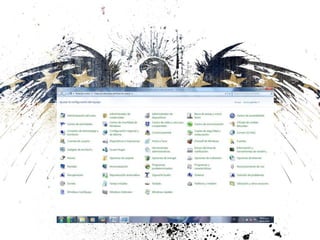
• The Control Panel is a part of the Microsoft Windows 
graphical user interface which allows users to view 
and manipulate basic system settings and controls 
via applets, such as adding hardware , adding and 
removing software, controlling user accounts, and 
changing accessibility options. Additional applets can 
be provided by third party software.
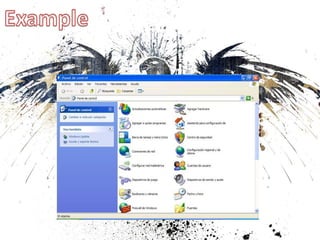
• The Control Panel has been an inherent part of the 
Microsoft Windows operating system since Windows 
2.0,with many of the current applets being added in 
later versions. Beginning with Windows 95, the 
Control Panel is implemented as a special folder, i.e. 
the folder does not physically exist, but only 
contains shortcuts to various applets such as Add or 
Remove Programs and Internet Options. Physically, 
these applets are stored as .cpl files. For example, 
the Add or Remove Programs applet is stored under 
the name appwiz.cpl in the SYSTEM32 folder.
English1
English1
English1

English1

  • 1.
    NAME:TRUJILLO ZURITA KARINA MATTER:TECHNOLOGICAL TOOLS TEACHER’S NAME: : ISRAEL CAMPOS ENRIQUEZ DELIVERY DATE:28-NOVEMBER 2014 1ST HALF UNIVERSITY SCHOOL: UGMEX
  • 2.
    • The ControlPanel is a part of the Microsoft Windows graphical user interface which allows users to view and manipulate basic system settings and controls via applets, such as adding hardware , adding and removing software, controlling user accounts, and changing accessibility options. Additional applets can be provided by third party software.
  • 3.
    • The ControlPanel has been an inherent part of the Microsoft Windows operating system since Windows 2.0,with many of the current applets being added in later versions. Beginning with Windows 95, the Control Panel is implemented as a special folder, i.e. the folder does not physically exist, but only contains shortcuts to various applets such as Add or Remove Programs and Internet Options. Physically, these applets are stored as .cpl files. For example, the Add or Remove Programs applet is stored under the name appwiz.cpl in the SYSTEM32 folder.