Download to read offline



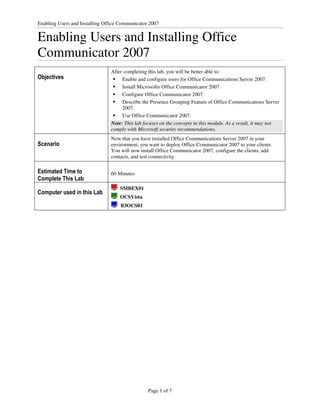
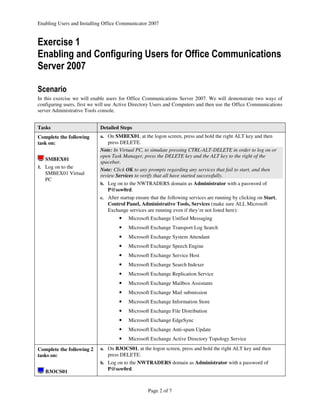
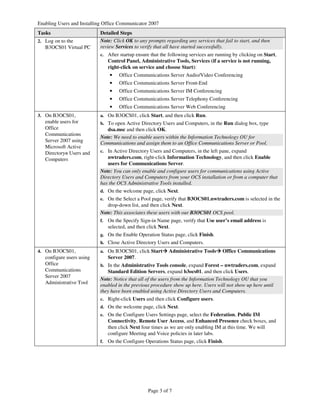
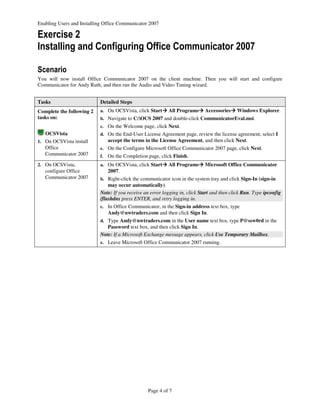
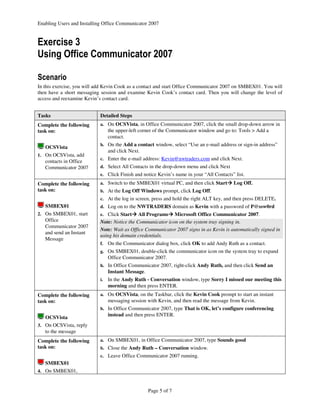
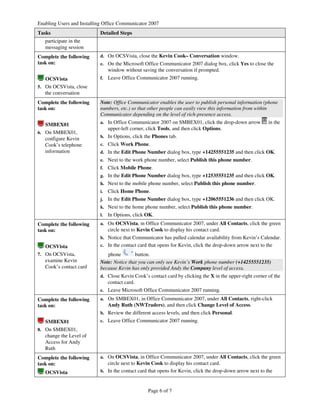


This document provides instructions for enabling users and installing Office Communicator 2007. It includes 9 exercises: 1. Enabling users for Office Communications Server 2007 using Active Directory and the OCS administrative tools. 2. Installing and configuring Office Communicator 2007 on a client machine. 3. Adding a contact, messaging with that contact, and examining the contact card on two machines. 4. Continuing the messaging session and closing it. 5. Configuring and publishing a user's contact information. 6. Examining the contact card and available information based on access level. 7. Changing the access level between two users and reexamining the contact card.


![Enterprise connect and_office_editor_release_notes_10.3.1[1]](https://cdn.slidesharecdn.com/ss_thumbnails/enterpriseconnectandofficeeditorreleasenotes10-201122161032-thumbnail.jpg?width=640&height=640&fit=bounds)


