Fundamental Network
Programming
Socket in C#
Lecturer: MSc. Dang Le Bao Chuong Spring 2022
Agenda
I. Review Socket
II. Socket in C#
I. C# Socket class
II. UdpClient class
III. TcpListener & TcpClient class
Socket programming
goal: learn how to build client/server applications that
communicate using sockets
socket: door between application process and end-end-transport
protocol
Internet
controlled
by OS
controlled by
app developer
transport
application
physical
link
network
process
transport
application
physical
link
network
process
socket
Socket programming
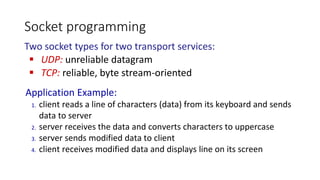
Two socket types for two transport services:
 UDP: unreliable datagram
 TCP: reliable, byte stream-oriented
Application Example:
1. client reads a line of characters (data) from its keyboard and sends
data to server
2. server receives the data and converts characters to uppercase
3. server sends modified data to client
4. client receives modified data and displays line on its screen
Socket programming with UDP
UDP: no “connection” between client
and server:
• no handshaking before sending data
• sender explicitly attaches IP destination
address and port # to each packet
• receiver extracts sender IP address and
port# from received packet
UDP: transmitted data may be lost or received out-of-order
Application viewpoint:
 UDP provides unreliable transfer of groups of bytes (“datagrams”)
between client and server processes
Client/server socket interaction: UDP
close
clientSocket
read datagram from
clientSocket
create socket:
clientSocket =
socket(AF_INET,SOCK_DGRAM)
Create datagram with serverIP address
And port=x; send datagram via
clientSocket
create socket, port= x:
serverSocket =
socket(AF_INET,SOCK_DGRAM)
read datagram from
serverSocket
write reply to
serverSocket
specifying
client address,
port number
server (running on serverIP) client
Example app: UDP client
1. Socket socket
= new Socket(AddressFamily.InterNetwork, SocketType.Dgram,
ProtocolType.Udp);
2. IPEndPoint ep = new IPEndPoint(IPAddress.Parse("192.168.2.255"),
11000);
3. byte[] send_buffer = Encoding.ASCII.GetBytes(“Text to send”);
4. socket.SendTo(send_buffer, ep);
5. Byte[] buffer = new byte[1024];
6. socket.Receive(buffer);
7. String data = Encoding.ASCII.GetString(buffer);
UDPClient based on C# Socket
create UDP socket for
sending to server
attach server name, port to message; send into socket
print out received string and close socket
read reply characters from socket into string
Example app: UDP server
UDPServer based on c#
1. UdpClient listener = new UdpClient(11000);
2. IPEndPoint groupEP = new IPEndPoint(IPAddress.Any, listenPort);
3. string received_data;
4. byte[] receive_byte_array;
5. while (true)
{
receive_byte_array = listener.Receive(ref groupEP);
received_data = Encoding.ASCII.GetString(receive_byte_array, 0,
receive_byte_array.Length);
}
6. listener.Close();
create UDP socket
bind socket to local port number 11000
loop forever
Read from UDP socket into message, getting
client’s address (client IP and port)
Socket programming with TCP
Client must contact server
• server process must first be
running
• server must have created socket
(door) that welcomes client’s
contact
Client contacts server by:
• Creating TCP socket, specifying IP
address, port number of server
process
• when client creates socket: client
TCP establishes connection to
server TCP
 when contacted by client, server
TCP creates new socket for server
process to communicate with that
particular client
• allows server to talk with multiple
clients
• source port numbers used to
distinguish clients (more in Chap 3)
TCP provides reliable, in-order
byte-stream transfer (“pipe”)
between client and server
processes
Application viewpoint
Client/server socket interaction: TCP
server (running on hostid) client
wait for incoming
connection request
connectionSocket =
serverSocket.accept()
create socket,
port=x, for incoming
request:
serverSocket = socket()
create socket,
connect to hostid, port=x
clientSocket = socket()
send request using
clientSocket
read request from
connectionSocket
write reply to
connectionSocket
TCP
connection setup
close
connectionSocket
read reply from
clientSocket
close
clientSocket
1. IPEndPoint remoteEP = new
IPEndPoint(ipAddress,11000);
2. Socket sender = new Socket(ipAddress.AddressFamily,
SocketType.Stream, ProtocolType.Tcp );
3. sender.Connect(remoteEP);
4. sender.RemoteEndPoint.ToString());
5. byte[] msg = Encoding.ASCII.GetBytes("This is a
test<EOF>"); int bytesSent = sender.Send(msg);
6. int bytesRec = sender.Receive(bytes);
sender.Shutdown(SocketShutdown.Both);
Example app: TCP client
TCPClient based on C# Socket
create TCP socket for server,
remote port 11000
No need to attach server name, port
Example app: TCP server
1. byte[] bytes = new Byte[1024];
2. IPEndPoint localEndPoint = new IPEndPoint(ipAddress,
11000);
3. Socket listener = new Socket(ipAddress.AddressFamily,
SocketType.Stream, ProtocolType.Tcp );
4. listener.Bind(localEndPoint);
5. listener.Listen(10);
6. while (true) {
7. Socket handler = listener.Accept();
8. String data = null;
9. while (true) {
10. int bytesRec = handler.Receive(bytes);
11. data += Encoding.ASCII.GetString(bytes,0,bytesRec);
12. if (data.IndexOf("<EOF>") > -1) { break; }
13. }
14. byte[] msg = Encoding.ASCII.GetBytes(data);
15. handler.Send(msg);
16. handler.Shutdown(SocketShutdown.Both);
TCPServer based on C# Socket
create TCP welcoming socket
server begins listening for
incoming TCP requests
loop forever
server waits on accept() for incoming
requests, new socket created on return
read bytes from socket (but
not address as in UDP)
close connection to this client (but not
welcoming socket)
References
1. Socket: https://docs.microsoft.com/vi-vn/dotnet/framework/network-programming/synchronous-client-
socket-example
2. https://www.c-sharpcorner.com/article/a-simple-multi-threaded-tcpudp-server-and-client-v2/
Assignment week #4
• UDP Chat client-server:
• Client side: student should use C# Socket class
• Server side: student should use C# UdpClient class

EN-04 (1).pptx

  • 1.
    Fundamental Network Programming Socket inC# Lecturer: MSc. Dang Le Bao Chuong Spring 2022
  • 2.
    Agenda I. Review Socket II.Socket in C# I. C# Socket class II. UdpClient class III. TcpListener & TcpClient class
  • 3.
    Socket programming goal: learnhow to build client/server applications that communicate using sockets socket: door between application process and end-end-transport protocol Internet controlled by OS controlled by app developer transport application physical link network process transport application physical link network process socket
  • 4.
    Socket programming Two sockettypes for two transport services:  UDP: unreliable datagram  TCP: reliable, byte stream-oriented Application Example: 1. client reads a line of characters (data) from its keyboard and sends data to server 2. server receives the data and converts characters to uppercase 3. server sends modified data to client 4. client receives modified data and displays line on its screen
  • 5.
    Socket programming withUDP UDP: no “connection” between client and server: • no handshaking before sending data • sender explicitly attaches IP destination address and port # to each packet • receiver extracts sender IP address and port# from received packet UDP: transmitted data may be lost or received out-of-order Application viewpoint:  UDP provides unreliable transfer of groups of bytes (“datagrams”) between client and server processes
  • 6.
    Client/server socket interaction:UDP close clientSocket read datagram from clientSocket create socket: clientSocket = socket(AF_INET,SOCK_DGRAM) Create datagram with serverIP address And port=x; send datagram via clientSocket create socket, port= x: serverSocket = socket(AF_INET,SOCK_DGRAM) read datagram from serverSocket write reply to serverSocket specifying client address, port number server (running on serverIP) client
  • 7.
    Example app: UDPclient 1. Socket socket = new Socket(AddressFamily.InterNetwork, SocketType.Dgram, ProtocolType.Udp); 2. IPEndPoint ep = new IPEndPoint(IPAddress.Parse("192.168.2.255"), 11000); 3. byte[] send_buffer = Encoding.ASCII.GetBytes(“Text to send”); 4. socket.SendTo(send_buffer, ep); 5. Byte[] buffer = new byte[1024]; 6. socket.Receive(buffer); 7. String data = Encoding.ASCII.GetString(buffer); UDPClient based on C# Socket create UDP socket for sending to server attach server name, port to message; send into socket print out received string and close socket read reply characters from socket into string
  • 8.
    Example app: UDPserver UDPServer based on c# 1. UdpClient listener = new UdpClient(11000); 2. IPEndPoint groupEP = new IPEndPoint(IPAddress.Any, listenPort); 3. string received_data; 4. byte[] receive_byte_array; 5. while (true) { receive_byte_array = listener.Receive(ref groupEP); received_data = Encoding.ASCII.GetString(receive_byte_array, 0, receive_byte_array.Length); } 6. listener.Close(); create UDP socket bind socket to local port number 11000 loop forever Read from UDP socket into message, getting client’s address (client IP and port)
  • 9.
    Socket programming withTCP Client must contact server • server process must first be running • server must have created socket (door) that welcomes client’s contact Client contacts server by: • Creating TCP socket, specifying IP address, port number of server process • when client creates socket: client TCP establishes connection to server TCP  when contacted by client, server TCP creates new socket for server process to communicate with that particular client • allows server to talk with multiple clients • source port numbers used to distinguish clients (more in Chap 3) TCP provides reliable, in-order byte-stream transfer (“pipe”) between client and server processes Application viewpoint
  • 10.
    Client/server socket interaction:TCP server (running on hostid) client wait for incoming connection request connectionSocket = serverSocket.accept() create socket, port=x, for incoming request: serverSocket = socket() create socket, connect to hostid, port=x clientSocket = socket() send request using clientSocket read request from connectionSocket write reply to connectionSocket TCP connection setup close connectionSocket read reply from clientSocket close clientSocket
  • 11.
    1. IPEndPoint remoteEP= new IPEndPoint(ipAddress,11000); 2. Socket sender = new Socket(ipAddress.AddressFamily, SocketType.Stream, ProtocolType.Tcp ); 3. sender.Connect(remoteEP); 4. sender.RemoteEndPoint.ToString()); 5. byte[] msg = Encoding.ASCII.GetBytes("This is a test<EOF>"); int bytesSent = sender.Send(msg); 6. int bytesRec = sender.Receive(bytes); sender.Shutdown(SocketShutdown.Both); Example app: TCP client TCPClient based on C# Socket create TCP socket for server, remote port 11000 No need to attach server name, port
  • 12.
    Example app: TCPserver 1. byte[] bytes = new Byte[1024]; 2. IPEndPoint localEndPoint = new IPEndPoint(ipAddress, 11000); 3. Socket listener = new Socket(ipAddress.AddressFamily, SocketType.Stream, ProtocolType.Tcp ); 4. listener.Bind(localEndPoint); 5. listener.Listen(10); 6. while (true) { 7. Socket handler = listener.Accept(); 8. String data = null; 9. while (true) { 10. int bytesRec = handler.Receive(bytes); 11. data += Encoding.ASCII.GetString(bytes,0,bytesRec); 12. if (data.IndexOf("<EOF>") > -1) { break; } 13. } 14. byte[] msg = Encoding.ASCII.GetBytes(data); 15. handler.Send(msg); 16. handler.Shutdown(SocketShutdown.Both); TCPServer based on C# Socket create TCP welcoming socket server begins listening for incoming TCP requests loop forever server waits on accept() for incoming requests, new socket created on return read bytes from socket (but not address as in UDP) close connection to this client (but not welcoming socket)
  • 13.
    References 1. Socket: https://docs.microsoft.com/vi-vn/dotnet/framework/network-programming/synchronous-client- socket-example 2.https://www.c-sharpcorner.com/article/a-simple-multi-threaded-tcpudp-server-and-client-v2/
  • 14.
    Assignment week #4 •UDP Chat client-server: • Client side: student should use C# Socket class • Server side: student should use C# UdpClient class